MOTOSHARE 🚗🏍️
Rent Bikes & Cars Directly from Owners
Motoshare connects vehicle owners with people who need bikes and cars on rent. Owners earn from idle vehicles, and renters get flexible ride options.
Visit Motoshare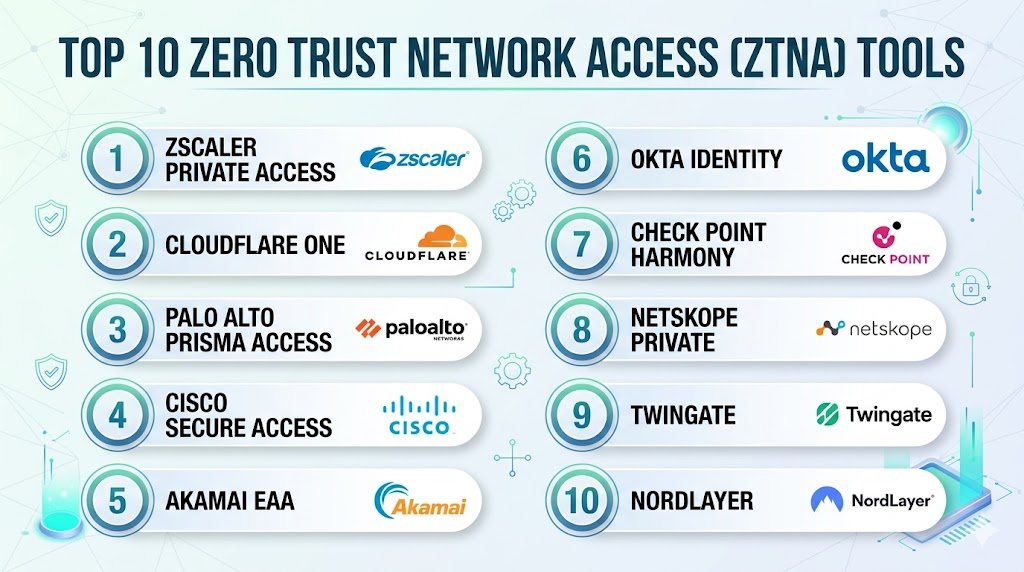
Introduction
Zero Trust Network Access (ZTNA) is a security technology that provides secure remote access to applications and services based on clearly defined access control policies. Unlike traditional security models that trust anyone inside a company network, ZTNA operates on the principle of “never trust, always verify.” It creates an identity-based perimeter, meaning that no user or device is granted access until their identity and the health of their device are strictly confirmed. In simple terms, ZTNA hides applications from the public internet. It only opens a “one-to-one” connection between an authorized user and the specific app they need, rather than letting them onto the whole network.
This technology is becoming the standard for modern work environments. In the current era of remote and hybrid work, employees access company data from coffee shops, homes, and different countries. Traditional tools like VPNs often provide too much access and can be slow. ZTNA solves this by providing faster connections and much tighter security. It reduces the “attack surface” of a company, making it much harder for hackers to find a way in. It is no longer just a luxury; it is a foundational piece of a modern security strategy.
Real-world use cases:
- Secure Remote Work: Allowing employees to access private company apps from their home internet without exposing the app to the web.
- Third-Party Access: Giving contractors or partners access only to the one specific tool they need to do their job, and nothing else.
- Multi-Cloud Security: Managing access to applications that are spread across different cloud providers through a single security portal.
- M&A Integration: Quickly giving employees of a newly acquired company access to necessary tools without merging two massive networks.
- Legacy App Protection: Putting a modern security “wrapper” around old software that was never designed to be on the internet.
What buyers should evaluate:
- Identity Integration: How well the tool connects with your existing login systems (like Okta or Microsoft Entra).
- Device Posture Checking: The ability to check if a laptop is encrypted and has an active antivirus before letting it connect.
- Latency and Performance: The speed of the connection, especially for global users far from the main office.
- Deployment Flexibility: Whether the tool is purely cloud-based or if it can work with on-premises servers.
- Granularity of Control: How specific the rules can be (e.g., “Allow access only during work hours from a company laptop”).
- Visibility and Logging: The quality of the reports showing who accessed what and when.
- Client-based vs. Clientless: Whether users need to install software on their devices or if they can log in through a web browser.
- Scalability: How easily the platform handles adding thousands of new users in a short period.
- Integration with SASE: Whether the ZTNA tool is part of a larger security suite that includes web filtering and firewalls.
- Ease of Management: The simplicity of the administrator dashboard for creating and updating security policies.
Best for: Companies with remote or hybrid workforces, organizations using multiple cloud providers, and industries with high security requirements like finance and healthcare.
Not ideal for: Very small teams that only use public SaaS apps like Gmail or Slack; businesses where all employees work exclusively from a single physical office with no remote needs.
Key Trends in Zero Trust Network Access (ZTNA)
- Shift from VPN to ZTNA: Companies are rapidly replacing old VPNs with ZTNA to improve speed and stop “lateral movement” by hackers.
- AI-Enhanced Risk Scoring: Security tools are now using machine learning to change access levels instantly if a user’s behavior looks suspicious.
- Unified SASE Platforms: ZTNA is being combined with other security features like Cloud Access Security Brokers (CASB) into a single management screen.
- Browser-Based Access: A major move toward “clientless” ZTNA, allowing users to access apps securely through any web browser without installing agents.
- IoT and Machine Identity: ZTNA is expanding to manage how machines and smart devices talk to each other, not just how humans access apps.
- Global Private Backbones: Top providers are building their own global networks to ensure that remote access is as fast as being in the office.
- Self-Healing Connections: New technology can automatically find the fastest path for data and fix connection drops without the user noticing.
- Deeper Compliance Automation: Platforms are adding features that automatically generate audit reports to prove a company is following security laws.
How We Selected These Tools (Methodology)
The selection of these top 10 tools was based on a comprehensive evaluation of the current security market:
- Market Share and Trust: We chose tools that are used by large, well-known global organizations.
- Feature Maturity: We prioritized tools that offer deep identity verification and device health checks.
- Reliability: We analyzed data regarding the uptime and performance of each provider’s global network.
- Ease of Use: We considered how simple the tools are for both the employees logging in and the IT teams managing them.
- Security Innovation: We looked for companies that are leading the way in adding AI and automation to their security.
- Integration Ecosystem: Evaluation of how well these tools play with other common business software.
- Scalability Signals: We chose platforms that have proven they can support tens of thousands of users without slowing down.
Top 10 Zero Trust Network Access (ZTNA) Tools
1 — Zscaler Private Access (ZPA)
Zscaler is a pioneer in cloud-delivered security. Its Private Access tool is designed to provide seamless, secure access to private applications sitting in the data center or the cloud. It is famous for its “cloud-native” approach, meaning it does not require any hardware.
Key Features
- Application Segmentation: Connects users to apps, not the network, which prevents hackers from moving sideways.
- Global Private Backbone: Uses a massive network of data centers to ensure fast connections anywhere.
- Device Posture Verification: Checks the security health of a device before granting access.
- Browser Isolation: Allows users to view apps in a secure “container” to prevent data leakage.
- API-Based Discovery: Automatically finds hidden apps in your cloud environment so you can secure them.
- Policy Automation: Changes access rules automatically based on the user’s location and risk level.
Pros
- Highly scalable and capable of supporting the world’s largest companies.
- Provides excellent visibility into who is using which application.
Cons
- Can be very expensive for smaller organizations.
- The initial setup and policy configuration can be complex.
Platforms / Deployment
- Web / Windows / macOS / Linux / iOS / Android
- Cloud-Native
Security & Compliance
- SSO/SAML, MFA, and RBAC support.
- Not publicly stated.
Integrations & Ecosystem
Zscaler integrates deeply with modern identity providers and endpoint security tools.
- Microsoft Entra ID
- Okta
- CrowdStrike
- SentinelOne
Support & Community
Professional 24/7 support is available for enterprise tiers. The community is large, and the company provides extensive training through its own academy.
2 — Cloudflare One
Cloudflare One is a comprehensive security suite that includes ZTNA capabilities. It leverages Cloudflare’s massive global network to protect and accelerate traffic for teams of all sizes.
Key Features
- Fast Global Network: Uses one of the world’s largest networks to minimize latency for remote users.
- WARP Client: A simple app for devices that encrypts traffic and enforces security rules.
- Clientless Access: Allows secure access to web-based apps via a simple login page.
- Integrated Firewall: Combines ZTNA with a cloud-based firewall for total protection.
- Email Security Integration: Protects users from phishing before they even try to access company apps.
- Detailed Analytics: Provides a clear view of all traffic and blocked threats.
Pros
- Very easy to set up, even for smaller teams.
- The “Free” and “Pro” tiers make it accessible for startups and SMBs.
Cons
- Some advanced features require the most expensive enterprise plan.
- Can be difficult to troubleshoot very specific network routing issues.
Platforms / Deployment
- Web / Windows / macOS / Linux / iOS / Android
- Cloud-Native
Security & Compliance
- SSO, MFA, and advanced encryption.
- Not publicly stated.
Integrations & Ecosystem
Cloudflare is built to work with almost any cloud or on-premises system.
- Google Workspace
- GitHub
- Slack
- Azure
Support & Community
Excellent online documentation and community forums. Higher-tier plans include dedicated technical support.
3 — Palo Alto Networks Prisma Access
Palo Alto Networks is a leader in traditional firewalls that has successfully moved to the cloud. Prisma Access provides a complete ZTNA solution as part of a larger SASE framework.
Key Features
- Consistent Security: Applies the same security rules to remote users as those sitting in the office.
- User-ID Technology: Identifies users across all applications and locations automatically.
- Automated Scaling: Automatically adds more capacity when more users log in.
- Integrated Threat Prevention: Blocks malware and exploits in real-time as users access apps.
- Global Coverage: Partners with major cloud providers to offer fast access points worldwide.
- DLP Integration: Data Loss Prevention tools check that users aren’t stealing sensitive info.
Pros
- Ideal for companies that already use Palo Alto firewalls.
- Offers some of the most advanced threat detection in the industry.
Cons
- Requires a high level of technical expertise to manage properly.
- Deployment can take longer than purely cloud-native rivals.
Platforms / Deployment
- Windows / macOS / Linux / iOS / Android
- Hybrid / Cloud
Security & Compliance
- Strong RBAC, MFA, and encryption.
- Not publicly stated.
Integrations & Ecosystem
Integrates perfectly with the Palo Alto security suite and major cloud environments.
- Cortex XDR
- ServiceNow
- AWS
- Google Cloud
Support & Community
World-class enterprise support. A very active community of network security professionals.
4 — Cisco Secure Access
Cisco Secure Access is a modern ZTNA solution that grew out of the Cisco Umbrella and AnyConnect platforms. It focuses on providing a simple user experience with high-level security.
Key Features
- Unified Agent: Uses the familiar AnyConnect agent for both VPN and ZTNA access.
- Single Dashboard: Manage security for all users and apps from one screen.
- Talos Threat Intelligence: Uses one of the world’s largest security research teams to block threats.
- Multi-Factor Authentication: Deep integration with Cisco Duo for secure logins.
- Cloud-Delivered Firewall: Protects users even when they aren’t accessing company apps.
- Application Discovery: Helps IT find “shadow IT” apps that users are using without permission.
Pros
- The best choice for companies that are already “Cisco shops.”
- Very reliable and backed by one of the biggest names in networking.
Cons
- Can feel like a collection of different tools rather than one single product.
- Licensing models can be confusing for new customers.
Platforms / Deployment
- Windows / macOS / Linux / iOS / Android
- Cloud / Hybrid
Security & Compliance
- MFA (Duo), RBAC, and encryption.
- Not publicly stated.
Integrations & Ecosystem
Deeply integrated with Cisco’s massive hardware and software portfolio.
- Cisco Duo
- Cisco Meraki
- Microsoft 365
- Splunk
Support & Community
Extensive support through Cisco’s global network of partners and technicians.
5 — Akamai Enterprise Application Access (EAA)
Akamai is famous for delivering content on the internet. They use their massive global network to offer a ZTNA solution that focuses on speed and application performance.
Key Features
- Edge-Based Security: Processes security checks at the “edge” of the internet, closer to the user.
- Clientless by Default: Focused on giving users access through a browser without needing agents.
- Integrated Load Balancing: Ensures that users are always sent to the healthiest app server.
- Identity Awareness: Works with multiple identity providers at the same time.
- Application Acceleration: Makes sure that slow apps run faster for remote users.
- Multi-Factor Integration: Built-in tools for verifying the person behind the device.
Pros
- Incredible performance for global workforces.
- Simplifies access for third-party contractors who can’t install software.
Cons
- The management interface can be more technical than some modern SaaS competitors.
- Less focus on managing employee laptops compared to mobile devices.
Platforms / Deployment
- Web / Windows / macOS / iOS / Android
- Cloud-Native
Security & Compliance
- Standard RBAC and encryption.
- Not publicly stated.
Integrations & Ecosystem
Works well with major web-based applications and identity tools.
- SAP
- Oracle
- Okta
- Ping Identity
Support & Community
Professional 24/7 support. The company is known for its high-level technical expertise in web traffic.
6 — Okta Identity Governance (with ZTNA)
While Okta is primarily an identity company, they have expanded into ZTNA. They focus on the idea that “identity is the new perimeter,” making sure the person is who they say they are.
Key Features
- Identity-First Access: Uses your login profile as the primary way to decide what you can see.
- Device Trust: Only allows access if the device is managed and secure.
- FastPass: A passwordless login experience that is both secure and easy for users.
- Automated Lifecycle: Automatically removes access to all apps when an employee leaves.
- Risk-Based Authentication: Asks for extra proof if a login looks unusual.
- Workflow Automation: IT can create complex rules for who gets access to what automatically.
Pros
- The most seamless login experience for employees.
- If you already use Okta for SSO, adding ZTNA is very easy.
Cons
- Not a full network security tool; it doesn’t have a built-in firewall.
- Requires other tools for deep network traffic inspection.
Platforms / Deployment
- Web / Windows / macOS / iOS / Android
- Cloud-Native
Security & Compliance
- Advanced MFA, RBAC, and encryption.
- Not publicly stated.
Integrations & Ecosystem
Okta has the world’s largest library of pre-built integrations for business software.
- Slack
- Zoom
- Salesforce
- Jira
Support & Community
Huge community and excellent online resources. Professional support is available for enterprise clients.
7 — Check Point Harmony Connect
Check Point is a long-standing security giant. Harmony Connect is their cloud-delivered ZTNA solution that focuses on preventing “Zero-Day” attacks.
Key Features
- Zero-Day Prevention: Uses AI to block new threats that have never been seen before.
- All-in-One Client: One piece of software handles ZTNA, internet security, and email protection.
- Fast Deployment: Claims to be able to set up a secure office in less than five minutes.
- Global Network of Gateways: Ensures users have a local point to connect to for low latency.
- Clientless Portal: Provides a secure way for contractors to access apps through a browser.
- Unified Management: Control your cloud security and your office firewalls from one screen.
Pros
- Very strong focus on preventing infections, not just detecting them.
- Provides a very complete security “bundle” for remote users.
Cons
- The management console can be complex for people who aren’t security experts.
- Updating the client software on thousands of devices can sometimes be tricky.
Platforms / Deployment
- Windows / macOS / iOS / Android / Linux
- Cloud / Hybrid
Security & Compliance
- Strong encryption and RBAC.
- Not publicly stated.
Integrations & Ecosystem
Integrates with the full Check Point security fabric and major cloud providers.
- Check Point Infinity
- Microsoft 365
- Google Cloud
- AWS
Support & Community
Extensive support through Check Point’s global network. Very good technical documentation.
8 — Netskope Private Access (NPA)
Netskope is a leader in data security. Its ZTNA solution is designed for companies that are worried about sensitive data being moved or stolen by remote users.
Key Features
- Data-Centric Security: Monitors what data is being sent through the secure connection.
- Fast Performance: Uses its own global network (NewEdge) to provide high-speed access.
- App Discovery: Finds all the private apps in your cloud so you can secure them.
- Continuous Assessment: Keeps checking the user’s risk level even after they log in.
- Co-existence with VPN: Can work alongside an old VPN while you slowly switch over.
- Granular Policy Control: Create rules based on the specific action a user takes inside an app.
Pros
- The best choice for companies that need to prevent data leaks.
- Very fast and reliable global network.
Cons
- Can be overkill for companies that just need simple remote access.
- The policy engine has a steep learning curve.
Platforms / Deployment
- Windows / macOS / Linux / iOS / Android
- Cloud-Native
Security & Compliance
- MFA, RBAC, and advanced data encryption.
- Not publicly stated.
Integrations & Ecosystem
Integrates well with modern endpoint tools and cloud platforms.
- CrowdStrike
- SentinelOne
- Microsoft Entra ID
- Azure
Support & Community
Good professional support and an active user community. Known for helpful technical staff.
9 — Twingate
Twingate is a modern, developer-focused ZTNA tool. It focuses on being incredibly fast to set up and easy to use without requiring complex network changes.
Key Features
- No Infrastructure Changes: Works without needing to change your firewalls or routers.
- Split Tunneling: Only sends company traffic through the secure link, leaving personal browsing alone.
- Developer API: Allows teams to automate security as part of their code.
- Speed: Claims to be faster than almost any VPN or traditional ZTNA.
- Simple Client: A very lightweight app for users that “just works.”
- Resource-Level Access: Decide exactly which servers a developer can access.
Pros
- The easiest ZTNA tool to set up on this list.
- Perfect for modern, tech-heavy companies and startups.
Cons
- Lacks some of the “all-in-one” features like web filtering found in Zscaler.
- Smaller company with a smaller global footprint than Cisco or Cloudflare.
Platforms / Deployment
- Windows / macOS / Linux / iOS / Android / Chromebook
- Cloud / Self-hosted
Security & Compliance
- Standard MFA and RBAC.
- Not publicly stated.
Integrations & Ecosystem
Strong integration with developer tools and modern identity platforms.
- Terraform
- Pulumi
- Okta
- OneLogin
Support & Community
Excellent Discord community and fast email support. Very clear documentation.
10 — NordLayer
NordLayer (from the makers of NordVPN) is a business-focused ZTNA tool designed for small to medium businesses that need professional security without the complexity of enterprise tools.
Key Features
- Ease of Use: Extremely simple interface that anyone can understand.
- Virtual Private Gateways: Gives your company a dedicated IP address for remote access.
- Auto-Connect: Makes sure the security is always on whenever a laptop is opened.
- Centralized Billing: Manage all user licenses from a single business account.
- Smart Remote Access: Connects teams to office servers without complex hardware.
- Device Biometrics: Uses Fingerprint or Face ID to verify logins on mobile.
Pros
- The most affordable professional-grade ZTNA for small businesses.
- Setup takes minutes, not weeks.
Cons
- Lacks the deep “behavioral analytics” found in enterprise tools.
- Not designed for giant global corporations with complex needs.
Platforms / Deployment
- Windows / macOS / Linux / iOS / Android
- Cloud-Native
Security & Compliance
- MFA and standard AES encryption.
- Not publicly stated.
Integrations & Ecosystem
Works well with the most common small-business identity tools.
- Google Workspace
- Microsoft 365
- Azure AD
- Okta
Support & Community
Good 24/7 email and chat support. Simple and clear online help guides.
Comparison Table (Top 10)
| Tool Name | Best For | Platform(s) Supported | Deployment | Standout Feature | Public Rating |
| Zscaler Private Access | Large Enterprise | Win, Mac, Linux, Mobile | Cloud-Native | Segmented Access | 4.7/5 |
| Cloudflare One | Speed/SMBs | Win, Mac, Linux, Mobile | Cloud-Native | Global Edge Network | 4.8/5 |
| Palo Alto Prisma | Advanced Threat | Win, Mac, Linux, Mobile | Hybrid | Integrated Firewall | 4.6/5 |
| Cisco Secure Access | Cisco Customers | Win, Mac, Linux, Mobile | Hybrid | Talos Intelligence | 4.4/5 |
| Akamai EAA | App Performance | Win, Mac, Mobile | Cloud-Native | Edge Optimization | 4.5/5 |
| Okta Identity | Ease of Login | Win, Mac, Mobile | Cloud-Native | Passwordless Access | 4.7/5 |
| Check Point Harmony | Zero-Day Prevention | Win, Mac, Linux, Mobile | Hybrid | AI Threat Block | 4.5/5 |
| Netskope Private | Data Protection | Win, Mac, Linux, Mobile | Cloud-Native | Data DLP Control | 4.6/5 |
| Twingate | Developers/Startups | Win, Mac, Linux, Mobile | Hybrid | Split Tunneling | 4.9/5 |
| NordLayer | Small Business | Win, Mac, Linux, Mobile | Cloud-Native | Simple Setup | 4.4/5 |
Evaluation & Scoring of ZTNA Software
| Tool Name | Core (25%) | Ease (15%) | Int. (15%) | Sec. (10%) | Perf. (10%) | Supp. (10%) | Value (15%) | Weighted Total |
| Zscaler | 10 | 5 | 9 | 9 | 9 | 9 | 6 | 8.25 |
| Cloudflare | 9 | 9 | 9 | 8 | 10 | 8 | 9 | 8.85 |
| Palo Alto | 10 | 4 | 9 | 10 | 8 | 9 | 6 | 8.15 |
| Cisco | 8 | 6 | 10 | 9 | 8 | 9 | 7 | 7.95 |
| Akamai | 8 | 6 | 8 | 8 | 10 | 8 | 7 | 7.75 |
| Okta | 7 | 10 | 10 | 9 | 9 | 8 | 8 | 8.35 |
| Check Point | 9 | 5 | 8 | 10 | 8 | 8 | 7 | 7.85 |
| Netskope | 9 | 6 | 8 | 9 | 9 | 8 | 7 | 7.95 |
| Twingate | 8 | 10 | 8 | 7 | 10 | 8 | 9 | 8.35 |
| NordLayer | 6 | 10 | 7 | 6 | 8 | 7 | 10 | 7.30 |
How to interpret these scores:
- Core (25%): How well the tool handles identity and application-level security.
- Ease (15%): How simple it is for a new user to log in and an admin to set up.
- Performance (10%): The speed and reliability of the global connection points.
- Weighted Total: A final number that shows which tool offers the best overall package for a typical business.
Which ZTNA Tool Is Right for You?
Solo / Freelancer
Most freelancers don’t need a corporate ZTNA tool. However, if you run a small agency, NordLayer or the free tier of Cloudflare One are excellent for keeping your client work secure without a big bill.
SMB
For a growing small business, Twingate or Cloudflare One are the best choices. They are very fast to set up and don’t require you to be a networking expert to keep your team safe.
Mid-Market
Medium-sized companies should look at Netskope or Cisco. These tools offer more advanced reporting and better integration with other security software that a growing IT team will need.
Enterprise
For giant global companies, Zscaler Private Access or Palo Alto Prisma Access are the gold standards. They can manage thousands of users across every continent and provide the most detailed security data.
Budget vs Premium
- Budget: Blender (for 3D) was free, but for ZTNA, NordLayer and Cloudflare offer the best low-cost entries.
- Premium: Zscaler and Palo Alto are the most expensive but offer features that the cheaper tools simply can’t match.
Feature Depth vs Ease of Use
If you need deep data protection and complex rules, choose Netskope. If you want your team to log in with zero friction and no training, choose Okta or Twingate.
Integrations & Scalability
If your company is 100% committed to Microsoft or Google, Cloudflare and Okta offer the tightest integrations. For scaling to 100,000+ users, Zscaler is the proven leader.
Security & Compliance Needs
Organizations in banking or government should prioritize Check Point or Palo Alto. These companies have the longest history of meeting the strictest security compliance requirements in the world.
Frequently Asked Questions (FAQs)
1. Is ZTNA just a better version of a VPN?
Yes, in many ways. ZTNA is more secure because it doesn’t put the user on the whole network. It is also usually faster because it uses modern cloud networks instead of one old server in your office.
2. Do I need to buy new hardware to use ZTNA?
No, most of the tools on this list are “cloud-native,” meaning they work entirely through software and the provider’s cloud servers.
3. Can ZTNA protect my office servers as well as my cloud apps?
Yes, ZTNA can bridge the gap between your old office servers and your new cloud apps, providing one secure login for both.
4. What happens if the ZTNA provider’s network goes down?
Top providers like Cloudflare and Zscaler have many backup points. If one goes down, your traffic is automatically moved to another one so you can keep working.
5. Does ZTNA slow down my internet?
Actually, it can make things faster. Since ZTNA only sends “company” data through the secure link, your personal browsing (like watching videos) stays on your local internet.
6. Can I use ZTNA for my contractors and partners?
Yes, ZTNA is perfect for this. You can give a contractor access to one specific folder or app without them ever seeing anything else on your network.
7. What is “Identity-Based” security?
It means that access is based on who you are, not where you are. Even if you are in the office, you still have to verify your identity every time you access an app.
8. How long does it take to switch from a VPN to ZTNA?
For a small team, it can take an afternoon. For a giant corporation, it usually takes several months of planning and testing.
9. Do users need to be trained on how to use ZTNA?
Most ZTNA tools are “invisible” once they are installed. The user just opens their browser or app, and the security happens in the background.
10. Is ZTNA only for large companies?
No, even a company with 5 employees can benefit from ZTNA, especially if they handle sensitive customer data or work remotely.
Conclusion
Zero Trust Network Access is the modern way to keep a digital business safe. It moves security away from the office building and puts it exactly where it belongs: around the user and the application. Whether you are a small startup using NordLayer or a global giant using Zscaler, the goal is the same—to ensure that no one gets access without a clear and verified reason.
The days of the “castle and moat” are over. We recommend starting with a small pilot program for one or two of your most important apps. Test how it feels for your users and how easy it is for your IT team. By moving to ZTNA today, you are building a foundation that will protect your company no matter how much the world of work changes.

This blog provides useful takeaways.
A useful addition would be policy lifecycle management after ZTNA rollout. Access rules usually start clean, but contractors, role changes, and temporary exceptions can slowly create over-permission. Assigning app owners, expiry dates, and regular access reviews helps keep ZTNA from becoming another loosely managed VPN replacemen