MOTOSHARE 🚗🏍️
Rent Bikes & Cars Directly from Owners
Motoshare connects vehicle owners with people who need bikes and cars on rent. Owners earn from idle vehicles, and renters get flexible ride options.
Visit Motoshare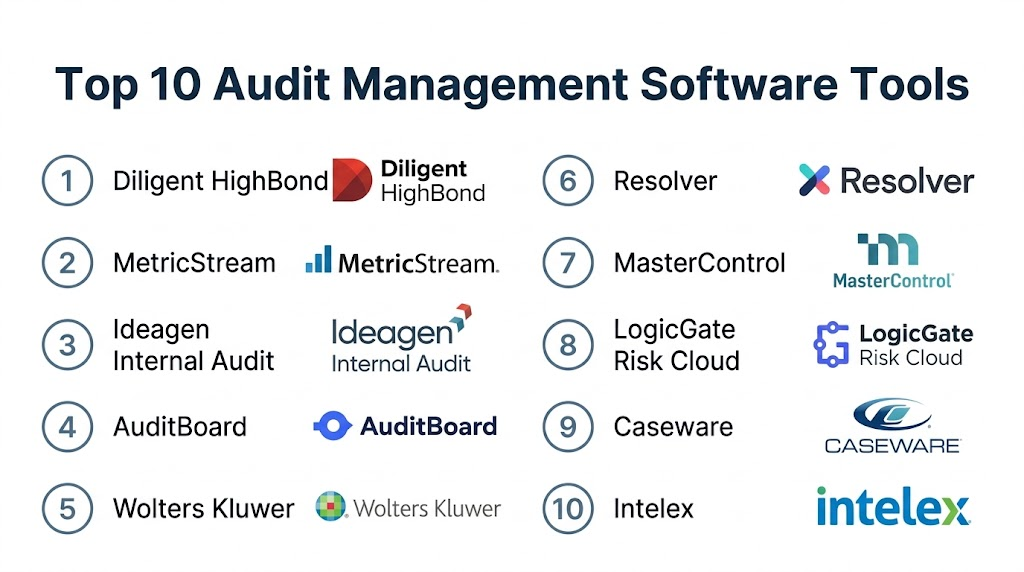
Introduction
Audit management software is a specialized category of enterprise resource planning (ERP) and compliance tools designed to streamline the entire audit lifecycle. These platforms automate the scheduling, planning, execution, and reporting of internal and external audits, replacing manual spreadsheets and paper-based trails. By centralizing documentation and findings, audit management software ensures that organizations maintain a high level of transparency and accountability while adhering to industry standards and regulatory requirements.
In a complex corporate environment, the ability to track non-conformances and manage corrective and preventive actions (CAPA) is critical. Audit management software provides a structured framework for auditors to collect evidence, conduct risk assessments, and generate professional reports. This digital transformation not only reduces the administrative burden on audit teams but also provides senior management with real-time visibility into the organization’s compliance health and operational risks.
Real-world use cases:
- Regulatory Compliance: Managing audits for specific standards such as ISO, HIPAA, or SOC 2.
- Financial Auditing: Streamlining internal controls and financial reporting verification.
- Safety and Quality Inspections: Conducting on-site safety walkthroughs or manufacturing quality checks.
- Vendor and Supplier Audits: Assessing the compliance and performance of third-party partners.
- IT and Cybersecurity Audits: Verifying system permissions, data encryption, and network security protocols.
Evaluation criteria for buyers:
- Workflow Automation: The ability to automate task assignments and follow-up notifications.
- Risk-Based Planning: Tools that prioritize audit areas based on historical data and risk scores.
- Mobile Accessibility: On-site data collection capabilities via tablets or smartphones.
- Reporting and Analytics: Sophisticated dashboards that track trends and closure rates.
- Document Management: Secure storage for evidence, workpapers, and final reports.
- CAPA Integration: Seamless tracking of corrective actions resulting from audit findings.
- User Interface: An intuitive design that requires minimal training for guest auditors.
- Offline Functionality: The ability to conduct audits in remote locations without internet.
- Scalability: How well the tool grows with the increasing number of audits and departments.
- Data Security: Robust encryption and role-based access controls to protect sensitive audit data.
Mandatory Paragraph
- Best for: Internal audit teams, compliance officers, and quality managers in highly regulated industries like finance, healthcare, and manufacturing.
- Not ideal for: Very small businesses with simple operational needs or firms that do not have recurring regulatory compliance requirements.
Key Trends in Audit Management Software
- Continuous Auditing Modules: Moving away from annual cycles toward ongoing, automated monitoring of data streams.
- AI-Powered Evidence Verification: Utilizing machine learning to scan large volumes of documents for anomalies or missing signatures.
- Integrated GRC Ecosystems: A shift toward platforms that combine Governance, Risk, and Compliance into a single pane of glass.
- Voice-to-Text Reporting: Allowing auditors to dictate findings directly into mobile devices during site inspections.
- Predictive Risk Modeling: Using historical audit data to predict which departments are most likely to have future non-conformances.
- Blockchain for Immutable Trails: Implementing distributed ledger technology to ensure that audit evidence cannot be tampered with.
- Collaborative Auditor Portals: Centralized spaces where external auditors and internal teams can share files securely.
- Automated Regulatory Updates: Systems that automatically update audit checklists based on changes in global laws and standards.
How We Selected These Tools (Methodology)
The selection of the top 10 audit management platforms was conducted through a multi-layered analysis of market presence and functional excellence. The methodology included:
- Feature Maturity: We prioritized tools that offer a complete end-to-end audit lifecycle, from planning to CAPA.
- Industry Versatility: Preference was given to software that can be adapted across multiple audit types (Quality, Finance, IT).
- Mobile Capability: We evaluated the robustness of mobile applications for field-based auditors.
- User Feedback Analysis: Reviewing professional sentiment regarding the ease of deployment and reporting speed.
- Integration Strength: Assessing how well these tools connect with existing ERP and QMS systems.
- Security Standards: Verifying the presence of enterprise-grade security protocols and data residency options.
Top 10 Audit Management Software Tools
1 — Diligent HighBond
Short description: A premier enterprise-scale audit and compliance platform that focuses on data-driven insights and risk management.
Key Features
- Data Automation: Automatically pulls data from various systems for continuous monitoring.
- Risk Heat Maps: Visual representations of organizational risk to guide audit planning.
- Workpaper Management: Streamlined capture and organization of audit evidence.
- Project Tracking: Real-time visibility into the status of multiple ongoing audits.
- Compliance Maps: Direct linking of audit findings to specific regulatory requirements.
- One-Click Reporting: Instant generation of executive-ready audit summaries.
Pros
- Exceptional at handling massive volumes of data for large corporations.
- Deeply integrated with broader governance and risk management modules.
Cons
- The high level of sophistication can lead to a longer implementation period.
- Pricing is at the premium end of the market.
Platforms / Deployment
- Web / Windows / macOS / iOS / Android
- Cloud / Hybrid
Security & Compliance
- SSO, MFA, RBAC, Encryption.
- SOC 2, ISO 27001, FedRAMP.
Integrations & Ecosystem
Broad integration capabilities with corporate IT environments.
- SAP / Oracle
- Salesforce
- Microsoft Office 365
- Tableau
Support & Community
Professional 24/7 support and a robust community of GRC professionals.
2 — MetricStream
Short description: An industry-leading platform that simplifies complex audit processes through AI-powered automation and a unified GRC architecture.
Key Features
- Audit Universe Management: Centralized repository for all auditable entities and historical data.
- Resource Planning: Tools to manage auditor schedules and resource utilization efficiently.
- Mobile Auditing: Full-featured app for conducting field audits and capturing photos.
- Interactive Dashboards: Real-time tracking of audit metrics and finding trends.
- CAPA Management: Automated workflow for tracking corrective actions until closure.
- AI Insights: Automated suggestions for audit scopes based on past performance.
Pros
- Highly customizable to fit the specific terminology of any industry.
- Excellent for managing multi-national compliance across different regions.
Cons
- The user interface can be dense due to the sheer volume of available features.
- Requires a dedicated administrator to manage complex configurations.
Platforms / Deployment
- Web / iOS / Android
- Cloud
Security & Compliance
- MFA, SSO, Fine-grained access controls.
- SOC 2, GDPR, HIPAA.
Integrations & Ecosystem
Built to sit at the center of the enterprise software stack.
- Microsoft SharePoint
- Leading ERP systems
- Risk intelligence feeds
Support & Community
Global support footprint and extensive training through MetricStream University.
3 — Ideagen Internal Audit
Short description: A specialized audit solution designed to help internal audit teams increase efficiency and ensure compliance with global standards.
Key Features
- Centralized Risk Register: Shared risk data across the organization for better planning.
- Electronic Workpapers: Fully digital environment for capturing notes and evidence.
- Automated Notifications: Triggers for task deadlines and finding responses.
- Custom Templates: Highly flexible checklists and report formats.
- Offline Auditing: Comprehensive mobile tools that work without a network connection.
- Time Tracking: Built-in module to monitor auditor time spent on specific tasks.
Pros
- Very intuitive for teams moving from a spreadsheet-based process.
- Strong focus on the specific needs of internal auditors rather than general compliance.
Cons
- May lack some of the broader “business intelligence” features of larger GRC suites.
- Integration with third-party software can sometimes require custom setup.
Platforms / Deployment
- Web / Windows / iOS / Android
- Cloud / On-premises
Security & Compliance
- Standard encryption and user access management.
- ISO 27001, SOC 2.
Integrations & Ecosystem
Integrates with standard office productivity suites.
- Microsoft Word/Excel
- ERP connectors
- Reporting APIs
Support & Community
Dedicated customer success managers and an active user forum.
4 — AuditBoard
Short description: A modern, cloud-native platform that unifies audit, risk, and compliance to drive better business decision-making.
Key Features
- OpsAudit: A dedicated module for managing internal audit workflows.
- Cross-Functional Collaboration: Real-time communication between auditors and business owners.
- Automated Evidence Collection: Requests and tracks evidence from stakeholders automatically.
- Visual Analytics: High-fidelity reporting on audit progress and finding status.
- Integration with SOX: Built-in tools for Sarbanes-Oxley compliance management.
- Dynamic Risk Assessment: Real-time updates to audit plans based on emerging risks.
Pros
- Widely praised for its clean and modern user interface.
- Fast deployment times compared to traditional enterprise software.
Cons
- The rapid pace of updates can occasionally require minor workflow adjustments.
- Advanced modules can add to the total cost significantly.
Platforms / Deployment
- Web / iOS / Android
- Cloud
Security & Compliance
- SSO/SAML, MFA, Advanced data encryption.
- SOC 2 Type II, ISO 27001.
Integrations & Ecosystem
Extensive integrations with modern cloud stacks.
- Slack / Microsoft Teams
- Jira / ServiceNow
- G Suite
- Workday
Support & Community
High-touch support model and an active user community focused on innovation.
5 — Wolters Kluwer TeamMate+
Short description: A globally recognized audit management system that provides a robust and flexible environment for audit professionals.
Key Features
- Standardized Workflows: Pre-defined templates based on industry best practices.
- Advanced Scheduling: Graphical tools for managing the entire audit department’s calendar.
- Content Library: Access to standardized audit programs and checklists.
- Multi-Dimensional Risk: Complex risk scoring based on multiple factors.
- Report Writer: Highly flexible tool for generating custom audit reports.
- Issue Tracking: Centralized dashboard for managing findings across all projects.
Pros
- Proven reliability in many of the world’s largest financial institutions.
- Exceptional reporting flexibility for complex organizational structures.
Cons
- The interface can feel more “traditional” compared to newer cloud-native tools.
- Can be resource-heavy for smaller IT teams to maintain if self-hosted.
Platforms / Deployment
- Web / Windows
- Cloud / On-premises / Hybrid
Security & Compliance
- Robust enterprise-grade security architecture.
- ISO 27001, SOC 2.
Integrations & Ecosystem
Strong heritage in financial and accounting integrations.
- Microsoft Office Suite
- ERP systems
- Financial reporting tools
Support & Community
Extensive global training programs and a highly experienced support team.
6 — Resolver
Short description: A risk-focused audit management tool that helps organizations identify and address the root causes of compliance issues.
Key Features
- Visual Audit Timelines: Clear views of project milestones and deadlines.
- Root Cause Analysis: Specialized tools to investigate why findings occurred.
- Automated Reminders: Notifications for both auditors and business users.
- Integrated Risk Management: Links audit findings directly to the corporate risk register.
- Evidence Portal: Secure upload area for external stakeholders.
- Custom Scoring Models: Flexible scoring for audits and individual findings.
Pros
- Excellent at connecting audit data to the “big picture” of corporate risk.
- The evidence collection portal significantly reduces email clutter.
Cons
- Setup requires a clear understanding of your organization’s risk framework.
- Reporting customization can have a learning curve.
Platforms / Deployment
- Web / iOS / Android
- Cloud
Security & Compliance
- Encryption at rest and in transit, SSO.
- SOC 2, ISO 27001, HIPAA.
Integrations & Ecosystem
Connects well with data visualization and IT service tools.
- Power BI
- ServiceNow
- API-based connectors
Support & Community
Dedicated customer success and professional implementation services.
7 — MasterControl Audit
Short description: Part of a broader Quality Management System (QMS), this tool is a favorite in the life sciences and manufacturing sectors.
Key Features
- Closed-Loop Quality: Directly links audit findings to CAPA and training modules.
- Audit Scheduling: Automated reminders and recurrence for regulatory audits.
- Configurable Checklists: Industry-specific templates for FDA and ISO compliance.
- Mobile Field Auditing: Allows for data entry and signature capture on the floor.
- Audit History Tracking: Complete version control and audit trails for all records.
- Real-time Analytics: Visibility into quality trends across different sites.
Pros
- The best choice for firms requiring strict 21 CFR Part 11 compliance.
- Seamlessly connects the audit process to the rest of the quality system.
Cons
- Primarily focused on quality and manufacturing; less ideal for pure financial audits.
- Can be complex for users who do not need the full QMS suite.
Platforms / Deployment
- Web / iOS / Android
- Cloud / On-premises
Security & Compliance
- Electronic signatures, RBAC, Data encryption.
- SOC 2, FDA 21 CFR Part 11.
Integrations & Ecosystem
Optimized for the manufacturing and lab environment.
- ERP systems (SAP, Oracle)
- LIMS (Laboratory Information Management Systems)
- PLM software
Support & Community
Strong expertise in regulatory compliance and active user groups in life sciences.
8 — LogicGate Risk Cloud
Short description: A flexible, “no-code” GRC platform that allows teams to build and scale audit processes exactly as they need them.
Key Features
- No-Code Builder: Drag-and-drop interface to create custom audit workflows.
- Visual Process Maps: Clear visualization of the entire audit journey.
- Automated Evidence Requests: Streamlines the gathering of data from various teams.
- Holistic Compliance View: See how audits impact the overall compliance score.
- Integrated Issue Management: Centralized tracking for all remediations.
- Resource Allocation: Tools to assign auditors based on skill and availability.
Pros
- Unrivaled flexibility for teams with unique or non-standard audit processes.
- Very fast to iterate and change workflows as regulations evolve.
Cons
- The “blank slate” nature requires a clear vision of your process during setup.
- May lack some of the “out-of-the-box” content of specialized audit tools.
Platforms / Deployment
- Web
- Cloud
Security & Compliance
- MFA, SSO, Encryption.
- SOC 2 Type II.
Integrations & Ecosystem
Integrates well with a wide range of cloud-based business tools.
- Slack
- Jira
- Salesforce
- Microsoft Azure
Support & Community
Excellent onboarding support and a focus on “agile GRC” practices.
9 — Caseware Working Papers
Short description: A desktop-based powerhouse (with cloud extensions) used by external accounting firms and internal financial audit teams.
Key Features
- Trial Balance Integration: Direct link between financial data and audit papers.
- SmartSync: Allows multiple auditors to work on the same file in real-time.
- Standardized Lead Sheets: Automated generation of financial schedules.
- Review Management: Built-in tracking of reviewer notes and sign-offs.
- Data Analytics: Integrated tools for detecting financial anomalies.
- Security Management: Granular control over file access and permissions.
Pros
- The standard for financial statement audits and complex accounting tasks.
- Highly efficient for creating structured financial working papers.
Cons
- Primarily a financial tool; not ideal for operational or safety audits.
- Requires a more traditional local installation for many core features.
Platforms / Deployment
- Windows / Web
- Hybrid / On-premises
Security & Compliance
- File-level encryption and user authentication.
- Not publicly stated.
Integrations & Ecosystem
Unmatched depth in accounting software integrations.
- Xero / QuickBooks
- Leading ERP systems
- Financial reporting engines
Support & Community
Decades of experience in the accounting community and strong regional support.
10 — Intelex Audit Management
Short description: A robust solution focused on Environment, Health, Safety, and Quality (EHSQ) audits for heavy industries.
Key Features
- On-Site Data Capture: Mobile-optimized interface for harsh environments.
- Offline Access: Conduct audits without an internet connection and sync later.
- Interactive Floor Plans: Link audit findings to specific locations on a map.
- Safety Checklists: Extensive library of EHS and ISO-related content.
- Integrated Corrective Action: Seamless transition from finding to remediation.
- Executive Dashboards: High-level views of EHSQ compliance across the enterprise.
Pros
- Ruggedized mobile experience is perfect for field-based safety officers.
- Deeply specialized in environmental and safety standards.
Cons
- Less suited for financial or IT-specific audits.
- The platform can feel specialized toward “heavy” industry sectors.
Platforms / Deployment
- Web / iOS / Android
- Cloud
Security & Compliance
- RBAC, MFA, Data isolation.
- SOC 2, ISO 27001.
Integrations & Ecosystem
Works well with industrial IoT and ERP systems.
- SAP / Oracle
- IoT sensor platforms
- Safety data feeds
Support & Community
Strong technical support and a community focused on industrial safety and quality.
Comparison Table (Top 10)
| Tool Name | Best For | Platform(s) Supported | Deployment | Standout Feature | Public Rating |
| 1. Diligent HighBond | Data-Driven Audit | Web, Mobile | Cloud | Data Automation | 4.6/5 |
| 2. MetricStream | Multi-National Compliance | Web, Mobile | Cloud | AI Insights | 4.5/5 |
| 3. Ideagen Internal Audit | Internal Audit Teams | Web, Windows, Mobile | Hybrid | Offline Auditing | 4.7/5 |
| 4. AuditBoard | Modern Collaboration | Web, Mobile | Cloud | Cross-Functional Collab | 4.9/5 |
| 5. Wolters Kluwer | Financial Institutions | Web, Windows | Hybrid | Advanced Scheduling | 4.3/5 |
| 6. Resolver | Root Cause Analysis | Web, Mobile | Cloud | Risk Connection | 4.4/5 |
| 7. MasterControl | Life Sciences/QMS | Web, Mobile | Hybrid | Closed-Loop Quality | 4.8/5 |
| 8. LogicGate Risk Cloud | Custom Workflows | Web | Cloud | No-Code Builder | 4.6/5 |
| 9. Caseware | External Financial Audit | Windows, Web | Hybrid | Trial Balance Link | 4.5/5 |
| 10. Intelex | EHSQ/Industrial | Web, Mobile | Cloud | Floor Plan Mapping | 4.4/5 |
Evaluation & Scoring of Audit Management Software
The scoring below evaluates each tool based on its utility for a modern professional audit team.
| Tool Name | Core (25%) | Ease (15%) | Integrations (15%) | Security (10%) | Performance (10%) | Support (10%) | Value (15%) | Weighted Total |
| Diligent | 10 | 6 | 9 | 10 | 9 | 9 | 7 | 8.70 |
| MetricStream | 9 | 5 | 10 | 9 | 9 | 9 | 7 | 8.35 |
| Ideagen | 8 | 9 | 7 | 8 | 9 | 9 | 8 | 8.20 |
| AuditBoard | 9 | 10 | 9 | 9 | 9 | 9 | 8 | 9.15 |
| Wolters Kluwer | 9 | 6 | 8 | 9 | 8 | 9 | 7 | 8.15 |
| Resolver | 8 | 8 | 8 | 9 | 8 | 8 | 8 | 8.10 |
| MasterControl | 10 | 6 | 8 | 10 | 9 | 9 | 7 | 8.45 |
| LogicGate | 7 | 9 | 9 | 8 | 8 | 8 | 9 | 8.05 |
| Caseware | 9 | 6 | 10 | 8 | 9 | 8 | 7 | 8.20 |
| Intelex | 8 | 8 | 7 | 9 | 8 | 8 | 8 | 7.90 |
How to interpret these scores:
The weighted total is calculated as $Total = \sum (Score_i \times Weight_i)$. A high total indicates a platform that balances technical depth with ease of use and business value. AuditBoard leads due to its high scores in user experience and modern collaboration.
Which Audit Management Software Tool Is Right for You?
1. Solo / Freelancer
If you are an independent auditor, Caseware Working Papers or Ideagen (small team version) are excellent choices. They offer robust documentation features without requiring a full enterprise GRC infrastructure.
2. SMB
Small and medium businesses that need to get up and running quickly should prioritize AuditBoard or LogicGate. These tools offer fast implementation and a user-friendly experience that doesn’t require a large dedicated IT team.
3. Mid-Market
Companies that have specific industry requirements (such as food safety or light manufacturing) will find Intelex or Resolver highly effective. These tools offer a good balance between specialization and general audit features.
4. Enterprise
Large, global enterprises with complex regulatory requirements should choose Diligent HighBond, MetricStream, or Wolters Kluwer TeamMate+. These platforms are designed to handle thousands of users and petabytes of data across multiple continents.
Budget vs Premium
- Budget Choice: LogicGate (Starter tiers) or manual entry into Ideagen.
- Premium Choice: MetricStream or Diligent HighBond.
Feature Depth vs Ease of Use
- Highest Feature Depth: MetricStream, MasterControl.
- Easiest to Use: AuditBoard, LogicGate.
Integrations & Scalability
- Best Integrations: AuditBoard, Caseware.
- Best Scalability: Diligent, MetricStream.
Security & Compliance Needs
Organizations in the life sciences sector should prioritize MasterControl, while financial and government entities should look at Diligent for their high-level security certifications.
Frequently Asked Questions (FAQs)
1. What is the main benefit of using audit management software over spreadsheets?
The main benefit is the centralization of data and the reduction of manual administrative tasks. Spreadsheets lack version control, automated reminders, and real-time reporting, all of which are essential for maintaining compliance at scale.
2. Can audit management software help with ISO certifications?
Yes, most tools on this list include specific templates and checklists for ISO 9001, 14001, and 27001, helping you organize evidence and track findings against specific standard requirements.
3. Does this software support mobile auditing for field inspections?
Yes, most modern solutions (like Intelex, MetricStream, and Ideagen) offer mobile apps that allow auditors to take photos, record voice notes, and fill out checklists directly from the field, often even while offline.
4. How long does it usually take to implement an audit management system?
Implementation can range from a few weeks for cloud-native tools like AuditBoard to several months for highly customized enterprise GRC platforms like MetricStream.
5. Is audit management software different from quality management software?
While they overlap, audit management focuses on the evaluation and verification process, whereas quality management (QMS) focuses on the entire lifecycle of a product or service. However, tools like MasterControl combine both.
6. Can I use these tools for financial auditing as well as operational auditing?
Some tools (like Caseware and Wolters Kluwer) are heavily optimized for financial audits, while others (like Diligent and AuditBoard) are designed to handle both financial and operational audit workflows.
7. How does the software handle corrective actions after an audit?
The software typically features a CAPA (Corrective and Preventive Action) module that allows you to assign remediations to business owners, set deadlines, and track evidence of completion until the issue is closed.
8. Does the software integrate with my existing ERP system like SAP or Oracle?
Most enterprise-grade audit tools offer APIs or pre-built connectors to integrate with major ERPs, allowing auditors to pull data directly for testing and verification.
9. What security features should I look for?
At a minimum, you should look for SOC 2 compliance, encryption of data at rest and in transit, multi-factor authentication (MFA), and granular role-based access controls.
10. Is the software suitable for external auditors?
Yes, many platforms offer “auditor portals” or guest access roles that allow external auditors to view specific documentation and evidence without having full access to the rest of the system.
Conclusion
Audit management software has evolved from simple record-keeping to a strategic tool that drives business value and risk awareness. Whether you are looking for the modern collaboration of 4. AuditBoard, the regulatory depth of 7. MasterControl, or the enterprise power of 1. Diligent HighBond, the right choice will depend on your industry and the complexity of your compliance requirements. By automating the “drudgery” of audit administration, these tools allow your team to focus on what matters most: identifying risks and ensuring the long-term integrity of your organization.

Great insights shared here. Really helpful content!
Evaluating these audit platforms reveals how I will ensure accountability in my work.