MOTOSHARE 🚗🏍️
Rent Bikes & Cars Directly from Owners
Motoshare connects vehicle owners with people who need bikes and cars on rent. Owners earn from idle vehicles, and renters get flexible ride options.
Visit Motoshare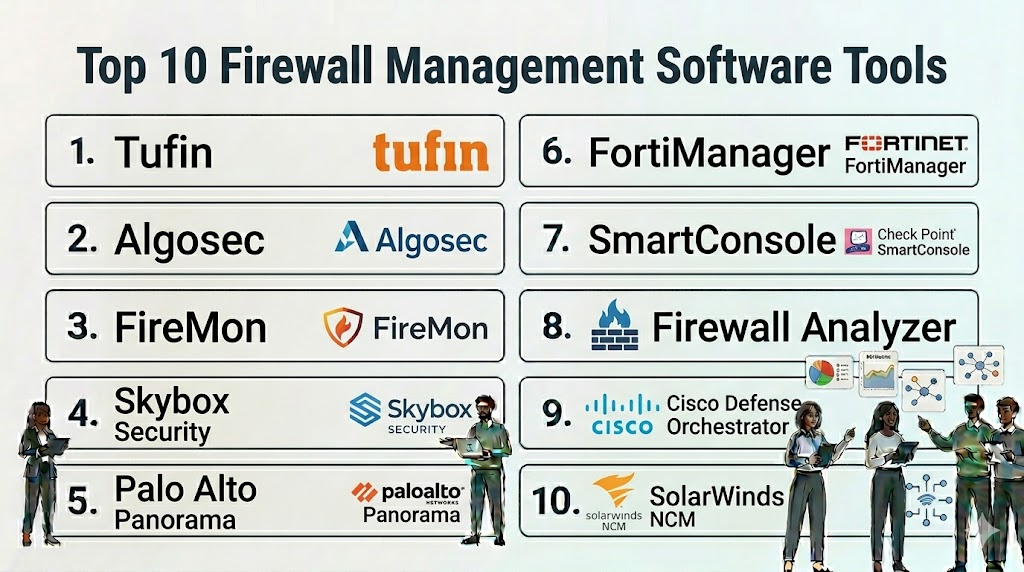
Introduction
Firewall management tools are specialized software solutions designed to centralize, automate, and optimize the configuration and security policies of network firewalls. In a modern enterprise environment, security teams often manage dozens or even hundreds of firewalls across different vendors, branches, and cloud environments. These tools provide a “single pane of glass” to ensure that security rules are consistent, compliant, and free from human error.
Effective firewall management is about more than just opening or closing ports. It involves complex policy orchestration, risk analysis, and the continuous auditing of traffic patterns. Without these automated tools, manual management becomes a bottleneck for digital transformation, leading to “rule bloat”—where thousands of outdated or redundant rules slow down network performance and create hidden security gaps that attackers can exploit.
Real-world use cases for these tools include:
- Policy Cleanup: Identifying and removing “shadowed” or redundant rules that are no longer needed.
- Compliance Auditing: Automatically generating reports for standards like PCI DSS, HIPAA, and SOC .
- Change Management: Providing a structured workflow for requesting, approving, and deploying new firewall rules.
- Risk Assessment: Simulating traffic flows to see if a proposed rule change would accidentally expose a sensitive database to the internet.
- Multi-Vendor Orchestration: Applying a single security policy across different brands of hardware and cloud-native firewalls.
When evaluating these platforms, buyers should prioritize the following criteria:
- Multi-Vendor Support: Ability to manage firewalls from different manufacturers (e.g., Palo Alto, Cisco, Fortinet) simultaneously.
- Automation Maturity: Capacity to push changes directly to devices without manual CLI intervention.
- Topology Visibility: How well the tool maps the network to show paths and security zones.
- Regulatory Compliance: Built-in templates for major global security standards.
- Vulnerability Integration: Linking firewall rules to known vulnerabilities on the assets they protect.
- Ease of Use: An intuitive interface that simplifies complex rule logic.
- Scalability: The ability to handle thousands of rules and high-frequency change requests.
- Cloud-Native Integration: Deep visibility into security groups and firewalls within AWS, Azure, and Google Cloud.
Best for: Network security engineers, CISOs, and IT compliance officers in large organizations with hybrid-cloud infrastructures.Not ideal for: Small businesses with only one or two firewalls that can be managed easily through a local web interface.
Key Trends in Firewall Management Platforms
- Zero Trust Integration: Tools are shifting from perimeter-based logic to identity-based rules that follow the user regardless of their location.
- AI-Assisted Policy Optimization: Machine learning is used to analyze traffic and suggest the “least privilege” rule set automatically.
- Firewall-as-Code (FaC): Integrating security policy management directly into DevOps pipelines using Terraform or Ansible.
- Unified Cloud-Network Security: The merging of traditional hardware firewall management with Cloud Security Posture Management (CSPM).
- Causal Risk Analysis: Moving beyond simple rule checking to understanding the “blast radius” of a potential configuration error.
- Automated Rule Decommissioning: AI agents that proactively flag and remove rules for decommissioned servers or finished projects.
- Micro-segmentation Visibility: Enhanced mapping for containerized environments and East-West traffic within data centers.
- Continuous Compliance Monitoring: Real-time alerting when a manual change on a device deviates from the central “Golden Image” policy.
How We Selected These Tools (Methodology)
To identify the top 10 firewall management tools, we applied a rigorous evaluation methodology:
- Vendor Agnostic Capability: High priority was given to tools that can manage diverse hardware and software ecosystems.
- Feature Breadth: We looked for platforms that cover the entire lifecycle, from design and risk analysis to auditing.
- Market Reliability: Evaluation included the vendor’s history of stability and their adoption rate among large-scale enterprises.
- Automation Intelligence: Analysis of the platform’s ability to automate changes safely using “what-if” simulations.
- Compliance Depth: Checking for the robustness of pre-built reporting modules for global regulations.
- Security Infrastructure: Assessing the tool’s own internal security, including RBAC and audit logging.
- Interoperability: How well the tool connects with ITSM platforms like ServiceNow and vulnerability scanners like Qualys.
Top 10 Firewall Management Software Tools
1. Tufin
Tufin is a leading security policy orchestration platform that specializes in automating firewall management across fragmented, hybrid-cloud environments.
Key Features
- SecureTrack: Provides real-time visibility and monitoring of all policy changes across the network.
- SecureChange: Automates the workflow for security connectivity changes, from request to deployment.
- Unified Security Policy: Creates a single baseline for security that applies to all devices and cloud platforms.
- Automatic Policy Generation: Uses traffic analysis to suggest the most secure and efficient rule sets.
- Vulnerability Mitigation: Prioritizes rule changes based on the risk levels of the connected assets.
Pros
- Excellent multi-vendor support, including major hardware brands and cloud security groups.
- Highly mature automation engine that significantly reduces manual effort.
Cons
- Can be complex to set up and configure for very large legacy networks.
- Requires a high level of expertise to utilize its full automation potential.
Platforms / Deployment
- Web / Linux
- Cloud / Self-hosted / Hybrid
Security & Compliance
- SSO/SAML, RBAC, Encryption
- SOC 2, ISO 27001 compliant
Integrations & Ecosystem
Tufin acts as a bridge between security and DevOps teams.
- ServiceNow / Jira
- Palo Alto / Fortinet / Cisco
- AWS / Azure / GCP
- Ansible / Terraform
Support & Community
Offers global 24/7 support, a professional services team, and extensive technical certification programs.
2. Algosec
Algosec focuses on application-centric security policy management, making it easier to manage firewalls based on the needs of specific business applications.
Key Features
- AppViz: Automatically discovers and maps application connectivity requirements across the network.
- FireFlow: Automates the entire security policy change process with built-in risk analysis.
- Zero-Touch Automation: Allows for the automatic push of rule changes to firewall devices.
- Business Impact Analysis: Shows how a firewall failure or rule change affects specific business processes.
- Object Consolidation: Identifies and merges duplicate objects to keep the firewall database clean.
Pros
- The “application-centric” view is very helpful for communicating security needs to business owners.
- Strong focus on risk and vulnerability assessment within the change workflow.
Cons
- The user interface can feel slightly dated compared to some modern cloud-native tools.
- Some advanced reporting features require custom configuration.
Platforms / Deployment
- Web / Linux
- Cloud / Self-hosted
Security & Compliance
- SSO, MFA, RBAC
- SOC 2, ISO 27001 compliant
Integrations & Ecosystem
Algosec integrates deeply with vulnerability scanners and ticketing systems.
- Qualys / Nessus / Rapid7
- ServiceNow
- Check Point / Juniper
- Cisco ACI
Support & Community
Reliable professional support and a strong network of global implementation partners.
3. FireMon
FireMon provides real-time security policy management and is known for its high-speed data processing and extensive custom reporting capabilities.
Key Features
- Policy Planner: Provides a structured way to design and test new firewall rules before deployment.
- Policy Optimizer: Identifies unused, redundant, and overly permissive rules for cleanup.
- Global Policy Controller: Orchestrates security policies across hybrid-cloud environments.
- Real-time Change Detection: Alerts security teams the moment an unauthorized change is made on a device.
- Risk Analyzer: Performs “what-if” simulations to predict the impact of proposed changes.
Pros
- Very high performance; capable of handling hundreds of thousands of rules without slowing down.
- Highly customizable dashboard and reporting engine.
Cons
- The sheer amount of data and options can be overwhelming for smaller teams.
- The pricing structure can be complex depending on the number of managed devices.
Platforms / Deployment
- Web / Linux
- Cloud / Self-hosted / Hybrid
Security & Compliance
- SSO, RBAC, Audit logging
- SOC 2 compliant
Integrations & Ecosystem
FireMon focuses on broad connectivity within the enterprise security stack.
- ServiceNow
- Splunk
- VMware NSX
- Palo Alto Panorama
Support & Community
Offers a robust customer portal, dedicated support engineers, and regular training webinars.
4. Skybox Security
Skybox Security provides a platform that combines firewall management with vulnerability and exposure management for a more holistic view of risk.
Key Features
- Firewall Assurance: Automates the management of complex firewall tasks and compliance reporting.
- Network Assurance: Creates a digital twin of the network to visualize attack paths.
- Change Manager: Ensures all firewall changes are compliant and documented.
- Vulnerability Control: Prioritizes vulnerabilities based on whether a firewall rule already blocks the threat.
- Policy Auditing: Continuous monitoring for deviations from corporate security standards.
Pros
- Excellent at visualizing attack paths and showing how firewalls protect specific assets.
- Strong integration between network topology and vulnerability data.
Cons
- Requires a significant amount of data from various sources to be truly effective.
- Implementation can be a long-term project for very complex environments.
Platforms / Deployment
- Web / Windows / Linux
- Self-hosted / Hybrid
Security & Compliance
- RBAC, MFA, Encryption
- Not publicly stated
Integrations & Ecosystem
Skybox is designed to be the “source of truth” for network security risk.
- Cisco / Fortinet / Check Point
- Qualys / Tenable
- AWS / Azure
- ServiceNow
Support & Community
Premium enterprise support and a specialized technical account management program.
5. Palo Alto Panorama
Panorama is the centralized management platform specifically designed for Palo Alto Networks’ Next-Generation Firewalls.
Key Features
- Global Policy Management: Push consistent rules to thousands of firewalls from a single console.
- Device Grouping: Organize firewalls by region, function, or environment for easier management.
- Centralized Logging: Aggregate logs from all devices for deep troubleshooting and analysis.
- Application Visibility: Shows which applications are running on the network globally.
- Automated Software Updates: Centrally manage and schedule OS updates for all connected firewalls.
Pros
- Seamless integration with Palo Alto hardware and software; no third-party API lag.
- Industry-leading visibility into application-layer (Layer 7) traffic.
Cons
- Primarily limited to Palo Alto devices; not ideal for a mixed-vendor hardware environment.
- Requires a separate license from the firewalls themselves.
Platforms / Deployment
- Web / Virtual Appliance
- Cloud / Self-hosted
Security & Compliance
- SSO, RBAC, MFA
- SOC 2, ISO 27001 compliant
Integrations & Ecosystem
Deeply integrated with the Palo Alto Cortex and Prisma cloud ecosystems.
- Palo Alto Prisma SASE
- Cortex XSOAR
- Terraform
- AWS / Azure
Support & Community
World-class support through Palo Alto’s global infrastructure and a massive user community (LIVEcommunity).
6. Fortinet FortiManager
FortiManager is the orchestration and management component of the Fortinet Security Fabric, designed to handle large-scale FortiGate deployments.
Key Features
- Centralized Provisioning: Rapidly deploy new firewalls using standardized templates and zero-touch provisioning.
- SD-WAN Management: Centralized control over software-defined wide area networking.
- VPN Orchestration: Simplify the creation and management of complex site-to-site VPN tunnels.
- FortiGuard Integration: Automatically push real-time threat intelligence updates to all devices.
- Workflow Automation: Structured approval processes for all configuration changes.
Pros
- Extremely efficient for managing large-scale Fortinet environments and SD-WAN.
- Low total cost of ownership compared to some multi-vendor platforms.
Cons
- Vendor-locked; only manages Fortinet devices.
- Interface can be technical and requires specific Fortinet certification to use effectively.
Platforms / Deployment
- Web / Virtual Appliance / Hardware
- Cloud / Self-hosted
Security & Compliance
- SSO, RBAC, MFA
- FIPS 140-2, Common Criteria certified
Integrations & Ecosystem
Works seamlessly with all products in the Fortinet Security Fabric.
- FortiAnalyzer
- FortiClient
- FortiSIEM
- ServiceNow
Support & Community
Extensive support through FortiCare and a massive library of documentation and training via Fortinet NSE Institute.
7. Check Point SmartConsole
SmartConsole is the centralized management interface for the Check Point Infinity architecture, providing unified security for network, cloud, and mobile.
Key Features
- Unified Policy: Manage firewalls, IPS, anti-malware, and data loss prevention in a single rule base.
- Shared Objects: Create one object (like a server IP) and use it across all security policies.
- Concurrent Administration: Allows multiple admins to work on the same policy without overwriting changes.
- SmartEvent: Integrated event correlation and reporting for security incidents.
- HTTPS Inspection: Centralized management of SSL/TLS decryption policies.
Pros
- Very mature and robust policy management logic.
- Excellent for high-security environments that require granular control over multiple security layers.
Cons
- Only manages Check Point devices.
- Can be resource-heavy for the administrator’s local workstation.
Platforms / Deployment
- Windows (Client) / Web
- Cloud / Self-hosted / Hybrid
Security & Compliance
- SSO, MFA, RBAC
- SOC 2, ISO 27001, Common Criteria
Integrations & Ecosystem
Highly integrated with the Check Point Infinity platform.
- Check Point Harmony
- CloudGuard
- ServiceNow
- OPSEC API
Support & Community
Extensive global support network and a very active user forum (CheckMates).
8. ManageEngine Firewall Analyzer
Firewall Analyzer is a log analytics and configuration management tool that focuses on compliance and traffic auditing for a wide range of firewall vendors.
Key Features
- Change Management Tracking: Monitors and reports on every change made to firewall configurations.
- Compliance Auditing: Pre-built reports for PCI DSS, ISO 27001, and more.
- Rule Impact Analysis: Evaluates the security impact of adding a new rule.
- Unused Rule Identification: Highlights rules that haven’t seen traffic in a specific period.
- VPN Monitoring: Tracks VPN usage, session trends, and potential security threats.
Pros
- Supports a very broad range of vendors at a much lower price point than enterprise orchestrators.
- Very easy to set up for log-based auditing and compliance.
Cons
- Less focused on “orchestration” (pushing changes) compared to tools like Tufin.
- Not suitable for the most complex, high-speed automated environments.
Platforms / Deployment
- Web / Windows / Linux
- Self-hosted
Security & Compliance
- SSO, RBAC, Encryption
- GDPR compliant
Integrations & Ecosystem
Part of the broader ManageEngine IT management suite.
- ManageEngine OpManager
- ServiceDesk Plus
- Cisco / Fortinet / Juniper / Sophos
Support & Community
Reliable support, extensive knowledge base, and a large global user base.
9. Cisco Defense Orchestrator (CDO)
CDO is a cloud-based management platform designed to simplify the management of security policies across Cisco’s broad portfolio of security products.
Key Features
- Unified Object Management: Search for and fix inconsistent objects across all managed devices.
- Template-Based Provisioning: Deploy standardized configurations to Cisco Meraki, ASA, and Firepower devices.
- Rule Conflict Detection: Automatically flags rules that overlap or conflict with each other.
- Cloud-Native Management: No hardware to maintain; all management happens in a secure Cisco cloud.
- Security Posture Monitoring: Provides a score based on how well your firewalls follow best practices.
Pros
- Greatly simplifies the management of mixed Cisco environments (ASA + Firepower + Meraki).
- Easy cloud-based deployment with no on-prem infrastructure required.
Cons
- Limited support for non-Cisco devices.
- Requires a persistent connection to the Cisco cloud for management.
Platforms / Deployment
- Web
- Cloud-native (SaaS)
Security & Compliance
- SSO, MFA, RBAC
- SOC 2 Type II compliant
Integrations & Ecosystem
Native integration with the Cisco Secure portfolio.
- Cisco SecureX
- Meraki
- Umbrella
- Duo
Support & Community
Backed by Cisco TAC (Technical Assistance Center) and a massive global support infrastructure.
10. SolarWinds Network Configuration Manager (NCM)
SolarWinds NCM is a broad network management tool that includes strong features for firewall configuration backup, auditing, and compliance.
Key Features
- Config Backup & Restore: Automatically backs up firewall configurations and allows for one-click restores.
- Vulnerability Scanning: Checks firewall firmware against the CVE database for known risks.
- Compliance Reporting: Monitors for deviations from STIG, NIST, and PCI standards.
- Change Alerting: Sends instant notifications when a configuration change is detected.
- Policy Violation Remediation: Automatically runs scripts to fix non-compliant configurations.
Pros
- Excellent for teams who already use SolarWinds for network monitoring.
- Broad multi-vendor support for basic configuration and compliance tasks.
Cons
- Not a specialized “firewall orchestrator”; lacks advanced features like traffic-path simulation.
- Requires the SolarWinds Orion platform, which has a significant infrastructure footprint.
Platforms / Deployment
- Web / Windows Server
- Self-hosted / Hybrid
Security & Compliance
- SSO, RBAC, Encryption
- FIPS 140-2, GDPR compliant
Integrations & Ecosystem
Deeply integrated with the SolarWinds ITOM (IT Operations Management) stack.
- SolarWinds NPM (Network Performance Monitor)
- ServiceNow
- Cisco / Palo Alto / Juniper / HP
Support & Community
Robust enterprise support and a legendary community platform (THWACK).
Comparison Table (Top 10)
| Tool Name | Best For | Platform(s) Supported | Deployment | Standout Feature | Public Rating |
| Tufin | Multi-Vendor Orchestration | Win/Mac/Linux | Hybrid | SecureChange Automation | N/A |
| Algosec | Application-Centric Mgmt | Linux | Cloud/Self | AppViz Mapping | N/A |
| FireMon | High-Scale Compliance | Linux | Hybrid | Policy Optimizer | N/A |
| Skybox Security | Risk-Based Management | Win/Linux | Hybrid | Attack Path Visualization | N/A |
| Palo Alto Panorama | Palo Alto Environments | Web/Virtual | Cloud/Self | Integrated Device Groups | N/A |
| FortiManager | Fortinet & SD-WAN | Web/Hardware | Cloud/Self | VPN & SD-WAN Orchestration | N/A |
| SmartConsole | High-Security Check Point | Win/Web | Hybrid | Unified Policy Management | N/A |
| Firewall Analyzer | SMB Auditing | Win/Linux | Self-hosted | Multi-Vendor Log Analysis | N/A |
| Cisco Defense Orch. | Cisco Security Stack | Web | Cloud | Cloud-Native Simple Mgmt | N/A |
| SolarWinds NCM | Config Backup & Audit | Win Server | Hybrid | Vulnerability Check (CVE) | N/A |
Evaluation & Scoring of Firewall Management Tools
The scoring below represents a comparative analysis of each platform’s performance in professional enterprise environments.
| Tool Name | Core (25%) | Ease (15%) | Integrations (15%) | Security (10%) | Performance (10%) | Support (10%) | Value (15%) | Weighted Total |
| Tufin | 10 | 6 | 9 | 9 | 9 | 9 | 7 | 8.4 |
| Algosec | 9 | 7 | 9 | 9 | 9 | 8 | 8 | 8.4 |
| FireMon | 9 | 6 | 9 | 9 | 10 | 8 | 7 | 8.1 |
| Skybox Security | 9 | 5 | 8 | 9 | 8 | 8 | 7 | 7.6 |
| Palo Alto Panorama | 10 | 8 | 9 | 10 | 10 | 9 | 7 | 8.8 |
| FortiManager | 9 | 7 | 8 | 10 | 10 | 9 | 9 | 8.6 |
| SmartConsole | 10 | 6 | 8 | 10 | 9 | 9 | 7 | 8.3 |
| Firewall Analyzer | 6 | 9 | 7 | 8 | 8 | 8 | 9 | 7.5 |
| Cisco Defense Orch. | 7 | 9 | 8 | 9 | 8 | 8 | 8 | 7.8 |
| SolarWinds NCM | 6 | 8 | 9 | 8 | 8 | 9 | 8 | 7.5 |
Which Firewall Management Tool Is Right for You?
Solo / Freelancer
Firewall management tools are enterprise-grade; a solo IT consultant managing a single site is better off using the native web interface of the device (like pfSense or FortiGate). However, for a consultant managing multiple clients, ManageEngine Firewall Analyzer offers the best value for tracking changes and compliance without a massive investment.
SMB
Small-to-medium businesses with a limited budget should focus on SolarWinds NCM or Cisco Defense Orchestrator. These tools provide the necessary backup and compliance features without the extreme complexity of a full-scale policy orchestrator.
Mid-Market
For companies with a few dozen firewalls across a mixed environment, Algosec is an excellent choice. Its application-centric approach helps small IT teams bridge the gap between business needs and technical security requirements.
Enterprise
Large-scale enterprises with multi-vendor hardware and significant cloud presence should choose Tufin or FireMon. These platforms are built to handle massive rule sets and provide the rigorous automation and auditing required for highly regulated industries like finance or healthcare.
Budget vs Premium
ManageEngine is the clear winner for organizations on a budget. On the premium end, Tufin and Palo Alto Panorama offer the highest level of technical depth and automation, though at a significantly higher price point.
Feature Depth vs Ease of Use
Cisco Defense Orchestrator and FortiManager are optimized for ease of use within their respective ecosystems. Houdini-level technical depth (in firewall terms) belongs to Tufin and FireMon, where the user has infinite control but faces a steeper learning curve.
Integrations & Scalability
FireMon and Databricks (for data analysis) are strong, but for firewall management, Tufin has the most mature integration ecosystem with DevOps and ITSM tools.
Security & Compliance Needs
Organizations with strict regulatory requirements (PCI, HIPAA) should lean toward Skybox Security or FireMon. Their ability to correlate firewall rules with actual vulnerabilities on the network provides a superior compliance posture.
Frequently Asked Questions (FAQs)
1. What is the difference between a firewall and a firewall management tool?
A firewall is a device that filters traffic. A firewall management tool is a centralized platform that coordinates the rules, changes, and compliance reports for many different firewalls across a network.
2. Can one management tool manage firewalls from different brands?
Yes, multi-vendor tools like Tufin, Algosec, and FireMon are designed specifically to manage a mix of brands like Palo Alto, Fortinet, Cisco, and Check Point in a single interface.
3. Why do I need a tool for “rule cleanup”?
Over time, firewalls accumulate thousands of rules. Some are redundant, others are “shadowed” by broader rules. Cleanup tools identify these to improve security and increase the firewall’s processing speed.
4. How does automation help in firewall management?
Automation allows you to request a change in one place, have it automatically analyzed for risk, and then pushed to the device without a human having to type commands, which prevents typos and errors.
5. What is “application-centric” management?
Instead of looking at IP addresses, application-centric management allows you to see security through the lens of business services (e.g., “The Payroll App needs access to the SQL Database”), making rules easier to understand.
6. Do these tools work with cloud security groups?
Yes, most modern management platforms can see and manage security rules in AWS (Security Groups), Azure (NSGs), and Google Cloud as if they were traditional hardware firewalls.
7. What is “rule bloat” and why is it dangerous?
Rule bloat is when a firewall has too many unnecessary rules. It is dangerous because it makes it hard for admins to understand the security posture, and it creates holes that attackers can use without being noticed.
8. Are these tools difficult to install?
Enterprise orchestrators (like Skybox or Tufin) can be complex to install and require a good understanding of your network topology. Cloud-native tools (like Cisco CDO) are much faster to deploy.
9. Can I automate compliance reporting?
Yes, one of the main benefits of these tools is the ability to generate “out-of-the-box” reports for PCI, HIPAA, and ISO 27001 with a single click, saving weeks of manual work for auditors.
10. Do these tools prevent all security breaches?
No tool can guarantee 100% safety, but firewall management tools significantly reduce the “attack surface” by ensuring that only necessary traffic is allowed and that no rules are accidentally left wide open.
Conclusion
Firewall management has evolved from a manual task into a complex discipline of orchestration and risk analysis. As networks become more fragmented across physical and cloud sites, the risk of a misconfigured rule leading to a data breach increases exponentially. Whether you standardizing on a single-vendor powerhouse like Palo Alto Panorama or utilizing a multi-vendor orchestrator like Tufin, the goal is to move toward an automated, compliant, and visible security posture.Your next step should be to run a “Policy Audit” on your most critical firewall. Identify how many rules haven’t been used in 90 days and use that data as a justification to pilot one of these management tools. Focus on visibility first, then move into change automation once your team is comfortable with the platform.

Great explanation and very organized content. Keep posting such quality blogs.
A useful addition would be defining operational KPIs after the tool is deployed. Tracking rule approval time, stale-rule age, rollback success, policy drift, and ownerless rules helps teams prove whether firewall management is actually improving security or just adding another dashboard.