MOTOSHARE 🚗🏍️
Rent Bikes & Cars Directly from Owners
Motoshare connects vehicle owners with people who need bikes and cars on rent. Owners earn from idle vehicles, and renters get flexible ride options.
Visit Motoshare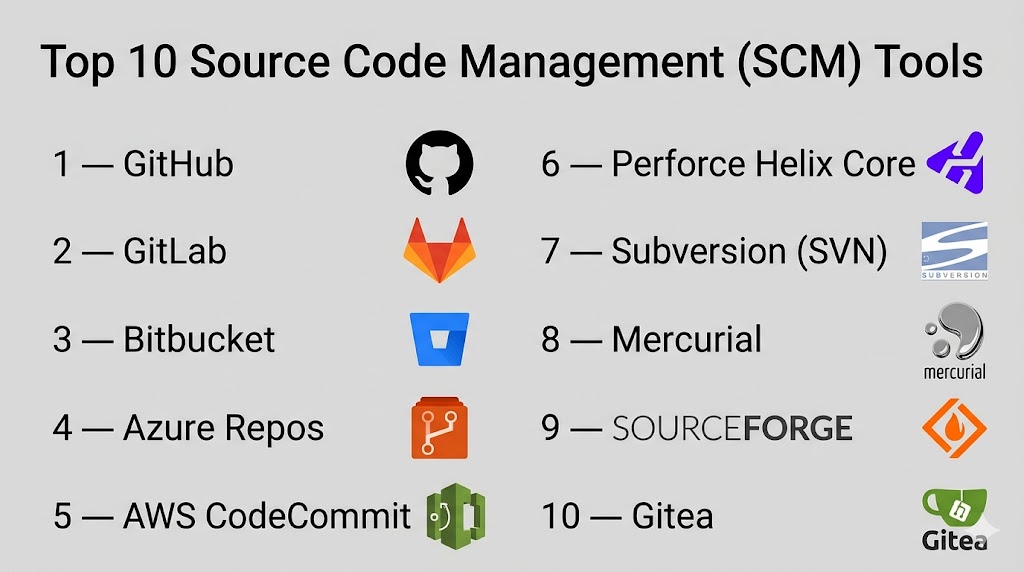
Introduction
Source Code Management (SCM) tools help teams manage, track, and collaborate on code changes efficiently. They provide version control, enabling developers to maintain a history of changes, work on parallel branches, and merge updates without conflicts. SCM tools are foundational to modern software development, especially in distributed teams and agile environments.
With increasing adoption of DevOps practices, microservices, and cloud-native development, SCM tools have become central to collaboration and automation. They integrate deeply with CI/CD pipelines, issue tracking systems, and security tools, making them critical for maintaining code quality and delivery speed.
Common use cases include:
- Version control and change tracking
- Collaborative development across teams
- Branching and merging workflows
- Code reviews and pull request management
- Integration with CI/CD pipelines
What buyers should evaluate:
- Version control system (Git, centralized, hybrid)
- Collaboration features (pull requests, code reviews)
- Integration with DevOps tools
- Security features (access control, audit logs)
- Scalability for large repositories
- Ease of use and onboarding
- Hosting options (cloud vs self-hosted)
- Cost and licensing flexibility
Best for: Developers, DevOps engineers, engineering teams, and organizations building software collaboratively.
Not ideal for: Solo developers working on small, non-collaborative projects with minimal versioning needs.
Key Trends in Source Code Management (SCM) Tools
- AI-assisted code reviews and suggestions improving developer productivity
- Shift toward Git-based distributed systems as the standard
- Integrated DevOps platforms combining SCM with CI/CD and security
- Enhanced security features like secret scanning and compliance controls
- Cloud-native SCM platforms replacing on-prem solutions
- Improved collaboration tools for distributed teams
- Automation of workflows through webhooks and APIs
- Scalable monorepo support for large engineering teams
- Tighter integration with container and cloud platforms
How We Selected These Tools (Methodology)
- Evaluated market adoption and developer popularity
- Assessed core version control capabilities
- Reviewed collaboration and workflow features
- Considered security and compliance capabilities
- Analyzed integration ecosystem
- Checked performance and scalability
- Included tools for different team sizes and use cases
- Balanced cloud-based and self-hosted solutions
Top 10 Source Code Management (SCM) Tools
#1 — GitHub
Short description: A widely used Git-based SCM platform offering collaboration, version control, and DevOps features.
Key Features
- Git-based version control
- Pull requests and code reviews
- GitHub Actions for CI/CD
- Issue tracking
- Security scanning
- Repository hosting
Pros
- Large developer community
- Easy collaboration
Cons
- Limited control in free tiers
- Can be costly for large teams
Platforms / Deployment
Cloud / Self-hosted (Enterprise)
Security & Compliance
SSO, RBAC, audit logs, security scanning
Integrations & Ecosystem
Extensive ecosystem with DevOps tools.
- CI/CD platforms
- Cloud providers
- IDE integrations
- API support
Support & Community
Very strong community and documentation.
#2 — GitLab
Short description: Complete DevOps platform combining SCM, CI/CD, and security features.
Key Features
- Git-based SCM
- Built-in CI/CD
- Code review workflows
- Security scanning
- Issue tracking
- Container registry
Pros
- All-in-one platform
- Strong DevSecOps features
Cons
- Resource-intensive
- Learning curve
Platforms / Deployment
Cloud / Self-hosted
Security & Compliance
RBAC, SSO, audit logs
Integrations & Ecosystem
- CI/CD tools
- Kubernetes
- Cloud platforms
Support & Community
Strong enterprise and open-source support.
#3 — Bitbucket
Short description: SCM tool by Atlassian with strong integration into its ecosystem.
Key Features
- Git repositories
- Pull requests
- Branch permissions
- Built-in CI/CD (Pipelines)
- Code insights
Pros
- Great for Atlassian users
- Integrated workflows
Cons
- Limited outside ecosystem
- UI limitations
Platforms / Deployment
Cloud / Self-hosted
Security & Compliance
RBAC, access control
Integrations & Ecosystem
- Jira
- Confluence
- CI/CD tools
Support & Community
Strong enterprise support.
#4 — Azure Repos
Short description: Microsoft’s SCM solution within Azure DevOps.
Key Features
- Git repositories
- Branch policies
- Code reviews
- Integration with pipelines
- Access control
Pros
- Strong enterprise capabilities
- Deep Azure integration
Cons
- Complex interface
- Best within Microsoft ecosystem
Platforms / Deployment
Cloud
Security & Compliance
SSO, RBAC, enterprise security
Integrations & Ecosystem
- Azure DevOps
- Microsoft tools
- CI/CD pipelines
Support & Community
Enterprise-level support.
#5 — AWS CodeCommit
Short description: Fully managed Git-based SCM service from AWS.
Key Features
- Secure Git repositories
- Scalable infrastructure
- Access control
- Encryption
- Integration with AWS services
Pros
- Highly secure
- Scalable
Cons
- Limited UI
- AWS dependency
Platforms / Deployment
Cloud
Security & Compliance
Encryption, IAM-based access
Integrations & Ecosystem
- AWS services
- CI/CD pipelines
- DevOps tools
Support & Community
Enterprise support through AWS.
#6 — Perforce Helix Core
Short description: Enterprise SCM tool designed for large-scale development.
Key Features
- Centralized version control
- Large file handling
- High performance
- Access control
- Scalability
Pros
- Excellent for large repositories
- High performance
Cons
- Expensive
- Complex setup
Platforms / Deployment
Self-hosted / Hybrid
Security & Compliance
RBAC, enterprise controls
Integrations & Ecosystem
- DevOps tools
- Game development tools
- CI/CD pipelines
Support & Community
Strong enterprise support.
#7 — Subversion (SVN)
Short description: Centralized version control system used in legacy environments.
Key Features
- Centralized version control
- Version history
- Branching support
- Access control
- File locking
Pros
- Stable and reliable
- Easy for simple workflows
Cons
- Less flexible than Git
- Declining popularity
Platforms / Deployment
Self-hosted
Security & Compliance
Access control
Integrations & Ecosystem
- CI/CD tools
- Dev tools
Support & Community
Mature but declining community.
#8 — Mercurial
Short description: Distributed version control system known for simplicity.
Key Features
- Distributed version control
- Fast performance
- Easy branching
- Extensible architecture
- Cross-platform
Pros
- Simple to use
- Efficient performance
Cons
- Smaller ecosystem
- Less adoption
Platforms / Deployment
Self-hosted
Security & Compliance
Not publicly stated
Integrations & Ecosystem
- Dev tools
- CI/CD pipelines
Support & Community
Moderate community support.
#9 — SourceForge
Short description: Platform for hosting and managing open-source projects.
Key Features
- Repository hosting
- Project management
- Version control support
- Collaboration tools
- Download hosting
Pros
- Free hosting
- Open-source focus
Cons
- Outdated interface
- Limited modern features
Platforms / Deployment
Cloud
Security & Compliance
Not publicly stated
Integrations & Ecosystem
- Open-source tools
- Dev tools
Support & Community
Legacy community support.
#10 — Gitea
Short description: Lightweight self-hosted Git service for small teams.
Key Features
- Git repository hosting
- Pull requests
- Issue tracking
- Lightweight deployment
- Easy setup
Pros
- Lightweight
- Easy to deploy
Cons
- Limited enterprise features
- Smaller ecosystem
Platforms / Deployment
Self-hosted
Security & Compliance
RBAC
Integrations & Ecosystem
- CI/CD tools
- Dev tools
Support & Community
Growing open-source community.
Comparison Table (Top 10)
| Tool Name | Best For | Platform(s) Supported | Deployment | Standout Feature | Public Rating |
|---|---|---|---|---|---|
| GitHub | Collaboration | Web | Cloud/Hybrid | Large ecosystem | N/A |
| GitLab | DevOps platform | Web | Hybrid | Built-in CI/CD | N/A |
| Bitbucket | Atlassian users | Web | Hybrid | Jira integration | N/A |
| Azure Repos | Enterprises | Web | Cloud | Azure integration | N/A |
| AWS CodeCommit | AWS users | Web | Cloud | Secure repos | N/A |
| Perforce Helix | Large teams | Cross-platform | Hybrid | Large file handling | N/A |
| Subversion | Legacy systems | Cross-platform | Self-hosted | Centralized model | N/A |
| Mercurial | Simplicity | Cross-platform | Self-hosted | Fast DVCS | N/A |
| SourceForge | Open-source | Web | Cloud | Project hosting | N/A |
| Gitea | Small teams | Cross-platform | Self-hosted | Lightweight Git | N/A |
Evaluation & Scoring of Source Code Management (SCM) Tools
| Tool Name | Core | Ease | Integrations | Security | Performance | Support | Value | Weighted Total |
|---|---|---|---|---|---|---|---|---|
| GitHub | 10 | 9 | 10 | 9 | 9 | 10 | 9 | 9.5 |
| GitLab | 9 | 8 | 9 | 9 | 9 | 9 | 8 | 8.8 |
| Bitbucket | 8 | 8 | 8 | 8 | 8 | 8 | 8 | 8.0 |
| Azure Repos | 9 | 7 | 9 | 9 | 9 | 9 | 8 | 8.7 |
| AWS CodeCommit | 8 | 7 | 8 | 9 | 9 | 8 | 8 | 8.2 |
| Perforce | 9 | 6 | 8 | 9 | 10 | 9 | 7 | 8.6 |
| Subversion | 7 | 8 | 7 | 7 | 7 | 7 | 8 | 7.4 |
| Mercurial | 7 | 8 | 7 | 7 | 8 | 7 | 8 | 7.5 |
| SourceForge | 6 | 7 | 6 | 6 | 6 | 6 | 7 | 6.4 |
| Gitea | 7 | 9 | 7 | 7 | 7 | 7 | 9 | 7.8 |
How to interpret scores:
These scores are comparative and reflect strengths across key criteria. Higher scores indicate broader capabilities and enterprise readiness, while lower scores may still suit niche or simpler use cases. Choose based on your specific workflow needs rather than overall ranking.
Which Source Code Management (SCM) Tool Is Right for You?
Solo / Freelancer
- Best: GitHub, Gitea
SMB
- Best: Bitbucket, GitLab
Mid-Market
- Best: GitLab, Azure Repos
Enterprise
- Best: GitHub Enterprise, Perforce, Azure Repos
Budget vs Premium
- Budget: GitHub, Gitea
- Premium: Perforce, Azure
Feature Depth vs Ease of Use
- Easy: GitHub, Gitea
- Advanced: GitLab, Perforce
Integrations & Scalability
- Choose tools with strong ecosystem support
Security & Compliance Needs
- Enterprises should prioritize GitHub, GitLab, Azure
Frequently Asked Questions (FAQs)
What is SCM?
SCM tools manage and track changes in source code.
Why use SCM tools?
They improve collaboration and version control.
Is Git the only SCM?
No, but it is the most widely used.
Are SCM tools free?
Some are open-source; others are paid.
Can SCM tools integrate with CI/CD?
Yes, most tools support integration.
Are SCM tools secure?
Security depends on the platform and configuration.
What is branching?
Creating separate code paths for development.
Can I migrate SCM tools?
Yes, but it requires planning.
What is a pull request?
A request to merge code changes.
Which tool is best?
Depends on your needs and team size.
Conclusion
Source Code Management tools are essential for modern software development, enabling teams to collaborate effectively, maintain code quality, and manage complex workflows. From lightweight solutions for small teams to enterprise-grade platforms designed for scalability and security, there is a wide range of options available. Each tool offers unique strengths, whether it is ease of use, integration capabilities, or performance at scale. The right choice depends on your team’s size, workflow complexity, and existing ecosystem. Instead of selecting a tool based solely on popularity, it is important to evaluate how well it aligns with your development process and long-term goals. Start by shortlisting a few tools, test them in your environment, and choose the one that best fits your needs.

Nice comparison of SCM tools. One practical challenge missing is managing repository governance and access control at scale, especially when multiple teams and CI/CD integrations are involved.