MOTOSHARE 🚗🏍️
Rent Bikes & Cars Directly from Owners
Motoshare connects vehicle owners with people who need bikes and cars on rent. Owners earn from idle vehicles, and renters get flexible ride options.
Visit Motoshare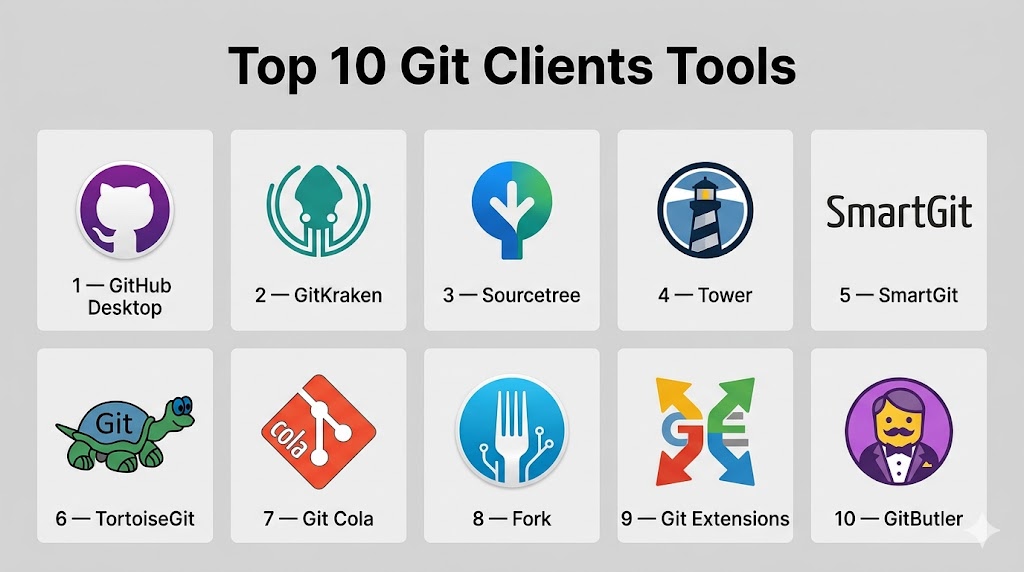
Introduction
Git clients are tools that provide a graphical or enhanced interface to interact with Git repositories, making version control more intuitive and accessible. While Git itself is powerful through the command line, Git clients simplify complex workflows like branching, merging, and conflict resolution through visual interfaces.
In modern development environments where teams are distributed and projects are increasingly complex, Git clients play a key role in improving productivity and reducing errors. They allow developers to visualize code history, collaborate efficiently, and manage repositories without deep command-line expertise.
Common use cases include:
- Visualizing commit history and branches
- Managing pull requests and merges
- Resolving merge conflicts visually
- Simplifying Git workflows for beginners
- Integrating with Git hosting platforms
What buyers should evaluate:
- Ease of use and UI/UX
- Platform compatibility (Windows, macOS, Linux)
- Integration with Git platforms
- Performance with large repositories
- Collaboration features
- Security (SSH, credential storage)
- Automation and scripting support
- Cost and licensing model
Best for: Developers, DevOps engineers, QA teams, and organizations that want a visual and efficient way to manage Git workflows.
Not ideal for: Advanced users who prefer full control via command-line Git or teams with very simple version control needs.
Key Trends in Git Clients
- AI-assisted workflows helping automate commits, summaries, and conflict resolution
- Visual-first interfaces reducing reliance on command-line tools
- Deeper integration with Git platforms like GitHub, GitLab, and Bitbucket
- Cross-platform consistency across Windows, macOS, and Linux
- Improved large repository handling for enterprise-scale projects
- Enhanced security features like token-based authentication and SSH improvements
- Cloud-connected Git clients enabling remote collaboration
- Automation and scripting support within GUI tools
- Focus on developer experience (DX) with faster and cleaner interfaces
How We Selected These Tools (Methodology)
- Evaluated developer adoption and popularity
- Assessed feature completeness for Git workflows
- Reviewed ease of use and learning curve
- Considered performance with large repositories
- Checked security capabilities
- Analyzed integration ecosystem
- Included tools for different skill levels and team sizes
- Balanced open-source and commercial offerings
Top 10 Git Clients Tools
#1 — GitHub Desktop
Short description: A beginner-friendly Git client designed for seamless interaction with GitHub repositories and simple workflows.
Key Features
- Visual commit and branch management
- Drag-and-drop staging
- Built-in conflict resolution
- Repository history visualization
- GitHub integration
- Simple workflow interface
Pros
- Extremely easy to use
- Ideal for beginners
Cons
- Limited advanced features
- GitHub-focused
Platforms / Deployment
Windows / macOS
Security & Compliance
SSH, token-based authentication
Integrations & Ecosystem
Works tightly within the GitHub ecosystem and basic Git workflows.
- GitHub repositories
- Pull requests
- Local Git operations
Support & Community
Strong documentation and large user base.
#2 — GitKraken
Short description: A modern Git client with a visually rich interface and advanced workflow features for professional developers.
Key Features
- Visual commit graph
- Built-in terminal
- Drag-and-drop Git operations
- GitFlow support
- AI-assisted features
- Conflict resolution tools
Pros
- Excellent UI and UX
- Advanced capabilities
Cons
- Paid features for teams
- Can consume more resources
Platforms / Deployment
Windows / macOS / Linux
Security & Compliance
SSO, credential management
Integrations & Ecosystem
Supports multiple Git platforms and DevOps tools.
- GitHub, GitLab, Bitbucket
- Issue tracking systems
- CI/CD tools
Support & Community
Strong commercial support and active community.
#3 — Sourcetree
Short description: A free Git client offering visual workflows and integration with Atlassian tools.
Key Features
- Visual repository management
- GitFlow support
- Branch visualization
- Built-in search
- Commit history tracking
Pros
- Free to use
- Good for beginners
Cons
- Performance issues with large repos
- Limited customization
Platforms / Deployment
Windows / macOS
Security & Compliance
Credential management
Integrations & Ecosystem
Part of Atlassian ecosystem with strong integrations.
- Bitbucket
- Jira
- GitHub
Support & Community
Well-documented with a broad user base.
#4 — Tower
Short description: A premium Git client designed for professional teams needing advanced Git workflows.
Key Features
- Interactive rebase
- Advanced conflict resolution
- Undo functionality
- Visual history
- Workflow automation
Pros
- Powerful advanced features
- Clean and intuitive UI
Cons
- Paid tool
- Not beginner-focused
Platforms / Deployment
Windows / macOS
Security & Compliance
SSH, credential management
Integrations & Ecosystem
Works with major Git hosting platforms and tools.
- GitHub, GitLab, Bitbucket
- CI/CD pipelines
Support & Community
Professional support with detailed documentation.
#5 — SmartGit
Short description: A cross-platform Git client offering a balance between simplicity and advanced features.
Key Features
- Visual commit history
- Merge and rebase tools
- Pull request management
- Cross-platform support
- Large repo handling
Pros
- Strong performance
- Feature-rich
Cons
- Paid for commercial use
- Interface may feel complex
Platforms / Deployment
Windows / macOS / Linux
Security & Compliance
SSH support
Integrations & Ecosystem
Integrates with popular Git platforms and tools.
- GitHub, GitLab, Bitbucket
- Dev tools
Support & Community
Good documentation and enterprise usage.
#6 — TortoiseGit
Short description: A Windows-based Git client integrated directly into the file explorer.
Key Features
- Explorer integration
- File status overlays
- Commit and diff tools
- Lightweight
- Context menu access
Pros
- Easy for Windows users
- Lightweight
Cons
- Windows-only
- Limited advanced UI
Platforms / Deployment
Windows
Security & Compliance
Not publicly stated
Integrations & Ecosystem
Primarily focused on local Git workflows.
- Windows Explorer
- Git repositories
Support & Community
Active open-source community.
#7 — Git Cola
Short description: A lightweight open-source Git client focused on simplicity and customization.
Key Features
- Customizable interface
- Lightweight performance
- Staging and commit tools
- Cross-platform support
- Open-source
Pros
- Free and flexible
- Lightweight
Cons
- Basic UI
- Limited advanced features
Platforms / Deployment
Windows / macOS / Linux
Security & Compliance
Not publicly stated
Integrations & Ecosystem
Works alongside standard Git tooling.
- CLI integration
- Git repositories
Support & Community
Moderate open-source support.
#8 — Fork
Short description: A fast and modern Git client focused on performance and ease of use.
Key Features
- Fast performance
- Visual commit tree
- Interactive rebase
- Conflict resolution
- GitFlow support
Pros
- Fast and responsive
- Clean interface
Cons
- Limited enterprise features
- Smaller ecosystem
Platforms / Deployment
Windows / macOS
Security & Compliance
Not publicly stated
Integrations & Ecosystem
Supports major Git platforms and workflows.
- GitHub
- GitLab
Support & Community
Growing community.
#9 — Git Extensions
Short description: An open-source Git GUI tool designed primarily for Windows users.
Key Features
- Visual interface
- Commit management
- Plugin support
- Repository browsing
- Integration capabilities
Pros
- Free and extensible
- Feature-rich
Cons
- UI complexity
- Windows-focused
Platforms / Deployment
Windows
Security & Compliance
Not publicly stated
Integrations & Ecosystem
Works with various development tools.
- Git tools
- Dev environments
Support & Community
Active open-source community.
#10 — GitButler
Short description: A modern Git client offering advanced workflow automation and visual change management.
Key Features
- Parallel branch workflows
- Visual change tracking
- Workflow automation
- Undo functionality
- Modern UI
Pros
- Innovative workflows
- Developer-focused
Cons
- Newer tool
- Limited adoption
Platforms / Deployment
Windows / macOS / Linux
Security & Compliance
Not publicly stated
Integrations & Ecosystem
Supports standard Git workflows and integrations.
- Git platforms
- Dev tools
Support & Community
Growing ecosystem and user base.
Comparison Table (Top 10)
| Tool Name | Best For | Platform(s) Supported | Deployment | Standout Feature | Public Rating |
|---|---|---|---|---|---|
| GitHub Desktop | Beginners | Windows/macOS | Local | Simple UI | N/A |
| GitKraken | Advanced users | Cross-platform | Local | Visual graph | N/A |
| Sourcetree | Free users | Windows/macOS | Local | GitFlow support | N/A |
| Tower | Professionals | Windows/macOS | Local | Advanced workflows | N/A |
| SmartGit | Teams | Cross-platform | Local | Balanced features | N/A |
| TortoiseGit | Windows users | Windows | Local | Explorer integration | N/A |
| Git Cola | Open-source users | Cross-platform | Local | Lightweight | N/A |
| Fork | Performance | Windows/macOS | Local | Fast UI | N/A |
| Git Extensions | Windows devs | Windows | Local | Plugin support | N/A |
| GitButler | Modern workflows | Cross-platform | Local | Workflow automation | N/A |
Evaluation & Scoring of Git Clients
| Tool Name | Core | Ease | Integrations | Security | Performance | Support | Value | Weighted Total |
|---|---|---|---|---|---|---|---|---|
| GitHub Desktop | 8 | 10 | 9 | 8 | 8 | 9 | 10 | 8.9 |
| GitKraken | 9 | 9 | 9 | 8 | 9 | 9 | 8 | 8.8 |
| Sourcetree | 8 | 9 | 8 | 7 | 7 | 8 | 9 | 8.1 |
| Tower | 9 | 8 | 9 | 8 | 9 | 9 | 7 | 8.6 |
| SmartGit | 9 | 8 | 9 | 8 | 9 | 8 | 8 | 8.6 |
| TortoiseGit | 7 | 8 | 7 | 6 | 8 | 7 | 9 | 7.6 |
| Git Cola | 7 | 7 | 6 | 6 | 7 | 7 | 10 | 7.2 |
| Fork | 8 | 9 | 8 | 7 | 9 | 7 | 9 | 8.3 |
| Git Extensions | 7 | 7 | 7 | 6 | 7 | 7 | 9 | 7.3 |
| GitButler | 8 | 8 | 7 | 6 | 8 | 7 | 8 | 7.8 |
How to interpret scores:
These scores are comparative and highlight strengths across usability, performance, and integrations. A higher score indicates a more balanced and feature-rich tool, while lower scores may still suit niche or lightweight use cases. Always evaluate based on your workflow requirements rather than overall ranking.
Which Git Client Is Right for You?
Solo / Freelancer
- Best: GitHub Desktop, Fork
- Focus on simplicity and quick setup
SMB
- Best: Sourcetree, GitKraken
- Balance of features and usability
Mid-Market
- Best: SmartGit, Tower
- Advanced workflows with team collaboration
Enterprise
- Best: GitKraken, SmartGit
- Scalability and integration support
Budget vs Premium
- Budget: GitHub Desktop, Git Cola
- Premium: Tower, GitKraken
Feature Depth vs Ease of Use
- Easy: GitHub Desktop
- Advanced: GitKraken, Tower
Integrations & Scalability
- Choose tools that integrate with Git platforms and DevOps tools
Security & Compliance Needs
- Prefer tools with SSH support and credential management
Frequently Asked Questions (FAQs)
What is a Git client?
A Git client is a tool that provides a graphical interface for interacting with Git repositories.
Do I need a Git client?
Not necessarily, but it simplifies Git workflows and improves productivity.
Are Git clients free?
Many are free, while some offer paid features for advanced use.
Can Git clients replace command-line Git?
They simplify workflows but do not fully replace command-line capabilities.
Which Git client is best for beginners?
GitHub Desktop is widely considered beginner-friendly due to its simplicity.
Are Git clients secure?
Security depends on authentication methods like SSH and tokens.
Do Git clients support all Git features?
Most support common features, but some advanced commands may require CLI.
Can Git clients handle large repositories?
Some tools are optimized for performance and large repositories.
Are Git clients cross-platform?
Many tools support Windows, macOS, and Linux.
What are alternatives to Git clients?
The Git command-line interface is the primary alternative.
Conclusion
Git clients simplify the way developers interact with version control systems by providing intuitive interfaces and reducing reliance on complex command-line operations. They enhance productivity, improve collaboration, and make Git more accessible to a wider range of users. While beginner-focused tools prioritize ease of use and quick onboarding, advanced clients offer powerful features for managing complex workflows and large repositories. The right choice depends on your experience level, team requirements, and preferred development environment. Instead of selecting a tool based solely on popularity, it is better to evaluate a few options based on your workflow needs. Shortlist two or three tools, test them in real scenarios, and choose the one that best aligns with your development process.

Good overview of Git clients. One thing often missed is how teams handle complex merge conflicts and large repositories, where performance and workflow consistency become more important than just UI features.