MOTOSHARE 🚗🏍️
Rent Bikes & Cars Directly from Owners
Motoshare connects vehicle owners with people who need bikes and cars on rent. Owners earn from idle vehicles, and renters get flexible ride options.
Visit Motoshare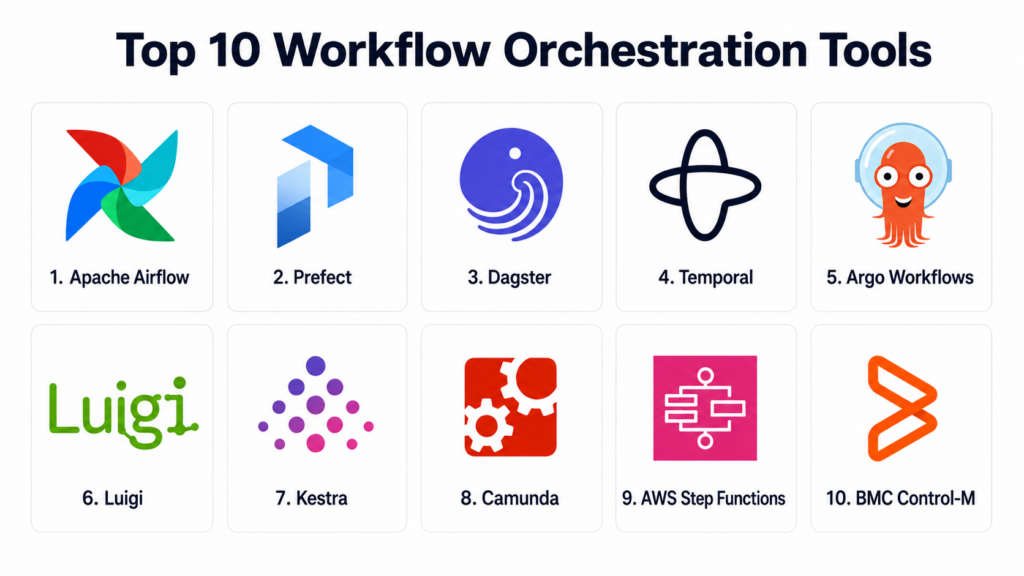
Introduction
Workflow Orchestration Tools help teams design, schedule, execute, monitor, and manage multi-step workflows across data pipelines, applications, cloud systems, infrastructure, machine learning jobs, APIs, and business processes. In simple terms, these tools make sure tasks run in the right order, with the right dependencies, retries, alerts, and visibility.
Workflow orchestration matters because modern systems are distributed, data-heavy, and automated across many tools. Manual coordination can create delays, failures, duplicate work, and poor observability. A strong orchestration platform helps teams improve reliability, automate dependencies, recover from failures, reduce manual operations, and create repeatable workflows.
Real world use cases include ETL and ELT pipelines, ML training workflows, batch jobs, microservice coordination, infrastructure automation, business process automation, scheduled reporting, Kubernetes jobs, data quality checks, and event-driven automation.
Buyers should evaluate:
- Workflow definition model
- Scheduling and dependency management
- Retry, recovery, and failure handling
- Observability and logging
- Kubernetes and cloud support
- Data pipeline and ML workflow support
- Event-driven orchestration
- Integrations and ecosystem
- Security, RBAC, and audit controls
- Scalability across teams and workloads
Best for: Workflow Orchestration Tools are best for data engineering teams, platform engineering teams, DevOps teams, MLOps teams, analytics engineers, backend engineers, cloud operations teams, automation teams, and enterprises managing recurring or complex multi-step processes.
Not ideal for: Very small teams with only a few simple scripts may not need a dedicated orchestration platform. Cron jobs, simple CI/CD workflows, or lightweight task schedulers may be enough when workflows are small, dependencies are minimal, and failure recovery is easy to manage manually.
Key Trends in Workflow Orchestration Tools
- Cloud-native orchestration: Teams are moving workflows into Kubernetes, serverless platforms, and managed cloud services for better scalability and operational flexibility.
- Data-aware orchestration: Modern tools increasingly understand data assets, lineage, freshness, quality checks, and downstream dependencies.
- Event-driven workflows: Businesses want workflows triggered by events, API calls, file arrivals, messages, alerts, or application state changes rather than only fixed schedules.
- Durable execution: Tools such as Temporal-style orchestration are gaining attention for long-running, fault-tolerant business processes and microservice coordination.
- Python-first developer experience: Data and ML teams prefer tools that allow workflows to be written, tested, and deployed using familiar Python patterns.
- Kubernetes-native batch execution: AI, data, and compute workloads increasingly need container-native orchestration with scalable job execution.
- Observability-first design: Teams want better task logs, run history, retries, lineage, metrics, alerts, and root cause visibility.
- Hybrid workflow strategies: Many enterprises use more than one orchestrator because data pipelines, microservices, HPC jobs, and business processes have different needs.
- Policy and governance controls: Larger organizations need RBAC, audit trails, secrets handling, environment separation, and approval workflows.
- AI and automation workflows: Workflow orchestration is becoming important for AI pipelines, model evaluation, agent workflows, data preparation, and inference operations.
How We Selected These Tools
The tools below were selected using a practical buyer-focused evaluation approach:
- Market recognition in workflow orchestration, data orchestration, cloud automation, Kubernetes jobs, and business process automation.
- Feature completeness across scheduling, dependency management, retries, observability, integrations, and workflow execution.
- Developer experience, including code-first workflows, local testing, CLI support, APIs, and documentation quality.
- Fit for different use cases, including data pipelines, ML workflows, microservices, batch jobs, business processes, and Kubernetes workloads.
- Scalability, including support for many workflows, distributed execution, high task volume, and multi-team usage.
- Deployment flexibility, including open-source, managed cloud, self-hosted, Kubernetes-native, and enterprise options.
- Security and governance, including RBAC, secrets handling, audit logs, SSO, and environment separation.
- Observability and reliability, including logs, retries, state tracking, failure recovery, alerts, and backfills.
- Integration ecosystem, including data warehouses, cloud services, APIs, containers, messaging systems, and CI/CD tools.
- Implementation practicality, including setup complexity, operational overhead, migration effort, and long-term maintainability.
Top 10 Workflow Orchestration Tools
1- Apache Airflow
Short description:
Apache Airflow is one of the most widely adopted open-source workflow orchestration platforms, especially for data engineering and batch pipeline automation. It lets teams define workflows as directed acyclic graphs using Python, schedule them, monitor runs, retry failed tasks, and manage dependencies. Airflow is especially useful for ETL, ELT, data warehouse workflows, scheduled jobs, and batch processing. It is a strong fit for teams that want a mature ecosystem, many integrations, and broad community adoption.
Key Features
- Python-based DAG workflow definitions
- Scheduling and dependency management
- Task retries, backfills, and failure handling
- Rich provider and operator ecosystem
- Web UI for monitoring workflow runs
- Multiple executor options for scaling
- Strong support for batch data pipelines
Pros
- Mature and widely adopted workflow orchestrator
- Large ecosystem of providers and integrations
- Good fit for scheduled data engineering workflows
Cons
- Dynamic workflows can become complex
- Operational setup requires careful planning
- Less ideal for long-running business transactions
Platforms / Deployment
Web-based UI and Python workflow development.
Cloud, self-hosted, and managed service deployment options vary.
Security & Compliance
Supports role-based access, authentication options, secrets backends, audit-related logs, and deployment-level security controls. Specific compliance depends on hosting model and configuration.
Integrations & Ecosystem
Airflow has a broad ecosystem for data, cloud, warehouse, orchestration, and infrastructure integrations. It is commonly used as the central scheduler for data engineering teams.
- Data warehouses
- Cloud storage
- Kubernetes
- Spark
- dbt
- Messaging and API workflows
Support & Community
Apache Airflow has a large open-source community, extensive documentation, managed service options, and broad ecosystem support. Enterprise support depends on chosen vendor or cloud provider.
2- Prefect
Short description:
Prefect is a modern workflow orchestration platform focused on Python-native workflow development, flexible execution, and developer-friendly automation. It helps teams define workflows as Python code, monitor runs, handle retries, schedule jobs, and manage distributed task execution. Prefect is especially useful for data teams that want simpler development workflows and more dynamic task behavior than traditional DAG-only approaches. It fits analytics engineering, data science, platform automation, and cloud-based data workflows.
Key Features
- Python-native workflow definitions
- Dynamic workflows and task mapping
- Scheduling and event-driven orchestration
- Retries, caching, and failure handling
- Cloud and self-hosted options
- Strong observability and run tracking
- Easy local development experience
Pros
- Developer-friendly Python workflow model
- Good fit for dynamic data workflows
- Easier onboarding for many modern data teams
Cons
- Ecosystem may be smaller than Airflow in some enterprises
- Advanced governance depends on selected deployment
- Teams moving from Airflow may need workflow redesign
Platforms / Deployment
Web-based UI and Python development.
Cloud and self-hosted deployment options may be available.
Security & Compliance
Supports access controls, workspace-level administration, secrets handling, and deployment security features. Specific compliance details should be validated based on edition and hosting model.
Integrations & Ecosystem
Prefect integrates with cloud services, data tools, Python environments, storage systems, APIs, and modern data stacks.
- Python data workflows
- Cloud platforms
- dbt
- Data warehouses
- Docker and Kubernetes
- API automation
Support & Community
Prefect provides documentation, community resources, commercial support options, and developer-focused learning materials. Support depth depends on selected plan and deployment model.
3- Dagster
Short description:
Dagster is a data orchestration platform focused on software-defined assets, data lineage, observability, and modern data engineering practices. It helps teams define data assets, jobs, schedules, sensors, dependencies, and validations in code. Dagster is especially useful for analytics engineering, data platforms, data quality workflows, and teams that want stronger visibility into data dependencies. It fits organizations that think of orchestration around data products and assets rather than only task execution.
Key Features
- Software-defined assets
- Data lineage and dependency visibility
- Python-based orchestration
- Sensors, schedules, and jobs
- Data quality checks and asset materialization
- Local development and testing workflows
- Strong observability for data pipelines
Pros
- Strong data asset-centric orchestration model
- Good fit for modern data platform teams
- Helpful lineage and observability features
Cons
- Different mental model than traditional task schedulers
- May require adoption changes for Airflow-style teams
- Best suited for data-centric workflows
Platforms / Deployment
Web-based UI and Python development.
Cloud and self-hosted deployment options may be available.
Security & Compliance
Supports workspace permissions, deployment security controls, secrets handling, and audit-friendly workflow visibility depending on edition and configuration. Specific compliance should be validated directly.
Integrations & Ecosystem
Dagster integrates with data warehouses, dbt, cloud platforms, Python tools, BI pipelines, and modern data engineering environments.
- dbt
- Snowflake
- BigQuery
- Databricks
- Kubernetes
- Python data tools
Support & Community
Dagster provides documentation, community resources, commercial support options, and educational content. Community strength is high among modern data engineering teams.
4- Temporal
Short description:
Temporal is a durable workflow orchestration platform designed for long-running, fault-tolerant application workflows and distributed systems. It helps developers build workflows that survive failures, retries, service restarts, and long execution windows. Temporal is especially useful for microservice orchestration, financial workflows, order processing, background jobs, human-in-the-loop processes, and business-critical automation. It fits engineering teams that need reliable execution rather than only scheduled data pipeline orchestration.
Key Features
- Durable workflow execution
- Long-running business process orchestration
- Automatic retries and state persistence
- Support for multiple programming languages
- Workflow history and replay model
- Microservice coordination
- Cloud and self-hosted options
Pros
- Strong fault tolerance for business-critical workflows
- Good fit for distributed application orchestration
- Handles long-running workflows better than many schedulers
Cons
- Requires engineering design and SDK adoption
- Not primarily a data pipeline scheduler
- Learning curve can be significant for new teams
Platforms / Deployment
Developer SDKs and web-based visibility tools.
Cloud and self-hosted deployment options may be available.
Security & Compliance
Supports access controls, namespace isolation, encryption options, authentication patterns, and deployment-level governance. Specific compliance depends on hosting model and configuration.
Integrations & Ecosystem
Temporal integrates with application services, APIs, microservices, databases, messaging systems, and cloud infrastructure. It is often embedded into backend service architectures.
- Microservices
- Databases
- APIs
- Cloud services
- Message queues
- Backend application frameworks
Support & Community
Temporal has strong open-source documentation, developer community support, and commercial support options. Support depth depends on edition and deployment choice.
5- Argo Workflows
Short description:
Argo Workflows is a Kubernetes-native workflow engine for running containerized jobs, batch workflows, CI tasks, machine learning pipelines, and parallel workloads. It lets teams define workflows as Kubernetes resources and execute each step as a container. Argo Workflows is especially useful for platform teams, DevOps teams, MLOps teams, and organizations already standardized on Kubernetes. It is a strong choice when workflows need to run close to container infrastructure.
Key Features
- Kubernetes-native workflow execution
- Container-based task steps
- DAG and step-based workflow support
- Parallel execution
- Workflow templates and reuse
- Artifact and parameter handling
- Integration with Argo ecosystem
Pros
- Strong fit for Kubernetes-native teams
- Good for containerized batch and ML workflows
- Scales well with Kubernetes infrastructure
Cons
- Requires Kubernetes expertise
- Less friendly for non-container teams
- Governance and UX may require platform engineering support
Platforms / Deployment
Kubernetes-based platform.
Cloud, self-hosted, and hybrid Kubernetes deployment.
Security & Compliance
Uses Kubernetes security controls such as RBAC, namespaces, service accounts, network policies, secrets, and audit logs. Specific compliance depends on cluster setup.
Integrations & Ecosystem
Argo Workflows integrates with Kubernetes, container registries, CI/CD systems, ML pipelines, and cloud-native infrastructure.
- Kubernetes
- Argo CD
- Container registries
- Kubeflow
- CI/CD tools
- Cloud storage
Support & Community
Argo Workflows has a strong open-source community, documentation, and cloud-native ecosystem support. Enterprise support may depend on Kubernetes platform vendors or internal teams.
6- Luigi
Short description:
Luigi is an open-source Python workflow tool originally designed for building complex pipelines with dependencies, especially batch data processing workflows. It helps developers define tasks, dependencies, parameters, and outputs in Python. Luigi is especially useful for simpler data pipeline use cases where teams need dependency tracking without operating a heavier orchestration platform. It fits Python teams that want lightweight workflow dependency management and batch automation.
Key Features
- Python-based task definitions
- Dependency management
- Batch pipeline orchestration
- Parameterized workflows
- Output-based task completion model
- Lightweight scheduler UI
- Good fit for smaller data workflows
Pros
- Lightweight and Python-friendly
- Simple dependency model
- Useful for smaller batch pipelines
Cons
- Less modern UI and ecosystem than newer tools
- Limited enterprise governance features
- Not ideal for complex multi-team orchestration
Platforms / Deployment
Python-based workflow framework.
Self-hosted deployment.
Runs in Python execution environments.
Security & Compliance
Security depends on the deployment environment, infrastructure controls, and access management. Built-in enterprise compliance features are limited compared with larger platforms.
Integrations & Ecosystem
Luigi integrates naturally with Python data processing workflows and custom scripts. It is often used for internal data automation.
- Python scripts
- File systems
- Databases
- Data processing jobs
- Batch pipelines
- Custom APIs
Support & Community
Luigi has open-source documentation and community resources. Support is primarily community-based unless managed internally or through consultants.
7- Kestra
Short description:
Kestra is an open-source workflow orchestration platform designed for declarative workflows, automation, data pipelines, API orchestration, and business process workflows. It uses a YAML-based workflow model and supports event-driven execution, scheduling, plugins, and multi-language tasks. Kestra is especially useful for teams that want a flexible orchestrator that can bridge data engineering, platform automation, and application workflows. It fits both technical and operational teams that want readable workflow definitions.
Key Features
- Declarative YAML workflow definitions
- Event-driven and scheduled workflows
- Plugin-based integrations
- Multi-language task execution
- Web UI for monitoring and management
- API automation and data pipeline support
- Open-source and enterprise options
Pros
- Flexible for data, platform, and automation workflows
- Readable declarative workflow model
- Strong event-driven orchestration capabilities
Cons
- Smaller ecosystem than Airflow in many enterprises
- Teams may need to learn YAML-based orchestration patterns
- Advanced governance depends on edition and setup
Platforms / Deployment
Web-based platform and YAML workflow definitions.
Cloud, self-hosted, and enterprise deployment options may vary.
Security & Compliance
Supports access controls, secrets management, namespace-style organization, and enterprise administration depending on edition. Specific compliance documentation should be validated directly.
Integrations & Ecosystem
Kestra integrates with databases, APIs, cloud services, data tools, messaging systems, and infrastructure automation workflows.
- Databases
- Cloud platforms
- APIs
- Messaging systems
- Data warehouses
- Containerized tasks
Support & Community
Kestra provides documentation, open-source community support, and commercial support options. Support depth depends on selected edition and contract.
8- Camunda
Short description:
Camunda is a process orchestration platform focused on business process automation, BPMN workflows, human tasks, service orchestration, and enterprise process visibility. It is especially useful for organizations that need to orchestrate complex business workflows involving systems, users, approvals, decisions, and long-running processes. Camunda is different from data pipeline tools because it focuses more on business process and service orchestration. It fits financial services, insurance, healthcare, telecom, public sector, and enterprise operations teams.
Key Features
- BPMN-based process orchestration
- Human task and approval workflows
- Decision modeling support
- Service and microservice orchestration
- Long-running process visibility
- Process monitoring and optimization
- Enterprise workflow governance
Pros
- Strong for business process orchestration
- Good fit for human-in-the-loop workflows
- Useful for enterprise process visibility and governance
Cons
- Not focused on data pipeline orchestration
- Requires process modeling knowledge
- May be too heavy for simple automation workflows
Platforms / Deployment
Web-based modeling and operations tools.
Cloud and self-hosted deployment options may vary.
Security & Compliance
Supports enterprise access controls, authentication integrations, audit trails, role-based permissions, and governance workflows. Specific compliance coverage should be validated based on deployment model.
Integrations & Ecosystem
Camunda integrates with application services, APIs, enterprise systems, messaging tools, and business process environments.
- Microservices
- REST APIs
- Message brokers
- Enterprise applications
- Identity systems
- Business rules and decision workflows
Support & Community
Camunda provides documentation, training resources, enterprise support, professional services, and a strong process automation community.
9- AWS Step Functions
Short description:
AWS Step Functions is a managed workflow orchestration service for coordinating AWS services, serverless functions, APIs, containers, and application workflows. It helps teams build state machines with retries, branching, parallel execution, and error handling. Step Functions is especially useful for organizations building serverless or cloud-native applications on AWS. It fits event-driven workflows, microservice coordination, data processing tasks, operational automation, and cloud application orchestration.
Key Features
- Managed state machine workflows
- Visual workflow design and monitoring
- Retry, branching, and parallel execution
- Integration with AWS services
- Serverless orchestration support
- Event-driven workflow automation
- Error handling and execution history
Pros
- Fully managed AWS-native orchestration
- Strong fit for serverless and cloud workflows
- Reduces operational overhead
Cons
- Best suited for AWS environments
- Less portable across clouds
- Complex workflows can require careful cost and design planning
Platforms / Deployment
Web-based AWS console and infrastructure-as-code workflows.
Cloud deployment.
Security & Compliance
Uses AWS IAM, encryption, logging, access controls, and service-level security features. Specific compliance coverage depends on AWS region, architecture, and configuration.
Integrations & Ecosystem
AWS Step Functions integrates deeply with AWS compute, storage, data, messaging, and application services.
- AWS Lambda
- Amazon ECS
- AWS Batch
- Amazon S3
- Amazon EventBridge
- AWS Glue
Support & Community
AWS provides documentation, SDKs, support plans, training, partner services, and a large cloud developer community. Support depth depends on AWS support plan.
10- BMC Control-M
Short description:
BMC Control-M is an enterprise workload automation and orchestration platform used for batch processing, application workflows, data pipelines, managed file transfers, and enterprise job scheduling. It is especially useful for large organizations that need centralized scheduling across mainframe, distributed systems, cloud platforms, databases, and business applications. Control-M is strong in enterprise environments where reliability, governance, compliance, and cross-platform workload visibility are critical.
Key Features
- Enterprise workload automation
- Cross-platform job scheduling
- Batch workflow orchestration
- Managed file transfer support
- SLA and dependency management
- Centralized monitoring and alerting
- Governance and audit-friendly workflows
Pros
- Strong enterprise workload automation depth
- Good fit for complex legacy and hybrid environments
- Mature governance and operational control features
Cons
- May be too heavy for small teams
- Commercial licensing and implementation can be significant
- Less developer-native than modern open-source tools
Platforms / Deployment
Web-based enterprise management interface.
Cloud, on-premise, and hybrid deployment options may vary.
Security & Compliance
Supports role-based access, audit logs, enterprise authentication, job governance, and compliance-oriented reporting. Specific certifications and compliance details should be validated directly.
Integrations & Ecosystem
Control-M integrates with enterprise applications, databases, mainframes, cloud services, file transfers, and workload environments.
- Databases
- Mainframe systems
- Cloud platforms
- ERP systems
- File transfer workflows
- Enterprise applications
Support & Community
BMC provides enterprise support, documentation, professional services, training, and partner assistance. Support depth depends on contract and deployment scope.
Comparison Table
| Tool Name | Best For | Platform Supported | Deployment | Standout Feature | Public Rating |
|---|---|---|---|---|---|
| Apache Airflow | Data engineering and scheduled pipelines | Web, Python, workers | Cloud, self-hosted, managed options vary | Mature Python DAG orchestration | N/A |
| Prefect | Python-native dynamic workflows | Web, Python | Cloud, self-hosted options vary | Developer-friendly workflow orchestration | N/A |
| Dagster | Data asset orchestration | Web, Python | Cloud, self-hosted options vary | Software-defined assets and lineage | N/A |
| Temporal | Durable application workflows | SDKs, web visibility tools | Cloud, self-hosted options vary | Fault-tolerant long-running workflows | N/A |
| Argo Workflows | Kubernetes-native workflows | Kubernetes | Cloud, self-hosted, hybrid | Container-native workflow execution | N/A |
| Luigi | Lightweight Python batch pipelines | Python, lightweight UI | Self-hosted | Simple dependency-based pipelines | N/A |
| Kestra | Declarative event-driven orchestration | Web, YAML, plugins | Cloud, self-hosted options vary | YAML-based workflows and event triggers | N/A |
| Camunda | Business process orchestration | Web, BPMN, APIs | Cloud, self-hosted options vary | BPMN process orchestration with human tasks | N/A |
| AWS Step Functions | AWS serverless workflows | Web, AWS services | Cloud | Managed state machine orchestration | N/A |
| BMC Control-M | Enterprise workload automation | Web, enterprise systems | Cloud, on-premise, hybrid options vary | Cross-platform enterprise job scheduling | N/A |
Evaluation & Scoring of Workflow Orchestration Tools
| Tool Name | Core 25% | Ease 15% | Integrations 15% | Security 10% | Performance 10% | Support 10% | Value 15% | Weighted Total 0–10 |
|---|---|---|---|---|---|---|---|---|
| Apache Airflow | 9.0 | 7.5 | 9.3 | 8.2 | 8.5 | 8.8 | 8.8 | 8.62 |
| Prefect | 8.5 | 8.7 | 8.4 | 8.2 | 8.4 | 8.2 | 8.6 | 8.47 |
| Dagster | 8.7 | 8.2 | 8.6 | 8.3 | 8.5 | 8.2 | 8.5 | 8.49 |
| Temporal | 9.0 | 7.6 | 8.6 | 8.5 | 9.0 | 8.4 | 8.3 | 8.54 |
| Argo Workflows | 8.6 | 7.4 | 8.7 | 8.3 | 8.8 | 8.0 | 8.9 | 8.43 |
| Luigi | 7.2 | 8.2 | 7.0 | 7.2 | 7.8 | 7.0 | 8.5 | 7.58 |
| Kestra | 8.3 | 8.2 | 8.5 | 8.1 | 8.3 | 8.0 | 8.5 | 8.33 |
| Camunda | 8.7 | 7.6 | 8.5 | 8.8 | 8.6 | 8.5 | 7.8 | 8.33 |
| AWS Step Functions | 8.5 | 8.3 | 9.2 | 9.0 | 8.8 | 8.5 | 8.0 | 8.61 |
| BMC Control-M | 9.0 | 7.2 | 9.0 | 9.0 | 8.8 | 8.7 | 7.5 | 8.47 |
The scores are comparative and should be used as a practical evaluation guide, not as fixed market ratings. Airflow remains strong for data engineering pipelines, while Dagster and Prefect are strong choices for modern Python-based data teams. Temporal is better suited for durable application workflows, while Argo Workflows is strong for Kubernetes-native jobs. Camunda and Control-M serve enterprise process and workload automation needs, while AWS Step Functions is ideal for AWS-native serverless workflows. The best choice depends on workload type, team skills, infrastructure model, governance needs, and deployment strategy.
Which Workflow Orchestration Tool Is Right for You?
Solo / Freelancer
Solo users usually do not need a heavy orchestration platform. If workflows are simple, cron jobs, shell scripts, GitHub Actions, or lightweight Python scripts may be enough. However, when dependencies, retries, and monitoring become important, a lightweight orchestrator becomes useful.
Prefect, Luigi, or AWS Step Functions can be practical for solo developers depending on workload type. Python users may prefer Prefect or Luigi, while AWS users may prefer Step Functions for serverless automation.
SMB
SMBs should prioritize ease of setup, low operational overhead, clear monitoring, and useful integrations. Prefect, Dagster, Airflow managed services, Kestra, and AWS Step Functions can be strong options.
If the team is mostly data-focused, Airflow, Prefect, or Dagster may fit well. If the team is cloud-native and AWS-heavy, Step Functions may reduce operations effort. If workflows involve APIs and event-driven automation, Kestra may be practical.
Mid-Market
Mid-market companies often need stronger governance, multi-team support, observability, deployment control, and integration with cloud and data platforms. Apache Airflow, Dagster, Prefect, Temporal, Argo Workflows, and Kestra are strong candidates.
These organizations should define whether they need data orchestration, application workflow durability, Kubernetes batch execution, or enterprise process automation. The best tool depends heavily on workflow type and team ownership.
Enterprise
Enterprises should prioritize RBAC, audit logs, environment separation, scaling, centralized monitoring, SLA visibility, integration depth, and support options. Airflow, Temporal, Camunda, Control-M, Argo Workflows, Dagster, and cloud-managed orchestrators can all be relevant.
Large organizations may use multiple orchestration tools because no single platform is perfect for every workflow. Data engineering, business process automation, microservice orchestration, and enterprise workload automation may require different platforms.
Budget vs Premium
Budget-focused teams can start with open-source tools such as Airflow, Dagster, Prefect open-source options, Argo Workflows, Luigi, Kestra, or Temporal self-hosted deployments. These tools can be powerful but require internal expertise.
Premium options such as managed cloud services, enterprise orchestration platforms, and vendor-supported deployments are better when reliability, support, governance, and compliance are critical. The right decision depends on internal operations capacity.
Feature Depth vs Ease of Use
Feature-rich tools provide advanced dependency management, governance, retries, observability, APIs, event triggers, and enterprise controls. However, they may require more setup and operational discipline.
Ease-of-use tools help smaller teams get value quickly. Buyers should avoid choosing the most complex platform if the team only needs simple scheduling and monitoring.
Integrations & Scalability
Workflow orchestration tools should integrate with cloud services, databases, data warehouses, APIs, CI/CD tools, Kubernetes, messaging systems, storage, and monitoring platforms. Integration strength often determines long-term usefulness.
Scalability matters when workflows grow across teams, projects, environments, and data volumes. Buyers should validate execution model, worker scaling, queue behavior, retries, logs, metadata storage, and alerting before production rollout.
Security & Compliance Needs
Workflow orchestrators often access credentials, databases, APIs, cloud systems, production jobs, and sensitive data pipelines. Security must be reviewed carefully.
Buyers should evaluate RBAC, SSO, MFA, secrets management, audit logs, environment isolation, encryption, deployment controls, and access governance. Regulated organizations should involve security and compliance teams before broad rollout.
Frequently Asked Questions
1. What is a Workflow Orchestration Tool?
A Workflow Orchestration Tool helps teams define, schedule, run, monitor, and manage multi-step workflows. These workflows may include data pipelines, application jobs, cloud tasks, API calls, machine learning jobs, approvals, or infrastructure automation. The tool manages dependencies so each step runs in the correct order. It also handles retries, failures, logs, and alerts. Workflow orchestration is important when manual coordination becomes unreliable or hard to scale.
2. How is workflow orchestration different from automation?
Automation usually means making a task run without manual effort. Workflow orchestration goes further by coordinating many automated tasks with dependencies, schedules, conditions, retries, and monitoring. For example, a script may automate one step, while an orchestrator manages the full process across many steps. Orchestration adds reliability, visibility, and control. It is especially useful when workflows involve multiple systems, teams, or failure points.
3. What pricing models do Workflow Orchestration Tools use?
Pricing depends on the platform. Open-source tools may have no license cost but require hosting, maintenance, and internal expertise. Managed services may charge by workflow runs, task executions, users, workers, compute usage, or enterprise contracts. Enterprise platforms may use license-based or capacity-based pricing. Buyers should consider total cost, including infrastructure, support, monitoring, administration, and migration. The best pricing model depends on workload volume and operations maturity.
4. How long does implementation usually take?
Implementation time depends on workflow complexity, tool choice, hosting model, integrations, and team experience. A small workflow can be launched quickly, especially with managed services. Enterprise migration from scripts or legacy schedulers may take longer because teams must map dependencies, secrets, retry policies, alerts, and ownership. Data teams may also need to redesign pipelines for better observability. A phased rollout is best, starting with one high-value workflow before expanding.
5. What are common mistakes when choosing a workflow orchestrator?
A common mistake is choosing a tool based on popularity rather than workflow type. Data pipelines, microservice workflows, business processes, and Kubernetes jobs may need different orchestration models. Another mistake is ignoring operational overhead. Some teams adopt powerful open-source tools but do not assign owners for upgrades, monitoring, and incident response. Buyers should also avoid moving every workflow at once. The best approach is to start with clear use cases and success metrics.
6. Are Workflow Orchestration Tools secure?
Workflow Orchestration Tools can be secure, but they require careful configuration because they often connect to sensitive systems. Important controls include RBAC, SSO, MFA, secrets management, audit logs, encryption, network controls, and environment separation. Teams should avoid hardcoding credentials in workflow code. Production workflows should use approved secrets stores and least-privilege access. Security teams should review orchestrator access before it becomes central to operations.
7. Can workflow orchestration tools run machine learning pipelines?
Yes, many workflow orchestration tools can run machine learning pipelines. Tools like Airflow, Prefect, Dagster, Argo Workflows, and Ray-based workflows are commonly used for data preparation, model training, evaluation, batch inference, and deployment tasks. ML workflows often need GPU scheduling, artifact tracking, experiment tracking, and data validation. The orchestrator should integrate with the team’s MLOps stack. Buyers should test real ML workloads before selecting a platform.
8. Do workflow orchestration tools support event-driven workflows?
Many modern workflow orchestration tools support event-driven workflows, but capabilities vary. Event-driven workflows can be triggered by file arrivals, API calls, messages, database changes, cloud events, or external signals. Tools like Temporal, Kestra, AWS Step Functions, Prefect, and cloud-native platforms can support event-driven patterns. Traditional scheduled tools may need extra sensors or triggers. Buyers should validate event handling, retries, idempotency, and failure behavior before production use.
9. When should a business move from cron jobs to a workflow orchestrator?
A business should move from cron jobs to a workflow orchestrator when workflows have dependencies, failures, retries, alerts, backfills, or multiple owners. Cron is simple but does not provide strong visibility into task dependencies or failures. Warning signs include missed jobs, unclear logs, manual reruns, fragile scripts, and no centralized monitoring. A workflow orchestrator provides structure and reliability. The move becomes more important as workflows become business-critical.
10. What alternatives exist if we do not need a full orchestration platform?
Alternatives include cron, shell scripts, CI/CD pipelines, cloud schedulers, task queues, serverless functions, simple job runners, and project-specific automation tools. These may work for small workflows with limited dependencies. However, they become difficult to manage when workflows grow in complexity. A dedicated orchestrator is better when teams need dependency management, retries, observability, audit logs, and centralized control. The right alternative depends on workflow size, risk, and team capacity.
Conclusion
Workflow Orchestration Tools help organizations bring structure, reliability, and visibility to complex processes that span data, cloud, applications, infrastructure, AI, and business operations. The best tool depends on the type of workflows you run, the skills of your team, your infrastructure model, and your governance requirements. Apache Airflow remains a strong choice for scheduled data pipelines, while Prefect and Dagster are strong options for modern Python and data asset workflows. Temporal is best for durable application workflows, Argo Workflows is ideal for Kubernetes-native execution, and AWS Step Functions fits AWS serverless orchestration. Camunda and Control-M are better suited for enterprise process and workload automation, while Kestra and Luigi serve flexible or lightweight workflow needs. There is no single universal winner because workflow orchestration needs vary widely across teams and systems.

Deploying comprehensive unified task automation sequencing execution architecture software optimizes corporate process pipeline logistics, ensuring accelerated enterprise cross-functional dependency tracking and seamless operational logic orchestration workflows.