MOTOSHARE 🚗🏍️
Rent Bikes & Cars Directly from Owners
Motoshare connects vehicle owners with people who need bikes and cars on rent. Owners earn from idle vehicles, and renters get flexible ride options.
Visit Motoshare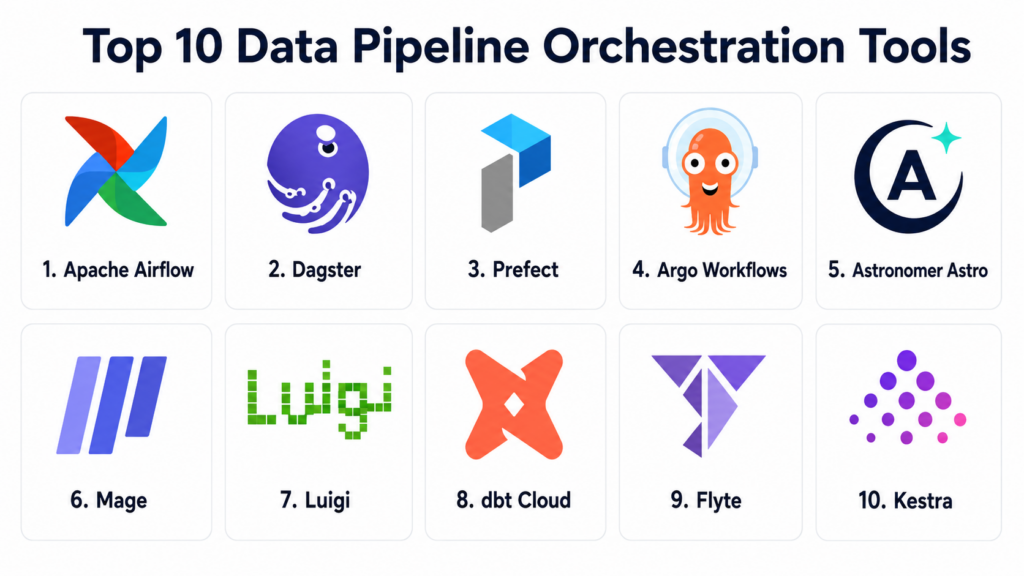
Introduction
Data Pipeline Orchestration Tools help data teams schedule, automate, monitor, and manage complex data workflows across databases, warehouses, lakes, APIs, cloud services, transformation tools, and analytics platforms. In simple terms, these tools make sure the right data tasks run in the right order, at the right time, with the right dependencies, retries, alerts, and visibility.
Data orchestration matters because modern data platforms are no longer simple batch jobs running overnight. Teams now manage ELT, ETL, streaming, reverse ETL, machine learning pipelines, AI workflows, dbt transformations, data quality checks, warehouse jobs, cloud functions, and cross-system dependencies. Without orchestration, pipelines become fragile, hard to debug, and difficult to scale.
Real world use cases include scheduled ETL jobs, warehouse transformations, data lake ingestion, ML workflow automation, dbt job coordination, API extraction, batch processing, cloud data movement, data quality checks, and dependency-aware analytics refreshes.
Buyers should evaluate workflow design, scheduling, dependency management, retries, observability, data asset awareness, cloud integration, Kubernetes support, developer experience, governance, scalability, and support quality.
Best for: Data Pipeline Orchestration Tools are best for data engineers, analytics engineers, platform teams, ML engineers, data platform owners, DevOps teams, cloud data teams, and enterprises managing complex data workflows.
Not ideal for: These tools may not be necessary for very small teams with only a few simple scripts, low data volume, or manual reporting needs. In those cases, cron jobs, built-in warehouse scheduling, simple automation tools, or managed ELT platform schedules may be enough.
Key Trends in Data Pipeline Orchestration Tools
- Data-aware orchestration is growing: Teams increasingly want orchestration that understands data assets, dependencies, lineage, freshness, and quality, not only task execution.
- Python-first workflow design remains popular: Modern orchestration tools often let engineers define workflows in Python so pipelines can be versioned, tested, reused, and reviewed like software.
- Cloud-native orchestration is expanding: Teams need orchestration across AWS, Azure, Google Cloud, Snowflake, Databricks, BigQuery, Redshift, cloud storage, and serverless workloads.
- Kubernetes-native orchestration is rising: Container-based data teams increasingly prefer tools that run workflows as Kubernetes-native jobs with scalable execution patterns.
- AI and ML pipelines need stronger orchestration: Model training, feature generation, evaluation, batch inference, vector indexing, and LLM data workflows require reliable orchestration.
- Observability is now mandatory: Teams want dashboards, logs, retries, alerts, lineage, run history, execution metrics, and failure context in one place.
- Event-driven workflows are increasing: Data pipelines are moving beyond fixed schedules toward event triggers, file arrivals, data changes, API events, and downstream dependencies.
- Managed orchestration platforms are gaining adoption: Many teams want cloud-hosted orchestration to reduce infrastructure management and simplify upgrades.
- Data quality integration is becoming standard: Orchestration tools increasingly connect with checks, tests, validation rules, schema monitoring, and data contracts.
- Platform engineering is influencing orchestration: Larger teams want self-service workflow templates, standardized deployments, role-based access, environment promotion, and governance.
How We Selected These Tools
The tools in this list were selected based on their relevance to data pipeline orchestration, workflow scheduling, dependency management, cloud data engineering, Kubernetes workflows, analytics engineering, and production data operations.
Selection logic included:
- Recognition in data engineering, workflow orchestration, analytics engineering, or platform operations.
- Ability to define, schedule, monitor, and retry complex data workflows.
- Support for dependency management, DAGs, tasks, jobs, assets, or event-driven flows.
- Integration with cloud platforms, warehouses, data lakes, dbt, Kubernetes, APIs, and transformation tools.
- Fit for batch pipelines, ELT, ETL, ML workflows, AI pipelines, and analytics refreshes.
- Observability features such as logs, run history, metrics, lineage, alerts, and failure tracking.
- Developer experience for Python, YAML, SQL, containers, APIs, or workflow-as-code.
- Security and governance features such as RBAC, SSO, audit logs, secrets management, and deployment controls.
- Scalability across SMB, mid-market, enterprise, cloud-native, and open-source environments.
- Overall value for reducing pipeline failures, improving visibility, and making data workflows more reliable.
Top 10 Data Pipeline Orchestration Tools
1- Apache Airflow
Short description:
Apache Airflow is one of the most widely adopted open-source workflow orchestration tools for data pipelines. It allows teams to define workflows as Python-based DAGs, schedule jobs, manage dependencies, retry failed tasks, and monitor pipeline runs through a web interface. Airflow is especially useful for batch data pipelines, ETL, ELT, warehouse jobs, and cloud data workflows. It is a strong choice for teams that want a mature, flexible, and extensible orchestration framework.
Key Features
- Python-based DAG workflow definition.
- Task scheduling, dependency management, and retries.
- Large ecosystem of operators and integrations.
- Web UI for monitoring pipeline runs.
- Support for batch ETL and ELT workflows.
- Extensible architecture with custom operators and hooks.
- Strong open-source community and managed platform options.
Pros
- Mature and widely adopted in data engineering.
- Highly flexible for custom workflow logic.
- Large ecosystem of integrations and community knowledge.
Cons
- Operational setup can be complex when self-hosted.
- DAG management can become difficult without standards.
- Not naturally data-asset-first unless extended with additional tooling.
Platforms / Deployment
Web / Python / Linux
Self-hosted / Cloud / Managed options may vary
Security & Compliance
Apache Airflow supports authentication, role-based access, connections, secrets backends, logging, and deployment-level security controls. Specific security and compliance depend on hosting model, configuration, identity provider, secrets management, and operational governance.
Integrations & Ecosystem
Airflow has a broad ecosystem for cloud services, databases, warehouses, data lakes, transformation tools, and custom APIs. It is useful when teams need one flexible scheduler to coordinate many different systems.
- AWS, Azure, and Google Cloud services
- Snowflake, BigQuery, Redshift, and Databricks
- dbt workflows
- Kubernetes jobs
- Spark and Hadoop ecosystems
- APIs and custom Python operators
Support & Community
Apache Airflow has a large open-source community, extensive documentation, provider packages, training resources, and commercial support through managed Airflow vendors. Its community strength is one of its biggest advantages.
2- Dagster
Short description:
Dagster is a modern data orchestration platform designed around data assets, software-defined pipelines, observability, and reliable data platform development. It helps teams define, schedule, test, monitor, and manage pipelines with stronger awareness of data dependencies and lineage. Dagster is especially useful for teams that want better development workflows, asset-based orchestration, and data platform maintainability. It is a strong option for analytics engineering, modern data platforms, and AI pipeline orchestration.
Key Features
- Asset-based data orchestration.
- Python-first pipeline and asset definitions.
- Built-in observability and lineage concepts.
- Scheduling, sensors, partitions, and automation.
- Strong local development and testing workflows.
- Integration with dbt, warehouses, cloud storage, and compute systems.
- Managed and open-source deployment options.
Pros
- Strong data asset awareness and observability.
- Good developer experience for modern data teams.
- Useful for maintainable and testable data platform design.
Cons
- Teams migrating from Airflow may need workflow redesign.
- Some organizations may need time to adopt asset-based thinking.
- Advanced deployment requires platform planning.
Platforms / Deployment
Web / Python
Cloud / Self-hosted options may vary
Security & Compliance
Dagster supports workspace-level governance, secrets handling, deployment controls, logging, and access management depending on deployment model. Specific enterprise security features should be validated based on open-source or managed usage.
Integrations & Ecosystem
Dagster integrates with modern data warehouses, dbt, cloud storage, compute engines, and ML workflows. It is especially useful when teams want orchestration connected to data assets and lineage.
- dbt
- Snowflake, BigQuery, Redshift, and Databricks
- Cloud storage platforms
- Python data tools
- Kubernetes and container infrastructure
- Data quality and analytics workflows
Support & Community
Dagster has strong documentation, open-source community resources, managed platform support, and active adoption among modern data engineering teams. Commercial support is available through the vendor ecosystem.
3- Prefect
Short description:
Prefect is a workflow orchestration platform designed to help teams turn Python workflows into observable, reliable, scheduled, and production-ready pipelines. It is known for developer-friendly workflow creation, dynamic execution, retries, caching, event-driven automation, and flexible deployment models. Prefect is especially useful for teams that want orchestration without heavy DAG rigidity. It is a strong fit for Python data pipelines, ML workflows, automation tasks, and modern cloud data teams.
Key Features
- Python-first workflow orchestration.
- Scheduling, retries, caching, and task state management.
- Dynamic workflows and event-driven automation.
- Local, cloud, and hybrid execution patterns.
- Observability dashboards and run history.
- Support for data, ML, and AI workflows.
- Open-source foundations with managed cloud options.
Pros
- Developer-friendly and flexible.
- Good fit for dynamic Python workflows.
- Easier adoption for teams moving from scripts to production workflows.
Cons
- Teams needing strict DAG governance may prefer other models.
- Enterprise architecture should be planned carefully for large-scale deployments.
- Integration depth should be validated for specific data stack needs.
Platforms / Deployment
Web / Python
Cloud / Self-hosted / Hybrid options may vary
Security & Compliance
Prefect provides workflow governance, access control, secrets handling, and execution environment controls depending on deployment model. Specific enterprise security and compliance features should be validated during procurement.
Integrations & Ecosystem
Prefect integrates with Python tools, cloud infrastructure, data warehouses, APIs, notebooks, and ML workflows. It is useful when teams want flexible orchestration around existing Python processes.
- AWS, Azure, and Google Cloud
- Snowflake and BigQuery
- dbt workflows
- Kubernetes and Docker
- APIs and Python scripts
- ML and AI workflows
Support & Community
Prefect provides documentation, open-source community support, managed platform options, and commercial support. Its community is strong among Python-heavy data and automation teams.
4- Argo Workflows
Short description:
Argo Workflows is a Kubernetes-native workflow engine used to orchestrate containerized jobs, parallel workflows, CI/CD-style tasks, ML workflows, and data processing pipelines. It defines workflows as Kubernetes custom resources and runs each step as a container. Argo Workflows is especially useful for teams already using Kubernetes as their compute platform. It is a strong fit for cloud-native data engineering, ML platform teams, and container-first pipeline orchestration.
Key Features
- Kubernetes-native workflow orchestration.
- Container-based task execution.
- DAG and step-based workflow support.
- Parallel jobs and scalable execution.
- Workflow templates and reusable definitions.
- Integration with Kubernetes infrastructure and GitOps workflows.
- Strong fit for ML, CI/CD, and data processing jobs.
Pros
- Excellent fit for Kubernetes-native teams.
- Strong container isolation and scalable execution.
- Useful for parallel and cloud-native workloads.
Cons
- Requires Kubernetes expertise.
- Less friendly for non-platform engineering users.
- Data-specific lineage and asset awareness may require additional tooling.
Platforms / Deployment
Kubernetes / Linux containers
Self-hosted / Cloud Kubernetes options may vary
Security & Compliance
Argo Workflows security depends on Kubernetes RBAC, namespaces, service accounts, secrets management, network policies, admission controls, and cluster governance. Compliance depends on the Kubernetes platform and operational controls.
Integrations & Ecosystem
Argo Workflows integrates with Kubernetes, container registries, CI/CD systems, ML tools, cloud storage, and GitOps workflows. It is useful when pipelines are naturally containerized.
- Kubernetes clusters
- Container registries
- GitOps tools
- CI/CD systems
- ML workflows
- Cloud-native storage and compute
Support & Community
Argo Workflows has a strong open-source community, CNCF ecosystem awareness, documentation, and commercial support through Kubernetes platform vendors and service providers.
5- Astronomer Astro
Short description:
Astronomer Astro is a managed data orchestration platform built around Apache Airflow. It helps teams run Airflow with managed infrastructure, deployment tooling, observability, scaling, security controls, and enterprise governance. Astro is especially useful for organizations that want the flexibility and ecosystem of Airflow without managing all operational complexity themselves. It is a strong fit for teams standardizing on Airflow at production or enterprise scale.
Key Features
- Managed Airflow orchestration platform.
- Deployment tooling for Airflow DAGs.
- Observability and monitoring for pipeline health.
- Scaling and environment management.
- Security controls and enterprise governance.
- Integration with cloud data platforms.
- Support for Airflow best practices and production operations.
Pros
- Reduces operational burden of self-hosted Airflow.
- Strong fit for teams already using Airflow.
- Provides enterprise support and managed orchestration features.
Cons
- Best value depends on Airflow adoption.
- Commercial platform cost should be compared with self-hosted options.
- Teams still need good DAG design and pipeline standards.
Platforms / Deployment
Web / Python / Airflow
Cloud / Managed deployment options may vary
Security & Compliance
Astro provides enterprise controls around Airflow deployment, access management, observability, secrets, and governance depending on plan and deployment model. Specific compliance coverage should be validated with the vendor.
Integrations & Ecosystem
Astro inherits the Airflow ecosystem and supports common data engineering integrations across warehouses, cloud platforms, transformation tools, and APIs.
- Apache Airflow providers
- Cloud data warehouses
- dbt workflows
- Kubernetes and containers
- Cloud storage
- Data observability and alerting tools
Support & Community
Astronomer provides commercial support, Airflow expertise, documentation, managed platform assistance, and best-practice guidance for production Airflow teams.
6- Mage
Short description:
Mage is a modern data pipeline tool designed for building, running, and orchestrating data pipelines with a developer-friendly experience. It supports batch pipelines, streaming concepts, Python, SQL, notebooks-style development, and integrations with modern data tools. Mage is especially useful for smaller data teams and engineering teams that want a simpler alternative to heavyweight orchestration setups. It can support ETL, ELT, data loading, transformation, and machine learning pipeline workflows.
Key Features
- Pipeline development with Python and SQL.
- Data loading, transformation, and orchestration workflows.
- Developer-friendly UI and notebook-like experience.
- Scheduling and pipeline execution.
- Support for cloud and warehouse integrations.
- Data engineering and ML workflow support.
- Open-source and managed options may vary.
Pros
- Friendly for teams moving from notebooks or scripts to pipelines.
- Good for smaller and fast-moving data teams.
- Supports practical ETL and transformation workflows.
Cons
- Enterprise-scale maturity should be validated for large organizations.
- Ecosystem may be smaller than Airflow or Kubernetes-native tools.
- Advanced governance may require additional tools or planning.
Platforms / Deployment
Web / Python / SQL
Self-hosted / Cloud options may vary
Security & Compliance
Mage security depends on deployment model, access controls, secrets handling, infrastructure, and governance. Specific enterprise security features should be validated during procurement.
Integrations & Ecosystem
Mage integrates with common databases, warehouses, cloud systems, and Python data workflows. It is useful when teams want quick pipeline development and orchestration in one experience.
- Snowflake, BigQuery, and Redshift
- Cloud storage systems
- Python data tools
- APIs and databases
- dbt-style transformation workflows
- ML workflows
Support & Community
Mage has open-source community resources, documentation, and vendor support options depending on edition. It is especially useful for teams seeking a simpler developer-focused orchestration experience.
7- Luigi
Short description:
Luigi is an open-source Python framework originally created for building complex pipelines of batch jobs. It helps teams define task dependencies, outputs, and pipeline execution logic in Python. Luigi is especially useful for teams that need lightweight dependency management and batch workflow control without adopting a heavier orchestration platform. It is best suited for technical teams with Python expertise and relatively stable batch workflows.
Key Features
- Python-based task and dependency definitions.
- Batch pipeline dependency management.
- Target-based task completion model.
- Suitable for file, database, and batch processing jobs.
- Lightweight framework compared with larger orchestrators.
- Useful for custom workflows and internal pipelines.
- Open-source and developer-controlled.
Pros
- Simple and lightweight for Python batch workflows.
- Good for teams that want dependency management without heavy infrastructure.
- Useful for stable internal data pipelines.
Cons
- Less modern UI and observability than newer tools.
- Smaller ecosystem compared with Airflow or Dagster.
- May not be ideal for large platform engineering teams.
Platforms / Deployment
Python / Linux / macOS
Self-hosted
Security & Compliance
Luigi security depends on the runtime environment, infrastructure, secrets management, access controls, and operational governance. It does not provide broad enterprise governance by itself.
Integrations & Ecosystem
Luigi integrates through Python code and custom connectors. It is useful when teams want direct control over pipeline dependencies and outputs.
- Python scripts
- Filesystems and object storage
- Databases
- Batch processing jobs
- Internal analytics workflows
- Custom data applications
Support & Community
Luigi has open-source documentation and community knowledge, but its ecosystem is less active than newer orchestration platforms. Teams should validate long-term maintainability before new large deployments.
8- dbt Cloud
Short description:
dbt Cloud is a managed analytics engineering platform that helps teams develop, schedule, test, document, and deploy SQL-based transformation workflows. While it is not a general-purpose orchestration tool, it is highly relevant for orchestrating warehouse transformation pipelines. dbt Cloud is especially useful for analytics teams that want version-controlled SQL transformations, data tests, lineage documentation, and scheduled jobs. It is a strong fit for modern ELT teams working in cloud data warehouses.
Key Features
- SQL transformation workflow management.
- Job scheduling for dbt runs and tests.
- Data lineage and documentation generation.
- Version control and development workflows.
- Testing and validation for transformed datasets.
- Cloud warehouse integration.
- Analytics engineering collaboration features.
Pros
- Strong fit for SQL-based transformation orchestration.
- Excellent documentation and lineage for analytics teams.
- Useful for modern ELT workflows in cloud warehouses.
Cons
- Not a full general-purpose workflow orchestrator.
- Upstream ingestion and cross-system orchestration may require another tool.
- Best value depends on dbt adoption and warehouse-centric architecture.
Platforms / Deployment
Web / SQL / dbt projects
Cloud
Security & Compliance
dbt Cloud provides access management, environment controls, job permissions, secrets handling, and governance features depending on plan. Specific compliance coverage should be validated during procurement.
Integrations & Ecosystem
dbt Cloud integrates with cloud data warehouses, Git providers, orchestration tools, BI platforms, and data quality workflows. It is useful when transformation logic is central to the data platform.
- Snowflake, BigQuery, Redshift, and Databricks
- Git providers
- BI tools
- Data quality checks
- Airflow and Dagster workflows
- Cloud warehouse environments
Support & Community
dbt has a large analytics engineering community, extensive documentation, learning resources, and commercial support through dbt Labs. Its ecosystem is very strong for SQL transformation workflows.
9- Flyte
Short description:
Flyte is an open-source workflow orchestration platform designed for scalable, reproducible, and type-safe data and machine learning workflows. It is often used for ML pipelines, data processing, and compute-heavy workflows that require strong typing, versioning, and scalable execution. Flyte is especially useful for platform teams building ML infrastructure or scientific workflows. It is a strong fit for organizations that want reliable workflow execution with modern cloud-native architecture.
Key Features
- Workflow orchestration for data and ML pipelines.
- Strong typing and reproducibility concepts.
- Scalable execution across containerized environments.
- Task and workflow versioning.
- Support for dynamic workflows.
- Integration with Kubernetes and cloud infrastructure.
- Useful for ML, data processing, and scientific workflows.
Pros
- Strong fit for ML and data platform engineering.
- Reproducible and type-aware workflow design.
- Good for scalable cloud-native execution.
Cons
- Requires engineering maturity and platform ownership.
- Smaller general data engineering mindshare than Airflow.
- Setup and operations may be complex for small teams.
Platforms / Deployment
Kubernetes / Python / Containers
Self-hosted / Cloud options may vary
Security & Compliance
Flyte security depends on deployment architecture, Kubernetes controls, identity integration, secrets management, access policies, and operational governance. Specific enterprise controls should be validated before production deployment.
Integrations & Ecosystem
Flyte integrates with Kubernetes, Python, ML tooling, cloud storage, container infrastructure, and data processing systems. It is useful for teams building robust ML and scientific workflows.
- Kubernetes
- Python ML tools
- Cloud storage
- Container registries
- Data processing frameworks
- MLOps workflows
Support & Community
Flyte has open-source community support, documentation, and vendor ecosystem support options. It is strongest among ML platform teams and technical data infrastructure teams.
10- Kestra
Short description:
Kestra is an open-source orchestration platform that supports declarative workflow definitions, event-driven automation, data pipelines, infrastructure tasks, and business process automation. It is designed to orchestrate workflows across APIs, databases, cloud services, scripts, and data tools. Kestra is especially useful for teams that want YAML-based workflow definitions and broad automation across technical systems. It is a strong option for data and platform teams seeking flexible workflow orchestration beyond only data pipelines.
Key Features
- Declarative workflow definitions.
- Event-driven and scheduled orchestration.
- Support for APIs, scripts, databases, and cloud services.
- Task retries, logs, and execution monitoring.
- Plugin-based integration model.
- Workflow automation across data and platform operations.
- Open-source and enterprise options may vary.
Pros
- Flexible orchestration across many technical systems.
- Useful for event-driven data and platform workflows.
- Declarative workflow style can support standardization.
Cons
- Smaller ecosystem than Airflow in many data engineering teams.
- Teams must validate plugin coverage for their stack.
- Advanced enterprise needs should be tested during pilot.
Platforms / Deployment
Web / YAML / APIs / Containers
Self-hosted / Cloud options may vary
Security & Compliance
Kestra security depends on deployment model, access control configuration, secrets management, infrastructure, and enterprise features. Specific compliance and governance capabilities should be validated during evaluation.
Integrations & Ecosystem
Kestra integrates with databases, APIs, cloud services, scripts, and automation workflows through plugins. It is useful when teams want orchestration across both data and platform operations.
- Databases and warehouses
- Cloud platforms
- APIs
- Scripts and containers
- Event-driven workflows
- Data and infrastructure automation
Support & Community
Kestra has documentation, open-source community resources, and commercial support options depending on edition. Its community is growing among workflow automation and data engineering teams.
Comparison Table Top 10
| Tool Name | Best For | Platform Supported | Deployment | Standout Feature | Public Rating |
|---|---|---|---|---|---|
| Apache Airflow | Mature batch data pipeline orchestration | Web, Python, Linux | Self-hosted / Cloud / Managed options may vary | Python DAGs and broad operator ecosystem | N/A |
| Dagster | Data-aware asset orchestration | Web, Python | Cloud / Self-hosted options may vary | Asset-based orchestration and observability | N/A |
| Prefect | Python-first dynamic workflows | Web, Python | Cloud / Self-hosted / Hybrid options may vary | Flexible workflow orchestration with strong developer experience | N/A |
| Argo Workflows | Kubernetes-native container workflows | Kubernetes, Linux containers | Self-hosted / Cloud Kubernetes options may vary | Container-native DAGs and parallel jobs | N/A |
| Astronomer Astro | Managed Airflow at production scale | Web, Python, Airflow | Cloud / Managed options may vary | Managed Airflow operations and governance | N/A |
| Mage | Developer-friendly data pipeline building | Web, Python, SQL | Self-hosted / Cloud options may vary | Notebook-like pipeline development experience | N/A |
| Luigi | Lightweight Python batch dependencies | Python, Linux, macOS | Self-hosted | Simple Python dependency-based pipeline framework | N/A |
| dbt Cloud | SQL transformation orchestration | Web, SQL, dbt projects | Cloud | Scheduled dbt jobs, tests, docs, and lineage | N/A |
| Flyte | ML and scalable data workflows | Kubernetes, Python, containers | Self-hosted / Cloud options may vary | Reproducible and type-safe workflow orchestration | N/A |
| Kestra | Declarative data and automation workflows | Web, YAML, APIs, containers | Self-hosted / Cloud options may vary | Event-driven declarative orchestration | N/A |
Evaluation and Scoring of Data Pipeline Orchestration Tools
The scoring below is comparative and based on orchestration depth, ease of use, integrations, security posture signals, performance, support expectations, and overall value. These are not public ratings and should be used as directional evaluation scores only.
| Tool Name | Core 25% | Ease 15% | Integrations 15% | Security 10% | Performance 10% | Support 10% | Value 15% | Weighted Total 0–10 |
|---|---|---|---|---|---|---|---|---|
| Apache Airflow | 10 | 7 | 10 | 8 | 8 | 9 | 10 | 8.95 |
| Dagster | 9 | 8 | 9 | 8 | 8 | 8 | 9 | 8.55 |
| Prefect | 8 | 9 | 8 | 8 | 8 | 8 | 9 | 8.35 |
| Argo Workflows | 8 | 6 | 9 | 8 | 9 | 8 | 9 | 8.05 |
| Astronomer Astro | 9 | 8 | 10 | 9 | 9 | 9 | 7 | 8.65 |
| Mage | 7 | 9 | 7 | 7 | 7 | 7 | 9 | 7.60 |
| Luigi | 6 | 7 | 6 | 6 | 7 | 6 | 8 | 6.65 |
| dbt Cloud | 8 | 9 | 9 | 8 | 8 | 9 | 8 | 8.40 |
| Flyte | 8 | 6 | 8 | 8 | 9 | 7 | 8 | 7.65 |
| Kestra | 8 | 8 | 8 | 8 | 8 | 7 | 8 | 7.95 |
These scores should be interpreted by use case. Airflow remains a strong general-purpose orchestration standard for many data engineering teams. Dagster is strong for asset-aware data platforms. Prefect is useful for dynamic Python workflows. Argo Workflows and Flyte are stronger for Kubernetes and ML platform teams. dbt Cloud is excellent for SQL transformation orchestration, but it may need another orchestrator for broader pipelines.
Which Data Pipeline Orchestration Tool Is Right for You?
Solo / Freelancer
Solo professionals usually do not need a heavy orchestration platform unless they manage multiple recurring data jobs. Prefect, Mage, Luigi, or dbt Cloud may be practical starting points depending on workflow type. If the work is mostly SQL transformation, dbt Cloud can be useful. If the work is Python scripts and API jobs, Prefect or Mage may be easier. Airflow can be valuable for learning, but it may be more infrastructure than a freelancer needs for simple tasks.
SMB
SMBs should prioritize ease of setup, low operational overhead, clear monitoring, and fast developer adoption. Prefect, Dagster, Mage, dbt Cloud, and managed Airflow options can be practical depending on the team’s skill set. SMBs should avoid overbuilding complex orchestration infrastructure too early. The best starting point is usually the tool that makes current scripts reliable with scheduling, retries, alerts, and visibility.
Mid-Market
Mid-market companies often need stronger workflow governance, multiple environments, cloud integrations, data quality checks, lineage, and collaboration between data engineers and analytics engineers. Apache Airflow, Dagster, Prefect, Astronomer Astro, dbt Cloud, and Kestra are strong candidates. If the team already uses Airflow, managed Airflow may reduce operational pain. If the team wants asset-aware development, Dagster may be a strong fit. If Kubernetes is central, Argo Workflows or Flyte may be worth evaluating.
Enterprise
Enterprises need scalability, security, RBAC, SSO, audit logs, environment promotion, compliance, alerting, lineage, and integration with many systems. Apache Airflow, Astronomer Astro, Dagster, dbt Cloud, Argo Workflows, Flyte, and Kestra can fit different enterprise needs. Enterprises should evaluate deployment model, governance, secrets management, operational support, upgrade strategy, and workload isolation. Large organizations may use more than one orchestrator for different teams or workload types.
Budget vs Premium
Budget-focused teams can start with open-source Airflow, Dagster, Prefect, Luigi, Argo Workflows, Flyte, Mage, or Kestra, but they should account for infrastructure and admin time. Premium managed options such as Astronomer Astro, Dagster Cloud, Prefect Cloud, and dbt Cloud may justify cost when teams need reliability, support, governance, and reduced operations work. The cheapest license is not always the lowest total cost. Buyers should include engineer time, downtime risk, alerting, upgrades, and support in the cost comparison.
Feature Depth vs Ease of Use
Feature depth matters when teams need advanced dependency management, event triggers, asset lineage, Kubernetes execution, environment promotion, retries, and complex branching. Airflow, Dagster, Argo Workflows, Flyte, and managed Airflow provide strong depth. Ease of use matters when teams need quick adoption and fewer operational tasks. Prefect, Mage, dbt Cloud, and managed platforms may be easier for many teams. The best choice depends on whether the team values maximum control or faster productivity.
Integrations and Scalability
Data orchestration becomes more valuable when it integrates with warehouses, lakes, transformation tools, data quality systems, APIs, cloud services, containers, ML platforms, and alerting tools. Buyers should test integrations with Snowflake, BigQuery, Databricks, dbt, Kubernetes, object storage, and BI refresh workflows. Scalability also includes run volume, parallelism, metadata growth, scheduler reliability, and failure recovery. A pilot should include realistic production-like workloads, not only demo pipelines.
Security and Compliance Needs
Data orchestration tools often handle credentials, database access, pipeline logs, operational metadata, and sensitive workflow context. Buyers should evaluate secrets management, RBAC, SSO, audit logs, network isolation, encryption, deployment permissions, and environment separation. Regulated teams should also check how logs are retained and who can trigger or modify production workflows. Strong governance prevents accidental data exposure and unauthorized pipeline changes.
Frequently Asked Questions FAQs
1. What is a Data Pipeline Orchestration Tool?
A Data Pipeline Orchestration Tool helps schedule, coordinate, monitor, and manage data workflows. It controls task order, dependencies, retries, alerts, and execution history. These tools are used to automate ETL, ELT, warehouse transformations, API extraction, ML workflows, and analytics refreshes. They help teams move from manual scripts to reliable production pipelines. A good orchestrator improves visibility, reliability, and operational control.
2. How is orchestration different from ETL or ELT?
ETL and ELT describe how data is extracted, loaded, and transformed, while orchestration controls when and how those jobs run. An orchestrator may call an ingestion tool, trigger a dbt transformation, run a Python script, validate data quality, and refresh a dashboard. It usually does not have to perform all data movement itself. Instead, it coordinates tools and dependencies. This makes orchestration the control layer of a data platform.
3. What pricing models are common for Data Pipeline Orchestration Tools?
Pricing depends on the product type. Open-source tools may be free to use but require infrastructure, maintenance, upgrades, and admin time. Managed platforms may charge by users, workflows, task runs, compute, environments, or enterprise contracts. Some tools also charge based on orchestration scale, support tier, or observability features. Buyers should compare total cost, including hosting, support, monitoring, engineering time, and downtime risk. Managed tools can cost more directly but reduce operational burden.
4. How long does implementation usually take?
Implementation time depends on existing scripts, data stack complexity, deployment model, security requirements, and team maturity. A small team can start scheduling simple workflows quickly, while enterprise migration from legacy scheduling may take longer. Important steps include defining workflow standards, secrets management, environments, alerting, retries, ownership, and deployment process. Teams should start with a few high-value pipelines before migrating everything. A phased rollout reduces risk and improves adoption.
5. What are common mistakes when choosing an orchestration tool?
A common mistake is choosing a tool only because it is popular without checking team skills and workflow needs. Some teams choose a Kubernetes-native tool without Kubernetes expertise, while others use a heavy platform for simple scripts. Another mistake is ignoring observability, retries, alerting, and ownership. Teams also fail when every pipeline is written differently without standards. A good choice should match workload complexity, team maturity, and long-term platform direction.
6. Are Data Pipeline Orchestration Tools secure?
They can be secure when configured with proper secrets management, access controls, audit logs, environment isolation, and deployment governance. However, orchestration tools often connect to sensitive databases, warehouses, APIs, and cloud services. Buyers should review how credentials are stored, who can run workflows, who can edit production jobs, and how logs are protected. Self-hosted tools require more security responsibility from the internal team. Managed tools should still be reviewed for compliance and data access controls.
7. Can orchestration tools work with dbt?
Yes, many orchestration tools can trigger dbt jobs, run dbt commands, monitor transformations, and coordinate dbt with upstream ingestion and downstream reporting. Airflow, Dagster, Prefect, Astronomer Astro, and other tools commonly integrate with dbt workflows. dbt Cloud also includes its own job scheduling for transformation-focused teams. The right setup depends on whether dbt is the main pipeline layer or one part of a larger workflow. Teams should test error handling, lineage, and environment promotion.
8. Can these tools orchestrate machine learning pipelines?
Yes, many data orchestration tools can manage ML workflows such as feature generation, data validation, training, evaluation, batch inference, model registration, and monitoring triggers. Flyte, Argo Workflows, Prefect, Dagster, Airflow, and cloud-native platforms are often used for ML orchestration. ML workflows usually need reproducibility, versioning, artifacts, compute scaling, and experiment tracking. Buyers should evaluate whether the tool supports the ML team’s preferred frameworks and infrastructure. ML orchestration may also require integration with MLOps platforms.
9. What alternatives exist if a full orchestration platform is not needed?
Alternatives include cron jobs, warehouse-native schedulers, dbt Cloud jobs, cloud functions, CI/CD pipelines, simple task queues, managed ELT schedules, or notebook schedules. These can work for small teams or low-risk workflows. However, they may become hard to manage when dependencies, retries, alerts, and lineage become important. A dedicated orchestrator becomes valuable when many pipelines depend on each other. The right alternative depends on complexity, reliability needs, and team size.
10. How should buyers evaluate Data Pipeline Orchestration Tools?
Buyers should evaluate workflow design, scheduling, retries, dependency handling, observability, integrations, deployment model, security, scalability, and support. They should test real pipelines, not only simple demos. A good pilot should include upstream ingestion, transformation, data quality checks, failure recovery, alerting, and downstream refreshes. Data engineers, analytics engineers, platform teams, security teams, and business stakeholders should all be involved. The best tool is the one that makes production data workflows reliable and maintainable.
Conclusion
Data Pipeline Orchestration Tools are essential for modern data platforms because they coordinate the movement, transformation, validation, and delivery of data across many systems. The right tool depends on team size, workflow complexity, cloud strategy, developer skills, governance needs, and production reliability requirements. Apache Airflow remains a strong default for mature and flexible data pipeline orchestration, Dagster is excellent for asset-aware data platforms, Prefect is strong for dynamic Python workflows, Argo Workflows and Flyte are useful for Kubernetes and ML infrastructure, Astronomer Astro helps teams operate Airflow at scale, Mage is practical for developer-friendly pipelines, Luigi remains useful for lightweight Python dependency workflows, dbt Cloud is strong for SQL transformation orchestration, and Kestra offers declarative event-driven workflow automation. There is no universal best platform because a small analytics team, a cloud-native engineering team, an enterprise data platform, and an ML infrastructure group may all need different orchestration patterns.

Implementing comprehensive unified data workflow automation sequencing execution architecture software optimizes corporate processing pipeline logistics, ensuring accelerated enterprise dependency path tracking and seamless analytical ingestion workflows.