MOTOSHARE 🚗🏍️
Rent Bikes & Cars Directly from Owners
Motoshare connects vehicle owners with people who need bikes and cars on rent. Owners earn from idle vehicles, and renters get flexible ride options.
Visit Motoshare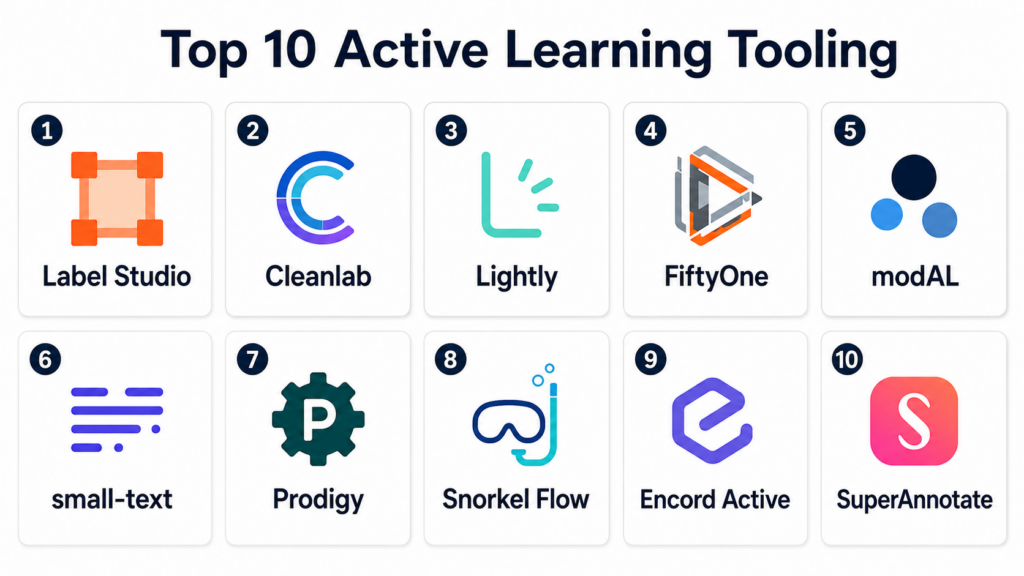
Introduction
Active Learning Tooling helps machine learning teams choose the most useful data points to label next instead of labeling everything randomly. In simple terms, active learning creates a loop where a model learns from a small labeled dataset, identifies uncertain or high-value examples, sends those examples to humans for annotation, and then improves through repeated feedback.
Active learning matters because labeling data is expensive, slow, and often requires domain experts. Instead of wasting time on easy or duplicate examples, active learning helps teams focus annotation effort on samples that are most likely to improve model performance. This is especially important for computer vision, NLP, medical AI, fraud detection, legal AI, autonomous systems, and generative AI evaluation.
Real world use cases include image classification improvement, object detection labeling, text classification, named entity recognition, document review, customer support intent labeling, medical image annotation, anomaly detection, LLM response evaluation, and dataset cleanup.
Buyers should evaluate query strategies, annotation integration, model feedback loops, uncertainty sampling, diversity sampling, data curation, dataset versioning, quality control, security, APIs, scalability, and support for human-in-the-loop workflows.
Best for: Active Learning Tooling is best for AI teams, ML engineers, data scientists, annotation teams, computer vision teams, NLP teams, GenAI evaluation teams, research teams, healthcare AI teams, and enterprises that want to reduce labeling effort while improving model quality.
Not ideal for: These tools may not be necessary for tiny datasets, one-time labeling projects, simple rule-based classification, or teams without an iterative model training process. In those cases, a basic annotation tool, spreadsheet workflow, or standard labeling platform may be enough.
Key Trends in Active Learning Tooling
- Human-in-the-loop AI is becoming mainstream: Teams increasingly combine model predictions with expert review to improve training data faster.
- Active learning is moving beyond classic ML: It is now used for generative AI evaluation, prompt-response ranking, instruction tuning, and model safety review.
- Data curation is merging with active learning: Teams do not only ask “what should we label next?” but also “what should we remove, rebalance, deduplicate, or relabel?”
- Uncertainty sampling remains popular: Many workflows prioritize examples where the model is least confident, especially for classification and detection tasks.
- Diversity sampling is becoming more important: Teams want label batches that are not only uncertain but also representative of different data clusters and edge cases.
- Relabeling is gaining attention: Tools increasingly help identify mislabeled, ambiguous, or low-quality labels that should be reviewed again.
- Computer vision active learning is mature: Image and video platforms often combine model predictions, confidence scores, embeddings, and visual similarity to select annotation batches.
- NLP and LLM evaluation workflows are expanding: Active learning is useful for intent classification, entity extraction, toxicity detection, response grading, and preference data creation.
- Open-source tooling remains strong: Libraries such as modAL, small-text, Cleanlab, FiftyOne, Label Studio, and CVAT are useful when teams want control and customization.
- Governance and privacy matter more: Active learning often involves sensitive unlabeled data, so access control, audit logs, data retention, and reviewer governance are important.
How We Selected These Tools
The tools in this list were selected based on their relevance to active learning, human-in-the-loop annotation, data curation, model feedback, uncertainty sampling, annotation prioritization, and iterative ML workflows.
Selection logic included:
- Recognition in active learning, annotation, data-centric AI, model-assisted labeling, or ML data curation.
- Ability to prioritize samples for labeling, relabeling, review, or dataset improvement.
- Support for common active learning strategies such as uncertainty sampling, diversity sampling, query-by-committee, embeddings, or model confidence scoring.
- Integration with annotation tools, ML models, cloud storage, notebooks, APIs, and MLOps workflows.
- Fit for computer vision, NLP, tabular data, document AI, GenAI evaluation, and multimodal use cases.
- Quality control capabilities such as review queues, relabeling, disagreement analysis, label issue detection, and annotator feedback.
- Security and governance features such as RBAC, SSO, audit logs, encryption, and private deployment where relevant.
- Scalability for research, SMB, mid-market, enterprise, and regulated AI workflows.
- Developer experience, documentation, open-source activity, and support model.
- Overall value for reducing labeling cost, improving model performance, and shortening AI iteration cycles.
Top 10 Active Learning Tooling
1- Label Studio
Short description:
Label Studio is an open-source data labeling platform that can support active learning workflows through APIs, SDKs, webhooks, ML backends, predictions, and human review loops. It is useful for teams that want flexible annotation across text, images, audio, video, documents, and multimodal data. Label Studio can connect model predictions with human labeling so teams can prioritize uncertain or high-value examples. It is a strong fit for teams that want customizable annotation plus active learning control.
Key Features
- Flexible annotation for text, images, audio, video, documents, and multimodal data.
- ML backend integration for model-assisted labeling.
- APIs, Python SDK, and webhooks for active learning loops.
- Prediction import and review workflows.
- Custom labeling interfaces and templates.
- Self-hosted and enterprise deployment options.
- Useful for human-in-the-loop model improvement.
Pros
- Highly flexible across many data types.
- Strong open-source option for custom active learning workflows.
- Good fit for teams that want annotation and model feedback in one workflow.
Cons
- Automated active learning may require integration work.
- Enterprise governance features depend on edition and deployment.
- Teams need clear strategy for sample selection and relabeling.
Platforms / Deployment
Web / Python / APIs
Self-hosted / Cloud / Enterprise options may vary
Security & Compliance
Label Studio security depends on deployment model, access control configuration, storage setup, and enterprise features. Specific compliance coverage should be validated based on self-hosted or commercial usage.
Integrations & Ecosystem
Label Studio integrates with ML models, cloud storage, Python workflows, and custom pipelines. It is useful when active learning must connect with human annotation and model retraining.
- Python SDK
- ML backends
- Cloud storage
- Webhooks
- Data science notebooks
- MLOps workflows
Support & Community
Label Studio has strong open-source documentation, active community resources, examples, and enterprise support options through its vendor ecosystem.
2- Cleanlab
Short description:
Cleanlab is a data-centric AI toolkit focused on finding label issues, data quality problems, noisy examples, and high-value samples for relabeling or improvement. Its ActiveLab approach helps teams decide which examples should be labeled or relabeled under limited annotation budgets. Cleanlab is especially useful when the goal is not only to label new examples but also to fix bad labels and improve dataset quality. It is a strong fit for tabular, text, image, and classification-focused workflows.
Key Features
- Detection of label errors and dataset issues.
- ActiveLab method for labeling and relabeling prioritization.
- Data quality scoring and issue ranking.
- Works with existing model predictions.
- Supports data-centric AI improvement workflows.
- Useful for classification and supervised learning tasks.
- Open-source library and commercial options may vary.
Pros
- Strong focus on improving data quality, not only adding labels.
- Useful for relabeling and noisy dataset cleanup.
- Can work with existing models and prediction probabilities.
Cons
- Best fit depends on task type and available model outputs.
- Requires ML workflow integration and data science expertise.
- Not a full annotation workforce management platform by itself.
Platforms / Deployment
Python / APIs / Data science workflows
Self-hosted library / Cloud or enterprise options may vary
Security & Compliance
Cleanlab security depends on how it is deployed, where data is processed, and what commercial or self-hosted option is used. Specific compliance coverage should be validated during procurement.
Integrations & Ecosystem
Cleanlab integrates with ML pipelines, notebooks, model prediction outputs, datasets, and annotation review workflows. It is useful when active learning is tied to dataset quality.
- Python ML workflows
- scikit-learn style models
- Deep learning prediction outputs
- Data annotation tools
- MLOps pipelines
- Dataset quality workflows
Support & Community
Cleanlab has open-source documentation, examples, community resources, and commercial support options. It is especially strong among data-centric AI practitioners.
3- Lightly
Short description:
Lightly is a data curation and active learning platform focused on selecting the most relevant data to label, especially for computer vision and large image or video datasets. It helps teams reduce annotation effort by identifying diverse, informative, and valuable samples. Lightly is especially useful for visual AI teams working with large unlabeled datasets from cameras, drones, industrial systems, robotics, or autonomous systems. It is a strong fit for teams that want smart data selection before labeling.
Key Features
- Data curation for large unlabeled datasets.
- Active learning sample selection.
- Visual similarity and embedding-based dataset exploration.
- Selection of diverse and informative samples.
- Support for computer vision workflows.
- Model-assisted dataset prioritization.
- Integration with annotation and ML workflows.
Pros
- Strong fit for computer vision active learning.
- Helps reduce labeling effort by prioritizing important samples.
- Useful for large-scale image and video datasets.
Cons
- Best suited for visual data workflows.
- Requires integration with annotation and training processes.
- Teams should validate support for their specific model and data format.
Platforms / Deployment
Web / Python / APIs
Cloud / Self-hosted or enterprise options may vary
Security & Compliance
Lightly provides deployment and security options depending on product and plan. Specific access controls, data handling, and compliance coverage should be validated with the vendor.
Integrations & Ecosystem
Lightly integrates with annotation platforms, computer vision pipelines, cloud storage, and ML training workflows. It is useful when teams need to choose which visual data to label next.
- Computer vision datasets
- Annotation platforms
- Cloud storage
- PyTorch workflows
- Model training pipelines
- Data curation workflows
Support & Community
Lightly provides documentation, customer support, examples, and technical resources for active learning and data curation. Its ecosystem is strongest in computer vision teams.
4- FiftyOne
Short description:
FiftyOne is an open-source toolkit for dataset visualization, curation, evaluation, and model analysis, especially for computer vision and multimodal data. It helps teams explore datasets, find hard examples, inspect model errors, compare predictions, and choose samples for labeling. Active learning workflows can be built using plugins, embeddings, model confidence, and dataset views. FiftyOne is a strong fit for computer vision teams that need visibility into dataset quality and model behavior.
Key Features
- Dataset visualization and exploration.
- Model prediction analysis and error inspection.
- Embedding-based similarity search and data curation.
- Active learning plugin and selection workflows.
- Support for image, video, and multimodal datasets.
- Dataset views, filtering, and tagging.
- Integration with annotation and ML pipelines.
Pros
- Excellent for visual dataset understanding.
- Strong open-source option for computer vision data curation.
- Helps identify hard examples and model failure cases.
Cons
- Not a full annotation platform by itself.
- Active learning workflows may require setup and integration.
- Enterprise governance depends on deployment and tooling choices.
Platforms / Deployment
Python / Web app / APIs
Self-hosted / Cloud options may vary
Security & Compliance
FiftyOne security depends on deployment environment, data storage, access controls, and enterprise options if used. Specific compliance coverage should be validated based on deployment.
Integrations & Ecosystem
FiftyOne integrates with ML frameworks, annotation tools, datasets, model outputs, and computer vision workflows. It is useful when active learning begins with dataset exploration and error analysis.
- PyTorch and TensorFlow workflows
- COCO and YOLO-style datasets
- Annotation tools
- Embedding models
- Computer vision pipelines
- Dataset versioning workflows
Support & Community
FiftyOne has open-source documentation, community support, examples, and commercial support options through Voxel51. Its community is strong among computer vision practitioners.
5- modAL
Short description:
modAL is an open-source Python framework for active learning that provides flexible strategies for querying informative samples. It is designed for researchers and developers who want to build custom active learning loops using Python models and datasets. modAL supports strategies such as uncertainty sampling, query-by-committee, expected error reduction patterns, and custom query logic. It is a strong fit for technical teams that want algorithm-level control over active learning.
Key Features
- Python framework for active learning.
- Uncertainty sampling and query strategies.
- Query-by-committee support.
- Custom active learner workflows.
- Integration with scikit-learn style estimators.
- Useful for research and experimentation.
- Open-source and lightweight.
Pros
- Very flexible for custom active learning experiments.
- Good fit for researchers and data scientists.
- Lightweight compared with full annotation platforms.
Cons
- Not a complete annotation or MLOps platform.
- Requires Python and active learning expertise.
- Production workflows need additional tooling for annotation and governance.
Platforms / Deployment
Python
Self-hosted library
Security & Compliance
modAL security depends on the environment where it is used. It does not provide enterprise security or compliance controls by itself, so teams must manage data handling, access, and governance externally.
Integrations & Ecosystem
modAL works well with Python ML ecosystems and can be connected to annotation tools or notebooks for active learning experiments.
- scikit-learn workflows
- Python notebooks
- Custom ML models
- Annotation tools through APIs
- Research pipelines
- Dataset selection workflows
Support & Community
modAL has open-source documentation and community resources. It is most useful for technical users who can maintain their own active learning loops.
6- small-text
Short description:
small-text is an open-source Python library for active learning in text classification and NLP workflows. It supports active learning experiments with classical models, transformers, and text datasets. small-text is especially useful for NLP teams working with limited labeled data and wanting to select informative text examples for annotation. It is a strong fit for researchers and technical teams building text classification active learning loops.
Key Features
- Active learning for text classification.
- Support for transformer-based models depending on setup.
- Query strategies for selecting informative text samples.
- Integration with Python NLP workflows.
- Useful for low-label text learning scenarios.
- Designed for experimentation and research workflows.
- Open-source library.
Pros
- Strong fit for NLP active learning.
- Useful with transformer-based text workflows.
- Lightweight and research-friendly.
Cons
- Not a full annotation platform.
- Requires Python, NLP, and active learning expertise.
- Production workflows need external annotation and MLOps components.
Platforms / Deployment
Python
Self-hosted library
Security & Compliance
small-text security depends on local or hosted execution environment. It does not provide enterprise governance controls by itself, so sensitive text data requires external security controls.
Integrations & Ecosystem
small-text integrates with Python NLP tools and can be connected to annotation platforms for label collection.
- Hugging Face workflows
- scikit-learn style pipelines
- Python notebooks
- Text classification datasets
- Annotation tools through APIs
- NLP research workflows
Support & Community
small-text has open-source documentation and community resources. It is strongest among NLP researchers and technical teams building custom active learning loops.
7- Prodigy
Short description:
Prodigy is a scriptable annotation tool designed for developers and data scientists, especially in NLP and custom machine learning workflows. It supports active learning through model-in-the-loop annotation, where model predictions help prioritize examples for human review. Prodigy is especially useful for text classification, named entity recognition, span labeling, and custom annotation recipes. It is a strong fit for technical teams that want tight control over active learning and labeling logic.
Key Features
- Scriptable annotation workflows.
- Model-in-the-loop active learning.
- Strong NLP annotation support.
- Custom recipes for task-specific workflows.
- Text classification, NER, spans, and custom labels.
- Local-first deployment style.
- Python-based customization.
Pros
- Very flexible for technical NLP teams.
- Strong fit for custom active learning annotation loops.
- Good for rapid iteration between model and annotator.
Cons
- Requires Python and workflow scripting skills.
- Less ideal for large non-technical annotation workforces.
- Not a broad enterprise labeling operations platform.
Platforms / Deployment
Python / Web app
Self-hosted
Security & Compliance
Prodigy security depends on local deployment, network configuration, authentication setup, data storage, and operational practices. Specific enterprise compliance coverage is not publicly stated.
Integrations & Ecosystem
Prodigy integrates closely with Python ML workflows, spaCy, custom models, and local datasets. It is useful when active learning is part of a data scientist’s iterative modeling process.
- spaCy
- Python ML workflows
- Custom annotation recipes
- Local datasets
- Active learning loops
- NLP model training workflows
Support & Community
Prodigy provides documentation, examples, and vendor support resources. Its community is strongest among NLP practitioners, data scientists, and Python developers.
8- Snorkel Flow
Short description:
Snorkel Flow is a data-centric AI platform that helps teams label, curate, and improve training data using programmatic labeling, weak supervision, model feedback, and iterative data development. While it is not only an active learning tool, it supports workflows that reduce manual labeling by using labeling functions and data-centric iteration. Snorkel is especially useful when subject matter experts can encode rules, heuristics, and weak signals to create scalable training data. It is a strong fit for enterprise AI teams with complex text, document, and structured data tasks.
Key Features
- Programmatic labeling and weak supervision.
- Data-centric AI development workflows.
- Model feedback and iterative data improvement.
- Label quality analysis and training data management.
- Support for text, documents, and structured enterprise data.
- Collaboration between SMEs and ML teams.
- Enterprise workflow and governance capabilities.
Pros
- Reduces manual labeling through programmatic labeling.
- Strong fit for enterprise domain expert workflows.
- Useful for building training data where rules and weak signals exist.
Cons
- Active learning is not the only focus.
- Requires data-centric AI strategy and expert participation.
- May be more advanced than small teams need.
Platforms / Deployment
Web / APIs
Cloud / Enterprise deployment options may vary
Security & Compliance
Snorkel Flow provides enterprise security and governance features depending on deployment and contract. Specific compliance coverage, data handling, and access controls should be validated during procurement.
Integrations & Ecosystem
Snorkel Flow integrates with enterprise data systems, ML workflows, annotation processes, and model development pipelines. It is useful when labeling can be accelerated with programmatic supervision.
- Enterprise data platforms
- ML pipelines
- Document AI workflows
- Model development systems
- Data governance processes
- Human review workflows
Support & Community
Snorkel provides enterprise support, documentation, customer success, and data-centric AI expertise. Its ecosystem is strongest among enterprise AI and applied ML teams.
9- Encord Active
Short description:
Encord Active is a data curation, quality evaluation, and active learning tool focused on visual AI datasets. It helps computer vision teams understand dataset quality, identify outliers, prioritize samples, detect label issues, and improve training data. Encord Active is especially useful for image and video teams that want to select the right data to label or relabel. It is a strong fit for healthcare AI, autonomous systems, robotics, and industrial vision workflows.
Key Features
- Visual dataset curation and quality analysis.
- Active learning sample prioritization.
- Outlier and data issue detection.
- Label quality and annotation error discovery.
- Embedding-based exploration and similarity search.
- Integration with annotation and model workflows.
- Support for computer vision dataset improvement.
Pros
- Strong fit for visual active learning and data curation.
- Helps identify label errors and hard examples.
- Useful for improving model performance through better data selection.
Cons
- Best suited for image and video workflows.
- Requires integration with annotation and training pipelines.
- Broader NLP or tabular use cases may need other tools.
Platforms / Deployment
Web / APIs
Cloud / Enterprise options may vary
Security & Compliance
Encord provides enterprise security and governance features depending on plan and deployment. Specific compliance coverage, especially for healthcare or regulated data, should be validated during procurement.
Integrations & Ecosystem
Encord Active integrates with annotation workflows, model outputs, visual datasets, and data curation processes. It is useful when active learning is focused on visual data quality.
- Encord annotation workflows
- Cloud storage
- Computer vision pipelines
- Dataset curation
- Model evaluation outputs
- Active learning loops
Support & Community
Encord provides documentation, onboarding, customer support, and workflow guidance. Its ecosystem is strongest among computer vision and medical AI teams.
10- SuperAnnotate
Short description:
SuperAnnotate is a data annotation and AI data platform that supports active learning-style workflows through data curation, model-assisted labeling, automation, and human review. It helps teams select, label, review, and improve datasets across image, video, text, and multimodal use cases. SuperAnnotate is especially useful for teams that want annotation and AI data management in one platform. It is a strong fit for enterprises needing high-quality human-in-the-loop AI data workflows.
Key Features
- Data annotation for image, video, text, and multimodal workflows.
- Model-assisted labeling and automation.
- Data curation and dataset management.
- Review and QA workflows.
- Support for GenAI evaluation and human feedback tasks.
- Collaboration tools for experts and annotators.
- APIs and ML workflow integrations.
Pros
- Strong annotation plus data curation workflow.
- Useful for enterprise AI data operations.
- Good fit for teams that need human review and model feedback loops.
Cons
- Active learning depth should be validated for specific workflows.
- Pricing and workflow setup should be checked for large projects.
- Teams need clear annotation guidelines and QA design.
Platforms / Deployment
Web / APIs
Cloud / Enterprise deployment options may vary
Security & Compliance
SuperAnnotate provides enterprise security and data governance controls depending on plan and deployment. Specific compliance coverage and access control details should be validated with the vendor.
Integrations & Ecosystem
SuperAnnotate integrates with cloud storage, ML pipelines, annotation operations, and model feedback workflows. It is useful when active learning is part of a broader AI data platform.
- Cloud storage
- ML pipelines
- Annotation operations
- Model-assisted labeling
- GenAI evaluation workflows
- Dataset management systems
Support & Community
SuperAnnotate provides documentation, onboarding, customer support, and enterprise workflow guidance. Its ecosystem is strong among AI teams managing complex annotation and dataset improvement projects.
Comparison Table Top 10
| Tool Name | Best For | Platform Supported | Deployment | Standout Feature | Public Rating |
|---|---|---|---|---|---|
| Label Studio | Flexible active learning annotation workflows | Web, Python, APIs | Self-hosted / Cloud / Enterprise options may vary | APIs, SDKs, webhooks, and ML backends for active learning | N/A |
| Cleanlab | Label issue detection and relabeling prioritization | Python, APIs, data science workflows | Self-hosted library / Cloud options may vary | ActiveLab and data quality scoring | N/A |
| Lightly | Computer vision data curation and sample selection | Web, Python, APIs | Cloud / Enterprise options may vary | Selects diverse and informative visual samples | N/A |
| FiftyOne | Visual dataset analysis and active learning selection | Python, web app, APIs | Self-hosted / Cloud options may vary | Dataset exploration, embeddings, and hard example mining | N/A |
| modAL | Custom active learning experiments | Python | Self-hosted library | Flexible query strategies for Python ML workflows | N/A |
| small-text | NLP active learning for text classification | Python | Self-hosted library | Active learning loops for text and transformer workflows | N/A |
| Prodigy | Scriptable NLP annotation with active learning | Python, web app | Self-hosted | Model-in-the-loop annotation recipes | N/A |
| Snorkel Flow | Programmatic labeling and data-centric AI | Web, APIs | Cloud / Enterprise options may vary | Weak supervision and iterative training data development | N/A |
| Encord Active | Visual data curation and active learning | Web, APIs | Cloud / Enterprise options may vary | Outlier, label issue, and sample priority analysis | N/A |
| SuperAnnotate | Annotation, curation, and model feedback workflows | Web, APIs | Cloud / Enterprise options may vary | Multimodal annotation with automation and QA | N/A |
Evaluation and Scoring of Active Learning Tooling
The scoring below is comparative and based on active learning depth, ease of use, integrations, security posture signals, performance, support expectations, and overall value. These are not public ratings and should be used as directional evaluation scores only.
| Tool Name | Core 25% | Ease 15% | Integrations 15% | Security 10% | Performance 10% | Support 10% | Value 15% | Weighted Total 0–10 |
|---|---|---|---|---|---|---|---|---|
| Label Studio | 8 | 8 | 9 | 7 | 8 | 8 | 10 | 8.35 |
| Cleanlab | 9 | 7 | 8 | 7 | 8 | 8 | 9 | 8.15 |
| Lightly | 9 | 8 | 8 | 8 | 8 | 8 | 8 | 8.25 |
| FiftyOne | 8 | 8 | 8 | 7 | 8 | 8 | 10 | 8.15 |
| modAL | 8 | 6 | 7 | 6 | 7 | 6 | 10 | 7.25 |
| small-text | 8 | 6 | 7 | 6 | 7 | 6 | 10 | 7.25 |
| Prodigy | 8 | 7 | 8 | 7 | 8 | 7 | 8 | 7.65 |
| Snorkel Flow | 8 | 7 | 9 | 9 | 8 | 9 | 7 | 8.05 |
| Encord Active | 9 | 8 | 8 | 8 | 8 | 8 | 7 | 8.05 |
| SuperAnnotate | 8 | 8 | 8 | 8 | 8 | 8 | 7 | 7.95 |
These scores should be interpreted by use case. Label Studio is strong for flexible annotation-driven active learning. Cleanlab is strong for relabeling and data quality improvement. Lightly, FiftyOne, and Encord Active are strong for computer vision data curation. modAL and small-text are useful for research and custom Python loops. Prodigy is strong for scriptable NLP annotation. Snorkel Flow is strongest when programmatic labeling and weak supervision are part of the workflow.
Which Active Learning Tool Is Right for You?
Solo / Freelancer
Solo professionals should prioritize lightweight, flexible, and low-cost tools. modAL, small-text, Cleanlab, Label Studio, FiftyOne, and Prodigy can be practical depending on the data type. For NLP, small-text or Prodigy may be useful. For computer vision, FiftyOne or Lightly can help with sample selection. For general annotation workflows, Label Studio is a flexible starting point. Freelancers should avoid enterprise-heavy platforms unless the client has a large labeling operation.
SMB
SMBs should focus on reducing labeling cost while keeping workflows simple. Label Studio, Cleanlab, Lightly, FiftyOne, SuperAnnotate, and Encord Active can fit different needs. If the team has internal annotators, Label Studio plus Cleanlab or Lightly can work well. If the project is visual AI, Lightly, FiftyOne, Encord Active, or SuperAnnotate may be better. SMBs should start with a small active learning loop before scaling annotation.
Mid-Market
Mid-market companies often need stronger workflow management, annotation review, dataset curation, model feedback, and integration with ML pipelines. Label Studio Enterprise, Cleanlab, Lightly, FiftyOne, SuperAnnotate, Encord Active, and Snorkel Flow are strong candidates. NLP teams may prefer Prodigy, small-text, or Snorkel depending on workflow. Computer vision teams may prefer Lightly, FiftyOne, Encord Active, or SuperAnnotate. Mid-market teams should measure label savings and model improvement, not only annotation speed.
Enterprise
Enterprises need security, auditability, annotation governance, model feedback loops, quality control, expert review, and integration with MLOps systems. Snorkel Flow, SuperAnnotate, Label Studio Enterprise, Cleanlab, Lightly, Encord Active, and FiftyOne Teams-style deployments can fit different enterprise patterns. Enterprises should validate SSO, RBAC, audit logs, private deployment, data retention, and reviewer permissions. Active learning should be part of a governed AI data strategy, not an isolated experiment.
Budget vs Premium
Budget-focused teams can start with modAL, small-text, Label Studio Community, Cleanlab open-source, FiftyOne open-source, CVAT-style workflows, or Prodigy for specific NLP use cases. Premium platforms such as Snorkel Flow, SuperAnnotate, Encord Active, Lightly enterprise offerings, Label Studio Enterprise, and managed data platforms may justify cost when security, collaboration, support, QA, and scale matter. Buyers should compare label savings, model improvement, annotation cost, infrastructure cost, and team productivity.
Feature Depth vs Ease of Use
Feature depth matters when teams need uncertainty sampling, diversity sampling, relabeling, data quality scoring, embeddings, human review, model-assisted labeling, and annotation operations. Cleanlab, Lightly, FiftyOne, Encord Active, Snorkel Flow, and SuperAnnotate provide strong depth in different areas. Ease of use matters when teams need a quick annotation loop. Label Studio, Prodigy, and managed annotation platforms can be easier depending on the user profile. The best choice depends on data type and model workflow maturity.
Integrations and Scalability
Active learning becomes more valuable when integrated with annotation tools, model training pipelines, MLOps platforms, cloud storage, experiment tracking, dataset versioning, and data quality systems. Buyers should test how samples are selected, labeled, exported, retrained, and evaluated. Scalability includes dataset size, annotator volume, model iteration frequency, query strategy complexity, and review effort. A strong active learning workflow should make every annotation count.
Security and Compliance Needs
Active learning workflows often process unlabeled sensitive data such as medical images, customer messages, legal documents, product photos, security logs, or proprietary business data. Buyers should evaluate access controls, audit logs, encryption, private deployment, data residency, reviewer permissions, and retention policies. If external annotators are involved, data redaction and confidentiality controls are important. Regulated teams should include security and compliance reviewers before scaling active learning.
Frequently Asked Questions FAQs
1. What is Active Learning Tooling?
Active Learning Tooling helps machine learning teams choose which data should be labeled next. Instead of labeling random examples, the system selects uncertain, diverse, difficult, or high-value samples. Humans label those samples, the model retrains, and the loop repeats. This can reduce annotation effort and improve model performance faster. Active learning is especially useful when labels are expensive or require expert review.
2. How is active learning different from normal annotation?
Normal annotation often labels data in bulk without considering which examples will improve the model most. Active learning uses model feedback to prioritize the most informative samples. For example, a model may request labels for images it is uncertain about or text examples near decision boundaries. This makes labeling more strategic and efficient. Active learning is not just labeling; it is an iterative model-data improvement loop.
3. What pricing models are common for Active Learning Tools?
Pricing depends on the tool type. Open-source libraries may be free but require engineering time and infrastructure. Annotation platforms may charge by users, projects, tasks, storage, or enterprise contracts. Managed data platforms may include workflow, security, support, and workforce costs. Some tools are part of broader AI data or annotation platforms. Buyers should compare software cost, annotation savings, model improvement, support, and operational effort.
4. How long does implementation usually take?
Implementation time depends on data type, model maturity, annotation process, integration needs, and quality requirements. A simple active learning loop can be tested quickly in a notebook, but production workflows require annotation integration, retraining automation, review queues, and evaluation metrics. Teams should begin with a baseline model and a small labeled seed dataset. Then they can test whether active learning improves performance faster than random sampling. A pilot is the safest starting point.
5. What are common mistakes when using active learning?
A common mistake is using uncertainty sampling alone without considering diversity, duplicates, label noise, or class imbalance. Another mistake is starting active learning before the annotation guidelines are clear. Some teams also forget to measure whether active learning outperforms random sampling. Others send too many low-quality or ambiguous examples to annotators, causing frustration. A good active learning loop should balance informativeness, diversity, label quality, and human effort.
6. Are Active Learning Tools secure?
Active Learning Tools can be secure when deployed with strong access control, encryption, audit logs, reviewer permissions, and secure storage. However, active learning often surfaces unusual or high-risk examples, which may include sensitive records. Security depends on the annotation platform, data pipeline, model environment, and reviewer workflow. Regulated teams should validate data residency, retention, and access governance. Security should be checked before unlabeled data is exposed to annotators.
7. Can active learning work for computer vision?
Yes, active learning is commonly used in computer vision for image classification, object detection, segmentation, video annotation, and anomaly detection. The system may choose images where the model is uncertain, where predictions disagree, or where samples are visually different from already labeled data. Tools such as Lightly, FiftyOne, Encord Active, CVAT integrations, and SuperAnnotate-style workflows can support visual data selection. Computer vision teams should also consider duplicates, edge cases, and class balance. Active learning can reduce labeling effort when designed well.
8. Can active learning work for NLP and text data?
Yes, active learning works well for NLP tasks such as text classification, named entity recognition, sentiment analysis, intent detection, document classification, and moderation. The model can prioritize examples where confidence is low or where text patterns are underrepresented. Tools such as small-text, Prodigy, Label Studio, Cleanlab, and Snorkel workflows can support NLP active learning. Text workflows need clear labeling guidelines because ambiguous text can confuse annotators. Measuring annotation agreement is important.
9. What alternatives exist if active learning is not needed?
Alternatives include random sampling, stratified sampling, manual dataset selection, weak supervision, synthetic data generation, data augmentation, rule-based labeling, transfer learning, and standard annotation workflows. These may be enough when labels are cheap, datasets are small, or the model is not production-critical. Active learning becomes valuable when labeling is expensive and the model improves meaningfully from carefully selected samples. Many teams combine active learning with weak supervision and data quality checks. The right alternative depends on data cost and model goals.
10. How should buyers evaluate Active Learning Tooling?
Buyers should evaluate query strategies, annotation integration, model support, data type support, quality control, relabeling workflows, dataset curation, APIs, security, and reporting. They should run a pilot comparing active learning against random sampling using the same labeling budget. The pilot should measure model improvement, label savings, annotator effort, and error reduction. AI teams, annotation managers, domain experts, and security teams should all participate. The best tool is the one that improves model quality with fewer, better labels.
Conclusion
Active Learning Tooling helps AI teams make labeling smarter by choosing the most informative, uncertain, diverse, or error-prone examples for human review. The right tool depends on data type, model maturity, annotation workflow, team skills, budget, and governance needs. Label Studio is strong for flexible annotation-driven active learning, Cleanlab is excellent for label issue detection and relabeling prioritization, Lightly and Encord Active are strong for visual data curation, FiftyOne helps computer vision teams explore hard examples, modAL and small-text are useful for custom research workflows, Prodigy is practical for scriptable NLP annotation, Snorkel Flow supports programmatic labeling and data-centric AI, and SuperAnnotate combines annotation, curation, automation, and QA. There is no universal best tool because active learning for medical images, legal text, ecommerce products, support tickets, and autonomous systems will all require different strategies.

Deploying specialized iterative data annotation curation infrastructure software optimizes corporate machine learning labeling logistics, ensuring accelerated predictive model training efficiency tracking and seamless human-in-the-loop validation workflows.