MOTOSHARE 🚗🏍️
Rent Bikes & Cars Directly from Owners
Motoshare connects vehicle owners with people who need bikes and cars on rent. Owners earn from idle vehicles, and renters get flexible ride options.
Visit Motoshare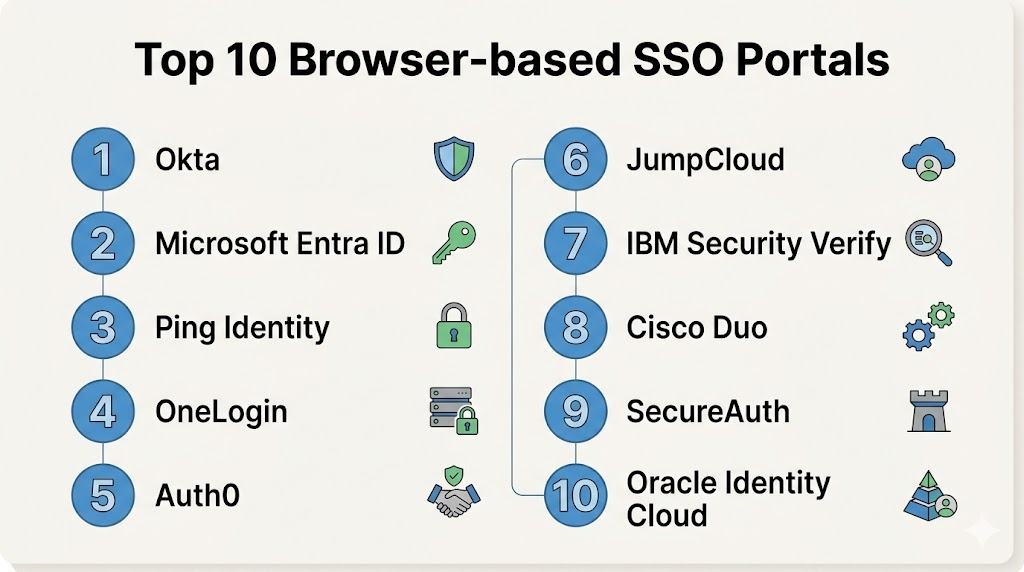
Introduction
Browser-based SSO (Single Sign-On) Portals are identity access management solutions that allow users to securely access multiple applications through a single web-based login portal. These platforms act as a centralized dashboard where employees can authenticate once and gain seamless access to SaaS tools, internal applications, cloud platforms, and enterprise systems.In modern organizations, users typically work across dozens or even hundreds of SaaS applications. Managing separate logins for each tool increases password fatigue, security risks, and IT overhead. Browser-based SSO portals solve this by centralizing authentication, improving security, enforcing access policies, and simplifying user experience.
Real World Use Cases
- Centralizing login access for enterprise SaaS applications
- Reducing password fatigue across employees
- Enforcing MFA and security policies at login
- Managing onboarding and offboarding of users
- Providing secure access to internal business applications
- Supporting hybrid and remote workforce authentication
- Integrating SaaS apps with identity providers
- Improving compliance with access control policies
Evaluation Criteria for Buyers
When evaluating Browser-based SSO Portals, organizations should consider:
- Application integration depth (SaaS + internal apps)
- Identity provider compatibility
- MFA and adaptive authentication support
- Role-based access control capabilities
- User experience and portal usability
- Security policy enforcement features
- Audit logs and compliance reporting
- Directory integration (AD/LDAP/SCIM)
- Scalability across enterprise environments
- API and automation support
Best for
Browser-based SSO Portals are best for enterprises, mid-sized companies, SaaS-driven organizations, IT administrators, and security teams managing large-scale user authentication across multiple cloud and on-prem applications.
Not ideal for
These tools are not ideal for very small organizations with only a few applications or teams without centralized identity management. They may also be unnecessary for environments that rely on single-application usage or minimal SaaS adoption.
Key Trends in Browser-based SSO Portals
- Passwordless authentication adoption is increasing rapidly
- AI-driven identity risk detection is emerging
- Zero Trust security models are becoming standard
- Adaptive and context-aware authentication is growing
- Integration with SaaS governance platforms is expanding
- Stronger MFA enforcement across all applications
- Growth of SCIM-based automated provisioning
- Browser extensions replacing legacy login workflows
- Consolidation of IAM and SSO platforms
- Increased focus on identity analytics and behavior monitoring
How We Selected These Tools
The tools in this list were selected based on:
- Market adoption across enterprise IAM ecosystems
- Strength of SSO and authentication capabilities
- Integration support with SaaS and enterprise apps
- Security and compliance readiness
- MFA and adaptive authentication features
- Directory and identity management support
- Scalability for large user bases
- Ease of deployment and administration
- API and automation capabilities
- Fit across SMB, mid-market, and enterprise organizations
Top 10 Browser-based SSO Portals
1- Okta
Short description:
Okta is one of the most widely adopted identity and access management platforms, offering powerful browser-based SSO capabilities. It provides a centralized access portal where users can securely log into thousands of SaaS and enterprise applications using a single identity. Okta is widely used across enterprises for authentication, authorization, and identity lifecycle management.
Key Features
- Web-based SSO portal
- Adaptive MFA authentication
- Application integration catalog
- User lifecycle management
- API-based identity automation
- SCIM provisioning support
- Zero Trust identity framework
Pros
- Strong enterprise adoption
- Extensive application integrations
- Highly scalable identity platform
Cons
- Premium pricing model
- Complex setup for beginners
- Requires identity governance maturity
Platforms / Deployment
- Cloud
Security & Compliance
- SSO/SAML
- MFA
- RBAC
- Audit logs
- Encryption
- Compliance frameworks support
Integrations & Ecosystem
Okta integrates with thousands of SaaS and enterprise systems across identity, security, and IT operations ecosystems.
- AWS
- Microsoft 365
- Google Workspace
- Salesforce
- Slack
- Workday
- API ecosystems
Support & Community
Strong enterprise support with large global identity ecosystem adoption.
2- Microsoft Entra ID
Short description:
Microsoft Entra ID is a cloud-based identity and SSO platform that enables secure access to applications through a unified authentication portal. It is deeply integrated with Microsoft 365 and Azure services, making it a default identity solution for many enterprises.
Key Features
- Browser-based SSO portal
- Conditional access policies
- MFA and passwordless authentication
- Application provisioning
- Identity protection
- Role-based access control
- Cloud directory integration
Pros
- Deep Microsoft ecosystem integration
- Strong security controls
- Enterprise-grade scalability
Cons
- Best suited for Microsoft environments
- Complex licensing structure
- Configuration can be technical
Platforms / Deployment
- Cloud
Security & Compliance
- SSO/SAML
- MFA
- RBAC
- Audit logs
- Compliance certifications support
Integrations & Ecosystem
- Microsoft 365
- Azure services
- SaaS applications
- Security tools
- Enterprise identity systems
Support & Community
Strong enterprise support and global Microsoft ecosystem backing.
3- Ping Identity
Short description:
Ping Identity provides enterprise-grade SSO and identity management solutions focused on secure access to cloud, mobile, and on-prem applications. It offers flexible deployment models and strong authentication capabilities.
Key Features
- SSO access portal
- Multi-factor authentication
- Identity federation
- Access governance
- API security
- Adaptive authentication
- Directory integration
Pros
- Strong enterprise security features
- Flexible deployment options
- Good hybrid identity support
Cons
- Complex configuration
- Higher enterprise cost
- Requires skilled administrators
Platforms / Deployment
- Cloud / Hybrid
Security & Compliance
- SSO/SAML
- MFA
- RBAC
- Encryption
- Audit logging
Integrations & Ecosystem
- SaaS applications
- Enterprise directories
- Cloud platforms
- API gateways
- Security systems
Support & Community
Strong enterprise-focused support and consulting services.
4- OneLogin
Short description:
OneLogin is a cloud-based identity platform that provides browser-based SSO, MFA, and user provisioning capabilities. It is widely used by SMB and mid-market organizations for simplifying identity management.
Key Features
- SSO application portal
- MFA authentication
- User provisioning automation
- Directory integration
- Access policy management
- Mobile identity access
- Reporting dashboards
Pros
- Easy to deploy
- Strong SMB and mid-market fit
- User-friendly interface
Cons
- Less advanced than enterprise leaders
- Limited deep customization
- Smaller ecosystem
Platforms / Deployment
- Cloud
Security & Compliance
- SSO/SAML
- MFA
- RBAC
- Audit logs
- Encryption
Integrations & Ecosystem
- SaaS applications
- HR systems
- Cloud platforms
- Directory services
- ITSM tools
Support & Community
Good support for SMB and mid-market deployments.
5- Auth0
Short description:
Auth0 is a flexible identity platform that provides SSO, authentication, and authorization services for web and mobile applications. It is widely used by developers and SaaS companies for building custom identity experiences.
Key Features
- Custom SSO portal
- Authentication APIs
- Social login support
- MFA capabilities
- Identity federation
- User management APIs
- Developer-friendly SDKs
Pros
- Highly flexible and developer-friendly
- Strong API-first architecture
- Fast integration into applications
Cons
- Requires development expertise
- Can become costly at scale
- Not a full enterprise IAM suite
Platforms / Deployment
- Cloud
Security & Compliance
- SSO/SAML
- MFA
- RBAC
- Encryption
- Audit logs
Integrations & Ecosystem
- Web and mobile apps
- SaaS platforms
- APIs
- Cloud services
- CI/CD pipelines
Support & Community
Strong developer community and documentation support.
6- JumpCloud
Short description:
JumpCloud is a cloud directory platform that provides browser-based SSO, device management, and identity access control for SMB and mid-market organizations.
Key Features
- Web-based SSO portal
- Directory-as-a-service
- Device management integration
- MFA support
- User lifecycle automation
- Access control policies
- Cloud identity directory
Pros
- Unified identity and device management
- Easy SMB onboarding
- Good cost efficiency
Cons
- Limited enterprise depth
- Smaller ecosystem than competitors
- Advanced features require configuration
Platforms / Deployment
- Cloud
Security & Compliance
- SSO/SAML
- MFA
- RBAC
- Encryption
- Audit logs
Integrations & Ecosystem
- SaaS applications
- Cloud directories
- Device systems
- HR platforms
- IT tools
Support & Community
Strong SMB-focused support and documentation.
7- IBM Security Verify
Short description:
IBM Security Verify is an enterprise identity and access management platform that provides secure browser-based SSO, authentication, and identity governance capabilities.
Key Features
- SSO access portal
- Identity governance
- Adaptive authentication
- Risk-based access control
- User lifecycle management
- Directory integration
- Compliance reporting
Pros
- Strong enterprise security capabilities
- Good compliance alignment
- Hybrid identity support
Cons
- Complex setup
- Enterprise-focused pricing
- Requires skilled administration
Platforms / Deployment
- Cloud / Hybrid
Security & Compliance
- SSO/SAML
- MFA
- RBAC
- Audit logs
- Compliance frameworks
Integrations & Ecosystem
- Enterprise applications
- Cloud platforms
- Identity directories
- Security systems
- SaaS tools
Support & Community
Strong enterprise support and consulting services.
8- Cisco Duo
Short description:
Cisco Duo provides secure access and authentication with a focus on MFA and SSO security. It is widely used for securing browser-based application access in enterprises.
Key Features
- Secure SSO portal
- Multi-factor authentication
- Device trust verification
- Access policies
- Identity protection
- Risk-based authentication
- Application integrations
Pros
- Strong MFA security
- Easy deployment
- Good enterprise trust model
Cons
- Limited identity governance features
- Less comprehensive IAM suite
- Focused primarily on access security
Platforms / Deployment
- Cloud
Security & Compliance
- SSO/SAML
- MFA
- RBAC
- Encryption
- Audit logs
Integrations & Ecosystem
- SaaS applications
- Enterprise directories
- VPN systems
- Cloud services
- Security platforms
Support & Community
Strong Cisco enterprise support ecosystem.
9- SecureAuth
Short description:
SecureAuth is an identity and access management platform offering adaptive authentication and browser-based SSO capabilities for enterprises requiring strong security controls.
Key Features
- SSO access portal
- Adaptive authentication
- Identity federation
- Risk-based access control
- MFA support
- User lifecycle management
- Policy enforcement
Pros
- Strong adaptive security
- Flexible authentication policies
- Good enterprise security alignment
Cons
- Complex configuration
- Smaller ecosystem
- Requires technical expertise
Platforms / Deployment
- Cloud / Hybrid
Security & Compliance
- SSO/SAML
- MFA
- RBAC
- Encryption
- Audit logs
Integrations & Ecosystem
- Enterprise SaaS tools
- Cloud platforms
- Identity systems
- Security tools
- APIs
Support & Community
Enterprise-focused support with security consulting options.
10- Oracle Identity Cloud Service
Short description:
Oracle Identity Cloud Service provides enterprise SSO, authentication, and identity governance for cloud and on-prem applications. It is commonly used in Oracle-centric enterprise environments.
Key Features
- Browser-based SSO portal
- Identity lifecycle management
- MFA authentication
- Access governance policies
- Directory integration
- Application provisioning
- Compliance reporting
Pros
- Strong enterprise scalability
- Good Oracle ecosystem integration
- Comprehensive identity features
Cons
- Best suited for Oracle environments
- Complex deployment
- Enterprise pricing model
Platforms / Deployment
- Cloud
Security & Compliance
- SSO/SAML
- MFA
- RBAC
- Audit logs
- Compliance support
Integrations & Ecosystem
- Oracle cloud services
- SaaS applications
- Enterprise systems
- Identity directories
- Security platforms
Support & Community
Strong enterprise Oracle support and documentation ecosystem.
Comparison Table
| Tool Name | Best For | Platform(s) Supported | Deployment | Standout Feature | Public Rating |
|---|---|---|---|---|---|
| Okta | Enterprise SSO | Web | Cloud | Large app ecosystem | N/A |
| Microsoft Entra ID | Microsoft ecosystem | Web | Cloud | Native Azure integration | N/A |
| Ping Identity | Hybrid IAM | Web | Cloud/Hybrid | Flexible identity federation | N/A |
| OneLogin | SMB identity | Web | Cloud | Easy deployment | N/A |
| Auth0 | Developer IAM | Web/API | Cloud | API-first identity | N/A |
| JumpCloud | SMB IT + IAM | Web | Cloud | Directory + SSO combo | N/A |
| IBM Security Verify | Enterprise IAM | Web | Cloud/Hybrid | Risk-based access control | N/A |
| Cisco Duo | MFA security | Web | Cloud | Strong authentication security | N/A |
| SecureAuth | Adaptive IAM | Web | Cloud/Hybrid | Adaptive authentication engine | N/A |
| Oracle Identity Cloud | Oracle enterprise IAM | Web | Cloud | Oracle ecosystem integration | N/A |
Evaluation & Scoring of Browser-based SSO Portals
| Tool Name | Core 25% | Ease 15% | Integrations 15% | Security 10% | Performance 10% | Support 10% | Value 15% | Weighted Total |
|---|---|---|---|---|---|---|---|---|
| Okta | 9.5 | 8.5 | 9.5 | 9 | 9 | 9 | 8 | 9.0 |
| Microsoft Entra ID | 9.5 | 8 | 9 | 9 | 9 | 9 | 8.5 | 9.0 |
| Ping Identity | 9 | 7.5 | 8.5 | 9 | 9 | 8.5 | 7.5 | 8.5 |
| OneLogin | 8.5 | 9 | 8 | 8.5 | 8 | 8 | 8.5 | 8.4 |
| Auth0 | 8.5 | 8.5 | 9 | 9 | 9 | 8.5 | 8 | 8.6 |
| JumpCloud | 8.5 | 9 | 8 | 8 | 8 | 8 | 8.5 | 8.4 |
| IBM Security Verify | 9 | 7.5 | 8.5 | 9 | 9 | 8.5 | 7.5 | 8.5 |
| Cisco Duo | 8.5 | 9 | 8.5 | 9 | 9 | 9 | 8 | 8.7 |
| SecureAuth | 8.5 | 7.5 | 8.5 | 9 | 8.5 | 8.5 | 7.5 | 8.4 |
| Oracle Identity Cloud | 9 | 7.5 | 8.5 | 9 | 9 | 8.5 | 7.5 | 8.5 |
Which Browser-based SSO Portal Is Right for You?
Solo / Freelancer
Most freelancers do not require full SSO portals. Basic password managers or single-account authentication is sufficient.
SMB
JumpCloud, OneLogin, or Auth0 are strong choices for SMBs needing simple SSO with good usability and fast deployment.
Mid-Market
Mid-sized organizations benefit from Okta, Ping Identity, or Cisco Duo due to better scalability and stronger security governance.
Enterprise
Large enterprises should prioritize Okta, Microsoft Entra ID, IBM Security Verify, or Oracle Identity Cloud for full identity governance and scalability.
Budget vs Premium
JumpCloud and OneLogin offer cost-effective identity solutions, while Okta and IBM Security Verify represent premium enterprise-grade platforms.
Feature Depth vs Ease of Use
Auth0 and JumpCloud are easier to adopt, while Ping Identity and IBM Security Verify offer deeper but more complex configurations.
Integrations & Scalability
Organizations with large SaaS ecosystems should prioritize platforms with extensive app integrations and strong API ecosystems.
Security & Compliance Needs
Highly regulated industries should prioritize platforms with strong MFA, RBAC, audit logging, and compliance certifications.
Frequently Asked Questions (FAQs)
1. What is a browser-based SSO portal?
A browser-based SSO portal is a centralized login dashboard that allows users to access multiple applications using a single authentication system. It simplifies login management and improves security across SaaS and enterprise tools.
2. How does SSO improve security?
SSO reduces password fatigue, minimizes credential reuse, and centralizes authentication policies like MFA and access control. This significantly lowers the risk of credential-based attacks.
3. Is SSO the same as identity management?
No. SSO is a feature of identity management systems. Identity platforms also include provisioning, access governance, directory services, and security policy enforcement.
4. Can SSO work across cloud and on-prem apps?
Yes. Most modern SSO platforms support both cloud and on-prem applications through identity federation protocols like SAML, OAuth, and OpenID Connect.
5. Do SSO portals support MFA?
Yes. Most enterprise SSO platforms include multi-factor authentication options such as SMS, authenticator apps, biometrics, and hardware tokens.
6. Are SSO portals difficult to implement?
Implementation complexity depends on organization size. SMB tools are easier to deploy, while enterprise IAM systems require structured configuration and integration planning.
7. What happens if SSO fails?
Most systems include backup authentication methods or break-glass access accounts to ensure users can still log in during outages.
8. Can SSO improve compliance?
Yes. SSO improves auditability, access control enforcement, and identity governance, which helps organizations meet compliance standards like SOC 2, GDPR, and ISO frameworks.
9. Do SSO portals track user activity?
Yes. Most platforms include logging, monitoring, and analytics features to track authentication activity and detect suspicious behavior.
10. What is the difference between SSO and MFA?
SSO simplifies login by using one identity across applications, while MFA adds extra security layers during authentication. They are often used together.
Conclusion
Browser-based SSO Portals are essential components of modern identity and access management strategies, enabling organizations to centralize authentication, improve security, and simplify user access across dozens or even hundreds of applications. As SaaS adoption continues to grow, managing identity securely becomes a critical priority for enterprises of all sizes.These platforms not only reduce password-related risks but also support compliance, automation, and user lifecycle management across hybrid and cloud environments. However, the right solution depends on organizational size, security requirements, and ecosystem complexity. Enterprises typically require platforms like Okta or Microsoft Entra ID, while SMBs may benefit from simpler solutions like JumpCloud or OneLogin. The best approach is to evaluate integration depth, security features, and scalability before selecting a long-term identity platform.

Implementing comprehensive unified browser identity access portal validation architecture software optimizes corporate user credential management logistics, ensuring accelerated enterprise application connection tracking and seamless single sign-on administration workflows.