MOTOSHARE 🚗🏍️
Rent Bikes & Cars Directly from Owners
Motoshare connects vehicle owners with people who need bikes and cars on rent. Owners earn from idle vehicles, and renters get flexible ride options.
Visit Motoshare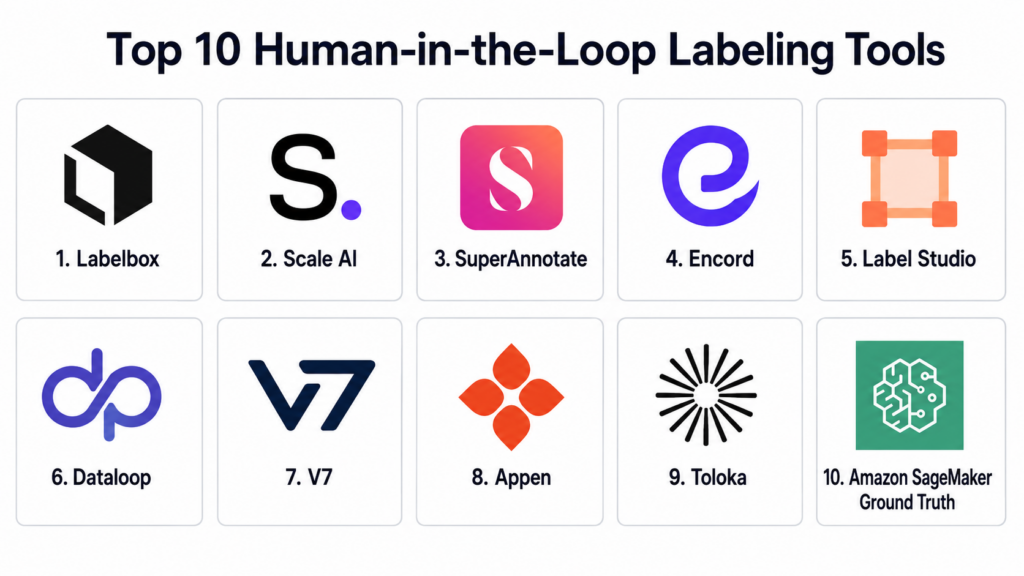
Introduction
Human-in-the-Loop Labeling Tools help organizations combine human judgment with automation to create, review, validate, and improve training data for AI and machine learning systems. In simple terms, these tools allow humans to label images, videos, text, audio, documents, sensor data, and multimodal datasets so AI models can learn from accurate examples.
Human-in-the-loop labeling matters because AI systems are only as reliable as the data used to train, evaluate, and improve them. Fully automated labeling can be fast, but it may miss context, nuance, edge cases, bias, ambiguity, and domain-specific meaning. Human reviewers help improve quality, correct model outputs, validate uncertain cases, and create trusted datasets for production AI systems.
Real world use cases include computer vision labeling, medical image annotation, autonomous vehicle data labeling, document extraction review, chatbot training, content moderation, sentiment analysis, speech transcription, RAG dataset evaluation, product catalog enrichment, and reinforcement learning feedback workflows.
Buyers should evaluate:
- Annotation type coverage
- Human review and QA workflows
- AI-assisted labeling
- Workforce management
- Dataset versioning and audit trails
- Model feedback loops
- Security and access controls
- Integrations with ML and data pipelines
- Scalability across projects and teams
- Pricing, support, and labeling quality controls
Best for: Human-in-the-Loop Labeling Tools are best for AI teams, ML engineers, data scientists, computer vision teams, NLP teams, autonomous systems teams, healthcare AI teams, ecommerce teams, document AI teams, product teams, and enterprises that need high-quality labeled data for model training and evaluation.
Not ideal for: Very small AI experiments with only a few samples may not need a full labeling platform. A spreadsheet, basic annotation script, open-source local tool, or manual review process may be enough when data volume is low, labeling rules are simple, and production quality is not yet required.
Key Trends in Human-in-the-Loop Labeling Tools
- AI-assisted annotation: Platforms increasingly use pre-labeling, model predictions, auto-segmentation, OCR, and smart suggestions to reduce manual labeling time.
- Human review for generative AI: Teams now use human reviewers to evaluate LLM outputs, rate responses, compare answers, and provide preference data.
- Multimodal labeling: Modern AI projects need annotation across text, images, videos, audio, documents, 3D point clouds, sensor data, and mixed data types.
- Quality-first workflows: Consensus review, gold-standard tasks, reviewer scoring, audit trails, and multi-stage approval workflows are becoming critical.
- Domain-specialized labeling: Healthcare, legal, robotics, finance, manufacturing, and autonomous vehicle projects need expert annotators, not only general crowd workers.
- Data-centric AI: Teams are improving model performance by refining labels, identifying edge cases, correcting noisy data, and measuring dataset quality.
- Human feedback loops: Labeling is expanding beyond training data into evaluation, monitoring, reinforcement learning, model alignment, and production feedback.
- Security and privacy pressure: Enterprises need role-based access, encryption, private workforces, data isolation, audit logs, and compliance-ready workflows.
- Synthetic and active learning workflows: Platforms increasingly help prioritize uncertain examples, reduce labeling volume, and combine synthetic data with human validation.
- Integrated ML pipelines: Labeling tools now connect with model training, data lakes, MLOps platforms, vector databases, cloud storage, and CI/CD workflows.
How We Selected These Tools
The tools below were selected using a practical buyer-focused evaluation approach:
- Market recognition in human-in-the-loop labeling, data annotation, training data, AI evaluation, and dataset operations.
- Feature completeness across image, video, text, audio, document, 3D, and multimodal annotation.
- Quality management, including review workflows, consensus labeling, gold tasks, audit trails, and reviewer performance tracking.
- AI-assisted labeling, including pre-labeling, model-in-the-loop workflows, automation, active learning, and smart annotation tools.
- Workforce flexibility, including internal teams, external reviewers, managed labeling services, and crowd workforce options.
- Security and governance, including RBAC, SSO, encryption, audit logs, private projects, and data access controls.
- Integration ecosystem, including cloud storage, ML pipelines, model training tools, MLOps systems, APIs, and SDKs.
- Scalability, including support for high-volume projects, multiple teams, complex workflows, and enterprise-grade operations.
- Usability, including annotation interface quality, project setup, reviewer experience, and admin dashboards.
- Practical adoption fit, including onboarding effort, documentation, support, pricing clarity, and long-term maintainability.
Top 10 Human-in-the-Loop Labeling Tools
1- Labelbox
Short description:
Labelbox is a data labeling and AI data platform designed to help teams create, manage, and improve training data for machine learning systems. It supports image, video, text, document, and multimodal annotation workflows, along with review and quality control. Labelbox is especially useful for AI teams that want a structured workflow for data labeling, model-assisted labeling, dataset management, and human review. It fits startups, enterprises, computer vision teams, NLP teams, and organizations building production AI systems.
Key Features
- Image, video, text, and document annotation
- Model-assisted labeling workflows
- Review and quality assurance controls
- Dataset and project management
- Data curation and labeling workflows
- API and SDK access
- Collaboration for annotation teams
Pros
- Strong platform for structured AI data workflows
- Useful for model-assisted labeling and review
- Good fit for teams managing multiple labeling projects
Cons
- Pricing should be reviewed carefully for large-scale projects
- Advanced setup may require ML operations planning
- Workforce strategy may need separate decisions depending on use case
Platforms / Deployment
Web-based platform.
Cloud deployment.
Enterprise deployment options should be validated directly.
Security & Compliance
Supports enterprise security controls such as role-based access, authentication options, private projects, and administrative controls. Specific certifications and compliance coverage should be validated during procurement.
Integrations & Ecosystem
Labelbox integrates with cloud storage, ML workflows, APIs, and model development pipelines. It is commonly used as part of AI data operations.
- Cloud storage systems
- ML training pipelines
- Computer vision workflows
- NLP datasets
- APIs and SDKs
- Model-assisted labeling workflows
Support & Community
Labelbox provides documentation, customer support, onboarding resources, and enterprise assistance. Support depth depends on plan and contract.
2- Scale AI
Short description:
Scale AI provides data labeling, data engine, and AI training data services for organizations building advanced AI systems. It combines tooling, automation, and managed human labeling services for use cases such as autonomous vehicles, generative AI, computer vision, documents, and enterprise AI. Scale AI is especially useful for organizations that need high-volume labeling, managed workforce operations, and complex annotation pipelines. It fits large AI teams, autonomous systems companies, and enterprises needing labeling at scale.
Key Features
- Managed data labeling services
- Image, video, text, document, and sensor data labeling
- Human-in-the-loop review workflows
- AI-assisted labeling and automation
- Large-scale workforce operations
- Quality assurance controls
- Support for advanced AI training data workflows
Pros
- Strong managed labeling and workforce capability
- Useful for large-scale and complex AI projects
- Good fit for companies needing labeling operations support
Cons
- May be more expensive than self-service tools
- Vendor and data governance should be reviewed carefully
- Smaller teams may not need managed service depth
Platforms / Deployment
Web-based platform and managed service workflows.
Cloud-based delivery model.
Deployment specifics vary by engagement.
Security & Compliance
Supports enterprise-oriented data handling and access controls, but specific certifications and compliance details should be validated directly during procurement.
Integrations & Ecosystem
Scale AI integrates with AI training workflows, enterprise data pipelines, and custom labeling operations. It is often used where annotation scale and service delivery are important.
- Computer vision pipelines
- Autonomous systems data
- Generative AI feedback workflows
- Document AI workflows
- Enterprise data pipelines
- Custom annotation processes
Support & Community
Scale AI provides managed service support, enterprise engagement teams, project operations assistance, and customer support. Support depth depends on contract and project scope.
3- SuperAnnotate
Short description:
SuperAnnotate is a data annotation and AI data platform for creating, curating, reviewing, and managing datasets for AI model development. It supports image, video, text, document, and multimodal annotation workflows. SuperAnnotate is especially useful for teams that need AI-assisted labeling, quality assurance, project management, and scalable annotation operations. It fits computer vision teams, enterprise AI teams, healthcare AI projects, ecommerce teams, and organizations managing large annotation projects.
Key Features
- Image, video, text, and document annotation
- AI-assisted labeling and automation
- Dataset curation and management
- Quality assurance workflows
- Team and project management
- Multimodal data support
- Collaboration and reviewer controls
Pros
- Strong annotation workflow coverage
- Useful for multimodal and computer vision projects
- Good quality control and project management features
Cons
- Advanced workflows may require setup planning
- Enterprise requirements should be validated by plan
- Workforce model should be reviewed based on project needs
Platforms / Deployment
Web-based platform.
Cloud deployment.
Enterprise deployment options should be validated directly.
Security & Compliance
Supports enterprise security and access controls depending on plan and deployment. Specific compliance details should be validated during vendor review.
Integrations & Ecosystem
SuperAnnotate integrates with data storage, ML pipelines, and AI development workflows. It supports teams that need structured annotation and dataset operations.
- Cloud storage
- Computer vision workflows
- NLP workflows
- ML training pipelines
- APIs
- Review and QA workflows
Support & Community
SuperAnnotate provides documentation, onboarding support, customer success resources, and enterprise assistance. Support depth depends on contract and plan.
4- Encord
Short description:
Encord is a data annotation, active learning, and model evaluation platform focused on high-quality AI data workflows. It supports image, video, medical imaging, document, and multimodal annotation use cases. Encord is especially useful for teams that need annotation, data curation, model-assisted labeling, and quality control in regulated or complex environments. It fits healthcare AI, computer vision, autonomous systems, scientific imaging, and enterprise AI projects where label quality is critical.
Key Features
- Image, video, and medical data annotation
- Active learning and model-assisted labeling
- Data curation and dataset management
- Quality assurance and review workflows
- Model evaluation support
- Collaboration and project management
- Support for complex annotation tasks
Pros
- Strong fit for high-quality visual data annotation
- Useful for medical and complex computer vision workflows
- Good support for active learning and evaluation
Cons
- Best value depends on project complexity and data type
- Pricing and enterprise controls should be reviewed directly
- May be more advanced than simple labeling needs
Platforms / Deployment
Web-based platform.
Cloud deployment.
Enterprise deployment options should be validated directly.
Security & Compliance
Supports enterprise-grade access and data management controls depending on deployment and plan. Specific compliance coverage should be validated during procurement.
Integrations & Ecosystem
Encord integrates with ML workflows, data storage systems, model evaluation processes, and visual AI pipelines.
- Cloud storage
- Computer vision pipelines
- Medical imaging workflows
- Model evaluation workflows
- APIs
- Dataset curation workflows
Support & Community
Encord provides documentation, customer support, onboarding assistance, and enterprise support options. Support depth depends on plan and project requirements.
5- Label Studio
Short description:
Label Studio is an open-source data labeling platform that supports a wide range of annotation tasks across text, images, audio, video, time series, and multimodal data. It is especially useful for teams that want flexible, customizable labeling workflows with open-source control. Label Studio can be used for ML data labeling, human review, LLM evaluation, RAG dataset creation, and custom annotation projects. It fits developers, researchers, startups, and enterprises that want self-hosting flexibility.
Key Features
- Open-source annotation platform
- Text, image, audio, video, and time-series labeling
- Custom labeling interfaces
- Human review workflows
- Model-assisted labeling support
- API and SDK access
- Self-hosting and enterprise options
Pros
- Flexible and open-source
- Supports many annotation data types
- Good fit for custom labeling workflows
Cons
- Self-hosting requires operational ownership
- Enterprise support depends on edition and vendor arrangement
- Complex QA workflows may require configuration
Platforms / Deployment
Web-based platform.
Self-hosted and cloud options may be available depending on edition.
Security & Compliance
Supports access controls and administrative settings depending on deployment and edition. Specific compliance coverage should be validated directly.
Integrations & Ecosystem
Label Studio integrates with ML pipelines, cloud storage, APIs, and custom applications. It is widely used for flexible annotation workflows.
- Python ML workflows
- Cloud storage
- APIs and SDKs
- NLP projects
- Computer vision projects
- LLM evaluation workflows
Support & Community
Label Studio has strong open-source community support, documentation, and commercial support options depending on selected edition.
6- Dataloop
Short description:
Dataloop is an AI data platform for annotation, data management, automation, and human-in-the-loop workflows. It helps teams build and manage data pipelines for machine learning, including labeling, QA, data curation, model feedback, and production monitoring workflows. Dataloop is especially useful for organizations that need a full AI data operations environment rather than only an annotation interface. It fits computer vision, robotics, retail, manufacturing, healthcare, and enterprise AI teams.
Key Features
- Data annotation and labeling workflows
- AI data management and curation
- Automation and pipeline workflows
- Human review and QA support
- Model feedback loops
- APIs and SDKs
- Support for complex AI data operations
Pros
- Strong AI data operations orientation
- Useful for automation-heavy labeling workflows
- Good fit for enterprise and production AI teams
Cons
- Platform depth may require onboarding effort
- Advanced workflows may need technical configuration
- Pricing and support should be reviewed by use case
Platforms / Deployment
Web-based platform.
Cloud deployment.
Enterprise deployment options should be validated directly.
Security & Compliance
Supports access controls, administrative governance, and enterprise data workflows depending on plan. Specific certifications should be validated during procurement.
Integrations & Ecosystem
Dataloop integrates with storage systems, ML pipelines, automation workflows, and AI model lifecycle processes.
- Cloud storage
- ML training workflows
- Computer vision pipelines
- Automation pipelines
- APIs and SDKs
- Human review workflows
Support & Community
Dataloop provides documentation, support resources, onboarding assistance, and enterprise support options. Support depth depends on agreement and project complexity.
7- V7
Short description:
V7 is an AI data platform focused on image, video, document, and visual data annotation workflows. It supports AI-assisted labeling, annotation automation, review workflows, and dataset management. V7 is especially useful for computer vision, medical imaging, document AI, industrial inspection, retail, and visual AI teams. It is a strong choice when labeling accuracy, visual workflows, and reviewer productivity are important.
Key Features
- Image, video, and document annotation
- AI-assisted labeling
- Review and QA workflows
- Dataset management
- Model-assisted annotation
- Visual workflow automation
- Collaboration for annotation teams
Pros
- Strong for visual annotation workflows
- Useful AI-assisted labeling capabilities
- Good fit for computer vision and document AI projects
Cons
- Less ideal for purely text-heavy NLP labeling compared with specialized NLP tools
- Advanced workflow needs should be validated during demo
- Pricing should be reviewed for large projects
Platforms / Deployment
Web-based platform.
Cloud deployment.
Enterprise options should be validated directly.
Security & Compliance
Supports enterprise access controls and project-level security features depending on plan. Specific compliance details should be validated during vendor review.
Integrations & Ecosystem
V7 integrates with computer vision workflows, document AI pipelines, model training systems, and data storage platforms.
- Computer vision pipelines
- Document AI workflows
- Cloud storage
- ML training systems
- APIs
- Review workflows
Support & Community
V7 provides documentation, support, onboarding resources, and customer assistance. Support depth depends on plan and enterprise requirements.
8- Appen
Short description:
Appen provides data annotation, data collection, human evaluation, and managed workforce services for AI and machine learning projects. It is especially useful for organizations that need large-scale human labeling across languages, regions, modalities, and specialized workflows. Appen supports use cases such as search relevance, speech data, text annotation, image labeling, content evaluation, and generative AI feedback. It fits enterprises needing managed human data operations and global reviewer capacity.
Key Features
- Managed data annotation services
- Global human workforce access
- Text, image, audio, video, and search relevance workflows
- Data collection services
- Human evaluation for AI systems
- Quality management processes
- Multilingual and regional data support
Pros
- Strong workforce and managed services model
- Useful for multilingual and large-scale projects
- Good fit for human evaluation and data collection
Cons
- Less self-service than pure software platforms in some workflows
- Quality depends on project design and reviewer management
- Pricing and turnaround time should be validated carefully
Platforms / Deployment
Managed service and platform-supported workflows.
Cloud-based collaboration and delivery model.
Deployment specifics vary by engagement.
Security & Compliance
Supports enterprise-oriented data handling and access processes depending on engagement. Specific certifications and compliance coverage should be validated directly.
Integrations & Ecosystem
Appen supports data delivery into AI training, search evaluation, speech, NLP, and computer vision workflows. Integrations may vary by project structure.
- Search relevance workflows
- Speech and language data
- Computer vision datasets
- Generative AI feedback
- Multilingual data projects
- Enterprise AI training pipelines
Support & Community
Appen provides project management, workforce operations, support, and managed service assistance. Support depth depends on project scope and contract.
9- Toloka
Short description:
Toloka is a human-in-the-loop data labeling and crowdsourcing platform used for AI training data, content moderation, search relevance, computer vision, NLP, and data enrichment workflows. It combines crowd workforce access with task design, quality controls, and annotation workflows. Toloka is especially useful for teams that need scalable human input across diverse tasks and geographies. It fits search, ecommerce, AI training, data cleaning, and evaluation use cases.
Key Features
- Crowd-based human labeling
- Task design and workflow management
- Quality control mechanisms
- Text, image, audio, and search relevance workflows
- Data enrichment and validation
- Scalable reviewer access
- API-based automation support
Pros
- Flexible crowd workforce model
- Useful for scalable labeling and evaluation tasks
- Good fit for search relevance and data enrichment
Cons
- Task design quality strongly affects output quality
- Sensitive data projects may need stricter controls
- Managed expert labeling may be needed for specialized domains
Platforms / Deployment
Web-based platform.
Cloud-based crowdsourcing and labeling workflows.
Security & Compliance
Supports platform-level access and task controls. Specific enterprise security and compliance requirements should be validated directly.
Integrations & Ecosystem
Toloka integrates with AI data workflows, search evaluation tasks, NLP pipelines, and custom data processing systems.
- Search relevance workflows
- NLP datasets
- Computer vision labeling
- Data validation pipelines
- APIs
- Crowdsourcing workflows
Support & Community
Toloka provides documentation, support resources, and project assistance depending on plan and engagement. Support depth varies by customer needs.
10- Amazon SageMaker Ground Truth
Short description:
Amazon SageMaker Ground Truth is a human-in-the-loop data labeling service within the AWS ecosystem. It helps teams create labeled datasets using human annotators, automated labeling, and review workflows. Ground Truth is especially useful for organizations already using AWS for machine learning, data storage, and model training. It supports image, text, video, and custom labeling workflows and can connect labeling directly into SageMaker-based ML development.
Key Features
- Human-in-the-loop data labeling
- Built-in labeling workflows
- Automated data labeling support
- Private, vendor, and public workforce options
- Integration with Amazon SageMaker
- Custom labeling task support
- Cloud storage and ML pipeline integration
Pros
- Strong fit for AWS-based ML teams
- Useful workforce options and managed labeling workflows
- Connects well with SageMaker training pipelines
Cons
- Best suited for AWS environments
- Custom workflows may require cloud and ML engineering skills
- Cross-cloud teams may prefer independent platforms
Platforms / Deployment
Web-based AWS console.
Cloud deployment within AWS ecosystem.
Security & Compliance
Uses AWS identity, access management, encryption, logging, and cloud security controls. Specific compliance coverage depends on AWS region, configuration, and architecture.
Integrations & Ecosystem
SageMaker Ground Truth integrates deeply with AWS storage, ML, and analytics services. It is practical when labeling data already lives in AWS.
- Amazon S3
- Amazon SageMaker
- AWS Lambda
- AWS IAM
- ML training workflows
- Cloud data pipelines
Support & Community
AWS provides documentation, support plans, training, partner resources, and cloud ecosystem support. Support depth depends on AWS support plan and enterprise agreement.
Comparison Table
| Tool Name | Best For | Platform Supported | Deployment | Standout Feature | Public Rating |
|---|---|---|---|---|---|
| Labelbox | AI data workflows and annotation management | Web, APIs, SDKs | Cloud | Model-assisted labeling and dataset workflows | N/A |
| Scale AI | Managed large-scale labeling services | Web, managed services | Cloud service model | Enterprise-scale managed annotation workforce | N/A |
| SuperAnnotate | Multimodal annotation and QA | Web, APIs | Cloud | AI-assisted labeling with project QA workflows | N/A |
| Encord | High-quality visual and medical annotation | Web, APIs | Cloud | Active learning and model evaluation support | N/A |
| Label Studio | Flexible open-source annotation | Web, APIs, SDKs | Self-hosted, cloud options vary | Custom annotation interfaces across data types | N/A |
| Dataloop | AI data operations and automation | Web, APIs, SDKs | Cloud | Data pipelines plus human-in-the-loop workflows | N/A |
| V7 | Visual data and document annotation | Web, APIs | Cloud | AI-assisted visual annotation workflows | N/A |
| Appen | Managed global labeling and evaluation | Managed service platform | Cloud service model | Global workforce and multilingual labeling | N/A |
| Toloka | Crowdsourced labeling and validation | Web, APIs | Cloud | Scalable crowd task workflows | N/A |
| Amazon SageMaker Ground Truth | AWS-based ML labeling workflows | AWS console, APIs | Cloud | Human labeling integrated with SageMaker | N/A |
Evaluation & Scoring of Human-in-the-Loop Labeling Tools
| Tool Name | Core 25% | Ease 15% | Integrations 15% | Security 10% | Performance 10% | Support 10% | Value 15% | Weighted Total 0–10 |
|---|---|---|---|---|---|---|---|---|
| Labelbox | 9.0 | 8.2 | 8.8 | 8.5 | 8.6 | 8.5 | 8.0 | 8.56 |
| Scale AI | 9.1 | 7.8 | 8.5 | 8.5 | 8.8 | 8.8 | 7.6 | 8.47 |
| SuperAnnotate | 8.8 | 8.4 | 8.5 | 8.4 | 8.6 | 8.4 | 8.1 | 8.51 |
| Encord | 8.7 | 8.3 | 8.4 | 8.5 | 8.6 | 8.3 | 8.0 | 8.45 |
| Label Studio | 8.2 | 8.1 | 8.5 | 7.8 | 8.0 | 8.0 | 9.0 | 8.27 |
| Dataloop | 8.6 | 8.0 | 8.7 | 8.4 | 8.5 | 8.3 | 8.0 | 8.42 |
| V7 | 8.4 | 8.5 | 8.2 | 8.2 | 8.4 | 8.1 | 8.1 | 8.31 |
| Appen | 8.4 | 7.8 | 8.0 | 8.2 | 8.4 | 8.7 | 7.8 | 8.22 |
| Toloka | 8.0 | 8.2 | 8.1 | 7.8 | 8.3 | 8.0 | 8.5 | 8.15 |
| Amazon SageMaker Ground Truth | 8.3 | 8.0 | 9.0 | 8.8 | 8.5 | 8.5 | 8.2 | 8.49 |
The scores are comparative and should be used as a practical evaluation guide, not as fixed market ratings. Labelbox, SuperAnnotate, Encord, Dataloop, and V7 are strong software platforms for annotation and human review workflows. Scale AI, Appen, and Toloka are stronger when managed workforce or crowd-scale labeling is central. Label Studio is attractive for open-source flexibility, while SageMaker Ground Truth is a strong fit for AWS-based ML teams. The right choice depends on data type, security needs, workforce model, labeling quality requirements, and integration strategy.
Which Human-in-the-Loop Labeling Tool Is Right for You?
Solo / Freelancer
Solo users should start with lightweight and low-cost labeling workflows. Label Studio is often practical because it is flexible and open-source. If the project is small and visual, simple annotation tools or local workflows may also be enough.
Freelancers working with client AI projects should choose tools that are easy to export, review, and document. The priority should be clean labeling guidelines, consistent output format, and simple QA rather than heavy enterprise workflow management.
SMB
SMBs should prioritize ease of setup, affordable pricing, clear review workflows, and data type support. Label Studio, SuperAnnotate, V7, Encord, Labelbox, and Toloka can be practical depending on data type and budget.
If the SMB does not have an internal labeling team, managed or crowd workforce options may help. However, sensitive data should be handled carefully, and reviewer access should be controlled.
Mid-Market
Mid-market companies often need multiple projects, reviewer roles, QA workflows, model-assisted labeling, dataset versioning, and integration with ML pipelines. Labelbox, SuperAnnotate, Encord, Dataloop, V7, Scale AI, and SageMaker Ground Truth are strong candidates.
These organizations should define whether they need a software platform, managed workforce, or both. A strong process includes labeling guidelines, reviewer training, quality checks, gold tasks, and regular feedback loops.
Enterprise
Enterprises should prioritize security, scalability, audit logs, access controls, data isolation, workforce governance, quality management, and integration with MLOps systems. Labelbox, Scale AI, SuperAnnotate, Encord, Dataloop, Appen, and SageMaker Ground Truth are strong enterprise candidates.
Large organizations should also evaluate vendor data handling, private workforce options, compliance needs, region restrictions, and model feedback workflows. Enterprise labeling should be treated as a governed data operation, not a one-time task.
Budget vs Premium
Budget-focused teams can start with Label Studio, Toloka, or carefully managed internal review workflows. Open-source tools reduce license cost but require setup, hosting, security, and quality management.
Premium platforms and managed services are better when labeling volume is high, data is sensitive, quality requirements are strict, or specialized annotators are needed. The investment is easier to justify when labeling quality directly affects model performance and business outcomes.
Feature Depth vs Ease of Use
Feature-rich platforms provide AI-assisted labeling, QA workflows, dataset management, workforce controls, automation, APIs, and audit trails. These are valuable for production AI but require process maturity.
Ease-of-use tools are better for pilots and small teams. Buyers should not overcomplicate early projects, but they should choose a platform that can scale if the dataset grows.
Integrations & Scalability
Human-in-the-Loop Labeling Tools should integrate with cloud storage, data lakes, ML pipelines, MLOps platforms, model training systems, APIs, and evaluation tools. Strong integrations reduce manual data transfer and labeling errors.
Scalability matters when projects grow across millions of labels, many reviewers, multiple languages, or high-resolution media. Buyers should test upload speed, annotation performance, QA workflows, export formats, and reviewer management before committing.
Security & Compliance Needs
Labeling platforms may handle sensitive images, videos, documents, customer data, medical data, financial records, or proprietary business information. Security review is essential.
Buyers should evaluate SSO, MFA, RBAC, encryption, audit logs, private workforce options, data retention, redaction, access restrictions, and export controls. Regulated organizations should involve security, legal, compliance, and data governance teams early.
Frequently Asked Questions
1. What is a Human-in-the-Loop Labeling Tool?
A Human-in-the-Loop Labeling Tool helps humans label, review, validate, and improve data used for AI and machine learning. It combines manual judgment with automation so datasets become more accurate and useful. These tools are used for images, videos, text, audio, documents, and multimodal data. They often include annotation interfaces, QA workflows, reviewer roles, and export options. The goal is to create reliable labeled data that improves model training and evaluation.
2. How is human-in-the-loop labeling different from automated labeling?
Automated labeling uses models or rules to assign labels quickly, while human-in-the-loop labeling adds human review and correction. Automation can speed up repetitive work, but humans are better at ambiguity, context, edge cases, and domain-specific judgment. Many modern platforms combine both approaches. A model may pre-label data, then humans verify or correct the labels. This improves speed while maintaining quality.
3. What pricing models do Human-in-the-Loop Labeling Tools use?
Pricing varies by platform and service model. Software platforms may charge by users, projects, data volume, annotation hours, tasks, storage, or enterprise contract. Managed labeling services may charge by task, image, hour, label, project, or workforce level. Open-source tools may reduce license cost but require hosting and internal administration. Buyers should calculate total cost, including tool setup, reviewer training, QA, rework, workforce management, and data security.
4. How long does implementation usually take?
Implementation depends on data type, project complexity, label taxonomy, workforce availability, QA process, and integration needs. A simple image or text labeling project can start quickly if guidelines are clear. Complex medical, autonomous vehicle, legal, or 3D annotation projects may require more planning, expert reviewers, and pilot testing. The most important early step is creating clear labeling instructions and examples. A pilot project helps identify ambiguity before scaling.
5. What are common mistakes when choosing a labeling tool?
A common mistake is choosing a tool based only on annotation interface without evaluating QA, reviewer management, export formats, and security. Another mistake is starting labeling before creating clear guidelines. Teams also fail when they do not measure label quality or reviewer agreement. Some projects overuse crowd labeling when expert judgment is required. The best tool should match data type, quality requirements, workforce model, and ML pipeline needs.
6. Are Human-in-the-Loop Labeling Tools secure?
Human-in-the-Loop Labeling Tools can be secure, but buyers must review access controls and data handling carefully. These platforms may process sensitive documents, images, healthcare data, financial data, customer conversations, or proprietary product information. Important controls include RBAC, SSO, MFA, encryption, audit logs, private workforce options, and data retention policies. For regulated projects, legal and compliance teams should review vendor practices. Security should be planned before uploading production data.
7. Can labeling tools support generative AI and LLM workflows?
Yes, many labeling tools now support generative AI and LLM workflows. Humans can rate model responses, compare answers, flag hallucinations, review safety issues, label prompts, and create preference datasets. These workflows are useful for chatbot improvement, RAG evaluation, prompt tuning, and reinforcement learning feedback. The best tools support structured review, reviewer guidelines, and quality checks. Human judgment is especially important when evaluating tone, helpfulness, correctness, and context alignment.
8. Do labeling tools support quality assurance?
Yes, most serious labeling tools support quality assurance in some form. Common QA methods include reviewer approval, consensus labeling, gold-standard tasks, benchmark examples, conflict resolution, reviewer scoring, and audit trails. QA is important because poor labels can damage model performance. Teams should measure inter-annotator agreement and review edge cases regularly. A strong QA workflow is often more important than fast annotation speed.
9. When should a business move from manual spreadsheets to a labeling platform?
A business should move to a labeling platform when datasets grow, multiple reviewers are involved, quality needs increase, or labels must connect to ML pipelines. Spreadsheets may work for early prototypes, but they become difficult to manage at scale. Warning signs include inconsistent labels, unclear review status, missing audit trails, manual exports, and low confidence in dataset quality. A labeling platform improves structure, visibility, and repeatability. It also helps teams build better model feedback loops.
10. What alternatives exist if we do not need a full labeling platform?
Alternatives include spreadsheets, simple annotation scripts, open-source desktop tools, manual review forms, data catalog notes, or lightweight project management workflows. These may work for small datasets and early experiments. However, they may not support QA, reviewer permissions, audit logs, model-assisted labeling, or scalable exports. A full labeling platform is better when data quality, reviewer coordination, security, and ML integration matter. The right alternative depends on project size, risk, and labeling complexity.
Conclusion
Human-in-the-Loop Labeling Tools help organizations create trusted AI datasets by combining human expertise, automation, review workflows, and quality controls. The best platform depends on data type, annotation complexity, workforce needs, security requirements, ML pipeline integration, and budget. Labelbox, SuperAnnotate, Encord, Dataloop, and V7 are strong choices for teams that need robust software platforms for annotation and review. Scale AI, Appen, and Toloka are useful when managed workforce or crowd-scale labeling is important. Label Studio is a strong option for teams that want open-source flexibility, while Amazon SageMaker Ground Truth is a natural fit for AWS-based machine learning workflows. There is no single universal winner because labeling quality depends on the full process, including guidelines, reviewer training, QA, feedback loops, and data governance.

The specialized algorithmic oversight manual correction infrastructure software integrates to optimize corporate machine learning data curation logistics, ensuring accelerated predictive model refinement tracking and seamless human-in-the-loop quality assurance workflows.