MOTOSHARE 🚗🏍️
Rent Bikes & Cars Directly from Owners
Motoshare connects vehicle owners with people who need bikes and cars on rent. Owners earn from idle vehicles, and renters get flexible ride options.
Visit Motoshare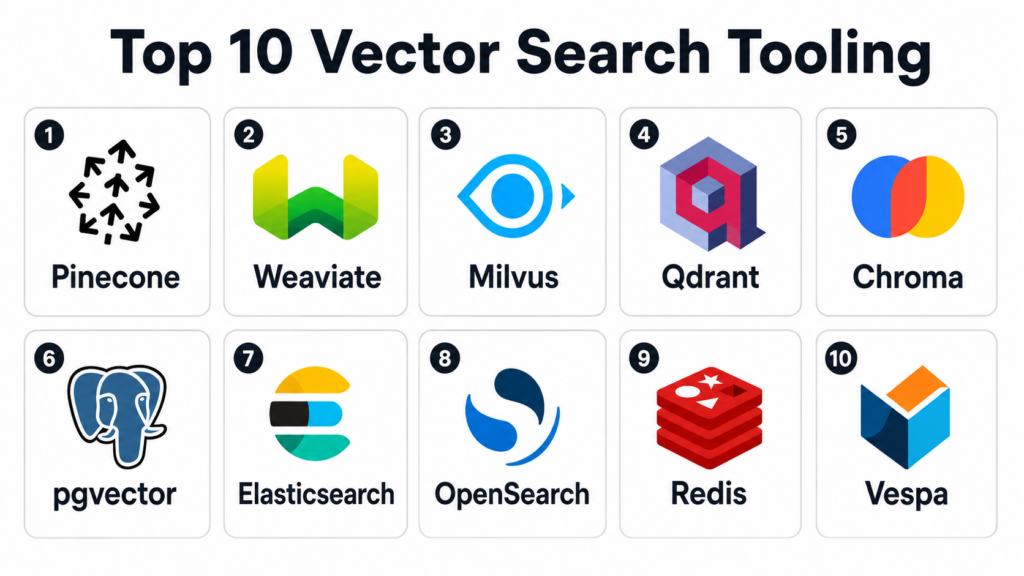
Introduction
Vector Search Tooling helps organizations store, index, search, and retrieve high-dimensional embeddings that represent text, images, audio, code, products, users, documents, and other unstructured data. In simple terms, these tools allow applications to find results based on meaning and similarity instead of only exact keyword matches.Vector search matters because modern AI applications depend heavily on retrieval. RAG systems, semantic search engines, recommendation systems, AI agents, image search, fraud detection, personalization, and document intelligence all need fast and relevant similarity search. A strong vector search tool helps teams retrieve the right context, improve AI accuracy, reduce hallucination risk, power personalized experiences, and scale search across large embedding collections.
Real world use cases include RAG applications, semantic search, enterprise document search, product recommendations, image similarity search, code search, chatbot memory, fraud pattern matching, customer support knowledge retrieval, and AI-powered content discovery.
Buyers should evaluate:
- Vector indexing and similarity search performance
- Metadata filtering and hybrid search
- RAG and LLM framework integrations
- Cloud, self-hosted, and hybrid deployment
- Scalability across millions or billions of vectors
- Latency, throughput, and update performance
- Security, access control, and auditability
- Data freshness and real-time indexing
- Operational complexity
- Cost, storage efficiency, and support
Best for: Vector Search Tooling is best for AI engineering teams, data science teams, search engineers, platform teams, MLOps teams, product teams, knowledge management teams, ecommerce teams, SaaS companies, and enterprises building semantic search, RAG, recommendation, or AI agent applications.
Not ideal for: Very small projects with only a few documents or simple keyword search needs may not need a dedicated vector search platform. A basic database, lightweight local vector library, or simple full-text search engine may be enough when scale is low, latency requirements are relaxed, and semantic retrieval is not business-critical.
Key Trends in Vector Search Tooling
- RAG-first architecture: Vector search is now a core layer for retrieval-augmented generation, enterprise AI assistants, knowledge bots, and domain-specific copilots.
- Hybrid search adoption: Teams increasingly combine vector similarity with keyword search, filters, reranking, and structured metadata to improve relevance.
- Metadata-aware retrieval: Filtering by tenant, date, user, region, document type, permission, category, and business context is now a key requirement.
- Real-time indexing: Many AI applications need fresh embeddings available quickly after documents, tickets, products, or events are updated.
- Multi-vector and multimodal search: Search use cases are expanding from text to images, audio, video, code, user behavior, and combined embedding strategies.
- Managed vector services growth: Teams with limited infrastructure capacity often prefer managed platforms that reduce scaling and operations work.
- Open-source vector databases: Open-source tools remain popular for control, portability, customization, and cost-sensitive deployments.
- Vector search inside existing databases: Many teams use PostgreSQL with pgvector, Elasticsearch, OpenSearch, Redis, or MongoDB-style platforms to avoid adding a separate database.
- Security and governance pressure: Enterprise RAG requires document-level permissions, tenant isolation, audit logs, encryption, and secure embedding workflows.
- Cost optimization: Vector storage, indexing, replication, memory usage, and query volume can become expensive, so compression, quantization, and workload planning matter.
How We Selected These Tools
The tools below were selected using a practical buyer-focused evaluation approach:
- Market recognition in vector databases, semantic search, RAG tooling, AI infrastructure, and similarity search.
- Feature completeness across vector indexing, metadata filtering, hybrid search, APIs, scaling, monitoring, and deployment options.
- RAG ecosystem fit, including integrations with LLM frameworks, embedding pipelines, document loaders, and AI application stacks.
- Performance and scalability, including ability to handle high query volume, large collections, real-time updates, and low-latency retrieval.
- Deployment flexibility, including managed cloud, open-source, self-hosted, hybrid, and embedded developer workflows.
- Security and governance, including RBAC, authentication, tenant isolation, encryption, audit logs, and enterprise controls.
- Developer experience, including SDKs, APIs, documentation, local testing, and ease of onboarding.
- Search quality features, including hybrid search, reranking support, payload filtering, sparse vectors, and metadata-aware retrieval.
- Operational maintainability, including backup, monitoring, scaling, upgrades, replication, and high availability.
- Practical adoption fit, including use cases for startups, enterprises, researchers, SaaS teams, and AI product builders.
Top 10 Vector Search Tooling
1- Pinecone
Short description:
Pinecone is a managed vector database designed for production-grade similarity search and AI retrieval applications. It helps teams store, index, and query embeddings without managing vector database infrastructure directly. Pinecone is especially useful for teams building RAG systems, semantic search, recommendations, AI agents, and enterprise knowledge retrieval. It is a strong fit for organizations that want a managed experience with scalable performance and simplified operations.
Key Features
- Managed vector database service
- Similarity search for embeddings
- Metadata filtering
- RAG and AI application support
- Serverless and managed deployment patterns
- APIs and SDKs for developers
- Scalable indexing and querying
Pros
- Easy to start without managing infrastructure
- Strong fit for production RAG and semantic search
- Reduces operational burden for AI teams
Cons
- Less control than self-hosted open-source systems
- Costs should be evaluated carefully at scale
- Vendor lock-in may matter for some enterprises
Platforms / Deployment
Web-based cloud platform.
Cloud deployment.
Self-hosted deployment is not the main model.
Security & Compliance
Supports enterprise security capabilities such as access controls, API keys, encryption, and administrative controls. Specific certifications and compliance coverage should be validated during vendor review.
Integrations & Ecosystem
Pinecone integrates with common AI frameworks, embedding providers, data pipelines, and application stacks. It is often used as the retrieval layer for production AI applications.
- LangChain
- LlamaIndex
- OpenAI-style embedding workflows
- Cloud applications
- Document processing pipelines
- AI agent frameworks
Support & Community
Pinecone provides documentation, developer resources, customer support, and enterprise support options. Community adoption is strong among AI application developers and RAG builders.
2- Weaviate
Short description:
Weaviate is an open-source vector database and AI-native search platform that supports semantic search, hybrid search, metadata filtering, and knowledge retrieval. It offers both self-hosted and managed cloud options, making it flexible for startups, enterprises, and developers. Weaviate is especially useful for RAG applications, semantic search, content discovery, and AI-powered search experiences. Its schema and module-based approach can help teams structure AI retrieval workflows more clearly.
Key Features
- Open-source vector database
- Semantic and hybrid search
- Metadata filtering
- GraphQL and API access
- Managed cloud and self-hosted options
- Integration with embedding and AI models
- Multi-tenant and enterprise deployment support depending on edition
Pros
- Flexible open-source and managed deployment options
- Good hybrid search and AI retrieval capabilities
- Strong developer ecosystem for RAG applications
Cons
- Requires operational expertise when self-hosted
- Schema and configuration choices need planning
- Enterprise governance should be validated by edition
Platforms / Deployment
Web-based management options and API access.
Cloud and self-hosted deployment options may be available.
Security & Compliance
Supports access controls, authentication options, encryption, and administrative controls depending on edition and deployment. Specific compliance details should be validated directly.
Integrations & Ecosystem
Weaviate integrates with AI frameworks, embedding providers, data pipelines, and cloud-native application stacks. It is widely used in semantic search and RAG workflows.
- LangChain
- LlamaIndex
- Hugging Face workflows
- Cloud platforms
- Document pipelines
- AI application frameworks
Support & Community
Weaviate has strong open-source community support, documentation, tutorials, and commercial support options. Enterprise support depends on selected plan and deployment.
3- Milvus
Short description:
Milvus is an open-source vector database built for large-scale similarity search and AI applications. It is designed to store and search massive embedding collections across use cases such as semantic search, image retrieval, recommendation, and RAG. Milvus is especially useful for teams that want open-source control and high-scale vector infrastructure. It is commonly paired with Zilliz Cloud for managed Milvus-based deployments.
Key Features
- Open-source vector database
- Large-scale similarity search
- Multiple index types
- Metadata filtering
- Distributed deployment support
- High-throughput vector operations
- Managed cloud option through related ecosystem offerings
Pros
- Strong open-source option for large-scale vector search
- Good fit for high-volume AI retrieval workloads
- Flexible deployment for infrastructure teams
Cons
- Self-hosting can require operational expertise
- Architecture may be heavier than needed for small projects
- Governance and security depend on deployment setup
Platforms / Deployment
Web and API-based administration depending on deployment.
Self-hosted and managed cloud options may be available through ecosystem providers.
Security & Compliance
Supports security controls depending on deployment and edition, including authentication and access management patterns. Specific certifications and compliance documentation should be validated directly.
Integrations & Ecosystem
Milvus integrates with AI frameworks, embedding pipelines, data processing systems, and vector search application stacks. It is popular for high-scale AI search workloads.
- LangChain
- LlamaIndex
- PyTorch workflows
- TensorFlow workflows
- Data pipelines
- Cloud and Kubernetes environments
Support & Community
Milvus has an active open-source community, documentation, ecosystem support, and commercial support options through related managed offerings.
4- Qdrant
Short description:
Qdrant is an open-source vector search engine and vector database written in Rust, designed for fast similarity search, metadata filtering, and production AI retrieval. It supports payload filtering, real-time updates, quantization options, and developer-friendly APIs. Qdrant is especially useful for RAG applications, semantic search, recommendation systems, and AI products that require precise filtering and strong retrieval performance. It offers both open-source and managed cloud deployment options.
Key Features
- Open-source vector search engine
- Fast similarity search
- Rich payload and metadata filtering
- Real-time indexing support
- Quantization options for memory efficiency
- REST and gRPC APIs
- Cloud and self-hosted deployment options
Pros
- Strong filtering and developer-friendly APIs
- Good performance-oriented design
- Flexible open-source and managed options
Cons
- Self-hosting requires operational planning
- Smaller ecosystem than some older search platforms
- Advanced scaling should be tested with real workloads
Platforms / Deployment
Web-based cloud options and API access.
Cloud and self-hosted deployment options may be available.
Security & Compliance
Supports access controls and deployment-level security features depending on edition and hosting model. Specific compliance documentation should be validated directly.
Integrations & Ecosystem
Qdrant integrates with RAG frameworks, embedding pipelines, Python applications, and cloud-native AI workflows. It is often used when metadata filtering and retrieval quality are important.
- LangChain
- LlamaIndex
- FastAPI and Python apps
- Embedding providers
- Document pipelines
- Cloud-native services
Support & Community
Qdrant provides documentation, open-source community support, and commercial support options. Community adoption is strong among developers building production RAG and semantic search systems.
5- Chroma
Short description:
Chroma is an open-source vector database commonly used by developers building local and prototype RAG applications. It is popular because it is simple to start, developer-friendly, and works well with common AI frameworks. Chroma is especially useful for experimentation, local AI apps, knowledge retrieval prototypes, and smaller semantic search projects. It can be a practical option when speed of development matters more than enterprise-scale governance.
Key Features
- Open-source vector database
- Simple developer setup
- Local and server-based workflows
- Metadata filtering
- RAG framework integrations
- Embedding storage and retrieval
- Useful for prototyping and smaller applications
Pros
- Very easy to start for AI prototypes
- Good fit for local RAG development
- Strong developer familiarity in LLM workflows
Cons
- Enterprise-scale requirements should be validated carefully
- Governance and security features may be limited compared with enterprise platforms
- Not always the best fit for massive production workloads
Platforms / Deployment
Python-friendly developer workflows.
Local and self-hosted deployment patterns.
Cloud or hosted options may vary by provider.
Security & Compliance
Not publicly stated for enterprise compliance in all deployment patterns. Security depends on deployment architecture, application controls, and hosting environment.
Integrations & Ecosystem
Chroma integrates well with common LLM application frameworks and local AI development stacks. It is often used for experimentation and early-stage RAG applications.
- LangChain
- LlamaIndex
- Python applications
- Local embedding workflows
- Document loaders
- AI prototypes
Support & Community
Chroma has open-source documentation and community resources. Commercial support and enterprise readiness should be validated based on current vendor offering and deployment needs.
6- pgvector
Short description:
pgvector is an open-source PostgreSQL extension that adds vector similarity search capabilities to PostgreSQL. It is especially useful for teams that already use PostgreSQL and want to add vector search without adopting a separate vector database. pgvector supports embedding storage, similarity search, and SQL-based querying alongside relational data. It is a strong fit for smaller to mid-sized applications, product search, RAG prototypes, and teams that value simplicity and existing database skills.
Key Features
- Vector search inside PostgreSQL
- SQL-based embedding queries
- Combines structured data and vectors
- Supports approximate and exact search patterns depending on configuration
- Easy adoption for PostgreSQL teams
- Works with existing Postgres tools
- Useful for simple RAG and semantic search apps
Pros
- Avoids adding a separate database for many use cases
- Familiar SQL and PostgreSQL ecosystem
- Good fit for apps combining relational and vector data
Cons
- May not match purpose-built vector databases at very large scale
- Performance depends on PostgreSQL tuning and workload design
- Advanced vector operations may require careful indexing choices
Platforms / Deployment
PostgreSQL extension.
Cloud, self-hosted, and managed PostgreSQL deployment options depend on provider.
Security & Compliance
Inherits PostgreSQL and hosting-provider security controls such as roles, permissions, encryption, backups, and audit options. Specific compliance depends on deployment provider and configuration.
Integrations & Ecosystem
pgvector integrates naturally with PostgreSQL applications, SQL workflows, backend services, and existing database tooling.
- PostgreSQL
- SQL applications
- Backend APIs
- ORM tools
- RAG pipelines
- Cloud Postgres services
Support & Community
pgvector benefits from PostgreSQL ecosystem familiarity and open-source community resources. Support depends on database provider, internal DBA team, or managed Postgres vendor.
7- Elasticsearch
Short description:
Elasticsearch is a widely used search and analytics engine that supports full-text search, filtering, analytics, and vector search capabilities. It is especially useful for teams that need hybrid search combining keywords, filters, metadata, and vector similarity in one platform. Elasticsearch fits enterprise search, ecommerce search, observability search, document search, and RAG retrieval workflows. It is a strong choice for organizations already using Elastic for search or logging.
Key Features
- Full-text and keyword search
- Vector search capabilities
- Hybrid search patterns
- Filtering, aggregations, and relevance tuning
- Scalable distributed search engine
- Observability and analytics ecosystem
- Enterprise search application support
Pros
- Strong search ecosystem and mature tooling
- Good hybrid search and filtering capabilities
- Useful when keyword and vector search must work together
Cons
- Vector-only workloads may be better served by dedicated vector databases
- Cluster operations can require expertise
- Cost and scaling should be planned carefully
Platforms / Deployment
Web-based management through Elastic tools.
Cloud, self-hosted, and hybrid deployment options may vary.
Security & Compliance
Supports authentication, role-based access, encryption, audit logging, and enterprise security features depending on edition and deployment. Specific compliance should be validated directly.
Integrations & Ecosystem
Elasticsearch integrates with applications, logging pipelines, observability tools, BI workflows, and AI retrieval systems.
- Elastic Stack
- Application search
- Log pipelines
- RAG frameworks
- APIs and backend apps
- Cloud services
Support & Community
Elastic provides documentation, community resources, commercial support, managed cloud options, and enterprise assistance. Community adoption is strong among search and observability teams.
8- OpenSearch
Short description:
OpenSearch is an open-source search and analytics platform that supports full-text search, filtering, analytics, and vector search capabilities. It is especially useful for teams that want an open-source search platform with both keyword and semantic retrieval capabilities. OpenSearch can support RAG, enterprise search, observability search, ecommerce search, and hybrid retrieval workflows. It is a practical option for organizations that need open-source search infrastructure with vector capabilities.
Key Features
- Open-source search and analytics platform
- Full-text search and filtering
- Vector search capabilities
- Hybrid search support
- Dashboards and observability features
- Distributed search architecture
- API-driven application integration
Pros
- Open-source search platform with vector capabilities
- Good fit for hybrid search and analytics use cases
- Useful for organizations avoiding proprietary search lock-in
Cons
- Requires operational expertise when self-hosted
- Vector performance should be tested for specific workloads
- May be heavier than needed for simple vector-only apps
Platforms / Deployment
Web-based dashboards and API access.
Cloud, self-hosted, and managed deployment options may vary.
Security & Compliance
Supports security controls such as authentication, role-based access, encryption, and audit-related capabilities depending on deployment. Specific compliance should be validated with provider or configuration.
Integrations & Ecosystem
OpenSearch integrates with application search, observability pipelines, log analytics, AI retrieval workflows, and cloud-native infrastructure.
- Application search
- Log and observability pipelines
- RAG frameworks
- APIs
- Cloud platforms
- Dashboards and analytics tools
Support & Community
OpenSearch has open-source community support, documentation, and managed service options through cloud providers and ecosystem vendors. Support depth depends on deployment model.
9- Redis
Short description:
Redis supports vector search capabilities through its search and database ecosystem, making it useful for low-latency AI retrieval, recommendation, caching, and real-time application workloads. It is especially useful when teams already use Redis for fast data access and want to add vector similarity search close to application logic. Redis can support semantic caching, session memory, personalization, and real-time retrieval use cases. It is a good fit for applications where speed and operational familiarity are important.
Key Features
- Low-latency vector search
- Hybrid search patterns depending on configuration
- Real-time data access
- Caching and session memory use cases
- Application-friendly APIs
- Deployment through Redis ecosystem options
- Useful for AI application memory and recommendations
Pros
- Very strong for low-latency application use cases
- Useful when Redis is already in the stack
- Good fit for AI memory, caching, and real-time retrieval
Cons
- Large-scale vector storage costs should be evaluated carefully
- Not always ideal as the only long-term vector data store
- Feature depth depends on Redis deployment and edition
Platforms / Deployment
Web and CLI-based management depending on provider.
Cloud, self-hosted, and managed deployment options may vary.
Security & Compliance
Supports authentication, access control, encryption, and administrative controls depending on deployment and provider. Specific certifications and compliance should be validated directly.
Integrations & Ecosystem
Redis integrates with backend applications, AI frameworks, caching layers, session stores, and real-time systems.
- Backend applications
- AI agent memory
- Semantic caching
- Recommendation systems
- RAG pipelines
- Cloud application stacks
Support & Community
Redis has strong documentation, community adoption, managed service options, and commercial support depending on provider and edition.
10- Vespa
Short description:
Vespa is an open-source big data serving engine built for search, recommendation, personalization, and AI-powered retrieval at scale. It supports vector search, hybrid ranking, structured filtering, and complex ranking pipelines. Vespa is especially useful for teams building advanced search, recommendation, ecommerce, content discovery, and personalization systems where ranking quality and low-latency serving matter. It is a strong fit for engineering teams with sophisticated retrieval and ranking requirements.
Key Features
- Vector and hybrid search
- Advanced ranking pipelines
- Large-scale serving engine
- Structured filtering and document models
- Recommendation and personalization support
- Real-time indexing and updates
- Open-source deployment with managed options varying by provider
Pros
- Strong for advanced search and recommendation systems
- Powerful ranking and serving capabilities
- Good fit for large-scale retrieval applications
Cons
- Learning curve can be high
- Requires engineering expertise for best results
- May be too advanced for simple RAG prototypes
Platforms / Deployment
Web and API-based management depending on deployment.
Cloud and self-hosted deployment options may vary.
Security & Compliance
Supports deployment-level security, access controls, and administrative governance depending on hosting and configuration. Specific compliance details should be validated directly.
Integrations & Ecosystem
Vespa integrates with application search, recommendation pipelines, content platforms, and large-scale retrieval systems.
- Search applications
- Recommendation systems
- Content discovery workflows
- Ecommerce search
- Ranking pipelines
- AI retrieval services
Support & Community
Vespa provides open-source documentation, community resources, and commercial support options depending on deployment provider and contract.
Comparison Table
| Tool Name | Best For | Platform Supported | Deployment | Standout Feature | Public Rating |
|---|---|---|---|---|---|
| Pinecone | Managed production vector search | Web, APIs, SDKs | Cloud | Fully managed vector database for AI retrieval | N/A |
| Weaviate | Open-source and managed semantic search | Web, APIs, GraphQL options | Cloud, self-hosted options vary | Hybrid search and AI-native vector database | N/A |
| Milvus | Large-scale open-source vector search | APIs, SDKs, Kubernetes options | Self-hosted, managed options vary | Scalable open-source vector database | N/A |
| Qdrant | Fast vector search with metadata filtering | Web, APIs, SDKs | Cloud, self-hosted options vary | Rust-based vector search with rich payload filtering | N/A |
| Chroma | Local and prototype RAG apps | Python, APIs | Local, self-hosted options vary | Simple developer-friendly vector store | N/A |
| pgvector | PostgreSQL-based vector search | PostgreSQL, SQL | Cloud, self-hosted, managed Postgres options vary | Vector search inside PostgreSQL | N/A |
| Elasticsearch | Hybrid enterprise search | Web, APIs | Cloud, self-hosted, hybrid options vary | Full-text plus vector search in mature search engine | N/A |
| OpenSearch | Open-source hybrid search | Web, APIs | Cloud, self-hosted, managed options vary | Open-source search and vector retrieval | N/A |
| Redis | Low-latency AI retrieval and caching | APIs, Redis clients | Cloud, self-hosted, managed options vary | Real-time vector search close to application data | N/A |
| Vespa | Advanced search and recommendations | APIs, serving engine | Cloud, self-hosted options vary | Large-scale ranking and hybrid retrieval engine | N/A |
Evaluation & Scoring of Vector Search Tooling
| Tool Name | Core 25% | Ease 15% | Integrations 15% | Security 10% | Performance 10% | Support 10% | Value 15% | Weighted Total 0–10 |
|---|---|---|---|---|---|---|---|---|
| Pinecone | 9.1 | 9.0 | 8.8 | 8.7 | 9.0 | 8.7 | 8.0 | 8.78 |
| Weaviate | 8.8 | 8.3 | 8.7 | 8.5 | 8.6 | 8.4 | 8.5 | 8.55 |
| Milvus | 9.0 | 7.5 | 8.6 | 8.2 | 9.0 | 8.2 | 8.7 | 8.50 |
| Qdrant | 8.8 | 8.5 | 8.5 | 8.3 | 8.9 | 8.3 | 8.6 | 8.61 |
| Chroma | 7.5 | 9.0 | 8.3 | 7.0 | 7.6 | 7.5 | 8.8 | 8.03 |
| pgvector | 7.8 | 8.8 | 8.5 | 8.5 | 7.8 | 8.2 | 9.0 | 8.32 |
| Elasticsearch | 8.4 | 7.8 | 9.0 | 8.8 | 8.5 | 8.6 | 8.0 | 8.43 |
| OpenSearch | 8.2 | 7.7 | 8.6 | 8.4 | 8.3 | 8.0 | 8.6 | 8.25 |
| Redis | 8.0 | 8.4 | 8.5 | 8.4 | 8.8 | 8.3 | 8.1 | 8.34 |
| Vespa | 8.7 | 7.0 | 8.2 | 8.2 | 9.0 | 8.0 | 8.3 | 8.28 |
The scores are comparative and should be used as a practical evaluation guide, not as fixed market ratings. Pinecone is strong for managed production vector search, while Weaviate, Milvus, and Qdrant are strong open-source and cloud-flexible choices. Chroma is useful for fast prototyping, pgvector is practical for PostgreSQL-based applications, and Elasticsearch or OpenSearch are strong when keyword and vector search must work together. Redis is useful for low-latency AI application memory, while Vespa is powerful for advanced ranking, search, and recommendations.
Which Vector Search Tool Is Right for You?
Solo / Freelancer
Solo developers should usually start with simple and low-maintenance tools. Chroma, pgvector, Qdrant, or Pinecone can be practical depending on the project. If the goal is a quick RAG prototype, Chroma is often easy to start with. If the app already uses PostgreSQL, pgvector may be the simplest path.
Freelancers building client applications should consider long-term deployment early. A prototype vector store may not be enough for production if the client needs security, monitoring, backups, scaling, and tenant isolation.
SMB
SMBs should prioritize ease of setup, predictable cost, RAG integrations, and simple operations. Pinecone, Qdrant Cloud, Weaviate Cloud, pgvector, and Redis can be practical depending on the existing stack.
If the SMB has a small engineering team, managed platforms reduce operational burden. If cost control and flexibility matter more, open-source self-hosted options can work, but they need infrastructure ownership.
Mid-Market
Mid-market companies often need better metadata filtering, hybrid search, multi-tenant access, monitoring, and integration with AI pipelines. Pinecone, Weaviate, Qdrant, Milvus, Elasticsearch, OpenSearch, Redis, and pgvector are all possible depending on scale and architecture.
These teams should test real retrieval workflows, not just benchmark queries. Evaluation should include ingestion speed, update behavior, metadata filters, reranking, latency, and permission-aware retrieval.
Enterprise
Enterprises should prioritize security, access controls, auditability, scaling, high availability, governance, workload isolation, hybrid deployment, and support. Pinecone, Weaviate, Milvus, Qdrant, Elasticsearch, OpenSearch, Redis, and Vespa can all be relevant depending on architecture.
Enterprise RAG also needs document-level authorization, metadata governance, source traceability, retention policies, and integration with existing search or data platforms. The vector database is only one part of the full retrieval architecture.
Budget vs Premium
Budget-focused teams can start with Chroma, pgvector, Qdrant open-source, Weaviate open-source, Milvus, OpenSearch, or Elasticsearch depending on internal skills. These options may reduce software cost but require operations, monitoring, and tuning.
Premium managed platforms are better when teams want speed, support, scaling, security controls, and less infrastructure work. Managed Pinecone, Weaviate, Qdrant, Redis, or cloud-hosted search services may be worth the cost when production reliability matters.
Feature Depth vs Ease of Use
Feature-rich vector search tools offer hybrid search, metadata filtering, multiple index types, quantization, distributed scaling, multi-tenancy, and advanced ranking. These features matter for production AI systems but increase complexity.
Ease-of-use tools are better for prototypes and smaller apps. Buyers should avoid overengineering early but should also avoid tools that cannot scale to expected production needs.
Integrations & Scalability
Vector Search Tooling should integrate with embedding providers, document processing pipelines, LLM frameworks, APIs, data lakes, databases, cloud storage, monitoring systems, and application backends. Integration quality affects both developer speed and production reliability.
Scalability matters when vector collections grow from thousands to millions or billions. Buyers should test index build time, query latency, update speed, filtering performance, backup strategy, and cost under realistic workloads.
Security & Compliance Needs
Vector search systems may store embeddings derived from sensitive documents, customer records, internal knowledge bases, code, product data, and business content. Security must be reviewed before production rollout.
Buyers should evaluate encryption, authentication, RBAC, API key management, audit logs, tenant isolation, data retention, backup controls, and permission-aware retrieval. Regulated organizations should also validate whether embeddings can leak sensitive information and how access policies are enforced.
Frequently Asked Questions
1. What is Vector Search Tooling?
Vector Search Tooling helps applications store and search embeddings, which are numerical representations of text, images, products, users, or other data. Instead of matching only exact words, vector search finds items that are semantically similar. This makes it useful for AI search, recommendations, RAG, image search, and personalization. A vector search tool usually includes indexing, querying, filtering, and retrieval APIs. It helps AI applications find the most relevant context quickly.
2. How is vector search different from keyword search?
Keyword search matches exact terms, phrases, and text patterns. Vector search matches meaning by comparing embeddings in a high-dimensional space. For example, a vector search system may understand that “refund policy” and “money back rules” are related even if the words differ. Keyword search is still useful for precision, filters, and exact terms. Many modern systems combine both methods through hybrid search to improve relevance.
3. What pricing models do Vector Search Tools use?
Pricing varies by tool and deployment model. Managed platforms may charge by storage, vector count, query volume, compute, replicas, pods, indexes, or enterprise contract. Open-source tools may have no license cost but require infrastructure, operations, backups, monitoring, and scaling work. Database extensions like pgvector may be cost-effective if PostgreSQL is already used. Buyers should calculate total cost based on ingestion volume, query traffic, latency targets, and operational effort.
4. How long does implementation usually take?
Implementation time depends on data sources, embedding model choice, chunking strategy, index design, metadata schema, application integration, and security requirements. A small prototype can be built quickly with Chroma, pgvector, Pinecone, Qdrant, or Weaviate. Production systems take longer because teams must handle permissions, updates, monitoring, evaluation, and scaling. RAG systems also need testing for retrieval quality, hallucination reduction, and source traceability. A phased pilot with real documents is usually best.
5. What are common mistakes when choosing a vector search tool?
A common mistake is choosing a tool based only on benchmark speed without testing real data, filters, and query patterns. Another mistake is ignoring metadata design, which is essential for tenant isolation, permissions, time filters, and relevance control. Some teams also assume vector search alone will solve search quality, but reranking, hybrid search, chunking, and evaluation matter too. Buyers should test ingestion, updates, filtering, and failure recovery. The best tool should match the full application architecture.
6. Are Vector Search Tools secure?
Vector Search Tools can be secure, but configuration matters. Important controls include authentication, RBAC, encryption, API key management, tenant isolation, audit logs, backup security, and network controls. Enterprise RAG applications also need permission-aware retrieval so users only see documents they are allowed to access. Embeddings may still carry sensitive information from source documents, so data handling must be reviewed carefully. Security teams should validate storage, access, and deletion workflows before production use.
7. Can vector search tools support RAG applications?
Yes, vector search tools are one of the most common components in RAG applications. They store embeddings for documents, chunks, tickets, policies, product data, or knowledge base content. When a user asks a question, the system retrieves relevant chunks and sends them to the language model as context. Vector search improves retrieval based on meaning, while metadata filters and rerankers improve precision. The quality of RAG depends on the vector tool, chunking, embeddings, filters, prompts, and evaluation.
8. Do vector search tools support hybrid search?
Many modern vector search tools support hybrid search or can be combined with keyword search systems. Hybrid search combines semantic vector similarity with keyword matching, filters, and sometimes reranking. This is useful because vector search can find meaning, while keyword search can preserve exact terms, names, IDs, and technical phrases. Tools like Elasticsearch, OpenSearch, Weaviate, Vespa, and some vector databases support hybrid patterns. Buyers should test hybrid search on real queries before deciding.
9. When should a business adopt a dedicated vector database?
A business should consider a dedicated vector database when semantic retrieval becomes important and data volume, latency, filtering, or reliability needs exceed simple local storage. Warning signs include slow retrieval, poor relevance, difficult updates, no monitoring, weak filtering, and growing vector collections. Dedicated vector databases are especially useful for production RAG, recommendations, semantic search, and multimodal retrieval. However, small applications may start with pgvector or Chroma. The right time depends on scale, risk, and production requirements.
10. What alternatives exist if we do not need a full vector search platform?
Alternatives include local vector libraries, PostgreSQL with pgvector, full-text search engines, keyword search, BI search, simple document databases, or managed AI search services. These may work for small apps, prototypes, or simple knowledge bases. However, they may struggle with high-scale similarity search, real-time indexing, metadata filtering, and production reliability. A full vector search platform is better when retrieval quality and scalability become business-critical. The right alternative depends on application complexity and growth expectations.
Conclusion
Vector Search Tooling has become a core part of modern AI infrastructure because it enables semantic retrieval, RAG, recommendations, AI agents, document intelligence, and multimodal search. The best tool depends on scale, deployment preference, developer skill, existing infrastructure, security needs, search quality requirements, and budget. Pinecone is strong for managed production vector search, while Weaviate, Milvus, and Qdrant offer strong open-source and managed flexibility. Chroma is useful for quick prototypes, pgvector is practical for PostgreSQL-centered teams, and Elasticsearch or OpenSearch are strong when hybrid keyword and vector search are equally important. Redis is useful for low-latency AI memory and real-time retrieval, while Vespa is powerful for advanced ranking and recommendation systems. There is no single universal winner because vector search success depends on the full retrieval pipeline, not only the database.

Leveraging specialized multi-dimensional semantic data indexing infrastructure software optimizes corporate information retrieval logistics, ensuring accelerated mathematical embedding comparison tracking and seamless similarity discovery workflows.