MOTOSHARE 🚗🏍️
Rent Bikes & Cars Directly from Owners
Motoshare connects vehicle owners with people who need bikes and cars on rent. Owners earn from idle vehicles, and renters get flexible ride options.
Visit Motoshare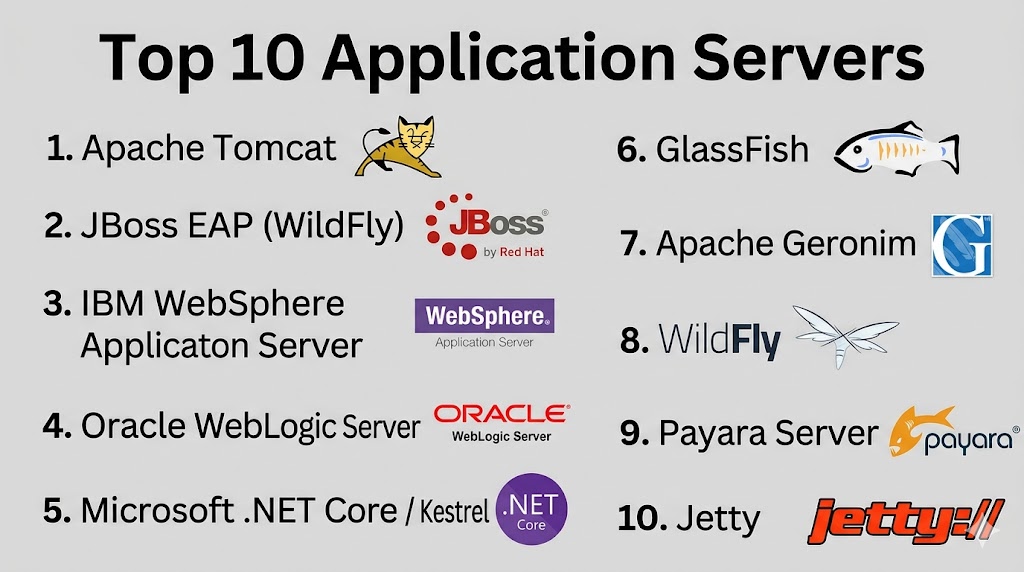
Introduction
Application servers are software frameworks that provide an environment to run, manage, and deliver web applications, APIs, and enterprise software. They act as a middleware layer between clients and databases or backend services, offering essential services such as transaction management, security, load balancing, and scalability. Choosing the right application server is crucial for delivering stable, high-performance applications while reducing operational complexity.
Common real-world use cases include hosting Java, .NET, or Python applications, serving REST and SOAP APIs, supporting enterprise resource planning (ERP) and customer relationship management (CRM) systems, running microservices in cloud-native architectures, and enabling containerized workloads.
Key evaluation criteria include:
- Supported programming languages and frameworks
- Performance and scalability
- Security features (encryption, authentication, RBAC)
- Load balancing and clustering capabilities
- Compatibility with containers and orchestration tools
- Ease of deployment and configuration
- Logging, monitoring, and analytics
- Multi-platform and cross-cloud support
- Enterprise integrations and APIs
- Vendor support and community resources
Best for: IT administrators, DevOps teams, developers, and enterprises deploying high-performance web, mobile, or enterprise applications.
Not ideal for: Lightweight projects, single-page apps, or microservices that can run on serverless platforms without a dedicated application server.
Key Trends in Application Servers
- Container-native and cloud-native support for microservices
- AI-driven performance optimization and anomaly detection
- Built-in security with automated patching and TLS/SSL management
- Integration with DevOps pipelines and CI/CD tools
- Multi-language runtime support (Java, .NET, Node.js, Python)
- Support for HTTP/2, gRPC, and WebSockets
- Observability with metrics, logging, and tracing
- Hybrid deployment models (on-premises and cloud)
- Enterprise-grade clustering and failover capabilities
- Subscription and open-source licensing models
How We Selected These Tools (Methodology)
- Market adoption and mindshare in enterprise and SMB segments
- Feature completeness, including scalability, security, and multi-language support
- Reliability and performance in production workloads
- Security posture and compliance readiness
- Integration with databases, DevOps tools, and cloud platforms
- Support for containerization and orchestration
- Cross-platform deployment capability
- Vendor documentation and support quality
- Community adoption and open-source contributions
- Alignment with emerging trends in microservices and cloud-native applications
Top 10 Application Servers
#1 — Apache Tomcat
Short description: Open-source Java servlet container and web server widely used for Java web applications.
Key Features
- Java Servlet and JSP support
- HTTP/1.1 and WebSocket support
- Clustering and load balancing
- Security manager and authentication modules
- Logging and monitoring
- Integration with databases and frameworks
Pros
- Lightweight and easy to deploy
- Extensive community and documentation
Cons
- Limited enterprise-level features out-of-the-box
- Java-only
Platforms / Deployment
- Linux / Windows / macOS
- Self-hosted / Cloud / Containerized
Security & Compliance
- TLS/SSL, RBAC
- Not publicly stated
Integrations & Ecosystem
- Java frameworks (Spring, Struts)
- Docker and Kubernetes
- CI/CD pipelines
- APIs for monitoring and automation
Support & Community
- Apache community support
- Enterprise support via third-party vendors
#2 — JBoss EAP (WildFly)
Short description: Enterprise Java application server for robust, scalable Java EE applications.
Key Features
- Full Java EE support
- Clustering and failover
- High availability and load balancing
- Security modules and role-based access control
- Containerized and cloud-ready
Pros
- Enterprise-grade features
- Integrated with Red Hat ecosystem
Cons
- Commercial licensing for enterprise features
- Steeper learning curve
Platforms / Deployment
- Linux / Windows / Cloud
- Self-hosted / Cloud / Hybrid
Security & Compliance
- TLS/SSL, RBAC, audit logs
- SOC 2, ISO 27001
Integrations & Ecosystem
- Red Hat OpenShift, Kubernetes
- CI/CD pipelines
- Databases and messaging systems
Support & Community
- Red Hat support tiers
- Extensive documentation
#3 — IBM WebSphere Application Server
Short description: Enterprise-class server for Java EE applications with advanced clustering, transaction management, and integration capabilities.
Key Features
- Java EE support
- High availability and scalability
- Transaction management
- Security and authentication modules
- Container and cloud integration
Pros
- Enterprise-grade reliability
- Strong security and compliance
Cons
- High licensing cost
- Complex setup
Platforms / Deployment
- Linux / Windows / AIX / Cloud
- Self-hosted / Cloud / Hybrid
Security & Compliance
- TLS/SSL, RBAC, MFA
- SOC 2, ISO 27001, HIPAA
Integrations & Ecosystem
- IBM Cloud, Databases, Messaging Systems
- DevOps and CI/CD integration
- APIs for monitoring
Support & Community
- IBM enterprise support
- Documentation and forums
#4 — Oracle WebLogic Server
Short description: High-performance Java EE application server for enterprise workloads, optimized for Oracle stack.
Key Features
- Enterprise Java EE support
- Clustering, failover, and high availability
- Integration with Oracle DB and cloud
- Security and role-based access control
- Monitoring and management console
Pros
- Optimized for Oracle applications
- Enterprise-grade performance
Cons
- Expensive licensing
- Oracle ecosystem lock-in
Platforms / Deployment
- Linux / Windows / Cloud
- Self-hosted / Cloud / Hybrid
Security & Compliance
- TLS/SSL, RBAC, audit logs
- SOC 2, ISO 27001, HIPAA
Integrations & Ecosystem
- Oracle Cloud, databases
- Container orchestration
- APIs for automation
Support & Community
- Oracle support tiers
- Documentation and enterprise community
#5 — Microsoft .NET Core / Kestrel
Short description: Cross-platform, high-performance web server for .NET applications.
Key Features
- Cross-platform .NET Core hosting
- HTTP/2 support
- Async I/O for high performance
- Integration with IIS and reverse proxies
- Container-friendly and cloud-ready
Pros
- Optimized for .NET applications
- High performance and cross-platform
Cons
- .NET-specific workloads
- Requires reverse proxy for some production setups
Platforms / Deployment
- Windows / Linux / macOS / Cloud
- Self-hosted / Cloud / Containerized
Security & Compliance
- TLS/SSL
- Not publicly stated
Integrations & Ecosystem
- Azure services, Docker, Kubernetes
- CI/CD pipelines
- APIs for monitoring
Support & Community
- Microsoft support
- Active .NET developer community
#6 — GlassFish
Short description: Open-source Java EE server for developing and deploying enterprise applications.
Key Features
- Java EE support
- Clustering and load balancing
- Admin console and monitoring
- REST and WebSocket support
- Container-ready
Pros
- Free and open-source
- Rapid development and deployment
Cons
- Limited enterprise support
- Stability depends on updates
Platforms / Deployment
- Linux / Windows / macOS
- Self-hosted / Cloud / Containerized
Security & Compliance
- TLS/SSL
- Not publicly stated
Integrations & Ecosystem
- Java frameworks
- CI/CD pipelines
- Docker / Kubernetes
Support & Community
- Community-driven support
- Documentation
#7 — Apache Geronimo
Short description: Open-source Java EE server for enterprise applications with flexible architecture.
Key Features
- Java EE support
- Modular architecture
- Clustering and failover
- Security and role-based access
- Cloud and container support
Pros
- Open-source and free
- Flexible and modular
Cons
- Smaller community
- Less active development than commercial servers
Platforms / Deployment
- Linux / Windows / Cloud
- Self-hosted / Cloud / Containerized
Security & Compliance
- TLS/SSL, RBAC
- Not publicly stated
Integrations & Ecosystem
- Java frameworks, CI/CD pipelines
- Docker / Kubernetes
Support & Community
- Community support
- Documentation
#8 — WildFly
Short description: Lightweight, open-source Java EE application server, successor to JBoss AS.
Key Features
- Java EE 8 support
- Lightweight and modular
- Clustering and failover
- Security management
- Container-ready
Pros
- Open-source and community-supported
- Efficient and fast
Cons
- Enterprise features require JBoss EAP
- Community support only
Platforms / Deployment
- Linux / Windows / macOS
- Self-hosted / Cloud / Containerized
Security & Compliance
- TLS/SSL, RBAC
- Not publicly stated
Integrations & Ecosystem
- Java frameworks
- Docker / Kubernetes
- APIs
Support & Community
- Community support
- Documentation
#9 — Payara Server
Short description: Enterprise-ready open-source application server derived from GlassFish with support for Jakarta EE.
Key Features
- Jakarta EE support
- Clustering and failover
- Security features
- Cloud and container integration
- Monitoring and management console
Pros
- Enterprise-ready and open-source
- Active development
Cons
- Smaller community than commercial servers
- Some features require subscription
Platforms / Deployment
- Linux / Windows / macOS / Cloud
- Self-hosted / Cloud / Containerized
Security & Compliance
- TLS/SSL, RBAC
- Not publicly stated
Integrations & Ecosystem
- Jakarta EE frameworks
- Docker / Kubernetes
- CI/CD pipelines
Support & Community
- Community support
- Commercial support available
#10 — Jetty
Short description: Lightweight Java server and servlet container for microservices and embedded applications.
Key Features
- Java Servlet and WebSocket support
- Lightweight and embeddable
- High concurrency
- Cloud and container-ready
- Monitoring and management
Pros
- Ideal for microservices
- Low resource consumption
Cons
- Java-only
- Smaller ecosystem
Platforms / Deployment
- Linux / Windows / macOS / Cloud
- Self-hosted / Containerized
Security & Compliance
- TLS/SSL
- Not publicly stated
Integrations & Ecosystem
- Java frameworks, CI/CD pipelines
- Docker / Kubernetes
Support & Community
- Community support
- Documentation
Comparison Table (Top 10)
| Tool Name | Best For | Platform(s) Supported | Deployment | Standout Feature | Public Rating |
|---|---|---|---|---|---|
| Apache Tomcat | Java Web Apps | Linux / Windows / macOS | Self-hosted / Cloud | Lightweight and flexible | N/A |
| JBoss EAP | Enterprise Java Apps | Linux / Windows / Cloud | Self-hosted / Cloud | Enterprise-grade features | N/A |
| IBM WebSphere | Enterprise Java EE | Linux / Windows / AIX | Self-hosted / Cloud | Clustering & reliability | N/A |
| Oracle WebLogic | Oracle Apps / Enterprise | Linux / Windows / Cloud | Self-hosted / Cloud | Optimized for Oracle stack | N/A |
| Kestrel (.NET Core) | ASP.NET Core Apps | Windows / Linux / macOS | Self-hosted / Cloud | Cross-platform .NET Core | N/A |
| GlassFish | Java Web Apps | Linux / Windows / macOS | Self-hosted / Cloud | Open-source enterprise-ready | N/A |
| Apache Geronimo | Enterprise Java Apps | Linux / Windows / Cloud | Self-hosted / Cloud | Modular & flexible | N/A |
| WildFly | Lightweight Java Apps | Linux / Windows / macOS | Self-hosted / Cloud | Fast & efficient | N/A |
| Payara Server | Jakarta EE Applications | Linux / Windows / macOS | Self-hosted / Cloud | Enterprise-ready Open-source | N/A |
| Jetty | Microservices / Embedded | Linux / Windows / macOS | Self-hosted / Cloud | Lightweight & embeddable | N/A |
Evaluation & Scoring of Application Servers
| Tool Name | Core (25%) | Ease (15%) | Integrations (15%) | Security (10%) | Performance (10%) | Support (10%) | Value (15%) | Weighted Total |
|---|---|---|---|---|---|---|---|---|
| Apache Tomcat | 8 | 8 | 8 | 8 | 8 | 7 | 8 | 7.95 |
| JBoss EAP | 9 | 7 | 8 | 9 | 8 | 8 | 7 | 8.15 |
| IBM WebSphere | 9 | 7 | 8 | 9 | 9 | 8 | 7 | 8.25 |
| Oracle WebLogic | 9 | 7 | 8 | 9 | 9 | 8 | 7 | 8.25 |
| Kestrel | 8 | 8 | 7 | 8 | 9 | 7 | 7 | 7.85 |
| GlassFish | 8 | 7 | 7 | 8 | 8 | 7 | 7 | 7.65 |
| Apache Geronimo | 8 | 7 | 7 | 8 | 8 | 7 | 7 | 7.6 |
| WildFly | 8 | 8 | 7 | 8 | 8 | 7 | 7 | 7.75 |
| Payara Server | 8 | 7 | 7 | 8 | 8 | 7 | 7 | 7.65 |
| Jetty | 7 | 8 | 7 | 8 | 8 | 7 | 7 | 7.45 |
Which Application Servers Tool Is Right for You?
Solo / Freelancer
Apache Tomcat, Jetty, or GlassFish for lightweight, open-source deployments.
SMB
WildFly, Payara Server, or Kestrel for mid-sized web applications.
Mid-Market
JBoss EAP, GlassFish, or Oracle WebLogic for enterprise-grade features and scalability.
Enterprise
IBM WebSphere, Oracle WebLogic, and JBoss EAP for high-availability, compliance, and mission-critical workloads.
Budget vs Premium
Open-source servers (Tomcat, WildFly, GlassFish) reduce cost; WebLogic, WebSphere, and JBoss EAP provide enterprise-grade features at a premium.
Feature Depth vs Ease of Use
Kestrel and Jetty are easy to deploy; WebLogic and WebSphere provide extensive enterprise features.
Integrations & Scalability
Enterprise servers integrate with cloud, DevOps, and container orchestration systems.
Security & Compliance Needs
WebLogic, WebSphere, and JBoss EAP offer TLS/SSL, RBAC, auditing, and regulatory compliance capabilities.
Frequently Asked Questions (FAQs)
What are typical pricing models?
Open-source, subscription-based, or commercial licenses depending on the server and support.
How long does onboarding take?
Open-source servers can be deployed quickly; enterprise servers may require days for configuration.
What common mistakes should I avoid?
Ignoring updates, misconfiguring clustering, and neglecting security modules.
Can these servers handle microservices?
Yes, most modern application servers support containerized and microservices workloads.
Is automation supported?
Yes, via scripts, CI/CD pipelines, and APIs.
Can these servers integrate with DevOps tools?
Yes, they integrate with Jenkins, GitLab, Docker, Kubernetes, and monitoring tools.
Are AI-driven features available?
Some enterprise servers include AI-assisted performance monitoring and anomaly detection.
Can these servers run cross-platform?
Many servers like Tomcat, GlassFish, and WildFly are cross-platform; WebLogic and WebSphere are also cross-platform with enterprise support.
Are open-source servers production-ready?
Yes, Apache Tomcat, WildFly, and Payara Server are widely used in production.
What are alternatives to traditional application servers?
Serverless platforms, PaaS services, or microservices frameworks may be alternatives for lightweight applications.
Conclusion
Application servers are critical for delivering robust, scalable, and secure applications. Lightweight open-source options like Tomcat, Jetty, and WildFly suit developers and SMBs, while enterprise-grade servers like WebLogic, WebSphere, and JBoss EAP handle mission-critical workloads with high availability and compliance. Organizations should evaluate workload requirements, scalability, and integrations, shortlist 2–3 servers, and run pilots to ensure optimal performance, security, and operational efficiency.

The comparison covers performance and scalability well, but operational simplicity is often the deciding factor. A server that is easy to patch, monitor, and troubleshoot can save far more time over its lifetime than one that simply offers the most enterprise features.