MOTOSHARE 🚗🏍️
Rent Bikes & Cars Directly from Owners
Motoshare connects vehicle owners with people who need bikes and cars on rent. Owners earn from idle vehicles, and renters get flexible ride options.
Visit Motoshare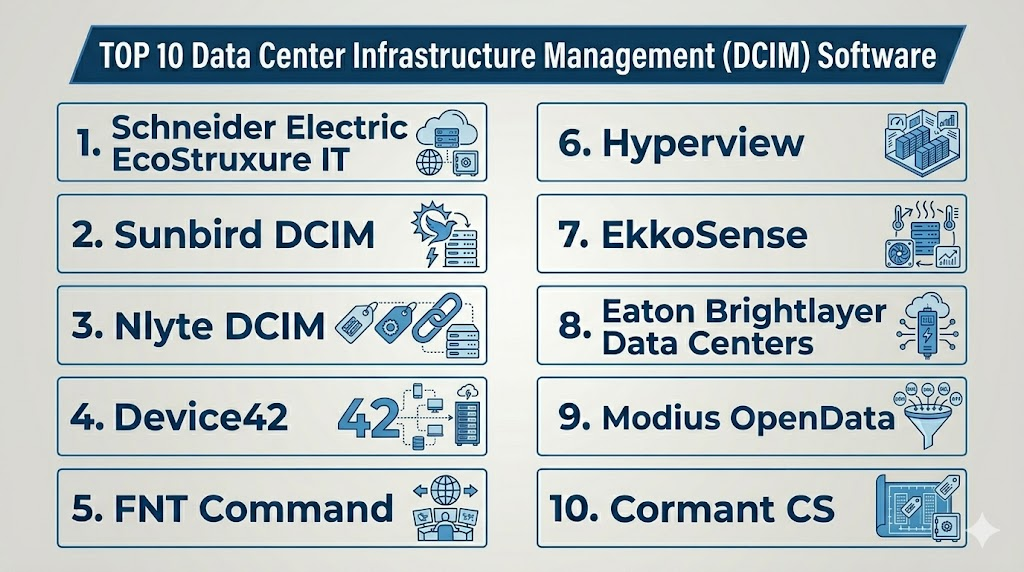
Introduction
Data Center Infrastructure Management DCIM Software helps organizations monitor, manage, and optimize the physical infrastructure inside data centers. This includes racks, servers, storage, networking equipment, power distribution units, UPS systems, cooling units, sensors, cabling, floor space, environmental conditions, and energy usage. A good DCIM platform gives teams a centralized view of data center assets, capacity, power, cooling, connectivity, and operational health.DCIM matters now because data centers are becoming more complex due to AI workloads, hybrid infrastructure, edge computing, sustainability pressure, high-density racks, and uptime expectations. Manual spreadsheets and disconnected monitoring tools are no longer enough for modern data center operations.
Real-world use cases include:
- Monitoring power, cooling, and environmental conditions
- Tracking rack space, assets, circuits, and capacity
- Planning data center expansion and migrations
- Reducing downtime through alerts and infrastructure visibility
- Improving energy efficiency and sustainability reporting
Evaluation Criteria for Buyers:
- Real-time monitoring depth
- Power and cooling visibility
- Asset and rack management
- Capacity planning and forecasting
- Workflow and change management
- Digital twin and visualization capabilities
- Integration with BMS, ITSM, CMDB, sensors, and network tools
- Reporting, analytics, and dashboards
- Scalability across multiple sites
- Ease of deployment and support quality
Best for: Data center operators, IT infrastructure teams, facilities teams, colocation providers, cloud providers, enterprise IT teams, telecom operators, financial institutions, healthcare organizations, and companies managing complex server rooms or multi-site data centers.
Not ideal for: Very small server rooms with limited assets, teams that only need basic uptime monitoring, or organizations without enough infrastructure complexity to justify a full DCIM platform.
Key Trends in Data Center Infrastructure Management DCIM Software
- AI and predictive analytics are becoming more important, especially for thermal optimization, capacity forecasting, and proactive incident prevention.
- High-density AI and GPU workloads are increasing DCIM demand, because power and cooling planning are now more complex.
- Digital twin capabilities are becoming valuable, helping teams visualize racks, rooms, power chains, cooling paths, and capacity usage.
- Sustainability and energy reporting are now major buying drivers, especially for organizations tracking power usage and carbon impact.
- Edge data center monitoring is expanding, creating demand for remote visibility across smaller distributed sites.
- Cloud-based DCIM is gaining adoption, reducing on-premises software overhead and improving multi-site visibility.
- Integration with ITSM and CMDB tools is becoming essential, especially for change management and incident workflows.
- Facilities and IT teams are becoming more connected, because DCIM sits between physical infrastructure and IT service delivery.
- Real-time sensor data is becoming more important, especially for temperature, humidity, airflow, power draw, and cooling risk.
- Automation and workflow governance are improving, helping teams reduce manual errors during moves, adds, changes, and capacity planning.
How We Selected These Tools
The tools below were selected based on practical DCIM relevance, market recognition, feature depth, operational maturity, and fit across different data center environments.
- Market adoption and mindshare across enterprise data centers, colocation providers, telecom environments, and hybrid infrastructure teams
- Feature completeness, including asset tracking, rack visualization, power monitoring, cooling analytics, capacity planning, and workflow management
- Reliability and performance signals for mission-critical infrastructure environments
- Security posture signals, including role-based access, logging, access control, and enterprise administration where clearly available
- Integration ecosystem, including BMS, ITSM, CMDB, network discovery, PDUs, UPS systems, sensors, and monitoring platforms
- Customer fit across segments, from small data centers to global enterprise infrastructure
- Deployment flexibility, including cloud, self-hosted, hybrid, appliance, and SaaS options
- Visualization quality, including rack elevations, floor maps, digital twins, and dependency mapping
- Support for sustainability goals, including energy visibility and capacity optimization
- Operational usability, including dashboards, reports, workflows, alerts, and planning tools
Top 10 Data Center Infrastructure Management DCIM Software
1- Schneider Electric EcoStruxure IT
Short description:
Schneider Electric EcoStruxure IT is a widely recognized DCIM platform for monitoring, managing, and optimizing data center infrastructure. It supports visibility into power, cooling, environmental conditions, UPS systems, racks, and distributed IT environments. The platform is especially strong for enterprises that operate multi-site data centers, edge locations, or mixed infrastructure environments. It is a strong fit for organizations that want DCIM connected with Schneider Electric’s broader power, cooling, and infrastructure ecosystem.
Key Features
- Real-time monitoring of power, cooling, and environmental systems
- Data center infrastructure visibility across sites
- Capacity planning and asset monitoring
- Intelligent alarming and incident visibility
- Support for distributed IT and edge environments
- Integration with Schneider Electric infrastructure products
- Dashboards and analytics for operational decision-making
Pros
- Strong fit for enterprise and multi-site data center operations
- Deep alignment with Schneider Electric power and cooling infrastructure
- Useful for monitoring both central data centers and edge locations
Cons
- May be more advanced than small server rooms need
- Best value often comes when used with Schneider Electric infrastructure
- Enterprise deployment may require planning and operational maturity
Platforms / Deployment
Cloud / Hybrid
Web-based administration / Enterprise infrastructure environments
Security & Compliance
Enterprise controls may include user roles, access control, monitoring logs, and secure administration depending on deployment. Buyers should validate SSO, RBAC, audit logs, encryption, and compliance requirements directly.
Integrations & Ecosystem
EcoStruxure IT integrates well with Schneider Electric power, cooling, UPS, sensors, and infrastructure management products. It can also support multi-vendor monitoring depending on environment and configuration.
- Schneider Electric infrastructure
- APC UPS systems
- Environmental sensors
- Power monitoring systems
- IT operations workflows
- Data center monitoring tools
Support & Community
Schneider Electric provides enterprise support, documentation, partner services, and implementation guidance. Support depth may vary by region, contract, and deployment model.
2- Sunbird DCIM
Short description:
Sunbird DCIM is a dedicated data center infrastructure management platform focused on asset management, capacity planning, visualization, power tracking, environmental monitoring, and operational workflows. It is popular among enterprises, colocation providers, and organizations that need clear rack-level and facility-level visibility. Sunbird is known for usability, dashboards, and detailed data center visualization. It is a strong choice for buyers that want practical DCIM workflows without unnecessary complexity.
Key Features
- Rack elevation and floor map visualization
- Asset and inventory management
- Power and environmental monitoring
- Capacity planning and forecasting
- Cable and connectivity management
- Workflow and change management
- Dashboards, analytics, and reporting
Pros
- Strong usability and visual data center management
- Good fit for capacity planning and asset tracking
- Practical for enterprise and colocation environments
Cons
- Implementation quality depends on accurate asset data
- May require integration effort for complex environments
- Pricing and deployment scope should be validated directly
Platforms / Deployment
Cloud / Self-hosted / Hybrid
Web-based administration / Enterprise data center environments
Security & Compliance
Security details vary by deployment. Buyers should validate SSO, RBAC, audit logs, encryption, backup, and compliance requirements during procurement.
Integrations & Ecosystem
Sunbird integrates with infrastructure, monitoring, ticketing, and IT operations systems. It is useful when data center data must connect with operational workflows and planning processes.
- ITSM tools
- CMDB systems
- Power and environmental sensors
- Network and asset discovery tools
- Building and facility systems
- Reporting and analytics workflows
Support & Community
Sunbird provides documentation, implementation support, training resources, and customer support. Buyers should confirm support tiers and onboarding options based on deployment size.
3- Nlyte DCIM
Short description:
Nlyte DCIM is an enterprise data center infrastructure management platform focused on asset lifecycle management, capacity planning, workflow automation, power monitoring, and infrastructure governance. It is suitable for large enterprises, colocation providers, telecom environments, and organizations with complex data center operations. Nlyte is often valued for process control and integrations with IT service management systems. It is a strong option for teams that need DCIM connected with operational workflows and change management.
Key Features
- Asset lifecycle and inventory management
- Capacity and space planning
- Power and environmental monitoring
- Workflow and change management
- ITSM and CMDB integration support
- Rack and floor visualization
- Reporting and compliance-oriented dashboards
Pros
- Strong fit for enterprise workflow-driven DCIM
- Useful for change control and asset lifecycle management
- Good alignment with ITSM and operations processes
Cons
- Implementation can be more involved than lightweight DCIM tools
- May require strong data governance to get full value
- Smaller teams may find it more complex than needed
Platforms / Deployment
Cloud / Self-hosted / Hybrid
Web-based administration / Enterprise data center environments
Security & Compliance
Enterprise controls may include role-based administration, access controls, logs, and policy workflows. Buyers should validate SSO, audit logs, encryption, and compliance support directly.
Integrations & Ecosystem
Nlyte is useful where DCIM data must support ITSM, CMDB, workflow, and change management processes. It fits well in mature IT operations environments.
- ITSM platforms
- CMDB systems
- Asset discovery tools
- Power and cooling systems
- Network management tools
- Workflow automation systems
Support & Community
Nlyte support is enterprise-focused, with implementation guidance, documentation, and customer support options. Support levels should be reviewed during procurement.
4- Device42
Short description:
Device42 provides data center management, IT asset discovery, dependency mapping, IP address management, and CMDB capabilities. While it is broader than traditional DCIM, it is highly relevant for organizations that need visibility into data center assets, network connections, application dependencies, and infrastructure inventory. Device42 is especially useful for IT teams that want to connect physical infrastructure data with logical infrastructure and application relationships. It is a strong option for hybrid IT environments that need asset visibility beyond racks and power.
Key Features
- IT asset discovery and inventory
- Data center rack and device management
- Application dependency mapping
- IP address management
- CMDB and infrastructure documentation
- Network and connectivity visibility
- Integration with ITSM and automation tools
Pros
- Strong fit for IT asset discovery and dependency mapping
- Useful for hybrid infrastructure and migration planning
- Connects data center inventory with IT operations workflows
Cons
- Less focused on deep facilities power and cooling optimization than pure DCIM tools
- Requires discovery tuning and data cleanup for best results
- May need complementary tools for advanced thermal management
Platforms / Deployment
Cloud / Self-hosted / Hybrid
Web-based administration / Enterprise IT environments
Security & Compliance
Security controls may include user roles, access management, logs, and secure deployment options. Buyers should validate SSO, RBAC, audit logs, encryption, and compliance needs directly.
Integrations & Ecosystem
Device42 integrates well with ITSM, CMDB, automation, discovery, and infrastructure tools. It is useful when asset data must support operations, migration, audit, and service management.
- ITSM tools
- CMDB platforms
- Discovery and monitoring tools
- IPAM workflows
- Automation systems
- Cloud and virtualization platforms
Support & Community
Device42 provides documentation, support resources, implementation guidance, and customer support. Support depth may depend on contract and deployment model.
5- FNT Command
Short description:
FNT Command is a data center, network, and infrastructure management platform used for documenting, visualizing, and managing complex physical and logical infrastructure. It is especially relevant for enterprises, telecom operators, service providers, and organizations with complex connectivity and infrastructure documentation needs. FNT supports digital twin-style infrastructure documentation, capacity planning, cabling, power, cooling, and service relationships. It is a strong fit for environments where data center infrastructure and network infrastructure must be managed together.
Key Features
- Data center asset and infrastructure documentation
- Digital twin-style visualization
- Rack, floor, cable, power, and cooling management
- Capacity and resource planning
- Network and connectivity documentation
- Service and dependency mapping
- Workflow and process support
Pros
- Strong fit for complex infrastructure and telecom-style environments
- Good documentation and visualization depth
- Useful for managing physical and logical dependencies together
Cons
- May be more complex than SMB data centers need
- Implementation requires strong data modeling discipline
- Best suited for teams with mature infrastructure documentation needs
Platforms / Deployment
Cloud / Self-hosted / Hybrid
Web-based administration / Enterprise infrastructure environments
Security & Compliance
Enterprise controls may include access management, roles, audit-oriented workflows, and secure administration. Buyers should validate SSO, RBAC, audit logs, encryption, and compliance requirements directly.
Integrations & Ecosystem
FNT Command integrates with IT, network, telecom, and data center management workflows. It is especially useful when infrastructure documentation must serve multiple operational teams.
- Network management systems
- ITSM and CMDB tools
- Data center infrastructure systems
- Service management workflows
- Planning and documentation processes
- Connectivity management systems
Support & Community
FNT provides enterprise support, documentation, consulting, and implementation services. Support structure should be validated by region and contract.
6- Hyperview
Short description:
Hyperview is a cloud-based DCIM platform designed for asset management, capacity planning, energy monitoring, environmental visibility, and data center operations. It is often considered by teams that want a modern SaaS DCIM experience with faster deployment and clean usability. Hyperview helps data center operators manage racks, devices, power usage, cooling data, and operational capacity. It is a practical choice for mid-market and enterprise teams that want cloud-native DCIM without heavy legacy complexity.
Key Features
- Cloud-based DCIM platform
- Asset and rack management
- Power and environmental monitoring
- Capacity planning
- Energy and sustainability visibility
- Dashboards and reporting
- Workflow and operational visibility
Pros
- Modern SaaS-style DCIM experience
- Good usability for operational teams
- Useful for organizations that want faster deployment
Cons
- May not match the deepest enterprise legacy DCIM feature sets
- Integration depth should be validated for complex environments
- Buyers should confirm support for existing infrastructure devices
Platforms / Deployment
Cloud
Web-based administration / Data center environments
Security & Compliance
Security details should be validated directly. Buyers should review SSO, RBAC, audit logs, encryption, data retention, and compliance needs.
Integrations & Ecosystem
Hyperview fits into modern data center operations where cloud-based management, capacity visibility, and asset tracking are priorities. It can support integration with monitoring and operational systems.
- Power and environmental sensors
- ITSM workflows
- Asset management systems
- Reporting tools
- Infrastructure monitoring tools
- Capacity planning workflows
Support & Community
Hyperview provides vendor support, documentation, onboarding assistance, and customer success resources. Support depth should be reviewed during evaluation.
7- EkkoSense
Short description:
EkkoSense focuses on AI-driven thermal optimization and cooling efficiency for data centers. It is not a traditional full DCIM replacement for every asset and workflow need, but it is highly relevant for organizations that need better cooling visibility, airflow optimization, and energy efficiency. EkkoSense helps teams reduce thermal risk, improve cooling performance, and identify infrastructure inefficiencies. It is a strong option for data centers with high-density racks, energy reduction goals, or cooling-related operational challenges.
Key Features
- AI-driven thermal monitoring
- Cooling optimization analytics
- Sensor-based environmental visibility
- Rack-level and room-level thermal insights
- Energy efficiency recommendations
- Risk alerts for hotspots and airflow issues
- Sustainability and performance reporting
Pros
- Strong fit for thermal optimization and energy efficiency
- Useful for high-density and AI workload environments
- Helps reduce cooling-related risk and waste
Cons
- Not a full general-purpose DCIM replacement
- Best used alongside asset and capacity management tools
- Requires sensor data and environmental modeling for best results
Platforms / Deployment
Cloud / Hybrid
Web-based administration / Data center sensor environments
Security & Compliance
Not publicly stated in full detail. Buyers should validate access controls, encryption, audit logs, data handling, and compliance requirements directly.
Integrations & Ecosystem
EkkoSense works best when paired with DCIM, BMS, sensor systems, and energy management workflows. It is useful for teams focused on thermal performance and sustainability.
- Environmental sensors
- BMS systems
- DCIM platforms
- Energy reporting workflows
- Facilities operations tools
- Data center analytics dashboards
Support & Community
EkkoSense provides specialist support, onboarding, and implementation guidance for thermal optimization projects. Support details should be validated by contract.
8- Eaton Brightlayer Data Centers
Short description:
Eaton Brightlayer Data Centers supports data center power management, energy monitoring, infrastructure visibility, and operational intelligence. It is especially relevant for organizations using Eaton electrical infrastructure, UPS systems, power distribution, and power management tools. The platform helps facilities and IT teams monitor critical power systems, improve reliability, and support operational planning. It is a strong choice for buyers that want DCIM-related visibility with a power-first infrastructure perspective.
Key Features
- Power infrastructure monitoring
- UPS and power distribution visibility
- Energy usage analytics
- Alarm and event monitoring
- Facility infrastructure visibility
- Data center operational dashboards
- Integration with Eaton power ecosystem
Pros
- Strong fit for Eaton power infrastructure environments
- Useful for power reliability and energy visibility
- Supports facility-focused data center operations
Cons
- May be less broad than full DCIM platforms for asset lifecycle workflows
- Best value often comes inside Eaton ecosystem
- Buyers should validate rack, cable, and IT asset management depth
Platforms / Deployment
Cloud / Hybrid
Web-based administration / Data center infrastructure environments
Security & Compliance
Security details should be validated directly. Buyers should review SSO, RBAC, audit logs, encryption, data handling, and compliance requirements.
Integrations & Ecosystem
Eaton Brightlayer works well with Eaton electrical and power infrastructure. It is useful when power visibility and electrical reliability are major operational priorities.
- Eaton UPS systems
- Power distribution systems
- Electrical monitoring tools
- Facility operations workflows
- Energy reporting systems
- Data center monitoring platforms
Support & Community
Eaton provides enterprise support, documentation, partner services, and implementation guidance. Support depth may depend on region and contract.
9- Modius OpenData
Short description:
Modius OpenData is a DCIM platform focused on infrastructure monitoring, data center analytics, energy visibility, and operational intelligence. It helps organizations monitor equipment, collect infrastructure data, analyze performance, and improve data center efficiency. Modius is relevant for enterprises, colocation providers, and facilities teams that need better real-time visibility into infrastructure performance. It is a strong fit for environments where power, cooling, and operational data need to be consolidated and analyzed.
Key Features
- Data center infrastructure monitoring
- Power and cooling analytics
- Real-time equipment data collection
- Energy efficiency reporting
- Alerts and event management
- Dashboards and operational analytics
- Support for multi-vendor infrastructure environments
Pros
- Strong focus on monitoring and analytics
- Useful for energy and operational visibility
- Good fit for infrastructure-heavy data center environments
Cons
- May require integration planning for complex environments
- Asset workflow depth should be validated against buyer needs
- Public product details may vary by deployment model
Platforms / Deployment
Cloud / Self-hosted / Hybrid
Web-based administration / Data center environments
Security & Compliance
Not publicly stated in full detail. Buyers should validate SSO, RBAC, audit logs, encryption, and compliance requirements directly.
Integrations & Ecosystem
Modius OpenData can fit into infrastructure monitoring, facilities, and operations workflows. It is useful when teams need data from multiple infrastructure systems in one operational view.
- Power and cooling systems
- Environmental sensors
- BMS systems
- Data center monitoring tools
- Reporting workflows
- Operations dashboards
Support & Community
Modius provides vendor support, documentation, and implementation guidance. Support availability should be reviewed based on deployment size and contract.
10- Cormant CS
Short description:
Cormant CS is a DCIM and infrastructure management platform focused on asset tracking, connectivity management, cable management, rack documentation, and data center operations. It is suitable for organizations that need accurate physical infrastructure records and operational visibility across data centers, networks, and connected assets. Cormant CS is especially useful when cabling, connectivity, and asset relationships are important parts of daily operations. It is a practical choice for teams that need structured infrastructure documentation and change control.
Key Features
- Asset and rack management
- Cable and connectivity documentation
- Data center floor and rack visualization
- Capacity planning support
- Change and workflow management
- Audit and infrastructure documentation
- Reporting and operational dashboards
Pros
- Strong fit for cabling and connectivity-heavy environments
- Useful for accurate physical infrastructure documentation
- Practical for teams managing moves, adds, and changes
Cons
- May require disciplined data entry and ongoing updates
- Less focused on advanced AI thermal optimization
- Buyers should validate integrations with existing monitoring tools
Platforms / Deployment
Cloud / Self-hosted / Hybrid
Web-based administration / Data center and network environments
Security & Compliance
Not publicly stated in full detail. Buyers should validate SSO, RBAC, audit logs, encryption, backup, and compliance needs directly.
Integrations & Ecosystem
Cormant CS works well in infrastructure documentation, connectivity management, and operational change workflows. It is useful when teams need reliable records for physical and network assets.
- ITSM tools
- CMDB systems
- Network documentation workflows
- Cable management processes
- Asset management systems
- Data center planning tools
Support & Community
Cormant provides vendor support, documentation, and implementation assistance. Buyers should validate support levels and training options during evaluation.
Comparison Table
| Tool Name | Best For | Platforms Supported | Deployment | Standout Feature | Public Rating |
|---|---|---|---|---|---|
| Schneider Electric EcoStruxure IT | Enterprise and distributed data centers | Web, Data center infrastructure | Cloud / Hybrid | Power, cooling, and multi-site infrastructure visibility | N/A |
| Sunbird DCIM | Asset tracking and capacity planning | Web, Data center infrastructure | Cloud / Self-hosted / Hybrid | Rack visualization and operational usability | N/A |
| Nlyte DCIM | Workflow-driven enterprise DCIM | Web, Enterprise infrastructure | Cloud / Self-hosted / Hybrid | Asset lifecycle and change management | N/A |
| Device42 | IT asset discovery and dependency mapping | Web, Enterprise IT environments | Cloud / Self-hosted / Hybrid | Discovery, CMDB, and dependency visibility | N/A |
| FNT Command | Complex infrastructure and telecom environments | Web, Enterprise infrastructure | Cloud / Self-hosted / Hybrid | Digital twin-style infrastructure documentation | N/A |
| Hyperview | Cloud-native DCIM operations | Web, Data center infrastructure | Cloud | SaaS DCIM with fast operational visibility | N/A |
| EkkoSense | Thermal optimization and cooling efficiency | Web, Sensor environments | Cloud / Hybrid | AI-driven cooling and airflow optimization | N/A |
| Eaton Brightlayer Data Centers | Power-first data center management | Web, Power infrastructure | Cloud / Hybrid | Power infrastructure and energy visibility | N/A |
| Modius OpenData | Infrastructure monitoring and analytics | Web, Data center infrastructure | Cloud / Self-hosted / Hybrid | Real-time infrastructure data analytics | N/A |
| Cormant CS | Cabling and connectivity documentation | Web, Data center and network environments | Cloud / Self-hosted / Hybrid | Connectivity and cable management | N/A |
Evaluation and Scoring of Data Center Infrastructure Management DCIM Software
| Tool Name | Core 25% | Ease 15% | Integrations 15% | Security 10% | Performance 10% | Support 10% | Value 15% | Weighted Total 0–10 |
|---|---|---|---|---|---|---|---|---|
| Schneider Electric EcoStruxure IT | 9.3 | 8.0 | 9.0 | 8.6 | 8.8 | 8.7 | 8.1 | 8.72 |
| Sunbird DCIM | 9.0 | 8.6 | 8.6 | 8.3 | 8.5 | 8.5 | 8.3 | 8.61 |
| Nlyte DCIM | 9.0 | 7.8 | 8.8 | 8.5 | 8.5 | 8.4 | 8.0 | 8.45 |
| Device42 | 8.4 | 8.4 | 8.8 | 8.4 | 8.3 | 8.3 | 8.5 | 8.45 |
| FNT Command | 8.7 | 7.7 | 8.6 | 8.4 | 8.3 | 8.3 | 7.9 | 8.28 |
| Hyperview | 8.3 | 8.7 | 8.0 | 8.2 | 8.4 | 8.2 | 8.6 | 8.36 |
| EkkoSense | 8.1 | 8.2 | 8.0 | 8.0 | 8.6 | 8.1 | 8.3 | 8.21 |
| Eaton Brightlayer Data Centers | 8.2 | 8.0 | 8.4 | 8.3 | 8.5 | 8.4 | 8.1 | 8.28 |
| Modius OpenData | 8.2 | 7.9 | 8.2 | 8.1 | 8.4 | 8.0 | 8.0 | 8.12 |
| Cormant CS | 8.0 | 8.0 | 8.0 | 8.0 | 8.0 | 8.0 | 8.2 | 8.03 |
These scores are comparative, not absolute. A higher score means the platform performs strongly across the selected evaluation model, but it may not be the best option for every organization. Schneider Electric EcoStruxure IT may fit large multi-site environments, Sunbird may fit teams prioritizing usability and rack visibility, Nlyte may fit workflow-heavy operations, and EkkoSense may fit cooling optimization use cases. Buyers should validate each platform through real infrastructure data, integration testing, operational workflows, and facility requirements.
Which Data Center Infrastructure Management DCIM Software Is Right for You?
Solo / Freelancer
Solo users and freelancers usually do not need a full DCIM platform unless they manage client data center projects, colocation audits, or infrastructure documentation. For small consulting work, basic asset management, spreadsheets, diagrams, and lightweight monitoring tools may be enough. If deeper documentation is needed, tools like Device42 or Cormant CS may be useful depending on the project scope. A full enterprise DCIM platform is usually too complex for individual users. The focus should be simple documentation, accurate asset records, and practical reporting.
SMB
SMBs with a small server room or limited rack environment should avoid overbuying. They should prioritize simple asset tracking, power monitoring, temperature alerts, and capacity visibility. Hyperview, Device42, Cormant CS, or a focused monitoring solution may be more practical than large enterprise DCIM. SMBs should only consider platforms like Schneider Electric EcoStruxure IT or Sunbird if they operate critical infrastructure or multiple sites. The best SMB choice should be easy to deploy, affordable to maintain, and simple for IT staff to update.
Mid-Market
Mid-market organizations usually need better visibility into assets, power, cooling, capacity, and change management. Sunbird DCIM, Hyperview, Device42, Schneider Electric EcoStruxure IT, and Nlyte DCIM are strong candidates depending on operational maturity. If rack planning and asset visibility are priorities, Sunbird is a strong option. If discovery and dependency mapping matter, Device42 may fit well. If power and cooling monitoring are central, Schneider Electric or Eaton may be better aligned. Mid-market buyers should focus on integration, usability, and data quality.
Enterprise
Enterprises need multi-site scalability, strong reporting, governance, capacity planning, workflow automation, and integration with ITSM, CMDB, BMS, sensors, and monitoring systems. Schneider Electric EcoStruxure IT, Sunbird DCIM, Nlyte DCIM, FNT Command, and Eaton Brightlayer Data Centers are strong enterprise options. Enterprises with high-density AI workloads should also consider EkkoSense for thermal optimization. Large buyers should run a formal pilot using real rack, power, cooling, and asset data before making a final decision.
Budget vs Premium
Budget-focused buyers should start with the minimum capability needed: asset records, temperature alerts, rack maps, and basic capacity planning. Hyperview, Device42, and Cormant CS may be practical depending on scope. Premium buyers operating critical, multi-site, or high-density data centers should evaluate Schneider Electric EcoStruxure IT, Sunbird DCIM, Nlyte DCIM, FNT Command, or Eaton Brightlayer. Premium platforms often provide deeper integrations, better operational workflows, and stronger analytics, but they also require better data governance and implementation planning.
Feature Depth vs Ease of Use
If ease of use matters most, Sunbird DCIM, Hyperview, and Device42 are practical options to evaluate. If feature depth and enterprise process control matter more, Schneider Electric EcoStruxure IT, Nlyte DCIM, and FNT Command may be better fits. If the main challenge is cooling efficiency, EkkoSense may provide specialized value. The best tool is not always the most feature-rich one. A DCIM platform only succeeds if teams keep the data accurate and use it in daily operations.
Integrations & Scalability
DCIM platforms should integrate with ITSM, CMDB, BMS, sensors, PDUs, UPS systems, cooling units, monitoring platforms, network tools, and reporting systems. Enterprises should validate APIs, connector availability, event forwarding, user permissions, and data import/export options. Scalability matters for multi-site infrastructure, colocation customers, edge locations, and high-density data centers. Buyers should ask whether the platform can support current and future rack density, power usage, cooling demand, and workflow complexity. Integration testing should be part of the pilot.
Security & Compliance Needs
Security and compliance needs vary by industry and infrastructure criticality. Buyers should validate SSO, RBAC, audit logs, encryption, data retention, backup, disaster recovery, and administrator permissions. Regulated organizations may need detailed change logs, access history, asset records, and operational reports. DCIM data can reveal sensitive information about infrastructure layout and capacity, so access must be controlled carefully. Security teams should review both cloud and self-hosted deployment models before purchase.
Common Mistakes to Avoid When Buying DCIM Software
- Choosing a tool before cleaning up asset and rack data
- Treating DCIM as only a monitoring tool instead of an operational system
- Ignoring facilities team requirements during evaluation
- Not integrating DCIM with ITSM, CMDB, BMS, and monitoring tools
- Underestimating implementation time and data migration effort
- Buying a complex enterprise platform for a small server room
- Ignoring power and cooling constraints during capacity planning
- Not assigning ownership for ongoing data accuracy
- Failing to model high-density racks and AI workloads properly
- Not training teams on workflow and change management features
- Using DCIM reports only for audits instead of daily operations
- Not validating vendor support, APIs, and device compatibility
Implementation Playbook
First Phase
Start by documenting the current data center environment. Collect information about racks, assets, servers, storage, switches, PDUs, UPS systems, cooling units, sensors, cabling, circuits, floor space, and monitoring tools. Identify the biggest pain points, such as poor asset visibility, cooling hotspots, inaccurate capacity planning, manual change tracking, or limited power monitoring. Define clear success metrics such as improved asset accuracy, reduced downtime, faster planning, lower cooling risk, or better energy reporting. Select a pilot area, such as one data hall, one server room, or one edge site.
Second Phase
Deploy the DCIM platform with a limited but meaningful data set. Import asset records, rack layouts, power chains, environmental readings, and monitoring feeds. Validate data accuracy with physical audits before expanding. Configure user roles, dashboards, alerts, capacity reports, and workflows. Connect the platform to ITSM, CMDB, BMS, monitoring tools, or sensors where practical. Train both IT and facilities teams because DCIM success depends on cross-functional usage. Review early reports and fix incorrect assumptions before scaling.
Third Phase
Move from visibility to operational maturity. Use the DCIM platform for change planning, capacity forecasting, power and cooling optimization, incident investigation, and sustainability reporting. Create governance rules for updating asset records, rack changes, cable changes, and new equipment installs. Review dashboards regularly with IT, facilities, and leadership teams. Expand from one site to multiple sites only after data quality and processes are stable. Continue improving integrations, automation, and reporting as the data center environment evolves.
Frequently Asked Questions
1- What is Data Center Infrastructure Management DCIM Software?
Data Center Infrastructure Management DCIM Software is used to manage physical data center infrastructure such as racks, servers, storage, network devices, power systems, cooling systems, sensors, cabling, and floor space. It gives teams a centralized view of assets, capacity, power, cooling, and environmental conditions. DCIM helps IT and facilities teams work from the same operational data. It can improve uptime, planning, energy efficiency, and change control. Modern DCIM platforms may also include digital twins, analytics, workflows, and sustainability reporting. The main goal is to make data center operations more visible, predictable, and efficient.
2- Why do organizations need DCIM Software?
Organizations need DCIM Software because data centers are difficult to manage with spreadsheets, manual diagrams, and disconnected monitoring tools. As infrastructure grows, teams need accurate information about rack space, power usage, cooling limits, asset location, cabling, and capacity. DCIM helps prevent overloading circuits, creating hotspots, wasting space, or making risky changes. It also improves planning for migrations, expansions, audits, and equipment refreshes. For critical environments, better visibility can reduce downtime risk. DCIM becomes especially important when data centers support high-density, AI, edge, or multi-site infrastructure.
3- How is DCIM different from BMS?
A Building Management System BMS focuses on building-level systems such as HVAC, electrical infrastructure, alarms, and facility controls. DCIM focuses specifically on data center infrastructure, including IT assets, racks, power chains, cooling capacity, cabling, and operational planning. A BMS may know that a cooling unit is running, while DCIM helps show how that cooling affects racks, servers, and capacity. In many environments, DCIM and BMS should work together. DCIM connects facilities data with IT infrastructure data. This helps teams make better decisions about power, cooling, space, and service impact.
4- How much does DCIM Software cost?
DCIM Software pricing varies widely based on number of assets, racks, sites, users, modules, deployment model, integrations, and support requirements. Small or cloud-native platforms may be more accessible, while enterprise deployments can involve significant software, implementation, and consulting costs. Buyers should consider total cost, including data migration, asset audits, integrations, training, and ongoing administration. The cheapest option may fail if it cannot support accurate operations. The most expensive option may be unnecessary for a small environment. A pilot helps estimate real cost and value.
5- How long does DCIM implementation take?
Implementation time depends on data center size, data quality, integration complexity, and team readiness. A small deployment with clean asset data may be implemented faster. A large enterprise deployment across multiple sites, thousands of assets, power systems, cooling systems, and ITSM integrations can take much longer. The hardest part is often not installing software, but cleaning and validating infrastructure data. Teams should start with a focused pilot and expand gradually. Strong governance is required to keep data accurate after rollout.
6- What features should buyers look for in DCIM Software?
Buyers should look for asset management, rack visualization, power monitoring, cooling visibility, environmental alerts, capacity planning, cable management, reporting, dashboards, and workflow support. Enterprises should also evaluate ITSM integration, CMDB integration, BMS integration, APIs, role-based access, audit logs, and multi-site scalability. High-density data centers should prioritize power and thermal analytics. Colocation providers may need customer reporting and tenant-level visibility. The best feature set depends on whether the main challenge is asset accuracy, capacity planning, power risk, cooling optimization, or operational workflow.
7- Can DCIM Software help reduce energy costs?
Yes, DCIM Software can help reduce energy costs by giving teams better visibility into power usage, cooling demand, rack density, and environmental conditions. It can identify underused capacity, inefficient cooling patterns, hotspots, and equipment that consumes power without delivering business value. Tools with thermal analytics can help optimize airflow and cooling setpoints. However, software alone does not reduce energy usage unless teams act on the insights. Facilities and IT teams must work together to implement recommendations. Energy savings depend on data quality, infrastructure design, and operational discipline.
8- Is DCIM useful for edge data centers?
Yes, DCIM is useful for edge data centers because distributed infrastructure is harder to monitor manually. Edge sites may be small, remote, unmanned, and spread across many locations. DCIM can help monitor power, cooling, environmental conditions, asset inventory, and alerts from a central dashboard. This reduces the need for frequent site visits and improves incident response. Cloud-based DCIM platforms are especially useful for edge environments. Buyers should evaluate remote monitoring, alerting, device compatibility, and multi-site reporting before choosing a tool.
9- What are common alternatives to DCIM Software?
Common alternatives include spreadsheets, CMDB tools, IT asset management platforms, network monitoring tools, BMS systems, power monitoring tools, and facility management software. These tools can help with parts of the problem, but they usually do not provide the full data center-specific view that DCIM offers. A CMDB may track servers, but not rack power or cooling capacity. A BMS may track cooling systems, but not IT asset dependencies. DCIM is most valuable when organizations need both IT and facilities visibility in one platform. Smaller environments may use lighter alternatives until complexity increases.
10- How should a company switch DCIM platforms?
Switching DCIM platforms should begin with a full review of current asset data, rack layouts, power chains, cabling records, user permissions, reports, integrations, and workflows. Clean and validate data before migration because poor data will reduce the value of the new platform. Run a pilot with one site or data hall before replacing the old system fully. Compare usability, reporting, integrations, alerting, and data accuracy. Train IT and facilities teams before rollout. After migration, establish governance rules so the new DCIM platform remains accurate and useful.
Conclusion
Data Center Infrastructure Management DCIM Software is essential for organizations that need reliable visibility into data center assets, rack space, power, cooling, cabling, environmental conditions, capacity, and operational workflows. The best platform depends on infrastructure size, data quality, facility complexity, team maturity, deployment preference, integration needs, and business goals. Schneider Electric EcoStruxure IT is strong for enterprise and distributed infrastructure, Sunbird DCIM is strong for usability and capacity planning, Nlyte is useful for workflow-heavy enterprises, Device42 fits asset discovery and dependency mapping, FNT Command supports complex infrastructure documentation, Hyperview offers cloud-native DCIM, EkkoSense is strong for thermal optimization, Eaton supports power-led environments, Modius focuses on monitoring analytics, and Cormant CS is practical for connectivity documentation. Buyers should shortlist a few tools, run a pilot with real infrastructure data, validate integrations and security controls, test reporting and workflows, and then choose the DCIM platform that provides the best balance of visibility, reliability, usability, scalability, and long-term operational value.
