MOTOSHARE 🚗🏍️
Rent Bikes & Cars Directly from Owners
Motoshare connects vehicle owners with people who need bikes and cars on rent. Owners earn from idle vehicles, and renters get flexible ride options.
Visit Motoshare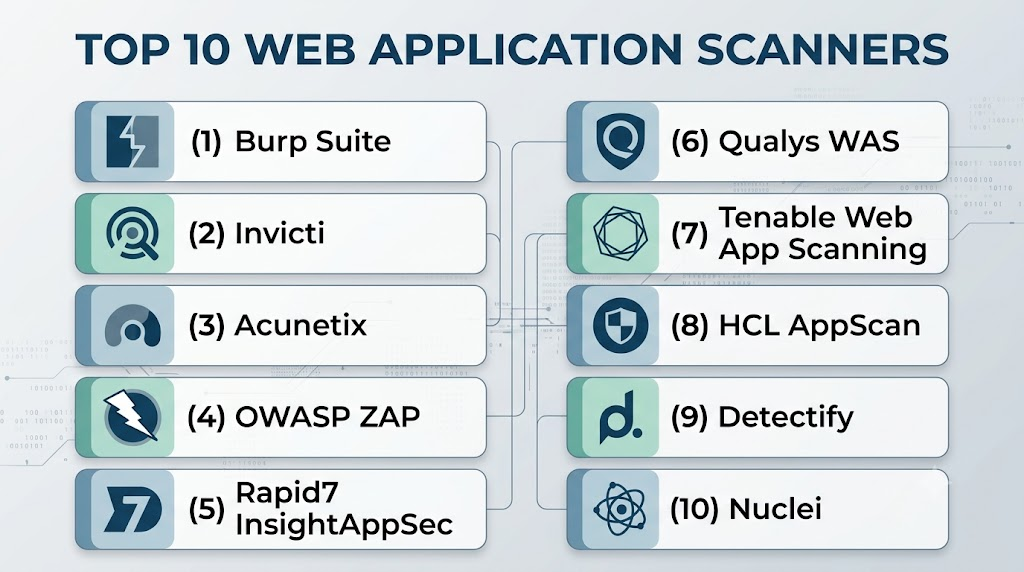
Introduction
Web Application Scanners help security teams, developers, and DevSecOps teams find vulnerabilities in websites, web apps, APIs, and customer-facing portals. These tools scan running applications to detect risks such as SQL injection, cross-site scripting, broken authentication, insecure headers, exposed files, weak configurations, and API weaknesses.Web application scanning matters because most modern businesses depend on online applications for sales, support, payments, user accounts, and internal workflows. As releases become faster and applications become more API-driven, manual testing alone is not enough. Web scanners help teams continuously identify issues before attackers exploit them.
Real World Use Cases
- Customer-facing website testing: Scan public web apps for common vulnerabilities before launch.
- API security checks: Detect weak authentication, exposed endpoints, and unsafe API behavior.
- CI/CD security validation: Run automated scans during release pipelines.
- Compliance support: Generate reports for internal audits and regulatory reviews.
- Attack surface monitoring: Continuously monitor web assets for newly introduced risks.
Evaluation Criteria for Buyers
- Vulnerability detection accuracy
- False-positive management
- API scanning capability
- Authentication handling
- CI/CD integrations
- Reporting and compliance features
- Scan speed and performance
- Ease of setup
- Scalability across many applications
- Pricing and support quality
Best for
Web Application Scanners are best for security teams, DevSecOps teams, SaaS companies, enterprises, agencies, fintech firms, healthcare organizations, and businesses managing multiple web applications or APIs.
Not ideal for
They may not be ideal for very small static websites with minimal risk exposure, teams needing only one-time manual penetration testing, or organizations without technical staff to review and fix findings.
Key Trends in Web Application Scanners
- API-first scanning is becoming essential as modern applications depend heavily on REST, GraphQL, and microservices.
- AI-assisted vulnerability triage is helping teams prioritize real risks faster.
- Shift-left testing is moving scans into CI/CD pipelines before production deployment.
- Authenticated scanning is becoming more important for testing real user journeys.
- Continuous scanning is replacing occasional manual vulnerability checks.
- Cloud-native scanning is growing for Kubernetes, containers, and distributed applications.
- Proof-based scanning is helping reduce false positives.
- Compliance-ready reporting is now expected by enterprise buyers.
- Integration with ticketing tools helps developers fix issues faster.
- Unified AppSec platforms are combining SAST, DAST, API security, and software composition analysis.
How We Selected These Tools
- Evaluated market adoption and recognition in web application security.
- Compared DAST scanning depth and vulnerability coverage.
- Considered API scanning and authenticated scan support.
- Reviewed CI/CD and DevSecOps integration options.
- Assessed reporting, dashboarding, and compliance readiness.
- Compared ease of use for security teams and developers.
- Considered enterprise scalability and multi-application management.
- Reviewed support, documentation, and onboarding quality.
- Balanced commercial enterprise tools with popular security practitioner tools.
- Avoided public ratings where confidence is uncertain.
Top 10 Web Application Scanners
1- Burp Suite
Short description:
Burp Suite is one of the most widely used web application security testing platforms. It is popular among penetration testers, security consultants, and enterprise security teams for manual and automated web vulnerability testing. Burp Suite offers powerful scanning, interception, crawling, testing, and analysis capabilities for modern web applications and APIs.
Key Features
- Web vulnerability scanning
- Intercepting proxy
- Manual penetration testing tools
- Automated crawling
- API testing support
- Authentication testing workflows
- Extension ecosystem
Pros
- Strong security practitioner adoption
- Excellent manual testing capabilities
- Large ecosystem of extensions
Cons
- Can be complex for beginners
- Enterprise scanning requires setup planning
- Manual workflows need security expertise
Platforms / Deployment
- Windows / macOS / Linux
- Cloud / Self-hosted / Hybrid
Security & Compliance
- RBAC
- SSO support in enterprise editions
- Audit logs
- Encryption support
- Compliance reporting support
Integrations & Ecosystem
Burp Suite integrates with security testing workflows, CI/CD tools, ticketing systems, and API testing processes.
- Jira
- Jenkins
- GitHub
- GitLab
- Azure DevOps
- API testing workflows
Support & Community
Burp Suite has a very strong security community, detailed documentation, training material, and commercial support options.
2- Invicti
Short description:
Invicti is a web application security scanner focused on automated DAST, API scanning, and proof-based vulnerability validation. It is designed for organizations that need scalable scanning across many web applications with reduced false-positive workload. Invicti is commonly used by security teams managing large application portfolios.
Key Features
- Dynamic application security testing
- Proof-based vulnerability scanning
- Web application crawling
- API scanning
- Authentication support
- Compliance reporting
- CI/CD integration
Pros
- Strong automated scanning
- Useful false-positive reduction
- Good enterprise reporting
Cons
- Best results require proper scan configuration
- Pricing may be high for small teams
- SAST is not its primary focus
Platforms / Deployment
- Cloud / Self-hosted / Hybrid
Security & Compliance
- RBAC
- SSO/SAML
- Audit logs
- Encryption
- Compliance reporting
Integrations & Ecosystem
Invicti supports DevSecOps, ticketing, and vulnerability management workflows.
- Jira
- Jenkins
- GitHub
- GitLab
- Azure DevOps
- SIEM tools
Support & Community
Invicti provides commercial support, onboarding guidance, documentation, and enterprise assistance.
3- Acunetix
Short description:
Acunetix is a web vulnerability scanner designed for automated scanning of websites, web applications, and APIs. It is known for broad vulnerability coverage and ease of use for security teams. Acunetix is suitable for SMBs, mid-market companies, and enterprises needing regular web security testing.
Key Features
- Automated web vulnerability scanning
- API scanning
- Authentication testing
- Malware detection
- Misconfiguration detection
- Compliance reports
- Issue tracking integrations
Pros
- Easy to use
- Good web scanning coverage
- Suitable for recurring vulnerability checks
Cons
- Complex apps may require tuning
- Enterprise-scale governance may need planning
- Manual testing depth is not like Burp Suite
Platforms / Deployment
- Cloud / Self-hosted / Hybrid
Security & Compliance
- RBAC
- SSO support
- Audit logs
- Encryption
- Compliance reporting
Integrations & Ecosystem
Acunetix integrates with development, ticketing, and DevOps workflows.
- Jira
- GitHub
- GitLab
- Jenkins
- Azure DevOps
- API workflows
Support & Community
Acunetix offers documentation, technical support, onboarding resources, and security scanning guidance.
4- OWASP ZAP
Short description:
OWASP ZAP is a popular open-source web application scanner used by developers, security learners, testers, and DevSecOps teams. It provides automated scanning, proxy testing, manual exploration, and scripting support. ZAP is a strong option for teams that want a cost-effective and flexible security testing tool.
Key Features
- Open-source web scanner
- Intercepting proxy
- Automated vulnerability scanning
- Passive and active scanning
- Scripting support
- API testing workflows
- CI/CD automation
Pros
- Free and open-source
- Strong learning and testing value
- Good automation flexibility
Cons
- Requires expertise for best results
- Reporting may need customization
- Enterprise governance is limited
Platforms / Deployment
- Windows / macOS / Linux
- Self-hosted
Security & Compliance
- Not publicly stated
- Security depends on deployment and usage model
Integrations & Ecosystem
OWASP ZAP integrates well with DevSecOps pipelines and custom security automation.
- Jenkins
- GitHub Actions
- GitLab CI
- Docker
- API workflows
- Custom scripts
Support & Community
OWASP ZAP has a large open-source community, documentation, tutorials, and active security practitioner usage.
5- Rapid7 InsightAppSec
Short description:
Rapid7 InsightAppSec is a dynamic application security testing platform for web applications and APIs. It helps teams identify exploitable vulnerabilities, prioritize findings, and connect application security with broader vulnerability management programs. It is useful for organizations already using Rapid7 security tools.
Key Features
- Dynamic application security testing
- Web application scanning
- API testing
- Attack replay
- Vulnerability prioritization
- Dashboards and reporting
- Security workflow integrations
Pros
- Strong DAST capability
- Good security operations alignment
- Useful vulnerability prioritization
Cons
- SAST is not core focus
- Advanced scans may need tuning
- Better suited for teams with security expertise
Platforms / Deployment
- Cloud
Security & Compliance
- RBAC
- SSO support
- Audit logs
- Encryption
- Compliance reporting
Integrations & Ecosystem
InsightAppSec integrates with DevSecOps and Rapid7 security workflows.
- Jira
- Jenkins
- GitHub
- SIEM tools
- Vulnerability management workflows
Support & Community
Rapid7 provides enterprise support, product documentation, training, and security operations resources.
6- Qualys Web Application Scanning
Short description:
Qualys Web Application Scanning is part of the Qualys cloud security and vulnerability management ecosystem. It helps organizations scan web applications for vulnerabilities, misconfigurations, and compliance risks. It is a strong fit for enterprises that already use Qualys for broader security and asset management.
Key Features
- Web application vulnerability scanning
- Authentication support
- Malware detection
- Compliance reporting
- Centralized dashboards
- Asset-based visibility
- Vulnerability management integration
Pros
- Strong enterprise ecosystem
- Good compliance reporting
- Useful for large asset portfolios
Cons
- Best value inside Qualys ecosystem
- Setup can be complex for large environments
- Developer workflow may feel less modern than newer tools
Platforms / Deployment
- Cloud
Security & Compliance
- RBAC
- SSO/SAML
- Audit logs
- Encryption
- Compliance reporting
Integrations & Ecosystem
Qualys integrates with enterprise security operations, vulnerability management, and IT workflows.
- SIEM tools
- Ticketing systems
- Cloud platforms
- Vulnerability management workflows
- Asset management systems
Support & Community
Qualys provides enterprise support, technical documentation, onboarding services, and training resources.
7- Tenable Web App Scanning
Short description:
Tenable Web App Scanning helps security teams identify vulnerabilities in web applications and APIs while connecting findings with broader exposure management workflows. It is useful for organizations that already use Tenable products and want web application risk visibility alongside infrastructure vulnerabilities.
Key Features
- Web application scanning
- API vulnerability detection
- Authentication support
- Vulnerability prioritization
- Exposure management alignment
- Dashboards and reports
- Cloud-based scanning
Pros
- Strong vulnerability management ecosystem
- Good risk prioritization
- Useful for enterprise security teams
Cons
- Best value inside Tenable ecosystem
- May require tuning for complex apps
- Not as manual-testing focused as Burp Suite
Platforms / Deployment
- Cloud
Security & Compliance
- RBAC
- SSO support
- Audit logs
- Encryption
- Compliance reporting
Integrations & Ecosystem
Tenable integrates with security operations, vulnerability management, and enterprise reporting workflows.
- SIEM tools
- Ticketing platforms
- Cloud security workflows
- Vulnerability management systems
- API workflows
Support & Community
Tenable provides enterprise support, documentation, training, and customer success resources.
8- HCL AppScan
Short description:
HCL AppScan is an application security testing platform that supports web application scanning, code analysis, and enterprise AppSec workflows. It is commonly used by organizations that need centralized application security testing across complex development environments. AppScan supports both security teams and developers through integrated testing workflows.
Key Features
- Web application scanning
- Static application security testing
- Dynamic application security testing
- API testing
- Compliance reporting
- Developer remediation support
- Enterprise dashboards
Pros
- Broad AppSec coverage
- Suitable for enterprise programs
- Good governance capabilities
Cons
- Can require setup expertise
- Interface and workflows may need training
- Premium platform considerations
Platforms / Deployment
- Cloud / Self-hosted / Hybrid
Security & Compliance
- RBAC
- SSO support
- Audit logs
- Encryption
- Compliance reporting
Integrations & Ecosystem
HCL AppScan integrates with development, DevOps, and enterprise security workflows.
- Jenkins
- GitHub
- GitLab
- Azure DevOps
- Jira
- IDE tools
Support & Community
HCL provides enterprise support, documentation, onboarding resources, and professional services.
9- Detectify
Short description:
Detectify is an external attack surface and web application scanning platform designed to identify vulnerabilities in internet-facing assets. It focuses on continuous scanning, asset discovery, and security testing informed by ethical hacker research. Detectify is useful for SaaS teams and organizations managing public-facing web assets.
Key Features
- Web application scanning
- External attack surface monitoring
- Asset discovery
- Continuous vulnerability testing
- Misconfiguration detection
- Domain monitoring
- Security reports
Pros
- Strong external asset visibility
- Useful continuous scanning model
- Good for internet-facing applications
Cons
- Less focused on internal authenticated testing
- Enterprise AppSec depth may vary
- Best for external exposure monitoring
Platforms / Deployment
- Cloud
Security & Compliance
- RBAC
- SSO support
- Audit logging
- Encryption support
Integrations & Ecosystem
Detectify integrates with security workflows and developer ticketing systems.
- Jira
- Slack
- Webhooks
- CI/CD workflows
- Security dashboards
Support & Community
Detectify provides documentation, customer support, and research-driven security updates.
10- Nuclei
Short description:
Nuclei is a fast open-source vulnerability scanner based on community-driven templates. It is widely used by security researchers, bug bounty hunters, DevSecOps teams, and security automation engineers. Nuclei is especially valuable for flexible, template-based scanning across web applications, APIs, cloud assets, and exposed services.
Key Features
- Template-based scanning
- Open-source scanner
- Fast vulnerability detection
- Custom rule creation
- Web and API scanning
- CI/CD automation
- Large template ecosystem
Pros
- Fast and flexible
- Strong security researcher adoption
- Highly customizable
Cons
- Requires technical expertise
- Reporting and governance need extra tooling
- False positives depend on template quality
Platforms / Deployment
- Windows / macOS / Linux
- Self-hosted
Security & Compliance
- Not publicly stated
- Security controls depend on deployment model
Integrations & Ecosystem
Nuclei works well in automated security testing and custom scanning workflows.
- GitHub Actions
- GitLab CI
- Docker
- Custom scripts
- Security pipelines
- Asset discovery tools
Support & Community
Nuclei has a strong open-source security community, active template ecosystem, and practical documentation.
Comparison Table
| Tool Name | Best For | Platform Supported | Deployment | Standout Feature | Public Rating |
|---|---|---|---|---|---|
| Burp Suite | Penetration testers and security teams | Windows / macOS / Linux | Cloud / Self-hosted / Hybrid | Manual and automated testing depth | N/A |
| Invicti | Enterprise automated DAST | Web | Cloud / Self-hosted / Hybrid | Proof-based scanning | N/A |
| Acunetix | SMB and mid-market web scanning | Web | Cloud / Self-hosted / Hybrid | Easy automated vulnerability scanning | N/A |
| OWASP ZAP | Open-source web testing | Windows / macOS / Linux | Self-hosted | Free security testing toolkit | N/A |
| Rapid7 InsightAppSec | Security operations teams | Web | Cloud | Attack replay and DAST workflows | N/A |
| Qualys WAS | Enterprise vulnerability management | Web | Cloud | Web scanning inside Qualys ecosystem | N/A |
| Tenable Web App Scanning | Exposure management teams | Web | Cloud | Web app risk visibility | N/A |
| HCL AppScan | Enterprise AppSec programs | Web / Windows / Linux | Cloud / Self-hosted / Hybrid | Broad AppSec testing coverage | N/A |
| Detectify | External attack surface monitoring | Web | Cloud | Continuous external scanning | N/A |
| Nuclei | Security automation and researchers | Windows / macOS / Linux | Self-hosted | Template-based scanning | N/A |
Evaluation and Scoring of Web Application Scanners
| Tool Name | Core 25% | Ease 15% | Integrations 15% | Security 10% | Performance 10% | Support 10% | Value 15% | Weighted Total |
|---|---|---|---|---|---|---|---|---|
| Burp Suite | 10 | 7 | 9 | 9 | 8 | 9 | 8 | 8.70 |
| Invicti | 9 | 8 | 9 | 9 | 9 | 9 | 8 | 8.75 |
| Acunetix | 8 | 9 | 8 | 8 | 8 | 8 | 8 | 8.25 |
| OWASP ZAP | 8 | 7 | 8 | 7 | 8 | 7 | 10 | 7.95 |
| Rapid7 InsightAppSec | 8 | 8 | 8 | 8 | 8 | 8 | 7 | 7.85 |
| Qualys WAS | 8 | 7 | 8 | 9 | 8 | 9 | 7 | 8.00 |
| Tenable Web App Scanning | 8 | 8 | 8 | 8 | 8 | 8 | 7 | 7.85 |
| HCL AppScan | 9 | 7 | 8 | 9 | 8 | 8 | 7 | 8.05 |
| Detectify | 8 | 8 | 7 | 8 | 8 | 8 | 8 | 7.85 |
| Nuclei | 8 | 7 | 8 | 7 | 9 | 7 | 10 | 8.05 |
These scores are comparative and should be used as a shortlist guide rather than a universal ranking. A higher score means the scanner is strong across detection capability, integrations, usability, support, and value. The right choice depends on your security maturity, application type, budget, developer workflow, and whether you need manual testing, automated DAST, external monitoring, or open-source scanning flexibility.
Which Web Application Scanner Is Right for You?
Solo / Freelancer
Solo security consultants, developers, and freelancers should consider OWASP ZAP, Burp Suite, or Nuclei. These tools offer strong flexibility, practical testing workflows, and cost-effective options for learning, bug bounty work, and client assessments.
SMB
Small and mid-sized businesses should consider Acunetix, Detectify, Invicti, or OWASP ZAP depending on budget and technical maturity. These tools provide useful automated scanning without requiring a large security team.
Mid-Market
Mid-market organizations often need recurring scans, dashboards, integrations, and authenticated testing. Invicti, Acunetix, Rapid7 InsightAppSec, Tenable Web App Scanning, and HCL AppScan are strong options.
Enterprise
Enterprises should evaluate Invicti, Burp Suite Enterprise, Qualys WAS, Tenable Web App Scanning, HCL AppScan, and Rapid7 InsightAppSec. These platforms are better suited for many applications, governance, compliance reporting, and centralized scanning programs.
Budget vs Premium
Open-source tools like OWASP ZAP and Nuclei offer excellent value but require technical expertise and additional reporting workflows. Premium tools provide better dashboards, support, authentication handling, compliance reports, and enterprise management.
Feature Depth vs Ease of Use
Burp Suite offers deep testing capability but requires security knowledge. Acunetix and Invicti are easier for automated scanning. Nuclei is powerful for technical users but less beginner-friendly.
Integrations and Scalability
Teams using CI/CD pipelines should prioritize scanners with GitHub, GitLab, Jenkins, Jira, and API workflow support. Invicti, Burp Suite Enterprise, Acunetix, Rapid7, and HCL AppScan are strong options for integrated workflows.
Security and Compliance Needs
Regulated organizations should choose tools with audit logs, RBAC, SSO, compliance reporting, and centralized governance. Invicti, Qualys WAS, Tenable, HCL AppScan, and Rapid7 InsightAppSec are strong candidates.
Frequently Asked Questions
1. What is a Web Application Scanner?
A Web Application Scanner is a security tool that tests websites, web applications, and APIs for vulnerabilities. It usually scans a running application to find issues such as injection flaws, cross-site scripting, weak headers, exposed files, and authentication problems. These scanners help teams detect risks before attackers can exploit them. They are commonly used by security teams, developers, compliance teams, and penetration testers.
2. How is a web application scanner different from a vulnerability scanner?
A general vulnerability scanner often focuses on networks, servers, operating systems, and exposed services. A web application scanner focuses specifically on application-layer issues inside websites, APIs, forms, sessions, authentication flows, and user inputs. Both are useful, but they solve different problems. Many enterprises use both to cover infrastructure and application risks together.
3. Are web application scanners accurate?
Accuracy depends on the scanner, application complexity, authentication setup, and scan configuration. Good scanners can detect many common vulnerabilities, but false positives and false negatives are still possible. Tools with proof-based validation, strong crawling, and authenticated scanning usually perform better. Human review remains important for critical findings and business logic issues.
4. Can web application scanners test APIs?
Yes, many modern web scanners support API testing for REST, GraphQL, and OpenAPI-based services. API scanning helps detect weak authentication, authorization issues, injection risks, exposed endpoints, and unsafe data handling. API support is now a major buying factor because many modern applications depend heavily on APIs and microservices.
5. Can these tools replace penetration testing?
No, web application scanners do not fully replace manual penetration testing. Automated scanners are excellent for continuous checks and common vulnerability detection. However, human testers are better at finding business logic flaws, chained attacks, privilege abuse, and application-specific risks. The best approach combines automated scanning with periodic expert testing.
6. How often should organizations scan web applications?
Organizations should scan critical web applications before major releases, after significant code changes, and on a recurring schedule. Many teams run scans weekly, monthly, or during CI/CD pipelines depending on risk level. Public-facing and high-risk applications should be scanned more frequently. Continuous scanning is preferred for large and fast-moving environments.
7. What are common mistakes when using web application scanners?
Common mistakes include scanning without authentication, ignoring scan tuning, treating all findings equally, failing to validate results, and not assigning remediation owners. Some teams also scan too late in the release cycle, which delays fixes. To get value, teams should connect scanners with ticketing systems, prioritize risks, and establish clear remediation workflows.
8. Are open-source scanners good enough?
Open-source scanners like OWASP ZAP and Nuclei can be very effective when used by skilled teams. They are flexible, cost-effective, and useful for automation. However, they may require more manual configuration, reporting setup, and operational expertise. Commercial scanners often provide better dashboards, support, compliance reporting, and enterprise governance.
9. What features should buyers prioritize?
Buyers should prioritize accurate detection, authenticated scanning, API testing, CI/CD integration, reporting, RBAC, audit logs, and ease of remediation. For large organizations, scalability and centralized management are also critical. For developer-focused teams, pull request feedback, ticketing integrations, and clear remediation guidance are especially important.
10. How should teams choose the right scanner?
Teams should start by defining whether they need manual testing, automated DAST, API scanning, compliance reporting, or external attack surface monitoring. Then they should shortlist tools, run a pilot against real applications, compare findings, measure false positives, and validate integrations with CI/CD and ticketing workflows. The best scanner is the one that fits both technical risk and team workflow.
Conclusion
Web Application Scanners are essential for protecting modern websites, SaaS platforms, APIs, portals, and customer-facing digital systems. They help teams identify application-layer vulnerabilities faster, reduce security blind spots, support compliance workflows, and strengthen DevSecOps pipelines. Burp Suite remains a strong choice for deep manual and automated testing, while Invicti and Acunetix are practical options for scalable automated scanning. OWASP ZAP and Nuclei offer excellent open-source flexibility for technical teams, while Qualys, Tenable, HCL AppScan, and Rapid7 fit enterprise security programs that need governance and reporting. Detectify is useful for external attack surface visibility and continuous monitoring. The best web application scanner depends on your application complexity, budget, team skill level, compliance needs, and integration requirements. Start by shortlisting tools, testing them on real applications, validating scan accuracy, checking API and authentication support, and confirming that findings can flow into your existing remediation process.
