MOTOSHARE 🚗🏍️
Rent Bikes & Cars Directly from Owners
Motoshare connects vehicle owners with people who need bikes and cars on rent. Owners earn from idle vehicles, and renters get flexible ride options.
Visit Motoshare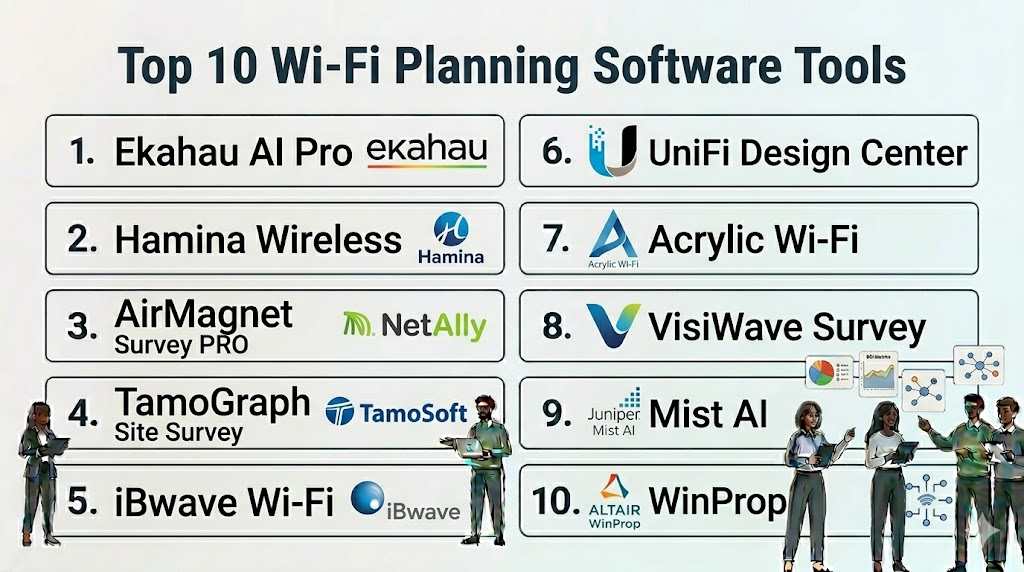
Introduction
Wi-Fi planning tools are specialized software applications used by network engineers and IT administrators to design, deploy, and manage wireless networks. Instead of relying on guesswork, these tools use sophisticated algorithms to simulate how radio frequency (RF) signals will behave in a specific physical environment. By accounting for building materials like concrete, glass, and wood, as well as potential sources of interference, these platforms allow for the precise placement of access points (APs) to ensure maximum coverage and capacity.
In the modern enterprise landscape, high-density wireless connectivity is the lifeblood of productivity. With the proliferation of mobile devices, IoT sensors, and high-bandwidth video conferencing, a “plug-and-play” approach to Wi-Fi is no longer sufficient. Wi-Fi planning tools provide the predictive modeling necessary to prevent dead zones and signal overlap, ensuring a seamless roaming experience. They are essential for both “Greenfield” deployments (new builds) and “Brownfield” optimizations (improving existing networks).
Real-world use cases for these tools include:
- Predictive Site Surveys: Designing a network layout using floor plans before a single piece of hardware is purchased.
- Active Surveys: Walking through a facility with a mobile device to measure actual signal strength and throughput.
- Interference Detection: Identifying non-Wi-Fi sources like microwaves or Bluetooth devices that degrade network performance.
- Capacity Planning: Simulating hundreds of concurrent users to ensure the network can handle high-density environments like stadiums or conference halls.
- Security Auditing: Detecting rogue access points and ensuring signal leakage outside of a building is minimized.
When evaluating these tools, buyers should prioritize the following criteria:
- Prediction Accuracy: The tool’s ability to accurately simulate signal attenuation based on wall materials.
- Hardware Support: Compatibility with a wide range of access point vendors (e.g., Cisco, Aruba, Ubiquiti).
- Ease of Use: An intuitive interface that allows for quick floor plan uploads and AP placement.
- Reporting Capabilities: The ability to generate professional, data-rich heatmaps for stakeholders.
- Multi-Floor Support: Handling signal bleed-through between floors in high-rise buildings.
- Real-Time Troubleshooting: Tools that offer “live” views of the network to identify issues instantly.
- Spectrum Analysis Integration: The ability to see raw RF data beyond just Wi-Fi packets.
- Cloud vs. Desktop Deployment: Flexibility in how the software is accessed and updated.
Best for: Network architects, IT managers, system integrators, and managed service providers (MSPs) responsible for enterprise-grade wireless infrastructure.
Not ideal for: Home users with a single router or small offices where a single consumer-grade mesh system is sufficient.
Key Trends in Wi-Fi Planning Tools
- Automated Channel Planning: AI-driven engines that automatically assign the best non-overlapping channels to every AP in a building.
- 6 GHz Band Integration: Full support for planning and simulating Wi-Fi 6E and Wi-Fi 7 networks using the wider 6 GHz spectrum.
- 3D Ray Tracing: Advanced modeling that simulates signal reflections and diffractions in three dimensions for higher accuracy.
- Mobile-First Surveying: The shift from heavy laptops to lightweight tablets and smartphones for conducting walk-through surveys.
- Digital Twin Collaboration: Creating a virtual “twin” of a building’s wireless environment that updates as the physical space changes.
- AI Troubleshooting: Natural language bots that suggest fixes for poor coverage based on heatmap data.
- Lidar-Powered Mapping: Using smartphone Lidar sensors to instantly create accurate 3D floor plans for the planning software.
- Integration with IoT: Specialized heatmaps that show signal coverage specifically for low-power IoT devices.
How We Selected These Tools (Methodology)
To identify the top 10 Wi-Fi planning tools, we utilized a comprehensive evaluation framework:
- Industry Standard Status: Prioritizing tools used by the world’s largest networking vendors and certification bodies.
- Algorithm Sophistication: Evaluating the accuracy of the underlying RF prediction engines.
- Feature Breadth: Looking for platforms that offer a complete lifecycle from predictive design to active troubleshooting.
- Vendor Neutrality: Prioritizing software that supports a vast database of different hardware manufacturers.
- User Feedback: Analyzing reviews from professional network engineering communities.
- Data Visualization: Assessing the quality and clarity of the generated heatmaps and reports.
- Cross-Platform Availability: Considering tools that work across Windows, macOS, and mobile operating systems.
Top 10 Wi-Fi Planning Software Tools
1. Ekahau AI Pro
Ekahau is widely regarded as the professional standard for Wi-Fi design and site surveys. Its AI-driven engine automates the complex task of AP placement and channel configuration for enterprise networks.
Key Features
- AI Auto-Planner: Automatically suggests the optimal number and placement of access points based on your requirements.
- 3D Modeling: Allows for detailed modeling of walls, windows, and floors to simulate realistic signal attenuation.
- Sidekick Integration: Works with dedicated hardware (Ekahau Sidekick) for high-accuracy spectrum analysis and site surveys.
- 6 GHz Support: Full planning and survey capabilities for the latest Wi-Fi standards.
- Interference Detection: Identifies and maps non-Wi-Fi interference sources directly on your floor plan.
Pros
- Exceptional accuracy and professional-grade reporting.
- The preferred tool for industry certifications and large-scale enterprise deployments.
Cons
- Very high cost, making it less accessible for smaller businesses.
- Requires a specialized hardware sidekick for the best survey results.
Platforms / Deployment
- Windows / macOS / iOS / Android
- Cloud / Desktop
Security & Compliance
- SSO/SAML, RBAC
- Not publicly stated
Integrations & Ecosystem
Ekahau integrates deeply with the management consoles of major hardware vendors.
- Cisco DNA Center
- Aruba Central
- Mist AI (Juniper)
- Extreme Networks
Support & Community
Extensive training programs (ECSE certification) and a massive global community of specialized engineers.
2. Hamina Wireless
Hamina is a modern, cloud-native Wi-Fi planning tool that has quickly gained popularity for its speed, ease of use, and beautiful 3D visualizations.
Key Features
- Browser-Based Interface: No heavy software installation required; access your projects from any modern browser.
- 3D Ray Tracing: Uses advanced physics to simulate signal behavior across multiple floors.
- Collaborative Design: Multiple users can work on the same design project simultaneously in real-time.
- Vendor-Agnostic Database: Supports thousands of AP models from all major manufacturers.
- Automated Bill of Materials: Instantly generates a list of required hardware based on your design.
Pros
- Extremely intuitive and modern user interface.
- Fast performance even with large, multi-floor projects.
Cons
- Subscription-only model may not suit everyone.
- Fewer legacy features compared to established tools like Ekahau.
Platforms / Deployment
- Web (Browser-based)
- Cloud
Security & Compliance
- SSO/SAML support
- GDPR compliant
Integrations & Ecosystem
Focuses on modern API-driven integrations with cloud-managed network platforms.
- Ubiquiti UniFi
- Aruba
- Cisco Meraki
- Mist
Support & Community
Active development team and a rapidly growing community of modern network engineers.
3. NetAlly AirMagnet Survey PRO
NetAlly AirMagnet is a legacy leader in the Wi-Fi space, known for its deep technical analysis and robust toolset for both design and post-deployment auditing.
Key Features
- Multi-Floor Planning: Specialized tools for simulating how Wi-Fi signals travel between different levels of a building.
- Automated Planning Tool: Places APs based on coverage and capacity requirements for various environments.
- Outdoor Planning: Supports GPS-integrated surveys for campus-wide or city-wide wireless deployments.
- Diff-View: Allows users to compare two different surveys to identify changes or performance drops over time.
- VoIP and Video Readiness: Analyzes the network’s ability to support high-bandwidth, low-latency applications.
Pros
- Deeply technical and reliable for complex enterprise environments.
- Strong outdoor and campus-wide planning capabilities.
Cons
- The user interface feels dated compared to modern cloud tools.
- Typically requires Windows hardware for full survey functionality.
Platforms / Deployment
- Windows
- Desktop
Security & Compliance
- Not publicly stated
Integrations & Ecosystem
Built to work alongside NetAlly’s wide range of handheld network testing hardware.
- LinkRunner
- AirCheck G3
- EtherScope nXG
Support & Community
Long-standing community with extensive documentation and professional training modules.
4. TamoGraph Site Survey
TamoGraph is a cost-effective yet powerful site survey and planning tool that provides high-end features like 3D modeling and automated planning at a lower price point.
Key Features
- Predictive Modeling: Allows for virtual AP placement and signal simulation before hardware installation.
- Active and Passive Surveys: Conduct real-world measurements using standard Wi-Fi adapters.
- Spectrum Analysis: Supports external spectrum analyzers to visualize RF interference.
- Customizable Reporting: Generates detailed PDF and HTML reports with customized heatmaps.
- Throughput Testing: Measures actual data rates (TCP and UDP) during a walk-through survey.
Pros
- Excellent value for money for mid-market businesses.
- Supports a wide range of standard off-the-shelf Wi-Fi adapters for surveys.
Cons
- The predictive engine is slightly less sophisticated than top-tier rivals.
- Reporting can be less polished than enterprise-level competitors.
Platforms / Deployment
- Windows / macOS
- Desktop
Security & Compliance
- Not publicly stated
Integrations & Ecosystem
Works with standard industry adapters and spectrum analysis hardware.
- Wi-Spy DBx
- Standard 802.11ax adapters
Support & Community
Responsive technical support and a solid base of SMB and MSP users.
5. iBwave Wi-Fi
iBwave is the dominant tool for large-scale, complex indoor wireless projects, often used in massive venues like airports, stadiums, and high-rise office towers.
Key Features
- High-Fidelity 3D Modeling: Extremely detailed building modeling including materials like inclined glass and heavy machinery.
- Multi-Technology Support: Can plan Wi-Fi, 5G, and LTE networks within the same project.
- Propagation Algorithms: Uses high-end scientific models for the most accurate signal predictions.
- Mobile App Collaboration: Field technicians can collect data on mobile and sync it back to the design team.
- Massive Component Library: Includes thousands of antennas, cables, and AP models.
Pros
- Unrivaled for massive, multi-technology complex venues.
- Incredible detail in 3D environment modeling.
Cons
- Very high complexity; requires extensive training to use effectively.
- Pricing is at the highest end of the market.
Platforms / Deployment
- Windows / Android / iOS
- Desktop / Cloud
Security & Compliance
- SSO/SAML for enterprise
- Not publicly stated
Integrations & Ecosystem
Designed to integrate into a complete telecommunications design workflow.
- Unity
- Cisco
- CommScope
- Corning
Support & Community
Professional certification programs (iBwave Certification) and high-tier enterprise support.
6. Ubiquiti UniFi Design Center
Ubiquiti offers a free, web-based planning tool designed specifically for users of the UniFi ecosystem. It is ideal for quick layouts and hardware visualization.
Key Features
- Web-Based Interface: Upload floor plans and drag-and-drop APs directly in your browser.
- Wall Drawing Tool: Define wall materials to see how they impact UniFi signal coverage.
- Camera and Network Integration: Plan your Wi-Fi, security cameras, and cabling in one view.
- Direct Ordering: Links your design directly to the Ubiquiti store for purchasing.
- Automated Link Calculations: Shows expected signal strength between UniFi wireless bridges.
Pros
- Completely free to use.
- Perfectly optimized for the popular UniFi hardware line.
Cons
- Only supports Ubiquiti hardware.
- Lacks advanced features like active site surveys or spectrum analysis.
Platforms / Deployment
- Web (Browser-based)
- Cloud
Security & Compliance
- UniFi Single Sign-On (SSO)
- Not publicly stated
Integrations & Ecosystem
Deeply integrated within the Ubiquiti UniFi software and hardware stack.
- UniFi Network Application
- UniFi Protect
- UniFi OS
Support & Community
Massive community-driven support through the UniFi forums and YouTube tutorials.
7. Acrylic Wi-Fi Heatmaps
Acrylic is a streamlined and cost-effective Windows-based tool that excels at creating rapid heatmaps and conducting site surveys for smaller projects.
Key Features
- Real-Time Data Collection: View signal strength and AP information instantly as you walk around a building.
- Predictive Planning: Place virtual APs to simulate coverage for new deployments.
- BIM and CAD Support: Import complex architectural files to use as the base for your Wi-Fi plan.
- Inventory Management: Track all wireless hardware in a facility with detailed reports.
- WLAN Auditing: Automatically identifies security misconfigurations or weak encryption.
Pros
- One of the most affordable professional tools available.
- Supports standard Wi-Fi adapters and high-end hardware alike.
Cons
- Limited to Windows operating systems for full functionality.
- The interface is functional but lacks the polish of Hamina or Ekahau.
Platforms / Deployment
- Windows
- Desktop
Security & Compliance
- Not publicly stated
Integrations & Ecosystem
Works with standard PC hardware and a variety of USB Wi-Fi adapters.
- Standard Wi-Fi 6/6E adapters
- GPS for outdoor surveys
Support & Community
Solid documentation and a loyal user base among independent IT consultants.
8. VisiWave Site Survey
VisiWave is a veteran in the Wi-Fi survey space, offering a straightforward and effective way to map out wireless coverage using a standard laptop.
Key Features
- Predictive Design: Create a virtual model of your building to estimate coverage.
- Walk-through Surveys: Collect data by simply walking through the physical space.
- Google Earth Integration: View your outdoor Wi-Fi survey results overlaid on geographical maps.
- Spectrum Analysis Support: Integrates with Wi-Spy to identify non-Wi-Fi interference.
- Customizable Heatmaps: Create specific views for signal strength, SNR, or interference.
Pros
- Reliable and well-tested over many years.
- Simple workflow that is easy to teach to junior staff.
Cons
- Lacks the AI and automation features found in modern rivals.
- Reporting options are more basic than the top-tier enterprise suites.
Platforms / Deployment
- Windows
- Desktop
Security & Compliance
- Not publicly stated
Integrations & Ecosystem
Focuses on compatibility with standard Windows networking and spectrum analysis tools.
- Metageek Wi-Spy
- Standard USB Wi-Fi adapters
Support & Community
Good technical documentation and established support channels for long-term users.
9. Mist AI (by Juniper Networks)
While primarily a hardware management platform, Mist AI includes powerful built-in planning and real-time location services (RTLS) features using machine learning.
Key Features
- Virtual Bluetooth LE: Maps out both Wi-Fi and Bluetooth signals for location tracking.
- AI-Driven Troubleshooting: Marvis, the AI assistant, suggests fixes for coverage issues.
- Real-Time Heatmapping: Shows actual user traffic and signal patterns as they happen.
- Dynamic Packet Capture: Automatically captures data when an issue occurs for remote debugging.
- Location Services: Provides turn-by-turn indoor navigation planning.
Pros
- The most advanced AI-integrated platform for real-time network visibility.
- Eliminates the need for manual surveys in many cases once deployed.
Cons
- Requires the purchase of Juniper Mist hardware and licenses.
- Not a standalone planning tool for third-party hardware.
Platforms / Deployment
- Web / Cloud
- iOS / Android
Security & Compliance
- SSO/SAML, MFA, RBAC
- SOC 2, ISO 27001 compliant
Integrations & Ecosystem
Part of the broader Juniper Networks and AI-native networking stack.
- ServiceNow
- Slack (via Marvis)
- Cisco
- Aruba
Support & Community
High-end enterprise support and a leading reputation in AI-driven networking.
10. WinProp (by Altair)
WinProp is a highly technical RF propagation tool used for modeling complex wireless environments, including smart cities and indoor-to-outdoor scenarios.
Key Features
- Multi-Wall Models: Precise simulation of signal penetration through complex building structures.
- Hybrid Models: Combines indoor and outdoor RF propagation into a single simulation.
- MIMO and Beamforming Support: Ideal for planning high-end Wi-Fi 7 and 5G antenna arrays.
- Scenario Simulations: Model how moving objects like cars or people impact the network.
- BIM Support: Direct import of building information models for simulation.
Pros
- Extremely high scientific accuracy for RF experts.
- Capable of modeling much more than just standard Wi-Fi.
Cons
- Not designed for a typical IT administrator; requires RF engineering knowledge.
- Very complex interface and high cost.
Platforms / Deployment
- Windows
- Desktop
Security & Compliance
- Not publicly stated
Integrations & Ecosystem
Part of Altair’s broader simulation and engineering software suite.
- Feko
- BIM / CAD tools
Support & Community
Technical support aimed at engineers and researchers.
Comparison Table (Top 10)
| Tool Name | Best For | Platform(s) Supported | Deployment | Standout Feature | Public Rating |
| Ekahau AI Pro | Enterprise Standard | Win / Mac / iOS | Hybrid | Sidekick Integration | N/A |
| Hamina Wireless | Modern Cloud Planning | Web Browser | Cloud | 3D Ray Tracing | N/A |
| AirMagnet Survey PRO | Technical Auditing | Windows | Desktop | Multi-floor Analysis | N/A |
| TamoGraph Site Survey | Mid-market value | Win / Mac | Desktop | Throughput Testing | N/A |
| iBwave Wi-Fi | Massive Venues | Win / iOS / Android | Hybrid | 3D Modeling Detail | N/A |
| UniFi Design Center | UniFi Users | Web Browser | Cloud | Free Cost | N/A |
| Acrylic Wi-Fi | SMB / Consultants | Windows | Desktop | Security Auditing | N/A |
| VisiWave Survey | Simple Surveys | Windows | Desktop | Google Earth Integration | N/A |
| Mist AI | AI-Driven Ops | Web / Mobile | Cloud | Marvis AI Assistant | N/A |
| WinProp | RF Propagation | Windows | Desktop | Scientific Accuracy | N/A |
Evaluation & Scoring of Wi-Fi Planning Tools
The following scoring reflects the suitability of these tools for professional enterprise network planning.
| Tool Name | Core (25%) | Ease (15%) | Integrations (15%) | Security (10%) | Performance (10%) | Support (10%) | Value (15%) | Weighted Total |
| Ekahau AI Pro | 10 | 8 | 10 | 9 | 9 | 10 | 6 | 8.8 |
| Hamina Wireless | 9 | 10 | 9 | 9 | 10 | 9 | 8 | 9.1 |
| AirMagnet Survey | 9 | 5 | 8 | 8 | 8 | 9 | 7 | 7.7 |
| TamoGraph Survey | 8 | 8 | 7 | 7 | 8 | 8 | 9 | 7.9 |
| iBwave Wi-Fi | 10 | 4 | 9 | 9 | 9 | 10 | 5 | 8.0 |
| UniFi Design | 6 | 10 | 6 | 7 | 8 | 7 | 10 | 7.3 |
| Acrylic Wi-Fi | 7 | 8 | 7 | 8 | 8 | 7 | 9 | 7.6 |
| VisiWave Survey | 7 | 7 | 6 | 7 | 8 | 7 | 8 | 7.1 |
| Mist AI | 9 | 9 | 10 | 10 | 10 | 9 | 7 | 8.9 |
| WinProp | 10 | 3 | 7 | 7 | 9 | 8 | 6 | 7.2 |
Interpretation of Scores
- High Core Score: Indicates industry-leading prediction accuracy and professional toolsets.
- High Ease Score: Reflects a modern, browser-based, or intuitive interface that requires less training.
- Value Score: High scores here indicate tools that are either free or very affordable for the features offered.
Which Wi-Fi Planning Tool Is Right for You?
Solo / Freelancer
If you are an independent IT consultant, Hamina Wireless or TamoGraph Site Survey offer the best balance of professional features and reasonable pricing. They allow you to provide high-quality reports to clients without the massive upfront cost of hardware-locked suites.
SMB
Small-to-medium businesses with straightforward office layouts should utilize the UniFi Design Center if they are using Ubiquiti hardware, as it is free and effective. For those with a mix of hardware, Acrylic Wi-Fi Heatmaps provides a solid, low-cost entry point.
Mid-Market
For companies with multi-floor offices and higher density requirements, Hamina Wireless is the strongest choice due to its collaborative features and modern 3D engine. It allows IT teams to design and troubleshoot efficiently within a browser.
Enterprise
Large enterprises with mission-critical wireless requirements should standardize on Ekahau AI Pro. It is the only tool that provides the level of accuracy and professional reporting required for high-stakes deployments in film, finance, and healthcare.
Budget vs Premium
Ubiquiti UniFi Design Center is the clear winner for budget-conscious planners. On the premium end, iBwave Wi-Fi and Ekahau AI Pro provide the most advanced scientific models and hardware-integrated survey capabilities.
Feature Depth vs Ease of Use
WinProp offers the most extreme technical depth but is very difficult to use. Hamina Wireless is the easiest to use while still maintaining professional-grade depth for most enterprise use cases.
Integrations & Scalability
Mist AI and Ekahau are the leaders here. Mist AI scales through its native cloud platform, while Ekahau integrates into nearly every professional network management system in existence.
Security & Compliance Needs
Organizations with strict security requirements (Gov, Finance) should prioritize Mist AI or Ekahau. These platforms offer the most robust documentation on data handling and the highest levels of enterprise authentication support.
Frequently Asked Questions (FAQs)
1. What is the difference between a predictive survey and an active survey?
- A predictive survey is a simulation performed on a computer using floor plans and wall materials to estimate coverage. An active survey is conducted on-site with a mobile device to measure actual signal strength, throughput, and interference.
2. Can I use a standard Wi-Fi card for professional site surveys?
- While some basic tools allow this, professional software like Ekahau or AirMagnet often requires specific adapters or dedicated hardware like the Sidekick to ensure accurate, calibrated measurements.
3. Do Wi-Fi planning tools account for people in the building?
- High-end tools like Ekahau and iBwave allow you to add “attenuation areas” to simulate how crowds of people will absorb RF signals, which is critical for planning stadiums or auditoriums.
4. Why is 3D modeling important in Wi-Fi planning?
- Signals don’t just move horizontally; they bleed through ceilings and floors. 3D modeling helps you understand how an AP on the second floor might provide coverage (or cause interference) for users on the third floor.
5. Are there free Wi-Fi planning tools available?
- Yes, tools like the UniFi Design Center are free but usually limited to a specific vendor’s hardware. Most professional suites offer a limited free trial but require a paid license for full features.
6. Can these tools help detect rogue access points?
- Yes, active site survey tools will identify every wireless signal in the area. Most will highlight unauthorized or “rogue” APs that are broadcasting on your network’s frequencies.
7. How often should I perform a Wi-Fi site survey?
- You should perform a survey during the initial design phase, a verification survey after installation, and periodic “health check” surveys once or twice a year or whenever the physical layout of the building changes.
8. Do these tools support the new 6 GHz Wi-Fi 6E/7 standards?
- Most modern professional tools (Ekahau, Hamina, AirMagnet) now include full support for the 6 GHz band, including new attenuation models and channel planning for the wider spectrum.
9. What are heatmaps in Wi-Fi planning?
- Heatmaps are visual representations of signal strength overlaid on a floor plan. Green usually indicates strong signal, yellow indicates moderate, and red indicates weak signal or dead zones.
10. Can I import my existing CAD files into these tools?
- Yes, most professional-grade tools allow you to import .dwg or .dxf CAD files. This is highly recommended as it automatically defines wall locations and materials, saving hours of manual work.
Conclusion
Wi-Fi planning is no longer a luxury—it is a technical necessity for ensuring reliable connectivity in a wireless-first world. Whether you choose the industry-standard precision of Ekahau, the cloud-native speed of Hamina, or the cost-effective simplicity of UniFi, the right tool will save you thousands in hardware costs and countless hours of troubleshooting.Before starting your next project, identify whether you need a predictive simulation or a physical on-site audit. Shortlist 2-3 tools that match your hardware ecosystem and run a small pilot on a single floor to test the reporting and accuracy. Proper planning today is the only way to prevent the dead zones of tomorrow.

This post answered many of my questions in a simple way. Nicely done.
A practical addition would be post-deployment validation after the design is approved. Floor plans, wall materials, user density, and AP mounting positions often change on-site, so teams should re-check roaming, channel utilization, and client experience before treating the Wi-Fi plan as production-ready.