MOTOSHARE 🚗🏍️
Rent Bikes & Cars Directly from Owners
Motoshare connects vehicle owners with people who need bikes and cars on rent. Owners earn from idle vehicles, and renters get flexible ride options.
Visit Motoshare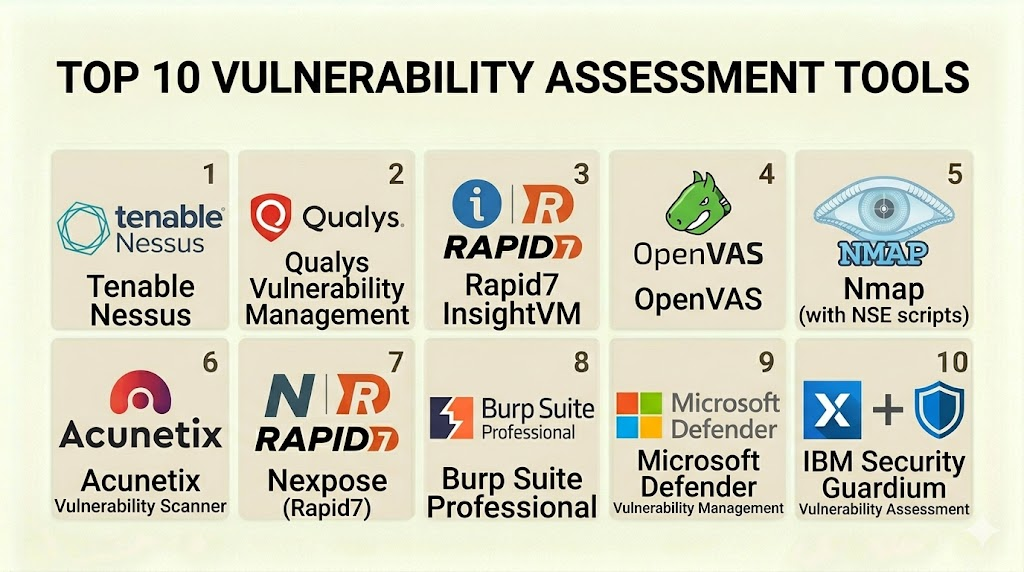
Introduction
Vulnerability assessment tools are specialized software applications designed to identify, categorize, and characterize security holes—known as vulnerabilities—within a computer, network, or application infrastructure. In simple terms, these tools act like a digital home inspection service. They scan your systems to find unlocked windows, weak door locks, or cracks in the foundation before a burglar has a chance to exploit them.
In the modern digital landscape, the speed at which new threats emerge is staggering. Organizations no longer have the luxury of performing manual security checks once or twice a year. Vulnerability assessment software provides the automated “eyes” needed to maintain a constant watch over complex IT environments. These tools help security teams prioritize which weaknesses to fix first by assigning risk scores based on how dangerous a specific flaw is to the business.
Real-world use cases:
- Network Mapping: Discovering all devices connected to a corporate network and checking them for outdated software.
- Web Application Testing: Scanning online portals and login pages for flaws like SQL injection or cross-site scripting.
- Compliance Validation: Ensuring that systems meet the strict security requirements of regulations like HIPAA or PCI DSS.
- Cloud Infrastructure Auditing: Identifying misconfigured cloud buckets or open ports in virtual environments.
- Patch Management Support: Helping IT teams decide which software updates are most critical to install based on active threats.
What buyers should evaluate:
- Scanning Accuracy: The ability of the tool to find real vulnerabilities without flagging too many “false positives.”
- Plugin Library Depth: How many different types of software and hardware flaws the tool is capable of recognizing.
- Reporting Quality: Whether the software generates clear, actionable reports that both IT staff and executives can understand.
- Scanning Speed: How quickly the tool can complete a scan across a large, busy network without slowing down production systems.
- Ease of Integration: How well the tool connects with other security software, such as patch management systems or SIEMs.
- Update Frequency: How often the vendor releases new vulnerability definitions to keep up with the latest threats.
- Scalability: The ability to handle a growing number of assets as a company expands its digital footprint.
- Credentialed vs. Non-Credentialed Scanning: Does the tool support logging into a system to perform a deeper, “inside” look?
- Deployment Flexibility: Whether the tool can be run as a cloud service, on-premises hardware, or a virtual appliance.
- Agent-Based vs. Agentless: The option to install small software “agents” on devices for continuous monitoring.
Best for: Security operations teams, network administrators, compliance officers, and managed security service providers.Not ideal for: Organizations with no technical staff to act on the reports; companies looking for “active” defense like firewalls; or users with extremely low-end hardware that cannot handle scanning traffic.
Key Trends in Vulnerability Assessment Tools
- Continuous Monitoring: A shift away from scheduled weekly scans toward real-time, continuous vulnerability detection.
- AI and Machine Learning Integration: Using advanced algorithms to predict which vulnerabilities are most likely to be used in an actual attack.
- Shift-Left Security: Integrating vulnerability scanning directly into the software development process (DevSecOps) to find flaws earlier.
- Focus on Attack Surface Management: Tools are now looking beyond the internal network to find “shadow IT” and forgotten assets on the public internet.
- Risk-Based Prioritization: Moving away from simple “High/Medium/Low” labels toward scores that consider the specific business context of an asset.
- Container and Serverless Scanning: New specialized tools designed to find vulnerabilities within modern cloud-native architectures like Docker and Kubernetes.
- API Security Scanning: Increasing focus on finding flaws in the interfaces that allow different software programs to talk to each other.
- Automated Remediation Workflows: Tools that not only find the flaw but also automatically open a ticket or suggest the exact patch needed.
How We Selected These Tools (Methodology)
Selecting the right vulnerability assessment tool requires a balanced look at technical power and practical usability. Our methodology included:
- Market Share and Trust: We prioritized tools that are widely recognized as industry standards by global security organizations.
- Feature Completeness: Evaluation was focused on tools that offer a wide range of scanning capabilities (network, web, and cloud).
- Accuracy Testing: We reviewed technical data regarding the tool’s ability to minimize false positives and false negatives.
- Update Consistency: We checked how quickly vendors release updates after a new “Zero Day” vulnerability is discovered.
- Integration Ecosystem: Analysis of how many third-party tools (like Jira, ServiceNow, and Splunk) the scanner can talk to.
- Scalability Signals: We looked at how these tools perform in environments ranging from small offices to global enterprises.
Top 10 Vulnerability Assessment Tools
#1 — Tenable Nessus
Nessus is widely considered the most popular vulnerability scanner in the world. It is known for its incredible accuracy and its massive library of vulnerability definitions. It is the go-to choice for both professional security consultants and internal IT teams.
Key Features
- Comprehensive Scanning: Covers over 70,000 different vulnerability types across networks, devices, and applications.
- Dynamic Plugins: Highly optimized scanning code that reduces the impact on network performance.
- Pre-Built Templates: Includes hundreds of templates for specific tasks, such as checking for ransomware or compliance audits.
- Live Results: Performs offline vulnerability analysis based on the last scan data as soon as new threats are released.
- Advanced Reporting: Allows for highly customized reports that can be exported in various formats.
- Cloud-Native Scanning: Specialized features for identifying flaws in cloud-based assets.
Pros
- Highest accuracy rates in the industry with very low false-positive rates.
- Extremely easy to set up and start scanning within minutes.
Cons
- The professional version is a paid subscription that can be expensive for very small teams.
- It is primarily a scanner and does not include advanced remediation management without moving to a higher-tier product.
Platforms / Deployment
- Windows / macOS / Linux
- Cloud / Self-hosted / Virtual Appliance
Security & Compliance
- Supports major standards like PCI, HIPAA, and GDPR.
- Features secure communication via TLS and encrypted storage for credentials.
Integrations & Ecosystem
Nessus is the core of many security programs and integrates with a wide variety of tools.
- ServiceNow
- Splunk
- IBM QRadar
- Jira
Support & Community
Tenable provides excellent 24/7 technical support for paid users. There is a massive global community and a wealth of training videos and documentation available.
#2 — OpenVAS (Greenbone)
OpenVAS is the world’s most advanced open-source vulnerability scanner. It is a full-featured engine that provides a powerful alternative to expensive commercial tools. It is favored by budget-conscious teams and security researchers.
Key Features
- Vulnerability Tests: Access to a feed of over 50,000 vulnerability tests that are updated daily.
- Full Pipeline Support: Handles everything from unauthenticated and authenticated testing to various high-level and low-level internet protocols.
- Internal Programming Language: Allows advanced users to write their own custom vulnerability tests.
- Task Scheduling: Allows for the automation of regular scans across complex network environments.
- Web-Based Interface: Provides a centralized dashboard to manage scans and view historical data.
Pros
- Completely free to use, making it accessible to organizations of all sizes.
- Highly transparent and customizable due to its open-source nature.
Cons
- The setup process is much more complex and technical than commercial tools.
- The user interface can feel dated and less intuitive compared to paid rivals.
Platforms / Deployment
- Linux (Primarily) / Docker
- Self-hosted / Virtual Appliance
Security & Compliance
- Security is managed by the user; however, it supports standard encryption protocols.
- Compliance reporting is possible but requires more manual effort than commercial tools.
Integrations & Ecosystem
OpenVAS can be integrated into larger security systems via its API and various community scripts.
- Nagios
- Zabbix
- OSSEC
Support & Community
Support is primarily community-driven through active forums and mailing lists. Greenbone offers a commercial version (GSM) for those needing professional support.
#3 — Qualys Cloud Platform
Qualys is a leader in cloud-based security and compliance. Its platform is designed as an all-in-one suite that gives organizations a single view of their entire security posture, from local computers to remote cloud workloads.
Key Features
- Global Asset Inventory: Automatically finds and tracks every asset in your global IT environment.
- Cloud Agents: Small software agents that can be installed on devices to provide continuous monitoring without needing a network scan.
- Vulnerability Management (VMDR): Integrates discovery, assessment, and prioritization into a single workflow.
- Configuration Assessment: Checks that systems are set up securely and follow best-practice benchmarks.
- Web Application Scanning (WAS): Deep scanning of web apps to find modern vulnerabilities like those in APIs.
Pros
- Zero hardware to maintain since the platform is entirely cloud-based.
- Excellent for very large, distributed organizations with remote workers.
Cons
- Pricing can be complex and expensive for organizations with a high number of assets.
- The platform is so deep that it can take a long time to master all the different modules.
Platforms / Deployment
- SaaS (Web-based)
- Cloud / Hybrid (via Virtual Appliances)
Security & Compliance
- SOC 1 and SOC 2 Type II compliant.
- Highly secure data centers with advanced encryption for all customer data.
Integrations & Ecosystem
Qualys has a massive integration marketplace designed for the enterprise.
- Microsoft Azure
- AWS
- Google Cloud Platform
- ServiceNow
Support & Community
Excellent 24/7 global support. Qualys offers free certified training through its own online university.
#4 — Rapid7 InsightVM
InsightVM is a modern vulnerability management solution that focuses on data analytics and risk prioritization. It is designed to help security teams understand the “big picture” of their risk rather than just a long list of flaws.
Key Features
- Real-Time Dashboards: Interactive dashboards that show live risk data instead of static reports.
- Real Risk Score: A proprietary scoring system that considers how easy a flaw is to exploit and how popular it is among hackers.
- Policy Assessment: Checks systems against industry standards like CIS benchmarks.
- Remediation Projects: Allows teams to create and track “projects” to fix vulnerabilities across different departments.
- Attack Surface Monitoring: Finds external-facing assets that might be forgotten or unmanaged.
Pros
- The reporting and data visualization are among the best in the industry.
- Integrates deeply with the rest of the Rapid7 security suite (like Metasploit).
Cons
- Requires a significant amount of computing power if running the console on-premises.
- Some users find the agent-based approach a bit more complex to manage at scale.
Platforms / Deployment
- Windows / Linux
- Cloud / Self-hosted / Hybrid
Security & Compliance
- Supports compliance for HIPAA, PCI, and more.
- Features encrypted data transfer and secure credential management.
Integrations & Ecosystem
InsightVM is built to be the heart of a modern security operations center.
- Jira
- ServiceNow
- CyberArk
- InsightConnect (Automation)
Support & Community
Strong technical support and a very active community. Rapid7 is well-known for its high-quality security research blog.
#5 — Burp Suite (PortSwigger)
While most scanners focus on networks, Burp Suite is the industry standard for web application security testing. It is an essential tool for penetration testers and developers who need to ensure their websites are secure.
Key Features
- Burp Scanner: A world-class automated scanner for finding web-specific vulnerabilities.
- Intercepting Proxy: Allows users to see and modify the traffic between their browser and the web server.
- Intruder Tool: A powerful tool for automating custom attacks to find flaws like weak passwords or hidden directories.
- Repeater: Allows for the manual testing of specific requests over and over again to see how a server reacts.
- Extender API: Allows users to add custom functionality through hundreds of community-made “BApps.”
Pros
- The most powerful tool for finding deep, complex flaws in web applications.
- The community versions and professional versions are very reasonably priced.
Cons
- Not a network scanner; it will not find flaws in your routers or servers.
- The learning curve for the advanced manual tools is quite steep.
Platforms / Deployment
- Windows / macOS / Linux
- Self-hosted (Desktop application)
Security & Compliance
- Focuses on the OWASP Top 10 web security standards.
- User-managed security for the local application.
Integrations & Ecosystem
Burp Suite is the core of the web testing ecosystem.
- Jenkins
- TeamCity
- Visual Studio
Support & Community
Excellent documentation and a very large community of security researchers. PortSwigger offers a free “Web Security Academy” for learning.
#6 — Nmap (Network Mapper)
Nmap is a free, open-source tool used for network discovery and security auditing. While not a “vulnerability scanner” in the traditional sense, its powerful scripting engine allows it to find many common flaws.
Key Features
- Host Discovery: Finds exactly which devices are up and running on a network.
- Port Scanning: Identifies which “doors” are open on a computer.
- Service Version Detection: Determines what software and version is running on an open port.
- OS Fingerprinting: Guesses the operating system of a remote device.
- Nmap Scripting Engine (NSE): Allows for the use of scripts that can find specific vulnerabilities like weak SSL versions or default passwords.
Pros
- Completely free and incredibly fast.
- The “Swiss Army Knife” of network security; every pro knows how to use it.
Cons
- Requires command-line knowledge; the graphical version (Zenmap) is limited.
- It does not provide the deep “remediation advice” that tools like Nessus offer.
Platforms / Deployment
- Windows / macOS / Linux / BSD
- Self-hosted (Command line)
Security & Compliance
- Security is entirely managed by the user.
- Useful for providing the raw data needed for compliance audits.
Integrations & Ecosystem
Nmap is integrated into almost every other security tool on this list.
- Metasploit
- OpenVAS
- Various custom Python/Bash scripts
Support & Community
One of the oldest and largest communities in the security world. Documentation is extensive and translated into many languages.
#7 — Nikto
Nikto is an open-source web server scanner that performs comprehensive tests against web servers for multiple items. It is a specialized tool designed to find server misconfigurations and outdated software.
Key Features
- Server Misconfiguration Checks: Looks for things like open directories and dangerous files.
- Outdated Version Checks: Identifies over 6,000 different outdated server programs.
- SSL/TLS Testing: Checks the security of the encrypted connection to the web server.
- Report Exporting: Supports several report formats, including HTML, XML, and CSV.
- Cookie Domain Checking: Ensures that cookies are set securely to prevent hijacking.
Pros
- Very fast and focused on the web server layer.
- Free to use and updated regularly by the community.
Cons
- It is a noisy scanner; it is easily detected by firewalls and security systems.
- It does not find flaws within the “code” of the website, only the “server” it runs on.
Platforms / Deployment
- Linux / Windows / macOS (via Perl)
- Self-hosted (Command line)
Security & Compliance
- Managed by the user.
- Effective for identifying basic server compliance issues.
Integrations & Ecosystem
Often used as a “first pass” tool during a web security assessment.
- Metasploit
- Nessus (can trigger Nikto scans)
Support & Community
Active GitHub community and long-standing documentation.
#8 — Acunetix (by Invicti)
Acunetix is an automated web application security testing tool. It is designed to be very easy to use for developers and small security teams who need to secure their web projects without being experts.
Key Features
- DeepScan Technology: Can crawl complex websites built with modern JavaScript frameworks like React and Angular.
- AcuSensor Technology: An optional agent that can be placed on the server to find the exact line of code where a bug exists.
- High-Speed Scanning: Optimized to scan thousands of pages quickly without crashing the server.
- Comprehensive Vulnerability Coverage: Finds over 6,500 web-specific vulnerabilities.
- Network Scanning Integration: Includes a basic network scanner powered by OpenVAS.
Pros
- One of the best tools for scanning modern, interactive “Single Page Applications.”
- Provides very clear and simple instructions on how to fix the found flaws.
Cons
- The professional version is expensive for small businesses.
- It is focused almost entirely on web apps and is not a deep network scanner.
Platforms / Deployment
- Windows / Linux
- Cloud / SaaS
Security & Compliance
- Provides reports specifically for ISO 27001, PCI DSS, and HIPAA.
- Secure cloud infrastructure with strong access controls.
Integrations & Ecosystem
Built to live inside the developer workflow.
- Jira
- GitHub
- Jenkins
- Azure DevOps
Support & Community
Good professional support and a well-maintained blog with security tips.
#9 — Wireshark
Wireshark is the world’s most popular network protocol analyzer. While it isn’t an automated “vulnerability scanner,” it is a critical tool for “finding” vulnerabilities by looking at the actual data packets moving across a wire.
Key Features
- Live Capture and Offline Analysis: See exactly what is happening on your network in real-time.
- Deep Inspection: Understands hundreds of different network protocols (HTTP, TCP, DNS, etc.).
- Powerful Filters: Allows you to filter out the “noise” to find specific suspicious packets.
- Coloring Rules: Automatically colors packets based on their type to help you find errors quickly.
- Decryption Support: Can decrypt traffic like SSL/TLS if you have the proper keys.
Pros
- Completely free and the industry standard for network troubleshooting and security analysis.
- Allows you to find vulnerabilities that automated scanners might miss by looking at “behavior.”
Cons
- Extremely high learning curve; you must understand how networks work at a deep level.
- It is a manual tool; it will not give you a “report” telling you what is wrong.
Platforms / Deployment
- Windows / macOS / Linux / Solaris
- Self-hosted (Desktop application)
Security & Compliance
- User-managed.
- Often used to “prove” a vulnerability exists for compliance evidence.
Integrations & Ecosystem
Every security tool outputs data that Wireshark can read.
- Tcpdump
- Nmap
- Metasploit
Support & Community
Huge global community. The “Wireshark University” and various books provide extensive learning paths.
#10 — GFI LanGuard
GFI LanGuard acts as a virtual security consultant for small and medium-sized businesses. It combines vulnerability scanning with patch management and network auditing in a single, easy-to-use package.
Key Features
- Vulnerability Assessment: Scans computers, laptops, mobile devices, and even printers for security flaws.
- Automated Patch Management: Once a flaw is found, it can automatically download and install the missing security update.
- Asset Discovery: Finds all hardware on the network and creates a detailed inventory.
- Compliance Reports: Includes reports for PCI DSS, HIPAA, and PSN CoCo.
- Non-Windows Support: Can manage patches for macOS, Linux, and over 60 third-party applications like Adobe and Chrome.
Pros
- The “find and fix” approach saves a lot of time for small IT teams.
- Very affordable compared to enterprise-level suites.
Cons
- The scanning engine is not as deep or fast as Tenable or Rapid7.
- The user interface can feel a bit cluttered and old-fashioned.
Platforms / Deployment
- Windows (Server)
- Self-hosted
Security & Compliance
- Standard RBAC and secure communication.
- Excellent for maintaining compliance in smaller regulated environments.
Integrations & Ecosystem
Focuses on the IT management stack.
- Microsoft Active Directory
- Various SQL databases for reporting
Support & Community
Good support for paying customers. The community consists of IT managers and small business owners.
Comparison Table (Top 10)
| Tool Name | Best For | Platform(s) Supported | Deployment | Standout Feature | Public Rating |
| #1 — Nessus | General Scanning | Win, Mac, Linux | Hybrid | Massive Plugin Library | 4.8/5 |
| #2 — OpenVAS | Budget/Open-Source | Linux, Docker | Self-hosted | Fully Customizable | 4.2/5 |
| #3 — Qualys | Global Enterprise | Cloud (SaaS) | SaaS | All-in-One Cloud Suite | 4.6/5 |
| #4 — InsightVM | Analytics/Data | Win, Linux | Hybrid | Real Risk Scoring | 4.5/5 |
| #5 — Burp Suite | Web App Testing | Win, Mac, Linux | Self-hosted | Deep Proxy Inspection | 4.9/5 |
| #6 — Nmap | Fast Discovery | Win, Mac, Linux | Self-hosted | NSE Scripting Engine | 4.7/5 |
| #7 — Nikto | Web Server Security | Win, Mac, Linux | Self-hosted | Server Config Checks | 4.0/5 |
| #8 — Acunetix | Modern Web Apps | Win, Linux | Hybrid | AcuSensor Tech | 4.4/5 |
| #9 — Wireshark | Packet Analysis | Win, Mac, Linux | Self-hosted | Deep Protocol Decode | 4.8/5 |
| #10 — LanGuard | SMBs/Patching | Windows | Self-hosted | Automated Patching | 4.1/5 |
Evaluation & Scoring of Vulnerability Assessment Tools
| Tool Name | Core (25%) | Ease (15%) | Int. (15%) | Sec. (10%) | Perf. (10%) | Supp. (10%) | Value (15%) | Weighted Total |
| Nessus | 10 | 9 | 9 | 9 | 9 | 9 | 7 | 9.05 |
| OpenVAS | 8 | 4 | 7 | 7 | 8 | 6 | 10 | 7.30 |
| Qualys | 9 | 7 | 10 | 10 | 8 | 9 | 6 | 8.40 |
| InsightVM | 9 | 8 | 9 | 9 | 8 | 9 | 7 | 8.40 |
| Burp Suite | 10 | 6 | 8 | 8 | 9 | 8 | 9 | 8.45 |
| Nmap | 7 | 5 | 9 | 7 | 10 | 7 | 10 | 7.70 |
| Nikto | 6 | 6 | 6 | 6 | 8 | 6 | 10 | 6.70 |
| Acunetix | 8 | 9 | 8 | 8 | 8 | 8 | 7 | 7.90 |
| Wireshark | 9 | 3 | 7 | 7 | 10 | 7 | 10 | 7.50 |
| LanGuard | 6 | 8 | 7 | 8 | 6 | 7 | 9 | 7.20 |
How to interpret these scores:
- 0–5: Niche tools that require significant manual work or have a very narrow focus.
- 6–8: Professional-grade tools that are strong in their specific domain (e.g., open-source or web server).
- 9–10: Market-leading enterprise solutions that provide the highest level of coverage and accuracy.
- Weighted Total: This score prioritizes core scanning accuracy and performance, which are the most important factors for security professionals.
Which Vulnerability Assessment Tool Is Right for You?
Solo / Freelancer
If you are a solo consultant or hobbyist, Nmap and Wireshark are essential free tools you must learn. For scanning, Nessus Essentials (the free version) or OpenVAS provide professional power without the high price tag. If you do web work, the free version of Burp Suite is a must-have.
SMB
Small businesses with limited IT staff should look for “find and fix” tools like GFI LanGuard. It combines scanning and patching in one place. If you have a few websites, Acunetix is easy enough for a non-security expert to use effectively.
Mid-Market
Medium-sized firms should consider Rapid7 InsightVM. It provides the data visualization needed to help managers understand security without being overwhelming. It also scales well as the company grows its server count.
Enterprise
Large, global organizations need the scalability and compliance power of Qualys or Tenable Nessus (Tenable.io). These platforms can manage hundreds of thousands of assets across multiple continents and provide the high-level reporting that executives and board members require.
Budget vs Premium
- Budget: OpenVAS and Nmap provide the most power for zero dollars.
- Premium: Qualys and Tenable are the premium choices where you pay for ease of use, high accuracy, and 24/7 support.
Feature Depth vs Ease of Use
If you need absolute depth and the best library of flaws, choose Nessus. If you want a tool that is easy to navigate and has great dashboards, InsightVM or Acunetix are better choices.
Integrations & Scalability
For organizations that are 100% in the cloud, Qualys is built for your environment. If you need a tool that can talk to your ticketing systems and SIEM seamlessly, Tenable and Rapid7 have the best partner networks.
Security & Compliance Needs
If your main goal is to pass a PCI or HIPAA audit, Qualys and Tenable have the most specialized reports and built-in compliance workflows to help you get through the process faster.
Frequently Asked Questions (FAQs)
1. What is the difference between a vulnerability assessment and a penetration test?
A vulnerability assessment is an automated search for known flaws, resulting in a list of potential risks. A penetration test is a manual, human-led attack that tries to actually “exploit” those flaws to see how far a hacker could get.
2. How often should I scan my network?
Most experts recommend a full scan at least once a month. However, for high-risk systems, a weekly or even daily scan is better. Continuous monitoring tools provide the best protection.
3. Can a vulnerability scanner crash my servers?
While modern tools are very safe, a scan can occasionally slow down a busy server or cause an old device to stop responding. It is always best to run your first scan during a time of low activity.
4. What is a “False Positive” and why does it happen?
A false positive is when a tool says there is a vulnerability that isn’t actually there. This happens because the tool might misidentify a software version or a specific configuration setting.
5. Do I need to be a security expert to use these tools?
Basic tools like LanGuard or Acunetix are designed for general IT staff. However, deep tools like Nessus or OpenVAS require some training to understand the results and fix the issues correctly.
6. What is the difference between credentialed and non-credentialed scans?
A non-credentialed scan looks at the device from the “outside” (like looking at a house from the street). A credentialed scan logs in with a username and password to look “inside” (like walking through the house to check every room).
7. Will these tools fix the vulnerabilities for me?
Most scanners only find the problem. A few tools, like GFI LanGuard, can automatically install patches. For most others, you will need to manually update your software based on the report.
8. What is the OWASP Top 10?
The OWASP Top 10 is a list of the most critical web application security risks. Tools like Burp Suite and Acunetix are specifically designed to find these ten types of flaws.
9. Are free tools as good as paid tools?
Free tools like OpenVAS are technically very powerful but are much harder to set up and manage. Paid tools provide a better user interface, automated reporting, and 24/7 support.
10. Can I scan cloud environments like AWS with these tools?
Yes, most modern tools like Qualys, Tenable, and Rapid7 have specialized features and “connectors” designed specifically to scan cloud workloads and configurations.
Conclusion
Vulnerability assessment tools are a non-negotiable part of a modern security strategy. They provide the visibility needed to find and fix security gaps before they can be exploited. Whether you choose a professional powerhouse like Nessus, a cloud-native leader like Qualys, or a manual deep-dive tool like Wireshark, the most important thing is to have a consistent scanning routine.Remember that finding the vulnerability is only half the battle. The real security comes from having a plan to “remediate” or fix the flaws once they are found. We recommend starting with a free tool or a trial of a premium tool to scan your most important servers today. Once you see the results, you can build a long-term plan to keep your digital environment safe and compliant.

A thoughtful and engaging blog post.
A practical gap is remediation verification after the scan. Finding vulnerabilities is only half the work; teams also need ownership mapping, patch validation, rescans, and expiry dates for accepted risks. Without that loop, reports can look active while real exposure remains unchanged.