MOTOSHARE 🚗🏍️
Rent Bikes & Cars Directly from Owners
Motoshare connects vehicle owners with people who need bikes and cars on rent. Owners earn from idle vehicles, and renters get flexible ride options.
Visit Motoshare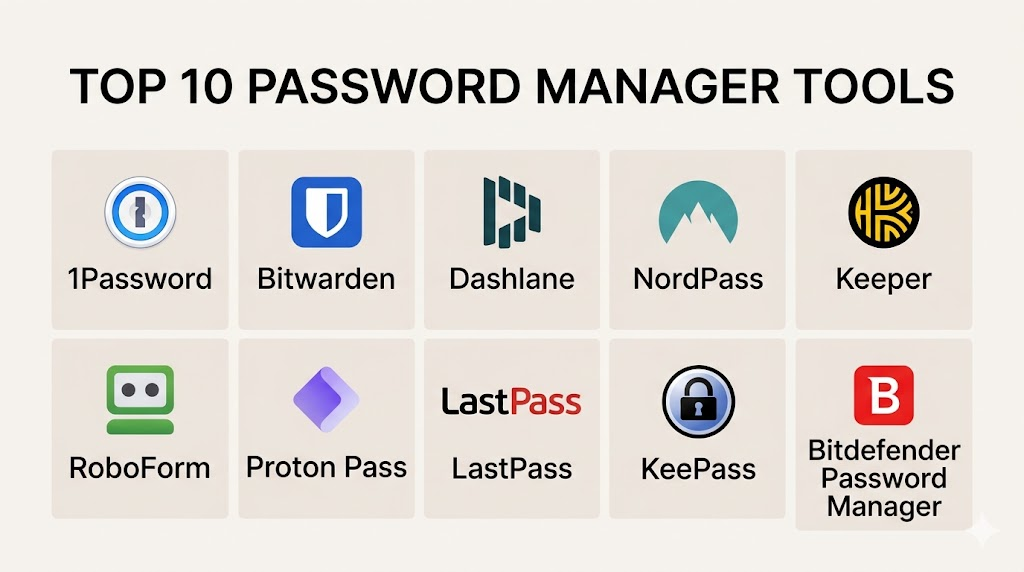
Introduction
A password manager is a secure digital vault designed to store and manage your login credentials for various websites and applications. Instead of memorizing dozens of complex passwords, you only need to remember one master password. The software handles everything else. It can generate random, high-strength passwords, fill in login forms automatically, and sync your data across all your devices. In the current digital landscape, these tools are no longer a luxury. They are a fundamental layer of personal and corporate security.
The importance of these platforms has grown as cyberattacks become more sophisticated. Reusing a single password across multiple sites is the primary cause of identity theft. A password manager eliminates this risk by ensuring every account has a unique, unguessable key. Modern versions of these tools go beyond just storing text. They now store credit card details, secure notes, and even digital identification. They act as the central hub for your digital identity and security posture.
Real-world use cases:
- Corporate Security: Managing shared credentials among team members without revealing the actual passwords.
- Personal Identity Protection: Protecting banking, social media, and healthcare accounts from credential stuffing attacks.
- Estate Planning: Securely sharing emergency access with family members in case of an unforeseen event.
- Two-Factor Authentication (2FA): Generating time-based one-time passwords (TOTP) directly within the vault for extra security.
- Developer Workflows: Storing API keys and server credentials securely for engineering teams.
What buyers should evaluate:
- Encryption Standards: Look for AES-256 bit encryption and PBKDF2 hashing.
- Zero-Knowledge Architecture: Ensure the provider cannot see your data even if they wanted to.
- Multi-Factor Authentication (MFA): Check for support for biometric login, YubiKeys, or authenticator apps.
- Platform Availability: Ensure the tool has apps for your specific phone and desktop operating system.
- Browser Extensions: Evaluate how well the tool integrates with Chrome, Firefox, or Safari for auto-filling.
- Password Auditing: Look for features that flag weak, reused, or compromised passwords.
- Data Breach Monitoring: The tool should alert you if your email or passwords appear on the dark web.
- Emergency Access: The ability to grant a trusted person access to your vault after a period of inactivity.
- User Experience: The software must be easy to use, or employees and family members will avoid using it.
- Recovery Options: How the tool handles situations where you forget your master password.
Mandatory paragraph
- Best for: Individuals managing many digital accounts, families looking to share home credentials, and businesses needing to secure employee access to SaaS tools.
- Not ideal for: People who do not use internet-connected devices or those who prefer to store all their secrets in a physical, offline paper ledger.
Key Trends in Password Managers
- The Shift to Passkeys: Platforms are moving away from traditional passwords toward “Passkeys” which use biometrics and public-key cryptography for more secure, passwordless logins.
- Biometric Dominance: Facial recognition and fingerprint scanning are becoming the primary ways to unlock vaults, making the master password a secondary backup.
- Self-Healing Vaults: Advanced systems can now automatically change your passwords for you if a website suffers a data breach.
- Localized Storage Options: More users are demanding “offline-first” or “self-hosted” options to keep their encrypted data off the cloud entirely.
- Post-Quantum Cryptography: Developers are starting to implement encryption methods designed to withstand the future threat of quantum computing.
- Identity Insurance Integration: Some premium managers now offer identity theft insurance and recovery services as part of the subscription bundle.
- Deep Browser Integration: Password management is moving directly into the operating system and browser core, reducing the need for standalone apps.
- Family and Group Permissions: Sophisticated sharing rules allow you to share a single Netflix password with a family member while keeping your bank details private.
How We Selected These Tools (Methodology)
Selecting the top 10 password managers involved a careful review of security protocols and user functionality.
- Security Foundation: We prioritized tools that utilize zero-knowledge architecture where the master password never leaves the user’s device.
- Market Reliability: We looked at the track record of each company, specifically their history of handling security audits and data transparency.
- Feature Breadth: The selected tools must offer more than just storage, including 2FA generation and security auditing.
- Cross-Platform Sync: Evaluation focused on how seamlessly the software moves data between mobile, desktop, and web environments.
- User Accessibility: We analyzed user reviews to determine which tools have the most intuitive interfaces for non-technical users.
- Value Proposition: The tools were compared based on what they offer in their free tiers versus their paid premium versions.
Top 10 Password Manager Tools
#1 — 1Password
1Password is widely considered the gold standard for design and security. It is a highly polished tool used by both high-end individual users and large enterprise corporations to manage secrets.
Key Features
- Secret Key: An extra layer of security consisting of a 34-character code required to log into a new device.
- Travel Mode: Temporarily removes sensitive vaults from your devices when you are crossing borders.
- Watchtower: A dashboard that alerts you to weak passwords, reused credentials, and known data breaches.
- Virtual Credit Cards: Integration with Privacy.com allows you to create burner credit cards for online shopping.
- Item Sharing: Securely share individual items or vaults with anyone via a protected link.
- Developer Tools: Includes a command-line interface (CLI) for managing infrastructure secrets.
Pros
- Beautiful and intuitive user interface across all platforms.
- The “Secret Key” makes it nearly impossible for hackers to access your vault even if they have your master password.
Cons
- There is no longer a free version; it is strictly a subscription-based service.
- The extra security layers can make the initial setup feel complex for beginners.
Platforms / Deployment
- Web / Windows / macOS / Linux / iOS / Android
- Cloud
Security & Compliance
- SOC 2 Type II, ISO 27001, and GDPR compliant.
- Uses AES-256 bit encryption and PBKDF2 for password hashing.
Integrations & Ecosystem
1Password has a robust ecosystem that connects to many business and productivity tools.
- Slack
- Microsoft Teams
- Okta
- Azure Active Directory
Support & Community
Excellent official support via email and social media. They maintain a very active community forum where developers and security experts discuss best practices.
#2 — Bitwarden
Bitwarden is the favorite for users who value open-source transparency. It offers a fully-featured experience for free and allows advanced users to host their own servers.
Key Features
- Open Source: The entire source code is available on GitHub for anyone to audit and inspect for security flaws.
- Self-Hosting: Users can run Bitwarden on their own home servers or private clouds for maximum data control.
- Bitwarden Send: A secure way to transmit text or files to others with end-to-end encryption.
- Directory Connector: Syncs users and groups from existing company directories like Active Directory.
- Unlimited Devices: The free version allows you to sync your passwords across an unlimited number of devices.
- Vault Health Reports: Detailed audits on data breaches and inactive two-factor authentication.
Pros
- The most generous free tier of any major password manager.
- Transparent security model because of its open-source nature.
Cons
- The user interface is functional but not as visually “slick” as competitors like Dashlane or 1Password.
- Advanced features like self-hosting require technical knowledge to set up correctly.
Platforms / Deployment
- Web / Windows / macOS / Linux / iOS / Android
- Cloud / Self-hosted
Security & Compliance
- SOC 2, HIPAA, and GDPR compliant.
- Third-party security audits are conducted annually and published for the public.
Integrations & Ecosystem
Bitwarden is highly flexible and works with many developer-centric environments.
- CLI Tool
- Visual Studio Code
- Docker
- Kubernetes
Support & Community
Strong community support through forums and Reddit. Professional email support is available for those on paid tiers.
#3 — Dashlane
Dashlane focuses on simplicity and convenience. It is known for its “all-in-one” approach, which includes a built-in VPN and automated password changing tools.
Key Features
- One-Click Password Changer: Automatically updates your passwords on hundreds of popular websites with a single click.
- Built-in VPN: Includes a virtual private network for secure browsing on public Wi-Fi networks.
- Dark Web Monitoring: Scans the web for your personal data and alerts you in real-time if something is found.
- Live Identity Theft Insurance: Some plans offer insurance coverage for losses related to identity theft.
- Secure Notes: Store sensitive documents and images with full encryption.
- Friends & Family Sharing: Allows for easy management of household accounts.
Pros
- Very easy to use for people who are not technically inclined.
- The built-in VPN adds extra value for users who travel frequently.
Cons
- The premium version is one of the more expensive options on the list.
- The desktop experience is now limited to a browser extension, which some users dislike.
Platforms / Deployment
- Web / iOS / Android (Desktop is browser-extension based)
- Cloud
Security & Compliance
- AES-256 bit encryption.
- Not publicly stated regarding specific SOC 2 certification status.
Integrations & Ecosystem
Dashlane is designed for individual and small team productivity.
- SAML / SSO
- Google Workspace
- Microsoft 365
Support & Community
Provides live chat and email support for premium users. The documentation is clear and aimed at general consumers.
#4 — Keeper
Keeper is a security-first platform that is highly rated for enterprise and government use. it focuses on “Cyber Stability” and preventing large-scale breaches.
Key Features
- KeeperFill: A highly accurate tool for filling in passwords and 2FA codes on any website or app.
- BreachWatch: A security tool that constantly monitors the dark web for leaked credentials.
- One-Time Share: Allows you to share a password with a non-Keeper user for a limited time.
- Offline Access: Securely access your vault on your mobile device even when you have no internet connection.
- Security Audit Score: Provides a clear numerical score of your overall password health.
- Enterprise Console: A massive dashboard for IT managers to control permissions for thousands of employees.
Pros
- Extremely high security standards with many government-level certifications.
- Very robust administrative controls for large businesses.
Cons
- The user interface can feel a bit cluttered due to the number of enterprise features.
- Many of the best features are sold as “add-ons” rather than being included in the base price.
Platforms / Deployment
- Web / Windows / macOS / Linux / iOS / Android
- Cloud
Security & Compliance
- SOC 2, ISO 27001, HIPAA, and FedRAMP authorized.
- Uses a proprietary zero-knowledge encryption architecture.
Integrations & Ecosystem
Keeper is built to fit into complex corporate environments.
- Active Directory / LDAP
- Okta
- Duo Security
- Splunk
Support & Community
Offers 24/7 phone and chat support for enterprise customers. They provide extensive video training for new users.
#5 — Enpass
Enpass is unique because it is an offline-first password manager. It does not store your data on its own servers, giving you total control over where your vault lives.
Key Features
- Cloud Agnostic: You choose where to sync your data—Dropbox, iCloud, Google Drive, or your own local NAS.
- No Subscription Option: Offers a one-time purchase “lifetime” license for those who hate monthly fees.
- Custom Templates: Create your own types of entries for things like passports, loyalty cards, or insurance keys.
- Multiple Vaults: Keep work and personal data completely separate with different master passwords.
- Password Audit: Identifies weak, old, or pwned passwords locally on your device.
- Smartwatch Support: Access your passwords directly from your Apple Watch or Android Wear device.
Pros
- Ideal for users who do not trust third-party companies with their encrypted data.
- Very cost-effective over the long term because of the lifetime license option.
Cons
- Syncing can be slightly more difficult because you have to manage your own cloud connection.
- Lacks the advanced team collaboration features found in tools like 1Password.
Platforms / Deployment
- Windows / macOS / Linux / iOS / Android
- Self-hosted / Hybrid
Security & Compliance
- AES-256 bit encryption using SQLCipher.
- Not publicly stated regarding enterprise compliance certifications.
Integrations & Ecosystem
Enpass focuses on local integration with desktop and mobile operating systems.
- iCloud / OneDrive / Google Drive
- WebDAV
- Nextcloud
Support & Community
Support is provided through a community forum and email. The community is very tech-savvy and focused on privacy.
#6 — NordPass
Created by the team behind NordVPN, NordPass uses modern encryption algorithms like XChaCha20. It is designed to be fast, simple, and very secure.
Key Features
- XChaCha20 Encryption: Uses a faster and more modern encryption method than the traditional AES-256.
- OCR Scanner: Use your phone camera to scan credit cards and notes directly into the vault.
- Data Breach Scanner: Automatically checks if your data has been leaked in real-time.
- Trusted Contacts: Grant access to your vault to people you trust in case of an emergency.
- Password Health Tool: A simple dashboard to find and fix security vulnerabilities.
- Biometric Login: Fully supports FaceID, TouchID, and Windows Hello.
Pros
- Very modern and clean interface that feels familiar to NordVPN users.
- Excellent performance on mobile devices.
Cons
- The free version only allows one active session at a time, which is very restrictive.
- Relatively new to the market compared to established giants like LastPass or RoboForm.
Platforms / Deployment
- Web / Windows / macOS / Linux / iOS / Android
- Cloud
Security & Compliance
- Independent security audits are performed regularly.
- Not publicly stated regarding SOC 2 status.
Integrations & Ecosystem
NordPass is part of the larger Nord security suite.
- NordVPN
- NordLocker
- Google Chrome / Firefox Extensions
Support & Community
24/7 email and chat support. They have a large knowledge base for troubleshooting.
#7 — RoboForm
RoboForm is one of the oldest password managers in existence. It is famous for its powerful form-filling capabilities and its reliability for complex web forms.
Key Features
- Advanced Form Filling: Can handle complex, multi-page forms that other managers often struggle with.
- Folders and Categories: A very traditional, file-system-style way to organize thousands of passwords.
- Emergency Access: Allows a trusted contact to access your data if something happens to you.
- Search and Filter: Powerful tools for finding specific credentials among thousands of entries.
- Cross-Device Sync: Keeps your vault updated across every computer and mobile device.
- Security Center: Audits your passwords and helps you generate stronger ones.
Pros
- Best-in-class form filling for power users who deal with bureaucratic or government websites.
- Very affordable pricing compared to newer “SaaS” competitors.
Cons
- The user interface feels a bit dated and “Windows XP-style” in some areas.
- The mobile app is functional but not as modern as 1Password or NordPass.
Platforms / Deployment
- Windows / macOS / Linux / iOS / Android
- Cloud / Self-hosted (Portable version)
Security & Compliance
- AES-256 encryption.
- Not publicly stated.
Integrations & Ecosystem
RoboForm works across almost every browser in existence.
- Internet Explorer / Edge
- Opera
- Chrome / Firefox
Support & Community
Provides excellent phone and email support for its paid users. It has a very loyal, long-term user base.
#8 — LastPass
LastPass was once the market leader. While it has faced security challenges in the past, it remains a very popular tool due to its ease of use and broad feature set.
Key Features
- Centralized Vault: A single place to store passwords, notes, and addresses.
- Security Dashboard: Provides a “Security Score” based on your password habits.
- Emergency Access: A standard feature for granting access to loved ones.
- One-to-Many Sharing: Share items with groups of people easily.
- Mobile App Pin: Adds an extra layer of protection to the mobile application.
- Direct Support for 2FA: Can store and generate 2FA codes for you.
Pros
- Extremely easy to set up for people who have never used a password manager.
- Very good browser extensions that work reliably on almost every site.
Cons
- Has suffered several high-profile security breaches in recent history.
- The free tier is now limited to only one device type (mobile or desktop).
Platforms / Deployment
- Web / Windows / macOS / Linux / iOS / Android
- Cloud
Security & Compliance
- SOC 2 Type II and SOC 3 compliant.
- Uses zero-knowledge architecture.
Integrations & Ecosystem
LastPass has excellent integrations for business users.
- Azure AD
- Okta
- OneLogin
Support & Community
Email and phone support for premium and business users. Large library of video tutorials.
#9 — KeePassXC
KeePassXC is a community-driven, offline-only password manager. It is designed for users who want complete privacy and do not want their data anywhere near the cloud.
Key Features
- Local Database: Your passwords are stored in a single encrypted file on your hard drive.
- Auto-Type: A powerful feature that “types” your credentials into any app, even those without browser support.
- Password Generator: Highly customizable tool to create truly random keys.
- Open Source: Completely free and open for public inspection.
- Browser Integration: Connects to browsers via a local proxy for secure filling.
- No Account Required: You never have to register with a company or provide an email.
Pros
- Total privacy; there is no company that can be hacked or subpoenaed for your data.
- Completely free with no hidden costs or subscriptions.
Cons
- You are responsible for syncing the database file between devices yourself.
- No official mobile app (though there are compatible third-party apps).
Platforms / Deployment
- Windows / macOS / Linux
- Self-hosted
Security & Compliance
- AES-256 and ChaCha20 encryption.
- Not publicly stated.
Integrations & Ecosystem
KeePassXC is highly compatible with other open-source tools.
- Nextcloud
- Syncthing
- Browser Extensions (Chrome/Firefox)
Support & Community
Support is community-driven through GitHub and forums. The community is very passionate about security and privacy.
#10 — Passbolt
Passbolt is a specialized password manager designed specifically for agile teams and developers. it focuses on collaboration and transparency.
Key Features
- Team Focused: Built from the ground up for sharing secrets within a company.
- Open Source: Specifically audited for team-based security environments.
- Granular Permissions: Control exactly who can see, edit, or share a specific password.
- Asymmetric Cryptography: Uses OpenPGP for a unique and very secure encryption model.
- API Centric: Built so that developers can integrate it into their own automated workflows.
- Security Audits: Regular professional audits are conducted and shared with the community.
Pros
- The best choice for engineering teams that need to share server keys and API tokens.
- Very high level of transparency and community trust.
Cons
- The setup process is more technical than consumer-grade managers.
- Not really intended for individual personal use.
Platforms / Deployment
- Web / iOS / Android
- Cloud / Self-hosted
Security & Compliance
- BSI (German Federal Office for Information Security) audited.
- Not publicly stated regarding SOC 2.
Integrations & Ecosystem
Passbolt is built to live inside a developer’s environment.
- Terraform
- Ansible
- Browser Extensions
Support & Community
Excellent support for enterprise customers. The community forum is a hub for technical discussions about PGP and team security.
Comparison Table (Top 10)
| Tool Name | Best For | Platform(s) Supported | Deployment | Standout Feature | Public Rating |
| 1Password | Families & Teams | Win, Mac, Linux, iOS | Cloud | Secret Key | 4.8/5 |
| Bitwarden | Open Source Fans | Win, Mac, Linux, iOS | Hybrid | Self-hosting | 4.9/5 |
| Dashlane | Casual Users | Mac, iOS, Android | Cloud | Built-in VPN | 4.6/5 |
| Keeper | Enterprise | Win, Mac, Linux, iOS | Cloud | Security Certs | 4.7/5 |
| Enpass | Offline Users | Win, Mac, Linux, iOS | Self-hosted | One-time Purchase | 4.5/5 |
| NordPass | Speed & Simplicity | Win, Mac, Linux, iOS | Cloud | XChaCha20 | 4.6/5 |
| RoboForm | Form Filling | Win, Mac, Linux, iOS | Hybrid | Complex Forms | 4.4/5 |
| LastPass | Beginners | Win, Mac, Linux, iOS | Cloud | Security Dashboard | 4.3/5 |
| KeePassXC | Privacy Experts | Win, Mac, Linux | Self-hosted | Local-only | 4.8/5 |
| Passbolt | Developers | Web, iOS, Android | Hybrid | OpenPGP Based | 4.7/5 |
Evaluation & Scoring of Password Managers
| Tool Name | Core (25%) | Ease (15%) | Int. (15%) | Sec. (10%) | Perf. (10%) | Supp. (10%) | Value (15%) | Weighted Total |
| 1Password | 10 | 9 | 10 | 10 | 9 | 9 | 7 | 9.25 |
| Bitwarden | 9 | 7 | 9 | 9 | 9 | 8 | 10 | 8.75 |
| Dashlane | 8 | 10 | 8 | 7 | 8 | 8 | 6 | 7.75 |
| Keeper | 9 | 7 | 9 | 10 | 9 | 10 | 7 | 8.60 |
| Enpass | 7 | 8 | 7 | 8 | 8 | 7 | 9 | 7.55 |
| NordPass | 7 | 9 | 7 | 8 | 10 | 8 | 8 | 7.75 |
| RoboForm | 8 | 6 | 7 | 8 | 7 | 8 | 9 | 7.50 |
| LastPass | 8 | 10 | 8 | 5 | 8 | 8 | 7 | 7.55 |
| KeePassXC | 9 | 4 | 6 | 10 | 10 | 6 | 10 | 7.70 |
| Passbolt | 9 | 5 | 9 | 9 | 8 | 9 | 7 | 7.80 |
How to interpret these scores:
- Core Features (25%): Measures the ability to generate, store, and sync passwords effectively.
- Security (10%): Heavily weights zero-knowledge architecture and independent audits.
- Value (15%): Considers the quality of the free version and the fairness of the subscription price.
- Weighted Total: A score out of 10 that helps you identify the best all-around tool based on professional requirements.
Which Password Manager Tool Is Right for You?
Solo / Freelancer
If you are a solo worker, Bitwarden is the best choice because it gives you everything you need for free across all your devices. If you want a more polished experience and don’t mind a small monthly fee, NordPass is excellent.
SMB
Small and medium businesses should consider 1Password or Dashlane. These tools are very easy for employees to adopt, which means you won’t have to spend a lot of time training your staff on how to stay secure.
Mid-Market
For companies with 100-500 employees, Keeper offers the best balance of administrative control and security. It allows you to enforce policies like mandatory MFA across the entire organization.
Enterprise
Large-scale enterprises with thousands of users should choose Keeper or 1Password. They provide the high-level compliance (SOC 2, ISO) and integrations with tools like Okta that are required at this scale.
Budget vs Premium
- Budget: Bitwarden (Free) and KeePassXC (Free) are the clear winners.
- Premium: 1Password and Dashlane offer the most “luxury” features like VPNs and deep customer support for a higher price.
Feature Depth vs Ease of Use
If you want the most features and deep customizability, RoboForm or Enpass are great. If you just want something that “works” without thinking about it, Dashlane or LastPass are better.
Integrations & Scalability
For developer teams, Passbolt and Bitwarden are the most scalable because of their open APIs and support for self-hosting.
Security & Compliance Needs
If you work in a regulated industry like finance or government, Keeper is the safest choice because of its extensive list of security certifications.
Frequently Asked Questions (FAQs)
1. Are password managers safe to use?
Yes, they are much safer than the alternative of reusing passwords. They use zero-knowledge encryption, which means only you have the key to unlock your data. Even if the company is hacked, your data remains encrypted and unreadable.
2. What happens if I lose my master password?
For most zero-knowledge managers, the company cannot reset your password. You must use a recovery key (like in 1Password) or a trusted contact feature. If you lose all your recovery options, your data may be lost forever.
3. Can I use a password manager for my bank accounts?
Yes, it is highly recommended. You should use a unique, complex password for your bank and store it in your vault. You should also use the manager to store the answer to your security questions.
4. Should I use the password manager built into my browser?
Browser-based managers (like Google Chrome’s) are better than nothing, but dedicated tools like Bitwarden or 1Password are much more secure. They work across different browsers and have better encryption.
5. What is zero-knowledge architecture?
This means that the service provider has “zero knowledge” of your data. Your information is encrypted on your device before it is sent to their servers, and they do not have the key to unlock it.
6. Do password managers work offline?
Most of them do. They keep a local, encrypted copy of your vault on your device. You can view your passwords even without an internet connection, though you won’t be able to sync new changes until you are back online.
7. How do I move my passwords from one manager to another?
All major tools allow you to export your data as a CSV file. You can then import that file into your new password manager. Always delete the CSV file immediately after the transfer is complete.
8. Is a free password manager good enough?
For many people, yes. Bitwarden offers an excellent free tier. However, paid versions often add important features like dark web monitoring, 2FA generation, and better emergency access options.
9. What are passkeys?
Passkeys are a new way to log in without a password. They use your phone’s biometrics or a security key to prove who you are. Many modern password managers now support storing and using passkeys.
10. Can I share passwords with my family?
Yes, most tools have “Family Plans.” These allow you to have a private vault for yourself and a shared vault for things like the home Wi-Fi or streaming service passwords.
Conclusion
A password manager is the most important security tool you can use today. Whether you choose the open-source freedom of Bitwarden, the high-end design of 1Password, or the offline control of Enpass, you are making a massive improvement to your digital safety. The best “next step” is to pick one tool, download the free trial, and start moving your most important accounts (email and banking) into the vault first. Over time, you can replace all your weak, reused passwords with strong, unique ones, giving you total peace of mind in an increasingly digital world.

This blog was both informative and interesting. Great work by the writer.
A useful addition would be the rollout side for teams: onboarding users, removing old browser-saved passwords, defining shared vault ownership, and testing offboarding workflows. The safest password manager can still create risk if access reviews, recovery controls, and admin audit logs are not managed regularly.