MOTOSHARE 🚗🏍️
Rent Bikes & Cars Directly from Owners
Motoshare connects vehicle owners with people who need bikes and cars on rent. Owners earn from idle vehicles, and renters get flexible ride options.
Visit Motoshare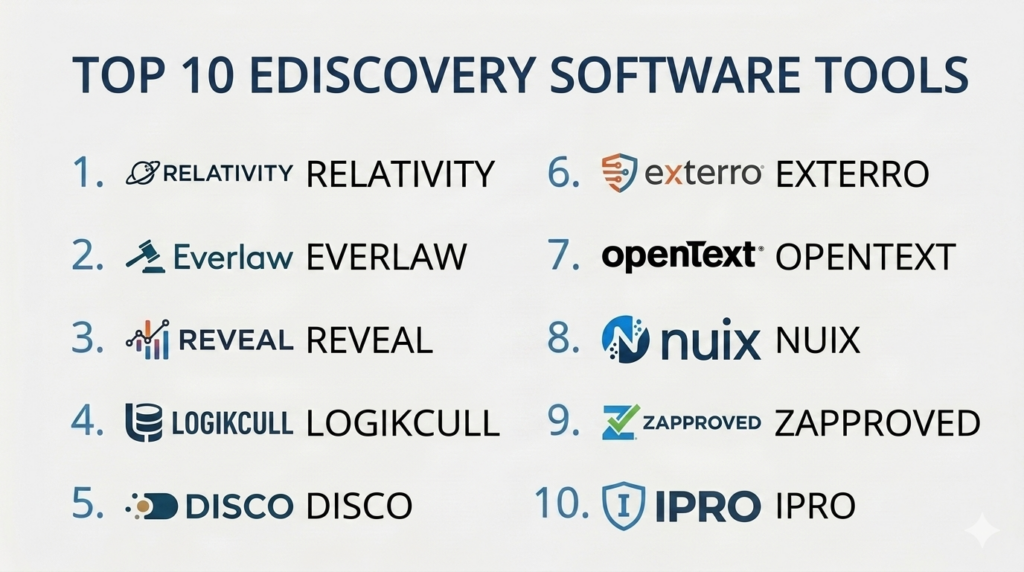
Introduction
eDiscovery software is a category of digital tools designed to help legal professionals identify, collect, and analyze electronically stored information (ESI) for use in legal proceedings. When a lawsuit or investigation occurs, the parties involved must exchange relevant digital evidence, such as emails, documents, chat logs, and databases. eDiscovery software automates this complex process, ensuring that data is handled in a way that is legally defensible and organized. It follows a standard framework known as the Electronic Discovery Reference Model (EDRM), which guides data from the initial search to final production in court.
In a modern professional environment, the volume of digital data is overwhelming. Without specialized software, searching through millions of files would take years and cost millions in manual labor. These platforms use advanced indexing and search algorithms to find “smoking gun” evidence in seconds. Furthermore, they protect the integrity of the data, ensuring that metadata—the “data about the data”—is not altered, which is a critical requirement for legal evidence.
Real-world use cases:
- Litigation Support: Identifying and reviewing internal company emails to respond to a lawsuit.
- Government Investigations: Responding to subpoenas or regulatory inquiries from agencies like the SEC or DOJ.
- Internal Investigations: Searching company chat logs and files to investigate claims of workplace misconduct or fraud.
- Freedom of Information Act (FOIA) Requests: Helping government entities quickly find and redact public records for disclosure.
- Mergers and Acquisitions (M&A): Conducting due diligence by reviewing thousands of contracts and financial documents during the “second request” phase.
What buyers should evaluate:
- Processing Speed: How quickly the tool can ingest and index terabytes of data.
- AI and Analytics: The presence of Technology Assisted Review (TAR) or predictive coding to find relevant documents.
- Search Flexibility: The ability to run complex Boolean, proximity, and fuzzy searches.
- Security and Encryption: Whether the data is encrypted at rest and in transit, with SOC 2 compliance.
- User Interface: How easy it is for reviewers to tag, redact, and comment on documents.
- Production Capabilities: Support for various output formats (PDF, TIFF, Native) and load files.
- Data Connector Library: Integration with Slack, Microsoft Teams, Zoom, and cloud storage.
- Scalability: The ability to handle projects ranging from a few gigabytes to dozens of terabytes.
- Predictability of Pricing: Transparency in costs regarding hosting, processing, and user licenses.
- Legal Defensibility: Whether the tool maintains a clear audit trail of every action taken on the data.
Best for: Law firms, corporate legal departments, government agencies, and service providers managing high volumes of litigation or compliance data.
Not ideal for: Small businesses with very few digital records; individuals looking for simple file-searching tools; or projects involving only paper-based documents.
Key Trends in eDiscovery Software
- Generative AI Integration: AI is now being used to summarize long threads of emails and suggest whether a document is “responsive” to a legal request based on previous human decisions.
- Discovery of Modern Data Types: Tools are moving beyond email to focus on “short-form” data like Slack, Teams, WhatsApp, and even emojis, which are increasingly relevant in court.
- End-to-End Platforms: A shift away from using separate tools for collection and review toward single platforms that handle the entire legal lifecycle.
- Cloud-Native Security: As data moves to the cloud, eDiscovery tools are adopting serverless architectures to provide better security and faster processing.
- Automated Redaction: Using machine learning to automatically find and hide Social Security numbers, credit card info, and other private data across millions of pages.
- In-Place Discovery: The ability to search data where it lives (like inside a company’s Microsoft 365 environment) without having to move it first.
- Privacy-First Features: Enhanced tools for managing GDPR and CCPA requests, allowing for the quick identification of personal data for deletion or protection.
- Cross-Border Capabilities: Improved handling of multi-language data and compliance with varying international data residency laws.
How We Selected These Tools (Methodology)
The selection of these top 10 tools was based on a comprehensive evaluation of the modern legal tech market.
- Industry Adoption: We prioritized platforms that are standard in the “Magic Circle” and “Am Law 100” law firms.
- Feature Maturity: Only tools that cover the majority of the EDRM stages (Processing, Review, Analysis, and Production) were considered.
- Cloud Capability: We favored platforms that offer robust SaaS or cloud-hosted deployments.
- Security Posture: Evaluation of the platform’s ability to maintain a chain of custody and meet high-level security certifications.
- User Experience: We looked for tools that reduce the “click count” for document reviewers, who often spend 10+ hours a day in the interface.
- Technical Innovation: Priority was given to vendors who have successfully integrated advanced analytics and AI.
Top 10 eDiscovery Software Tools
#1 — Relativity
Relativity is the most widely used eDiscovery platform in the world. It is the industry standard for large-scale litigation and is known for its extreme flexibility and massive ecosystem of third-party developers.
Key Features
- RelativityOne: A fully managed cloud version that offers the latest security and performance updates.
- Active Learning: A machine learning tool that prioritizes relevant documents for human review.
- Relativity Trace: Monitors communication in real-time to find potential compliance violations.
- Aero UI: A modern, streamlined interface designed to reduce document loading times.
- App Hub: A marketplace with hundreds of custom apps to extend the platform’s functionality.
- Advanced Analytics: Includes clustering, email threading, and near-duplicate detection.
Pros
- Offers the most comprehensive feature set in the industry.
- Unrivaled scalability for cases involving millions of documents.
Cons
- Can be significantly more expensive than newer, leaner competitors.
- Requires a high level of technical expertise to manage the back-end settings.
Platforms / Deployment
- Web / Windows
- Cloud / Self-hosted / Hybrid
Security & Compliance
- SOC 2 Type II, ISO 27001, and FedRAMP Star certified.
- Advanced encryption and robust RBAC.
Integrations & Ecosystem
Relativity has a massive integration network, connecting to almost every legal and data tool.
- Microsoft 365
- Slack
- ServiceNow
- Box
Support & Community
Massive community of “Relativity Certified Administrators.” Official support is world-class, with extensive documentation and training through Relativity University.
#2 — Everlaw
Everlaw is a cloud-native platform known for its modern, fast user interface and powerful collaborative tools. It is designed to make complex legal work feel intuitive and streamlined.
Key Features
- Storybuilder: A tool for organizing key documents into a narrative for trial preparation.
- Clustering: A visual map of your data that groups similar documents together automatically.
- Predictive Coding: Simple, easy-to-use AI that learns from reviewer decisions.
- Instant Processing: Ingests data at high speeds with automatic OCR and file extraction.
- Collaborative Review: Real-time chat and document sharing features for legal teams.
- Redaction Tools: Easy-to-use mass redaction for PII and PHI.
Pros
- Regarded as having one of the best user interfaces in the legal tech space.
- Transparent, predictable pricing model with no hidden fees.
Cons
- May lack some of the deep customization options found in Relativity.
- Primarily focused on cloud-native workflows, which might not suit all legacy environments.
Platforms / Deployment
- Web
- Cloud (SaaS)
Security & Compliance
- FedRAMP authorized and SOC 2 Type II compliant.
- HIPAA and GDPR compliance ready.
Integrations & Ecosystem
Everlaw focuses on seamless cloud integrations for modern data.
- Google Workspace
- Microsoft 365
- Dropbox
- Slack
Support & Community
Excellent customer success teams. Users praise the platform for its ease of onboarding and clear training materials.
#3 — Reveal
Reveal has recently become a major player by acquiring companies like Brainspace and NexLP. It offers some of the most advanced visual analytics and AI tools in the eDiscovery market.
Key Features
- Brainspace Integration: Industry-leading visual data maps and communication analysis.
- AI Model Library: Pre-trained AI models for specific issues like fraud, harassment, or bribery.
- Multilingual Support: Automatic language identification and translation for global cases.
- Sentiment Analysis: Uses AI to find “angry” or “suspicious” tones in communications.
- Interactive Visualizations: High-level charts that allow you to drill down into specific data points.
- End-to-End Pipeline: Covers everything from collection to production.
Pros
- Unmatched visual analytics that help you “see” patterns in your data.
- Powerful AI that can find evidence that traditional keyword searches miss.
Cons
- The merger of multiple technologies can sometimes lead to a complex learning curve.
- Requires a powerful computer for the best visual analysis performance.
Platforms / Deployment
- Web / Windows
- Cloud / Self-hosted / Hybrid
Security & Compliance
- SOC 2 and ISO 27001 compliant.
- Supports data residency in multiple global regions.
Integrations & Ecosystem
Reveal is built to be a central intelligence hub for legal data.
- Microsoft Teams
- Zoom
- Enterprise Vault
- Amazon S3
Support & Community
Professional support for enterprise clients. The community is focused on data science and advanced legal analytics.
#4 — Logikcull
Logikcull is known for its simplicity and “Instant Discovery” approach. It is designed for teams that want to get a project started in minutes without needing a team of consultants.
Key Features
- Drag-and-Drop Ingestion: Simply drag a zip file into the browser to start processing.
- Cull Intelligence: Automatically identifies and removes junk data like system files and duplicates.
- Search Filters: A simple, Amazon-style filtering system to find relevant documents.
- Automated Production: One-click tools for creating legally compliant productions.
- Tagging and Redaction: Clean, simple tools for document reviewers.
- Cloud-Native Engine: Fast and secure processing in the cloud.
Pros
- Extremely easy to use; requires almost zero training for new users.
- Very fast setup—you can be reviewing documents within minutes.
Cons
- May not handle the most massive, multi-terabyte cases as well as Relativity.
- Limited advanced visualization tools compared to Reveal or Everlaw.
Platforms / Deployment
- Web
- Cloud (SaaS)
Security & Compliance
- SOC 2 Type II and HIPAA compliant.
- Encryption at rest and in transit.
Integrations & Ecosystem
Focuses on easy cloud-to-cloud data transfers.
- Google Drive
- Microsoft 365
- Box
- Slack
Support & Community
Excellent 24/7 chat support. The community is large and consists of many small-to-medium law firms and corporate legal teams.
#5 — DISCO
DISCO (CS Disco) is an eDiscovery platform built by lawyers for lawyers. It emphasizes speed and a high-performance search engine that delivers results instantly, regardless of the data size.
Key Features
- High-Speed Search: Uses a proprietary search engine that is faster than traditional SQL-based tools.
- DISCO AI: Uses deep learning to tag documents and suggest relevance scores.
- Workflow Management: Tools for managing large teams of document reviewers.
- Cross-Matter Search: Allows you to find work done in previous cases to save time.
- Tag Predictions: AI-driven suggestions that help reviewers work more accurately.
- Production Quality Control: Automated checks to ensure no privileged data is accidentally produced.
Pros
- Performance is the standout feature; the UI is incredibly responsive.
- Professional services team is available to help manage large cases.
Cons
- Pricing can be higher than mid-market tools like Logikcull.
- The interface is very functional but might feel less “modern” than Everlaw.
Platforms / Deployment
- Web
- Cloud (SaaS)
Security & Compliance
- SOC 2 Type II compliant.
- Focuses on data privacy and chain of custody.
Integrations & Ecosystem
DISCO integrates with the major corporate data sources.
- Microsoft 365
- Google Workspace
- Corporate email servers
Support & Community
Strong professional support. The community includes many elite law firm users and litigation experts.
#6 — Exterro
Exterro is a leader in legal GRC (Governance, Risk, and Compliance). It is unique because it integrates eDiscovery with privacy, digital forensics, and incident response in a single platform.
Key Features
- Legal Hold Management: Automated workflows for sending and tracking litigation hold notices.
- FTK Integration: Includes world-class digital forensics tools for deep data collection.
- Smart Review: AI-driven review tools that focus on reviewer efficiency.
- Data Inventory: Helps companies map their data before litigation starts.
- Project Management: Built-in tools for managing the entire EDRM lifecycle.
- Privacy Management: Specialized tools for handling Subject Access Requests (SARs).
Pros
- The best choice for organizations that want to manage legal risk and IT security together.
- Very strong at the “early” stages of eDiscovery (Identification and Collection).
Cons
- The platform can be complex because it covers so many different areas.
- May be overkill for a law firm that only needs a review platform.
Platforms / Deployment
- Web / Windows / Linux
- Cloud / Self-hosted / Hybrid
Security & Compliance
- FedRAMP authorized.
- Strong emphasis on data privacy and GDPR compliance.
Integrations & Ecosystem
Exterro has deep integrations with enterprise IT and security infrastructure.
- Microsoft 365
- Active Directory
- Guidance Software (EnCase)
- SAP
Support & Community
Excellent enterprise-level support. The community includes many corporate legal and IT security professionals.
#7 — OpenText Axcelerate
OpenText Axcelerate is an enterprise-grade eDiscovery platform. It is known for its advanced machine learning and its ability to handle complex, multi-language investigations for global companies.
Key Features
- Predictive Filtering: Uses AI to identify and remove irrelevant documents before review starts.
- Visual Analytics: Includes charts for communication mapping and concept grouping.
- End-to-End Governance: Integrates with OpenText’s information management suite.
- Automated Redaction: High-speed redaction for PII across large datasets.
- Matter Management: Tools for tracking costs and progress across multiple legal cases.
- Global Search: Can search across various data silos within a large corporation.
Pros
- Very powerful for complex, high-stakes international investigations.
- Integration with OpenText content management makes it ideal for existing OpenText customers.
Cons
- Can be a “heavy” platform that requires significant training and support.
- The user interface is traditional and may not feel as agile as SaaS startups.
Platforms / Deployment
- Windows / Linux
- Cloud / Self-hosted / Hybrid
Security & Compliance
- SOC 2 and ISO 27001 compliant.
- Robust audit trails for forensic-level data handling.
Integrations & Ecosystem
Axcelerate works best within the broader OpenText enterprise ecosystem.
- OpenText Content Suite
- Documentum
- Microsoft 365
- Oracle
Support & Community
World-class global support. The community is primarily composed of large corporate legal departments and government agencies.
#8 — Nuix
Nuix is the “engine” behind many other eDiscovery tools. It is famous for its extreme processing power and its ability to “crack” and index almost any file type in existence.
Key Features
- Nuix Workstation: The world-standard tool for high-speed data processing and forensics.
- Nuix Discover: A cloud-based review platform that sits on top of the processing engine.
- Advanced OCR: Can read text from poor-quality scans and images.
- Social Media Discovery: Specialized tools for collecting data from social networks.
- Dark Data Analysis: Finds hidden or deleted files that other tools miss.
- Automation Engine: Scriptable workflows for high-volume data handling.
Pros
- The fastest data processing engine in the industry—nothing beats it for speed.
- Can handle incredibly “messy” data and obscure file formats.
Cons
- The review interface (Discover) has historically trailed behind Relativity and Everlaw in terms of features.
- Can be technically demanding to set up and optimize.
Platforms / Deployment
- Windows / Linux
- Cloud / Self-hosted / Hybrid
Security & Compliance
- Widely used by law enforcement and government agencies (e.g., FBI).
- Strong data integrity and forensic security.
Integrations & Ecosystem
Nuix is often used as a standalone processing hub or integrated via API.
- EnCase
- Cellebrite
- Microsoft 365
- Amazon S3
Support & Community
Excellent technical support. The community consists of the world’s top digital forensic experts and eDiscovery technicians.
#9 — Zapproved (ZyLAB)
Zapproved (now part of ZyLAB) focuses on making eDiscovery easy for corporate legal departments. It is known for its strong legal hold management and “corporate-first” design.
Key Features
- Z-Discovery: A unified suite for legal holds and eDiscovery processing.
- Automated Holds: Send, track, and remind employees about legal holds automatically.
- Corporate Data Connectors: Direct links to internal corporate repositories.
- Simplified Review: A clean, easy-to-use review interface for internal teams.
- Custodian Portal: A simple way for employees to acknowledge and respond to legal holds.
- Reporting Dashboards: High-level charts on the status of all legal matters.
Pros
- The best choice for corporate legal departments that want to manage holds internally.
- Focuses on the “corporate” side of the EDRM, making it very user-friendly for non-VFX users.
Cons
- May not have the heavy-duty “VFX” review features needed by Am Law firms.
- Limited advanced visualization compared to Brainspace/Reveal.
Platforms / Deployment
- Web
- Cloud (SaaS)
Security & Compliance
- SOC 2 Type II compliant.
- Encryption and secure data management for sensitive corporate info.
Integrations & Ecosystem
Designed to link directly to corporate HR and IT systems.
- Workday
- ServiceNow
- Microsoft 365
- Active Directory
Support & Community
Very responsive customer success team. The community consists of in-house legal counsel and legal ops professionals.
#10 — Ipro
Ipro (now part of Revelate) provides a suite of tools for the entire litigation lifecycle. It is highly respected for its “TrialDirector” software and its robust on-premises processing options.
Key Features
- TrialDirector: The industry standard for presenting evidence in a courtroom.
- Ipro Eclipse: A flexible review platform that can be deployed anywhere.
- Ipro Allegro: Designed for early case assessment and high-speed data culling.
- Visual Analytics: Includes maps and timelines to help tell a story with data.
- Advanced Productions: Strong support for complex, customized production sets.
- Hybrid Deployment: One of the few vendors still offering strong on-premises support.
Pros
- The absolute leader in “Trial Presentation” technology.
- A great choice for firms that need to manage both the review and the courtroom presentation.
Cons
- The product line can feel fragmented compared to single-platform SaaS tools.
- The user interface of older modules can feel dated.
Platforms / Deployment
- Web / Windows
- Cloud / Self-hosted / Hybrid
Security & Compliance
- Standard enterprise security and audit logging.
- Trusted by many government agencies for sensitive investigations.
Integrations & Ecosystem
Connects the back-end review to the front-end trial presentation.
- Microsoft Office
- Adobe Acrobat
- Legal accounting software
Support & Community
Excellent training and support for trial preparation. The community includes many trial lawyers and litigation paralegals.
Comparison Table (Top 10)
| Tool Name | Best For | Platform(s) Supported | Deployment | Standout Feature | Public Rating |
| Relativity | Large Scale Lit. | Win, Web | Hybrid | Industry Ecosystem | 4.6/5 |
| Everlaw | Modern Collab. | Web | SaaS | Storybuilder | 4.8/5 |
| Reveal | Visual AI | Win, Web | Hybrid | Brainspace Analytics | 4.7/5 |
| Logikcull | Ease of Use | Web | SaaS | Instant Processing | 4.4/5 |
| DISCO | High Performance | Web | SaaS | Search Speed | 4.6/5 |
| Exterro | Legal GRC | Win, Web | Hybrid | Legal Hold Automation | 4.5/5 |
| OpenText | Global Enterprise | Win, Linux | Hybrid | Predictive Filtering | 4.3/5 |
| Nuix | Heavy Processing | Win, Linux | Hybrid | Forensic Engine | 4.7/5 |
| Zapproved | Corporate Teams | Web | SaaS | Hold Management | 4.4/5 |
| Ipro | Trial Presentation | Win, Web | Hybrid | TrialDirector | 4.2/5 |
Evaluation & Scoring of eDiscovery Software
| Tool Name | Core (25%) | Ease (15%) | Int. (15%) | Sec. (10%) | Perf. (10%) | Supp. (10%) | Value (15%) | Weighted Total |
| Relativity | 10 | 4 | 10 | 9 | 9 | 9 | 6 | 8.25 |
| Everlaw | 9 | 9 | 9 | 8 | 8 | 8 | 7 | 8.40 |
| Reveal | 10 | 6 | 9 | 8 | 8 | 8 | 7 | 8.15 |
| Logikcull | 7 | 10 | 8 | 8 | 7 | 8 | 9 | 7.75 |
| DISCO | 9 | 7 | 8 | 8 | 10 | 8 | 6 | 8.15 |
| Exterro | 8 | 6 | 9 | 9 | 7 | 8 | 8 | 7.75 |
| OpenText | 9 | 5 | 8 | 9 | 8 | 8 | 6 | 7.45 |
| Nuix | 10 | 3 | 7 | 9 | 10 | 7 | 7 | 7.60 |
| Zapproved | 7 | 8 | 8 | 8 | 7 | 8 | 8 | 7.45 |
| Ipro | 8 | 6 | 7 | 8 | 8 | 8 | 7 | 7.25 |
How to interpret these scores:
- 0–5: The tool is too limited or outdated for professional litigation support.
- 6–8: Strong, reliable tools that are excellent for specific markets (SMB, Corporate).
- 9–10: Market leaders that offer the highest level of performance, security, and features.
- Weighted Total: This score reflects the tool’s overall value for a standard enterprise-level legal case.
Which eDiscovery Software Tool Is Right for You?
Solo / Freelancer
If you are an independent attorney or consultant, Logikcull is likely your best bet. It allows you to pay per project or per gigabyte, meaning you don’t have to pay for a massive subscription when you don’t have a case active. It is also the easiest to learn on your own.
SMB
Small and medium-sized law firms should look at Everlaw or DISCO. These platforms offer a “big firm” experience with modern interfaces that smaller teams can master quickly. They provide excellent collaboration tools for working with outside co-counsel.
Mid-Market
Mid-sized firms and growing corporate legal departments should evaluate Zapproved or Reveal. These tools offer a good balance of advanced analytics (Reveal) and easy management of legal holds (Zapproved), helping you scale your operations without huge overhead.
Enterprise
For large global corporations and “Am Law” firms, Relativity remains the standard. Its ability to manage thousands of users and petabytes of data is unmatched. However, Exterro is a strong alternative if your goal is to integrate eDiscovery into a broader “Governance and Risk” strategy.
Budget vs Premium
- Budget: Logikcull and Zapproved offer the most affordable entry points for teams that need to get work done without high complexity.
- Premium: Relativity and Reveal are the premium choices, where the cost reflects the high-end AI power and massive feature sets provided.
Feature Depth vs Ease of Use
If you need deep forensics and data “cracking,” Nuix is your tool, but be prepared for a technical interface. If you want something your attorneys will enjoy using every day, Everlaw is the leader in ease of use.
Integrations & Scalability
If your team is 100% on Microsoft 365 or Google Workspace, look for the native connectors in Everlaw or DISCO. If you need to manage cases that could involve 20 million documents, Relativity and Nuix are the only tools that can scale reliably to that level.
Security & Compliance Needs
For high-security government or financial investigations, Relativity, Exterro, and OpenText are the safest choices. They have the longest histories of meeting the most difficult federal and international security audits.
Frequently Asked Questions (FAQs)
1. What is the EDRM?
The Electronic Discovery Reference Model (EDRM) is a framework that outlines the standard stages of eDiscovery: Identification, Preservation, Collection, Processing, Review, Analysis, Production, and Presentation.
2. Is eDiscovery software different from a regular search tool?
Yes. eDiscovery tools are built to preserve metadata and maintain a chain of custody, ensuring that files can be used as legal evidence. Regular search tools can alter “last accessed” dates, which can ruin evidence.
3. How much does eDiscovery software cost?
Pricing varies wildly. Some tools charge per gigabyte of data stored per month, some charge per user, and others charge a flat annual fee. Generally, costs range from $10 to $50 per gigabyte.
4. What is “Predictive Coding”?
Predictive coding (or Technology Assisted Review) is a form of machine learning where a human “trains” the computer by tagging a few thousand documents. The computer then uses that logic to tag the rest of the millions of documents.
5. Can I use eDiscovery software for internal company investigations?
Absolutely. Many corporate HR and security teams use these tools to quickly search employee communications when there is a claim of misconduct or a suspected data leak.
6. What is a “Legal Hold”?
A legal hold is a notification sent to employees telling them not to delete any emails or files related to a potential lawsuit. eDiscovery software helps automate the sending and tracking of these notices.
7. Does eDiscovery software work with Slack and Teams?
Modern tools like Everlaw and Relativity have specialized connectors that can pull in chat history and display it in a way that looks like a conversation, rather than just a messy list of messages.
8. What is OCR?
Optical Character Recognition (OCR) is the process of turning an image (like a scan of a paper letter) into searchable text. This is a standard feature in all high-quality eDiscovery tools.
9. Can eDiscovery tools handle multiple languages?
Yes, high-end tools like Reveal and OpenText have built-in translation and language detection features to help with global litigation.
10. Do I need an expert to run this software?
For simpler tools like Logikcull, you can run it yourself. For enterprise tools like Relativity or Nuix, most firms hire a specialized “eDiscovery Project Manager” or a service provider to manage the back-end.
Conclusion
The right eDiscovery software can save a legal team thousands of hours and reduce the risk of massive fines for missing evidence. Whether you choose the industry powerhouse Relativity, the modern and sleek Everlaw, or the fast and simple Logikcull, the key is to ensure the tool fits your specific project volume and your team’s technical skill level.
As legal data grows increasingly complex with the addition of video, chat, and AI-generated content, the demand for high-quality discovery tools will only increase. We recommend starting with a small project to test the interface and processing speed of your top two choices. In the world of legal tech, finding a tool that your team actually enjoys using is the best way to ensure high-quality, accurate results.

Loved the clear explanation in this blog.
Reviewing these eDiscovery platforms shows me how to streamline data searching later on.