MOTOSHARE 🚗🏍️
Rent Bikes & Cars Directly from Owners
Motoshare connects vehicle owners with people who need bikes and cars on rent. Owners earn from idle vehicles, and renters get flexible ride options.
Visit Motoshare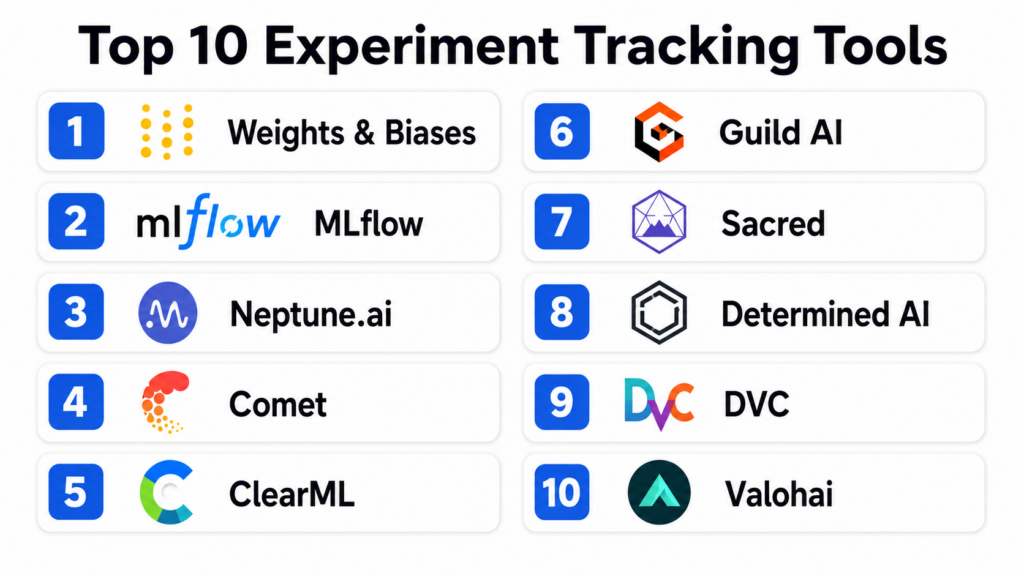
Introduction
Experiment tracking tools are specialized platforms designed to log, organize, and visualize the myriad variables involved in machine learning research. In plain English, they act as a laboratory notebook for data scientists, automatically recording every version of code, the specific hyperparameters used, the datasets involved, and the resulting performance metrics. In the modern era of artificial intelligence, where models are increasingly complex and datasets are massive, relying on manual spreadsheets or memory is a recipe for failure. These tools ensure that every experiment is reproducible, shareable, and auditable, which is critical for moving models from research into production environments.
This technology matters because it solves the “black box” problem of data science. When a team finds a high-performing model, they must be able to trace back exactly how it was built to ensure it wasn’t a fluke or based on biased data. By centralizing this information, teams can collaborate more effectively, avoid duplicating work, and identify trends across hundreds or thousands of training runs. Whether you are fine-tuning a large language model or building a simple regression, these platforms provide the structural integrity required for professional data science workflows.
Real-world use cases:
- Hyperparameter Optimization: Automatically comparing hundreds of training runs to find the optimal learning rate and batch size for a deep learning model.
- Collaboration and Peer Review: Allowing a team lead to review a colleague’s work by viewing a centralized dashboard of their experiment history and code state.
- Compliance and Auditing: Maintaining a permanent record of model training for regulated industries like finance or healthcare to prove how an AI decision was reached.
- Resource Monitoring: Tracking GPU and CPU utilization during long training sessions to optimize infrastructure spending and identify bottlenecks.
Buyer evaluation criteria:
- Ease of Integration: How many lines of code are required to start logging data from a Python script?
- Visualization Capabilities: Does the tool offer interactive charts, parallel coordinate plots, and media (image/video) logging?
- Storage Scalability: Can the platform handle millions of metrics and large model artifacts without slowing down?
- Collaboration Features: Support for shared workspaces, comments, and project-level permissions.
- Hosting Options: Availability of managed SaaS versus self-hosted versions for sensitive data.
- Extensibility: Ability to export data to other tools or create custom visualization plugins.
- Resource Tracking: Automatic logging of hardware metrics like memory usage and temperature.
- Reproducibility: Capture of the exact git commit and environment dependencies for every run.
Mandatory paragraph
- Best for: Data scientists, machine learning engineers, and research teams who need to manage high volumes of training runs and require absolute reproducibility. It is essential for organizations scaling their AI efforts across multiple departments.
- Not ideal for: Software engineers working on traditional applications without a machine learning component, or hobbyists performing one-off analyses that do not require comparison or long-term auditing.
Key Trends in Experiment Tracking Tools
- Native LLM Support: Platforms are increasingly adding specialized dashboards for tracking prompts, tokens, and model responses to simplify the development of generative AI applications.
- Serverless Logging: A shift toward lightweight logging agents that do not require persistent database connections, reducing the impact on training speed.
- Automated Artifact Management: Modern tools are integrating more deeply with data versioning systems to ensure the specific version of a dataset is automatically linked to the experiment.
- Enhanced Team Collaboration: Features like “live” shared notebooks and collaborative dashboards are becoming standard, allowing teams to debug training runs in real-time.
- Focus on Explainability: Integration with tools that visualize model weights and activation maps to help researchers understand why a model is performing a certain way.
- Optimization of Resource Costs: Built-in alerts and cost-tracking features that notify engineers when a training run is consuming excessive cloud credits without improving accuracy.
- Hybrid Orchestration: The ability to track experiments that are spread across different cloud providers and on-premise hardware in a single, unified view.
- Standardization of Metadata: Industry-wide efforts to standardize how experiment metadata is formatted to allow for easier migration between different tracking tools.
How We Selected These Tools (Methodology)
- Developer Mindshare: We analyzed community adoption rates on platforms like GitHub and Slack to identify the most popular frameworks.
- Feature Maturity: Preference was given to tools that offer a complete lifecycle approach, including logging, visualization, and artifact management.
- Performance Reliability: We evaluated how these platforms handle high-frequency logging of metrics without introducing significant latency to the training process.
- Integration Density: The selection favors tools that work seamlessly with major frameworks like PyTorch, TensorFlow, and Scikit-learn.
- Security Posture: We looked for enterprise-grade features such as single sign-on and granular role-based access controls.
- User Experience: Usability for both the individual researcher (CLI/SDK) and the manager (Dashboard/Reports) was a primary factor.
Top 10 Experiment Tracking Tools
#1 — Weights & Biases
Short description:
Weights & Biases (often referred to as W&B) is widely considered the industry standard for experiment tracking and visualization. It provides a developer-first experience that focuses on keeping the research process organized and collaborative. It is designed to scale from individual researchers to massive teams at the world’s leading AI labs. The platform excels at visualizing complex data types and managing the entire machine learning lifecycle through a sleek, modern interface.
Key Features
- Dashboarding: Interactive and shareable charts that update in real-time as your model trains.
- Sweeps: An automated hyperparameter tuning service that runs across multiple machines.
- Artifacts: Versioning for datasets and models to ensure full lineage tracking.
- Reports: Collaborative documents that combine live charts with text for sharing findings.
- System Metrics: Automatic logging of GPU, CPU, and network usage for every experiment.
Pros
- Exceptional user interface and visualization capabilities that lead the industry.
- Deep integration with almost every modern machine learning framework.
Cons
- The managed cloud version can become expensive for large, active teams.
- The sheer number of features can create a slight learning curve for new users.
Platforms / Deployment
- Web / API / CLI
- Cloud / Self-hosted / Hybrid
Security & Compliance
- SSO/SAML, MFA, RBAC, Encryption-at-rest.
- SOC 2 Type II, GDPR compliant.
Integrations & Ecosystem
W&B is highly connected, serving as the central hub for many data science stacks.
- PyTorch, TensorFlow, Keras, Hugging Face.
- Kubernetes and Docker for orchestration.
- S3, GCS, and Azure Blob Storage for artifact storage.
Support & Community
Industry-leading support with a very active community on Slack and GitHub. Documentation is comprehensive and frequently updated with new tutorials.
#2 — MLflow
Short description:
MLflow is an open-source platform managed by the Linux Foundation and originally created by Databricks. It is designed to manage the end-to-end machine learning lifecycle, including experimentation, reproducibility, and deployment. Its primary appeal is its open philosophy and platform-agnostic nature, allowing it to work with any ML library and in any cloud environment. It is the most widely adopted open-source tracking tool in the enterprise.
Key Features
- MLflow Tracking: An API and UI for logging parameters, code versions, metrics, and output files.
- MLflow Projects: A standard format for packaging reusable data science code.
- MLflow Models: A convention for packaging machine learning models to be used in diverse downstream tools.
- Model Registry: A centralized model store and set of APIs to manage the full lifecycle of an ML model.
- Simplified Logging: One-line commands to log all relevant data from popular libraries.
Pros
- Completely free and open-source with no vendor lock-in.
- Extremely flexible and can be customized to fit any existing infrastructure.
Cons
- The built-in UI is functional but lacks the visual polish of commercial competitors.
- Self-hosting requires significant engineering effort to maintain and scale.
Platforms / Deployment
- Web / API / CLI / Windows / Linux / macOS
- Self-hosted / Managed (via Databricks)
Security & Compliance
- RBAC (in managed versions), LDAP support (self-hosted).
- Varies / N/A.
Integrations & Ecosystem
As a standard-bearer for the industry, MLflow integrates with virtually everything.
- Apache Spark, Scikit-learn, XGBoost.
- Docker, Kubernetes, and SageMaker.
- Hadoop and diverse SQL databases for backend storage.
Support & Community
Massive open-source community. Professional support is primarily available through Databricks for users on their managed platform.
#3 — Neptune.ai
Short description:
Neptune.ai is a metadata store for MLOps that focuses specifically on being a “single source of truth” for all experiment data. It is built to handle high-velocity logging and massive amounts of metadata without performance degradation. Neptune is designed for teams that want a lightweight but powerful hosted solution that doesn’t force a specific workflow or infrastructure choice. It is particularly popular for its ability to organize metadata in a highly structured and searchable way.
Key Features
- Metadata Store: Centralized storage for metrics, parameters, images, and model weights.
- Comparison Tool: Side-by-side comparison of training runs to identify performance deviations.
- Customizable UI: Users can create custom dashboards to show only the most relevant metrics.
- Git Integration: Automatically records the git hash to link experiments to specific code states.
- Lightweight Client: A simple Python library that introduces minimal overhead to training.
Pros
- Extremely stable and performs well even with millions of logged data points.
- Very intuitive organization of metadata that makes searching large projects easy.
Cons
- Lacks some of the broader orchestration features found in all-in-one platforms.
- The free tier for individuals is more limited than some open-source alternatives.
Platforms / Deployment
- Web / API / CLI
- Cloud / Self-hosted (Enterprise)
Security & Compliance
- SSO/SAML, RBAC, Audit logs.
- SOC 2 Type II.
Integrations & Ecosystem
Focuses on deep integration with the core data science ecosystem.
- Optuna and Ray Tune for hyperparameter optimization.
- PyTorch Lightning and TensorFlow.
- Jupyter Notebooks and Google Colab.
Support & Community
Known for excellent technical support and detailed documentation. The community is active and growing, particularly among enterprise users.
#4 — Comet
Short description:
Comet is an enterprise-grade experiment tracking and model management platform that emphasizes speed and team efficiency. It provides a comprehensive suite of tools for tracking, comparing, and explaining machine learning models. Comet is unique for its “Comet for Teams” focus, providing deep collaborative features and a highly visual approach to understanding model behavior. It is frequently chosen by organizations that need to scale from a few researchers to hundreds across different time zones.
Key Features
- Visualizations: Rich, interactive panels for everything from confusion matrices to audio files.
- Model Production Monitoring: Tools to track how models perform after they have been deployed.
- Multi-User Workspaces: Dedicated environments for different teams with shared projects.
- Custom Panels: Ability to build your own visualization widgets using JavaScript.
- Code Tracking: Capture of not just the git state, but the actual diff of unsaved code changes.
Pros
- Excellent for enterprise-wide collaboration and project management.
- Unique features for monitoring models post-deployment (full lifecycle coverage).
Cons
- The pricing structure can be complex for mid-sized organizations.
- The interface can occasionally feel crowded due to the high density of features.
Platforms / Deployment
- Web / API / CLI
- Cloud / Self-hosted / Hybrid
Security & Compliance
- SSO/SAML, MFA, RBAC, Data encryption.
- SOC 2, ISO 27001.
Integrations & Ecosystem
Strong support for both cloud-native and on-premise tools.
- AWS, Azure, and GCP integration.
- Slack and Microsoft Teams for notifications.
- Jupyter and RStudio support.
Support & Community
High-quality enterprise support with dedicated account managers for large clients. Strong documentation and a supportive user community.
#5 — ClearML
Short description:
ClearML is a unified, open-source MLOps platform that provides experiment tracking, orchestration, data versioning, and model serving. It is designed to be a “zero-effort” solution, meaning it can often track experiments without requiring any changes to the existing code. It is favored by engineering teams that want a single platform to handle both the research phase and the operational execution of their machine learning projects.
Key Features
- Automatic Logging: Can capture parameters and metrics with just two lines of code.
- Orchestration: Ability to remotely execute experiments on different machines or cloud instances.
- Data Management: Integrated data versioning that tracks how datasets change over time.
- Model Serving: Tools to deploy models as scalable APIs directly from the tracking UI.
- Hyperparameter Optimization: Built-in engine for running complex tuning tasks.
Pros
- Offers an incredible amount of functionality for free in the open-source version.
- The orchestration features allow researchers to easily “offload” training to remote GPUs.
Cons
- The UI is very detailed, which can be intimidating for non-engineers.
- Setting up the full orchestration server can be technically demanding.
Platforms / Deployment
- Web / API / CLI
- Cloud / Self-hosted
Security & Compliance
- RBAC, SSO (Enterprise version), Audit logs.
- Not publicly stated.
Integrations & Ecosystem
Very flexible and works well with existing DevOps tools.
- Docker and Kubernetes native support.
- TensorBoard and PyTorch.
- AWS S3 and Azure Blob.
Support & Community
Very active Slack community and GitHub repository. Commercial support is available for the Pro and Enterprise tiers.
#6 — Guild AI
Short description:
Guild AI is an open-source experiment tracking tool that takes a fundamentally different approach: it requires no changes to your code. Instead of adding library imports and logging calls, Guild AI wraps your existing scripts and captures output, files, and system metrics externally. It is ideal for researchers who want to keep their code clean and avoid vendor lock-in while still gaining the benefits of a modern tracking system.
Key Features
- No Code Change: Tracks experiments by simply running your scripts through the Guild CLI.
- Comparison: Powerful command-line and web-based tools for comparing runs.
- Optimizer: Integrated support for Bayesian optimization and random search.
- Remote Execution: Send runs to remote servers or cloud instances via SSH.
- Diff Tool: Compare any two runs to see exactly what changed in code, config, or results.
Pros
- Keeps your research code completely “pure” and free of tracking-specific dependencies.
- Extremely lightweight and fast with no background server required for basic use.
Cons
- Lacks the advanced collaborative and dashboarding features of SaaS platforms.
- The web UI is less feature-rich compared to competitors like Weights & Biases.
Platforms / Deployment
- Web / API / CLI / Linux / macOS / Windows
- Self-hosted
Security & Compliance
- N/A / Based on your own infrastructure security.
- Not publicly stated.
Integrations & Ecosystem
Works with any language or framework since it operates at the process level.
- Python, R, Julia, Java, and more.
- DVC for data versioning.
- Any cloud provider via SSH/CLI.
Support & Community
Small but highly dedicated open-source community. Documentation is clear and focuses on the power of the command line.
#7 — Sacred (Omniboard)
Short description:
Sacred is one of the earliest open-source tools for experiment tracking, born out of the academic research community. It focuses on reproducibility and ensures that every experiment run is perfectly documented. While the core library is a CLI tool, most users pair it with “Omniboard,” a web-based dashboard for visualizing Sacred data. It is a reliable choice for researchers who want a proven, community-maintained tool for tracking complex experiments.
Key Features
- Configuration Management: Allows you to define and track different experiment configs easily.
- Automatic Recording: Captures information about the CPU, GPU, git state, and dependencies.
- Pluggable Observers: Can save data to MongoDB, SQL databases, or simple file systems.
- Ingredient System: A unique way to modularize experiment code and track individual components.
- Artifact Logging: Saves output files and model weights alongside the experiment metadata.
Pros
- Deeply rooted in the academic community with a focus on rigorous reproducibility.
- Extremely flexible backend storage options.
Cons
- Requires a separate installation of a dashboard (like Omniboard) for visualization.
- Development pace is slower than newer commercial alternatives.
Platforms / Deployment
- Web (via Omniboard) / CLI / API
- Self-hosted
Security & Compliance
- N/A / Based on database security.
- Not publicly stated.
Integrations & Ecosystem
Strongest in the Python research ecosystem.
- PyTorch, TensorFlow, and Scikit-learn.
- MongoDB and SQL support for storage.
- Telegram integration for run notifications.
Support & Community
Active GitHub community. Support is provided through community forums and issue trackers.
#8 — Determined AI
Short description:
Determined AI is an open-source platform designed specifically for deep learning training at scale. It combines experiment tracking with advanced cluster management and hyperparameter tuning. It is built for teams that are training large models across clusters of GPUs and need a platform that manages the scheduling and resource allocation as well as the tracking. It was acquired by Hewlett Packard Enterprise (HPE) but remains an active open-source project.
Key Features
- Distributed Training: Automatically handles the complexity of training across multiple GPUs and nodes.
- Hyperparameter Search: Built-in ASHA algorithm for cutting-edge tuning efficiency.
- Smart Scheduling: Maximizes cluster utilization by managing job priorities and preemption.
- Model Registry: Integrated store for managing model versions and deployment states.
- Fault Tolerance: Automatically resumes training from the last checkpoint if a node fails.
Pros
- The best choice for teams doing heavy deep learning on large GPU clusters.
- Simplifies infrastructure management so researchers can focus on modeling.
Cons
- Overkill for teams only doing light machine learning or small-scale experiments.
- Requires a more complex installation and infrastructure setup than simple loggers.
Platforms / Deployment
- Web / API / CLI
- Cloud / Self-hosted / Hybrid
Security & Compliance
- RBAC, SSO integration (Enterprise), LDAP.
- SOC 2 (via HPE services).
Integrations & Ecosystem
Focused on the high-performance deep learning stack.
- PyTorch and TensorFlow.
- Kubernetes and bare-metal support.
- Horovod for distributed training.
Support & Community
Professional support via HPE. Strong open-source community centered around cluster-scale deep learning.
#9 — DVC (Data Version Control)
Short description:
DVC is primarily known for versioning large datasets and model files, but it has expanded significantly into experiment tracking. It uses a “Git-like” philosophy to track changes in data, code, and metrics. It is unique because it stores experiment metadata directly in your Git repository (or an external cache), making it a favorite for teams that want to keep their experiments tightly coupled with their source control.
Key Features
- Git-integrated Experiments: Track experiments as lightweight Git commits or hidden refs.
- Data Pipeline Versioning: Tracks the full lineage of how raw data became a model.
- DVC Studio: A collaborative web UI for visualizing experiments tracked via DVC.
- Storage Agnostic: Works with S3, GCS, Azure, SSH, or local storage for artifacts.
- Metrics Tracking: Capture and compare metrics directly from the command line.
Pros
- The most robust tool for managing large datasets alongside experiments.
- Aligns perfectly with standard software engineering and GitOps workflows.
Cons
- The learning curve for the CLI can be steep for those not familiar with Git.
- The visualization capabilities are less interactive than specialized tracking tools.
Platforms / Deployment
- Web (via Studio) / CLI / API / Windows / Linux / macOS
- Self-hosted / Hybrid
Security & Compliance
- Based on your Git and storage provider security (e.g., IAM, SSH).
- Not publicly stated.
Integrations & Ecosystem
The “standard” for data versioning in the MLOps community.
- Works with any ML framework.
- GitHub, GitLab, and Bitbucket.
- Full integration with VS Code via an official extension.
Support & Community
Very large and active community. Excellent documentation and a popular YouTube channel for learning.
#10 — Valohai
Short description:
Valohai is an enterprise MLOps platform that provides a “full-stack” approach to experiment tracking and orchestration. It is designed to be language and framework agnostic, acting as a management layer over your own cloud or on-premise infrastructure. Valohai stands out for its “automatic” reproducibility—every experiment ever run on the platform can be recreated exactly as it was. It is ideal for teams that need to meet strict regulatory requirements for data lineage.
Key Features
- Automatic Versioning: Every run is versioned, including code, data, environment, and logs.
- Pipeline Orchestration: Create complex workflows where experiments are linked together.
- Infrastructure Management: Scale compute nodes on AWS, GCP, or Azure automatically.
- Audit Trail: A permanent, immutable record of everything that happened during training.
- Open API: Fully programmable platform that can be integrated into custom enterprise apps.
Pros
- Unrivaled for teams that require “perfect” reproducibility for legal or compliance reasons.
- Does not require managing any underlying infrastructure (serverless feel for researchers).
Cons
- Proprietary platform with a higher cost than most open-source tools.
- The workflow can feel more rigid than more flexible, lightweight loggers.
Platforms / Deployment
- Web / API / CLI
- Cloud / Hybrid
Security & Compliance
- SSO/SAML, MFA, RBAC, Private networking.
- SOC 2, HIPAA, GDPR.
Integrations & Ecosystem
Built to work across the entire cloud data ecosystem.
- All major cloud providers (AWS, GCP, Azure).
- Snowflake, BigQuery, and S3.
- Slack for lifecycle notifications.
Support & Community
High-end enterprise support with dedicated engineers. A strong community of professional MLOps practitioners.
Comparison Table (Top 10)
| Tool Name | Best For | Platform(s) Supported | Deployment | Standout Feature | Public Rating |
| 1. Weights & Biases | Visual Collaboration | Web, API, CLI | Hybrid | Interactive Dashboards | 4.8/5 |
| 2. MLflow | Open-Source Standards | Multi-platform | Self-hosted | End-to-End Lifecycle | 4.6/5 |
| 3. Neptune.ai | Metadata Management | Web, API, CLI | Cloud | Structured Metadata Store | 4.7/5 |
| 4. Comet | Enterprise Teams | Web, API, CLI | Hybrid | Production Monitoring | 4.5/5 |
| 5. ClearML | DevOps-focused ML | Web, API, CLI | Hybrid | Auto-Orchestration | 4.7/5 |
| 6. Guild AI | No-Code Change | CLI, Web | Self-hosted | External Wrapper | N/A |
| 7. Sacred | Academic Research | CLI, Web | Self-hosted | Reproducibility Engine | N/A |
| 8. Determined AI | Cluster-scale DL | Web, API, CLI | Hybrid | Hyperparameter Scheduling | 4.5/5 |
| 9. DVC | Data & GitOps | CLI, Web | Hybrid | Git-integrated Tracking | 4.6/5 |
| 10. Valohai | Regulatory Compliance | Web, API, CLI | Cloud | Automatic Reproducibility | 4.4/5 |
Evaluation & Scoring of Experiment Tracking Tools
| Tool Name | Core (25%) | Ease (15%) | Integrations (15%) | Security (10%) | Performance (10%) | Support (10%) | Value (15%) | Weighted Total |
| Weights & Biases | 10 | 9 | 10 | 9 | 9 | 10 | 7 | 9.15 |
| MLflow | 9 | 7 | 10 | 8 | 9 | 7 | 10 | 8.55 |
| Neptune.ai | 9 | 10 | 9 | 9 | 10 | 9 | 8 | 9.10 |
| Comet | 9 | 8 | 9 | 10 | 8 | 9 | 7 | 8.40 |
| ClearML | 10 | 7 | 8 | 8 | 9 | 8 | 10 | 8.60 |
| Guild AI | 7 | 10 | 7 | 7 | 10 | 6 | 10 | 8.00 |
| Sacred | 7 | 6 | 8 | 7 | 8 | 6 | 10 | 7.40 |
| Determined AI | 9 | 5 | 8 | 9 | 10 | 8 | 8 | 8.05 |
| DVC | 8 | 6 | 10 | 8 | 9 | 9 | 9 | 8.30 |
| Valohai | 9 | 6 | 8 | 10 | 9 | 9 | 6 | 7.85 |
The scoring reflects a weighted average where Core Features and Integrations are weighted most heavily. A score of 9.0+ indicates an industry leader suitable for almost any high-end AI project. Scores between 8.0 and 8.9 represent excellent tools that might be more specialized (e.g., open-source or deep-learning specific). Scores below 8.0 are typically for tools that serve a specific niche or require more manual configuration.
Which Experiment Tracking Tools Tool Is Right for You?
Solo / Freelancer
If you are working alone on personal or client projects, Weights & Biases offers a fantastic free tier that provides all the visualization you could need. If you are a fan of open-source and want to keep everything on your local machine, MLflow or Guild AI are the best choices, as they allow you to run tracking servers locally without any cloud costs.
SMB
Small to medium businesses need a balance of collaboration and cost. Neptune.ai is an excellent choice here because it is very easy to set up and manage, allowing your small data team to stay focused on modeling rather than infrastructure. ClearML is also a strong contender if you need to manage a small GPU cluster and want an integrated solution.
Mid-Market
For companies with growing data science teams, Comet and Weights & Biases provide the collaborative dashboards and team-management features required to keep everyone aligned. If your team is deeply technical and prefers Git-based workflows, DVC integrated with DVC Studio provides a very robust, engineering-focused environment.
Enterprise
Large enterprises with strict security and compliance needs should look toward Comet, Valohai, or the enterprise version of Weights & Biases. These platforms offer the SSO, RBAC, and audit logs required by IT departments. If you have massive datasets and a deep Spark-based infrastructure, the managed version of MLflow via Databricks is often the most logical choice.
Budget vs Premium
For zero software cost, MLflow, ClearML, and Guild AI are the winners in the open-source space. If you are willing to pay for a “Premium” experience that saves time on setup and maintenance, Weights & Biases and Neptune.ai provide the most polished and feature-rich hosted environments.
Feature Depth vs Ease of Use
Weights & Biases and Comet offer the greatest feature depth, including things like model monitoring and post-deployment tracking. At the other end, Guild AI and Neptune.ai are designed for maximum ease of use, prioritizing a clean developer experience and simple integration.
Integrations & Scalability
MLflow and DVC are the leaders in terms of integrations, working seamlessly across almost every tool in the data ecosystem. For scalability, Neptune.ai and Weights & Biases are built on cloud-native architectures that can handle the massive metric volumes generated by large-scale deep learning.
Security & Compliance Needs
If you are in a highly regulated industry like healthcare or defense, Valohai and Domino Data Lab (often used with Sacred or MLflow) provide the most comprehensive audit trails and data lineage tracking to ensure every model decision is fully documented and reproducible.
Frequently Asked Questions (FAQs)
1. How does experiment tracking differ from traditional code version control like Git?
While Git versions your code, experiment tracking tools version the results and metadata of that code running. Machine learning depends not just on code, but on specific hyperparameter values, the exact version of the data, and the random seeds used. Tracking tools capture this entire state, allowing you to see exactly which code version produced which result on which day, which Git alone cannot do.
2. Does using an experiment tracking tool slow down my model training?
In almost all cases, the performance impact is negligible. Most modern tools use asynchronous logging, meaning the metrics are sent to the tracking server in the background without waiting for a confirmation. This ensures that the training loop continues at full speed. Only if you are logging massive artifacts (like gigabytes of model weights) frequently will you notice any impact on your network or disk speed.
3. Can I use these tools if I don’t have a constant internet connection?
Yes, many tools like MLflow, Guild AI, and ClearML can be run in a completely local or “offline” mode. They save the experiment data to a local database or file system on your machine. Once you have an internet connection, some tools even allow you to “sync” those local runs to a centralized cloud dashboard for sharing with your team.
4. What is the difference between a managed SaaS and a self-hosted tracking tool?
A managed SaaS (like the standard version of Weights & Biases or Neptune) means the provider hosts the database and the dashboard for you; you just send your data to them. Self-hosted means you install the tracking server on your own hardware. Self-hosting is more work to maintain but is often required by companies that have strict privacy rules and cannot allow their model metrics to leave their own internal network.
5. Do these tools store my actual datasets or just the metadata?
Most tools focus on metadata (the small details like accuracy scores and parameters). However, many also offer “Artifact Management,” which allows you to store and version the actual datasets and model files. Even if they don’t store the data itself, they usually store a “hash” or a link to where the data lives (like an S3 bucket) so you can still track exactly which data was used.
6. Can I switch from one experiment tracking tool to another easily?
It can be difficult because each tool has its own internal data format. However, because most tools allow you to export your data via a Python API or as a CSV/JSON file, you can technically move your history. The main challenge is that you would lose the interactive dashboards and specific visualizations you created in the original tool. Using an open-source standard like MLflow can help reduce this vendor lock-in.
7. Is experiment tracking only for deep learning?
Not at all. While the tools are very popular in deep learning due to the high number of iterations, they are equally valuable for “classical” machine learning (like Random Forests or Logistic Regression) and even for data prep scripts. Any task where you are changing variables and measuring a result can benefit from the organization and history provided by a tracking tool.
8. How do these tools help with team collaboration?
By centralizing all results in a single dashboard, team members can see what others are working on without needing to ask for a status update. Most tools allow you to leave comments on specific runs, share links to a particular chart, and create “Reports” that summarize the progress of a whole project, making it much easier to coordinate efforts across a large team.
9. Do I need to be a senior engineer to set these up?
No. Most of these tools are designed to be “plug-and-play.” For example, with Weights & Biases or Neptune, you typically just add three or four lines of code to your existing Python script to start seeing results in a dashboard. The “senior” effort comes in later when you want to set up complex things like automated hyperparameter tuning or large-scale cluster orchestration.
10. Are there any free options for students or researchers?
Yes, almost every tool on this list has a free option. Open-source tools like MLflow, Guild AI, and ClearML are completely free to use forever. Commercial platforms like Weights & Biases and Comet offer generous free tiers for individuals, students, and academic researchers, often providing the same powerful features that enterprise clients use.
Conclusion
Experiment tracking is no longer an optional luxury for data science teams; it is the foundation of a reliable and scalable AI strategy. By moving away from manual logging and toward automated platforms like Weights & Biases, MLflow, or Neptune.ai, researchers can free themselves from administrative overhead and focus on what they do best: building and refining models. These tools provide the necessary transparency to ensure that every breakthrough is reproducible and that every failure is a documented learning opportunity.
The “best” tool for your project ultimately depends on your team’s specific needs for collaboration, security, and infrastructure control. Whether you choose a polished SaaS environment or a flexible open-source framework, the most important step is to implement a tracking system early in your project lifecycle. Start by integrating a simple logger into your next training run, and you will quickly see how much more efficient and disciplined your data science process becomes.

This post really helps in understanding the topic better.