MOTOSHARE 🚗🏍️
Rent Bikes & Cars Directly from Owners
Motoshare connects vehicle owners with people who need bikes and cars on rent. Owners earn from idle vehicles, and renters get flexible ride options.
Visit Motoshare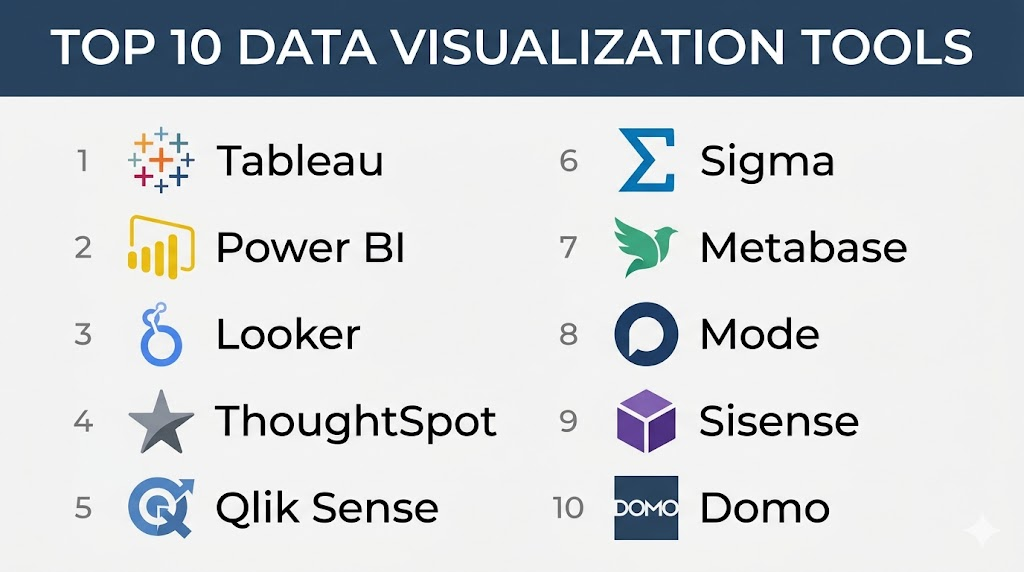
Introduction
Data visualization tools are software applications that translate raw, complex datasets into visual contexts—such as charts, graphs, maps, and dashboards—to make data easier for the human brain to understand. In the current era of data-driven decision-making, these platforms are no longer just for creating “pretty pictures.” They are critical operational assets that allow organizations to spot trends, identify outliers, and communicate technical insights to non-technical stakeholders instantly. As the volume of enterprise data continues to explode, the ability to visualize that data in real-time is the difference between a proactive strategy and a reactive crisis.
Modern visualization platforms have shifted from static reporting toward interactive storytelling. They allow users to drill down into specific data points, ask natural language questions of their datasets, and even receive automated insights driven by integrated machine learning. This democratization of data means that marketing managers, financial analysts, and operations leads can now build their own dashboards without relying on the IT department for every report.
Real-world use cases:
- Executive Dashboards: High-level overviews of Key Performance Indicators (KPIs) for C-suite members to track global business health at a glance.
- Marketing Attribution: Visualizing the customer journey across multiple digital channels to identify which campaigns drive the highest ROI.
- Operational Monitoring: Real-time tracking of supply chain logistics, warehouse inventory levels, or manufacturing floor performance.
- Financial Forecasting: Creating interactive “what-if” scenarios to visualize the impact of potential market shifts on company revenue.
- User Behavior Analysis: Heatmaps and pathing visualizations that show how users interact with a mobile app or website.
Buyer evaluation criteria:
- Ease of Use: The learning curve for non-technical users to build their first meaningful visualization.
- Data Ingestion: Support for diverse sources including SQL databases, cloud storage, SaaS APIs, and flat files.
- Interactivity: The ability for end-users to filter, drill down, and manipulate the view without editing the source.
- Mobile Accessibility: Whether dashboards are responsive and functional on smartphones and tablets.
- AI & Augmented Analytics: Features like natural language querying (NLQ) and automated anomaly detection.
- Customizability: The extent to which users can modify colors, layouts, and custom CSS/themes.
- Performance: The speed at which the tool renders visualizations when connected to massive, live datasets.
- Sharing & Collaboration: Capabilities for embedding dashboards into other apps or sharing secure links with external partners.
Best for: Data analysts, business intelligence professionals, and department heads in data-rich industries like finance, e-commerce, and healthcare who need to democratize data access across their teams.
Not ideal for: Organizations that only require basic, static spreadsheets for internal record-keeping or small teams that do not have enough data volume to justify the cost of an enterprise-grade analytics platform.
Key Trends in Data Visualization Tools
- Natural Language Processing (NLP): Users can now type questions like “What were the sales in the North region last month?” and the tool automatically generates the correct chart.
- Mobile-First Visualization: As work becomes more decentralized, tools are prioritizing “glanceable” mobile dashboards with push-notification alerts for metric changes.
- Automated Insights: Machine learning algorithms now scan datasets in the background to automatically highlight significant trends or outliers that a human might miss.
- Embedded Analytics: More businesses are embedding third-party visualization widgets directly into their own customer-facing products to provide “value-add” data views.
- The Rise of the “Data Stories”: A shift from static dashboards toward narrative-driven presentations that guide the viewer through a logical sequence of insights.
- Real-Time Data Streaming: Direct integration with streaming platforms allows for dashboards that update every few seconds, crucial for cybersecurity and stock trading.
- Accessibility Standards: Increased focus on making visualizations compliant with WCAG guidelines, including color-blind friendly palettes and screen-reader support.
- Collaborative Annotation: Features that allow team members to comment directly on a specific data point within a chart, facilitating context-rich discussions.
How We Selected These Tools (Methodology)
- Market Penetration: We prioritized tools that are widely recognized as leaders in the current business intelligence and analytics market.
- Feature Versatility: We looked for platforms that offer a broad range of visualization types, from simple bar charts to complex 3D geospatial maps.
- User Feedback & Sentiment: Evaluation included the general consensus among the professional data community regarding reliability and “bugs.”
- Scalability: We selected tools that can handle small startup datasets as well as massive enterprise-level data lakes.
- Innovation Pace: Preference was given to vendors that frequently release updates related to AI, machine learning, and cloud-native features.
- Integration Density: The ability to connect seamlessly with the “modern data stack,” including warehouses like Snowflake and BigQuery.
- Security Posture: We only included tools that offer robust, enterprise-grade permissions and authentication protocols.
Top 10 Data Visualization Tools Tools
#1 — Tableau (by Salesforce)
Short description:
Tableau is widely considered the gold standard in the data visualization industry. It is known for its incredible power, flexibility, and the ability to create highly complex, artistic, and deeply interactive dashboards. It caters to professional data analysts and enterprises that need to visualize massive amounts of data with no compromises on customization. Since its acquisition by Salesforce, it has integrated more deeply with CRM data and AI-driven insights.
Key Features
- VizQL Technology: A patented language that translates drag-and-drop actions into data queries.
- Tableau Pulse: An AI-powered personalized experience that surfaces news and insights about key metrics automatically.
- Ask Data: Allows users to create visualizations by typing natural language questions.
- Extensive Chart Library: Supports everything from basic histograms to complex Gantt charts and treemaps.
- Advanced Mapping: Built-in geocoding and the ability to overlay custom spatial data.
- Tableau Exchange: A marketplace for pre-built accelerators, connectors, and dashboard extensions.
Pros
- The most powerful and flexible customization options available in the market.
- Massive community of “DataFam” users who share templates and advice freely.
- Exceptional performance when handling large datasets compared to basic BI tools.
Cons
- Steep learning curve for beginners who want to go beyond basic charts.
- The pricing structure can be expensive for small teams or solo users.
Platforms / Deployment
- Web / Windows / macOS / iOS / Android
- Cloud / Self-hosted
Security & Compliance
- SSO/SAML, MFA, RBAC, Encryption-at-rest.
- SOC 2, ISO 27001, HIPAA, GDPR.
Integrations & Ecosystem
Tableau integrates with virtually every major data source and is a core part of the Salesforce ecosystem.
- Salesforce CRM native integration.
- Snowflake, BigQuery, and Redshift.
- Google Analytics, ServiceNow, and SAP.
Support & Community
One of the strongest communities in the world (Tableau Public). Support ranges from community forums to dedicated enterprise success managers for large deployments.
#2 — Microsoft Power BI
Short description:
Microsoft Power BI is a dominant player in the BI space, especially for organizations already using the Microsoft 365 ecosystem. It offers a familiar interface for Excel users and provides a cost-effective, powerful way to aggregate and visualize data from across the enterprise. It excels in its ability to democratize data, making it easy for non-analysts to view and interact with reports.
Key Features
- Power Query: A robust data transformation and preparation engine familiar to Excel power users.
- DAX (Data Analysis Expressions): A powerful library of functions and operators used to build custom formulas.
- Copilot for Power BI: Uses generative AI to help users build reports and summarize data insights.
- Seamless 365 Integration: Embeds directly into Microsoft Teams, SharePoint, and PowerPoint.
- Quick Measure Suggestions: AI-assisted formula creation for common analytical needs.
- Mobile App Alerts: Real-time push notifications when specific metrics cross a defined threshold.
Pros
- Incredible value for money, especially for those with existing Microsoft licenses.
- Very shallow learning curve for anyone comfortable with Excel formulas.
- Native, best-in-class integration with the Windows and Azure ecosystem.
Cons
- The desktop application is limited to Windows only (no native macOS app).
- Can become sluggish with extremely complex data models compared to Tableau.
Platforms / Deployment
- Web / Windows / iOS / Android
- Cloud / Hybrid
Security & Compliance
- MFA, SSO (Microsoft Entra ID), Row-level security (RLS), Audit logs.
- SOC 2, ISO 27001, HIPAA, FedRAMP.
Integrations & Ecosystem
Deeply embedded in the Microsoft Intelligent Data Platform.
- Microsoft Excel and Teams.
- Azure Synapse and SQL Server.
- Dynamics 365 and Dataverse.
Support & Community
Massive user base. Professional support is handled through Microsoft enterprise agreements, with a wealth of online documentation and community forums.
#3 — Looker (by Google Cloud)
Short description:
Looker is a modern enterprise platform for business intelligence, data applications, and embedded analytics. Unlike traditional tools that create local copies of data, Looker operates directly on the underlying database. It is best for organizations that want a “single source of truth” governed by LookML, its proprietary modeling language, ensuring that everyone in the company is looking at the same calculated metrics.
Key Features
- LookML: A powerful modeling language that centralizes business logic and prevents metric drift.
- Looker Blocks: Pre-built pieces of code for common analytical patterns (e.g., cohort analysis).
- Embedded Analytics: Robust APIs for building Looker-powered dashboards into custom applications.
- Direct Database Querying: No data extraction needed; queries are run directly on the warehouse.
- Looker Studio (formerly Data Studio) Integration: Combines enterprise governance with a flexible, drag-and-drop UI.
- Git Integration: Version control for your data models, allowing for collaborative data engineering.
Pros
- Ensures consistent definitions of metrics across the entire company.
- Highly scalable since it leverages the power of the underlying data warehouse.
- Excellent for developers who want to build data-driven products via APIs.
Cons
- Requires knowledge of LookML, which is a specialized skill for data teams.
- Less “visual” flexibility compared to the drag-and-drop freedom of Tableau.
Platforms / Deployment
- Web
- Cloud (GCP, AWS, Azure)
Security & Compliance
- SSO/SAML, RBAC, Encryption-at-rest and in-transit.
- SOC 2, ISO 27001, HIPAA, GDPR.
Integrations & Ecosystem
Part of the Google Cloud Data Cloud, with strong multi-cloud capabilities.
- Google BigQuery, AWS Redshift, Snowflake.
- Slack integration for automated alerts.
- Google Workspace native connectivity.
Support & Community
Professional support through Google Cloud. The Looker community is highly technical and focused on data modeling and software engineering patterns.
#4 — Qlik Sense
Short description:
Qlik Sense is a self-service data visualization and discovery application designed for teams that need to explore data without being limited by pre-defined paths. It is powered by the “Qlik Associative Engine,” which allows users to see relationships between data points that might be hidden in traditional query-based tools. It is ideal for mid-market and enterprise companies that prioritize data exploration.
Key Features
- Associative Engine: Highlights how all data points are related, showing both “associated” and “unassociated” data.
- Insight Advisor: An AI assistant that provides automated chart suggestions and narrative insights.
- Hybrid Cloud Architecture: Allows for deployment across various cloud environments or on-premise.
- Augmented Analytics: Machine learning is used to help users prepare data and identify trends.
- Qlik Application Automation: Low-code visual interface to trigger actions based on data changes.
- SaaS-First Focus: A modern, browser-based experience optimized for speed and collaboration.
Pros
- The associative engine is unique and powerful for uncovering non-obvious insights.
- Excellent performance for large, in-memory data processing.
- Strong mobile experience with a responsive design that adapts to any screen.
Cons
- The script-based data loading can be difficult for non-technical users to master.
- Pricing can be complex and less transparent than newer SaaS competitors.
Platforms / Deployment
- Web / iOS / Android
- Cloud / Self-hosted / Hybrid
Security & Compliance
- SSO, MFA, Section-level security, Encryption.
- SOC 2, ISO 27001, GDPR, HIPAA.
Integrations & Ecosystem
Focuses on broad connectivity across the enterprise stack.
- SAP and Oracle databases.
- Salesforce and ServiceNow.
- Microsoft Azure and AWS data lakes.
Support & Community
Qlik Community is active and provides a wealth of technical resources. Enterprise support is available with 24/7 coverage.
#5 — Domo
Short description:
Domo is an all-in-one “Business Cloud” platform that combines data integration, visualization, and app building into a single environment. It is designed for business leaders who want to see their entire organization’s data in real-time on their mobile devices. Domo focuses on speed-to-value, allowing companies to go from raw data to a live dashboard in hours rather than weeks.
Key Features
- Magic ETL: A visual, drag-and-drop tool for cleaning and transforming data without writing code.
- Beast Mode: A tool for creating custom calculations and metrics within the visualization layer.
- Domo Apps: A low-code framework for building custom data apps for specific business functions.
- Buzz: A built-in collaboration tool that allows for real-time chat around specific datasets.
- Cloud Ingestion: Connectors for over 1,000 different cloud data sources.
- Executive Alerts: Sophisticated alerting system for mobile and desktop users.
Pros
- Incredible speed of deployment for organizations with fragmented cloud data.
- The mobile experience is arguably the best in the BI industry.
- Includes ETL and data storage, reducing the need for a separate data stack.
Cons
- Can become very expensive as the number of users and data volume grows.
- Users are locked into the Domo ecosystem for both storage and visualization.
Platforms / Deployment
- Web / iOS / Android
- Cloud (SaaS)
Security & Compliance
- SSO/SAML, MFA, RBAC, Personalized Data Permissions (PDP).
- SOC 2, ISO 27001, HIPAA, GDPR.
Integrations & Ecosystem
One of the most extensive connector libraries in the SaaS world.
- 1,000+ native connectors (Facebook, Shopify, Zendesk, etc.).
- Amazon S3 and Snowflake.
- Microsoft Excel and Adobe Analytics.
Support & Community
Excellent onboarding and customer success programs. Community support via “Dojo” forums.
#6 — Sisense
Short description:
Sisense is an analytics platform that focuses on “infusing” data everywhere—not just in dashboards. It is highly favored by product teams and developers who want to embed advanced analytics into their own SaaS products. It uses a unique “In-Chip” technology that optimizes hardware performance, making it exceptionally fast at processing large-scale data for multiple users.
Key Features
- Elasticube: A high-performance analytical database that can take data from multiple sources.
- Sisense Fusion: A platform that integrates AI-powered analytics into any business workflow.
- Embedded Analytics (Sisense Compose SDK): A developer-first approach to building custom analytics experiences.
- Natural Language Querying (NLQ): Allows end-users to ask questions in plain English.
- Git Integration: Support for managing analytics as code for better DevOps workflows.
- Exploration Paths: AI-driven suggestions for where the user should look next in the data.
Pros
- The best choice for embedding analytics into third-party software products.
- Exceptional performance on large, disparate datasets due to In-Chip technology.
- Very flexible for developers who want to use code (Python, R, SQL).
Cons
- Can be overkill for companies that just need internal reporting dashboards.
- The initial setup and configuration of Elasticubes require technical expertise.
Platforms / Deployment
- Web / Linux / Windows
- Cloud / Self-hosted / Hybrid
Security & Compliance
- SSO, MFA, Data-level security, Encryption.
- SOC 2, ISO 27001, HIPAA, GDPR.
Integrations & Ecosystem
Strong focus on the modern developer ecosystem.
- Slack and Microsoft Teams for “infusion.”
- AWS, Snowflake, and Redshift.
- Jupyter Notebooks integration for data scientists.
Support & Community
High-touch support for enterprise clients. Community is technical and developer-focused.
#7 — Grafana
Short description:
Grafana is the leading open-source platform for monitoring and observability, specifically focused on time-series data. While other tools on this list are for “Business Intelligence,” Grafana is for “Operational Intelligence.” It is used by DevOps and SRE teams to visualize server health, network traffic, and application performance in real-time.
Key Features
- Time-Series Focus: Optimized for visualizing data that changes over time (CPU usage, temperature, etc.).
- Multi-Source Dashboards: A single dashboard can pull data from multiple different databases simultaneously.
- Extensive Plugin Architecture: Thousands of community-created plugins for charts and data sources.
- Sophisticated Alerting: Create complex alert rules that send notifications to Slack, PagerDuty, or Discord.
- Annotated Dashboards: Automatically mark events (like a code deploy) on a timeline for context.
- Grafana Loki and Mimir: Integrated tools for logs and metrics storage.
Pros
- The industry standard for technical observability and monitoring.
- Excellent “Free” and “Open Source” versions for small teams.
- Extremely lightweight and fast for real-time streaming data.
Cons
- Not designed for business analytics or financial reporting.
- Requires a more technical background (SQL/PromQL) to set up effectively.
Platforms / Deployment
- Web / Linux / Windows / macOS
- Cloud / Self-hosted
Security & Compliance
- SSO (OAuth/LDAP), RBAC, API keys.
- SOC 2 (Grafana Cloud).
Integrations & Ecosystem
Deeply integrated with the technical infrastructure stack.
- Prometheus and InfluxDB.
- AWS CloudWatch, Azure Monitor, and GCP Stackdriver.
- Elasticsearch and MySQL.
Support & Community
Massive open-source community. Enterprise support is available through Grafana Labs.
#8 — Apache Superset
Short description:
Apache Superset is a modern, enterprise-ready business intelligence web application that is fast, lightweight, and open-source. Originally born at Airbnb, it is designed to be highly scalable and can handle petabytes of data by working directly with almost any SQL database. It is the best choice for organizations that want to avoid vendor lock-in and build their own custom internal analytics.
Key Features
- No-code Visualization Builder: A simple UI for creating charts without writing SQL.
- SQL Lab: A powerful SQL IDE for data engineers to explore and transform data.
- Asynchronous Querying: Queries run in the background, so the UI never freezes.
- Extensible Security: Integrates with most authentication providers (LDAP, OAuth).
- Jinja Templating: Allows for dynamic SQL in the data modeling layer.
- Support for 50+ Chart Types: A wide range of visual options out-of-the-box.
Pros
- Completely free software (Apache License) with no user-based licensing fees.
- Extremely scalable and lightweight; can be run on Kubernetes.
- No vendor lock-in; you own the code and the deployment.
Cons
- Requires an internal engineering team to deploy and maintain.
- The “sharing” features are less polished than commercial SaaS products.
Platforms / Deployment
- Web / Linux / macOS (via Docker)
- Self-hosted / Cloud (via managed providers)
Security & Compliance
- RBAC, Integration with SSO providers.
- Varies / Depends on deployment environment.
Integrations & Ecosystem
Connects to anything that has a SQLAlchemy-compatible driver.
- Trino, Presto, and Druid.
- Snowflake, BigQuery, and Redshift.
- Apache Spark and ClickHouse.
Support & Community
Very active GitHub community. Professional support is available through specialized vendors like Preset.
#9 — Sigma Computing
Short description:
Sigma is a cloud-native analytics platform designed specifically for the modern data warehouse. It features a unique, spreadsheet-like interface that allows any user familiar with Excel to perform complex data analysis on billions of rows of data. It is best for organizations that have invested in a cloud warehouse and want to give their business users the power of SQL without the code.
Key Features
- Spreadsheet Interface: Users interact with live data using familiar Excel-like formulas and actions.
- Live Querying: No data is extracted or cached; every action triggers a live query on the warehouse.
- No-code Data Modeling: Business users can join tables and create metrics without IT.
- Sigma Input Tables: Allows users to input their own data (e.g., targets or budgets) directly into a live dashboard.
- Collaborative Workbooks: Real-time, multi-user editing of data models and dashboards.
- Enterprise-Grade Security: Inherits the security permissions of the underlying data warehouse.
Pros
- The easiest transition for “Excel-power users” into the world of big data.
- Requires zero data movement, ensuring high security and data freshness.
- Can handle billions of rows of data because it leverages the warehouse’s power.
Cons
- Only works with cloud data warehouses (Snowflake, BigQuery, etc.).
- The visualization options are slightly more limited than Tableau.
Platforms / Deployment
- Web
- Cloud (SaaS)
Security & Compliance
- SSO/SAML, RBAC, Encryption, SOC 2.
- HIPAA, ISO 27001 (Publicly stated).
Integrations & Ecosystem
Deeply integrated with the “Data Cloud” ecosystem.
- Snowflake, BigQuery, and Databricks.
- PostgreSQL and Redshift.
- dbt integration for metric definitions.
Support & Community
High-touch support and an active community of “Sigma users.” Excellent technical documentation.
#10 — ThoughtSpot
Short description:
ThoughtSpot is an AI-powered analytics platform that focuses on “search and AI-driven insights.” Instead of building static dashboards, users simply search for their data—much like using Google—and ThoughtSpot instantly creates the visualization. It is designed for large enterprises that want to empower thousands of non-technical employees to answer their own data questions.
Key Features
- SearchIQ: A search-based interface for data exploration using natural language.
- SpotIQ: An automated insight engine that finds anomalies and trends in seconds.
- ThoughtSpot Sage: Integration with Large Language Models (LLMs) like GPT to make searching even easier.
- LiveQuery Architecture: Queries the underlying data warehouse in real-time.
- Mobile-First Design: Optimized for mobile search and consumption.
- Embeddable Search: Ability to embed the search bar directly into other corporate portals.
Pros
- The fastest way for non-technical users to get answers without an analyst.
- Automated AI insights save hours of manual data mining.
- Excellent for very large organizations where “dashboard fatigue” is a problem.
Cons
- The initial data modeling required to make “search” work is significant.
- Less control over the specific visual aesthetics of the charts.
Platforms / Deployment
- Web / iOS / Android
- Cloud (SaaS)
Security & Compliance
- SSO, MFA, Fine-grained RBAC, Encryption.
- SOC 2, ISO 27001, GDPR, HIPAA.
Integrations & Ecosystem
Focused on the modern cloud data warehouse layer.
- Snowflake, BigQuery, and Redshift.
- Azure Synapse and Starburst.
- dbt and Matillion.
Support & Community
Professional enterprise support and a community known for its focus on AI and modern BI.
Comparison Table (Top 10)
| Tool Name | Best For | Platform(s) Supported | Deployment | Standout Feature | Public Rating |
| Tableau | Professional Analysts | Win, Mac, Web | Cloud / Self | VizQL Engine | N/A |
| Power BI | Microsoft Ecosystem | Win, Web | Cloud / Hybrid | 365 Integration | N/A |
| Looker | Enterprise Governance | Web | Cloud | LookML Modeling | N/A |
| Qlik Sense | Data Discovery | Web, Mobile | Cloud / Self | Associative Engine | N/A |
| Domo | Executive Mobile Dash | Web, Mobile | Cloud (SaaS) | Executive Alerts | N/A |
| Sisense | Embedded Analytics | Web, Linux | Cloud / Hybrid | In-Chip Tech | N/A |
| Grafana | DevOps Observability | Web, Multi-OS | Cloud / Self | Time-Series Focus | N/A |
| Superset | Open-Source BI | Web, Linux | Self-hosted | SQL Lab IDE | N/A |
| Sigma | Excel Power Users | Web | Cloud (SaaS) | Spreadsheet UI | N/A |
| ThoughtSpot | AI-Driven Search | Web, Mobile | Cloud (SaaS) | Search-based BI | N/A |
Evaluation & Scoring of Data Visualization Tools
| Tool Name | Core (25%) | Ease (15%) | Integrations (15%) | Security (10%) | Performance (10%) | Support (10%) | Value (15%) | Weighted Total |
| Tableau | 10 | 6 | 10 | 9 | 9 | 9 | 6 | 8.55 |
| Power BI | 8 | 9 | 10 | 10 | 8 | 9 | 10 | 9.05 |
| Looker | 9 | 5 | 9 | 9 | 9 | 8 | 7 | 8.00 |
| Qlik Sense | 9 | 6 | 8 | 9 | 10 | 8 | 7 | 8.15 |
| Domo | 8 | 8 | 10 | 9 | 8 | 9 | 6 | 8.05 |
| Sisense | 9 | 6 | 9 | 9 | 10 | 8 | 7 | 8.15 |
| Grafana | 10 | 5 | 8 | 8 | 10 | 7 | 10 | 8.35 |
| Superset | 8 | 4 | 7 | 7 | 9 | 6 | 10 | 7.15 |
| Sigma | 7 | 10 | 8 | 9 | 9 | 8 | 8 | 8.20 |
| ThoughtSpot | 9 | 9 | 8 | 9 | 8 | 8 | 7 | 8.30 |
How to Interpret These Scores:
These scores are comparative based on the specific needs of a modern enterprise. A high score in “Core Features” indicates the tool can build almost any visualization imaginable. “Value” scores consider the return on investment relative to the cost of licensing and maintenance. A tool like Power BI scores high on value due to its inclusion in existing Microsoft stacks, whereas Tableau loses points on value due to its higher price despite having more features.
Which Data Visualization Tools Tool Is Right for You?
Solo / Freelancer
If you are working alone, your priority is cost and ease of use. Microsoft Power BI (Free/Pro version) is often the best choice for its low entry price. Alternatively, Apache Superset is excellent if you have the technical skills to run it yourself on a small server, as it has no user-based licensing fees.
SMB
Small to medium businesses often need a “do-it-all” tool. Domo is a strong candidate because it handles the data ingestion and storage as well as the visualization, meaning you don’t need to hire a dedicated data engineer. Sigma Computing is also ideal for SMBs that want to keep their data in a warehouse and let their business team explore it using spreadsheet skills.
Mid-Market
For companies with growing data teams, Qlik Sense or Sisense offer powerful analytical engines that can uncover non-obvious insights. These tools are flexible enough to grow with the company but offer more “white-glove” support and advanced features than entry-level tools.
Enterprise
Large organizations with thousands of users and complex governance needs should look at Tableau, Power BI, or Looker. Tableau provides the best analytical depth, Power BI provides the best corporate integration, and Looker provides the best governed “single source of truth.”
Budget vs Premium
- Budget: Apache Superset (Open Source), Grafana (Free Tier), and Power BI Pro.
- Premium: Tableau Enterprise, ThoughtSpot, and Domo.
Feature Depth vs Ease of Use
If you want to create beautiful, custom, complex infographics, Tableau is the only real choice. However, if your primary goal is to get 500 managers to look at their basic sales numbers every morning, Power BI or ThoughtSpot will be much more effective due to their lower barrier to entry.
Integrations & Scalability
Looker and Sigma are the leaders in “modern” scalability because they never move your data; they leverage the power of your cloud warehouse (Snowflake/BigQuery). This makes them virtually infinitely scalable as long as your warehouse is healthy.
Security & Compliance Needs
For organizations in highly regulated industries (Healthcare, Defense), Microsoft Power BI and Tableau offer the most comprehensive lists of certifications and fine-grained, row-level security controls to ensure data privacy.
Frequently Asked Questions (FAQs)
1. What is the difference between a BI tool and a Data Visualization tool?
A data visualization tool focuses specifically on the graphical representation of data. A Business Intelligence (BI) tool is a broader category that includes data visualization but also includes data warehousing, ETL (extract, transform, load), data modeling, and reporting governance.
2. Do I need to know how to code to use these tools?
Most modern tools (Power BI, Tableau, Domo) are designed for a “no-code” or “low-code” experience using drag-and-drop interfaces. However, knowing SQL or specialized languages like DAX or LookML can significantly increase the complexity and depth of the analysis you can perform.
3. Is it better to use a cloud-based or on-premise visualization tool?
Cloud-based tools offer better accessibility, faster updates, and lower maintenance. On-premise tools are typically chosen by organizations with extreme data security requirements or those that need to keep their data within their own physical firewall due to legal regulations.
4. How do I prevent “dashboard fatigue” in my organization?
Focus on “exception-based reporting”—set up alerts so users only look at the data when something goes wrong. Additionally, simplify your dashboards to show only 3-5 critical metrics per page rather than overwhelming the viewer with dozens of charts at once.
5. Can these tools handle real-time streaming data?
Tools like Grafana and Power BI are excellent at handling streaming data. However, many traditional BI tools use a “cached” model where data is refreshed every hour or day. If you need true real-time visualization, ensure the tool supports “Direct Query” or “Streaming Dataset” modes.
6. What is “Natural Language Querying” in data visualization?
Natural Language Querying (NLQ) allows users to type or speak questions in plain English (e.g., “Show me the top 10 customers by revenue last year”) and the software automatically builds the appropriate chart without the user needing to drag any fields.
7. How much do these tools typically cost?
Costs vary wildly. Some tools start at $10/user/month (Power BI Pro), while enterprise platforms can cost hundreds of thousands of dollars per year based on data volume, server capacity, or large user seats. Always calculate the “Total Cost of Ownership,” including training and maintenance.
8. Is my data secure when using a cloud visualization platform?
Most reputable vendors use end-to-end encryption and comply with global standards like SOC 2 and GDPR. However, the security often depends on your internal configuration of permissions and Single Sign-On (SSO). Always consult your security team before connecting live enterprise data.
9. Can I embed these visualizations into my own company website?
Yes, tools like Sisense and Looker are specifically designed for “Embedded Analytics.” They provide APIs and SDKs that allow you to put interactive dashboards inside your own product, often making it look like a native part of your application.
10. What is the biggest mistake people make in data visualization?
The most common mistake is choosing the wrong chart type (e.g., using a pie chart for 50 different categories). Another major mistake is adding too much “chart junk”—unnecessary colors, gridlines, and decorations that distract from the actual data insights.
Conclusion
The data visualization landscape has matured from simple reporting into a sophisticated ecosystem of AI-driven, real-time storytelling. While industry giants like Tableau and Power BI continue to lead with massive feature sets, specialized players like Grafana and Sigma Computing are proving that specific niches—like observability and spreadsheet-native analysis—require specialized tools. The “best” platform is rarely the one with the most features; rather, it is the one that your team will actually use and that integrates most cleanly with your existing data stack.As you move forward, the key to a successful visualization strategy is not the software itself, but the “data culture” you build around it. We recommend starting with a small, high-impact pilot project—such as an automated sales dashboard or a real-time operational monitor—to demonstrate value. Once your team sees the power of interactive data, you can scale your platform to handle more complex scenarios and deeper AI integrations.

Solid information, thanks for sharing this.