MOTOSHARE 🚗🏍️
Rent Bikes & Cars Directly from Owners
Motoshare connects vehicle owners with people who need bikes and cars on rent. Owners earn from idle vehicles, and renters get flexible ride options.
Visit Motoshare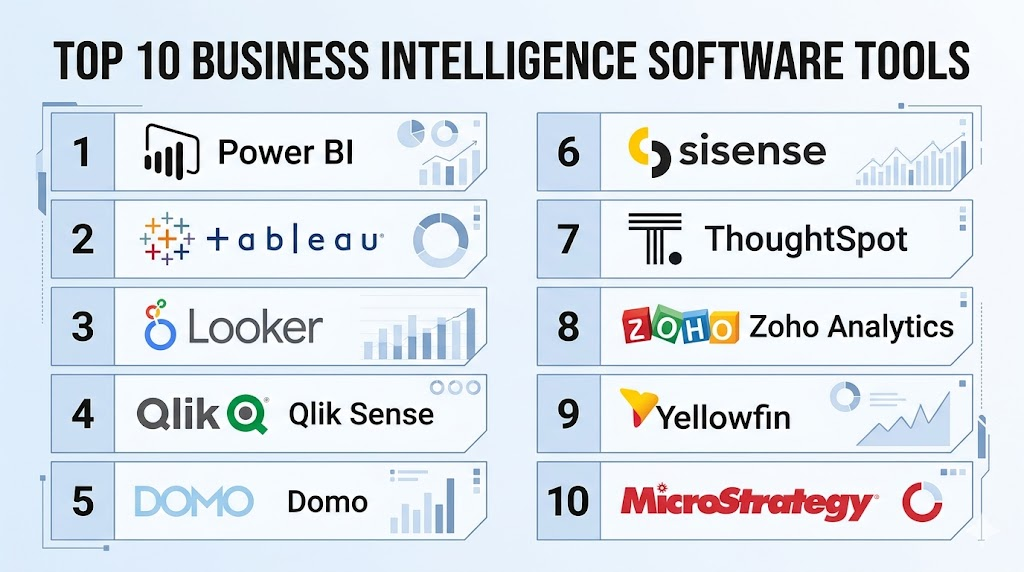
Introduction
Business Intelligence (BI) tools are software applications designed to ingest, process, and analyze vast amounts of unstructured data from internal and external systems. By converting raw data into actionable insights through reports, dashboards, and data visualizations, these tools empower organizations to make data-driven decisions. In a landscape defined by data saturation, BI tools act as the interpretative layer that helps businesses identify market trends, operational inefficiencies, and new revenue opportunities.
The current relevance of BI software stems from the transition toward data democratization. Modern organizations no longer restrict data analysis to specialized data scientists; instead, they provide self-service tools to department heads and analysts across the board. This accessibility ensures that every strategic move is backed by empirical evidence rather than intuition.
Real-world use cases:
- Sales Performance Tracking: Monitoring real-time sales pipelines and representative performance across diverse regions.
- Supply Chain Optimization: Identifying bottlenecks in logistics and predicting inventory needs based on historical demand.
- Customer Behavior Analysis: Segmenting customers by purchasing habits to create personalized marketing campaigns.
- Financial Reporting: Consolidating balance sheets and P&L statements from multiple entities for real-time fiscal health monitoring.
- Operational Monitoring: Tracking manufacturing uptime and equipment health to schedule predictive maintenance.
Evaluation criteria for buyers:
- Data Connectivity: Availability of native connectors for SQL databases, cloud apps, and flat files.
- Ease of Use: User interface design and the learning curve for non-technical users.
- Visualization Variety: Range of charts, maps, and interactive elements available.
- Mobile Accessibility: Quality of the mobile application and responsive design.
- Scalability: Performance levels when processing millions of rows of data.
- AI and Machine Learning: Built-in predictive analytics and natural language querying.
- Collaboration Features: Ability to share, comment, and export reports securely.
- Embedded Analytics: Options to integrate dashboards directly into third-party portals.
- Security Controls: Granular row-level security and integration with identity providers.
- Total Cost of Ownership: Licensing fees, implementation costs, and hardware/cloud requirements.
Mandatory paragraph
- Best for: Mid-to-large enterprises, data-heavy startups, and technical analysts who require high-level data visualization and cross-departmental reporting.
- Not ideal for: Very small businesses with simple spreadsheet needs, or organizations without a centralized data strategy or clean data sources.
Key Trends in Business Intelligence Software
- Natural Language Querying (NLQ): Users can now type questions in plain English, such as “What was our highest selling product last month?” and the tool automatically generates the corresponding chart.
- Augmented Analytics: The integration of machine learning to automatically surface hidden patterns, outliers, and correlations without manual intervention.
- Embedded BI: A shift toward placing analytics directly within the applications where employees work, such as CRM or ERP systems, rather than requiring a separate login.
- Cloud-Native Architecture: Most platforms are moving toward fully managed cloud environments that offer elastic scaling and lower maintenance overhead.
- Mobile-First Design: Prioritizing high-fidelity mobile experiences that allow executives to view interactive dashboards on the go.
- Data Storytelling: New features that help users weave a narrative around their data, using annotations and sequential layouts to explain the “why” behind the numbers.
- Collaborative BI: Integration with communication platforms like Slack and Microsoft Teams to discuss data insights in real-time.
- Real-Time Data Streaming: The ability to process and visualize data from IoT sensors and live transactions with sub-second latency.
How We Selected These Tools (Methodology)
To select the top performers in the BI category, we utilized a multi-dimensional evaluation framework:
- Market Share and Mindshare: We prioritized tools with high adoption rates and strong industry recognition.
- Feature Completeness: Only tools offering a full end-to-end cycle—from data ingestion to visualization—were considered.
- Reliability Signals: We analyzed performance benchmarks and uptime history.
- Security Posture: Evaluation of administrative controls, encryption standards, and compliance certifications.
- Integration Ecosystem: Analysis of how well these tools connect with modern cloud data warehouses like Snowflake, BigQuery, and Redshift.
- Customer Sentiment: Reviewing feedback regarding the quality of customer support and the strength of the user community.
Top 10 Business Intelligence Software Tools
#1 — Microsoft Power BI
Short description : A highly popular BI platform that integrates seamlessly with the Microsoft ecosystem. It offers robust data visualization and self-service analytics for users of all technical levels.
Key Features
- Seamless Excel Integration: Allows users to move data effortlessly between spreadsheets and dashboards.
- Power Query: A powerful data transformation and cleaning engine that requires minimal coding.
- DAX Expressions: A rich functional language for creating complex custom calculations and measures.
- Quick Insights: Automated machine learning that finds trends and patterns in datasets with one click.
- Custom Visuals Marketplace: Access to hundreds of community-created chart types and interactive elements.
- Natural Language Q&A: A built-in feature that answers data-related questions asked in plain English.
- Mobile App Support: High-performance apps for iOS, Android, and Windows for on-the-go monitoring.
Pros
- Extremely cost-effective for organizations already utilizing Microsoft 365.
- Massive community and extensive online learning resources.
Cons
- The desktop version is Windows-only, making it difficult for macOS-centric teams.
- Performance can lag when handling extremely complex DAX queries on large datasets.
Platforms / Deployment
- Windows / Web / iOS / Android
- Cloud / On-premises / Hybrid
Security & Compliance
- SSO/SAML, MFA, RBAC, Row-level security.
- SOC 2, ISO 27001, HIPAA, GDPR.
Integrations & Ecosystem
Power BI is the centerpiece of the Microsoft Power Platform, connecting to hundreds of data sources.
- Microsoft Azure (Synapse, SQL Database)
- Microsoft Dynamics 365
- Salesforce
- Google Analytics
- Snowflake
Support & Community
Extensive documentation, guided learning paths, and a global network of user groups. Professional support is available through Microsoft Enterprise agreements.
#2 — Tableau
Short description: Widely regarded as the gold standard for data visualization. Tableau focuses on deep exploration and high-fidelity interactive dashboards for data-driven professionals.
Key Features
- VizQL Technology: A proprietary language that translates drag-and-drop actions into data queries.
- Tableau Prep: A dedicated tool for visual data cleaning and preparation before analysis.
- Advanced Mapping: Best-in-class geographic analysis with custom layers and spatial file support.
- Einstein Discovery: Integrated AI from Salesforce that provides predictive modeling and suggestions.
- Ask Data: An NLQ interface that allows users to explore data through conversation.
- Explain Data: Uses AI to provide automated explanations for outliers and data points.
- Extensions API: Allows developers to build custom widgets and integrations directly within dashboards.
Pros
- Unparalleled flexibility in creating highly specific and artistic visualizations.
- Capable of handling massive datasets with high performance using the Hyper engine.
Cons
- High licensing costs compared to cloud-native competitors.
- Requires a more significant time investment to master advanced features.
Platforms / Deployment
- Windows / macOS / Web / iOS / Android
- Cloud / On-premises / Hybrid
Security & Compliance
- SSO, MFA, Encryption at rest/transit, RBAC.
- SOC 2, ISO 27001, HIPAA.
Integrations & Ecosystem
Since its acquisition by Salesforce, Tableau has deepened its integration with CRM and cloud data.
- Salesforce
- Amazon Redshift
- Google BigQuery
- SAP HANA
- Snowflake
Support & Community
Legendary community (Tableau Public), global conferences, and a robust “Tableau Blueprint” for organizational success.
#3 — Looker (Google Cloud)
Short description: A modern, browser-based BI platform that uses a centralized modeling language to ensure data consistency across an entire organization.
Key Features
- LookML: A powerful modeling language that centralizes business logic, preventing inconsistent metrics.
- Browser-Based Interface: No desktop software required; all modeling and viewing happen in the browser.
- Looker Blocks: Pre-built pieces of code for common analytical patterns to accelerate development.
- Action Hub: Allows users to trigger workflows in other apps (like Slack or Marketo) directly from a report.
- Git Integration: Built-in version control for data models, ensuring stability and collaboration.
- Embedded Analytics: Robust APIs for integrating Looker charts into external customer portals.
Pros
- Provides a “single source of truth” by centralizing logic in the LookML layer.
- Highly scalable and optimized for cloud-native data warehouses.
Cons
- Requires knowledge of LookML, which can be a barrier for non-technical analysts.
- Limited offline capabilities compared to desktop-based BI tools.
Platforms / Deployment
- Web / iOS / Android
- Cloud
Security & Compliance
- SAML/SSO, MFA, Granular permissions, Audit logs.
- SOC 2, ISO 27001, FedRAMP, GDPR.
Integrations & Ecosystem
As a Google Cloud product, it offers premier integration with Google’s data stack.
- Google BigQuery
- Snowflake
- Amazon Redshift
- Slack
- dbt (Data Build Tool)
Support & Community
Excellent technical documentation, 24/7 support for enterprise customers, and an active developer community.
#4 — Qlik Sense
Short description : A sophisticated BI tool powered by an associative engine that allows users to explore data relationships in any direction without pre-defined paths.
Key Features
- Associative Engine: Highlights relationships between data points, showing what data is not related to a selection.
- Insight Advisor: An AI assistant that suggests visualizations and automates data preparation.
- Hybrid Cloud Architecture: Offers flexible deployment across public clouds, private clouds, and on-premises.
- Data Alerting: Sophisticated alerting system that notifies users of significant data changes via mobile or email.
- Dynamic Views: Allows for the mixing of live, real-time data with historical aggregated data in one view.
- Open APIs: Extensive library for building custom analytics applications and embedded solutions.
Pros
- The associative engine allows for “discovery” that traditional SQL-based tools might miss.
- Very strong mobile experience with full interactive capabilities.
Cons
- The licensing model can be confusing for new organizations.
- Data preparation can be technical and may require script writing for complex transformations.
Platforms / Deployment
- Web / iOS / Android
- Cloud / On-premises / Hybrid
Security & Compliance
- SSO, MFA, Attribute-based access control (ABAC).
- SOC 2, ISO 27001, HIPAA.
Integrations & Ecosystem
Qlik offers a wide range of connectors and specialized data integration tools.
- SAP
- Salesforce
- ServiceNow
- Databricks
- Snowflake
Support & Community
Comprehensive Qlik Learning portal, active forums, and a global partner network for implementation support.
#5 — Domo
Short description : A cloud-native BI platform designed for executive-level visibility, offering a vast array of connectors and a focus on real-time mobile reporting.
Key Features
- 1,000+ Data Connectors: One of the largest libraries of pre-built connectors for cloud applications.
- Magic ETL: A drag-and-drop interface for data transformation that requires zero coding.
- Beast Mode: A specialized calculation engine for creating custom metrics on the fly.
- Buzz Collaboration: Built-in social messaging platform for discussing data within the app.
- App Dev Studio: Tools for building custom, low-code data applications for specific business processes.
- Domo Alerts: Highly customizable alerts that trigger based on complex logic and thresholds.
Pros
- Fastest time-to-value for organizations needing to connect many disparate cloud sources.
- Excellent mobile app that is designed for high-level decision-makers.
Cons
- Pricing is generally on the higher end and may not scale well for small teams.
- Less flexibility for deep, custom data modeling compared to Looker or Tableau.
Platforms / Deployment
- Web / iOS / Android
- Cloud
Security & Compliance
- SAML/SSO, MFA, BYOK (Bring Your Own Key) encryption.
- SOC 2 Type II, ISO 27001, HIPAA, GDPR.
Integrations & Ecosystem
Domo is designed to be a “connector-first” platform.
- Google Sheets / Excel
- Facebook Ads / LinkedIn Ads
- Salesforce
- Amazon S3
- NetSuite
Support & Community
Domo University, a dedicated customer success program, and an annual user conference (Domopalooza).
#6 — Sisense
Short description : An API-first BI platform that excels in embedded analytics, allowing businesses to build data-heavy products for their own customers.
Key Features
- In-Chip Technology: A proprietary engine that optimizes CPU cache for faster data processing than RAM-based systems.
- Elasticube: A high-performance analytical database that can handle complex data joins from multiple sources.
- Embedded Framework: Sophisticated SDKs and APIs for white-labeling analytics into SaaS products.
- Sisense Fusion: An AI-driven engine that provides natural language insights and automated data prep.
- BloX: A framework for creating highly interactive, actionable data “cards” within dashboards.
- Git-based Workflows: Supports developer-centric lifecycles for dashboard and model deployment.
Pros
- The premier choice for developers looking to embed analytics into their own software products.
- Extremely efficient at processing complex, disparate data sources without a separate warehouse.
Cons
- The user interface for dashboard creation can be less intuitive for non-technical users.
- Requires more technical resources to manage the Elasticube architecture effectively.
Platforms / Deployment
- Web / Linux / Windows
- Cloud / On-premises / Hybrid
Security & Compliance
- SSO, MFA, Section 508 compliance, RBAC.
- SOC 2 Type II, ISO 27001.
Integrations & Ecosystem
Sisense is built for technical flexibility and external integration.
- Redshift
- Snowflake
- MongoDB
- Elasticsearch
- Slack
Support & Community
Documentation geared toward developers, a professional services wing, and a community forum for technical troubleshooting.
#7 — ThoughtSpot
Short description: A search-driven analytics platform that prioritizes “Live Analytics,” allowing users to explore data through a Google-like search interface.
Key Features
- SearchIQ: A search-driven interface that translates natural language into complex SQL queries.
- SpotIQ: An automated insight engine that uses AI to find anomalies and trends across billions of rows.
- ThoughtSpot Everywhere: A dedicated platform for embedding search-driven analytics into apps.
- Liveboards: Dashboards that stay live and interactive, allowing users to drill down into any data point.
- Cloud Data Connect: Connects directly to cloud warehouses without the need to move or cache data.
- Mobile Search: Full search-driven analytics capability on mobile devices.
Pros
- The most intuitive experience for non-technical business users who just want to “ask questions.”
- Eliminates the need for pre-built dashboards by allowing users to create their own on the fly.
Cons
- Highly dependent on having a clean, well-structured cloud data warehouse.
- Less control over the exact aesthetic “look” of visualizations compared to Tableau.
Platforms / Deployment
- Web / iOS / Android
- Cloud
Security & Compliance
- SSO, MFA, Column-level security, RBAC.
- SOC 2, ISO 27001, HIPAA.
Integrations & Ecosystem
ThoughtSpot is designed to sit on top of modern cloud data lakes.
- Snowflake
- Databricks
- Google BigQuery
- Amazon Redshift
- Azure Synapse
Support & Community
ThoughtSpot University, active user community, and 24/7 technical support for enterprise tiers.
#8 — Zoho Analytics
Short description : A budget-friendly, cloud-based BI tool that offers a surprisingly deep feature set, ideal for small to mid-sized businesses already in the Zoho ecosystem.
Key Features
- Zia AI: An intelligent assistant for natural language querying and automated insight generation.
- Visual Analysis Builder: A user-friendly drag-and-drop interface for creating reports.
- Unified Business Insights: Automatically blends data from across the Zoho suite (CRM, Finance, etc.).
- White Labeling: Affordable options for re-branding the platform for client use.
- Data Alerts: Automated notifications when specific business thresholds are met.
- Collaborative Workspaces: Allows teams to work together on reports with fine-grained access control.
Pros
- Exceptional value for the price, offering features often found only in expensive enterprise tools.
- Native, one-click integration with dozens of other Zoho business applications.
Cons
- Data processing limits on lower-tier plans can be restrictive for larger companies.
- The visualization library is not as extensive or modern as Tableau or Power BI.
Platforms / Deployment
- Web / iOS / Android
- Cloud / On-premises
Security & Compliance
- MFA, SSO, Encryption at rest/transit.
- SOC 2, ISO 27001, GDPR.
Integrations & Ecosystem
Zoho Analytics connects to a wide variety of third-party cloud apps.
- Zoho CRM / Books / Projects
- Google Analytics / Ads
- Salesforce
- QuickBooks
- Mailchimp
Support & Community
Strong self-service documentation, community forums, and responsive email/chat support.
#9 — Yellowfin
Short description: A BI platform that focuses on “Actionable Analytics,” combining automated data discovery with data storytelling and workflow tools.
Key Features
- Yellowfin Signals: Automatically discovers and notifies users of significant changes in their data.
- Data Stories: A long-form reporting tool that allows users to write narratives alongside live data.
- Guided NLQ: A search interface that helps users construct questions with real-time suggestions.
- Workflow Integration: Allows for the creation of action buttons within dashboards to trigger external tasks.
- Yellowfin Present: A specialized tool for creating data-driven presentations that stay live.
- Mobile BI: A dedicated app that delivers data stories and signals in a newsfeed format.
Pros
- Unique focus on “Data Storytelling” helps bridge the gap between data and executive understanding.
- Automation features (Signals) reduce the need for manual dashboard monitoring.
Cons
- The user interface for administrative tasks can be more complex than cloud-native rivals.
- Smaller community and ecosystem compared to market leaders like Microsoft or Google.
Platforms / Deployment
- Web / iOS / Android
- Cloud / On-premises / Hybrid
Security & Compliance
- SSO, MFA, Content-level security.
- SOC 2, ISO 27001.
Integrations & Ecosystem
Yellowfin is designed to be highly embeddable and connective.
- SQL Server / Oracle / Postgres
- Snowflake
- Google BigQuery
- Amazon Redshift
- Salesforce
Support & Community
Strong technical support, a “Yellowfin University” for training, and active global user groups.
#10 — MicroStrategy
Short description: An enterprise-grade platform known for its “HyperIntelligence” feature, which delivers data insights directly onto websites and applications via overlays.
Key Features
- HyperIntelligence: Zero-click analytics that surface data when users hover over text in their browser or email.
- Semantic Graph: A powerful centralized metadata layer that ensures consistent data definitions.
- Dossiers: Interactive, book-like reports that organize data into chapters and pages.
- Cloud Console: A unified management interface for deploying and scaling instances across clouds.
- Mobile Library: High-performance mobile apps with offline access and write-back capabilities.
- Library for Developers: Robust REST APIs for creating custom applications and data connectors.
Pros
- HyperIntelligence is a unique and highly effective way to drive data adoption.
- Extremely strong governance and metadata management for large-scale enterprise deployments.
Cons
- High cost and complexity make it unsuitable for small businesses.
- The platform has a steep learning curve for developers and administrators.
Platforms / Deployment
- Web / Windows / macOS / iOS / Android
- Cloud / On-premises / Hybrid
Security & Compliance
- SSO, MFA, Object-level security, Encryption.
- SOC 2, ISO 27001, PCI DSS, FedRAMP.
Integrations & Ecosystem
MicroStrategy is built for the complex enterprise data environment.
- Teradata / SAP
- Snowflake
- Microsoft Azure
- Google Cloud
- AWS
Support & Community
World-class enterprise support, specialized certifications, and an extensive global training catalog.
Comparison Table (Top 10)
| Tool Name | Best For | Platform(s) Supported | Deployment | Standout Feature | Public Rating |
|---|---|---|---|---|---|
| 1. Power BI | Microsoft Ecosystem | Win, Web, Mobile | Hybrid | Excel Integration | 4.8/5 |
| 2. Tableau | Data Visualization | Win, Mac, Web, Mobile | Hybrid | VizQL Engine | 4.7/5 |
| 3. Looker | Data Governance | Web, Mobile | Cloud | LookML Modeling | 4.5/5 |
| 4. Qlik Sense | Data Discovery | Web, Mobile | Hybrid | Associative Engine | 4.6/5 |
| 5. Domo | Executive Dashboards | Web, Mobile | Cloud | 1,000+ Connectors | 4.4/5 |
| 6. Sisense | Embedded Analytics | Web, Mobile | Hybrid | In-Chip Technology | 4.5/5 |
| 7. ThoughtSpot | Search-driven BI | Web, Mobile | Cloud | SearchIQ (NLQ) | 4.6/5 |
| 8. Zoho Analytics | SMB Value | Web, Mobile | Hybrid | Zia AI Assistant | 4.3/5 |
| 9. Yellowfin | Data Storytelling | Web, Mobile | Hybrid | Yellowfin Signals | 4.4/5 |
| 10. MicroStrategy | Enterprise Scale | Win, Mac, Web, Mobile | Hybrid | HyperIntelligence | 4.3/5 |
Evaluation & Scoring of Business Intelligence Tools
| Tool Name | Core (25%) | Ease (15%) | Integrations (15%) | Security (10%) | Performance (10%) | Support (10%) | Value (15%) | Weighted Total |
|---|---|---|---|---|---|---|---|---|
| Power BI | 9 | 9 | 10 | 10 | 8 | 9 | 10 | 9.25 |
| Tableau | 10 | 7 | 9 | 9 | 10 | 9 | 6 | 8.55 |
| Looker | 9 | 6 | 9 | 10 | 9 | 8 | 7 | 8.15 |
| Qlik Sense | 9 | 7 | 8 | 9 | 9 | 8 | 7 | 8.05 |
| Domo | 8 | 9 | 10 | 9 | 8 | 8 | 6 | 8.05 |
| Sisense | 8 | 6 | 9 | 9 | 10 | 8 | 7 | 7.95 |
| ThoughtSpot | 8 | 10 | 8 | 9 | 9 | 8 | 7 | 8.35 |
| Zoho Analytics | 7 | 9 | 8 | 8 | 7 | 8 | 10 | 8.05 |
| Yellowfin | 8 | 8 | 8 | 8 | 8 | 8 | 8 | 8.00 |
| MicroStrategy | 9 | 5 | 9 | 10 | 9 | 9 | 6 | 7.85 |
How to Interpret Scores:
These scores are comparative. A high Core Features score indicates a deep toolset for visualization and analysis. Ease of Use reflects the time required for a non-technical person to get value. The Weighted Total provides a holistic view of the tool’s market standing.
Which Business Intelligence Software Tool Is Right for You?
Solo / Freelancer
For a single user or freelancer, 1. Microsoft Power BI (Free tier) or 8. Zoho Analytics are the most logical choices. They provide professional-grade capabilities with little to no upfront cost, allowing you to deliver high-quality reports to clients without expensive overhead.
SMB
Small and mid-sized businesses should prioritize 8. Zoho Analytics for its cost-to-feature ratio or 1. Microsoft Power BI if they already use Office 365. These tools allow for growth without the need for a dedicated data engineering team.
Mid-Market
Companies with established data teams should look toward 2. Tableau for high-end visualization or 3. Looker if they want to build a centralized data model. These tools provide the depth required for complex multi-departmental analysis.
Enterprise
Large-scale organizations with thousands of users should evaluate 10. MicroStrategy for its governance or 2. Tableau for its sheer analytical power. 7. ThoughtSpot is also an excellent addition for enterprises looking to empower non-technical executives with search-driven insights.
Budget vs Premium
- Budget: Zoho Analytics, Microsoft Power BI.
- Premium: Tableau, Domo, MicroStrategy.
Feature Depth vs Ease of Use
- Feature Depth: Tableau, Qlik Sense, MicroStrategy.
- Ease of Use: ThoughtSpot, Power BI, Zoho Analytics.
Integrations & Scalability
- Top Integrations: Domo, Power BI, Looker.
- Top Scalability: Looker, Sisense, Tableau.
Security & Compliance Needs
Organizations with high regulatory requirements (Banking, Healthcare) should prioritize 3. Looker, 10. MicroStrategy, or 1. Microsoft Power BI, as they offer the most robust administrative and compliance controls.
Frequently Asked Questions (FAQs)
1. What is the difference between BI and Data Science?
Business Intelligence focuses on analyzing historical data to explain what happened and what is happening now through dashboards and reports. Data Science uses advanced statistics and predictive modeling to forecast what might happen in the future and why.
2. Can I use these tools if my data is messy?
While some tools like Tableau Prep and Power Query have built-in cleaning features, BI tools work best when data is already structured. It is highly recommended to perform data cleaning (ETL) before attempting to build complex dashboards.
3. Do I need to know how to code to use BI software?
No, most modern BI tools offer “self-service” features with drag-and-drop interfaces. However, knowing SQL or specific tool languages (like DAX for Power BI or LookML for Looker) can significantly expand your ability to perform complex analysis.
4. How long does it take to implement a BI tool?
A simple cloud-based deployment with a few data sources can take a few days. However, a full enterprise rollout involving data modeling, governance, and user training can take several months.
5. What is the average cost of BI software?
Pricing varies wildly. Some tools offer free tiers (Power BI, Zoho), while enterprise-grade solutions can cost between $15 and $100 per user per month, often with additional platform fees.
6. Can I view my dashboards on a mobile phone?
Yes, almost all top-tier BI tools offer dedicated mobile apps for iOS and Android. These apps are usually interactive, allowing you to filter and drill down into data just like on a desktop.
7. What is “Self-Service BI”?
Self-Service BI refers to the trend of allowing non-technical business users to access and analyze data themselves, without waiting for the IT or Data department to generate a report for them.
8. Is it better to have an on-premises or cloud BI solution?
Cloud BI is generally preferred for its ease of maintenance and scalability. On-premises is only recommended for organizations with extreme security requirements or those with large amounts of data stored on local servers that are expensive to move.
9. What is “Embedded Analytics”?
Embedded analytics is the practice of integrating BI charts and dashboards directly into other software applications, such as a company’s internal portal or a customer-facing SaaS product.
10. How do these tools handle data security?
BI tools offer multiple layers of security, including Single Sign-On (SSO), data encryption, and Row-Level Security (RLS), which ensures that users only see the data they are authorized to see based on their role.
Conclusion
The Business Intelligence landscape is more diverse than ever, offering specialized solutions for every organizational need. While 1. Microsoft Power BI and 2. Tableau continue to lead the market in versatility and visualization, newer entrants like 7. ThoughtSpot and 3. Looker are changing how we interact with data through search and centralized modeling.The “best” tool is ultimately the one that aligns with your existing data stack and your team’s technical skill set. To move forward, we recommend shortlisting two or three tools for a pilot project using your own data to validate performance and ease of use before committing to a long-term license.

This post gives a fresh perspective, I like it.