MOTOSHARE 🚗🏍️
Rent Bikes & Cars Directly from Owners
Motoshare connects vehicle owners with people who need bikes and cars on rent. Owners earn from idle vehicles, and renters get flexible ride options.
Visit Motoshare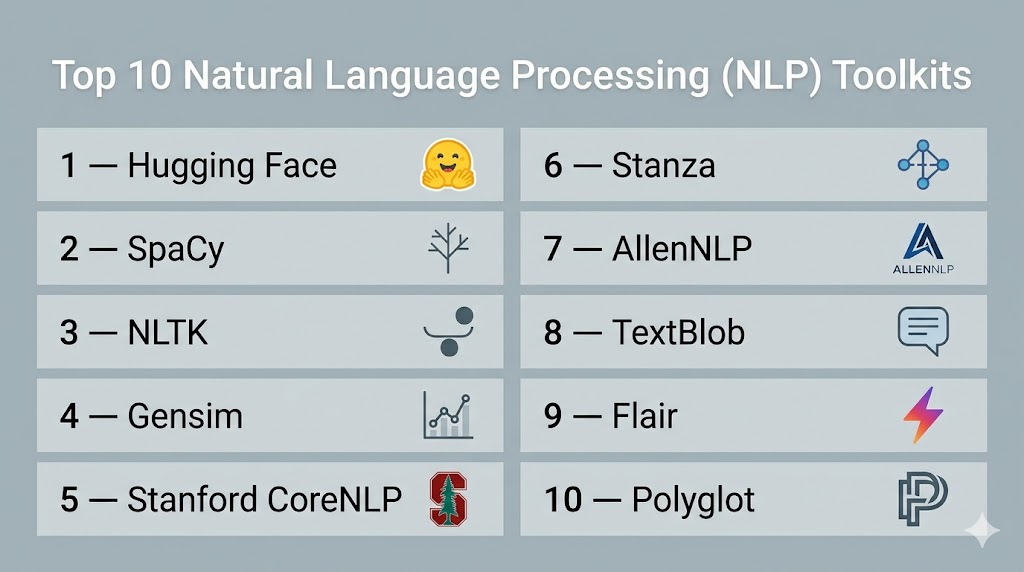
Introduction
Natural Language Processing (NLP) toolkits are specialized software libraries and frameworks that provide the building blocks for computers to understand, interpret, and generate human language. In plain English, these toolkits act as the “translation layer” between human speech or text and computer-readable code. They provide pre-built functions for tasks like breaking sentences into words, identifying parts of speech, and determining the emotional sentiment behind a paragraph.
In the current era of artificial intelligence, these toolkits have become the engine behind everything from virtual assistants and customer service chatbots to sophisticated document summarizers and translation services. As the volume of unstructured text data grows, the ability to process this information automatically is critical for business efficiency. Organizations use these tools to extract insights from social media, automate content moderation, and build interfaces that allow humans to interact with machines using natural speech.
Real-World Use Cases:
- Sentiment Analysis: Automatically scanning thousands of product reviews to determine if customer feedback is generally positive, negative, or neutral.
- Named Entity Recognition (NER): Extracting specific names of people, organizations, and geographic locations from legal contracts or news articles.
- Machine Translation: Powering real-time translation services that allow global teams to communicate across different languages.
Buyer Evaluation Criteria:
- Language Support: The number of different human languages the toolkit can accurately process.
- Processing Speed: How quickly the library can handle large volumes of text (throughput).
- Accuracy & Precision: The reliability of the tool in complex linguistic tasks like ambiguity resolution.
- Ease of Use: The quality of the API design and the learning curve for developers.
- Community & Ecosystem: The availability of pre-trained models and third-party plugins.
- Resource Requirements: The amount of memory and CPU/GPU power needed to run the models.
- Task Versatility: Whether it handles specialized tasks like summarization, dependency parsing, or coreference resolution.
- Flexibility: The ability to fine-tune pre-trained models on industry-specific vocabulary (e.g., medical or legal terms).
Mandatory paragraph
- Best for: Data scientists, AI researchers, and software engineers in industries like fintech, healthcare, and e-commerce who need to build text-heavy applications or automate document workflows.
- Not ideal for: General business users without coding knowledge, or for simple data tasks where standard keyword matching is sufficient without the need for deep linguistic understanding.
Key Trends in Natural Language Processing (NLP) Toolkits
- Large Language Model (LLM) Integration: Most modern toolkits are shifting from traditional rule-based processing to becoming “wrappers” or optimization layers for massive transformer models.
- Parameter-Efficient Fine-Tuning (PEFT): A growing focus on techniques that allow developers to adapt giant models to specific tasks using very little computing power.
- Multimodal Capabilities: Toolkits are beginning to integrate text processing with image and audio signals for more holistic “contextual” understanding.
- Edge NLP: The development of highly compressed, lightweight libraries that can run complex language tasks directly on mobile devices without cloud connectivity.
- Low-Resource Language Support: A major trend toward improving accuracy for “minority” languages that have historically lacked large digital datasets.
- Ethical and Bias Auditing: New features within toolkits that automatically flag potential demographic bias or toxic language patterns during the training phase.
- Vector Database Synergy: Deep integration between NLP toolkits and vector databases to power Retrieval-Augmented Generation (RAG) systems.
- Real-time Streaming NLP: Optimization for processing continuous audio or text feeds with sub-second latency for live captioning or monitoring.
How We Selected These Tools (Methodology)
To identify the top 10 NLP toolkits, we applied a systematic evaluation framework:
- Market Adoption: We prioritized libraries that are the standard in professional and academic environments.
- Feature Completeness: Evaluation was based on the breadth of tasks supported, from basic tokenization to advanced semantic analysis.
- Performance Signals: We looked for tools that balance high accuracy with computational efficiency.
- Security Posture: Preference was given to tools with transparent development cycles and robust handling of data privacy.
- Integration Density: The ability to function within broader data science stacks (Python, Java, Cloud).
- Customer Fit: Ensuring the list includes options for both research-heavy applications and high-speed production environments.
Top 10 Natural Language Processing (NLP) Toolkits
1 — Hugging Face Transformers
Short description:
Hugging Face Transformers is the most influential toolkit in the modern NLP landscape. It provides thousands of pre-trained models to perform tasks on texts such as classification, information extraction, and summarization. It is built for researchers and developers who want access to the state-of-the-art in transformer-based AI with minimal setup code.
Key Features
- Access to Model Hub: Immediate connection to hundreds of thousands of community-contributed and official models.
- Framework Interoperability: Seamless support for both PyTorch and TensorFlow.
- Pipeline API: High-level abstractions that allow users to run complex tasks like sentiment analysis in a single line of code.
- Tokenizers Library: Extremely fast sub-word tokenization written in Rust for high-speed preprocessing.
- Dataset Integration: Direct access to a massive library of text datasets for training and evaluation.
Pros
- Unrivaled library of pre-trained state-of-the-art models.
- Excellent documentation and a massive global community.
Cons
- Can be memory-intensive due to the size of the transformer models.
- The vast number of options can be overwhelming for beginners.
Platforms / Deployment
- Windows / macOS / Linux
- Cloud / Hybrid
Security & Compliance
- SSO/SAML (Enterprise), RBAC, Encryption.
- SOC 2 (Enterprise Hub).
Integrations & Ecosystem
Hugging Face is the central hub for modern AI, integrating with every major cloud and data science tool.
- SageMaker, Azure, and GCP native integrations.
- Weights & Biases for experiment tracking.
- PyTorch and TensorFlow core support.
Support & Community
Extensive community support via forums and GitHub. Enterprise-tier support is available for commercial users with dedicated expert guidance.
2 — SpaCy
Short description:
SpaCy is an open-source library for advanced Natural Language Processing in Python. Unlike research-focused toolkits, SpaCy is designed specifically for “production use”—meaning it is built to be fast, efficient, and easy to deploy. It excels at large-scale information extraction and is a favorite for building professional-grade data pipelines.
Key Features
- Industrial-Strength Speed: Highly optimized C extensions for lightning-fast text processing.
- Non-destructive Tokenization: Keeps track of the original text structure for easier debugging.
- Pre-trained Statistical Models: Includes ready-to-use models for multiple languages.
- Visualizers: Built-in tools like displaCy for visualizing dependency parses and named entities.
- Component-based Pipeline: Allows users to easily add custom logic to the processing flow.
Pros
- The fastest toolkit for standard linguistic tasks.
- Very intuitive API that follows a “one way to do it” philosophy.
Cons
- Less flexible for deep research compared to Hugging Face.
- Supports fewer languages than some more academic toolkits.
Platforms / Deployment
- Windows / macOS / Linux
- Cloud / Self-hosted
Security & Compliance
- Standard open-source security; enterprise features depend on deployment environment.
- Not publicly stated.
Integrations & Ecosystem
SpaCy integrates smoothly with the broader Python data science stack and specialized AI tools.
- Scikit-learn and PyTorch.
- Prodigy for data annotation.
- Streamlit for building NLP apps.
Support & Community
Strong community via GitHub Discussions and Stack Overflow. Commercial support is available through the core maintainers.
3 — NLTK (Natural Language Toolkit)
Short description:
NLTK is one of the oldest and most comprehensive libraries for NLP, primarily used for teaching and research. It provides a huge collection of libraries and programs for symbolic and statistical natural language processing. It is the go-to toolkit for students and academics who want to understand the underlying theory of linguistics.
Key Features
- Extensive Corpus Collection: Includes over 50 corpora and lexical resources like WordNet.
- Linguistic Depth: Support for everything from basic tokenization to complex semantic reasoning.
- Text Processing Libraries: Massive variety of algorithms for stemming, tagging, and parsing.
- Educational Focus: Designed alongside a famous textbook to guide users through NLP concepts.
- Modular Design: Allows users to pick and choose specific linguistic components.
Pros
- Unequaled breadth of linguistic tools and datasets.
- Excellent for learning the fundamentals of how NLP works.
Cons
- Much slower than modern alternatives like SpaCy.
- The API can feel dated and overly complex for simple tasks.
Platforms / Deployment
- Windows / macOS / Linux
- Self-hosted
Security & Compliance
- Open-source project; security managed by community updates.
- Not publicly stated.
Integrations & Ecosystem
Primarily focused on the Python ecosystem and academic research pipelines.
- Scikit-learn for basic machine learning.
- NumPy and Matplotlib.
- WordNet integration.
Support & Community
Massive academic community. Thousands of tutorials and academic papers are based on this toolkit.
4 — Gensim
Short description:
Gensim is a Python library specialized in “Topic Modeling” and “Document Similarity.” It is built to handle large text collections using incremental algorithms, meaning it doesn’t need to load the entire dataset into memory. It is the best choice for discovering hidden patterns in massive archives of documents.
Key Features
- Scalability: Specifically designed to handle large, web-scale data.
- Efficient Vector Spaces: High-performance implementations of Word2Vec, Doc2Vec, and FastText.
- Topic Modeling: Superior support for LDA (Latent Dirichlet Allocation) and LSI.
- Streaming Data: Ability to process data that is too large for RAM.
- Similarity Queries: Fast algorithms for finding similar documents in a large corpus.
Pros
- Memory-efficient processing of massive text datasets.
- Industry-standard for vector space modeling and topic discovery.
Cons
- Focused on a specific subset of NLP; not a general-purpose toolkit.
- Lacks features for basic tasks like part-of-speech tagging or NER.
Platforms / Deployment
- Windows / macOS / Linux
- Cloud / Self-hosted
Security & Compliance
- Open-source project with standard community oversight.
- Not publicly stated.
Integrations & Ecosystem
Integrates well with scientific computing and search-related architectures.
- NumPy and SciPy.
- Elasticsearch for document retrieval.
- Pandas for data manipulation.
Support & Community
Active user group and extensive documentation focused on topic modeling use cases.
5 — Stanford CoreNLP
Short description:
Stanford CoreNLP is a Java-based toolkit that provides a set of natural language analysis tools. It is world-renowned for its linguistic accuracy and is widely used in both academia and high-end enterprise applications. It is the best choice for developers working in a Java environment who need heavy-duty linguistic analysis.
Key Features
- Full Linguistic Suite: Tokenization, POS tagging, NER, parsing, and coreference resolution.
- Multilingual Support: Highly accurate models for English, Chinese, German, Arabic, and more.
- Server Mode: Can be run as a local server with a simple REST API for non-Java users.
- Dependency Parsing: Industry-leading accuracy for analyzing sentence structure.
- Determinism: Provides highly consistent results across different runs.
Pros
- Extremely high accuracy based on decades of Stanford research.
- Robust and stable for long-term enterprise deployments.
Cons
- Written in Java, which may be a hurdle for Python-centric data scientists.
- Resource-heavy; requires significant RAM to run the full pipeline.
Platforms / Deployment
- Windows / macOS / Linux
- Self-hosted / Server
Security & Compliance
- Enterprise-grade stability; security depends on the hosting server configuration.
- Not publicly stated.
Integrations & Ecosystem
Deep roots in the Java ecosystem with wrappers for other languages.
- Java and Scala support.
- Python wrappers (e.g., Stanza).
- Docker support for containerized deployment.
Support & Community
Maintained by the Stanford NLP Group with a large academic and commercial user base.
6 — Stanza
Short description:
Stanza is the official Python NLP library from Stanford, acting as the modern successor to CoreNLP for the Python community. It features a fully neural pipeline for text analysis and provides high-accuracy models for over 60 human languages. It is ideal for researchers who want Stanford’s accuracy with a modern PyTorch-based interface.
Key Features
- Neural Pipeline: Built from the ground up using neural networks for maximum accuracy.
- Massive Language Support: Pre-trained models for more than 60 different languages.
- Universal Dependencies: Consistent linguistic output across all supported languages.
- CoreNLP Wrapper: Includes a built-in interface to access the original Java CoreNLP.
- GPU Acceleration: Support for hardware acceleration to speed up neural processing.
Pros
- State-of-the-art accuracy for a wide variety of languages.
- Clean, modern Pythonic API.
Cons
- Slower than SpaCy for standard production tasks.
- Requires a GPU for reasonable processing speeds on large datasets.
Platforms / Deployment
- Windows / macOS / Linux
- Cloud / Self-hosted
Security & Compliance
- Maintained by a prestigious academic institution; standard security protocols.
- Not publicly stated.
Integrations & Ecosystem
Focuses on the Python research and deep learning ecosystem.
- PyTorch for underlying neural computations.
- Integration with Jupyter Notebooks.
- Standard Python data tools.
Support & Community
Active GitHub presence and backed by the same community that built CoreNLP.
7 — AllenNLP
Short description:
AllenNLP is an open-source NLP research library built on PyTorch by the Allen Institute for AI. It is designed to make it easy to design and evaluate new deep learning models for NLP. It is best suited for researchers and advanced practitioners who are pushing the boundaries of what is possible in language understanding.
Key Features
- Research-First Design: Built specifically to facilitate the development of new model architectures.
- Declarative Configuration: Uses JSON files to define complex experiments and model parameters.
- State-of-the-Art Models: Includes reference implementations for the latest papers.
- Visualization Tools: Integrated support for visualizing model internals and attention.
- High-level Abstractions: Simplifies the boilerplate code required for PyTorch models.
Pros
- The most flexible toolkit for building custom deep learning NLP models.
- Highly transparent and designed for scientific reproducibility.
Cons
- Steep learning curve for those not familiar with PyTorch.
- Not intended for high-speed production deployments.
Platforms / Deployment
- Windows / macOS / Linux
- Cloud / Self-hosted
Security & Compliance
- Research-oriented; security is the responsibility of the implementing team.
- Not publicly stated.
Integrations & Ecosystem
Deeply integrated with the PyTorch and AI research stack.
- PyTorch and Hydra.
- Weights & Biases integration.
- Hugging Face Transformers support.
Support & Community
Strong community among top-tier AI researchers and academics.
8 — TextBlob
Short description:
TextBlob is a simple Python library for processing textual data. It provides a consistent API for diving into common NLP tasks such as part-of-speech tagging, noun phrase extraction, sentiment analysis, and more. It is the perfect “beginner’s toolkit” for those who need to add simple language features to an app without a complex setup.
Key Features
- Simple API: Designed to be extremely easy to learn and use.
- Sentiment Analysis: Built-in tools for polarity and subjectivity analysis.
- Language Translation: Integration with translation APIs for quick text conversion.
- Spelling Correction: Simple functions for correcting typos in text.
- Word Integration: Easy access to WordNet for synonyms and definitions.
Pros
- The easiest NLP library to get started with.
- Great for quick prototyping and simple scripts.
Cons
- Underlying models are less accurate than state-of-the-art neural toolkits.
- Not suitable for large-scale or complex linguistic analysis.
Platforms / Deployment
- Windows / macOS / Linux
- Self-hosted
Security & Compliance
- Lightweight open-source project; standard community security.
- Not publicly stated.
Integrations & Ecosystem
Designed to work as a high-level wrapper around NLTK and Pattern.
- NLTK.
- Pattern library.
- Standard Python development tools.
Support & Community
Well-documented for beginners with a friendly community on GitHub.
9 — Flair
Short description:
Flair is a powerful NLP library developed by Zalando Research. It is built directly on PyTorch and is famous for its “Flair Embeddings”—a type of contextual string embedding that delivers state-of-the-art performance for tasks like NER and part-of-speech tagging. It is ideal for users who want maximum accuracy in sequence labeling.
Key Features
- Contextual Embeddings: Unique embeddings that capture the meaning of words based on their context.
- Stacked Embeddings: Allows users to combine different types of embeddings (e.g., GloVe + BERT) for better results.
- Sequence Labeling: State-of-the-art performance for NER and tagging.
- Multilingual Support: Models available for a wide variety of languages.
- Simple Interface: A very straightforward API for training and applying models.
Pros
- Extremely high accuracy for named entity recognition.
- Allows for easy experimentation with different embedding types.
Cons
- Can be quite slow during the inference phase.
- Higher memory usage due to the stacked embedding approach.
Platforms / Deployment
- Windows / macOS / Linux
- Cloud / Self-hosted
Security & Compliance
- Developed by a major corporate research lab; robust code quality.
- Not publicly stated.
Integrations & Ecosystem
Tightly coupled with the PyTorch and Hugging Face ecosystems.
- PyTorch.
- Hugging Face Transformers.
- Gensim for word vectors.
Support & Community
Growing community within the deep learning and industry research sectors.
10 — Polyglot
Short description:
Polyglot is a natural language pipeline that supports massive multilingual applications. It is designed to be a simpler alternative for tasks that involve many different languages simultaneously. While it doesn’t have the deep neural power of Hugging Face, it is exceptionally good at language detection and basic multilingual processing.
Key Features
- Massive Language Support: Specifically optimized for handling over 160 different languages.
- Language Detection: One of the fastest and most reliable tools for identifying the language of a text.
- Transliteration: Ability to convert text between different scripts.
- Sentiment Analysis: Multilingual sentiment models for a wide range of dialects.
- Morphological Analysis: Good support for breaking down word structures in complex languages.
Pros
- The best choice for broad, multi-language detection and basic tasks.
- Lightweight compared to heavy neural toolkits.
Cons
- The project is less active than modern neural alternatives.
- Accuracy for complex tasks in English is lower than SpaCy or Stanford.
Platforms / Deployment
- Windows / macOS / Linux
- Self-hosted
Security & Compliance
- Open-source project; security is community-maintained.
- Not publicly stated.
Integrations & Ecosystem
Integrates with the standard Python scientific stack.
- NumPy.
- PyCLD2 (for language detection).
- Standard text processing workflows.
Support & Community
A dedicated niche community focused on multilingualism and language detection.
Comparison Table (Top 10)
| Tool Name | Best For | Platform(s) Supported | Deployment | Standout Feature | Public Rating |
| 1 — Hugging Face | State-of-the-art AI | Windows, Mac, Linux | Cloud/Hybrid | Model Hub Access | N/A |
| 2 — SpaCy | Production Systems | Windows, Mac, Linux | Cloud/Self-hosted | Industrial Speed | N/A |
| 3 — NLTK | Teaching/Research | Windows, Mac, Linux | Self-hosted | Massive Corpora | N/A |
| 4 — Gensim | Topic Modeling | Windows, Mac, Linux | Cloud/Self-hosted | Streaming Scalability | N/A |
| 5 — Stanford CoreNLP | Enterprise Java | Windows, Mac, Linux | Server/Local | Linguistic Accuracy | N/A |
| 6 — Stanza | High-accuracy Python | Windows, Mac, Linux | Cloud/Self-hosted | 60+ Language Support | N/A |
| 7 — AllenNLP | Deep Learning Research | Windows, Mac, Linux | Cloud/Self-hosted | Experiment Config | N/A |
| 8 — TextBlob | Quick Prototyping | Windows, Mac, Linux | Self-hosted | Simple API | N/A |
| 9 — Flair | Sequence Labeling | Windows, Mac, Linux | Cloud/Self-hosted | Contextual Embeddings | N/A |
| 10 — Polyglot | Language Detection | Windows, Mac, Linux | Self-hosted | 160+ Languages | N/A |
Evaluation & Scoring of Natural Language Processing (NLP) Toolkits
| Tool Name | Core (25%) | Ease (15%) | Integrations (15%) | Security (10%) | Performance (10%) | Support (10%) | Value (15%) | Weighted Total |
| Hugging Face | 10 | 7 | 10 | 9 | 8 | 10 | 9 | 9.05 |
| SpaCy | 9 | 10 | 9 | 8 | 10 | 9 | 10 | 9.25 |
| NLTK | 9 | 5 | 7 | 7 | 4 | 9 | 8 | 7.15 |
| Gensim | 7 | 8 | 8 | 7 | 9 | 8 | 9 | 7.85 |
| CoreNLP | 10 | 4 | 7 | 9 | 6 | 9 | 8 | 7.55 |
| Stanza | 10 | 7 | 8 | 8 | 7 | 8 | 8 | 8.15 |
| AllenNLP | 8 | 4 | 8 | 7 | 6 | 8 | 7 | 6.75 |
| TextBlob | 5 | 10 | 6 | 7 | 8 | 7 | 9 | 7.15 |
| Flair | 9 | 8 | 8 | 8 | 6 | 8 | 8 | 8.05 |
| Polyglot | 6 | 7 | 6 | 7 | 8 | 6 | 9 | 6.90 |
Interpretation:
Scores are based on a weighted average of seven critical categories. A score above 9.0 represents a market-leading tool that defines the industry standard. Tools scoring between 7.5 and 8.9 are highly specialized or academic powerhouses that are essential for specific use cases but may lack general-purpose speed or ease of use. Scores below 7.5 indicate tools that are primarily for beginners or specific research niches.
Which Natural Language Processing (NLP) Toolkits Tool Is Right for You?
Solo / Freelancer
If you are a solo developer or freelancer, your priority is speed and simplicity. TextBlob is the best starting point for simple tasks like sentiment analysis. Once your needs grow, moving to SpaCy will give you professional performance with a manageable learning curve.
SMB
Small and medium businesses should prioritize SpaCy. It offers the best balance of speed, accuracy, and documentation, allowing a small engineering team to build powerful NLP pipelines without the massive overhead of managing transformer infrastructure.
Mid-Market
For mid-sized companies looking to build cutting-edge features like summarizers or advanced chatbots, Hugging Face Transformers is the correct choice. It allows your team to leverage billions of dollars in AI research by using pre-trained models that are ready for production.
Enterprise
Large enterprises with established Java infrastructures should consider Stanford CoreNLP for its stability and linguistic depth. If the team is cloud-native and Python-centric, a combination of Hugging Face for deep learning and SpaCy for fast data preprocessing is the industry-standard approach.
Budget vs Premium
Most of these toolkits are open-source and free to use. However, the “cost” comes in compute resources. Gensim and SpaCy are the best “budget” options for their efficiency. Hugging Face is the “premium” choice, as running its state-of-the-art models usually requires expensive GPU infrastructure.
Feature Depth vs Ease of Use
NLTK and CoreNLP offer the most linguistic depth but are significantly harder to use and slower to run. TextBlob and SpaCy prioritize ease of use and developer productivity, making them better for rapid application development.
Integrations & Scalability
Hugging Face and Gensim are the winners here. Hugging Face integrates with every major AI platform, while Gensim is uniquely capable of scaling to datasets that are larger than the available system memory.
Security & Compliance Needs
For organizations with strict compliance needs, using established libraries like SpaCy or CoreNLP that can be hosted entirely on-premise (air-gapped) is the safest route. Hugging Face Enterprise also offers managed security for organizations that need cloud-scale AI with private governance.
Frequently Asked Questions (FAQs)
1. What is the difference between a tokenizer and a parser?
A tokenizer is the first step in NLP that breaks a sentence into individual pieces called “tokens” (usually words). A parser is a more complex tool that analyzes the grammatical structure of the sentence to show how those tokens relate to each other, such as identifying which word is the subject and which is the verb.
2. Can I use these toolkits to build a chatbot like ChatGPT?
Yes, but these toolkits provide the “building blocks” rather than the finished product. You would use Hugging Face to access a model like GPT or Llama, and then use SpaCy or Stanza to preprocess the user’s input before sending it to the large language model.
3. Which toolkit is best for sentiment analysis?
For simple sentiment (positive/negative), TextBlob or SpaCy are excellent and fast. For complex sentiment where context matters deeply (e.g., detecting sarcasm), Hugging Face models are significantly more accurate because they understand the nuances of sentence structure.
4. Why is Python the dominant language for these toolkits?
Python has a massive scientific computing ecosystem (NumPy, PyTorch) that makes it easy to handle the complex mathematical operations behind NLP. While toolkits like CoreNLP exist for Java, the majority of research and new model releases happen in Python first.
5. Do these tools require a lot of memory to run?
It depends on the tool. Basic libraries like TextBlob or SpaCy can run on a standard laptop. However, modern transformer-based toolkits like Hugging Face often require 16GB or more of RAM and a dedicated GPU to process text at a reasonable speed.
6. Can I use these toolkits for languages other than English?
Yes, toolkits like Stanza and Polyglot are specifically built for multilingual support, covering over 60 and 160 languages respectively. SpaCy and Hugging Face also have excellent support for major world languages like Spanish, German, French, and Chinese.
7. What is “Stemming” and “Lemmatization”?
Both are techniques to reduce a word to its base form. Stemming is a rough process that just chops off the ends of words (e.g., “running” becomes “run”). Lemmatization is more sophisticated and uses a dictionary to find the actual root word (e.g., “was” becomes “be”).
8. Is my data kept private when I use these toolkits?
If you use the open-source libraries locally on your machine, your data never leaves your computer. However, if you use a cloud-based model via an API (like some Hugging Face or translation features), your data is sent to a server, so you must check the provider’s privacy policy.
9. What are “Embeddings” in NLP?
Embeddings are a way of turning words into numbers (vectors) so a computer can understand them. In this numerical space, words with similar meanings (like “dog” and “puppy”) are mathematically close to each other, allowing the toolkit to understand semantic relationships.
10. How long does it take to learn these tools?
You can learn the basics of TextBlob in an afternoon. SpaCy usually takes a few days to master for production use. Deep learning toolkits like Hugging Face or AllenNLP can take weeks or months to fully understand, as they require a background in neural network theory.
Conclusion
The landscape of Natural Language Processing has shifted from manual linguistic rules to a world dominated by massive neural networks and pre-trained transformers. Toolkits like SpaCy and Hugging Face have become the standard for professional development, offering a balance of speed and state-of-the-art accuracy that was impossible just a decade ago. While older toolkits like NLTK still hold immense value for those learning the craft, the industry has clearly moved toward efficient, production-ready pipelines.
When choosing a toolkit, the most important factor is the specific problem you are trying to solve. If you need raw speed and information extraction, SpaCy is the clear winner. If you need the absolute highest accuracy for a complex task like summarization, Hugging Face is the path forward. For most organizations, the best strategy is to run a small pilot with two or three of these tools to see which fits most naturally into your existing data architecture and team skill set.

Strong content with practical relevance, well done.