MOTOSHARE 🚗🏍️
Rent Bikes & Cars Directly from Owners
Motoshare connects vehicle owners with people who need bikes and cars on rent. Owners earn from idle vehicles, and renters get flexible ride options.
Visit Motoshare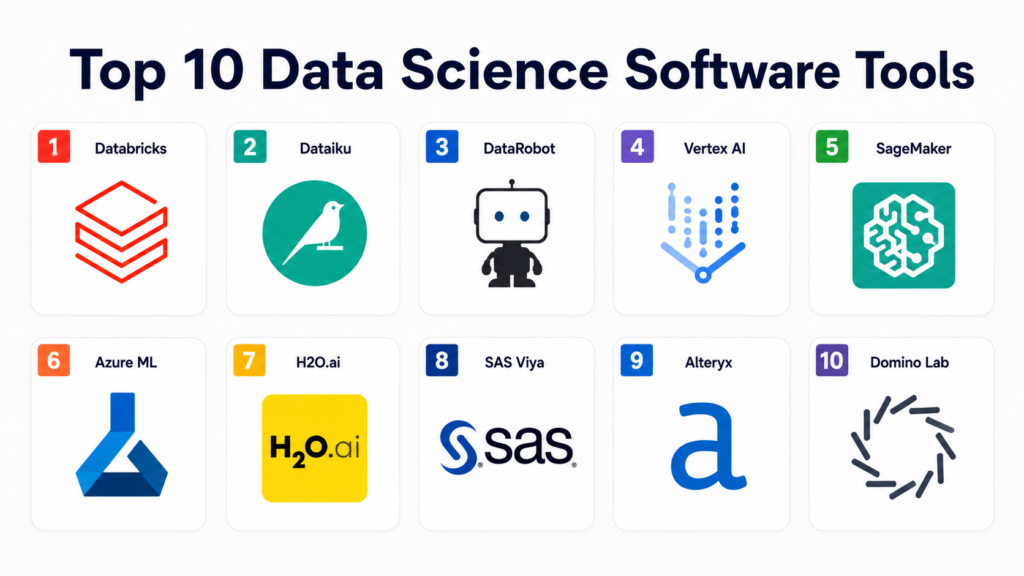
Introduction
A Data Science Platform is a cohesive software environment that provides the building blocks for developing, deploying, and managing analytical models. It integrates a variety of tools for data ingestion, exploration, visualization, and machine learning into a single interface. These platforms are designed to move beyond isolated notebooks and local environments, enabling teams to collaborate on complex projects while maintaining version control and reproducibility. By centralizing the data science lifecycle, organizations can reduce the “time to insight” and ensure that models are not just academic exercises but functional assets that drive business value.
In the modern enterprise, these platforms have become essential for managing the sheer volume and variety of data available. They act as the bridge between raw data lakes and executive decision-making. With the rise of specialized hardware and massive compute requirements for large-scale models, a platform provides the necessary orchestration to scale resources up or down as needed. Furthermore, they provide the governance framework required to manage model bias, drift, and security in a way that individual tools cannot.
Real-world Use Cases:
- Customer Churn Prediction: Identifying at-risk customers by analyzing behavioral patterns and service interactions to trigger retention strategies.
- Predictive Maintenance: Analyzing sensor data from industrial machinery to forecast equipment failure and schedule repairs before downtime occurs.
- Dynamic Pricing: Utilizing real-time market demand, competitor pricing, and inventory levels to optimize prices for e-commerce or travel.
- Fraud Detection: Monitoring millions of financial transactions in real-time to flag suspicious activity using anomaly detection models.
- Supply Chain Optimization: Forecasting demand across different regions to optimize inventory levels and reduce logistics costs.
Evaluation Criteria for Buyers:
- Collaboration Features: The ability for multiple users to work on the same project with shared notebooks and versioning.
- Scalability: How effectively the platform handles large datasets and intensive compute tasks using cloud resources.
- AutoML Capabilities: The availability of automated tools to help non-experts build and tune models quickly.
- Deployment Options: The ease of moving a model from a development environment to a production-ready API.
- Data Integration: The breadth of native connectors for databases, cloud storage, and streaming services.
- Security and Governance: Robustness of access controls, data encryption, and model auditing.
- Open Source Compatibility: Support for popular libraries like Scikit-learn, TensorFlow, and PyTorch.
- Model Monitoring: Tools for tracking model performance, drift, and accuracy over time.
- User Interface: The balance between code-centric environments for experts and visual drag-and-drop tools for analysts.
- Hardware Optimization: Support for specialized processors like GPUs for deep learning tasks.
Best for: Large enterprise teams, research organizations, and data-driven startups that require a centralized, governed, and scalable environment for machine learning and advanced analytics.
Not ideal for: Individual hobbyists with small datasets, organizations looking for simple business intelligence dashboards without predictive modeling, or teams with zero technical expertise who cannot manage a model lifecycle.
Key Trends in Data Science Platforms
- Generative AI Integration: Platforms are increasingly embedding large language models to assist with code generation, data cleaning, and automated insights.
- LLMOps Maturity: There is a significant shift toward specialized tools for managing the lifecycle of Large Language Models, including fine-tuning and prompt engineering.
- Data Mesh Support: Modern platforms are moving toward decentralized data architectures, allowing teams to own and serve their data as a product.
- Focus on Responsible AI: New features are emerging to automatically detect bias in training data and provide explainability for complex black-box models.
- Serverless Computing: The move toward serverless data science allows users to run heavy computations without managing underlying virtual machines or clusters.
- Low-Code/No-Code Expansion: Platforms are making advanced data science accessible to “citizen data scientists” through sophisticated visual interfaces.
- Real-time Feature Stores: The integration of feature stores allows for the consistent use of variables across training and real-time production environments.
- Multi-Cloud Orchestration: The ability to run different parts of the data science lifecycle across various cloud providers to optimize for cost and specific services.
How We Selected These Tools (Methodology)
To select the top 10 data science platforms, we analyzed the market based on a multi-dimensional framework that prioritizes functional depth and enterprise reliability. The evaluation logic followed these parameters:
- Market Share and Mindshare: We prioritized platforms used by the majority of the global fortune 500 and those with high community engagement.
- End-to-End Capability: The selection was restricted to platforms that handle the entire lifecycle from data preparation to production monitoring.
- Security Posture: We looked for platforms with established enterprise security credentials and granular permission management.
- Innovation Velocity: We evaluated how quickly these platforms integrate new technologies such as generative AI and specialized deep learning frameworks.
- Integration Ecosystem: A high priority was placed on tools that offer a wide variety of third-party integrations and open APIs.
- Scalability Signals: We analyzed the platform’s ability to handle petabyte-scale data and distributed training tasks.
Top 10 Data Science Software Tools
#1 — Databricks
Databricks is a unified data and AI platform built on top of Apache Spark, offering a “Lakehouse” architecture that combines the best of data warehouses and data lakes. It provides a collaborative workspace for data engineers, data scientists, and analysts to work together on massive datasets using SQL, Python, R, and Scala.
Key Features
- Delta Lake: Provides ACID transactions and scalable metadata handling on top of existing data lakes.
- MLflow Integration: A built-in system for managing the machine learning lifecycle, including experimentation and deployment.
- Unity Catalog: A unified governance layer for all data and AI assets across the organization.
- Photon Engine: A high-performance vectorized query engine that accelerates analytical workloads.
- Collaborative Notebooks: Real-time co-authoring with integrated version control and visualization tools.
- Mosaic AI: Specialized tools for building and deploying custom generative AI models at scale.
Pros
- Unrivaled performance for large-scale data processing and distributed training.
- Deep integration of MLflow makes model tracking extremely efficient for large teams.
Cons
- The pricing structure can be complex and expensive for organizations with high-volume usage.
- Requires a strong technical background in Spark to fully optimize performance.
Platforms / Deployment
- AWS / Azure / Google Cloud
- Cloud
Security & Compliance
- SSO/SAML, MFA, RBAC, Encryption at rest and transit.
- SOC 2, ISO 27001, HIPAA, GDPR.
Integrations & Ecosystem
Databricks integrates with almost every major cloud service and data tool in the market.
- Tableau / Power BI
- Apache Kafka
- dbt (data build tool)
- Git / Azure DevOps
Support & Community
Massive community support through the Apache Spark ecosystem and robust professional support tiers for enterprise customers.
#2 — Dataiku
Dataiku is a collaborative data science platform designed to bring together technical and non-technical stakeholders. It emphasizes the “citizen data scientist” by providing a visual, flow-based interface alongside advanced coding environments for power users.
Key Features
- Visual Recipes: Drag-and-drop tools for data cleaning, joining, and transformation without writing code.
- Collaborative Project Flows: A visual representation of the entire data pipeline that all team members can see and edit.
- AutoML Suite: Automated machine learning tools for rapid model prototyping and feature selection.
- Governance Dashboards: Centralized monitoring for model performance, drift, and compliance metrics.
- Plugin Store: An extensive marketplace for extending the platform with custom connectors and processors.
- API Deployment: One-click deployment of models into production-ready APIs.
Pros
- Excellent for cross-functional teams where analysts and data scientists need to work together.
- Very high productivity for data preparation tasks due to the visual interface.
Cons
- Can be resource-intensive for the local browser when handling very complex flows.
- The licensing model is often viewed as expensive for smaller companies.
Platforms / Deployment
- Windows / Linux / AWS / Azure / GCP
- Cloud / Self-hosted / Hybrid
Security & Compliance
- LDAP/Active Directory integration, RBAC, SSO.
- Not publicly stated.
Integrations & Ecosystem
Dataiku acts as an orchestration layer for many existing data technologies.
- Snowflake / BigQuery / Redshift
- Python / R / SQL
- Kubernetes
- Slack / Microsoft Teams
Support & Community
Strong training programs via Dataiku Academy and an active user community with frequent local meetups.
#3 — DataRobot
DataRobot is a pioneer in the AutoML space, focusing on automating the manual tasks involved in building, deploying, and maintaining AI models. It is designed for speed and reliability, allowing organizations to scale their AI efforts without exponentially increasing headcount.
Key Features
- Automated Feature Engineering: Automatically creates and selects the best features for a given dataset.
- Model Leaderboard: Ranks hundreds of different machine learning models to find the most accurate for a specific problem.
- MLOps Suite: Advanced tools for monitoring production models and managing the deployment lifecycle.
- AI Cloud: A unified environment for data preparation, model building, and application hosting.
- Time Series Pro: Specialized automated tools for forecasting and time-dependent data.
- No-Code AI Apps: The ability to turn a model into a functional end-user application without coding.
Pros
- Drastically reduces the time required to find an optimal model architecture.
- Superior model documentation features that satisfy strict regulatory requirements.
Cons
- Can feel like a “black box” to highly experienced data scientists who want granular control.
- Premium pricing that targets large enterprise budgets.
Platforms / Deployment
- AWS / Azure / GCP
- Cloud / Hybrid / On-prem
Security & Compliance
- MFA, SSO, RBAC.
- SOC 2 Type II, HIPAA, ISO 27001.
Integrations & Ecosystem
Focuses on connecting to enterprise data sources and visualization tools.
- Snowflake
- Alteryx
- Tableau
- Microsoft Azure
Support & Community
Expert-led support and a structured onboarding process designed for large organizations.
#4 — Google Cloud Vertex AI
Vertex AI is Google Cloud’s unified platform for machine learning. It integrates all of Google’s specialized AI services, including AutoML and custom training, into a single, cohesive environment designed for massive scale.
Key Features
- AutoML: High-performance automated model building for vision, text, and tabular data.
- Vertex AI Studio: A specialized environment for building and fine-tuning generative AI models like Gemini.
- Model Garden: A curated collection of first-party, open-source, and third-party models ready for deployment.
- Feature Store: A centralized repository for sharing and managing machine learning features.
- Pipelines: Orchestration for complex machine learning workflows using Kubeflow.
- Deep Learning VM Images: Pre-configured virtual machines with optimized frameworks like TensorFlow.
Pros
- Deep integration with the rest of the Google Cloud ecosystem, especially BigQuery.
- Access to Google’s specialized hardware like TPUs (Tensor Processing Units).
Cons
- The interface can be overwhelming due to the sheer number of Google Cloud services.
- Primarily restricted to the Google Cloud environment, making multi-cloud strategies difficult.
Platforms / Deployment
- Google Cloud
- Cloud
Security & Compliance
- VPC Service Controls, CMEK (Customer Managed Encryption Keys), IAM.
- SOC 1/2/3, ISO 27001, HIPAA, FedRAMP.
Integrations & Ecosystem
Highly optimized for the Google Data stack.
- BigQuery
- Looker
- Cloud Storage
- TensorFlow
Support & Community
Comprehensive Google Cloud support and extensive documentation favored by cloud engineers.
#5 — Amazon SageMaker
Amazon SageMaker is a fully managed service that provides every developer and data scientist with the ability to build, train, and deploy machine learning models quickly. It is arguably the most feature-rich cloud platform in the data science space.
Key Features
- SageMaker Studio: A unified web-based visual interface for all machine learning development steps.
- Autopilot: Automated machine learning with full visibility and control over the generated code.
- JumpStart: A hub for pre-trained models and solutions for common use cases.
- Data Wrangler: Tools for reducing the time it takes to aggregate and prepare data for machine learning.
- Clarify: Features for detecting bias and explaining model predictions.
- Edge Manager: Tools for managing and deploying models to edge devices.
Pros
- Provides the widest range of specialized tools for every niche of the machine learning lifecycle.
- Excellent scalability and cost-management features like Spot Instances for training.
Cons
- The learning curve is steep due to the complexity and volume of features.
- Vendor lock-in is a significant concern for organizations looking to move away from AWS.
Platforms / Deployment
- AWS
- Cloud / Edge
Security & Compliance
- IAM, KMS, VPC support.
- SOC 1/2/3, ISO 27001, HIPAA, FedRAMP.
Integrations & Ecosystem
Native integration with the vast AWS service library.
- Amazon S3
- Amazon Redshift
- AWS Glue
- AWS Lambda
Support & Community
Vast AWS community, extensive third-party training, and enterprise-level support plans.
#6 — Microsoft Azure Machine Learning
Azure Machine Learning is Microsoft’s enterprise-grade service for the end-to-end machine learning lifecycle. It focuses on security, compliance, and integration with the ubiquitous Microsoft business stack.
Key Features
- Azure AI Studio: A specialized workspace for developing generative AI applications using OpenAI models.
- Machine Learning Designer: A drag-and-drop interface for building pipelines without code.
- Automated ML: Efficient model building and hyperparameter tuning for diverse data types.
- Managed Endpoints: Simplified deployment and scaling of models for real-time and batch inference.
- Responsible AI Dashboard: A centralized tool for assessing model fairness and interpretability.
- Integration with Power BI: Seamlessly surface machine learning insights within business dashboards.
Pros
- The natural choice for organizations already committed to the Microsoft ecosystem.
- Superior security and compliance features suitable for highly regulated industries.
Cons
- Can be slower to introduce certain open-source features compared to Databricks.
- The pricing can be high for non-Enterprise Agreement customers.
Platforms / Deployment
- Microsoft Azure
- Cloud / Edge / Hybrid
Security & Compliance
- Azure Active Directory, Private Link, RBAC.
- SOC 1/2/3, ISO 27001, HIPAA, FedRAMP.
Integrations & Ecosystem
Optimized for Microsoft’s data and business tools.
- Azure Data Lake / Synapse
- Power BI
- Azure DevOps
- Microsoft 365
Support & Community
Strong professional support through Microsoft and a large network of certified partners.
#7 — H2O.ai
H2O.ai provides an open-source and commercial platform for machine learning. It is widely respected for its performance and its “H2O Driverless AI” product, which automates complex data science tasks.
Key Features
- Driverless AI: Automated feature engineering, model selection, tuning, and explanation.
- H2O-3: The core open-source distributed machine learning platform.
- Hydrogen Torch: A specialized tool for building deep learning models for vision and text without coding.
- Document AI: Automated tools for extracting insights from unstructured documents.
- Wave: A framework for building low-code AI applications in Python.
- Model Monitoring: Real-time tracking of production models for drift and performance.
Pros
- High performance for tabular data and time series forecasting.
- Flexible deployment options, including the ability to run on-premises or in any cloud.
Cons
- The commercial license for Driverless AI is expensive for small teams.
- The open-source version requires significant technical skill to manage at scale.
Platforms / Deployment
- Windows / Linux / AWS / Azure / GCP
- Cloud / Self-hosted / Hybrid
Security & Compliance
- LDAP, Kerberos, RBAC.
- Not publicly stated.
Integrations & Ecosystem
Focuses on compatibility with standard data science libraries.
- Python / R
- Spark (via Sparkling Water)
- Hadoop
- Kubernetes
Support & Community
Very active open-source community and specialized support for enterprise license holders.
#8 — SAS Viya
SAS Viya is the modern, cloud-native evolution of the traditional SAS analytical suite. It brings the power of SAS’s proven statistical algorithms into a scalable, API-driven environment.
Key Features
- Visual Analytics: Advanced data exploration and reporting in a web-based interface.
- SAS Model Manager: Centralized control for registering, deploying, and monitoring models.
- Intelligent Decisioning: Combines business rules with analytical models to automate complex decisions.
- Support for Open Source: The ability to run Python and R code within the SAS environment.
- Data Preparation: High-performance tools for cleaning and transforming data at scale.
- In-Memory Processing: Extremely fast analytical computations using memory-resident data.
Pros
- Proven reliability and statistical accuracy favored by banks and government agencies.
- Excellent governance and auditability for regulated environments.
Cons
- Often viewed as a “legacy” tool by younger data scientists who prefer open-source.
- One of the most expensive platforms in the market.
Platforms / Deployment
- AWS / Azure / GCP / On-prem
- Cloud / Hybrid
Security & Compliance
- Encryption, RBAC, SSO.
- SOC 2, ISO 27001.
Integrations & Ecosystem
Strongest when staying within the SAS ecosystem, but improving open-source links.
- Python / R
- Hadoop
- Teradata
- Microsoft Azure
Support & Community
Excellent corporate support and a mature network of professional consultants.
#9 — Alteryx
Alteryx is an analytics automation platform that focuses on data prep, blending, and advanced analytics through a visual, code-free interface. It is the leading tool for “democratizing” data science across the business.
Key Features
- Designer: A drag-and-drop environment for building complex data workflows.
- Intelligence Suite: Automated machine learning and natural language processing tools.
- Server: A centralized platform for scheduling, sharing, and running workflows at scale.
- Cloud Platform: A browser-based version of the Alteryx suite for collaborative work.
- Auto Insights: Automated generation of business stories and root-cause analysis.
- Connect: A data cataloging tool for discovering and managing data assets.
Pros
- The gold standard for data preparation speed and ease of use.
- Allows non-programmers to perform sophisticated predictive modeling.
Cons
- Not suitable for building custom deep learning models or low-level algorithm development.
- Performance can lag when processing billions of rows compared to Spark-based tools.
Platforms / Deployment
- Windows / AWS / Azure / GCP
- Cloud / Self-hosted / Hybrid
Security & Compliance
- SAML, SSO, RBAC.
- SOC 2.
Integrations & Ecosystem
Excellent connectivity to business applications and databases.
- Tableau / Power BI
- Salesforce
- Snowflake
- Oracle
Support & Community
Legendary community support (Alteryx Community) with a focus on business use cases.
#10 — Domino Data Lab
Domino Data Lab is an Enterprise MLOps platform designed to provide a centralized environment for data science teams. It focuses on reproducibility, collaboration, and removing the engineering hurdles between development and production.
Key Features
- Reproducibility Engine: Automatically captures data, code, and environment for every experiment.
- Unified Compute Grid: Provides one-click access to scalable compute resources like Spark and Ray.
- Model APIs: Simplified hosting of models as scalable web services.
- Environment Management: Automated management of Docker-based environments for consistent execution.
- Knowledge Center: A searchable repository of all data science projects and insights within the company.
- Hybrid Cloud Support: Run data science workloads across multiple cloud providers or on-premises.
Pros
- The best platform for ensuring high standards of reproducibility and compliance.
- Excellent at helping large teams manage complex, heterogeneous coding environments.
Cons
- Does not provide its own “algorithms” or visual modeling tools; it is an orchestration layer.
- Implementation requires a mature data science team with defined processes.
Platforms / Deployment
- AWS / Azure / GCP / On-prem
- Cloud / Hybrid / Self-hosted
Security & Compliance
- SSO, RBAC, Encryption.
- SOC 2 Type II.
Integrations & Ecosystem
Designed to sit on top of your existing data science stack.
- Jupyter / RStudio / VS Code
- Kubernetes
- Git
- Snowflake
Support & Community
High-touch enterprise support and a community focused on MLOps best practices.
Comparison Table (Top 10)
| Tool Name | Best For | Platform(s) Supported | Deployment | Standout Feature | Public Rating |
| Databricks | Large-scale Analytics | AWS, Azure, GCP | Cloud | Delta Lake | 4.8/5 |
| Dataiku | Collaboration | Multi-cloud, On-prem | Hybrid | Visual Recipes | 4.7/5 |
| DataRobot | AutoML Speed | Multi-cloud, On-prem | Hybrid | Model Leaderboard | 4.6/5 |
| Vertex AI | Google Ecosystem | Google Cloud | Cloud | Vertex AI Studio | 4.5/5 |
| SageMaker | AWS Ecosystem | AWS | Cloud | Feature Store | 4.4/5 |
| Azure ML | Microsoft Ecosystem | Microsoft Azure | Hybrid | AI Studio | 4.6/5 |
| H2O.ai | Fast Forecasting | Multi-cloud, On-prem | Hybrid | Driverless AI | 4.5/5 |
| SAS Viya | Regulated Industries | Multi-cloud, On-prem | Hybrid | Decisioning | 4.3/5 |
| Alteryx | Data Preparation | Windows, Cloud | Hybrid | Workflow Designer | 4.8/5 |
| Domino Lab | Reproducibility | Multi-cloud, On-prem | Hybrid | Compute Grid | 4.4/5 |
Evaluation & Scoring of Data Science Platforms
| Tool Name | Core (25%) | Ease (15%) | Integrations (15%) | Security (10%) | Performance (10%) | Support (10%) | Value (15%) | Weighted Total |
| Databricks | 10 | 5 | 10 | 9 | 10 | 9 | 7 | 8.60 |
| Dataiku | 8 | 9 | 9 | 8 | 8 | 9 | 7 | 8.25 |
| DataRobot | 9 | 8 | 8 | 9 | 9 | 8 | 6 | 8.15 |
| Vertex AI | 9 | 6 | 9 | 9 | 10 | 8 | 8 | 8.40 |
| SageMaker | 10 | 5 | 10 | 9 | 9 | 9 | 8 | 8.45 |
| Azure ML | 9 | 7 | 10 | 10 | 8 | 9 | 8 | 8.55 |
| H2O.ai | 9 | 7 | 8 | 7 | 10 | 8 | 8 | 8.25 |
| SAS Viya | 8 | 6 | 8 | 10 | 9 | 9 | 6 | 7.75 |
| Alteryx | 7 | 10 | 9 | 8 | 7 | 10 | 8 | 8.20 |
| Domino Lab | 8 | 6 | 9 | 9 | 8 | 9 | 7 | 7.85 |
Scoring Explanations:
- Performance (10%): Higher scores for platforms that use Spark, TPUs, or in-memory processing.
- Ease of Use (15%): Higher scores for visual, no-code interfaces like Alteryx and Dataiku.
- Security (10%): Higher scores for platforms with mature enterprise governance like SAS and Azure ML.
- Weighted Total: Calculated as the sum of (Score * Weight) to represent overall platform utility.
Which Data Science Platform Tool Is Right for You?
Solo / Freelancer
For an individual freelancer, Dataiku (Free edition) or the open-source H2O-3 are excellent starting points. If you have a budget and want to move quickly, Alteryx can be a massive productivity multiplier, but for those with heavy coding skills, Databricks Community Edition provides the most power for free.
SMB
Small and medium businesses should focus on platforms that reduce the need for a massive engineering team. DataRobot and Alteryx are ideal because they allow a few analysts to accomplish what a larger team of data scientists would normally do. If you are already in a specific cloud, Google Vertex AI or Azure ML provides the best “pay-as-you-go” scalability.
Mid-Market
Companies that are scaling their data efforts and have a team of 5–15 data scientists should look at Dataiku or Domino Data Lab. These platforms provide the collaboration and reproducibility required to manage a growing portfolio of models without losing track of past experiments.
Enterprise
For large organizations with hundreds of data scientists and strict regulatory requirements, Databricks, Microsoft Azure ML, or SAS Viya are the best options. These platforms offer the governance, massive scale, and integration capabilities required to make AI a core part of the business strategy across different departments.
Budget vs Premium
- Budget Focused: H2O.ai (Open source) and basic cloud services from AWS/Google/Azure.
- Premium Focused: SAS Viya, DataRobot, and high-tier Databricks packages.
Feature Depth vs Ease of Use
- Technical Depth: Databricks, SageMaker, H2O.ai.
- Ease of Use: Alteryx, Dataiku, DataRobot.
Integrations & Scalability
- High Scalability: Databricks, Google Vertex AI, SageMaker.
- High Integrations: Microsoft Azure ML, Dataiku.
Security & Compliance Needs
- Strict Governance: SAS Viya, Microsoft Azure ML.
- Modern Reproducibility: Domino Data Lab.
Frequently Asked Questions (FAQs)
1. What is the difference between a Data Science Platform and a Data Warehouse?
A data warehouse is primarily used for storing and querying structured data for reporting, while a data science platform is used for building and deploying predictive models using both structured and unstructured data.
2. Do I need to be a coder to use these platforms?
Not necessarily. Platforms like Alteryx and DataRobot are designed for no-code or low-code use, although coding knowledge in Python or SQL allows for much greater customization.
3. How do these platforms handle data privacy?
Leading platforms use encryption, role-based access controls, and data masking to ensure that sensitive information is protected and that only authorized users can see specific datasets.
4. Can I use these platforms on-premises?
Yes, tools like Dataiku, H2O.ai, and SAS Viya offer robust on-premises or hybrid deployment options, while cloud-native tools like SageMaker and Vertex AI are strictly cloud-based.
5. What is AutoML and why is it included?
AutoML (Automated Machine Learning) automates the process of feature selection, model training, and tuning. It is included to speed up the development process and help non-experts build high-quality models.
6. Are these platforms compatible with open-source libraries?
Yes, almost all top-tier platforms support popular open-source libraries like TensorFlow, PyTorch, and Scikit-learn, ensuring that data scientists are not locked into proprietary algorithms.
7. How long does it take to implement a data science platform?
A basic cloud setup can be ready in minutes, but a full enterprise implementation including data integration and security configurations typically takes three to six months.
8. What is the typical cost of a data science platform?
Costs vary wildly from free open-source versions to enterprise licenses costing hundreds of thousands of dollars per year. Cloud providers usually offer consumption-based pricing.
9. Do these platforms help with model drift?
Yes, most enterprise platforms include MLOps features that monitor production models and send alerts when the data changes enough to affect the model’s accuracy.
10. Can I build Generative AI apps on these platforms?
Yes, modern platforms like Databricks (Mosaic AI), Google Vertex AI, and Azure AI Studio have dedicated features for fine-tuning and deploying large language models.
Conclusion
The selection of a data science platform is a strategic decision that determines how effectively an organization can turn its data into a competitive advantage. While Databricks and SageMaker offer the highest technical ceiling for large-scale engineering, Alteryx and Dataiku democratize these capabilities for the broader business.Organizations should prioritize platforms that align with their current technical maturity and cloud strategy. We recommend starting with a small pilot project to test the integration and collaboration features before a full-scale rollout. The ultimate goal is to move from a collection of individual projects to a unified, governed AI strategy.

This was simple and easy to understand, thanks!