MOTOSHARE 🚗🏍️
Rent Bikes & Cars Directly from Owners
Motoshare connects vehicle owners with people who need bikes and cars on rent. Owners earn from idle vehicles, and renters get flexible ride options.
Visit Motoshare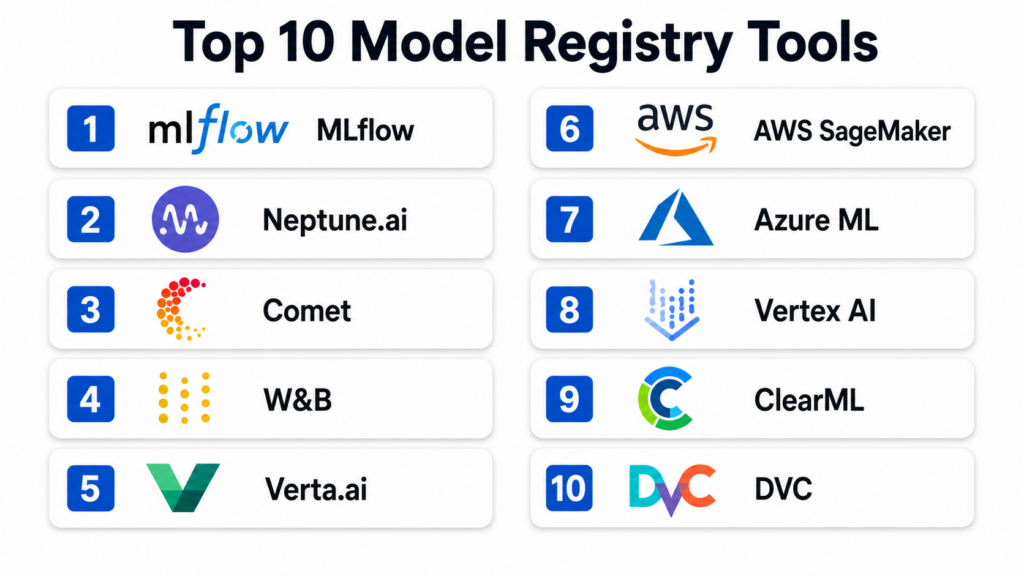
Introduction
A model registry is a central repository used by data scientists and machine learning engineers to manage the lifecycle of machine learning models. In plain English, it acts like a specialized library where every version of an AI model is stored, labeled, and tracked. Instead of keeping models on individual laptops or scattered across different cloud folders, a registry provides a single place to see who built a model, what data was used to train it, and whether it is ready to be used in a real-world application. It ensures that when a business needs to update its AI, it can do so safely and without confusion.
In the modern landscape of artificial intelligence, model registries are critical because the number of models organizations manage is exploding. Without a registry, teams face significant risks such as deploying the wrong version of a model, losing track of how a model was built, or failing to meet security requirements. A registry provides the governance and organization needed to move from small experiments to large-scale production. It serves as the bridge between the development phase where models are created and the operational phase where they provide value to users.
Real-world use cases:
- Version Control for Compliance: A bank uses a model registry to store every version of its credit scoring model, ensuring they can prove to regulators exactly how a specific decision was made in the past.
- A/B Testing Management: An e-commerce company uses the registry to track different versions of a recommendation engine, allowing them to easily swap models to see which one generates more sales.
- Audit Trails for Security: A healthcare provider uses the registry to keep an immutable log of who accessed or updated diagnostic models, ensuring patient data remains secure.
- Automated Deployment Pipelines: A logistics firm connects its model registry to its automated systems so that whenever a new “Production” tag is added to a model, the system updates the delivery route optimizer across its global fleet.
Buyer evaluation criteria:
- Versioning Capabilities: How well the tool handles multiple iterations of the same model and tracks changes over time.
- Lineage and Metadata: The ability to see exactly which dataset and code produced a specific model version.
- Lifecycle Management: Support for moving models through stages like “Staging,” “Production,” or “Archived.”
- Security and Access Control: Robust permissions to ensure only authorized users can approve models for deployment.
- Integration with Existing Tools: How easily it connects with popular libraries like PyTorch, TensorFlow, or Scikit-learn.
- Search and Discoverability: The ease with which a team can find a specific model among hundreds of others.
- Automation and APIs: Support for programmatic access so models can be registered and fetched by automated scripts.
- Model Governance: Features that allow for manual approval workflows and documentation attachments.
- Best for: Data science teams at growing companies, machine learning engineers managing multiple production models, and organizations in regulated industries like finance or healthcare that require strict auditing.
- Not ideal for: Individual researchers working on a single project or very small startups that do not yet have models running in a production environment, as the overhead of managing a registry may outweigh the benefits for a single file.
Key Trends in Model Registry Tools
- Focus on LLM Governance: Modern registries are expanding to handle Large Language Models, tracking not just the weights but also the prompts and fine-tuning parameters.
- Automated Model Testing: Registries are increasingly integrating with testing frameworks to automatically check for bias or performance drops before a model is registered as a “Production” candidate.
- Multi-Cloud Interoperability: Tools are moving toward designs that allow a model registered on one cloud to be seamlessly deployed to another cloud or an on-premise server.
- Shift toward Unified MLOps: Registries are no longer standalone tools; they are becoming deeply integrated parts of all-in-one machine learning platforms.
- Immutable Audit Logs: There is a growing trend toward using ledger-like technologies to ensure that the history of a model cannot be altered or deleted.
- Enhanced Metadata Standards: The industry is moving toward standardized ways of describing model performance and training conditions to make tools more compatible.
- Security Scanning for Weights: Modern tools are beginning to include scanners that check model files for malicious code or hidden vulnerabilities before they are saved.
- Low-Code Model Management: New interfaces are appearing that allow business managers to review model performance and approve deployments without writing code.
How We Selected These Tools (Methodology)
- Market mindshare: We selected tools that are widely recognized as leaders by data science professionals and industry analysts.
- Feature completeness: We prioritized tools that offer the full lifecycle from registration to archiving, rather than simple storage.
- Reliability and performance: We looked for platforms with high uptime and the ability to serve model files quickly to production environments.
- Security posture: Preference was given to tools that offer robust role-based access control and encryption for sensitive model weights.
- Integrations and ecosystem: We evaluated how well each tool fits into the broader ecosystem of data science and cloud computing.
- Customer fit: The list includes a balance of open-source options, cloud-native services, and enterprise-focused software.
- Operational simplicity: We considered how much effort is required to set up and maintain the registry on a day-to-day basis.
- Metadata handling: We favored tools that allow for rich, customizable metadata tagging to ensure models remain easy to find and audit.
Top 10 Model Registry Tools
1 — MLflow Model Registry
MLflow is a widely adopted open-source platform designed to manage the machine learning lifecycle. The Model Registry component provides a centralized store, a set of APIs, and a user interface to collaboratively manage the full life of an MLflow Model. It provides model lineage, model versioning, and stage transitions. It is an excellent choice for teams that want a tool that works with any machine learning library and can be hosted anywhere.
Key Features
- Centralized Model Store: Provides a single point of entry for all models across the organization.
- Model Versioning: Automatically increments versions as new models are registered under the same name.
- Stage Transitions: Allows users to move models through predefined stages like Staging, Production, and Archived.
- CI/CD Integration: Can be easily integrated into automated pipelines for testing and deployment.
- Search and Filter: Powerful search capabilities based on model names, tags, and versions.
- Annotations and Descriptions: Supports Markdown for documenting model intent and performance results.
- Extensible Plugins: Allows for custom storage and authentication backends to fit specific IT requirements.
Pros
- Open-source and highly flexible, allowing for installation on any infrastructure.
- Huge community support ensures a wealth of tutorials and third-party integrations.
- Language agnostic, supporting Python, R, and Java among others.
Cons
- Requires manual setup and maintenance if you choose the open-source version.
- Native security features in the basic version are limited compared to managed enterprise offerings.
Platforms / Deployment
- Web / Windows / macOS / Linux
- Cloud / Self-hosted / Hybrid
Security & Compliance
- RBAC (via enterprise versions), encryption at rest, audit logs.
- Not publicly stated for open-source; Managed versions often meet SOC 2 and GDPR requirements.
Integrations & Ecosystem
MLflow integrates with almost every major data science framework and cloud service. It is often the default choice for Databricks users and has strong ties to the Spark ecosystem.
- Scikit-learn, TensorFlow, PyTorch.
- Databricks, Amazon SageMaker, Azure ML.
- Docker and Kubernetes for deployment.
Support & Community
The community is massive, with thousands of contributors on GitHub. Professional support is available through commercial providers like Databricks or other MLOps consulting firms.
2 — Neptune.ai Model Registry
Neptune.ai is a metadata store for MLOps that focuses heavily on team collaboration and experimentation. Its model registry is designed to store not just the model files but all the associated metadata, including metrics, parameters, and images. It is built for teams that need high visibility into their model development process and want a clean, intuitive interface to manage their model versions.
Key Features
- Metadata-First Approach: Stores every detail about a model, from hyperparameters to training curves.
- Model Comparison: Allows users to compare different versions side-by-side to see which performed better.
- Customizable Views: Users can create custom dashboards to see the most relevant information for their specific project.
- Automated Logging: Integrates with training scripts to automatically register models and their artifacts.
- Shared Link Access: Enables easy sharing of model details with stakeholders via secure links.
- Lineage Tracking: Automatically links model versions back to the exact experiments that created them.
- Programmatic Access: Full API support for managing the registry via Python scripts.
Pros
- Beautiful and intuitive user interface that is easy for non-technical stakeholders to understand.
- Extremely flexible metadata schema allows you to log practically anything.
- Excellent customer support and detailed onboarding documentation.
Cons
- Primarily a cloud-based SaaS, which may not suit organizations with strict data residency requirements.
- Can become expensive as the number of logged events and users increases.
Platforms / Deployment
- Web / Python API
- Cloud
Security & Compliance
- SSO/SAML, RBAC, Data encryption, MFA.
- SOC 2 Type II, GDPR compliant.
Integrations & Ecosystem
Neptune focuses on being a lightweight addition to existing stacks, connecting easily to training and deployment tools.
- PyTorch Lightning, Keras, XGBoost.
- Optuna for hyperparameter optimization.
- Airflow and ZenML for orchestration.
Support & Community
Neptune offers excellent documentation and direct technical support via chat and email. They maintain a strong presence in the MLOps community through webinars and blog content.
3 — Comet Model Registry
Comet provides a platform for tracking, comparing, and optimizing machine learning models. Its model registry is a core part of its offering, focusing on providing an organized way to manage model versions and production readiness. Comet is particularly strong in its ability to handle both deep learning and traditional machine learning models, providing a unified view for large data science departments.
Key Features
- Model Lineage Tracking: Captures the full history of a model from data to deployment.
- Production Checkpoints: Allows teams to mark specific versions as ready for different environments.
- Governance Workflows: Supports approval steps to ensure models meet quality standards before moving to production.
- Artifact Versioning: Manages not just the model weights but also the datasets and configuration files.
- Visualization Tools: Includes built-in tools for visualizing model performance and confusion matrices.
- Report Generation: Can automatically generate PDF or web reports for model auditing.
- Collaboration Hub: Provides a shared space where teams can comment on and discuss specific model versions.
Pros
- Strong focus on enterprise governance and auditing capabilities.
- Easy to set up and integrate with just a few lines of code.
- Supports both SaaS and on-premise installation for high-security needs.
Cons
- The wealth of features can make the interface feel cluttered for smaller projects.
- Some advanced visualization features require a premium subscription.
Platforms / Deployment
- Web / Linux / Windows / macOS
- Cloud / Self-hosted
Security & Compliance
- SSO, RBAC, Encryption at rest, Audit trails.
- SOC 2, ISO 27001, HIPAA (via self-hosted options).
Integrations & Ecosystem
Comet has a robust integration library that supports modern AI development workflows.
- TensorFlow, PyTorch, Scikit-learn.
- Kubernetes and SageMaker for deployment.
- GitHub and GitLab for version control integration.
Support & Community
Comet provides dedicated account managers for enterprise clients and has a very responsive community Slack channel for all users.
4 — Weights & Biases (W&B) Models
Weights & Biases, often referred to as W&B, is an industry leader in experiment tracking and model management. Their registry system, often used in conjunction with “Artifacts,” provides a high-performance way to version models and track their lineage. It is the preferred tool for many of the world’s top AI research labs and organizations building large-scale deep learning models.
Key Features
- Artifact Versioning: Every version of a model is treated as an immutable artifact with full lineage.
- Interactive Visualizations: Provides deep insights into model performance through interactive charts.
- Automated Experiment Logging: Captures code, hyperparameters, and environment details automatically.
- Team Workspaces: Allows teams to collaborate on projects with shared registries and dashboards.
- Model Comparison: Side-by-side comparison of any logged metric across multiple versions.
- Alerting and Notifications: Sends alerts to Slack or email when a model training is finished or fails.
- Robust API: Python-first API designed for seamless integration into any training script.
Pros
- Incredibly developer-friendly with a modern, sleek interface.
- High performance when dealing with very large model files and high-frequency logging.
- Excellent for deep learning and Large Language Model (LLM) research.
Cons
- Can be overkill for simple machine learning tasks like linear regression.
- The pricing structure can be confusing for organizations with varying usage patterns.
Platforms / Deployment
- Web / Python API / CLI
- Cloud / Self-hosted (Private Instance)
Security & Compliance
- SSO, MFA, Encryption at rest, Audit logs.
- SOC 2 Type II, GDPR, HIPAA (via private instances).
Integrations & Ecosystem
W&B is integrated into almost every major AI framework and is often a standard in the research community.
- Hugging Face, PyTorch, TensorFlow.
- Kubernetes, AWS, GCP, and Azure.
- GitHub Actions for MLOps pipelines.
Support & Community
W&B has a massive and passionate community. They offer extensive documentation, video tutorials, and a very active technical support forum.
5 — Verta.ai Model Registry
Verta.ai focuses on the operational side of machine learning, helping teams move models from the lab to production. Its model registry is built with enterprise governance and reliability in mind. Verta is a great fit for companies that already have models in production and need a rigorous way to manage updates, rollbacks, and compliance documentation.
Key Features
- Model Versioning and Lineage: Tracks the code, data, and environment for every model version.
- Governance and Approvals: Built-in workflows for model sign-offs by managers or compliance officers.
- Release Management: Manages the deployment of models across staging, production, and edge environments.
- Compliance Documentation: Automatically generates documentation for model auditing.
- Model Monitoring Integration: Connects the registry to live performance monitoring for feedback loops.
- Multi-Cloud Support: Can manage models across different cloud providers from a single registry.
- Rich Metadata Support: Allows for tagging versions with business-specific information.
Pros
- Strongest focus on “Production-Ready” AI and operational excellence.
- Excellent for regulated industries needing strict approval workflows.
- Clean and professional interface designed for enterprise users.
Cons
- Smaller community compared to giants like MLflow.
- The feature set is highly focused on operations, which might be less appealing to pure researchers.
Platforms / Deployment
- Web / API
- Cloud / Self-hosted / Hybrid
Security & Compliance
- SSO, RBAC, Audit logs, Encryption.
- SOC 2, ISO 27001 compliant.
Integrations & Ecosystem
Verta is designed to fit into enterprise IT environments and modern cloud stacks.
- AWS, Azure, Google Cloud.
- Kubernetes for model serving.
- Jupyter and standard ML frameworks.
Support & Community
Verta provides high-touch support for its enterprise customers, including dedicated success engineers and detailed technical guides.
6 — AWS SageMaker Model Registry
For organizations already utilizing the Amazon Web Services ecosystem, the SageMaker Model Registry is a natural and powerful choice. It is a managed service within the SageMaker platform that allows you to catalog models for production, manage model versions, and associate metadata with those versions. It is built for scalability and deep integration with other AWS security and deployment services.
Key Features
- Managed Versioning: Automatically catalogs versions with an intuitive naming convention.
- Integration with SageMaker Pipelines: Works seamlessly with automated workflows for training and deployment.
- Deployment Status Tracking: See at a glance which model versions are currently deployed in which environments.
- Model Groups: Organize related models into logical groups for easier management.
- Approval Workflows: Supports manual or automated approval of model versions.
- IAM Security: Uses standard AWS Identity and Access Management for extremely granular security.
- Automatic Lineage: Captures training and data details through the broader SageMaker ecosystem.
Pros
- Zero management overhead as it is a fully managed cloud service.
- Deepest integration with AWS security, storage, and computing services.
- Cost-effective for teams already using AWS for their machine learning workloads.
Cons
- Can lead to vendor lock-in, as it is difficult to move the registry to another cloud provider.
- The AWS Console can be complex and intimidating for non-technical users.
Platforms / Deployment
- Web / API / CLI
- Cloud (AWS)
Security & Compliance
- SSO/SAML (via IAM), MFA, Encryption at rest (KMS), Audit logs (CloudTrail).
- SOC 1/2/3, ISO 27001, HIPAA, FedRAMP High, PCI-DSS.
Integrations & Ecosystem
The registry is a central part of the vast AWS machine learning ecosystem.
- Amazon S3 for storage.
- AWS Lambda and Step Functions for orchestration.
- SageMaker Clarify for bias detection.
Support & Community
Standard and Enterprise support through AWS. The community is huge, with countless professional consultants and certified AWS experts available.
7 — Azure Machine Learning Registry
The Azure Machine Learning Registry is Microsoft’s solution for managing model versions across different workspaces and regions. It is designed for large enterprise teams that need to share models, datasets, and environments globally. It focuses on enterprise-grade security and seamless integration with the Microsoft Intelligent Data Platform.
Key Features
- Cross-Workspace Sharing: Allows models registered in one project to be used in another across the entire organization.
- Global Distribution: Automatically replicates model artifacts to different geographic regions for faster deployment.
- Asset Versioning: Manages versions for models, data assets, and software environments.
- Integration with Azure DevOps: Enables professional-grade CI/CD pipelines for machine learning.
- Role-Based Access Control: Highly granular permissions managed via Azure Active Directory.
- Model Lineage: Automatically tracks the training history and source code for every version.
- Support for MLflow: Fully compatible with the MLflow API for teams transitioning to Azure.
Pros
- Best-in-class security and compliance for large enterprises.
- The only tool that truly excels at sharing models across different global departments.
- Seamless integration with Power BI and other Microsoft business tools.
Cons
- Primarily restricted to the Azure ecosystem.
- Some advanced features require a significant amount of configuration in the Azure portal.
Platforms / Deployment
- Web / API / CLI
- Cloud (Azure)
Security & Compliance
- Azure Active Directory (SSO), MFA, RBAC, VNET support, Encryption.
- SOC 2, ISO 27001, HIPAA, FedRAMP High, GDPR.
Integrations & Ecosystem
Centered around the Microsoft cloud and productivity stack.
- Azure Data Lake and Synapse.
- Azure DevOps and GitHub.
- Power BI for performance visualization.
Support & Community
Microsoft Enterprise Support and a massive network of Azure-certified partners. The documentation is extensive and covers both basic and advanced scenarios.
8 — Google Vertex AI Model Registry
Vertex AI is Google’s unified artificial intelligence platform, and its Model Registry is a central hub to manage the lifecycle of your ML models. It is built for high-performance and is particularly strong for teams using Google’s specialized hardware like TPUs. It focuses on simplifying the path from a research model to a globally available API.
Key Features
- Unified Model Management: Manages both custom-trained models and models built with AutoML.
- Batch and Online Serving: Simplifies the process of deploying models for either real-time or scheduled predictions.
- Version Aliasing: Allows you to tag versions with aliases like “Champion” or “Challenger” for easy reference.
- Evaluation Metrics Storage: Automatically saves and displays performance metrics for each version.
- Deep GCP Integration: Works natively with BigQuery ML and Google Cloud Storage.
- Explanations Integration: Connects with Vertex Explainable AI to understand model decisions.
- Metadata Tracking: Uses the Vertex ML Metadata service to track complete lineage.
Pros
- Exceptional performance for large models and high-concurrency serving.
- Simplest workflow for users of BigQuery and Google’s data ecosystem.
- The best support for TPU-based training and deployment.
Cons
- Can be difficult to integrate with tools outside the Google Cloud environment.
- The pricing model can be complex to understand for those new to GCP.
Platforms / Deployment
- Web / API / CLI
- Cloud (GCP)
Security & Compliance
- SSO/SAML (via IAM), MFA, VPC Service Controls, Encryption (CMEK).
- SOC 2, ISO 27001, HIPAA, FedRAMP High, GDPR.
Integrations & Ecosystem
The registry is the gateway to Google’s world-class AI infrastructure.
- BigQuery and Cloud Storage.
- Kubeflow Pipelines for orchestration.
- Vertex AI Feature Store.
Support & Community
Google Cloud support plans. Large and growing community, especially among developers focused on deep learning and generative AI.
9 — ClearML Model Registry
ClearML is an open-source MLOps suite that offers a very high degree of automation. Its model registry is part of a unified platform that covers experiment tracking, orchestration, and data management. It is designed to be “zero-integration,” meaning it can capture most of your model details without requiring you to change your existing code.
Key Features
- Automated Experiment Tracking: Captures environment, code, and hyperparameters with no manual logging.
- Model Versioning: Automatically saves and versions model files as they are produced.
- Centralized Metadata Hub: Stores all associated performance charts and metrics alongside the model.
- Model Serving Gateway: Includes a built-in way to deploy registered models as REST APIs.
- Task Orchestration: Can automatically trigger a training run on a remote machine and register the result.
- Comparison Dashboard: High-detail comparison of any model property across versions.
- Open-Source Core: The foundational features are free and community-driven.
Pros
- The highest level of automation among the listed tools.
- Incredible flexibility to run on any infrastructure (cloud or local).
- Great value for engineering-heavy teams that want to build custom workflows.
Cons
- The UI can be less polished than the high-end commercial SaaS options.
- The vast number of features can make the initial learning curve steeper.
Platforms / Deployment
- Web / Python API / CLI
- Cloud / Self-hosted / Hybrid
Security & Compliance
- SSO, RBAC (in Pro/Enterprise), Encryption, Audit logs.
- Varies / N/A for open-source; Enterprise versions offer SOC 2.
Integrations & Ecosystem
ClearML is designed to be a “bridge” tool that connects various parts of the ML stack.
- S3, GCS, Azure Blob, and MinIO for storage.
- PyTorch, TensorFlow, Scikit-learn.
- Slack and Microsoft Teams for notifications.
Support & Community
ClearML has a very active Slack community and a responsive GitHub repository. Paid tiers include professional support and training.
10 — DVC (Data Version Control) Registry
DVC is a unique tool that brings Git-like version control to machine learning. Instead of a traditional web-based database, DVC uses a file-based system that works alongside your Git repository. It is the best choice for teams that want to manage their models exactly like they manage their code, keeping everything versioned in a decentralized way.
Key Features
- Git-Compatible: Uses Git to track model versions, keeping your registry in sync with your code.
- Data and Model Provenance: Provides a clear path from the raw data to the final model file.
- Storage Agnostic: Works with S3, Azure, GCP, or even local network drives for model storage.
- Lightweight Design: Does not require a heavy database or server to function.
- Pipeline Tracking: Tracks the entire DAG (Directed Acyclic Graph) of how a model was built.
- Team Collaboration: Allows teams to share model versions via standard Git workflows.
- CI/CD Friendly: Built to be used with standard automation tools like GitHub Actions or Jenkins.
Pros
- Perfect for teams that already love Git and want a “Code-First” approach.
- Completely free and open-source with no mandatory cloud subscription.
- Provides the most rigorous lineage tracking by linking models directly to code commits.
Cons
- Requires users to be comfortable with the command line and Git.
- Lacks the “out-of-the-box” visualization dashboards found in Neptune or Comet.
Platforms / Deployment
- CLI / Python API
- Self-hosted / Hybrid (Storage in Cloud)
Security & Compliance
- Inherits security from Git and cloud storage; MFA and RBAC via those providers.
- Not publicly stated.
Integrations & Ecosystem
DVC is part of a growing “GitOps for ML” movement.
- Git, GitHub, GitLab, Bitbucket.
- Any cloud storage provider (S3, Azure, GCS).
- Works with all ML frameworks.
Support & Community
DVC has a very strong and helpful community on Discord and GitHub. They offer extensive documentation and “DVC Studio” as a web-based interface for those who want one.
Comparison Table (Top 10)
| Tool Name | Best For | Platform(s) Supported | Deployment | Standout Feature | Public Rating |
|---|---|---|---|---|---|
| 1. MLflow | Open-source flexibility | Win, Mac, Linux | Hybrid | Universal Lifecycle Mgmt | N/A |
| 2. Neptune.ai | Metadata visibility | Web, API | Cloud | Metadata-First Tracking | N/A |
| 3. Comet | Enterprise Governance | Win, Mac, Linux | Hybrid | Automated Audit Reports | N/A |
| 4. W&B | Deep Learning Research | Web, API | Hybrid | Interactive Artifacts | N/A |
| 5. Verta.ai | Model Operations | Web, API | Hybrid | Approval Workflows | N/A |
| 6. AWS SageMaker | AWS Ecosystem | Web, API | Cloud | Native IAM Security | N/A |
| 7. Azure ML | Microsoft Ecosystem | Web, API | Cloud | Global Asset Sharing | N/A |
| 8. Vertex AI | Google Ecosystem | Web, API | Cloud | Native TPU Support | N/A |
| 9. ClearML | High Automation | Web, API, CLI | Hybrid | Zero-Integration Logging | N/A |
| 10. DVC | Git-Centric Teams | CLI, API | Hybrid | Git-Based Lineage | N/A |
Evaluation & Scoring of Model Registry Tools
| Tool Name | Core (25%) | Ease (15%) | Integrations (15%) | Security (10%) | Performance (10%) | Support (10%) | Value (15%) | Weighted Total |
|---|---|---|---|---|---|---|---|---|
| MLflow | 10 | 7 | 10 | 7 | 8 | 8 | 10 | 8.75 |
| Neptune.ai | 8 | 10 | 9 | 9 | 9 | 10 | 8 | 8.80 |
| Comet | 9 | 9 | 9 | 10 | 9 | 9 | 8 | 8.85 |
| W&B | 9 | 10 | 10 | 9 | 10 | 9 | 8 | 9.20 |
| Verta.ai | 9 | 8 | 8 | 10 | 9 | 9 | 8 | 8.55 |
| AWS SageMaker | 9 | 6 | 10 | 10 | 9 | 9 | 9 | 8.45 |
| Azure ML | 9 | 7 | 10 | 10 | 9 | 9 | 8 | 8.55 |
| Vertex AI | 9 | 7 | 9 | 10 | 10 | 8 | 8 | 8.45 |
| ClearML | 9 | 8 | 9 | 8 | 9 | 8 | 10 | 8.75 |
| DVC | 8 | 5 | 10 | 8 | 10 | 8 | 10 | 8.15 |
The weighted total is calculated to reflect the needs of a balanced MLOps team. “Core Features” (25%) and “Integrations” (15%) are weighted heavily because a registry must be functional and compatible. “Ease of Use” (15%) and “Value” (15%) ensure the tool is practical and cost-effective. Security, Performance, and Support each contribute 10% to ensure the tool is enterprise-ready and reliable.
Which Model Registry Tool Is Right for You?
Solo / Freelancer
If you are working alone, DVC or MLflow are likely your best choices. DVC is completely free and works with your existing Git habits, while the open-source version of MLflow allows you to start for free and scale only when you need to. Both allow you to keep your models organized without a monthly subscription.
SMB
Small to medium-sized businesses should look at Neptune.ai or Weights & Biases. These tools offer a “SaaS” experience that is very easy to set up, meaning your small team doesn’t have to waste time managing servers. They provide immediate visibility and collaboration features that can help a small team move much faster.
Mid-Market
For companies that are starting to scale their machine learning operations, Comet or ClearML offer a great balance of automation and governance. ClearML is especially valuable if you have a mix of cloud and on-premise hardware, while Comet provides the auditing features that might be needed as you start dealing with more external clients or regulators.
Enterprise
Large enterprises should prioritize the managed services from their primary cloud provider, such as AWS SageMaker, Azure ML, or Vertex AI. The security, compliance, and global scaling features of these platforms are difficult for any standalone tool to match. If you have a multi-cloud strategy, Verta.ai or MLflow on Databricks are excellent for providing a unified layer across different clouds.
Budget vs Premium
DVC and the open-source version of ClearML are the clear winners for teams on a tight budget. For organizations where speed and white-glove support are more important than the monthly bill, Weights & Biases or Comet provide a premium experience that minimizes engineering friction.
Feature Depth vs Ease of Use
AWS SageMaker and MLflow offer the most feature depth, but they can be complex to navigate. On the other hand, Neptune.ai and Weights & Biases are widely regarded as the most user-friendly tools, prioritizing a clean interface and simple integration over massive configuration options.
Integrations & Scalability
Weights & Biases and MLflow have the widest integration ecosystems, working with almost every tool in the data science world. For raw scalability in terms of serving models to millions of users, the cloud-native registries like Vertex AI or SageMaker are built to handle the highest possible loads.
Security & Compliance Needs
Organizations with extreme security requirements—such as those in national security or major banking—often prefer Domino Data Lab (if they need a full platform) or Verta.ai for their registry needs. These tools offer the most detailed approval workflows and documentation capabilities required to satisfy rigorous legal and regulatory audits.
Frequently Asked Questions (FAQs)
1. What exactly is the difference between a model registry and a data registry?
A model registry stores the final product of a machine learning experiment, which is the model file or “weights.” A data registry (or feature store) manages the raw data and processed features that were used to train that model. While they work together to provide full lineage, they serve different purposes: one tracks the AI’s “brain,” while the other tracks the “information” it learned from.
2. Can I just use GitHub to store my models instead of a registry?
GitHub is designed for text-based code, not large binary files like machine learning models. Storing models in GitHub can make your repository very slow and difficult to manage. A model registry is specifically built to handle large files, track model-specific metrics like accuracy, and manage the deployment stages that GitHub isn’t designed to handle.
3. Do these tools automatically deploy my models to production?
Most model registries act as a “trigger” for deployment rather than doing the deployment themselves. When you change a model’s stage to “Production” in the registry, it sends a signal to a deployment tool (like Kubernetes or SageMaker Endpoints) to start the update process. Some all-in-one platforms do both, but a standalone registry is focused on the storage and governance of the versions.
4. How much does a model registry usually cost?
Open-source tools like MLflow and DVC are free to use, though you have to pay for the storage and servers you run them on. SaaS tools like Comet or W&B usually have a free tier for individuals, with professional plans starting around fifty to one hundred dollars per user per month. Enterprise plans for large organizations are typically custom-quoted and can range from thousands to tens of thousands of dollars per year.
5. What is “model lineage” and why is it important?
Model lineage is the record of everything that went into creating a specific model version, including the code, the hyperparameters, and the exact version of the dataset. It is important because it allows you to reproduce results, debug problems when a model fails, and satisfy auditors who need to know exactly how an AI arrived at its conclusions.
6. Can I use a model registry with Large Language Models (LLMs)?
Yes, modern registries like Weights & Biases and Hugging Face are specifically optimized for LLMs. They can track versioned prompts, fine-tuning configurations, and the massive weight files associated with these models. This is becoming a standard practice as companies move beyond simple chatbots to custom-tuned enterprise AI.
7. Is it difficult to move from one model registry to another?
It can be difficult because each tool uses its own format for storing metadata and history. While you can always move the actual model files (like .h5 or .pkl files), you might lose the historical performance charts and audit logs during the transition. It is best to choose a tool that supports open standards like MLflow to make future moves easier.
8. Does a model registry help with security?
Yes, a model registry improves security by ensuring that only authorized and tested models are used in production. It prevents “shadow AI” where someone might accidentally deploy an untested model from their personal laptop. It also provides an audit trail so you can see exactly who touched a model if something goes wrong or if a security breach occurs.
9. What is “model drift” and how does a registry help?
Model drift occurs when a model’s performance slowly gets worse as the real world changes. While a registry doesn’t stop drift, it helps you fix it by allowing you to quickly compare the current production model with a new, retrained version. It provides the “undo button” and the “comparison tool” needed to handle performance drops efficiently.
10. Do I need a registry if I only have one or two models?
If you only have one model that rarely changes, a registry might be unnecessary. However, as soon as you start updating your model or working with a second person, the risk of confusion increases significantly. Most experts recommend setting up a simple, free registry like MLflow or DVC early on to build good habits before your project becomes complex.
Conclusion
The selection of a model registry tool is a fundamental decision in building a reliable machine learning strategy. In an era where AI is moving from the experimental phase to the core of business operations, the ability to track, version, and govern models is what separates successful teams from those struggling with “technical debt.” Whether you choose an open-source standard like MLflow, a research powerhouse like Weights & Biases, or a cloud-native solution like SageMaker, the goal remains the same: ensuring that your AI is organized, auditable, and ready for the real world.
As a next step, we suggest evaluating your current deployment pipeline. If your team is struggling to remember which version of a model is live or finding it hard to reproduce past results, it is time to run a pilot project with one of the tools mentioned above. Start by registering a single model, track its lineage, and see how much easier it becomes for your team to collaborate and deploy with confidence.

Great effort in presenting such detailed and useful content.