MOTOSHARE 🚗🏍️
Rent Bikes & Cars Directly from Owners
Motoshare connects vehicle owners with people who need bikes and cars on rent. Owners earn from idle vehicles, and renters get flexible ride options.
Visit Motoshare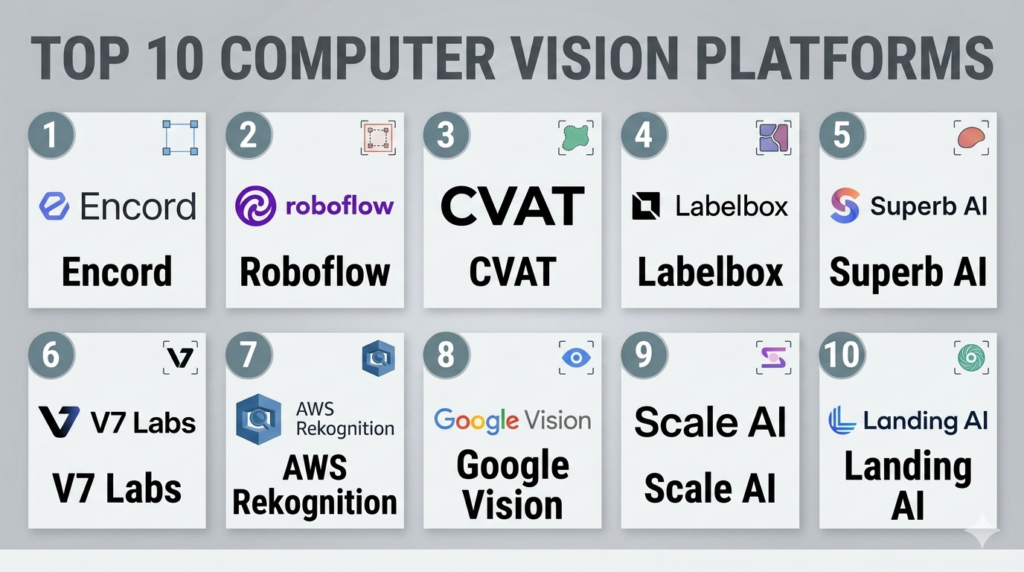
Introduction
Computer Vision (CV) platforms are specialized end-to-end environments that enable developers and enterprises to ingest, annotate, train, and deploy models that derive meaningful information from digital images, videos, and other visual inputs. In plain English, these platforms allow computers to “see” and interpret the world just as humans do, but at a much higher scale and speed. As visual data becomes the dominant form of information on the internet, CV platforms have become essential for automating tasks that previously required human sight.
The significance of these platforms lies in their ability to handle the “heavy lifting” of the vision lifecycle, such as massive image storage, complex labeling workflows, and the specialized GPU compute required for deep learning. From identifying defects on a high-speed assembly line to enabling autonomous vehicles to navigate city streets, these platforms transform raw pixels into actionable intelligence.
Real-World Use Cases:
- Quality Inspection: Automatically detecting microscopic cracks or assembly errors in electronics manufacturing.
- Medical Imaging: Assisting radiologists by highlighting potential tumors or fractures in X-rays and MRI scans.
- Retail Analytics: Monitoring shelf stock levels and analyzing customer movement patterns within physical stores.
- Security & Surveillance: Identifying unauthorized personnel or abandoned objects in high-traffic public spaces.
Buyer Evaluation Criteria:
- Annotation Tools: The quality and speed of built-in labeling interfaces (bounding boxes, polygons, semantic segmentation).
- Model Zoo: Availability of pre-trained architectures for common tasks like object detection or OCR.
- Data Management: Capabilities for versioning large datasets and searching through millions of images.
- Edge Deployment: Ease of exporting models to run on cameras, mobile devices, or specialized chips.
- Active Learning: Features that automatically identify which images the model is struggling with to prioritize them for human labeling.
- Automation: Use of AI-assisted labeling to reduce the manual effort of drawing boxes and masks.
- Scalability: Ability to process high-resolution video streams in real-time.
- Compliance: Tools for blurring faces or license plates to meet privacy regulations.
Mandatory paragraph
- Best for: Vision engineers, AI research teams, and digital transformation leads in industries like manufacturing, healthcare, and security who need to build custom visual intelligence.
- Not ideal for: Organizations with basic image storage needs or those looking for simple photo editing tools, as these platforms require specialized knowledge of machine learning workflows.
Key Trends in Computer Vision Platforms
- Foundation Models for Vision: Platforms are integrating massive pre-trained models that allow users to achieve high accuracy with significantly fewer labeled images.
- Synthetic Data Generation: Using 3D engines to create realistic artificial images to train models for scenarios where real data is rare or dangerous to collect.
- Zero-Shot Learning: The rise of models that can identify objects they have never seen before based purely on text descriptions.
- Edge-Cloud Orchestration: Seamlessly moving the vision workload between local cameras (for speed) and the cloud (for deep analysis).
- No-Code Vision Builders: Interfaces that allow domain experts, such as doctors or factory managers, to train vision models without writing code.
- Video Foundation Models: A shift from analyzing static images to understanding complex temporal actions and intent within video clips.
- Automated Privacy Masking: Built-in features that automatically detect and redact sensitive PII like faces and names in compliance with global laws.
- Multi-Modal Learning: Combining visual data with text or audio inputs to provide a more holistic understanding of a scene.
How We Selected These Tools (Methodology)
To identify the top 10 computer vision platforms, we followed a rigorous selection process based on technical capability and market presence:
- End-to-End Lifecycle: We prioritized platforms that cover the entire journey from data labeling to production monitoring.
- Annotation Efficiency: We evaluated the sophistication of AI-assisted labeling tools, which are critical for reducing project costs.
- Deployment Versatility: Preference was given to tools that support a wide range of hardware, from cloud GPUs to mobile ARM processors.
- Market Adoption: We analyzed which tools are currently being used by leaders in autonomous driving, robotics, and medical tech.
- Performance Signals: We looked for platforms that demonstrate high throughput and low latency for real-time video inference.
- Security & Governance: We assessed the robustness of data access controls and audit logging for enterprise environments.
Top 10 Computer Vision Platforms Tools
1 — Encord
Short description:
Encord is a high-performance computer vision platform designed specifically for data-centric AI. It offers a powerful combination of collaborative annotation, data management, and model evaluation. It is particularly popular in the medical and autonomous systems industries where complex video data and high precision are required.
Key Features
- Micro-models: Use small, specialized models to automate the labeling of specific objects within your dataset.
- Video Annotation: Specialized tools for frame-by-frame tracking and interpolation in high-resolution video.
- Encord Index: A data management tool that allows you to search and curate visual data based on visual similarity or metadata.
- Quality Control Workflows: Built-in review cycles to ensure high-quality labels from human annotators.
- DICOM Support: Native support for medical imaging formats, allowing for specialized healthcare workflows.
Pros
- Exceptional at handling complex video and medical data formats.
- Significant reduction in manual labeling time through AI-assisted tools.
Cons
- Can be more expensive than general-purpose ML platforms.
- Requires some initial training to master the sophisticated annotation interface.
Platforms / Deployment
- Web / API
- Cloud / Hybrid
Security & Compliance
- SSO/SAML, MFA, RBAC, Data encryption.
- SOC 2, ISO 27001, HIPAA, GDPR.
Integrations & Ecosystem
Encord integrates with major cloud storage providers and data science tools to streamline the CV pipeline.
- AWS S3, GCP Cloud Storage, Azure Blob.
- Python SDK and rich REST APIs.
- Integrations with ML frameworks like PyTorch.
Support & Community
Encord provides professional enterprise support and a detailed documentation library. Their community is growing rapidly among specialized vision engineering teams.
2 — Roboflow
Short description:
Roboflow is a developer-focused computer vision platform that aims to make building and deploying vision models as simple as possible. It manages everything from image hosting and annotation to model training and deployment via a single API. It is the go-to platform for startups and developers looking for rapid prototyping and ease of use.
Key Features
- Roboflow Universe: An open-source repository of millions of labeled images and thousands of pre-trained models.
- Auto-Label: Use existing models to automatically pre-label new data.
- One-Click Deployment: Deploy models instantly to web, mobile, or edge devices like NVIDIA Jetson.
- Data Augmentation: Over 30 built-in preprocessing and augmentation techniques to artificially expand your dataset.
- Health Check: Automatically detects imbalances or missing data in your training sets.
Pros
- Incredibly fast time-to-market for simple vision projects.
- Excellent free tier and open-source community resources.
Cons
- May lack the advanced customizability required by massive research teams.
- Pricing scales based on the number of images, which can be high for very large datasets.
Platforms / Deployment
- Web / iOS / Android / NVIDIA Jetson
- Cloud / Edge
Security & Compliance
- SSO, MFA, Encryption-at-rest.
- SOC 2 Type II.
Integrations & Ecosystem
Roboflow is built to live within a developer’s existing workflow.
- Integrates with CVAT and LabelImg.
- Deployment support for iOS CoreML and Android TFLite.
- Native Python library for local integration.
Support & Community
Boasts one of the largest communities in the computer vision space, with extensive blog tutorials, YouTube guides, and forum support.
3 — CVAT (Computer Vision Annotation Tool)
Short description:
CVAT is an open-source, powerful, and interactive video and image annotation tool for computer vision. While it started as an Intel project, it has evolved into a standalone platform used by thousands of teams worldwide. It is highly flexible and can be self-hosted, making it ideal for teams with strict data privacy requirements.
Key Features
- Interpolation: Automatically calculates the position of an object between two manually labeled frames.
- 3D Point Cloud Annotation: Support for LIDAR data, essential for autonomous vehicle training.
- AI Tools Integration: Connect to serverless functions (like SAM) to perform semi-automatic annotation.
- Task Management: Organize work into projects and assign specific tasks to different annotators.
- Multi-user Support: Collaborative interface that allows multiple people to work on the same project.
Pros
- Completely free and open-source for self-hosted versions.
- Deeply customizable to fit specific or unusual labeling requirements.
Cons
- Requires technical expertise to set up and maintain a self-hosted instance.
- Lacks the built-in “managed” training and deployment features of SaaS platforms.
Platforms / Deployment
- Web / Docker
- Self-hosted / Cloud (CVAT.ai)
Security & Compliance
- RBAC, LDAP integration (self-hosted).
- Varies / Not publicly stated for cloud version.
Integrations & Ecosystem
Highly extensible via its API and support for almost all common CV formats.
- Support for COCO, Pascal VOC, and YOLO formats.
- Integrates with Nuclio for serverless AI tools.
- Full REST API for custom integrations.
Support & Community
Very active GitHub community. Documentation is thorough, but support is primarily community-driven unless using the managed cloud version.
4 — Labelbox
Short description:
Labelbox is an enterprise-grade platform for data labeling and AI development. It focuses on the “Data Engine” approach, helping companies improve their models by focusing on data quality. It provides high-end management tools for large teams of human annotators and complex model-in-the-loop workflows.
Key Features
- Catalog: A data management tool to visualize and query unstructured data.
- Model-Assisted Labeling: Import model predictions as pre-labels to speed up human review.
- Consensus & Benchmarking: Tools to measure the accuracy and agreement between different human annotators.
- Workforce Management: Integrated tools to manage internal or external labeling teams.
- Foundational Model Fine-tuning: Workflows specifically designed for adapting large models to specific tasks.
Pros
- The gold standard for enterprise data governance and quality control.
- Powerful visualization tools for understanding model performance.
Cons
- High entry price point; geared toward large enterprise budgets.
- Can be overly complex for small, simple vision tasks.
Platforms / Deployment
- Web
- Cloud (SaaS)
Security & Compliance
- SSO/SAML, MFA, Audit logs, RBAC.
- SOC 2 Type II, HIPAA, GDPR.
Integrations & Ecosystem
Labelbox acts as the hub for data labeling in many enterprise AI stacks.
- Native connectors for Snowflake and Databricks.
- AWS, GCP, and Azure storage integrations.
- Terraform provider for infrastructure management.
Support & Community
Premium enterprise support with dedicated account managers. They host frequent webinars and provide extensive training resources for large teams.
5 — Superb AI
Short description:
Superb AI is an automated data platform for computer vision that focuses on the “Auto-Label” technology. It is designed to help teams build datasets up to 10 times faster than traditional methods by using a custom uncertainty-based AI to help humans label more efficiently.
Key Features
- Custom Auto-Label: Train a small model on your specific data to automate the rest of the labeling.
- Uncertainty Estimation: The AI flags labels it is unsure about for human verification.
- Data Validation: Automated checks to ensure labels meet specific project requirements.
- Workflow Automation: Logic-based routing of tasks between different teams of reviewers.
- Dataset Management: Tools for versioning and merging different datasets seamlessly.
Pros
- Significant cost savings through aggressive automation of the labeling process.
- User-friendly interface that requires minimal training.
Cons
- The effectiveness of the auto-labeler depends heavily on having a clean initial dataset.
- Less focus on 3D/LIDAR data compared to some competitors.
Platforms / Deployment
- Web
- Cloud (SaaS)
Security & Compliance
- SSO, MFA, Encryption-at-rest.
- SOC 2 Type II.
Integrations & Ecosystem
Focuses on a clean API-first approach for easy data ingestion and export.
- Slack integration for project notifications.
- Python SDK for programmatic control.
- Support for all major cloud storage providers.
Support & Community
Offers solid documentation and a responsive support team. It is well-regarded among fast-moving AI startups.
6 — V7 Labs (V7 Darwin)
Short description:
V7 Darwin is a training data platform for computer vision that stands out for its high-performance automated segmentation tools. It is used extensively in biology, medicine, and complex manufacturing. Its “Auto-Annotate” feature is widely considered one of the best for creating pixel-perfect masks in seconds.
Key Features
- Auto-Annotate: A universal object segmenter that can mask any object with a single click.
- Dataset Management: High-speed browsing of millions of images with custom filters.
- Model Training: Integrated “one-click” training for common vision tasks.
- Video Frame Interpolation: High-accuracy tracking of objects across video sequences.
- Workflow Builder: Create complex multi-stage pipelines for data processing and review.
Pros
- Unrivaled speed and accuracy for semantic segmentation tasks.
- Very intuitive and modern user interface.
Cons
- Pricing can be high for smaller teams.
- Limited support for non-visual machine learning tasks.
Platforms / Deployment
- Web
- Cloud (SaaS)
Security & Compliance
- SSO, MFA, Encryption, RBAC.
- SOC 2 Type II, GDPR, HIPAA.
Integrations & Ecosystem
Darwin is designed to be the central repository for vision data.
- Direct API access for custom integrations.
- CLI tool for bulk data operations.
- Integrations with major cloud buckets.
Support & Community
Excellent technical support and a library of “V7 Academy” tutorials to help users get started with professional vision engineering.
7 — AWS Rekognition
Short description:
AWS Rekognition is a fully managed computer vision service that makes it easy to add image and video analysis to your applications. Unlike platforms that focus on labeling, Rekognition provides pre-trained APIs for things like face recognition, object detection, and content moderation. It is ideal for AWS-centric organizations that need “ready-to-use” vision.
Key Features
- Facial Analysis: Detect faces, emotions, and demographic information from images.
- Content Moderation: Automatically flag inappropriate or offensive visual content.
- Custom Labels: Train your own models using a simplified interface for specific business needs.
- Video Segment Detection: Identify key segments in videos like black frames, end credits, or scene changes.
- Text Detection: High-accuracy OCR (Optical Character Recognition) for images and video.
Pros
- Zero management of infrastructure or underlying models.
- Massive scalability backed by the Amazon global network.
Cons
- Less flexibility for highly specialized or research-level vision tasks.
- Can be a “black box” where you have little control over the model architecture.
Platforms / Deployment
- Web / API / CLI
- Cloud (AWS)
Security & Compliance
- IAM roles, VPC endpoints, KMS encryption.
- SOC 1/2/3, ISO 27001, HIPAA, FedRAMP.
Integrations & Ecosystem
Deeply integrated with the entire Amazon Web Services suite.
- Amazon S3 for storage.
- AWS Lambda for serverless event triggers.
- Amazon QuickSight for analytics dashboards.
Support & Community
AWS Enterprise Support. A massive ecosystem of AWS-certified developers and partners.
8 — Google Cloud Vision AI
Short description:
Google Cloud Vision AI provides a set of pre-trained and custom models through powerful APIs. It leverages the same technology used by Google Photos and Google Lens. It is particularly strong in OCR, landmark detection, and general image labeling, making it the preferred choice for developers in the GCP ecosystem.
Key Features
- AutoML Vision: Automates the training of high-quality custom vision models.
- Vision API: Pre-trained models for label detection, OCR, and safe search.
- Edge Integration: Deploy models to edge devices using AutoML Vision Edge.
- Vertex AI Integration: Part of Google’s broader unified AI platform.
- Product Search: Specialized API for retail applications to identify products in images.
Pros
- Some of the highest accuracy in the industry for general object and text detection.
- Incredible global infrastructure for high-volume requests.
Cons
- Pricing can be complex to calculate for large-scale video processing.
- Vendor lock-in within the Google Cloud Platform.
Platforms / Deployment
- Web / API / CLI
- Cloud (GCP) / Edge
Security & Compliance
- IAM, VPC Service Controls, Encryption.
- SOC 2, ISO 27001, GDPR, HIPAA.
Integrations & Ecosystem
Central to the Google Cloud AI landscape.
- BigQuery for data analysis.
- Google Cloud Storage and Pub/Sub.
- Integration with Firebase for mobile developers.
Support & Community
Google Cloud Support tiers. Wide availability of community tutorials and Google Cloud partner network.
9 — Scale AI
Short description:
Scale AI is the data infrastructure provider for the world’s leading AI companies. It combines a powerful software platform with a massive human-in-the-loop workforce to provide high-quality training data at a massive scale. It is the primary engine behind many autonomous vehicle and generative AI companies.
Key Features
- Scale Nucleus: A platform to visualize, curate, and query your data to find the best images for training.
- Scale Sensor Fusion: Sophisticated tools for labeling data from multiple sensors (LIDAR, Radar, Camera) simultaneously.
- Quality Management: Advanced algorithmic checks to ensure human labelers are meeting accuracy standards.
- Generative AI Data: Specialized workflows for fine-tuning large vision models.
- RLHF Integration: Reinforcement Learning from Human Feedback for vision models.
Pros
- Unmatched capability for massive-scale labeling projects.
- Highest quality labels due to a sophisticated combination of AI and human review.
Cons
- Expensive; generally targeted at well-funded AI companies.
- The “human” part of the loop can introduce latency compared to purely automated tools.
Platforms / Deployment
- Web / API
- Cloud (SaaS)
Security & Compliance
- SSO, MFA, Audit logs, RBAC.
- SOC 2 Type II, GDPR, HIPAA.
Integrations & Ecosystem
Designed to be the data layer for advanced AI development.
- Custom API for high-volume data ingestion.
- Integrations with major cloud storage.
- Partnerships with major autonomous driving frameworks.
Support & Community
Premium high-touch support. They are thought leaders in the AI space, hosting the “Scale Transform” conference.
10 — Landing AI (LandingLens)
Short description:
Landing AI, founded by AI pioneer Andrew Ng, offers LandingLens, a platform specifically designed for industrial computer vision. It focuses on “Data-Centric AI,” which prioritizes high-quality data over complex model architectures. It is the best choice for manufacturing companies looking to automate visual inspections.
Key Features
- Data-Centric Workflow: Tools designed to help you find and fix errors in your training data easily.
- Collaboration: Allow quality inspectors and engineers to work together on defining “defects.”
- One-Click Training: Automatically selects the best architecture and hyperparameters for your data.
- Easy Deployment: Export models to run on industrial PCs or cloud environments.
- Few-Shot Learning: High performance even with very small numbers of labeled defect images.
Pros
- Tailored specifically for industrial and manufacturing challenges.
- Focuses on the quality of data, leading to more robust models in production.
Cons
- Less focus on consumer-facing app development (like face filters).
- The interface is optimized for industrial use cases, which may feel narrow for others.
Platforms / Deployment
- Web
- Cloud / On-premise (Edge)
Security & Compliance
- SSO, RBAC, Encryption.
- SOC 2 Type II.
Integrations & Ecosystem
Focused on the industrial and manufacturing software stack.
- Integrations with industrial cameras and PLC systems.
- Python SDK and REST API.
- Support for cloud storage and local servers.
Support & Community
Strong educational focus through Landing AI’s training materials and Andrew Ng’s broad educational ecosystem.
Comparison Table (Top 10)
| Tool Name | Best For | Platform(s) Supported | Deployment | Standout Feature | Public Rating |
| 1 — Encord | Medical & Video | Web, API | Hybrid | DICOM Support | N/A |
| 2 — Roboflow | Rapid Prototyping | Web, Mobile, Edge | Cloud/Edge | Roboflow Universe | N/A |
| 3 — CVAT | Open Source Teams | Web, Docker | Self-hosted | LIDAR Support | N/A |
| 4 — Labelbox | Enterprise Teams | Web | Cloud | Workforce Management | N/A |
| 5 — Superb AI | Automation Fans | Web | Cloud | Uncertainty Estimation | N/A |
| 6 — V7 Labs | Segmentation | Web | Cloud | Auto-Annotate | N/A |
| 7 — AWS Rekognition | AWS Power Users | Web, API | Cloud | Pre-trained APIs | N/A |
| 8 — Google Vision | GCP Power Users | Web, API | Cloud/Edge | AutoML Vision | N/A |
| 9 — Scale AI | Massive Scale | Web, API | Cloud | Nucleus Data Mgmt | N/A |
| 10 — Landing AI | Manufacturing | Web | Cloud/Edge | Data-Centric Workflow | N/A |
Evaluation & Scoring of Computer Vision Platforms
| Tool Name | Core (25%) | Ease (15%) | Integrations (15%) | Security (10%) | Performance (10%) | Support (10%) | Value (15%) | Weighted Total |
| Encord | 9 | 7 | 8 | 10 | 9 | 9 | 8 | 8.60 |
| Roboflow | 8 | 10 | 9 | 8 | 8 | 10 | 9 | 8.75 |
| CVAT | 10 | 4 | 7 | 7 | 10 | 6 | 10 | 7.95 |
| Labelbox | 9 | 8 | 10 | 10 | 9 | 10 | 7 | 8.85 |
| Superb AI | 8 | 9 | 8 | 9 | 8 | 8 | 8 | 8.20 |
| V7 Labs | 9 | 9 | 8 | 9 | 9 | 9 | 8 | 8.75 |
| AWS Rekognition | 7 | 9 | 10 | 10 | 9 | 9 | 8 | 8.45 |
| Google Vision | 7 | 9 | 10 | 10 | 9 | 9 | 8 | 8.45 |
| Scale AI | 10 | 5 | 8 | 10 | 10 | 10 | 7 | 8.35 |
| Landing AI | 8 | 9 | 7 | 9 | 8 | 9 | 8 | 8.20 |
Scoring Interpretation:
- 8.5+: Top-tier platforms providing a complete, secure, and highly automated experience.
- 8.0 – 8.4: Strong platforms that excel in specific niches like industrial automation or AWS/GCP ecosystems.
- Below 8.0: Powerful tools that may require more technical expertise to manage or lack broad enterprise support.
Which Computer Vision Platforms Tool Is Right for You?
Solo / Freelancer
If you are working alone on a vision project, Roboflow is the clear choice. Its ease of use and massive library of pre-labeled datasets mean you can build a working prototype in hours rather than weeks. If you prefer open-source and have a local server, CVAT is a powerful free alternative.
SMB
For small-to-mid-sized businesses, V7 Labs or Superb AI offer the best balance of advanced features and ease of use. Their automated annotation tools mean your small team doesn’t have to spend all their time drawing boxes, allowing you to focus on the product itself.
Mid-Market
Companies with growing vision needs that require strong integration with their existing cloud should look at AWS Rekognition or Google Cloud Vision AI. These provide the scalability and reliability required for production without needing a massive internal AI research team.
Enterprise
Large enterprises with complex data governance and high-quality standards should evaluate Labelbox or Encord. Labelbox is superior for massive multi-user workforce management, while Encord is the industry leader for specialized medical and video workflows.
Budget vs Premium
- Budget: CVAT (Open Source) is the gold standard for zero software costs.
- Premium: Scale AI and Labelbox offer high-end, high-cost solutions that provide maximum data quality and professional services.
Feature Depth vs Ease of Use
If you need absolute control and depth (LIDAR, 3D, complex video), CVAT and Encord are the winners. If you want a platform that “just works” with a clean UI, Roboflow and Landing AI are the best choices.
Integrations & Scalability
AWS Rekognition and Google Vision AI are the most scalable platforms in the world. For integration with modern data stacks like Snowflake or Databricks, Labelbox is the clear leader.
Security & Compliance Needs
Organizations with extreme security or medical privacy requirements should choose Encord or Domino Data Lab, both of which provide the necessary HIPAA and SOC 2 certifications out of the box.
Frequently Asked Questions (FAQs)
1. What is the difference between image classification and object detection?
Image classification tells you “what” is in an image (e.g., this is a photo of a dog). Object detection tells you “what” is in the image and “where” it is by drawing a bounding box around it (e.g., there are three dogs at these specific coordinates). Most platforms on this list support both.
2. Do I need a massive dataset to start using a computer vision platform?
No. Many modern platforms use “Transfer Learning” or “Foundation Models,” which allow you to start with just 10-50 images and still get decent results. You can then use “Active Learning” features within the platform to identify which new images should be labeled next to improve the model.
3. Can these platforms process video in real-time?
Yes, many platforms like Roboflow and V7 Labs provide specialized APIs and edge deployment options that can process live video streams from cameras. However, this often requires running the model locally on hardware like an NVIDIA Jetson to avoid the latency of sending video to the cloud.
4. What is “Human-in-the-Loop” (HITL)?
HITL is a workflow where humans and AI work together. The AI does the initial “guess” at labeling an image, and a human reviewer then corrects it. This feedback loop makes the AI smarter over time and is the primary way high-quality datasets are created on platforms like Scale AI and Labelbox.
5. How much does a computer vision platform typically cost?
Pricing varies widely. Open-source tools like CVAT are free. Developer-focused SaaS tools like Roboflow start around $100-$500 per month. Enterprise platforms like Labelbox can cost tens of thousands of dollars per year, depending on data volume and the number of users.
6. Can I use these platforms for medical data like X-rays?
Yes, but you must use a platform that supports specialized formats like DICOM and is HIPAA compliant. Encord and V7 Labs are the leaders in the medical vision space, offering tools specifically for radiologists and biologists.
7. What is data augmentation and why is it important?
Data augmentation is the process of creating “new” training images by slightly changing the ones you already have—for example, by flipping, rotating, or changing the brightness. This helps the model become more robust so it can recognize objects in different lighting or angles.
8. Is it better to use a pre-trained API or train my own model?
If you are identifying common things (faces, cars, text), a pre-trained API like AWS Rekognition is faster and cheaper. If you are identifying something unique to your business (a specific manufacturing defect or a rare species of plant), you will need to train your own custom model.
9. Can these platforms help with privacy compliance?
Yes. Many modern CV platforms have built-in “redaction” tools that can automatically detect and blur faces, license plates, or names in images and videos before they are stored or used for training, helping you meet GDPR and CCPA requirements.
10. What is “Edge AI” in computer vision?
Edge AI refers to running the vision model directly on the device where the data is collected (like a smart camera or a drone) instead of sending it to the cloud. This is critical for applications that need instant responses or have poor internet connectivity.
Conclusion
The computer vision platform market has shifted from simple labeling tools to sophisticated “Data Engines” that manage the entire lifecycle of visual intelligence. For those starting their journey, developer-first platforms like Roboflow offer an easy entry point, while enterprises requiring massive scale and extreme accuracy are better served by the infrastructure of Scale AI or the governance of Labelbox.
The “best” platform for your organization depends heavily on the complexity of your visual data and your specific hardware requirements. If you are dealing with high-resolution video or medical imagery, prioritize platforms with specialized frame-by-frame interpolation and DICOM support. As a next step, we recommend identifying a small, high-impact use case, collecting a few hundred sample images, and running a pilot on one of the top-rated platforms above to validate its automation capabilities.

Good explanation with relevant examples, very helpful.