MOTOSHARE 🚗🏍️
Rent Bikes & Cars Directly from Owners
Motoshare connects vehicle owners with people who need bikes and cars on rent. Owners earn from idle vehicles, and renters get flexible ride options.
Visit Motoshare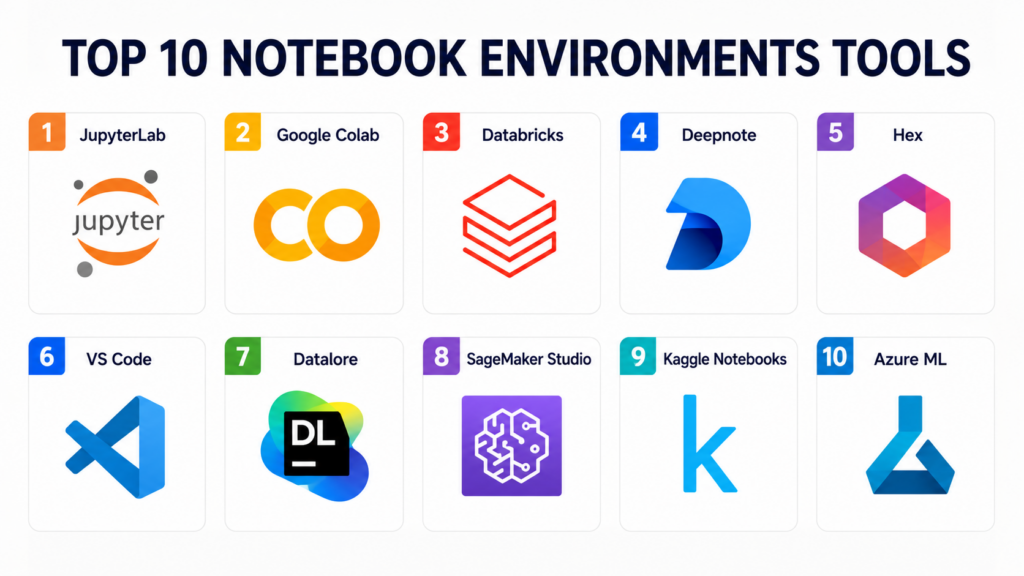
INTRODUCTION
Notebook environments are interactive web-based computing platforms that allow users to combine live code, computational output, rich text, and visualizations into a single, shareable document. Originally popularized in scientific research, these environments have transitioned into the foundational workspace for modern data science, machine learning, and technical documentation. Unlike traditional Integrated Development Environments (IDEs) that focus on monolithic script execution, notebooks emphasize an iterative “cell-based” workflow, enabling users to test logic incrementally and document their thought processes in real-time.
In the current data landscape, these environments are the bridge between raw data and actionable insights. As organizations move toward collaborative data cultures, the ability to rapidly prototype models and share results with non-technical stakeholders has become a critical competitive advantage. Modern notebooks are no longer just local tools; they have evolved into powerful cloud-based platforms offering managed kernels, multi-gpu compute, and real-time multiplayer editing capabilities.
Real-world Use Cases:
- Exploratory Data Analysis (EDA): Rapidly cleaning and visualizing datasets to identify patterns before formal modeling.
- Machine Learning Prototyping: Training and fine-tuning neural networks while monitoring loss curves and performance metrics cell-by-cell.
- Technical Documentation: Creating “runnable” manuals where users can read instructions and execute code samples in the same interface.
- Collaborative Research: Allowing globally distributed teams to work on the same computational logic simultaneously, similar to a Google Doc for code.
- Data Reporting: Generating automated, visually rich reports that pull live data from production warehouses.
Buyer Evaluation Criteria:
- Kernel Performance: Support for various languages (Python, R, Julia, SQL) and the stability of the underlying runtime.
- Compute Flexibility: Ease of switching between CPU, GPU (Nvidia A100/H100), and TPU instances.
- Collaboration Features: Support for real-time co-editing, commenting, and version control (Git integration).
- Security & Governance: Robust Role-Based Access Control (RBAC), SSO integration, and private network connectivity.
- Environment Management: How easily users can install dependencies and share identical package environments.
- Interactive Visualizations: Native support for libraries like Plotly, Bokeh, or custom widgets.
- Data Ingestion: Ease of connecting to cloud storage (S3/GCS) and data warehouses (Snowflake/BigQuery).
- Cost Transparency: Clarity on per-second or per-hour billing for active compute instances.
Mandatory Paragraph
- Best for: Data scientists, ML engineers, academic researchers, and enterprise data teams who require a balance between interactive experimentation and cloud-scale compute.
- Not ideal for: Software engineers building low-level system drivers or high-frequency production applications that require compiled binaries and traditional debugging suites over interactive execution.
KEY TRENDS IN NOTEBOOK ENVIRONMENTS
- AI Coding Assistants: Native integration of Large Language Models (LLMs) to provide cell-level code generation, error explanation, and automated documentation.
- WASM-Based Notebooks: Moving compute to the browser using WebAssembly, allowing for high-performance notebooks without the need for expensive backend servers.
- The “Polyglot” Shift: Notebooks increasingly support multi-language cells within a single file, allowing a user to join data in SQL and visualize it in Python seamlessly.
- Deployment as Apps: A trend toward turning notebooks into interactive web applications with a single click, bridging the gap between analysis and production.
- Git-Native Workflows: Moving away from the messy JSON-based diffs of the past toward more readable, version-control-friendly file formats.
- Zero-Config Environments: Managed SaaS offerings that provide pre-installed libraries (Pandas, PyTorch, Scikit-learn), eliminating “dependency hell” for new users.
- Real-Time Collaborative Kernels: Allowing multiple users to attach to the same running process to debug complex data issues together.
- Integration with Data Mesh: Notebooks acting as the primary discovery and consumption interface for decentralized data products.
HOW WE SELECTED THESE TOOLS (METHODOLOGY)
- Market Adoption: We analyzed tools used by Fortune 500 enterprises and the open-source community to gauge long-term stability.
- Compute Scalability: Priority was given to platforms that allow users to scale from a single laptop to massive GPU clusters without changing their code.
- Feature Completeness: We looked for environments that offer a full lifecycle of data tasks, from ingestion to visualization.
- Reliability: Selection was based on the uptime and robustness of managed cloud kernels during heavy analytical loads.
- Ecosystem Depth: We favored platforms with a rich library of extensions, plugins, and community-driven templates.
- Enterprise Readiness: Tools were evaluated on their ability to integrate with corporate security standards like SSO and private VPCs.
- User Experience: The intuitiveness of the interface and the speed of the feedback loop were significant factors.
TOP 10 NOTEBOOK ENVIRONMENTS TOOLS
#1 — JupyterLab
Short description:
JupyterLab is the industry-standard, open-source web-based interface for the Project Jupyter ecosystem. It provides a modular environment where users can manage notebooks, terminal consoles, text editors, and file browsers in a single workspace. It is the flexible foundation upon which almost all other managed notebook services are built. It is designed for researchers and developers who want complete control over their local or remote development environment.
Key Features
- Modular Workspace: Drag-and-drop tabs to create customized layouts of notebooks, logs, and visualizations.
- Extension Manager: A massive ecosystem of third-party plugins for Git, LSP, and theme customization.
- Language Agnostic: Support for over 40 programming languages via various kernels (Python, R, Julia, etc.).
- Interactive Widgets: Deep integration with ipywidgets for building sliders, buttons, and custom UI elements.
- Document Conversions: Native support for exporting notebooks to PDF, HTML, and Markdown.
Pros
- Completely free and open-source with no vendor lock-in.
- Highly customizable and can be run locally or hosted on any server infrastructure.
- The largest community support and documentation library in the niche.
Cons
- Initial setup of complex environments (environments/kernels) can be difficult for beginners.
- Requires manual configuration for real-time collaboration features.
Platforms / Deployment
- Web / Windows / macOS / Linux
- Self-hosted / Cloud / Hybrid
Security & Compliance
- RBAC (via JupyterHub), encryption-in-transit, token-based authentication.
- Varies based on deployment (Standard open-source version does not include SOC 2 natively).
Integrations & Ecosystem
JupyterLab acts as a hub for the data science ecosystem, connecting directly to almost any data source or tool.
- Git and GitHub for version control.
- TensorBoard for model monitoring.
- S3 and HDFS via specialized kernels.
- Dask and Spark for distributed computing.
Support & Community
Vast open-source community with thousands of tutorials and StackOverflow answers. Commercial support is available through third-party vendors and consultants.
#2 — Google Colab
Short description:
Google Colaboratory (Colab) is a free, cloud-based notebook environment that requires zero configuration and provides free access to computing resources, including GPUs. It is built on top of Jupyter and is deeply integrated with the Google Drive ecosystem. It is the go-to tool for students, researchers, and hobbyists who need immediate access to powerful hardware for machine learning without the overhead of managing a local machine.
Key Features
- Free GPU/TPU Access: Provides entry-level access to powerful accelerators at no cost.
- Google Drive Integration: Seamlessly save, share, and version notebooks directly within Drive.
- Interactive Forms: Build simple UI elements like dropdowns and sliders using specialized Markdown syntax.
- Real-time Collaboration: Multiple users can edit the same notebook simultaneously with Google Docs-style cursors.
- Pre-installed Libraries: Comes with almost every major data science library pre-configured.
Pros
- Zero setup required; works in any browser immediately.
- Excellent for teaching and workshops due to its ease of sharing.
- Free tier is highly generous for personal projects.
Cons
- Runtime sessions are temporary; files and variables are lost if the session disconnects.
- Resource allocation is not guaranteed on the free tier.
Platforms / Deployment
- Web
- Cloud (Fully Managed)
Security & Compliance
- MFA, SSO (via Google Workspace), encryption-at-rest.
- SOC 2, ISO 27001, GDPR, HIPAA (via Google Workspace Enterprise).
Integrations & Ecosystem
Optimized for the Google Cloud and AI research ecosystem.
- Google Drive and Google Sheets.
- BigQuery via the Python client.
- GitHub for notebook commits and loading.
- TensorFlow and PyTorch native support.
Support & Community
Massive community usage. Support is primarily through community forums and Google’s documentation. Enterprise support is available via Google Workspace.
#3 — Databricks Notebooks
Short description:
Databricks Notebooks are a core component of the Databricks Lakehouse Platform, designed specifically for big data processing and collaborative data engineering. They offer a unified workspace where data engineers and analysts can write Spark code, SQL, and Python in the same file. It is built for enterprise organizations that deal with massive datasets and require tight integration with cloud storage and production pipelines.
Key Features
- Multi-language Cells: Switch between Python, SQL, Scala, and R within a single notebook.
- Delta Lake Integration: Native support for ACID transactions and versioning on top of data lakes.
- Cluster Orchestration: Automatically spin up and shut down Spark clusters to match workload needs.
- Job Scheduling: Convert a notebook into a production job with automated triggers and alerting.
- Interactive Dashboards: Convert any notebook into a clean, presentation-ready dashboard for stakeholders.
Pros
- Unrivaled performance for large-scale data processing (Spark).
- Strong enterprise governance and security features.
- Excellent collaboration tools for high-performing data teams.
Cons
- Can be expensive for smaller teams due to the “Databricks Unit” (DBU) pricing.
- The interface can be overwhelming for those not using Spark.
Platforms / Deployment
- Web
- Cloud (AWS, Azure, GCP)
Security & Compliance
- SSO/SAML, MFA, RBAC, SCIM, Unity Catalog.
- SOC 2, ISO 27001, HIPAA, GDPR, FedRAMP.
Integrations & Ecosystem
Deeply integrated with the cloud-native data stack and MLflow.
- MLflow for model tracking.
- Git (GitHub, GitLab, Bitbucket).
- Tableau and PowerBI for downstream reporting.
- Azure Data Lake and AWS S3.
Support & Community
Enterprise-grade support with dedicated account managers and SLAs. Extensive documentation and professional certifications are available.
#4 — Deepnote
Short description:
Deepnote is a modern, collaborative notebook built from the ground up for data teams. It focuses heavily on “multiplayer” collaboration and ease of use, offering a clean UI that feels more like a modern SaaS app than a traditional scientific tool. It is designed for teams that want to bridge the gap between technical data work and collaborative decision-making, providing built-in integrations for data sources and visual explorers.
Key Features
- Real-time Collaboration: Best-in-class co-editing with comments and presence indicators.
- Native Data Connectors: Visual interface for connecting to Snowflake, BigQuery, Postgres, and more.
- Integrated Scheduling: Built-in cron-like scheduler for running notebooks and sending results to Slack/Email.
- Variable Explorer: A visual pane to inspect all active dataframes and variables without printing.
- Publishing: One-click deployment of notebooks as interactive articles or apps.
Pros
- Beautiful, modern user interface that improves productivity.
- Simplifies data ingestion for those who don’t want to write boilerplate connection code.
- Very intuitive environment management (Docker-based).
Cons
- Requires a subscription for advanced compute and team features.
- Less customizable than a raw JupyterLab installation.
Platforms / Deployment
- Web
- Cloud (Fully Managed)
Security & Compliance
- SSO, MFA, RBAC, Encryption-at-rest.
- SOC 2 Type II compliant.
Integrations & Ecosystem
Focused on the modern data stack (MDS) and productivity tools.
- Snowflake, BigQuery, Redshift, ClickHouse.
- S3, GCS, Azure Blob Storage.
- GitHub and GitLab.
- Slack and Email for alerts.
Support & Community
Active Slack community and responsive in-app support. Documentation is user-friendly and frequently updated.
#5 — Hex
Short description:
Hex is a “logic and data” platform that combines notebooks, data apps, and knowledge management. It is unique in that it allows users to build sophisticated end-user applications directly from their notebook code. Hex is targeted at data analysts and scientists who need to present their findings to non-technical stakeholders in a way that is interactive and visually appealing, without having to build a separate frontend.
Key Features
- App Builder: Drag-and-drop interface to turn notebook cells into interactive apps with inputs and charts.
- SQL + Python: First-class support for SQL cells that return dataframes directly into Python.
- Semantic Layer Integration: Connects to tools like dbt to leverage existing metric definitions.
- Version Control: Built-in version history and Git-sync capabilities.
- Logic View: A visual graph of how different cells and variables depend on each other.
Pros
- The best tool for turning analysis into a reusable “data product.”
- Excellent integration between SQL and Python workflows.
- Very high security and governance standards for enterprise.
Cons
- Pricing can be steep for large organizations.
- Might feel restrictive for those who want a raw, un-opinionated Jupyter environment.
Platforms / Deployment
- Web
- Cloud (SaaS) / Private Cloud (Single-tenant)
Security & Compliance
- SSO/SAML, MFA, SCIM, RBAC.
- SOC 2 Type II, HIPAA, GDPR.
Integrations & Ecosystem
Deeply integrated with the data warehouse and transformation layer.
- dbt, Snowflake, BigQuery, Databricks.
- Looker and Tableau.
- GitHub for CI/CD workflows.
Support & Community
High-touch enterprise support. The community is focused on “Analytics Engineering” and modern data practices.
#6 — VS Code (Jupyter Extension)
Short description:
Visual Studio Code (VS Code) is a versatile code editor that, when combined with the Jupyter extension, provides one of the most powerful local notebook experiences available. It allows developers to use all the features of a full IDE—such as advanced debugging, linting, and Copilot—within the notebook format. It is designed for developers who prefer a local-first workflow but need to switch between scripts and notebooks frequently.
Key Features
- Integrated Debugging: Set breakpoints and step through notebook cells just like a standard script.
- IntelliSense & Copilot: Superior code completion and AI-powered suggestions.
- Remote Development: Connect to remote servers or SSH containers and run notebooks there.
- Interactive Window: Send code from a Python script to an interactive notebook-like pane.
- VIM/Shortcut Support: Full support for IDE-level keybindings and productivity tools.
Pros
- Combines the best of an IDE with the best of a notebook.
- Completely free and runs locally on your hardware.
- Unrivaled extension library for every imaginable programming need.
Cons
- Can be resource-heavy for older computers.
- Not natively built for real-time collaboration with others.
Platforms / Deployment
- Windows / macOS / Linux
- Local / Remote (via SSH/Codespaces)
Security & Compliance
- Varies based on local security settings and remote server configuration.
- Standard IDE security (no specific cloud certifications for the standalone app).
Integrations & Ecosystem
Leverages the massive VS Code Marketplace.
- Git/GitHub built-in.
- Docker and Kubernetes extensions.
- Azure and AWS toolkits.
- Every major programming language.
Support & Community
The largest developer community in the world. Support is available via GitHub Issues and massive community forums.
#7 — JetBrains Datalore
Short description:
Datalore is a collaborative data science platform from JetBrains, the creators of PyCharm and IntelliJ. It focuses on bringing “Smart Code Assistance” to the notebook world, offering high-end autocompletion, refactoring, and code analysis. It is designed for professional data scientists who want an intelligent environment that helps them write cleaner, more efficient code while providing a managed cloud infrastructure.
Key Features
- Smart Code Completion: Enterprise-grade autocompletion and refactoring tools.
- Reactive Notebooks: Optionally allows cells to update automatically when an upstream variable changes.
- Built-in SQL Support: Dedicated SQL cells with code completion and schema browsing.
- Report Publishing: Share static or interactive versions of notebooks with a single link.
- Environment Manager: Visual interface for managing Conda and Pip packages.
Pros
- Exceptional coding experience for those used to JetBrains IDEs.
- Good balance between local-style power and cloud-style collaboration.
- Strong focus on code quality and refactoring.
Cons
- The community version is limited in compute resources.
- Less well-known than giants like Colab or Databricks.
Platforms / Deployment
- Web
- Cloud (Managed) / On-premise (Enterprise)
Security & Compliance
- SSO, MFA, RBAC, Audit logging.
- Not publicly stated (Enterprise versions follow standard JetBrains security).
Integrations & Ecosystem
Focused on the JetBrains ecosystem and common data sources.
- PyCharm integration.
- S3, GCS, and SQL databases.
- Git integration.
Support & Community
Professional support from JetBrains. Documentation is excellent, following the high standards of their other IDE products.
#8 — Amazon SageMaker Studio
Short description:
Amazon SageMaker Studio is a fully integrated development environment for machine learning on AWS. It provides a single web-based interface for the entire ML lifecycle, from data prep and notebook experimentation to model training and deployment. It is designed for AWS power users who want a managed Jupyter experience that is natively connected to the vast array of AWS machine learning services.
Key Features
- SageMaker JumpStart: Access to pre-trained models and one-click solutions.
- Data Wrangler: A visual interface for cleaning and preparing data without writing code.
- Lifecycle Configurations: Automate the setup of notebook environments via shell scripts.
- Managed Autopilot: Automated machine learning (AutoML) directly from the notebook.
- Elastic Compute: Switch instance types (e.g., from small to GPU) without losing work.
Pros
- Native integration with all AWS services (S3, EMR, Athena).
- Built for production-grade ML workflows.
- Excellent security and compliance for regulated industries.
Cons
- The interface can be complex and intimidating for beginners.
- Costs can escalate quickly if instances are not managed carefully.
Platforms / Deployment
- Web
- Cloud (AWS)
Security & Compliance
- IAM, VPC integration, KMS encryption, RBAC.
- SOC 2, ISO 27001, HIPAA, GDPR, FedRAMP.
Integrations & Ecosystem
Deeply embedded in the Amazon Web Services ecosystem.
- Amazon S3, Redshift, Athena.
- AWS Glue for ETL.
- GitHub and CodeCommit.
- TensorFlow, PyTorch, and Hugging Face.
Support & Community
AWS Premium Support and a massive network of AWS-certified consultants. Documentation is exhaustive but technical.
#9 — Kaggle Notebooks
Short description:
Kaggle Notebooks (formerly Kaggle Kernels) is a free, cloud-hosted environment specifically designed for data science competitions and community learning. It provides a seamless way to access Kaggle’s massive library of datasets and share code with a global community of millions. It is ideal for learners and competition participants who want a zero-setup environment with free GPU access and social features.
Key Features
- Free GPU/TPU: Generous free access to accelerators for competitive modeling.
- Dataset Integration: One-click access to thousands of public Kaggle datasets.
- Social Coding: Fork other users’ notebooks, upvote, and comment to learn.
- Leaderboard Integration: Directly submit model predictions to competitions from the notebook.
- Custom Environments: Use pre-defined Docker images containing almost all data science tools.
Pros
- Completely free and supported by Google.
- Best place to learn by seeing how top-tier data scientists solve problems.
- No need to worry about storage for massive datasets.
Cons
- Strictly for public or competition work (limited private features).
- Not designed for enterprise production or private data pipelines.
Platforms / Deployment
- Web
- Cloud (Fully Managed)
Security & Compliance
- MFA, standard Google-level infrastructure security.
- Not publicly stated (not intended for sensitive enterprise data).
Integrations & Ecosystem
Built around the Kaggle community and Google Cloud.
- Kaggle Datasets and Competitions.
- GitHub integration.
- Google Cloud Storage.
Support & Community
The most active social community for data science. Support is entirely community-driven through forums.
#10 — Azure Machine Learning Notebooks
Short description:
Azure Machine Learning Notebooks provide a managed Jupyter experience within the Azure ML workspace. Similar to SageMaker, it is designed for enterprises using Microsoft Azure who need a professional environment for model development and MLOps. It emphasizes security, collaboration, and a smooth transition from experimental notebooks to managed training clusters.
Key Features
- Compute Instances: Managed VMs that come pre-configured with ML frameworks.
- Asset Library: Share data assets, models, and environments across the team.
- Integrated Terminal: Full access to the underlying VM for custom configuration.
- Azure DevOps Integration: Robust CI/CD pipelines for notebook-based models.
- Designer Integration: Switch between a code-first notebook and a drag-and-drop visual designer.
Pros
- Seamless for organizations already using Azure and Active Directory.
- Strong focus on MLOps and production lifecycles.
- Enterprise-grade security and hybrid cloud support.
Cons
- The UI can feel disjointed between different Azure portal sections.
- Less “community-centric” than Colab or Kaggle.
Platforms / Deployment
- Web
- Cloud (Azure)
Security & Compliance
- Entra ID (Active Directory), RBAC, VNET support, Encryption.
- SOC 2, ISO 27001, HIPAA, GDPR, FedRAMP High.
Integrations & Ecosystem
Part of the broader Microsoft and Azure data stack.
- Azure Data Lake, SQL Database, Cosmos DB.
- PowerBI and Excel.
- GitHub and Azure DevOps.
Support & Community
Microsoft Enterprise Support. Wide availability of Azure-certified partners and technical documentation.
COMPARISON TABLE (TOP 10)
| Tool Name | Best For | Platform(s) Supported | Deployment | Standout Feature | Public Rating |
| JupyterLab | Open-source Purists | All Desktop / Web | Self-hosted | Modular Extension System | N/A |
| Google Colab | Students & ML Researchers | Web | Cloud | Free GPU/TPU Access | 4.7/5 |
| Databricks | Big Data & Spark | Web | Cloud | Multi-language Cells | 4.5/5 |
| Deepnote | Collaborative Data Teams | Web | Cloud | Real-time Multiplayer | 4.8/5 |
| Hex | Building Data Apps | Web | Cloud | Drag-and-drop App Builder | 4.8/5 |
| VS Code | Local Developers | Win, Mac, Linux | Local | Integrated IDE Debugging | 4.9/5 |
| Datalore | Intelligent Coding | Web | Cloud/On-prem | Smart Code Assistance | 4.5/5 |
| SageMaker Studio | AWS Enterprises | Web | Cloud | Native AWS ML Stack | N/A |
| Kaggle Notebooks | Community & Learning | Web | Cloud | Dataset & Competition Sync | N/A |
| Azure ML | Microsoft Enterprises | Web | Cloud | Enterprise MLOps Integration | N/A |
EVALUATION & SCORING OF NOTEBOOK ENVIRONMENTS
| Tool Name | Core (25%) | Ease (15%) | Integrations (15%) | Security (10%) | Performance (10%) | Support (10%) | Value (15%) | Weighted Total |
| JupyterLab | 10 | 5 | 10 | 6 | 9 | 7 | 10 | 8.45 |
| Google Colab | 8 | 10 | 8 | 8 | 8 | 7 | 10 | 8.60 |
| Databricks | 10 | 6 | 10 | 10 | 10 | 9 | 6 | 8.65 |
| Deepnote | 9 | 10 | 8 | 9 | 8 | 8 | 8 | 8.65 |
| Hex | 8 | 9 | 9 | 10 | 8 | 9 | 7 | 8.40 |
| VS Code | 10 | 7 | 10 | 5 | 10 | 8 | 10 | 8.75 |
| Datalore | 9 | 8 | 8 | 8 | 9 | 8 | 8 | 8.35 |
| SageMaker | 10 | 5 | 10 | 10 | 10 | 9 | 7 | 8.60 |
| Kaggle | 7 | 10 | 7 | 6 | 8 | 6 | 10 | 7.75 |
| Azure ML | 9 | 6 | 10 | 10 | 9 | 9 | 7 | 8.40 |
Scoring Interpretation:
- Core features (25%): Evaluates cell execution, kernel stability, and language support.
- Ease of use (15%): Onboarding speed and user interface intuitiveness.
- Integrations (15%): Connectivity to data sources and Git.
- Security (10%): Enterprise governance and encryption.
- Performance (10%): Speed of compute and hardware availability.
- Support (10%): Quality of documentation and community.
- Price/Value (15%): Affordability and the “free-to-paid” ratio.
WHICH NOTEBOOK ENVIRONMENTS TOOL IS RIGHT FOR YOU?
Solo / Freelancer
For an individual, Google Colab or VS Code are the primary choices. Colab provides free cloud hardware that saves you money on expensive local GPUs, while VS Code offers the most powerful local-first experience with superior debugging tools. Both are essentially free for standard use cases.
SMB
Small teams that need to collaborate without huge infrastructure budgets should look at Deepnote. It provides the collaborative “multiplayer” features of Google Docs with a much more professional interface and better data connectors than the free tools.
Mid-Market
Organizations with established data teams but limited dev-ops resources should consider Hex. It allows the team to provide value quickly by turning their notebooks into interactive apps that the rest of the company can use, effectively multiplying the impact of a small data team.
Enterprise
For massive organizations with strict compliance needs, Databricks, SageMaker Studio, or Azure ML are the only realistic options. These platforms offer the security, VPC connectivity, and audit logging required by IT departments, as well as the ability to process petabytes of data using distributed clusters.
Budget vs Premium
- Budget: JupyterLab (Free) and Kaggle Notebooks (Free) provide immense power at no cost.
- Premium: Databricks and SageMaker are premium investments that trade cost for extreme scalability and production reliability.
Feature Depth vs Ease of Use
If you want “Feature Depth” and control, VS Code is the winner. If you want “Ease of Use” and instant results, Google Colab or Deepnote are the preferred paths.
Integrations & Scalability
Databricks is the undisputed king of scalability for big data. If your notebooks need to talk to thousands of Spark nodes, no other platform is as natively optimized for that task.
Security & Compliance Needs
If you are in a highly regulated industry like healthcare or finance, Azure ML and SageMaker Studio offer the most comprehensive set of government-level certifications and private networking options.
FREQUENTLY ASKED QUESTIONS (FAQS)
1. What is a “Kernel” in a notebook environment?
A kernel is the computational engine that actually executes the code contained within a notebook document. While the notebook itself is just a file (often JSON-based), the kernel is the active process (e.g., a Python interpreter) that runs the logic, manages memory, and returns the results to the user’s interface.
2. Can I use multiple languages in the same notebook?
Yes, but it depends on the platform. Standard Jupyter allows one kernel per notebook, but tools like Databricks or Deepnote allow you to switch languages (SQL, Python, R) cell-by-cell. Others use “magics” (like %%bash or %%sql) to run different languages within a single Python kernel.
3. Is my data safe in free cloud notebooks like Google Colab?
While Google Colab is secure at an infrastructure level, it is not intended for highly sensitive or proprietary data unless you are using the Workspace Enterprise version. For free users, the data is stored in your personal Google Drive, and the runtime instances are shared environments that are wiped after your session ends.
4. What is the difference between a notebook and a standard IDE?
An IDE (like PyCharm) is built for creating large-scale software applications with complex folder structures and integrated testing. A notebook is built for iterative, interactive experimentation where the results (like charts or tables) are interleaved with the code, making it better for analysis and communication.
5. How do I manage version control for notebooks?
Notebooks are traditionally difficult to version because they are stored as JSON files, leading to messy Git “diffs.” Modern tools solve this by using text-based formats (like Jupytext), providing built-in version history (like Hex), or integrating directly with GitHub to provide visual diffs.
6. Can I run notebooks offline?
Yes, if you use a local installation like JupyterLab or VS Code. These environments run on your own hardware and do not require an internet connection once the software and libraries are installed. Cloud-based tools like Colab or Deepnote, however, require an active connection.
7. How do I stop a notebook from running and costing money?
Most managed cloud notebooks have an “Idle Timeout” feature that automatically shuts down the compute instance if no code is run for a certain period. However, it is a best practice to manually “Shut Down” or “Terminate” your runtime or cluster once you have finished your work to avoid unexpected charges.
8. Can notebooks be used in production?
While notebooks were historically for experimentation, modern platforms like Databricks and SageMaker allow you to “schedule” notebooks as production jobs. This allows you to run the same logic every day to update a dashboard or retrain a model without converting the notebook into a separate script.
9. What are “Magics” in Jupyter?
Magics are special commands prefixed with % or %% that allow you to perform tasks outside the primary programming language. For example, %timeit can measure how long a cell takes to run, while %%writefile can save the contents of a cell into a separate file on your disk.
10. Do I need a GPU to use a notebook?
No, most data science tasks (like data cleaning and basic statistics) run perfectly well on a standard CPU. You only need a GPU or TPU if you are doing “Deep Learning” or training large neural networks that require thousands of simultaneous mathematical operations to be efficient.
CONCLUSION
Notebook environments have matured from niche academic tools into the central nervous system of the modern data-driven enterprise. The decision of which environment to adopt is no longer just about which one has the best “dark mode” or theme; it is a strategic choice that impacts how your team collaborates, how easily you can scale your compute, and how quickly you can turn a raw idea into a production-ready application.For the vast majority of users, a hybrid approach is the most effective: using VS Code for local development and deep debugging, and a managed platform like Deepnote or Google Colab for collaborative sharing and heavy cloud compute. For large-scale enterprise environments, the integration of the notebook into the broader cloud ecosystem—be it AWS, Azure, or Databricks—remains the most critical factor for long-term success. As a next step, we recommend auditing your current data team’s workflow: are they spending more time managing environments than analyzing data? If so, it may be time to move toward a managed, zero-config platform that prioritizes logic over infrastructure.

Well written and straight to the point.