MOTOSHARE 🚗🏍️
Rent Bikes & Cars Directly from Owners
Motoshare connects vehicle owners with people who need bikes and cars on rent. Owners earn from idle vehicles, and renters get flexible ride options.
Visit Motoshare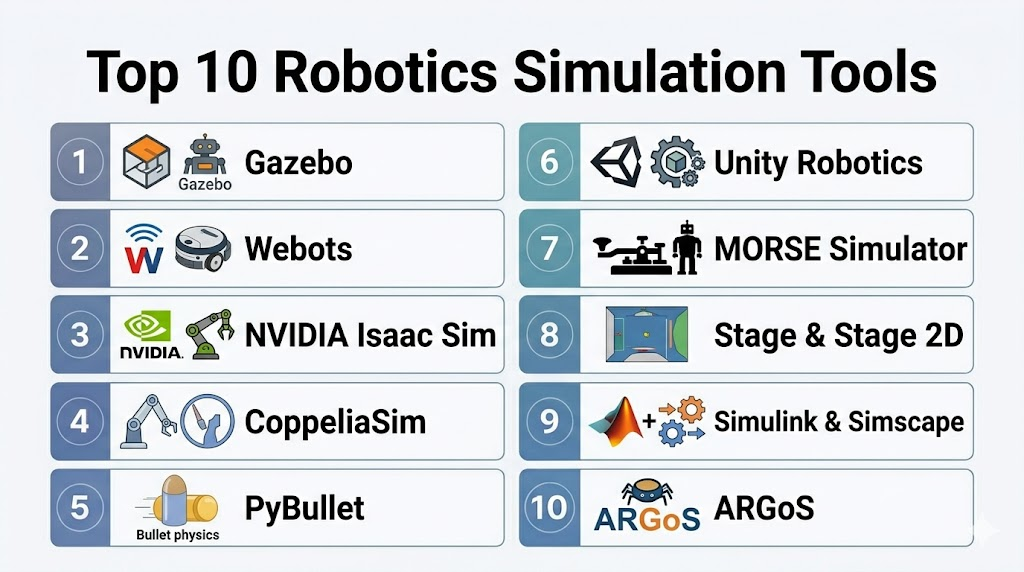
Introduction
Robotics Simulation Tools are software platforms that enable developers, engineers, and researchers to model, simulate, and test robotic systems in virtual environments before deploying them in the real world. These tools replicate physical dynamics, sensor feedback, and environmental interactions, allowing teams to validate robot behavior, optimize control strategies, and reduce costly hardware failures.
As robotics expands beyond industrial automation into autonomous vehicles, warehouse robotics, service robots, and human‑robot interaction systems, simulation has become indispensable. Simulation tools accelerate development cycles, enhance safety, and reduce the risk of damage or injury during hardware testing. They help align robotic designs with real‑world constraints while enabling rapid iterations.
Real‑world use cases include:
- Testing autonomous navigation and obstacle avoidance in dynamic environments.
- Validating manipulation strategies and grasping algorithms for robotic arms.
- Simulating multi‑robot coordination in warehouses or factories.
- Training reinforcement learning agents in virtual environments.
- Evaluating sensor suites (LiDAR, cameras, depth) before hardware integration.
Evaluation Criteria for Buyers:
- Fidelity of physics and sensor simulation
- Support for robot kinematics and dynamics modeling
- Integration with ROS and robotic middleware
- Scalability and performance for large scenarios
- Extensibility with custom environments and plugins
- Support for reinforcement learning and AI workflows
- Visualization and debugging tools
- Deployment flexibility (local/cloud/hybrid)
- Documentation and community support
- Cost and licensing model
Best for: Robotics engineers, autonomy developers, AI/ML teams training robotic policies, academic researchers, and enterprises deploying autonomous systems at scale.
Not ideal for: Projects with minimal robotics development or when simple rule‑based testing suffices without simulation fidelity.
Key Trends in Robotics Simulation Tools
- High‑fidelity physics engines replicating real‑world dynamics.
- Sensor‑accurate simulation for LiDAR, cameras, IMUs, and force sensors.
- Cloud‑enabled simulation for parallel scenario testing and scalability.
- Reinforcement learning integration with AI training frameworks.
- Support for digital twins linking virtual and physical robot behavior.
- 3D environment editors and customizable worlds.
- Interoperability with ROS and robotic toolchains.
- Multi‑robot and swarm simulations.
- Hybrid simulation with hardware‑in‑the‑loop (HIL).
How We Selected These Tools (Methodology)
- Industry adoption in academia, robotics labs, and enterprise robotics teams.
- Feature richness in physics, sensors, and environment modeling.
- Scalability of simulation workloads (local desktops to cloud clusters).
- Ease of integration with robotics middleware, ML libraries, and CI/CD.
- Support for reinforcement learning workflows.
- Security and deployment flexibility.
- Quality of documentation, tutorials, and community engagement.
- Licensing versatility from open‑source to enterprise tiers.
Top 10 Robotics Simulation Tools
#1 — Gazebo
Short description:
Gazebo is one of the most widely used open‑source robotics simulation environments. It offers physics‑based simulation, sensors, and models that integrate seamlessly with Robot Operating System (ROS).
Key Features
- Physics simulation with support for multiple engines
- Sensor simulation (cameras, LiDAR, IMUs)
- ROS/ROS2 integration
- World and robot model editors
- Plugin framework for customization
Pros
- Free and open‑source
- Strong ROS ecosystem support
- Large library of community models
Cons
- Requires expertise to configure complex scenarios
- Performance can lag with large environments
Platforms / Deployment
- Linux, Web, Self‑hosted
Security & Compliance
- Not publicly stated
Integrations & Ecosystem
- ROS/ROS2 middleware
- Model repositories and SDF/URDF support
- Python and C++ plugin APIs
Support & Community
- Active open‑source community, tutorials, forums
#2 — Webots
Short description:
Webots is an easy‑to‑use robotics simulator with a comprehensive library of robots and environments, ideal for education, research, and prototyping.
Key Features
- Integrated environment and robot builder
- Support for multiple programming languages
- Realistic sensor and actuator models
- Cross‑platform deployment
- Embedded physics engine
Pros
- Intuitive interface and quick start‑up
- Suitable for beginners and academia
- Extensive example projects
Cons
- Less powerful for complex industrial scenarios
- Licensing restrictions for some features
Platforms / Deployment
- Windows, macOS, Linux, Cloud
Security & Compliance
- Not publicly stated
Integrations & Ecosystem
- Supports ROS connectors
- Python, C/C++, MATLAB APIs
- Community robot libraries
Support & Community
- Commercial support available, active user forums
#3 — NVIDIA Isaac Sim
Short description:
NVIDIA Isaac Sim is a high‑fidelity robotics simulation tool built on NVIDIA Omniverse, focused on realistic physics and sensor simulation for AI‑driven robotics.
Key Features
- PhysX physics and GPU‑accelerated simulation
- High‑quality visual rendering
- Sensor simulation with LiDAR, cameras, depth sensors
- Reinforcement learning support
- Digital twin workflows
Pros
- Cutting‑edge realism and performance
- Ideal for AI/ML training workflows
- Scalable simulation clusters with Omniverse
Cons
- Requires high‑performance hardware
- More complex setup than basic simulators
Platforms / Deployment
- Windows, Linux, Cloud
Security & Compliance
- Not publicly stated
Integrations & Ecosystem
- ROS, ROS2 bridges
- Omniverse ecosystem
- Python and AI framework integration
Support & Community
- Enterprise support tiers, documentation
#4 — CoppeliaSim (V‑REP)
Short description:
CoppeliaSim (formerly V‑REP) is a versatile, modular simulation platform that supports robotics research, automation, and control algorithm development.
Key Features
- Modular simulation architecture
- Reinforcement learning support
- Physics engines (Bullet, ODE, Vortex)
- Integrated scripting and remote API
- Multi‑robot simulation
Pros
- Highly customizable
- Supports a variety of physics engines
- Strong scripting support
Cons
- Steeper learning curve
- Licensing costs for some advanced features
Platforms / Deployment
- Windows, Linux, macOS
Security & Compliance
- Not publicly stated
Integrations & Ecosystem
- Remote APIs for Python, C++, MATLAB
- ROS support
- Plugin ecosystem
Support & Community
- Commercial support, user forums
#5 — PyBullet
Short description:
PyBullet is an open‑source physics engine and simulation environment focused on robotics, reinforcement learning, and physics‑based interaction.
Key Features
- Bullet physics engine
- Python APIs for rapid prototyping
- Simulation of rigid body dynamics
- Sensor and robot model support
- Integration with ML frameworks
Pros
- Easy to use with Python
- Excellent for ML experimentation
- Lightweight environment
Cons
- Less advanced visualization than other tools
- Requires custom environment setup for complex scenarios
Platforms / Deployment
- Web, Linux, Windows, macOS
Security & Compliance
- Not publicly stated
Integrations & Ecosystem
- ML libraries (TensorFlow, PyTorch)
- Reinforcement learning libraries
- Python scripting
Support & Community
- Open‑source documentation and forums
#6 — Unity Robotics (with ROS‑TCP)
Short description:
Unity Robotics integrates the Unity game engine with ROS, enabling high‑quality simulation and visualization backed by a familiar game development ecosystem.
Key Features
- High‑fidelity rendering and simulation
- ROS‑TCP communication bridge
- Physics and sensor simulation
- Scene building via Unity editor
- Machine learning toolkit integration
Pros
- Stunning visualization and environment creation
- Flexible simulation design
- Good for human‑robot interaction and training
Cons
- Requires Unity licensing for some features
- Higher technical complexity
Platforms / Deployment
- Windows, macOS, Linux
Security & Compliance
- Not publicly stated
Integrations & Ecosystem
- Unity Asset Store
- ROS2 bridges
- ML‑Agents integration
Support & Community
- Unity documentation, robotics tutorials
#7 — MORSE Simulator
Short description:
MORSE Simulator is an open‑source robotics simulator built for academic research and integration with ROS/ROS2.
Key Features
- Support for multiple physics engines
- ROS/ROS2 integration
- Modular robot and sensor components
- Environment customization
- Python scripting
Pros
- Lightweight and flexible
- Academic research focus
- Easy ROS connectivity
Cons
- Less active development than larger platforms
- Limited native visualization
Platforms / Deployment
- Linux, Self‑hosted
Security & Compliance
- Not publicly stated
Integrations & Ecosystem
- ROS/ROS2 middleware
- Python APIs
Support & Community
- Academic community, documentation
#8 — Stage & Stage 2D
Short description:
Stage is a lightweight 2D simulator often paired with Gazebo for quick prototyping and algorithm validation in planar environments.
Key Features
- Simple 2D simulation
- Fast prototyping and testing
- ROS integration
- Lightweight physics
- Multi‑robot support
Pros
- Fast and easy for planar scenarios
- Integrates with ROS ecosystems
- Minimal setup
Cons
- Limited 3D capabilities
- Not suitable for high‑fidelity physics
Platforms / Deployment
- Linux, Self‑hosted
Security & Compliance
- Not publicly stated
Integrations & Ecosystem
- ROS and ROS2
- Python and C++ bindings
Support & Community
- Open‑source documentation
#9 — Simulink & Simscape Multibody
Short description:
MATLAB Simulink and Simscape Multibody provide a simulation environment for modeling robotics dynamics, controls, and systems alongside real‑world engineering workflows.
Key Features
- System‑level modeling
- Control algorithm simulation
- Sensor and dynamics modeling
- Integration with MATLAB toolbox
- Real‑time simulation support
Pros
- Strong engineering workflow integration
- Ideal for control prototyping
- Industry‑standard tooling
Cons
- Licensing costs
- Smaller focus on autonomous behaviors
Platforms / Deployment
- Windows, Linux, macOS
Security & Compliance
- Not publicly stated
Integrations & Ecosystem
- MATLAB toolboxes
- ROS toolchain bridges
- Control systems libraries
Support & Community
- MathWorks support and documentation
#10 — ARGoS
Short description:
ARGoS is a modular simulator designed for large‑scale swarm robotics research, enabling efficient simulation of many agents.
Key Features
- Scalable swarm simulation
- Fast physics engine
- Modular architecture
- Support for heterogeneous robots
- Experiment configuration scripts
Pros
- Excellent for swarm studies
- Lightweight optimized execution
- Flexible configuration
Cons
- Less suited for high‑fidelity single‑robot simulation
- Niche academic focus
Platforms / Deployment
- Linux, Self‑hosted
Security & Compliance
- Not publicly stated
Integrations & Ecosystem
- Python and C++ APIs
- ROS connection via plugins
Support & Community
- Academic community support
Comparison Table (Top 10)
| Tool Name | Best For | Platform(s) Supported | Deployment | Standout Feature | Public Rating |
|---|---|---|---|---|---|
| Gazebo | ROS‑centric simulation | Linux | Self‑hosted | Strong ROS integration | N/A |
| Webots | Education & prototyping | Win/Mac/Linux | Cloud/Self‑hosted | Intuitive environment | N/A |
| NVIDIA Isaac Sim | High‑fidelity AI sim | Win/Linux | Cloud | GPU‑accelerated realism | N/A |
| CoppeliaSim | Modular robotics workflows | Win/Mac/Linux | Self‑hosted | Multi‑engine physics | N/A |
| PyBullet | ML & Physics prototyping | Win/Mac/Linux | Self‑hosted | Python fast prototyping | N/A |
| Unity Robotics | High‑visual fidelity | Win/Mac/Linux | Self‑hosted | Unity renderer & ecosystem | N/A |
| MORSE Simulator | Lightweight research | Linux | Self‑hosted | ROS‑ready research sim | N/A |
| Stage & Stage 2D | Fast planar prototyping | Linux | Self‑hosted | Lightweight 2D sim | N/A |
| Simulink & Simscape | Control & dynamics | Win/Mac/Linux | Self‑hosted | Engineering control workflows | N/A |
| ARGoS | Swarm robotics | Linux | Self‑hosted | Scalable swarm simulation | N/A |
Evaluation & Scoring of Robotics Simulation Tools
| Tool Name | Core (25%) | Ease (15%) | Integrations (15%) | Security (10%) | Performance (10%) | Support (10%) | Value (15%) | Weighted Total (0–10) |
|---|---|---|---|---|---|---|---|---|
| Gazebo | 9 | 7 | 9 | 7 | 7 | 8 | 8 | 8.0 |
| Webots | 8 | 9 | 8 | 7 | 7 | 8 | 8 | 8.0 |
| NVIDIA Isaac Sim | 9 | 6 | 9 | 7 | 9 | 8 | 7 | 8.1 |
| CoppeliaSim | 8 | 7 | 8 | 7 | 8 | 7 | 7 | 7.7 |
| PyBullet | 7 | 8 | 7 | 7 | 7 | 7 | 8 | 7.4 |
| Unity Robotics | 8 | 6 | 8 | 7 | 8 | 7 | 7 | 7.5 |
| MORSE Simulator | 7 | 7 | 8 | 7 | 7 | 7 | 8 | 7.3 |
| Stage & Stage 2D | 6 | 9 | 7 | 7 | 6 | 7 | 8 | 7.2 |
| Simulink & Simscape | 8 | 7 | 8 | 7 | 8 | 8 | 7 | 7.8 |
| ARGoS | 7 | 7 | 7 | 7 | 8 | 7 | 8 | 7.4 |
Interpretation: Higher totals indicate tools with stronger overall simulation fidelity, integrations, and community support. Scores are comparative across categories.
Which Robotics Simulation Tool Is Right for You?
Solo / Freelancer
For individual developers exploring robotics workflows or simple validation, Webots and PyBullet offer rapid setup and lightweight learning curves.
SMB
Small to mid‑sized teams benefit from Gazebo or Unity Robotics, balancing ROS integration with advanced scenes without massive infrastructure.
Mid‑Market
Teams scaling robotic development or integrating ML training pipelines should explore NVIDIA Isaac Sim or CoppeliaSim for high fidelity and extensibility.
Enterprise
For production‑grade simulation, NVIDIA Isaac Sim delivers unmatched realism and deep learning support, while Simulink & Simscape bridges control logic with system dynamics.
Budget vs Premium
Open‑source tools reduce upfront costs but require engineering investment; cloud and commercial offerings provide vendor support and ecosystem integrations at a higher price point.
Feature Depth vs Ease of Use
Tools like Webots and Gazebo balance usability with capability, while NVIDIA Isaac Sim and Unity Robotics provide premium visuals and simulation depth.
Integrations & Scalability
Cloud options and frameworks with ROS/ROS2 bridges ease integration into existing robotics stacks and scale testing workloads for broader validation.
Security & Compliance Needs
Enterprise robotics, especially in regulated environments (e.g., automotive, aerospace), should align simulation workflows with internal governance, access controls, and system auditing policies.
Frequently Asked Questions (FAQs)
1. What is a robotics simulation tool?
A robotics simulation tool models robotic systems, physics, and environments to test behaviors virtually, enabling validation without hardware risk.
2. Why use simulation instead of physical testing?
Simulation accelerates development, reduces hardware costs, enables safe testing for dangerous cases, and supports rapid iteration.
3. Do these tools support ROS/ROS2?
Most major simulators (Gazebo, Webots, CoppeliaSim) provide ROS/ROS2 bridges to connect simulation with robotic middleware.
4. Can simulation tools model sensors like LiDAR and cameras?
Yes — high‑fidelity tools (NVIDIA Isaac Sim, Gazebo) simulate realistic sensors with noise profiles and rendering support.
5. Are these tools suitable for reinforcement learning?
Yes — tools with Python APIs (PyBullet, Isaac Sim, CoppeliaSim) integrate with reinforcement learning frameworks like TensorFlow, PyTorch.
6. How do I choose a simulation tool?
Consider fidelity needs, integration with your robotics stack, scalability requirements, and team expertise.
7. Do simulation results transfer to real robots?
Digital twins and physics engines aim to match real‑world dynamics, but calibration and validation are essential for transfer.
8. Can simulation run in the cloud?
Many tools support cloud deployment or remote execution, enabling parallel runs and scalable experiments.
9. Are there 2D simulation options?
Yes — tools like Stage offer quick, planar simulations for early development stages.
10. Is visualization important in simulation?
Visualization aids debugging, understanding of robot trajectories, and environment interactions, especially for complex behaviors.
Conclusion
Robotics Simulation Tools are essential in modern robotics development, enabling teams to prototype, validate, and scale complex robotic behaviors without excessive hardware risk. From open‑source tools like Gazebo and PyBullet to high‑fidelity platforms like NVIDIA Isaac Sim and Unity Robotics, organizations can choose based on fidelity, workflow integration, and team expertise. Simulation accelerates research, enhances safety, and bridges the gap between virtual design and real‑world deployment. A successful adoption strategy includes piloting with representative use cases, validating simulation fidelity, and aligning tools with development, ML, and production pipelines for continuous improvement.

Very helpful post with clear points and good readability.