MOTOSHARE 🚗🏍️
Rent Bikes & Cars Directly from Owners
Motoshare connects vehicle owners with people who need bikes and cars on rent. Owners earn from idle vehicles, and renters get flexible ride options.
Visit Motoshare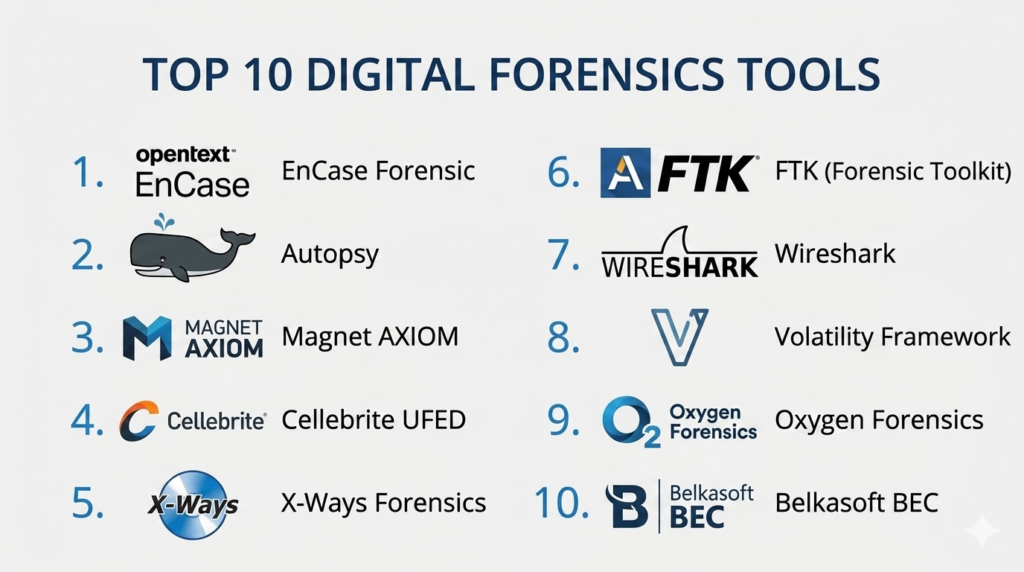
Introduction
Digital forensics is the specialized branch of forensic science that focuses on the recovery and investigation of material found in digital devices. It involves the systematic identification, preservation, extraction, and documentation of digital evidence that can be presented in a court of law. Unlike simple data recovery, digital forensics requires a strict chain of custody to ensure that the data has not been altered during the collection process. These tools allow investigators to look into deleted files, hidden partitions, and encrypted communication logs to reconstruct a timeline of events.
The importance of digital forensics has grown significantly as the world moves toward a fully digital economy. Cybercrime, corporate espionage, and internal data theft are now common challenges for organizations. Digital forensics tools provide the specialized capabilities needed to handle massive volumes of data across mobile devices, cloud storage, and high-speed network traffic. By using these platforms, security teams can move beyond simple detection and perform deep-dive investigations into how a breach occurred and who was responsible.
Real-world use cases:
- Criminal Investigations: Law enforcement agencies use these tools to recover evidence from suspects’ computers and mobile phones for criminal trials.
- Corporate Investigations: HR and legal departments investigate internal cases of intellectual property theft or workplace misconduct.
- Incident Response: Security teams analyze compromised servers to determine the entry point of a hacker and the extent of the data breach.
- Civil Litigation: Legal teams use digital evidence to support cases involving contract disputes or divorce proceedings.
- Cyber Warfare Analysis: Government agencies analyze state-sponsored attacks to understand the sophisticated techniques used by foreign actors.
What buyers should evaluate:
- Admissibility: Whether the evidence collected by the tool is widely accepted in legal jurisdictions.
- File System Support: Compatibility with various file systems such as NTFS, APFS, EXT4, and FAT32.
- Processing Speed: How quickly the tool can index and search through terabytes of data.
- Artifact Extraction: The ability to recover specific data points like browser history, chat logs, and deleted emails.
- Memory Forensics: Capability to analyze volatile RAM to find active malware or encryption keys.
- Reporting Quality: The clarity and professional layout of the final investigation reports.
- Ease of Use: The learning curve for investigators to navigate complex data structures.
- Automation: Presence of AI or scriptable workflows to handle repetitive tasks.
- Mobile Support: The depth of data extraction from modern encrypted smartphones.
- Hardware Integration: Compatibility with write-blockers and specialized forensic workstations.
Mandatory paragraph
- Best for: Law enforcement agencies, corporate security operations centers (SOC), private forensic consultants, and legal firms.
- Not ideal for: Small businesses looking for basic data recovery; IT teams who only perform simple system troubleshooting; or organizations with zero legal or compliance requirements.
Key Trends in Digital Forensics Tools
- AI-Assisted Analysis: Modern tools use machine learning to categorize thousands of images or flag suspicious patterns in chat logs automatically.
- Cloud Forensics focus: As data moves off-site, platforms are expanding to capture evidence from AWS, Azure, and Google Workspace.
- Mobile Decryption: Continuous innovation is required to bypass the sophisticated encryption found on the latest smartphone hardware.
- Remote Forensics: The ability to collect data from a laptop anywhere in the world without requiring the physical device.
- Cryptocurrency Tracking: Integration with blockchain analysis tools to follow the movement of digital assets in ransomware cases.
- Anti-Forensics Detection: Specialized modules designed to find and counter tools used by criminals to hide their digital tracks.
- Unified Investigations: Moving away from separate mobile and computer tools toward a single platform that combines all evidence.
- Video and Image Authentication: Advanced algorithms to detect deepfakes or altered photographic evidence.
How We Selected These Tools (Methodology)
The selection of the top 10 digital forensics tools was based on a rigorous evaluation of technical capabilities and industry reputation.
- Market Share: We prioritized tools that are standard issue for global law enforcement and Fortune 500 companies.
- Court Admissibility: Preference was given to platforms with a long history of providing evidence that holds up in legal proceedings.
- Technical Depth: We assessed the ability of the tools to perform deep-level analysis, including bit-stream imaging and unallocated space recovery.
- Feature Maturity: Only platforms with comprehensive suites covering multiple stages of the forensics process were selected.
- Processing Performance: Evaluation of how the software handles modern, high-capacity storage devices.
- Customer Support: The strength of professional training and technical assistance provided by the vendor.
Top 10 Digital Forensics Tools
#1 — EnCase Forensic
Short description: A world-renowned digital forensics platform from OpenText. It is designed for deep-level disk analysis and is a long-standing standard in both law enforcement and corporate investigations.
Key Features
- Evidence Integrity: Uses advanced hashing and bit-stream imaging to ensure data is never altered.
- Comprehensive Indexing: Powerful search capabilities to find keywords across thousands of files.
- Mobile and Cloud Support: Integrates evidence from smartphones and cloud-based applications.
- Customizable Reporting: Features professional templates that are ready for legal presentation.
- Logical and Physical Imaging: Flexible options for capturing exactly what is needed from a device.
- Decryption Suite: Built-in tools to handle encrypted drives and password-protected files.
Pros
- Highest level of credibility in courtrooms worldwide.
- Extremely powerful scripting language (EnScript) for advanced users to automate tasks.
Cons
- Very high price point makes it difficult for small firms to afford.
- The interface can be complex and intimidating for new investigators.
Platforms / Deployment
- Windows
- Self-hosted
Security & Compliance
- MFA and RBAC for investigator accounts.
- Strict adherence to NIST and global forensic standards.
Integrations & Ecosystem
EnCase has a massive ecosystem with a dedicated marketplace for custom scripts and third-party modules.
- OpenText Discovery
- Guidance Software Modules
- Major SIEM platforms
- Third-party write-blockers
Support & Community
Extensive professional training programs (EnCE certification). Professional support is available through dedicated account managers and a global technical portal.
#2 — Autopsy
Short description : An open-source, easy-to-use digital forensics platform that serves as a graphical interface for The Sleuth Kit. It is widely used by indie investigators and for educational purposes.
Key Features
- Keyword Search: Fast indexing of files to find specific terms or phrases.
- Web Artifact Analysis: Automatically extracts history, cookies, and bookmarks from all major browsers.
- Timeline Analysis: Displays system events in a graphical timeline to help reconstruct activity.
- Hash Filtering: Flags known bad files using industry-standard hash sets.
- Multimedia Extraction: Thumbnail viewers and video frame extractors for quick media review.
- Registry Analysis: Specialized tools to view and analyze Windows registry hives.
Pros
- Completely free and open-source with no licensing fees.
- The modular architecture allows users to add new features easily.
Cons
- Processing speed can be slower than high-end commercial tools.
- Does not include built-in decryption for many modern advanced encryption types.
Platforms / Deployment
- Windows / Linux / macOS
- Self-hosted
Security & Compliance
- Standard open-source security model.
- Not publicly stated.
Integrations & Ecosystem
Autopsy is highly extensible through its module system, allowing developers to create and share new features.
- The Sleuth Kit
- NIST NSRL (National Software Reference Library)
- PhotoRec integration
- Python and Java-based modules
Support & Community
Massive community-driven support. There are active forums, a dedicated wiki, and free/low-cost training courses available online.
#3 — Magnet AXIOM
Short description: A modern, artifact-centric forensics platform that excels at combining evidence from computers, mobile devices, and the cloud into a single case file.
Key Features
- Artifact-First Approach: Focuses on high-value data like chats, emails, and browser history first.
- Magnet.AI: Uses artificial intelligence to automatically find images of weapons, drugs, or specific content.
- Mobile Extraction: Deep-level support for both Android and iOS devices.
- Cloud Data Recovery: Collects and analyzes data from over 50 cloud services.
- Connections Map: Graphically shows how different devices and people are linked in a case.
- Volatile Memory Analysis: Includes tools to analyze RAM for active threats.
Pros
- Extremely user-friendly interface that speeds up the investigation process.
- Excellent at recovering deleted chat messages and social media data.
Cons
- Can be very resource-heavy, requiring powerful hardware to run smoothly.
- Subscription costs are high for small organizations.
Platforms / Deployment
- Windows
- Self-hosted / Cloud (Azure/AWS)
Security & Compliance
- Secure case file encryption.
- SOC 2 Type II compliant for cloud-based investigations.
Integrations & Ecosystem
Magnet AXIOM is designed to work as a central hub for all evidence types.
- Cellebrite UFED
- Grayshift (GrayKey)
- Project Vic
- VICS (Video Identification Collection and Surveillance)
Support & Community
Excellent official support. Magnet Forensics provides a high-quality training academy and a very active user community.
#4 — Cellebrite UFED
Short description : The industry standard for mobile device forensics. It is primarily used by law enforcement to access and extract data from locked or encrypted smartphones.
Key Features
- Physical Extraction: Bypasses locks to get a bit-for-bit copy of the device memory.
- Advanced Decryption: Specialized hardware and software to crack passcodes on modern iPhones and Androids.
- Selective Extraction: Allows investigators to pick only specific data categories to speed up the process.
- App Analysis: Decodes data from thousands of mobile applications.
- Logical Extraction: Fast recovery of visible data like contacts, SMS, and photos.
- Cloud Integration: Connects with Cellebrite Physical Analyzer for deep-level review.
Pros
- Unrivaled success rate in bypassing smartphone security and locks.
- Highly portable hardware options for use in the field.
Cons
- Sales are strictly controlled and often restricted to law enforcement and government agencies.
- Extremely expensive compared to general-purpose forensics tools.
Platforms / Deployment
- Windows (PC) / Dedicated Hardware (Touch/4PC)
- Self-hosted / Hybrid
Security & Compliance
- Strict hardware-level security and licensing.
- Compliant with global law enforcement standards.
Integrations & Ecosystem
Cellebrite is part of a larger suite of investigative tools designed for digital intelligence.
- Cellebrite Physical Analyzer
- Cellebrite Pathfinder
- Magnet AXIOM
- EnCase
Support & Community
Professional-grade support and training. The Cellebrite Academy offers some of the most respected mobile forensics certifications in the world.
#5 — X-Ways Forensics
Short description : A lightweight, high-performance forensic tool for Windows. It is favored by expert investigators for its speed, portability, and deep-level disk editing capabilities.
Key Features
- Portable Installation: Can run from a USB drive without needing a full installation.
- Disk Cloning and Imaging: High-speed creation of forensic images.
- Virtual RAID Reconstruction: Allows for the analysis of complex server storage setups.
- Hex Editor: Deep-level view of raw disk data for manual investigation.
- Template Analysis: Automatically interprets various file formats for the user.
- Evidence Container Support: Uses the .ctr format to store evidence securely.
Pros
- Incredibly fast processing speed compared to larger commercial suites.
- Very low hardware requirements; can run on basic laptops.
Cons
- The user interface is very dense and has a steep learning curve.
- Does not include as much automated “artifact” decoding as Magnet AXIOM.
Platforms / Deployment
- Windows
- Self-hosted (Portable)
Security & Compliance
- Hard-key (dongle) based licensing for physical security.
- Not publicly stated.
Integrations & Ecosystem
X-Ways is designed to be a “pure” forensics tool and focuses on technical excellence over broad integrations.
- EnCase (.E01) support
- FTK (.S01) support
- External script support via API
Support & Community
Support is provided through a technical forum and direct email. The community consists of highly technical expert investigators.
#6 — FTK (Forensic Toolkit)
Short description: A powerful forensic platform from Exterro. It is known for its high-speed indexing and its ability to handle massive, multi-terabyte cases with ease.
Key Features
- Distributed Processing: Uses multiple computers to speed up the indexing of giant datasets.
- Centralized Database: Stores all case data in a single SQL database for easy management.
- Advanced Filtering: Allows for complex queries to narrow down thousands of files in seconds.
- Decryption Tools: Built-in support for cracking over 100 different types of encryption.
- Volatile Memory Analysis: Comprehensive RAM analysis features.
- Visual Case Dashboard: High-level view of key case statistics and progress.
Pros
- The fastest tool for indexing and searching very large volumes of data.
- Excellent for multi-investigator teams who need to collaborate on a single case.
Cons
- Requires a significant server-side setup to reach full performance.
- Can be overkill for small, single-computer investigations.
Platforms / Deployment
- Windows
- Self-hosted / Hybrid
Security & Compliance
- SSO/SAML and RBAC for enterprise deployments.
- NIST and ISO standard compliant.
Integrations & Ecosystem
FTK is part of the Exterro legal and security suite.
- Exterro Legal Hold
- Cellebrite (Import)
- EnCase (Import)
- External Hash Sets
Support & Community
Professional enterprise support. Exterro provides a robust training program and a well-established user base in the corporate sector.
#7 — Wireshark
Short description: The world’s most popular network protocol analyzer. It is essential for network forensics, allowing investigators to capture and analyze data moving across a wire.
Key Features
- Live Capture: Captures network packets in real-time for immediate analysis.
- Deep Inspection: Decodes hundreds of different network protocols.
- Powerful Filters: Allows users to drill down into specific traffic types (e.g., HTTP, TCP).
- VOIP Analysis: Can reconstruct and listen to digital voice conversations.
- Decryption Support: Can decrypt traffic like SSL/TLS if the keys are provided.
- Graphical View: Shows data flows and packet timings clearly.
Pros
- Completely free and open-source.
- The absolute standard for network forensics; every investigator knows it.
Cons
- Only analyzes data in motion; not used for disk or mobile forensics.
- Requires deep knowledge of networking to interpret the results correctly.
Platforms / Deployment
- Windows / macOS / Linux
- Self-hosted
Security & Compliance
- Standard open-source security model.
- Not publicly stated.
Integrations & Ecosystem
Wireshark is the standard for network data, and almost every security tool can export files in its .pcap format.
- Tcpdump
- Snort
- Nmap
- Metasploit
Support & Community
Huge global community. There are endless free resources, books, and courses available for learning network forensics with Wireshark.
#8 — Volatility Framework
Short description : The leading open-source tool for memory forensics. It is used to analyze volatile RAM to find hidden malware, encryption keys, and active network connections.
Key Features
- Process Analysis: Lists all active and hidden processes running at the time of the RAM capture.
- Network Artifacts: Recovers active network connections and open ports.
- Encryption Key Recovery: Finds keys for BitLocker and other encryption tools stored in memory.
- Malware Detection: Specifically designed to find “rootkits” and other stealthy threats.
- Plugin Architecture: Hundreds of community-made plugins for different analysis tasks.
- Command-Line Interface: Highly scriptable for automated analysis pipelines.
Pros
- The most powerful tool for “living off the land” attacks where nothing is written to the disk.
- Completely free and regularly updated by the research community.
Cons
- No graphical user interface (CLI only); very difficult for beginners to learn.
- Requires a separate tool to actually capture the RAM before Volatility can analyze it.
Platforms / Deployment
- Windows / macOS / Linux
- Self-hosted
Security & Compliance
- Not publicly stated.
Integrations & Ecosystem
Volatility is the core of almost all memory forensics workflows.
- Autopsy (as a plugin)
- Rekall
- FTK Imager (for capture)
- DumpIt (for capture)
Support & Community
Very strong research-led community. The Volatility Foundation hosts annual contests and provides extensive documentation.
#9 — Oxygen Forensics
Short description : A specialized forensics suite that focuses heavily on mobile devices, cloud data, and IoT (Internet of Things) devices.
Key Features
- Oxygen Forensic JetEngine: High-speed engine for importing and processing giant data backups.
- Cloud Extractor: Recovers data from over 100 cloud services, including social media and fitness apps.
- IoT Forensics: Specialized modules for drones, smart speakers, and other smart home devices.
- Facial Recognition: Built-in AI to find and group faces across thousands of images.
- KeyScout: A portable tool to find passwords and tokens on live computers.
- Map Integration: Visualizes all GPS data from a device on a single interactive map.
Pros
- Excellent at extracting data from “nontraditional” digital sources like smartwatches.
- Very strong analytics for showing relationships between different users.
Cons
- Can be more expensive than some general disk forensics tools.
- The mobile extraction success rate, while high, is generally second to Cellebrite.
Platforms / Deployment
- Windows
- Self-hosted
Security & Compliance
- MFA and secure license management.
- Compliant with international law enforcement standards.
Integrations & Ecosystem
Oxygen is built to handle the “modern” digital footprint including wearables and cloud.
- Cellebrite (Import)
- Magnet AXIOM (Export)
- Project Vic
- VICS
Support & Community
Good professional support. Oxygen provides a certification program and regular webinars for its users.
#10 — Belkasoft Evidence Center (BEC)
Short description: An all-in-one forensic solution that automates the discovery of evidence across mobile, disk, cloud, and RAM in a single interface.
Key Features
- BelkaScript: A built-in scripting language for automating complex investigations.
- SQLite Viewer: Deep-level analysis of app databases (where most mobile data is stored).
- RAM Forensics: Integrated memory analysis without needing external tools.
- Remote Acquisition: Allows for the collection of data from computers over a network.
- Registry and Plist Analysis: Specialized viewers for system configuration files.
- Incident Response Module: Tools specifically designed for finding evidence of a hack.
Pros
- A truly “all-in-one” tool that reduces the need for multiple different software licenses.
- Very fast at finding and decoding chat applications.
Cons
- The price is mid-to-high, which may be a hurdle for small teams.
- The UI can feel slightly less polished than Magnet AXIOM.
Platforms / Deployment
- Windows
- Self-hosted / Remote
Security & Compliance
- RBAC and audit logging features.
- Compliant with global forensic standards.
Integrations & Ecosystem
Belkasoft is designed to be a comprehensive workstation solution.
- EnCase (.E01)
- FTK (.S01)
- Cellebrite (Import)
- NIST NSRL
Support & Community
Responsive technical support. Belkasoft offers a widely respected certification (BCE) and regular training events.
Comparison Table (Top 10)
| Tool Name | Best For | Platform(s) Supported | Deployment | Standout Feature | Public Rating |
| #1 — EnCase Forensic | Corporate/Legal | Windows | Self-hosted | Legal Credibility | 4.8/5 |
| #2 — Autopsy | Budget/Open-Source | Win, Mac, Linux | Self-hosted | Free/Modular | 4.6/5 |
| #3 — Magnet AXIOM | Artifact Analysis | Windows | Hybrid | Connections Map | 4.9/5 |
| #4 — Cellebrite UFED | Mobile Security | Dedicated HW | Hybrid | Bypassing Device Locks | 4.9/5 |
| #5 — X-Ways Forensics | Expert Speed | Windows | Portable | Raw Hex Editing | 4.7/5 |
| #6 — FTK (Forensic Toolkit) | Large Data Cases | Windows | Hybrid | Indexed Search Speed | 4.5/5 |
| #7 — Wireshark | Network Forensics | Win, Mac, Linux | Self-hosted | Packet Deep-Dive | 4.8/5 |
| #8 — Volatility Framework | Memory Forensics | Win, Mac, Linux | Self-hosted | Hidden Malware Find | 4.7/5 |
| #9 — Oxygen Forensics | Mobile/IoT | Windows | Self-hosted | Cloud/IoT Depth | 4.6/5 |
| #10 — Belkasoft BEC | All-in-One | Windows | Remote | Chat App Decoding | 4.5/5 |
Evaluation & Scoring of Digital Forensics Tools
| Tool Name | Core (25%) | Ease (15%) | Int. (15%) | Sec. (10%) | Perf. (10%) | Supp. (10%) | Value (15%) | Weighted Total |
| EnCase | 10 | 4 | 9 | 9 | 8 | 9 | 5 | 8.15 |
| Autopsy | 7 | 8 | 7 | 5 | 6 | 6 | 10 | 7.15 |
| Magnet AXIOM | 9 | 9 | 10 | 9 | 8 | 9 | 7 | 8.65 |
| Cellebrite | 10 | 6 | 8 | 10 | 9 | 9 | 4 | 8.20 |
| X-Ways | 9 | 3 | 7 | 8 | 10 | 7 | 8 | 7.55 |
| FTK | 9 | 5 | 9 | 9 | 10 | 8 | 6 | 8.10 |
| Wireshark | 10 | 4 | 8 | 6 | 9 | 6 | 10 | 7.60 |
| Volatility | 10 | 2 | 8 | 6 | 9 | 7 | 10 | 7.50 |
| Oxygen | 8 | 7 | 8 | 8 | 8 | 8 | 7 | 7.65 |
| Belkasoft | 8 | 7 | 8 | 8 | 8 | 8 | 7 | 7.65 |
How to interpret these scores:
- Core (25%): Depth of forensic capabilities like imaging and artifacts.
- Ease (15%): How quickly a new user can learn to extract evidence.
- Value (15%): The balance between the high price of forensic software and its features.
- Weighted Total: This provides a guide for which tool offers the best overall package for a modern investigator.
Which Digital Forensics Tool Is Right for You?
Solo / Freelancer
If you are just starting your career, Autopsy is the best choice because it is free and provides all the basic features needed to learn. For paid work, Magnet AXIOM is the most versatile tool for a solo investigator who needs to cover mobile, disk, and cloud without multiple licenses.
SMB
Small and medium businesses focusing on internal investigations should look at Belkasoft Evidence Center. It offers an excellent “all-in-one” approach that is easier to manage than maintaining five separate specialized tools.
Mid-Market
Companies with more frequent legal and security needs should consider EnCase Forensic or FTK. These tools have the credibility needed for high-stakes corporate lawsuits and are designed for reliable, long-term use.
Enterprise
Large organizations with massive data centers need FTK (Forensic Toolkit) for its high-speed distributed processing. For mobile-heavy environments, Cellebrite is the only real choice for ensuring access to locked employee devices during an investigation.
Budget vs Premium
- Budget: Autopsy, Wireshark, and Volatility provide world-class power for zero software cost.
- Premium: EnCase and Magnet AXIOM are the premium choices where you pay for ease of use, speed, and court credibility.
Feature Depth vs Ease of Use
If you need deep technical control, X-Ways and Volatility are the best, but they are hard to learn. If you want a tool that “does the work for you,” Magnet AXIOM and Belkasoft are the leaders in automation.
Integrations & Scalability
For investigations involving thousands of computers, FTK is the most scalable. For cases involving modern “digital lives” (drones, cloud, smart home), Oxygen Forensics has the best integration library.
Security & Compliance Needs
If your work must stand up in a high-profile criminal or civil court, EnCase and Cellebrite are the most trusted by legal experts worldwide. These tools provide the strongest chain-of-custody protections.
Frequently Asked Questions (FAQs)
1. What is a “Forensic Image”?
A forensic image is a bit-for-bit copy of a storage device. Unlike a normal copy-paste, it includes deleted files, hidden data, and system metadata that a regular file copy would miss.
2. Can digital forensics tools recover deleted data?
Yes, most tools can recover data from the “unallocated space” of a drive, provided that the data has not been overwritten by new files.
3. Why is a “Write-Blocker” necessary?
A write-blocker is a piece of hardware that prevents the investigation computer from making any changes to the original evidence drive. Maintaining data integrity is critical for legal cases.
4. Is it possible to bypass encryption on a smartphone?
Tools like Cellebrite use specialized exploits to bypass locks on many phones, but the latest high-security updates on modern devices make this increasingly difficult.
5. What is the difference between Live and Dead forensics?
Dead forensics is the analysis of a powered-off device (disk analysis). Live forensics is the analysis of a running system, including its RAM and active network connections.
6. Do these tools work on SSDs differently than HDDs?
Yes, SSDs use a process called “Trim” that can delete data permanently much faster than a traditional hard drive. This makes rapid collection very important.
7. Can digital forensics find who was sitting at the computer?
The tools show what account was used, but they cannot prove who was physically at the keyboard unless there is supporting evidence like security camera footage or biometric logs.
8. How long does a digital forensic investigation take?
A simple phone extraction can take an hour, while a complex corporate investigation involving terabytes of data and cloud logs can take weeks or months.
9. Are open-source tools as good as commercial ones?
Open-source tools like Autopsy are excellent for analysis, but commercial tools often have better automation, faster processing, and superior mobile device support.
10. What is “Chain of Custody”?
It is a chronological paper trail that records who had access to the digital evidence from the moment it was collected until the day it appears in court.
Conclusion
Selecting the right digital forensics tool is a balance between technical depth, legal requirements, and budget. For those in law enforcement, tools like Cellebrite and EnCase are essential for their power and court credibility. Corporate teams may find the artifact-centric approach of Magnet AXIOM more useful for quick, internal investigations.
The digital landscape is changing fast, with encryption and cloud storage becoming the new normal. We recommend starting with a core disk analysis tool like Autopsy or Magnet and then adding specialized tools like Wireshark or Volatility as your investigations become more complex. The goal is always the same: finding the truth hidden in the data without changing a single bit of evidence.

Simple, professional, and valuable read.
Discovering these forensics options clarifies how I will investigate future cyber threats.