MOTOSHARE 🚗🏍️
Rent Bikes & Cars Directly from Owners
Motoshare connects vehicle owners with people who need bikes and cars on rent. Owners earn from idle vehicles, and renters get flexible ride options.
Visit Motoshare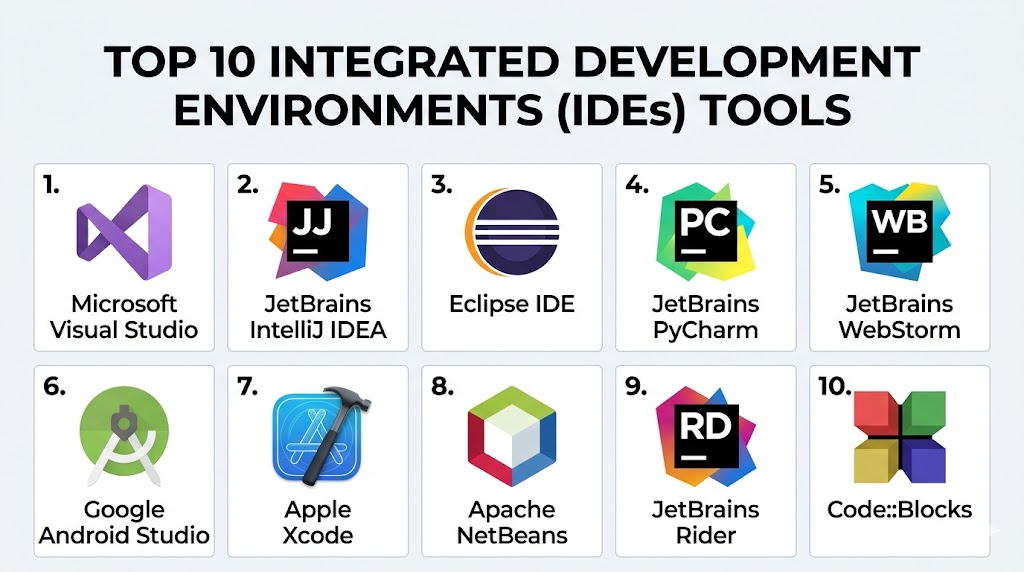
Introduction
Integrated Development Environments (IDEs) are comprehensive software tools that provide developers with everything they need to write, test, debug, and deploy code within a single interface. Unlike lightweight code editors, IDEs combine advanced features such as intelligent code completion, debugging tools, build automation, and integrated version control, making them essential for complex software development.
As software systems grow in scale and complexity, IDEs play a critical role in improving productivity, reducing errors, and enabling consistent workflows across teams. Modern IDEs also integrate AI-assisted coding, cloud development environments, and DevOps pipelines, making them central to professional development workflows.
Common use cases include:
- Full-stack application development
- Enterprise software engineering
- Mobile and desktop app development
- Debugging and performance optimization
- DevOps and cloud-native development
What buyers should evaluate:
- Language and framework support
- Debugging and testing capabilities
- Performance with large codebases
- Integration with version control systems
- Plugin and extension ecosystem
- AI-assisted coding features
- Cross-platform compatibility
- Cost and licensing model
- Collaboration and team features
Best for: Professional developers, engineering teams, enterprises, and organizations building complex applications requiring structured workflows.
Not ideal for: Beginners working on simple scripts or developers who prefer lightweight, fast editing without heavy tooling overhead.
Key Trends in Integrated Development Environments (IDEs)
- AI-powered coding assistants integrated directly into IDE workflows
- Cloud-based IDEs enabling development from anywhere
- DevSecOps integration embedding security scanning into development
- Low-code and no-code enhancements for faster prototyping
- Remote development environments for distributed teams
- Improved performance for large monorepos
- Cross-language development support within a single IDE
- Enhanced collaboration features like live sharing and pair programming
- Automation of testing and deployment pipelines
How We Selected These Tools (Methodology)
- Evaluated industry adoption and developer popularity
- Assessed feature completeness and capabilities
- Reviewed performance and reliability
- Considered security and enterprise readiness
- Analyzed integration ecosystems
- Checked support for modern development workflows
- Included tools for different programming languages and use cases
- Balanced free, open-source, and commercial solutions
Top 10 Integrated Development Environments (IDEs) Tools
#1 — Visual Studio
Short description: A powerful IDE from Microsoft designed for enterprise-grade development, especially for .NET, C++, and cross-platform applications.
Key Features
- Advanced debugging tools
- IntelliSense code completion
- Integrated testing tools
- Strong .NET and C++ support
- Git integration
- Azure integration
- Performance profiling
Pros
- Enterprise-ready features
- Excellent debugging capabilities
Cons
- Heavy resource usage
- Complex for beginners
Platforms / Deployment
Windows / macOS
Security & Compliance
SSO, RBAC (varies by environment)
Integrations & Ecosystem
Strong integration with Microsoft ecosystem and enterprise tools.
- Azure services
- GitHub
- DevOps pipelines
- Extensions marketplace
Support & Community
Extensive documentation and strong enterprise support.
#2 — IntelliJ IDEA
Short description: A popular Java-focused IDE with strong support for enterprise development and modern frameworks.
Key Features
- Smart code completion
- Advanced refactoring
- Built-in version control
- Framework support
- Debugging tools
- Plugin ecosystem
Pros
- Excellent Java support
- Intelligent coding assistance
Cons
- Paid features for full version
- Resource-intensive
Platforms / Deployment
Windows / macOS / Linux
Security & Compliance
Not publicly stated
Integrations & Ecosystem
Works with major development tools and frameworks.
- Git systems
- Build tools
- Framework plugins
Support & Community
Large developer community and strong documentation.
#3 — Eclipse
Short description: An open-source IDE widely used for Java and enterprise application development.
Key Features
- Plugin-based architecture
- Multi-language support
- Integrated debugging
- Version control integration
- Code refactoring tools
Pros
- Free and open-source
- Highly customizable
Cons
- Outdated UI
- Performance issues
Platforms / Deployment
Windows / macOS / Linux
Security & Compliance
Not publicly stated
Integrations & Ecosystem
Extensive plugin ecosystem.
- Java tools
- Git integration
- Enterprise plugins
Support & Community
Strong open-source community.
#4 — PyCharm
Short description: A Python-focused IDE designed for data science, web development, and automation.
Key Features
- Python-specific tools
- Debugging and testing
- Code completion
- Framework support
- Database tools
Pros
- Best-in-class Python support
- Great for data science
Cons
- Paid professional version
- Resource-heavy
Platforms / Deployment
Windows / macOS / Linux
Security & Compliance
Not publicly stated
Integrations & Ecosystem
- Python frameworks
- Databases
- Version control
Support & Community
Strong developer support.
#5 — WebStorm
Short description: A JavaScript-focused IDE optimized for web development.
Key Features
- JavaScript and TypeScript support
- Debugging tools
- Framework integrations
- Code completion
- Testing tools
Pros
- Excellent for web development
- Strong framework support
Cons
- Paid tool
- Heavy for simple tasks
Platforms / Deployment
Windows / macOS / Linux
Security & Compliance
Not publicly stated
Integrations & Ecosystem
- Frontend frameworks
- Git tools
- Build tools
Support & Community
Strong community and documentation.
#6 — Android Studio
Short description: Official IDE for Android development with deep integration into the Android ecosystem.
Key Features
- Android SDK integration
- UI design tools
- Emulator support
- Debugging tools
- Performance analysis
Pros
- Best for Android apps
- Official support
Cons
- Resource-intensive
- Limited outside Android
Platforms / Deployment
Windows / macOS / Linux
Security & Compliance
Not publicly stated
Integrations & Ecosystem
- Android tools
- Gradle
- Firebase
Support & Community
Strong support from ecosystem.
#7 — Xcode
Short description: Apple’s IDE for developing applications across its platforms.
Key Features
- Swift and Objective-C support
- Interface builder
- Debugging tools
- Simulator
- Performance tools
Pros
- Best for Apple development
- Deep platform integration
Cons
- macOS-only
- Limited outside Apple ecosystem
Platforms / Deployment
macOS
Security & Compliance
Not publicly stated
Integrations & Ecosystem
- Apple SDKs
- App development tools
Support & Community
Strong developer ecosystem.
#8 — NetBeans
Short description: Open-source IDE supporting multiple languages and enterprise development.
Key Features
- Java and PHP support
- GUI builder
- Debugging tools
- Version control integration
- Plugin support
Pros
- Free and open-source
- Easy to use
Cons
- Slower performance
- Smaller ecosystem
Platforms / Deployment
Windows / macOS / Linux
Security & Compliance
Not publicly stated
Integrations & Ecosystem
- Java tools
- Git
- Plugins
Support & Community
Moderate community support.
#9 — Rider
Short description: Cross-platform .NET IDE from JetBrains.
Key Features
- .NET support
- Code analysis
- Debugging tools
- Refactoring tools
- Cross-platform development
Pros
- Strong .NET performance
- Cross-platform support
Cons
- Paid tool
- Learning curve
Platforms / Deployment
Windows / macOS / Linux
Security & Compliance
Not publicly stated
Integrations & Ecosystem
- .NET ecosystem
- Version control
- Dev tools
Support & Community
Strong support from JetBrains.
#10 — Code::Blocks
Short description: Lightweight IDE for C/C++ development.
Key Features
- C/C++ support
- Debugging tools
- Plugin support
- Lightweight design
- Custom build system
Pros
- Lightweight
- Free
Cons
- Limited features
- Outdated interface
Platforms / Deployment
Windows / macOS / Linux
Security & Compliance
Not publicly stated
Integrations & Ecosystem
- Compiler tools
- Plugins
Support & Community
Moderate community.
Comparison Table (Top 10)
| Tool Name | Best For | Platform(s) Supported | Deployment | Standout Feature | Public Rating |
|---|---|---|---|---|---|
| Visual Studio | Enterprise | Windows/macOS | Local | Advanced debugging | N/A |
| IntelliJ IDEA | Java devs | Cross-platform | Local | Smart completion | N/A |
| Eclipse | Open-source | Cross-platform | Local | Plugin ecosystem | N/A |
| PyCharm | Python devs | Cross-platform | Local | Python tools | N/A |
| WebStorm | Web devs | Cross-platform | Local | JS support | N/A |
| Android Studio | Android apps | Cross-platform | Local | Android tools | N/A |
| Xcode | Apple apps | macOS | Local | Apple integration | N/A |
| NetBeans | Beginners | Cross-platform | Local | Easy setup | N/A |
| Rider | .NET devs | Cross-platform | Local | Cross-platform .NET | N/A |
| Code::Blocks | C/C++ devs | Cross-platform | Local | Lightweight | N/A |
Evaluation & Scoring of Integrated Development Environments (IDEs)
| Tool Name | Core | Ease | Integrations | Security | Performance | Support | Value | Weighted Total |
|---|---|---|---|---|---|---|---|---|
| Visual Studio | 10 | 7 | 10 | 9 | 9 | 10 | 8 | 9.0 |
| IntelliJ IDEA | 9 | 8 | 9 | 8 | 9 | 9 | 8 | 8.7 |
| Eclipse | 8 | 6 | 8 | 7 | 7 | 8 | 9 | 7.8 |
| PyCharm | 9 | 8 | 9 | 8 | 8 | 9 | 7 | 8.4 |
| WebStorm | 9 | 8 | 9 | 8 | 8 | 9 | 7 | 8.4 |
| Android Studio | 9 | 7 | 9 | 8 | 8 | 9 | 8 | 8.5 |
| Xcode | 9 | 7 | 8 | 8 | 8 | 9 | 8 | 8.3 |
| NetBeans | 7 | 8 | 7 | 7 | 7 | 7 | 9 | 7.6 |
| Rider | 9 | 7 | 9 | 8 | 8 | 8 | 7 | 8.3 |
| Code::Blocks | 6 | 8 | 6 | 6 | 7 | 6 | 9 | 6.9 |
How to interpret scores:
These scores represent relative strengths across core capabilities and usability. Higher scores indicate well-rounded IDEs suitable for complex environments, while lower scores may still be ideal for simpler or specialized use cases. Always evaluate based on your specific requirements.
Which Integrated Development Environments (IDEs) Tool Is Right for You?
Solo / Freelancer
- Best: NetBeans, PyCharm
SMB
- Best: IntelliJ IDEA, WebStorm
Mid-Market
- Best: Visual Studio, PyCharm
Enterprise
- Best: Visual Studio, IntelliJ IDEA, Rider
Budget vs Premium
- Budget: Eclipse, NetBeans
- Premium: IntelliJ IDEA, Rider
Feature Depth vs Ease of Use
- Easy: NetBeans
- Advanced: Visual Studio
Integrations & Scalability
- Choose IDEs with strong ecosystem support
Security & Compliance Needs
- Enterprises should prioritize enterprise-grade IDEs
Frequently Asked Questions (FAQs)
What is an IDE?
An IDE is a software tool that combines coding, debugging, and testing features.
How is an IDE different from a code editor?
IDEs provide more advanced features like debugging and build tools.
Are IDEs free?
Some are free, while others offer paid versions.
Which IDE is best for beginners?
NetBeans and Eclipse are beginner-friendly.
Can IDEs handle large projects?
Yes, most modern IDEs are designed for scalability.
Do IDEs support multiple languages?
Many IDEs support multiple languages.
Are IDEs secure?
Security depends on the tool and configuration.
Can IDEs integrate with Git?
Yes, most IDEs support Git integration.
Do IDEs support cloud development?
Some IDEs support cloud workflows.
Which IDE is best?
It depends on your needs and workflow.
Conclusion
Integrated Development Environments are essential tools for modern software development, providing everything needed to build, test, and deploy applications efficiently. They help streamline workflows, reduce errors, and improve collaboration across teams. While some IDEs focus on specific languages or platforms, others offer broad capabilities for enterprise-scale development. The best choice depends on your development needs, team size, and technical stack. Instead of choosing based on popularity alone, it is important to evaluate how well an IDE fits into your workflow and long-term goals. Start by shortlisting a few IDEs, test them in real projects, and select the one that delivers the best balance of performance, usability, and integration.

Good overview of IDEs. One practical challenge missing is resource usage and plugin management—many teams face performance issues and inconsistent development environments when IDEs become heavily customized across projects.