MOTOSHARE 🚗🏍️
Rent Bikes & Cars Directly from Owners
Motoshare connects vehicle owners with people who need bikes and cars on rent. Owners earn from idle vehicles, and renters get flexible ride options.
Visit Motoshare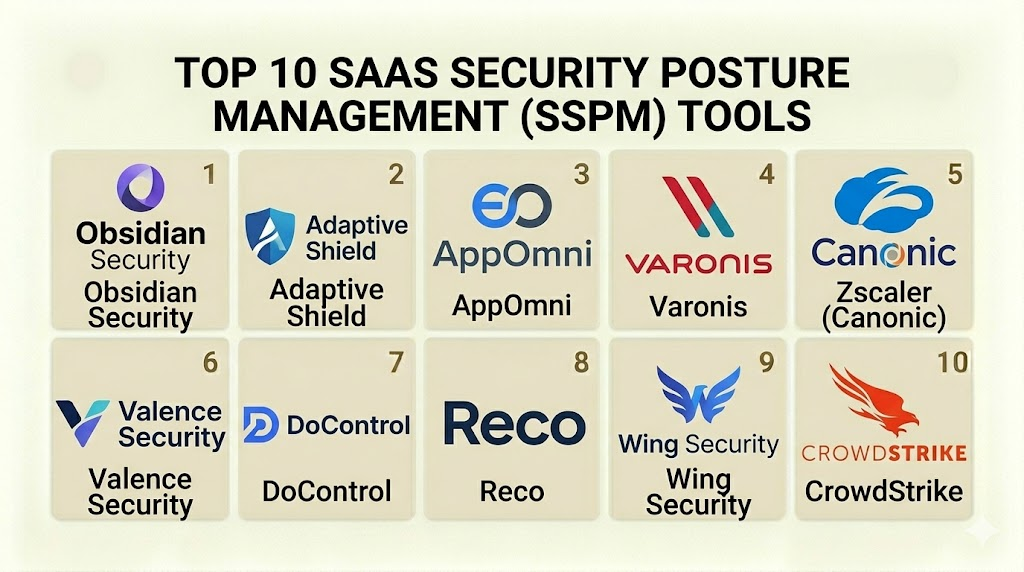
Introduction
SaaS Security Posture Management (SSPM) is a category of security tools designed to provide continuous visibility and control over the security settings of Software-as-a-Service (SaaS) applications. As organizations move their critical data to platforms like Salesforce, Microsoft 365, Slack, and GitHub, the risk of misconfiguration increases. SSPM tools automatically monitor these environments to ensure that security settings—such as multi-factor authentication, file-sharing permissions, and third-party integrations—remain compliant with company policies. Unlike traditional security tools that focus on the network perimeter, SSPM looks deep into the application layer to find hidden risks.
In the current digital landscape, the “SaaS explosion” has led to a massive increase in the number of applications used by a single company. This creates a large and complex attack surface. A single wrong click by a distracted administrator can expose millions of customer records to the public internet. SSPM software acts as an automated auditor, constantly checking for these mistakes and providing a clear path to fix them. It bridges the gap between the IT team, the security team, and the business owners of specific apps.
Real-world use cases:
- Misconfiguration Detection: Finding a Salesforce instance where “public access” was accidentally enabled on a sensitive folder.
- Shadow IT Discovery: Identifying third-party apps that employees have connected to the corporate Google Workspace without approval.
- Privileged User Monitoring: Tracking which users have “Super Admin” rights and flagging accounts that do not use multi-factor authentication.
- Compliance Mapping: Automatically checking SaaS settings against frameworks like SOC 2, HIPAA, or GDPR.
- Offboarding Verification: Ensuring that when an employee leaves, their access is removed not just from the main login but from all sub-permissions within SaaS apps.
What buyers should evaluate:
- Breadth of App Coverage: Does the tool support only the “Big 4” (Google, Microsoft, Salesforce, Slack) or does it cover niche tools like Zendesk or Jira?
- Remediation Automation: Can the tool fix a security hole automatically, or does it only send an alert to a dashboard?
- Identity Context: Does the tool understand who the user is and what their role should be, rather than just looking at the technical setting?
- Integration Speed: How long does it take to connect a new SaaS tenant via API?
- Historical Auditing: Can the tool show what a setting looked like three months ago during a security incident?
- Threat Detection: Does it move beyond static settings to find active threats, such as a user logging in from an impossible location?
- Data Discovery: The ability to see what kind of sensitive data (PII, PCI) is stored within the SaaS application.
- User Interface Clarity: How easily a non-security professional can understand the risks and the steps needed to fix them.
- Reporting Flexibility: The ability to generate custom reports for different stakeholders, from technical engineers to board members.
- Scalability: How well the tool handles hundreds of different SaaS tenants across a global organization.
Best for: Security operations (SecOps) teams, compliance officers, and IT managers in mid-market to enterprise companies who rely heavily on cloud applications.
Not ideal for: Small businesses with only one or two simple SaaS apps; organizations that do not have a dedicated person to manage security alerts.
Key Trends in SaaS Security Posture Management (SSPM)
- Identity-Centric Security: SSPM is moving from “checking boxes” to understanding user behavior and identity risks across all apps.
- SaaS-to-SaaS Integration Tracking: Modern tools are focusing heavily on the “mesh” of integrations, where one app has permission to read data from another.
- Low-Code Remediation: A shift toward “drag-and-drop” workflows that allow security teams to build complex fix-it scripts without writing code.
- Shadow SaaS Discovery: Platforms are now using browser extensions or network logs to find apps that IT didn’t even know were being used.
- Generative AI for Policy Writing: Tools are beginning to use AI to help administrators write security policies in plain English.
- Convergence with ITDR: Integration with Identity Threat Detection and Response to stop active account takeovers in real-time.
- Posture as Code: Developers are treating SaaS security settings like software code, allowing for version control and automated testing.
- Business Context Mapping: New engines are trying to understand the “business value” of an app to prioritize alerts based on actual risk.
How We Selected These Tools (Methodology)
The selection of these top 10 tools was based on a comprehensive evaluation of the modern security market.
- API Integration Depth: We prioritized tools that use deep API connections rather than shallow, read-only access.
- Market Share and Mindshare: We looked at the platforms most frequently used by Fortune 500 companies and recommended by security analysts.
- Innovation Pace: Priority was given to vendors who release frequent updates to keep up with the changing settings in SaaS apps.
- Performance and Reliability: We evaluated how well the platforms handle large volumes of data without causing “alert fatigue.”
- Security Posture Signals: We analyzed the internal security of the vendors themselves, including their own certifications and data handling.
- Customer Support Quality: We checked for the availability of high-level professional services and technical documentation.
Top 10 SaaS Security Posture Management (SSPM) Tools
#1 — Obsidian Security
Short description: A comprehensive SSPM platform that focuses on the intersection of identity, configuration, and activity. It is designed for large enterprises with complex SaaS ecosystems.
Key Features
- Identity Mapping: Connects user identities across different SaaS platforms to find excessive permissions.
- Threat Detection: Uses machine learning to find unusual activity, such as bulk data downloads or strange logins.
- Posture Management: Provides a “Credit Score” style view of your security health across apps.
- Integration Risk: Analyzes the danger of third-party “OAuth” tokens and app-to-app connections.
- Historical Activity: Stores a long-term record of all changes and activities for forensic investigations.
- Remediation Guidance: Offers step-by-step instructions for IT owners to fix security gaps.
Pros
- Excellent at finding “Identity-based” risks that other tools miss.
- The user interface is very clean and provides high-level summaries for executives.
Cons
- Can be expensive for smaller organizations.
- Initial setup requires deep access to many different systems.
Platforms / Deployment
- Web / SaaS
- Cloud-Native
Security & Compliance
- SOC 2 Type II and ISO 27001 compliant.
- Encryption at rest and in transit using industry standards.
Integrations & Ecosystem
Obsidian is built to be the “central nervous system” for SaaS security. It connects to the most popular business applications.
- Microsoft 365
- Salesforce
- ServiceNow
- Workday
- GitHub
- Slack
Support & Community
Professional support is available through a dedicated customer success portal. They offer extensive training materials and a community forum for security pros.
#2 — Adaptive Shield
Short description: A high-velocity SSPM tool that provides deep visibility into hundreds of SaaS applications. It is known for its speed and the number of apps it supports.
Key Features
- Broad App Support: One of the largest libraries of supported SaaS applications in the industry.
- Continuous Monitoring: Checks for misconfigurations every few minutes, not just once a day.
- Device-to-SaaS Context: Checks if the user accessing a SaaS app is using a managed, secure device.
- Detailed Benchmarks: Maps your settings against CIS Benchmarks and other security standards.
- Workflow Automation: Integrates with ticketing systems like Jira and ServiceNow to assign tasks to app owners.
- User Risk Scoring: Ranks users based on their access levels and historical behavior.
Pros
- Incredibly fast to set up and show results (often in under 10 minutes).
- The sheer number of supported apps makes it a great choice for companies with diverse software.
Cons
- The dashboard can be crowded due to the massive amount of data it provides.
- Some advanced automation features require additional configuration.
Platforms / Deployment
- Web / SaaS
- Cloud-Native
Security & Compliance
- SOC 2 Type II compliant.
- Privacy-first design that does not store sensitive customer data from the apps.
Integrations & Ecosystem
Adaptive Shield is built to work within the existing IT workflow.
- Okta
- Ping Identity
- Splunk
- Microsoft Teams
- Jira
- Zendesk
Support & Community
Offers a strong knowledge base and responsive technical support. They are active in the security community and provide frequent webinars on SaaS risk.
#3 — AppOmni
Short description: An enterprise-grade SSPM platform that focuses on the “Business Context” of SaaS. It is widely used by global financial and healthcare firms.
Key Features
- Policy Manager: Allows you to set a “Golden Standard” for your SaaS settings and alerts you if they change.
- External User Tracking: Specifically monitors “Guest” and “External” users who might have too much access.
- Configuration Drift Detection: Alerts you if a setting is changed by an admin without approval.
- API Monitoring: Keeps an eye on the programmatic access to your data through APIs.
- Compliance Dashboard: Provides ready-to-use reports for auditors.
- Threat Intelligence: Uses real-world attack data to help you prioritize which settings to fix first.
Pros
- Very strong at managing the “External Access” problem, which is a major risk in Slack and Salesforce.
- The platform is highly stable and built for the scale of a global corporation.
Cons
- The learning curve is higher than some more “indie” SSPM tools.
- Pricing is at the premium end of the market.
Platforms / Deployment
- Web / SaaS
- Cloud-Native
Security & Compliance
- ISO 27001, SOC 2, and HIPAA compliant.
- Advanced RBAC for the security team managing the tool.
Integrations & Ecosystem
AppOmni provides deep “Developer Level” integrations for the world’s most complex apps.
- Salesforce (including Shield)
- Microsoft Dynamics 365
- Box
- Zoom
- DocuSign
- Oracle NetSuite
Support & Community
Excellent professional services team. They provide “AppOmni University” for customer training and certification.
#4 — Varonis (SaaS Protection)
Short description: A data-centric security platform that expanded into SSPM. It is the best choice for companies who are primarily worried about “Data Leakage.”
Key Features
- Data Classification: Automatically finds sensitive data (like social security numbers) inside SaaS files.
- Permission Normalization: Simplifies the complex, messy permissions of tools like Google Drive.
- Automated Least Privilege: Can automatically remove access for users who haven’t opened a file in months.
- Behavioral Alerts: Detects a user trying to download the entire company folder.
- SaaS Misconfiguration Alerts: Finds technical holes like “anonymous link sharing.”
- Cross-Platform Visibility: Shows data risk across SaaS, on-premises servers, and cloud storage.
Pros
- The best tool on the list for understanding what is inside the files, not just the settings.
- Huge reduction in “manual cleanup” work for IT teams.
Cons
- A “heavy” tool that can be overkill for companies that don’t have a lot of unstructured data.
- The interface is more technical and “Windows-like” than modern web tools.
Platforms / Deployment
- Windows / Web
- Hybrid / Cloud
Security & Compliance
- GDPR, HIPAA, and CCPA focused features.
- Proven track record in highly regulated industries.
Integrations & Ecosystem
Varonis is a giant in the data security space with long-standing partnerships.
- Microsoft OneDrive
- Google Drive
- Box
- Amazon S3
- Salesforce
- SharePoint Online
Support & Community
Top-tier enterprise support. Varonis is famous for their “Free Data Risk Assessment” and their active security research blog.
#5 — Zscaler (Canonic)
Short description: Part of the larger Zscaler Zero Trust platform, this tool focuses on the security of the “Third-Party App Ecosystem.”
Key Features
- App Governance: Specifically monitors the permissions of apps that connect to your main SaaS platforms.
- Supply Chain Risk: Evaluates the reputation and security of the vendors behind the apps your employees use.
- Automatic Disconnect: Can automatically kill a connection to a suspicious or malicious third-party app.
- Permission Scoping: Finds apps that have “Read/Write” access when they only need “Read.”
- Shadow IT Reporting: Shows which apps are being used without approval from the IT department.
- API Security: Specifically looks for vulnerabilities in how your SaaS apps talk to each other.
Pros
- Incredible for managing “OAuth” risks and the “App Store” problem within a company.
- Integrates perfectly into the Zscaler security stack for a unified view.
Cons
- Less focused on the “Internal Settings” (like MFA) compared to Adaptive Shield or Obsidian.
- Best value is only realized if you are already a Zscaler customer.
Platforms / Deployment
- Web / SaaS
- Cloud-Native
Security & Compliance
- FedRAMP, SOC 2, and ISO compliant.
- Uses a globally distributed, highly secure cloud infrastructure.
Integrations & Ecosystem
Focuses on the “Connected App” world.
- GitHub
- Google Workspace Marketplace
- Microsoft AppSource
- Slack App Directory
- Atlassian Marketplace
Support & Community
Massive global support network. Zscaler provides high-level training and an extensive partner ecosystem.
#6 — Valence Security
Short description: A “SaaS Mesh” security platform that focuses on the relationships between applications, users, and data.
Key Features
- SaaS Mesh Visibility: Maps every connection between every app in your environment.
- Identity Governance: Looks for “zombie” accounts and stale credentials across all platforms.
- Remediation Workflows: Specifically focuses on “collaborative remediation,” where the user is asked to fix the problem.
- SaaS API Secret Management: Finds and secures the API keys used for SaaS-to-SaaS connections.
- Configuration Auditing: Continuous checks for security best practices.
- Data Sharing Visibility: Shows every folder shared with an external email address.
Pros
- The “User Collaboration” feature helps fix things without the IT team doing all the work.
- Very strong at finding “hidden” connections that users created months or years ago.
Cons
- The “SaaS Mesh” concept can be difficult for some teams to visualize initially.
- Smaller company compared to giants like Zscaler or Varonis.
Platforms / Deployment
- Web / SaaS
- Cloud-Native
Security & Compliance
- SOC 2 Type II compliant.
- Strong focus on data privacy and non-intrusive monitoring.
Integrations & Ecosystem
Valence is designed to be a universal connector.
- Salesforce
- Microsoft 365
- Slack
- GitHub
- Workday
- AWS (IAM)
Support & Community
Active on social media and security forums. They provide direct access to technical experts during the onboarding phase.
#7 — DoControl
Short description: An automation-first SSPM and data security tool that uses workflows to secure SaaS data access in real-time.
Key Features
- No-Code Workflows: A visual builder to automate security actions (e.g., “Remove share link after 30 days”).
- Real-time Event Monitoring: Acts on security events as they happen, not hours later.
- Data Access Control: Provides a unified view of all files shared with external parties.
- Risk Remediation: Automates the cleanup of excessive permissions.
- Identity Context: Pulls data from your IDP to understand the user’s role.
- Sensitive Data Discovery: Finds PII and sensitive info across multiple SaaS stores.
Pros
- The automation engine is very flexible and powerful.
- Reduces the “Manual Cleanup” time for security teams significantly.
Cons
- Requires a bit more time to set up the “Workflows” correctly.
- The platform is very focused on “Data” and may lack some technical “Infrastructure” checks.
Platforms / Deployment
- Web / SaaS
- Cloud-Native
Security & Compliance
- SOC 2 Type II compliant.
- Uses highly secure, isolated data environments.
Integrations & Ecosystem
Works best with the “Big Data” SaaS apps.
- Google Drive
- OneDrive
- Slack
- Salesforce
- Box
- Microsoft Teams
Support & Community
Great customer support for mid-market clients. They offer frequent training sessions on how to build automation workflows.
#8 — Reco
Short description: A business-context-driven SSPM that focuses on how people actually use apps to prioritize risk.
Key Features
- Business Context Engine: Understands if a “Shared Folder” is for a public project or a secret one.
- Low-Noise Alerting: Only alerts you when a risk is actually important to the business.
- User Behavior Profiling: Learns how each user interacts with data to find anomalies.
- Configuration Drift: Tracks changes to security settings over time.
- Integration Risk: Evaluates the danger of connected third-party apps.
- Compliance Mapping: Built-in maps for major security frameworks.
Pros
- Very low “False Positive” rate because it understands the why behind the data.
- The user interface is modern and very easy to navigate.
Cons
- Takes a bit of time to “learn” your environment before it becomes fully effective.
- Support for niche SaaS apps is still growing.
Platforms / Deployment
- Web / SaaS
- Cloud-Native
Security & Compliance
- SOC 2 Type II compliant.
- Strong emphasis on user privacy.
Integrations & Ecosystem
Connects to the core of the modern enterprise.
- Microsoft 365
- Google Workspace
- Slack
- Salesforce
- GitHub
Support & Community
Responsive team with a focus on customer success. They are active in the modern “SaaS Security” community.
#9 — Wing Security
Short description: A tool that focuses on “End-to-End” SaaS security, from discovery of shadow IT to the remediation of settings.
Key Features
- Shadow IT Discovery: Uses multiple methods to find every app being used in the company.
- App Reputation Scoring: Gives a safety grade to every SaaS vendor.
- Automated Remediation: Offers “one-click” fixes for common security holes.
- User Engagement: Can send a message to a user asking them if they still need an app.
- Data Leakage Prevention: Monitors how files are shared externally.
- Supply Chain Management: Helps you manage the risk of the vendors you trust.
Pros
- Excellent for companies that are worried about “Shadow IT” and rogue employees.
- The automated “User Outreach” feature saves IT teams a lot of time.
Cons
- The remediation features are powerful but need to be used carefully to avoid breaking things.
- Not as deep in “Database” level settings as AppOmni.
Platforms / Deployment
- Web / SaaS
- Cloud-Native
Security & Compliance
- SOC 2 Type II compliant.
- Data is stored securely and never shared with third parties.
Integrations & Ecosystem
Broad support for the modern SaaS stack.
- Slack
- Google Workspace
- Microsoft 365
- Dropbox
- HubSpot
- Asana
Support & Community
Friendly and fast support. They provide a lot of free tools and resources for smaller security teams.
#10 — CrowdStrike Falcon for SaaS
Short description: Part of the famous Falcon platform, this tool brings “Endpoint-level” security visibility to the SaaS world.
Key Features
- Unified Dashboard: See your laptops, servers, and SaaS apps in one single place.
- Identity Threat Protection: Stops hackers who are using stolen passwords to log into SaaS.
- Misconfiguration Detection: Checks for common holes in M365 and Google Workspace.
- SaaS Attack Surface Mapping: Shows how an attacker could move from a laptop to a SaaS app.
- Indicator of Attack (IOA): Finds active attacks inside the SaaS environment.
- Compliance Frameworks: Maps SaaS settings to standard security rules.
Pros
- The best choice for teams who already use CrowdStrike on their computers.
- Unmatched threat intelligence data from the world’s leading security firm.
Cons
- The SSPM features are newer and less mature than specialized tools like Obsidian.
- Requires the full Falcon platform to get the most value.
Platforms / Deployment
- Web / SaaS
- Cloud-Native
Security & Compliance
- World-class security certifications (FedRAMP, SOC 2, ISO).
- Trusted by the world’s most sensitive government agencies.
Integrations & Ecosystem
Integrates with the “Big Cloud” players.
- Microsoft 365
- Google Workspace
- Azure Active Directory (Entra ID)
- Okta
Support & Community
Massive global support. CrowdStrike has a legendary reputation for their “Overwatch” and incident response teams.
Comparison Table (Top 10)
| Tool Name | Best For | Platform(s) Supported | Deployment | Standout Feature | Public Rating |
| #1 — Obsidian Security | Enterprise Identity | Web | Cloud-Native | Identity-Activity Mapping | 4.8/5 |
| #2 — Adaptive Shield | Broad Coverage | Web | Cloud-Native | 100+ App Support | 4.7/5 |
| #3 — AppOmni | Compliance & Depth | Web | Cloud-Native | Golden Standard Policies | 4.7/5 |
| #4 — Varonis | Data Discovery | Win, Web | Hybrid | Automated Least Privilege | 4.6/5 |
| #5 — Zscaler (Canonic) | App Ecosystem | Web | Cloud-Native | App Reputation Scoring | 4.5/5 |
| #6 — Valence Security | SaaS Mesh | Web | Cloud-Native | Collaborative Remediation | 4.4/5 |
| #7 — DoControl | Data Automation | Web | Cloud-Native | No-Code Workflow Builder | 4.5/5 |
| #8 — Reco | Business Context | Web | Cloud-Native | Low-Noise Risk Engine | 4.5/5 |
| #9 — Wing Security | Shadow IT | Web | Cloud-Native | User Engagement Bot | 4.6/5 |
| #10 — CrowdStrike | Unified Platform | Web | Cloud-Native | Unified Endpoint-SaaS View | 4.4/5 |
Evaluation & Scoring of SaaS Security Posture Management (SSPM)
| Tool Name | Core (25%) | Ease (15%) | Int. (15%) | Sec. (10%) | Perf. (10%) | Supp. (10%) | Value (15%) | Weighted Total |
| Obsidian | 10 | 7 | 9 | 9 | 9 | 9 | 7 | 8.50 |
| Adaptive Shield | 9 | 9 | 10 | 8 | 9 | 8 | 8 | 8.70 |
| AppOmni | 10 | 6 | 9 | 9 | 9 | 9 | 7 | 8.35 |
| Varonis | 10 | 5 | 8 | 9 | 8 | 10 | 6 | 7.85 |
| Zscaler | 7 | 8 | 9 | 9 | 9 | 8 | 7 | 7.75 |
| Valence | 8 | 8 | 8 | 8 | 8 | 8 | 8 | 8.00 |
| DoControl | 8 | 8 | 8 | 8 | 9 | 8 | 8 | 8.10 |
| Reco | 8 | 9 | 8 | 8 | 8 | 8 | 8 | 8.15 |
| Wing Security | 8 | 9 | 8 | 8 | 8 | 8 | 9 | 8.30 |
| CrowdStrike | 7 | 7 | 9 | 10 | 9 | 10 | 7 | 8.00 |
How to interpret the scores:
- 0–5: Niche tools or early-stage products that lack enterprise features.
- 6–8: Solid professional tools that excel in specific categories like data or speed.
- 9–10: Market-leading tools that offer the most complete and stable solutions.
- Weighted Total: This score reflects the overall utility for a standard enterprise security team.
Which SaaS Security Posture Management (SSPM) Tool Is Right for You?
Solo / Freelancer
Most SSPM tools are too expensive and complex for a solo user. However, if you are a consultant helping other firms, learning Wing Security or Adaptive Shield is a great way to show value to your clients quickly. They offer the fastest path to showing a “Risk Report.”
SMB
For a small to medium business with 50-500 employees, Wing Security or Reco are the best choices. They are easy to manage without a 10-person security team and focus on the most common risks like Shadow IT and basic misconfigurations.
Mid-Market
Companies with 500-2,000 employees should look at Adaptive Shield or DoControl. These tools offer the automation needed to handle a growing number of apps and users without hiring more staff.
Enterprise
Large organizations with over 2,000 employees and strict compliance needs should choose Obsidian Security or AppOmni. These tools provide the depth of auditing and identity-based security that giant firms require. If data privacy is the #1 concern, Varonis is the top contender.
Budget vs Premium
- Budget: Wing Security and Adaptive Shield often offer more flexible entry points for growing companies.
- Premium: AppOmni and Obsidian are premium products with higher costs but provide much deeper technical control.
Feature Depth vs Ease of Use
If you want the most “Technical Depth,” go with AppOmni. If you want the “Easiest to Use,” go with Reco or Adaptive Shield.
Integrations & Scalability
For organizations that use hundreds of different apps, Adaptive Shield has the best scalability in terms of app coverage. If you are a “Microsoft/Google only” shop, CrowdStrike or Microsoft’s own tools might be enough.
Security & Compliance Needs
Healthcare and Finance firms should prioritize AppOmni or Varonis due to their long history of meeting high-level regulatory standards and their ability to handle sensitive PII.
Frequently Asked Questions (FAQs)
1. What is the difference between SSPM and CASB?
A Cloud Access Security Broker (CASB) is like a gatekeeper that watches the traffic as it moves to the cloud. SSPM is like an inspector that looks at the internal settings and configurations inside the cloud application itself.
2. Can SSPM tools fix security issues automatically?
Yes, many modern SSPM tools like Adaptive Shield and DoControl can automatically fix misconfigurations, such as disabling a public sharing link or turning on MFA for an admin.
3. Do I need an SSPM if I have Okta or Microsoft Entra ID?
Yes. While Okta handles the “Login,” it doesn’t see what the user does after they are inside the app. SSPM monitors the settings and data access inside the app that the login system cannot see.
4. How long does it take to implement an SSPM tool?
Since most SSPM tools connect via API, the initial connection can take as little as 10 to 30 minutes. However, fine-tuning the policies and alerts usually takes 2 to 4 weeks.
5. Will an SSPM tool slow down my SaaS applications?
No. Because SSPM tools connect via API in the background, they do not sit in the “path” of the user. Your employees will not notice any change in performance.
6. What is “Shadow IT” and can SSPM find it?
Shadow IT refers to apps used by employees without IT’s knowledge. SSPM tools like Wing Security find these by looking at SSO logs or OAuth connections in your main email system.
7. Does SSPM help with SOC 2 compliance?
Yes, SSPM tools can automatically map your SaaS settings to SOC 2 requirements and generate reports that prove to an auditor that you are following the rules.
8. Can SSPM monitor custom-built SaaS apps?
Most SSPM tools focus on “Commercial” apps. However, some tools like Obsidian and AppOmni offer SDKs or custom connectors that can be used for your own internal apps.
9. What is an “OAuth Risk”?
OAuth is the system that lets you “Sign in with Google” to other apps. The risk is that these third-party apps might ask for permission to read all your emails or delete your files. SSPM monitors these permissions.
10. How much does SSPM software cost?
Pricing is usually based on the number of users or the number of apps being monitored. For an enterprise, it can range from $10,000 to over $100,000 per year depending on the scale.
Conclusion
SaaS Security Posture Management is no longer a luxury; it is a necessity for any modern business. With data scattered across dozens of different platforms, manual security checks are simply not enough to prevent a breach. Whether you choose a data-focused tool like Varonis, an automation-heavy tool like DoControl, or a broad platform like Adaptive Shield, the goal is the same: visibility and control.
We recommend starting with a trial of at least two different tools to see which one “fits” your company’s workflow best. Focus on the apps that hold your most sensitive data first, and then expand your posture management to the rest of your SaaS stack. Remember, security is a continuous process, and an SSPM tool is your best partner in keeping your cloud data safe.

Well-written and easy to follow.
A missing operational angle is SaaS ownership governance. SSPM findings often need action from app admins, not just security teams, so every critical SaaS app should have a named owner, remediation SLA, and exception expiry process. Without that, posture issues can stay visible in dashboards but never actually get fixed.