MOTOSHARE 🚗🏍️
Rent Bikes & Cars Directly from Owners
Motoshare connects vehicle owners with people who need bikes and cars on rent. Owners earn from idle vehicles, and renters get flexible ride options.
Visit Motoshare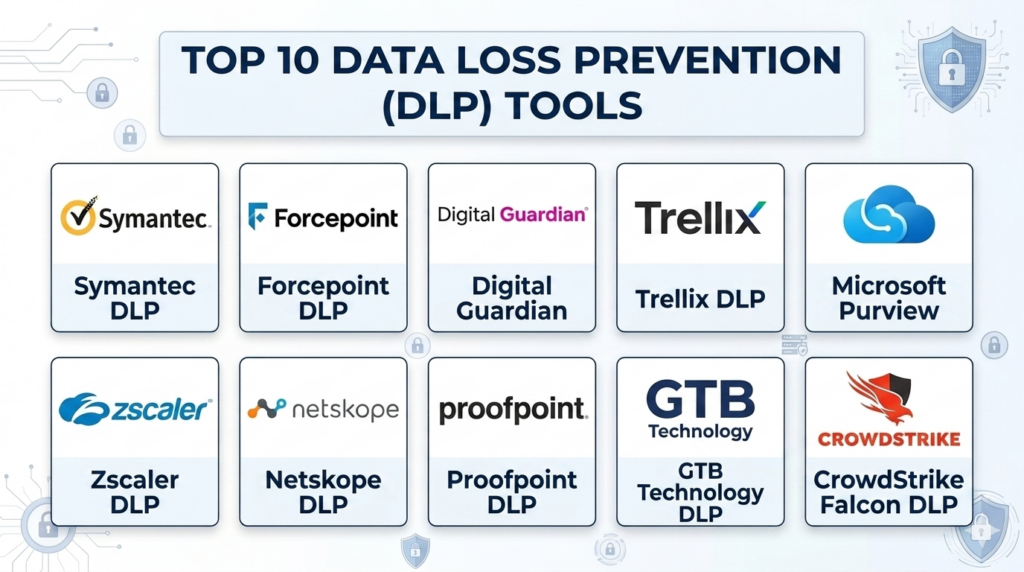
Introduction
Data Loss Prevention (DLP) is a strategy and set of technologies used to ensure that sensitive data is not lost, misused, or accessed by unauthorized users. At its core, DLP software identifies, monitors, and protects data in three primary states: data at rest (stored in databases or cloud storage), data in motion (moving across the network), and data in use (being processed by endpoints). It works by using deep packet inspection and contextual analysis to recognize sensitive patterns, such as credit card numbers, medical records, or intellectual property, and applying blocking or encryption rules in real-time.
In the modern digital era, data is the most valuable asset a company owns. With the rise of remote work and the expansion of cloud services, the “perimeter” of the traditional office has vanished. Sensitive information now lives on personal laptops, in cloud-based collaboration tools, and in transit across unsecured home networks. DLP serves as the final line of defense against both accidental leaks—like an employee sending an email to the wrong person—and malicious theft by external hackers or disgruntled insiders.
Real-world use cases:
- Preventing IP Theft: Protecting proprietary source code or manufacturing blueprints from being uploaded to personal cloud storage.
- Regulatory Compliance: Automatically encrypting any outgoing email that contains Social Security numbers or health information to meet government standards.
- Insider Threat Detection: Alerting security teams when a user begins downloading an unusually high volume of sensitive files before resigning.
- Device Control: Blocking the transfer of corporate data to unauthorized USB drives or external hard disks.
- Cloud Data Visibility: Scanning files stored in platforms like Google Drive or OneDrive to ensure they are not shared publicly by mistake.
What buyers should evaluate:
- Detection Accuracy: The ability to find sensitive data without creating too many “false positives” that disrupt work.
- Endpoint Coverage: How well the software monitors activities on Windows, macOS, and Linux laptops.
- Cloud Integration: Native support for scanning SaaS applications and cloud storage via API.
- Policy Flexibility: The ease of creating custom rules that fit specific business workflows.
- Classification Capabilities: Whether the tool can automatically label data based on its sensitivity level.
- Incident Management: The quality of the dashboard used to investigate and remediate data leaks.
- Performance Impact: How much the “agent” software slows down the user’s computer.
- Deployment Speed: The complexity of setting up the management server and deploying agents.
- Reporting and Auditing: The ability to generate high-level compliance reports for board members and auditors.
- Scalability: How effectively the system handles tens of thousands of users across global regions.
Best for: Enterprises in regulated industries (finance, healthcare, legal), organizations protecting high-value intellectual property, and large-scale government agencies.
Not ideal for: Small businesses with minimal sensitive data; organizations that lack a dedicated IT or security person to manage alerts.
Key Trends in Data Loss Prevention (DLP)
- Convergence with SASE: DLP is increasingly being integrated into Secure Access Service Edge (SASE) models, combining data protection with network security in a single cloud layer.
- AI-Enhanced Classification: Machine learning is replacing simple “keyword” searches, allowing tools to understand the context of a document rather than just looking for specific words.
- Data Privacy Focus: New updates focus specifically on helping firms comply with local privacy laws by automatically identifying personal data from different regions.
- Insider Risk Integration: Modern tools are looking at user behavior—such as a sudden change in working hours—to help contextualize a data transfer event.
- Shift to Managed Services: More companies are moving toward “Managed DLP” where external experts monitor and tune the system to reduce the burden on internal teams.
- Edge-Based Inspection: Processing data leaks on the user’s device rather than sending everything to a central server, which improves speed and user privacy.
- Zero Trust Architecture: Data access is being granted on a “need-to-know” basis, with DLP acting as the gatekeeper that verifies the content of the data being accessed.
- Automated Remediation: Systems are now automatically encrypting or redacting sensitive data in real-time, rather than just alerting a human after the data has left.
How We Selected These Tools (Methodology)
The selection of these top 10 tools followed a structured evaluation logic based on technical depth and market reliability.
- Detection Breadth: We prioritized tools that can see data across endpoints, networks, and cloud environments.
- Market Share: We evaluated tools that are established leaders in global security rankings.
- Ease of Management: We looked for platforms that simplify the complex task of policy creation and incident response.
- Automation Level: Preference was given to tools that offer automated data classification and remediation.
- Security Posture: Only vendors with a proven track record of maintaining high internal security standards were included.
- Platform Support: We selected tools that provide comprehensive support for diverse operating systems and cloud providers.
Top 10 Data Loss Prevention (DLP) Tools
#1 — Symantec Data Loss Prevention (Broadcom)
Symantec DLP is widely regarded as one of the most comprehensive and powerful data protection suites available. It is designed for large-scale enterprises that need to protect data across every possible vector, including endpoints, network traffic, and cloud storage.
Key Features
- Vector Machine Learning: Uses AI to identify sensitive data that is hard to describe with simple rules, such as custom financial forms.
- Single Console Management: Provides a unified view of data across all environments, from on-premises to the cloud.
- Exact Data Matching (EDM): Allows the system to look for specific records from a database to prevent the leak of actual customer information.
- Sensitive Image Recognition: Uses optical character recognition (OCR) to find sensitive data inside screenshots and photos.
- Comprehensive Endpoint Control: Can block, notify, or encrypt data being moved to USB, web browsers, or email.
Pros
- Offers the most advanced detection techniques for high-value intellectual property.
- Extremely scalable, capable of protecting hundreds of thousands of users globally.
Cons
- Very high technical complexity; usually requires a dedicated team to manage.
- The licensing and deployment costs are among the highest in the industry.
Platforms / Deployment
- Windows / macOS / Linux
- Cloud / Self-hosted / Hybrid
Security & Compliance
- Supports major global regulations including GDPR, HIPAA, and PCI DSS.
- Features advanced RBAC and encrypted log storage.
Integrations & Ecosystem
Symantec integrates deeply with the broader Broadcom security portfolio and other enterprise IT tools.
- Microsoft Active Directory
- ServiceNow (for ticketing)
- SIEM platforms (Splunk, QRadar)
- Cloud storage (Box, Dropbox)
Support & Community
Extensive enterprise support with dedicated technical account managers for high-tier customers. Large community of certified partners and specialized consultants.
#2 — Forcepoint DLP
Forcepoint DLP is known for its “human-centric” approach to security. It focuses on the intersection of user behavior and data sensitivity, helping organizations identify the most dangerous risks first.
Key Features
- Incident Risk Ranking: Uses behavioral analytics to highlight the most critical events, reducing alert fatigue for security staff.
- Optical Character Recognition: Scans images and PDFs for sensitive text content in real-time.
- Unified Policy Engine: Allows you to write a security policy once and deploy it across the web, email, and endpoints.
- Drip DLP: Detects when a user tries to leak small amounts of data over a long period to avoid detection.
- Fingerprinting: Identifies even partial snippets of sensitive documents, such as a few paragraphs from a secret legal contract.
Pros
- Highly effective at identifying “risky” users before they cause a major data breach.
- The interface is designed to be much more intuitive than traditional enterprise DLP tools.
Cons
- Integration with non-Forcepoint security tools can sometimes be complex.
- Endpoint agent performance can occasionally impact older hardware.
Platforms / Deployment
- Windows / macOS
- Cloud / Hybrid
Security & Compliance
- SOC 2 and ISO 27001 compliant.
- Pre-built templates for more than 80 global regulatory standards.
Integrations & Ecosystem
Forcepoint is a key player in the SASE market, meaning it integrates well with modern network security tools.
- Microsoft 365
- Forcepoint CASB
- Okta
- Amazon Web Services
Support & Community
Strong professional support services and a well-regarded training university for security administrators.
#3 — Digital Guardian (Fortra)
Digital Guardian is a specialized DLP platform that is famous for its deep visibility at the endpoint level. It is often the choice for companies that need to protect complex intellectual property like CAD drawings or source code.
Key Features
- Kernel-Level Monitoring: Sees every action on the computer’s operating system to prevent advanced data theft techniques.
- Automatic Data Discovery: Finds and labels sensitive data as soon as it is created or modified.
- Flexible Controls: Can be set to “silent” mode to gather evidence during an investigation without alerting the user.
- External Device Control: Provides granular rules for what can be written to a USB drive or printed.
- Add-on EDR Capabilities: Combines data loss prevention with endpoint detection and response features.
Pros
- Provides the deepest level of technical visibility into user actions.
- Offers a fully managed service option where Fortra experts run the software for you.
Cons
- The software is technically demanding and can be difficult for smaller teams to tune.
- Deployment is often slower than cloud-only solutions.
Platforms / Deployment
- Windows / macOS / Linux
- Cloud / Self-hosted
Security & Compliance
- High-level encryption for all data logs and management traffic.
- Compliant with strict defense and aerospace data standards.
Integrations & Ecosystem
Digital Guardian focuses on the endpoint and integrates with a wide variety of security tools.
- Microsoft Purview
- Splunk
- Palo Alto Networks
- Slack
Support & Community
Known for high-quality technical support and a strong emphasis on professional managed services.
#4 — Trellix Data Loss Prevention
Trellix was formed from the merger of McAfee Enterprise and FireEye. Its DLP product is a mature, high-scale solution that integrates perfectly with the rest of the Trellix security “fabric.”
Key Features
- Capture Technology: Records a full history of data movement so you can search for leaks that happened in the past.
- Common Policy Engine: Manages policies for endpoint, network, and cloud through a single interface.
- Manual Classification: Allows users to manually tag documents as sensitive, which improves their awareness of security.
- Web and Email Protection: Built-in proxies to scan all outgoing internet traffic for secret data.
- Device Locking: Can disable specific hardware like Wi-Fi or Bluetooth to prevent data exfiltration.
Pros
- Very strong at managing “data at rest” inside large, complex database environments.
- Offers a massive library of pre-defined data patterns for global compliance.
Cons
- The management console can be slow when managing thousands of devices.
- Users have reported that the transition between legacy McAfee and Trellix branding can be confusing.
Platforms / Deployment
- Windows / macOS
- Cloud / Self-hosted / Hybrid
Security & Compliance
- Supports HIPAA, SOX, and global privacy mandates.
- Features robust tamper-protection for the endpoint agent.
Integrations & Ecosystem
Trellix is built to be the center of a wide security ecosystem.
- Trellix ePO (Management platform)
- Microsoft Exchange
- Cisco
- HPE
Support & Community
Massive global support network. Extensive documentation and a large community of long-term users from the McAfee era.
#5 — Microsoft Purview Information Protection
This is the DLP solution for organizations that live inside the Microsoft ecosystem. It is built directly into Windows, Office, and the Azure cloud, making it incredibly easy to “turn on” for existing customers.
Key Features
- Native Office Integration: Classification and protection are built directly into Word, Excel, and Outlook.
- Sensitivity Labels: Users can see and apply security labels without leaving their documents.
- Auto-Labeling: Uses AI to find sensitive data in emails and files and apply protection automatically.
- Endpoint DLP: Built into the Windows 10 and 11 operating systems with no extra agent required.
- Cloud App Security: Extends protection to third-party apps like Salesforce and Slack via API.
Pros
- Requires no additional software agents on modern Windows computers.
- The best user experience for employees who already use Microsoft 365 daily.
Cons
- Not as powerful for companies that use a lot of Linux or non-Microsoft software.
- The advanced features require a high-tier (E5) license, which can be expensive.
Platforms / Deployment
- Windows / macOS / iOS / Android
- Cloud / SaaS
Security & Compliance
- Meets virtually every major global government and industry certification (FedRAMP, etc.).
- Strongly integrated with Microsoft’s Zero Trust security model.
Integrations & Ecosystem
Seamless integration with everything in the Microsoft world and many partner apps.
- Microsoft Teams
- SharePoint
- Adobe Acrobat
- ServiceNow
Support & Community
The largest support community in the IT world. Extensive self-service learning through Microsoft Learn.
#6 — Zscaler Data Loss Prevention
Zscaler is a leader in cloud security. Its DLP tool is part of its Zero Trust Exchange, designed for companies that have moved away from traditional offices and now work primarily in the cloud.
Key Features
- Cloud-Native Inspection: All data is inspected in the Zscaler cloud as it moves to the internet or SaaS apps.
- Full SSL Inspection: Can look inside encrypted web traffic at scale without slowing down the connection.
- Identical Policy: Use the same DLP rules for users in the office, at home, or on the road.
- Zero Trust Access: Ensures that only authorized users can even see the sensitive data.
- EDM for Cloud: Performs Exact Data Matching for large databases directly in the cloud.
Pros
- Incredible performance for remote workers; no “backhauling” to a central office needed.
- Very fast to deploy for organizations that already use Zscaler for web security.
Cons
- Less focused on “data at rest” inside local physical servers.
- The endpoint agent is focused on network traffic, not local hardware control.
Platforms / Deployment
- Windows / macOS / Linux / iOS / Android
- Cloud / SaaS
Security & Compliance
- SOC 2, ISO 27001, and various local government security certifications.
- Global data centers ensure data privacy laws are followed in every region.
Integrations & Ecosystem
Zscaler is a core part of the modern “Secure Service Edge” (SSE) ecosystem.
- CrowdStrike
- Microsoft Entra ID
- Okta
- Splunk
Support & Community
Excellent 24/7 global support. The community consists of modern network and security architects.
#7 — Netskope Data Loss Prevention
Netskope is a major competitor in the cloud security space. Its DLP is built with a deep understanding of SaaS application “language,” allowing it to see very specific actions inside apps like Jira or Slack.
Key Features
- Advanced Image Analysis: Uses machine learning to find passports, driver’s licenses, and credit cards in images.
- Context-Aware Rules: Understands the difference between a user uploading a file to a personal account versus a corporate account.
- Custom Entity Detection: Allows you to define very specific data patterns unique to your company.
- API and Inline Protection: Scans data both as it moves and while it is sitting in cloud storage.
- Document Fingerprinting: Protects specific high-value files by their unique digital signature.
Pros
- The best visibility into modern SaaS and “Shadow IT” (unauthorized apps).
- Very high accuracy with fewer false positives than older systems.
Cons
- Primarily focused on the cloud; less effective for companies with mostly on-premises data.
- The configuration options can be very granular, which takes time to master.
Platforms / Deployment
- Windows / macOS / Linux / iOS / Android
- Cloud / SaaS
Security & Compliance
- High-level SOC and ISO certifications.
- Compliant with global data sovereignty requirements.
Integrations & Ecosystem
Netskope is designed to integrate with a modern, cloud-first security stack.
- Okta
- Mimecast
- Azure Information Protection
- SentinelOne
Support & Community
Responsive support and a professional services team that helps with complex cloud migrations.
#8 — Proofpoint Information Protection
Proofpoint started as an email security company and has built a powerful DLP suite that focuses on “people-centric” risk. It is excellent at protecting data in email and across the web.
Key Features
- Email DLP: Industry-leading tools for redacting or blocking sensitive data in outgoing messages.
- User Behavior Context: Connects data movement to whether a user is “Very Attacked” or showing “Risky Behavior.”
- Unified Dashboard: Manages email, cloud, and endpoint data alerts in one place.
- Automated Response: Can automatically move a sensitive file to a secure folder if it is shared incorrectly.
- Dictionary-Based Matching: Huge library of terms for different industries (Finance, Healthcare, Legal).
Pros
- The undisputed leader for email-based data loss prevention.
- The “people-centric” view makes it easy for managers to understand where the risk is.
Cons
- Endpoint DLP is a newer feature and not as deep as Digital Guardian or Symantec.
- Requires multiple modules to get the full “Identity-Web-Email” protection.
Platforms / Deployment
- Windows / macOS
- Cloud / SaaS / Hybrid
Security & Compliance
- Strongly compliant with data privacy laws like GDPR.
- Excellent audit trails for legal and HR investigations.
Integrations & Ecosystem
Integrates deeply with the Proofpoint security suite and common enterprise apps.
- Microsoft 365
- Google Workspace
- Palo Alto Networks
- CrowdStrike
Support & Community
Highly professional support with a focus on enterprise business needs. Large customer base in the Fortune 100.
#9 — GTB Technologies
GTB Technologies is a veteran in the DLP space, often cited for its incredible detection accuracy and its ability to handle very high-speed network traffic.
Key Features
- Fingerprinting on the Fly: Can create signatures of sensitive data in real-time as it moves.
- OCR for All Channels: Scans images across web, email, and endpoints.
- Data Discovery with Classification: Finds data on servers and automatically assigns its security level.
- SSL Decryption: High-speed inspection of encrypted traffic without the need for a proxy.
- Audio DLP: Advanced features that can even scan for sensitive data in certain audio files.
Pros
- Known for “Zero False Positives” when configured correctly.
- Very flexible deployment options, including a portable “DLP on a USB” for audits.
Cons
- The user interface is functional but lacks the modern “look and feel” of Zscaler or Netskope.
- Smaller marketing presence means it can be harder to find local certified engineers.
Platforms / Deployment
- Windows / macOS / Linux
- Cloud / Self-hosted / Hybrid
Security & Compliance
- Supports all major global compliance standards.
- Strong focus on government and military-grade security.
Integrations & Ecosystem
GTB is a highly compatible platform that can sit alongside existing security tools.
- Active Directory
- Capita
- Microsoft Azure
- Various SIEM tools
Support & Community
Dedicated technical support known for deep product knowledge. A loyal community of high-security professional users.
#10 — Endpoint Protector (CoSoSys)
Endpoint Protector is a lightweight but powerful DLP solution. It is especially popular for companies that need strong protection for macOS and Linux, which are sometimes neglected by other vendors.
Key Features
- Device Control: Granular management of USB ports, Bluetooth, and printers.
- Content-Aware Protection: Scans files being uploaded to the web or sent through chat apps.
- Enforced Encryption: Automatically forces users to encrypt any data they move to a USB drive.
- Easy Deployment: Known for a very fast setup process that can be completed in hours.
- Cross-Platform Parity: Offers nearly identical features for Windows, Mac, and Linux.
Pros
- The best choice for organizations with a high number of Apple Mac computers.
- Much simpler and more affordable than the giant enterprise suites.
Cons
- Does not have the deep “network-wide” inspection of tools like Symantec or Forcepoint.
- The cloud app scanning is not as advanced as specialized CASB tools like Netskope.
Platforms / Deployment
- Windows / macOS / Linux
- Cloud / Self-hosted
Security & Compliance
- Helps achieve compliance for GDPR, HIPAA, and PCI DSS.
- Features secure, encrypted management communication.
Integrations & Ecosystem
Endpoint Protector is designed to be a “standalone” agent or to feed data to other tools.
- Splunk
- Sumo Logic
- Active Directory
- Okta
Support & Community
Very responsive support team. Popular among mid-market companies and universities.
Comparison Table (Top 10)
| Tool Name | Best For | Platform(s) Supported | Deployment | Standout Feature | Public Rating |
| #1 — Symantec | Giant Enterprises | Win, Mac, Linux | Hybrid | Advanced ML Detection | 4.6/5 |
| #2 — Forcepoint | Behavioral Risk | Win, Mac | Hybrid | Risk Ranking | 4.5/5 |
| #3 — Digital Guardian | Intellectual Property | Win, Mac, Linux | Hybrid | Managed Services | 4.4/5 |
| #4 — Trellix | Large Databases | Win, Mac | Hybrid | Capture Technology | 4.3/5 |
| #5 — MS Purview | Microsoft Users | Win, Mac, Mobile | SaaS | Agentless Windows DLP | 4.7/5 |
| #6 — Zscaler | Remote Workers | Win, Mac, Linux | SaaS | Real-time SSL Inspection | 4.8/5 |
| #7 — Netskope | SaaS/Shadow IT | Win, Mac, Linux | SaaS | SaaS App Understanding | 4.6/5 |
| #8 — Proofpoint | Email Security | Win, Mac | Hybrid | People-Centric Risk | 4.5/5 |
| #9 — GTB Tech | Detection Accuracy | Win, Mac, Linux | Hybrid | Zero False Positives | 4.4/5 |
| #10 — Endpoint Prot. | Mac/Linux Users | Win, Mac, Linux | Hybrid | Easy Device Control | 4.3/5 |
Evaluation & Scoring of Data Loss Prevention (DLP)
| Tool Name | Core (25%) | Ease (15%) | Int. (15%) | Sec. (10%) | Perf. (10%) | Supp. (10%) | Value (15%) | Weighted Total |
| Symantec | 10 | 4 | 10 | 9 | 8 | 9 | 6 | 8.10 |
| Forcepoint | 9 | 7 | 8 | 8 | 8 | 8 | 7 | 7.95 |
| Digital Guardian | 9 | 4 | 8 | 9 | 7 | 9 | 7 | 7.55 |
| Trellix | 8 | 6 | 8 | 8 | 7 | 8 | 7 | 7.35 |
| MS Purview | 8 | 9 | 9 | 9 | 10 | 9 | 8 | 8.60 |
| Zscaler | 9 | 8 | 10 | 9 | 10 | 9 | 8 | 8.85 |
| Netskope | 9 | 8 | 9 | 9 | 9 | 8 | 8 | 8.60 |
| Proofpoint | 8 | 8 | 9 | 8 | 8 | 8 | 8 | 8.15 |
| GTB Tech | 10 | 4 | 7 | 9 | 9 | 8 | 7 | 7.60 |
| Endpoint Prot. | 7 | 9 | 8 | 8 | 9 | 8 | 9 | 8.00 |
How to interpret these scores:
- Core (25%): Depth of data detection across all vectors (Endpoint, Network, Cloud).
- Ease (15%): Simplicity of policy creation and the daily management interface.
- Performance (10%): The speed of the system and the “weight” of the agent on user devices.
- Weighted Total: A final indicator of how well the tool serves a modern, balanced security environment.
Which Data Loss Prevention (DLP) Tool Is Right for You?
Solo / Freelancer
Most full-scale DLP tools are too expensive for a single person. However, if you are a consultant handling sensitive data, using the built-in Microsoft Purview features (if you have a business license) or Endpoint Protector can help you prove to clients that their data is safe on your laptop.
SMB
For a small to medium business, Endpoint Protector or the standard Microsoft Purview are the best choices. They are easy to install and provide enough protection for common data types like credit card numbers or customer lists without needing a huge security team.
Mid-Market
Medium-sized companies with a mix of cloud and local servers should consider Forcepoint or Proofpoint. These tools provide excellent visibility into how people are using data and help you stay compliant without the extreme complexity of a giant enterprise system.
Enterprise
For global firms with massive amounts of data and high-value secrets, Symantec, Zscaler, or Netskope are the top choices. These platforms offer the scalability and advanced AI needed to protect a worldwide workforce.
Budget vs Premium
- Budget: Microsoft Purview is the best value if you already pay for Microsoft 365. Endpoint Protector is a great affordable choice for physical device control.
- Premium: Symantec and Digital Guardian represent the high end, where you pay for absolute technical depth and expert management.
Feature Depth vs Ease of Use
If you need to see every single thing happening on a computer’s “brain,” choose Digital Guardian. If you want a tool that your IT staff can learn in one afternoon, Netskope or Zscaler are much better.
Integrations & Scalability
If your company is 100% cloud, Zscaler and Netskope are the clear winners. If you have a legacy network with many local servers and databases, Symantec and Trellix provide the best integration with old and new systems.
Security & Compliance Needs
For organizations that must pass strict audits every month (like banks), Symantec, GTB Technologies, and Forcepoint have the most mature reporting engines and pre-built compliance rules.
Frequently Asked Questions (FAQs)
1. What is the difference between a firewall and DLP?
A firewall acts like a locked door that stops unauthorized people from entering your network. DLP acts like an airport security scanner that checks the bags of people leaving to make sure they aren’t taking anything they shouldn’t.
2. Can DLP software see inside encrypted emails?
Yes, most modern DLP tools can temporarily “decrypt” traffic as it leaves your computer to inspect it, and then re-encrypt it before it goes onto the internet.
3. Does DLP slow down my computer?
Some older or poorly configured “agents” can cause a slight delay when you save large files or open a browser. However, modern “cloud-native” tools like Zscaler and Microsoft Purview have almost no impact on the user.
4. What is a “False Positive” in data protection?
A false positive is when the software blocks a file that isn’t actually sensitive. For example, a student’s ID number might look like a credit card number to a simple rule. This is why “tuning” the tool is important.
5. Can DLP protect data on a USB drive?
Yes, tools like Symantec, Digital Guardian, and Endpoint Protector can either block USB drives entirely or force every file moved to a USB drive to be encrypted with a password.
6. How does AI help in modern data protection?
AI allows the software to recognize a “secret document” by its structure and appearance, even if it doesn’t contain specific keywords like “Secret” or “Confidential.”
7. Is DLP only for big companies?
While it started with big banks, any company that handles customer data or private designs should use some form of DLP to avoid legal trouble and loss of reputation.
8. What is “Shadow IT” and how does DLP help?
Shadow IT refers to employees using apps that haven’t been approved by the company (like a personal Dropbox). DLP tools like Netskope find these apps and make sure company data isn’t being uploaded to them.
9. Can DLP find sensitive data in a screenshot?
Yes, high-end tools use OCR (Optical Character Recognition) to “read” the text inside images and screenshots to make sure secrets aren’t being leaked visually.
10. What is “Data Discovery”?
Discovery is the process of the DLP tool scanning your entire network to find out where sensitive data is currently sitting. It often finds “forgotten” files on old servers that should have been deleted.
Conclusion
Data Loss Prevention is no longer a luxury; it is a necessity for the modern digital business. Whether you are protecting customer credit cards or a secret formula for a new product, a DLP tool provides the visibility you need to sleep soundly. The market has shifted from heavy, hard-to-use software to fast, cloud-native services like Zscaler and Microsoft Purview.
We recommend starting your journey with a “Data Discovery” phase. Use a tool to find where your most sensitive data is hiding today. Once you know what you have, you can choose the right platform to protect it. Remember, the best security is the kind that protects the data without getting in the way of the people doing the work.

Informative post with valuable insights.
A practical point to add is DLP policy ownership after rollout. Rules should not stay only with the security team; business data owners need to review classifications, exceptions, and false positives regularly. Otherwise, DLP can slowly become noisy, over-restrictive, or blind to new workflows.