MOTOSHARE 🚗🏍️
Rent Bikes & Cars Directly from Owners
Motoshare connects vehicle owners with people who need bikes and cars on rent. Owners earn from idle vehicles, and renters get flexible ride options.
Visit Motoshare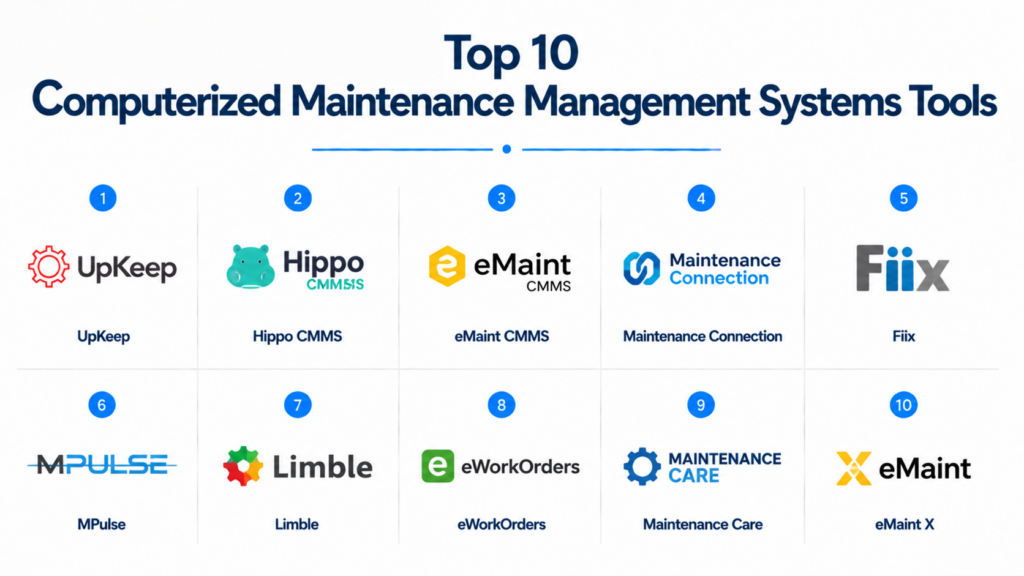
Introduction
Computerized Maintenance Management Systems (CMMS) help organizations plan, track, and optimize maintenance operations. CMMS centralizes work order management, preventive maintenance, asset tracking, and reporting, ensuring that facilities and equipment operate efficiently while minimizing downtime. These systems also enable teams to manage maintenance workflows, schedule inspections, and track compliance with health, safety, and environmental regulations.
CMMS platforms are widely used in manufacturing, healthcare, education, and corporate facilities to improve operational efficiency, extend asset lifespan, and reduce costs. They are particularly valuable for organizations managing multiple locations or complex maintenance workflows.
Real-world use cases include:
- Scheduling preventive maintenance for machinery and equipment.
- Tracking work orders and maintenance requests across departments.
- Monitoring asset performance and lifecycle to reduce downtime.
- Automating maintenance documentation and regulatory compliance reporting.
- Integrating with IoT sensors for real-time asset monitoring.
Key evaluation criteria for buyers:
- Ease of use and intuitive interface
- Preventive and predictive maintenance features
- Mobile and remote accessibility
- Integration with ERP, IoT, and HR systems
- Security and compliance standards
- Reporting and analytics capabilities
- Scalability and customization
- Vendor support and training
- Cost efficiency and ROI
Best for: Maintenance managers, facility teams, manufacturing plants, healthcare facilities, and organizations with multiple sites or complex equipment networks.
Not ideal for: Small offices with minimal maintenance needs or single-site operations where spreadsheets or manual tracking may suffice.
Key Trends in CMMS
- AI-driven predictive maintenance reduces downtime and repair costs.
- Mobile-first applications allow field technicians to manage tasks on the go.
- Integration with IoT devices enables real-time asset monitoring.
- Cloud-based CMMS solutions offer scalability and remote access.
- Energy management and sustainability tracking are increasingly standard.
- Automation of preventive maintenance and work order management is growing.
- Advanced analytics dashboards support data-driven decision-making.
- API ecosystems support integration with ERP, HR, and building management systems.
- Subscription and modular pricing models provide flexibility for different organization sizes.
- Hybrid workforce and multi-site management functionality is expanding.
How We Selected These Tools (Methodology)
- Assessed market adoption and industry reputation across SMBs and enterprise sectors.
- Evaluated feature completeness including preventive maintenance, work order management, and analytics.
- Reviewed reliability and platform performance signals.
- Verified security posture including encryption, access controls, and audit logs.
- Considered integrations with ERP, IoT, and HR systems.
- Examined customer fit across industries like manufacturing, healthcare, and education.
- Prioritized mobile accessibility for field technicians.
- Reviewed vendor support, training, and documentation quality.
- Checked scalability for multi-site operations.
- Ensured tools deliver actionable insights and cost optimization benefits.
Top 10 Computerized Maintenance Management Systems Tools
#1 — UpKeep
Short description: UpKeep is a mobile-first CMMS that enables SMBs and field teams to manage work orders, preventive maintenance, and asset tracking efficiently. Its intuitive interface helps teams perform real-time maintenance management from anywhere.
Key Features
- Work order automation
- Preventive maintenance scheduling
- Asset and inventory management
- Mobile-first interface
- Reporting dashboards
- Notifications and alerts
Pros
- Easy to deploy and user-friendly
- Strong mobile functionality
Cons
- Limited advanced analytics
- Fewer integrations for complex workflows
Platforms / Deployment
- Web, iOS, Android
- Cloud
Security & Compliance
- Not publicly stated
Integrations & Ecosystem
- API for custom integrations
- ERP and HR connectivity
- IoT-enabled asset monitoring
Support & Community
Responsive support, knowledge base, and active community.
#2 — Hippo CMMS
Short description: Hippo CMMS provides preventive maintenance and work order management for mid-size organizations, especially in healthcare, education, and manufacturing.
Key Features
- Work order management
- Asset lifecycle tracking
- Preventive maintenance scheduling
- Reporting dashboards
- Vendor management
Pros
- User-friendly interface
- Strong preventive maintenance tools
Cons
- Limited mobile features
- Analytics and customization are basic
Platforms / Deployment
- Web, iOS, Android
- Cloud
Security & Compliance
- Not publicly stated
Integrations & Ecosystem
- ERP and IoT integration
- Vendor management tools
- API support
Support & Community
Documentation, onboarding, and responsive customer support.
#3 — eMaint CMMS
Short description: eMaint CMMS is a highly configurable solution for industrial and manufacturing environments. It offers preventive maintenance, asset tracking, and scalable workflow management.
Key Features
- Preventive and predictive maintenance
- Asset and inventory tracking
- Work order management
- Reporting dashboards
- Mobile access
Pros
- Highly configurable
- Scalable for enterprise operations
Cons
- Interface can feel dated
- Advanced setup may require consulting
Platforms / Deployment
- Web, iOS, Android
- Cloud / Hybrid
Security & Compliance
- Not publicly stated
Integrations & Ecosystem
- ERP and inventory integration
- API support
- IoT device compatibility
Support & Community
Comprehensive online resources, training, and responsive support.
#4 — Maintenance Connection
Short description: Maintenance Connection focuses on enterprise-grade preventive maintenance and compliance management. It serves healthcare, manufacturing, and government facilities.
Key Features
- Work order and preventive maintenance management
- Asset lifecycle tracking
- Regulatory compliance support
- Mobile accessibility
- Analytics dashboards
Pros
- Strong compliance capabilities
- Enterprise reliability
Cons
- Complex for smaller organizations
- Implementation requires planning
Platforms / Deployment
- Web, iOS, Android
- Cloud / Hybrid
Security & Compliance
- Not publicly stated
Integrations & Ecosystem
- ERP and building management integration
- Vendor management
- API access
Support & Community
Documentation, onboarding support, enterprise-grade customer service.
#5 — Fiix
Short description: Fiix CMMS helps organizations automate maintenance workflows and track assets. It’s suitable for manufacturing, facilities, and energy management teams.
Key Features
- Work order automation
- Preventive maintenance scheduling
- Asset and inventory management
- Reporting and dashboards
- Mobile access
Pros
- Modern interface
- Easy to scale across facilities
Cons
- Advanced analytics may require premium plans
- Limited deep customization for complex operations
Platforms / Deployment
- Web, iOS, Android
- Cloud
Security & Compliance
- Not publicly stated
Integrations & Ecosystem
- ERP, IoT, and HR system integration
- API access
- Vendor management
Support & Community
Online resources, tutorials, and responsive customer support.
#6 — MPulse Software
Short description: MPulse CMMS focuses on preventive maintenance and asset management for mid-size industrial organizations. It provides reporting, scheduling, and mobile functionality.
Key Features
- Work order tracking
- Preventive maintenance
- Asset lifecycle management
- Reporting dashboards
- Mobile support
Pros
- Comprehensive maintenance management
- Scalable for growing operations
Cons
- Interface is less modern
- Integration options are limited
Platforms / Deployment
- Web, iOS, Android
- Cloud / Hybrid
Security & Compliance
- Not publicly stated
Integrations & Ecosystem
- ERP and IoT integration
- Vendor connectivity
- API support
Support & Community
Documentation, support hotline, training programs.
#7 — Limble CMMS
Short description: Limble CMMS is a mobile-friendly maintenance solution suitable for SMBs and mid-size enterprises. It provides preventive maintenance, work orders, and asset management with real-time mobile tracking.
Key Features
- Preventive maintenance
- Work order management
- Asset tracking
- Reporting and analytics
- Mobile app
Pros
- User-friendly and fast to deploy
- Strong mobile functionality
Cons
- Limited enterprise features
- Advanced reporting requires premium plan
Platforms / Deployment
- Web, iOS, Android
- Cloud
Security & Compliance
- Not publicly stated
Integrations & Ecosystem
- ERP and HR integration
- Vendor management
- API access
Support & Community
Responsive support, online guides, and user community.
#8 — eWorkOrders
Short description: eWorkOrders CMMS provides maintenance management and work order automation, targeting mid-size facilities and industrial teams.
Key Features
- Work order tracking
- Preventive maintenance scheduling
- Asset management
- Reporting and dashboards
- Mobile accessibility
Pros
- Easy-to-use interface
- Scalable for mid-size facilities
Cons
- Limited advanced analytics
- Fewer integrations
Platforms / Deployment
- Web, iOS, Android
- Cloud
Security & Compliance
- Not publicly stated
Integrations & Ecosystem
- ERP and IoT integration
- API support
- Vendor management
Support & Community
Documentation, training, and responsive customer service.
#9 — Maintenance Care
Short description: Maintenance Care CMMS helps organizations manage preventive maintenance, work orders, and assets with a user-friendly platform for mid-size operations.
Key Features
- Work order management
- Preventive maintenance scheduling
- Asset tracking
- Reporting dashboards
- Mobile access
Pros
- Simple and intuitive
- Cost-effective for mid-size operations
Cons
- Limited advanced analytics
- Enterprise integrations are fewer
Platforms / Deployment
- Web, iOS, Android
- Cloud
Security & Compliance
- Not publicly stated
Integrations & Ecosystem
- ERP and HR integration
- Vendor management
- API access
Support & Community
Support documentation, responsive team, online guides.
#10 — eMaint X
Short description: eMaint X is an updated cloud-based CMMS for industrial and enterprise teams, focusing on preventive maintenance, asset tracking, and workflow automation.
Key Features
- Work order management
- Preventive maintenance
- Asset lifecycle tracking
- Mobile-first interface
- Analytics dashboards
Pros
- Modern interface and usability
- Scalable for multi-site operations
Cons
- Premium plan needed for advanced analytics
- Setup may require training
Platforms / Deployment
- Web, iOS, Android
- Cloud / Hybrid
Security & Compliance
- Not publicly stated
Integrations & Ecosystem
- ERP and IoT integration
- API support
- Vendor management
Support & Community
Documentation, onboarding support, responsive service.
Comparison Table (Top 10)
| Tool Name | Best For | Platform(s) Supported | Deployment | Standout Feature | Public Rating |
|---|---|---|---|---|---|
| UpKeep | SMBs & field teams | Web, iOS, Android | Cloud | Mobile-first maintenance | N/A |
| Hippo CMMS | Mid-size organizations | Web, iOS, Android | Cloud | Preventive maintenance | N/A |
| eMaint CMMS | Industrial & manufacturing | Web, iOS, Android | Cloud / Hybrid | Configurable maintenance | N/A |
| Maintenance Connection | Enterprise & healthcare | Web, iOS, Android | Cloud / Hybrid | Compliance & asset lifecycle | N/A |
| Fiix | Manufacturing & facilities | Web, iOS, Android | Cloud | Workflow automation | N/A |
| MPulse | Mid-size industrial | Web, iOS, Android | Cloud / Hybrid | Preventive maintenance | N/A |
| Limble | SMBs & mid-size enterprises | Web, iOS, Android | Cloud | Mobile-first maintenance | N/A |
| eWorkOrders | Mid-size facilities | Web, iOS, Android | Cloud | Work order automation | N/A |
| Maintenance Care | Mid-size operations | Web, iOS, Android | Cloud | Ease of use | N/A |
| eMaint X | Industrial & enterprise | Web, iOS, Android | Cloud / Hybrid | Modern interface & scalability | N/A |
Evaluation & Scoring of CMMS
| Tool Name | Core (25%) | Ease (15%) | Integrations (15%) | Security (10%) | Performance (10%) | Support (10%) | Value (15%) | Weighted Total |
|---|---|---|---|---|---|---|---|---|
| UpKeep | 8 | 9 | 6 | 6 | 8 | 7 | 8 | 7.5 |
| Hippo CMMS | 7 | 8 | 6 | 6 | 7 | 7 | 7 | 7.0 |
| eMaint CMMS | 8 | 7 | 7 | 6 | 8 | 7 | 6 | 7.2 |
| Maintenance Connection | 8 | 6 | 7 | 7 | 8 | 7 | 6 | 7.2 |
| Fiix | 8 | 8 | 7 | 6 | 8 | 7 | 7 | 7.4 |
| MPulse | 7 | 7 | 6 | 6 | 7 | 7 | 6 | 6.9 |
| Limble | 7 | 9 | 6 | 6 | 7 | 7 | 7 | 7.2 |
| eWorkOrders | 7 | 8 | 6 | 6 | 7 | 7 | 7 | 7.0 |
| Maintenance Care | 6 | 9 | 6 | 6 | 7 | 7 | 8 | 7.1 |
| eMaint X | 8 | 8 | 7 | 6 | 8 | 7 | 7 | 7.4 |
Interpretation: Weighted totals provide a comparative guide to help select the right CMMS based on functionality, ease, integrations, security, performance, support, and value.
Which CMMS Tool Is Right for You?
Solo / Freelancer
- Limble or UpKeep for lightweight, mobile-friendly solutions.
SMB
- UpKeep, Limble, or Maintenance Care for cost-effective cloud deployment.
Mid-Market
- Hippo CMMS, Fiix, eWorkOrders for mid-size facilities and industrial operations.
Enterprise
- eMaint CMMS, eMaint X, Maintenance Connection for multi-site, compliance-heavy operations.
Budget vs Premium
- SMBs: Limble or UpKeep for cost efficiency
- Enterprises: eMaint CMMS or Maintenance Connection for feature depth and scalability
Feature Depth vs Ease of Use
- Ease: UpKeep, Limble
- Depth: eMaint CMMS, Maintenance Connection
Integrations & Scalability
- Enterprises require API and IoT integration with multi-site capabilities
Security & Compliance Needs
- Compliance-focused facilities should prioritize Maintenance Connection or eMaint CMMS
Frequently Asked Questions (FAQs)
1. What pricing models are common for CMMS?
Most use subscription-based pricing per user or facility; enterprise contracts are available for large operations.
2. How long does implementation take?
SMB CMMS can deploy in days to weeks; enterprise-grade CMMS may require 3–6 months.
3. Can CMMS integrate with ERP and HR systems?
Yes, most provide APIs or pre-built connectors for ERP, HR, and IoT integrations.
4. What are common adoption mistakes?
Ignoring mobile workflows, inadequate training, and skipping preventive maintenance schedules.
5. How secure are CMMS platforms?
Security varies; cloud platforms typically include SSO, encryption, and audit logs. Always verify compliance.
6. Can CMMS handle multi-site operations?
Yes, enterprise-grade CMMS is designed for centralized management across multiple locations.
7. How scalable are CMMS platforms?
Cloud solutions scale easily; enterprise CMMS supports multi-site and complex operations.
8. Are mobile apps available for field teams?
Yes, platforms like UpKeep, Limble, and Fiix provide mobile apps for real-time maintenance and inspections.
9. How easy is switching CMMS vendors?
Migration requires data export/import and training; platforms with open APIs facilitate smoother transitions.
10. What are alternatives to CMMS?
Spreadsheets or task management tools can work for very small operations but lack preventive maintenance, reporting, and multi-site management features.
Conclusion
Computerized Maintenance Management Systems are essential for optimizing maintenance workflows, asset performance, and compliance. The best CMMS depends on organization size, operational complexity, and integration requirements. SMBs benefit from mobile-friendly, easy-to-deploy options like UpKeep, Limble, and Maintenance Care, while mid-market and enterprise teams require feature-rich platforms like eMaint CMMS, eMaint X, and Maintenance Connection. Buyers should evaluate core functionality, usability, integration, security, performance, support, and cost to make an informed choice.

This content added real value to my learning.
This was a quick and useful read. Thanks a lot!