MOTOSHARE 🚗🏍️
Rent Bikes & Cars Directly from Owners
Motoshare connects vehicle owners with people who need bikes and cars on rent. Owners earn from idle vehicles, and renters get flexible ride options.
Visit Motoshare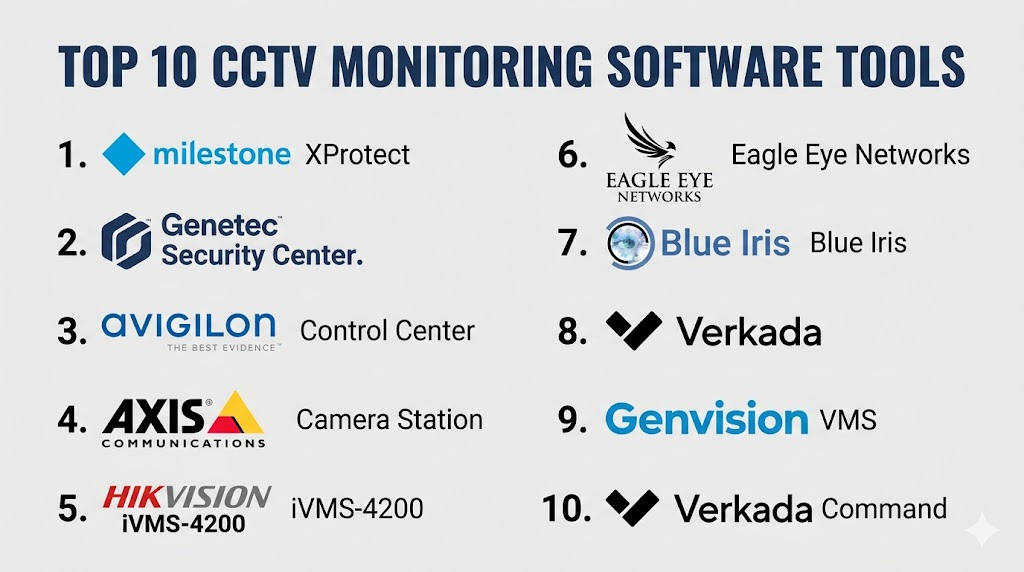
Introduction
CCTV Monitoring Software centralizes video streams from closed‑circuit cameras, enabling real‑time surveillance, recording, playback, alerts, and analytics. These systems are used across residential, commercial, industrial, and public safety environments to enhance security, investigate incidents, deter crime, and monitor operations. By providing centralized control, dashboards, and event management, CCTV software helps security teams maintain awareness and respond quickly to suspicious activity.
Real‑world use cases include retail loss prevention, building access monitoring, parking lot surveillance, perimeter intrusion detection, industrial equipment oversight, and multi‑site facility security. Buyers should evaluate scalability, real‑time video quality, motion detection and analytics features, storage and retention options, remote access, mobile viewing, integration with alarms or access control, ease of use, and support availability.
Best for: Security teams, operations managers, facility supervisors, small business owners, property managers, and enterprises with distributed camera networks.
Not ideal for: Single‑camera setups where device‑native apps are sufficient or offline environments without network infrastructure.
Key Trends in CCTV Monitoring Software
- AI‑powered analytics such as motion, object, face, and license plate detection
- Cloud and hybrid storage models combining local DVR/NVR with cloud access
- Mobile‑first remote monitoring with push notifications and alerts
- Integration with access control, alarm systems, and smart sensors
- Scalable multi‑site and multi‑tenant management
- Edge computing to reduce bandwidth and latency
- Subscription tiers with retention, analytics, and compliance reporting
- Role‑based access for teams and administrators
- Automated incident tagging and event correlation
- Open APIs for extensibility and third‑party integrations
How We Selected These Tools (Methodology)
- Evaluated market adoption across SMB and enterprise environments
- Assessed core capabilities including real‑time viewing, alerts, and management
- Reviewed analytics strengths such as motion, object, and facial detection
- Verified security features like encryption, access controls, and audit logs
- Considered storage options (local, cloud, hybrid) and retention policies
- Examined integration with alarms, access control, and IoT technologies
- Prioritized mobile apps with real‑time monitoring
- Reviewed scalability for multiple cameras and locations
- Evaluated vendor support, documentation, and onboarding resources
- Focused on usability and overall reliability
Top 10 CCTV Monitoring Software Tools
#1 — Milestone XProtect
Short description: Milestone XProtect is an enterprise‑grade CCTV and video management platform designed for large deployments. It offers advanced analytics, multi‑site support, flexible storage, and remote access for security teams.
Key Features
- Centralized multi‑camera management
- AI and analytics integration
- Flexible storage (local, cloud, hybrid)
- Mobile and web access
- Event tagging and search
- Integration with alarms and IoT devices
Pros
- Highly scalable
- Broad device & integration support
Cons
- Complex setup
- Higher licensing cost
Platforms / Deployment
- Windows, iOS, Android
- Cloud / Hybrid
Security & Compliance
- Not publicly stated
Integrations & Ecosystem
- Access control systems
- Alarm & IoT integration
- APIs for custom tools
Support & Community
Comprehensive documentation and enterprise support
#2 — Genetec Security Center
Short description: Genetec Security Center unifies CCTV monitoring, access control, and alarms into a single platform. It offers analytics, secure role‑based access, and multi‑site management.
Key Features
- Unified CCTV & security systems
- Smart analytics (motion, object detection)
- Role‑based access controls
- Mobile and remote monitoring
- Event correlation and alerts
Pros
- Unified security control
- Enterprise‑grade features
Cons
- Professional setup needed
- Licensing complexity
Platforms / Deployment
- Windows, iOS, Android
- Cloud / Hybrid
Security & Compliance
- Not publicly stated
Integrations & Ecosystem
- Access control and alarm systems
- IoT sensor integrations
- SDK/API support
Support & Community
Enterprise support, training, and documentation
#3 — Avigilon Control Center
Short description: Avigilon Control Center pairs high‑resolution video with intelligent analytics, including appearance and object search, to accelerate investigations and monitoring.
Key Features
- High‑resolution video monitoring
- Intelligent search & analytics
- Motion and object detection
- Mobile live view
- Automated alerts
Pros
- Powerful search and analytics
- Excellent for investigations
Cons
- Hardware optimization often required
- Analytics tier adds cost
Platforms / Deployment
- Windows, iOS, Android
- Cloud / Hybrid
Security & Compliance
- Not publicly stated
Integrations & Ecosystem
- Cameras, alarms, sensors
- Smart home & enterprise systems
- API access
Support & Community
Documentation, training resources
#4 — Axis Camera Station
Short description: Axis Camera Station is suited for small to mid‑size deployments, offering reliable video monitoring, motion‑based recording, and integration with access control.
Key Features
- Multi‑camera management
- Motion‑based recording
- Remote viewing and playback
- Alarm event integration
- User permission controls
Pros
- Reliable and easy to deploy
- Good for SMBs
Cons
- Less advanced analytics
- Limited enterprise scaling
Platforms / Deployment
- Windows, iOS, Android
- Cloud / Local
Security & Compliance
- Not publicly stated
Integrations & Ecosystem
- Access control
- Sensors & alarms
- API integrations
Support & Community
Vendor support and documentation
#5 — Hikvision iVMS‑4200
Short description: iVMS‑4200 is a versatile CCTV platform for managing Hikvision cameras, NVRs, and alarms, offering live view, playback, and event handling.
Key Features
- Multi‑device support
- Alarm and event management
- Remote access
- Playback and tagging
- Scheduled recording
Pros
- Works well with Hikvision hardware
- No recurring fees for basics
Cons
- Analytics are limited
- UI can feel dated
Platforms / Deployment
- Windows, iOS, Android
- Cloud / Local
Security & Compliance
- Not publicly stated
Integrations & Ecosystem
- Hikvision devices
- Alarms and sensors
- Plugins
Support & Community
Community support and documentation
#6 — Eagle Eye Networks
Short description: Eagle Eye Networks is a cloud‑native CCTV management platform supporting multiple camera brands and offering scalable storage, analytics, and remote monitoring.
Key Features
- Cloud‑native architecture
- Scalable storage/retention
- AI analytics capabilities
- Mobile & web access
- Multi‑site management
Pros
- True cloud scalability
- No on‑premise servers required
Cons
- Subscription costs
- Dependent on network bandwidth
Platforms / Deployment
- Web, iOS, Android
- Cloud
Security & Compliance
- Not publicly stated
Integrations & Ecosystem
- Access control
- IoT sensors
- API integrations
Support & Community
Documentation & responsive support
#7 — Blue Iris
Short description: Blue Iris is a flexible CCTV monitoring system that runs locally and supports a wide range of cameras with motion detection, alerts, and mobile access.
Key Features
- Multi‑camera view
- Motion detection alerts
- Scheduled recording
- Remote monitoring
- Local storage flexibility
Pros
- One‑time licensing
- Highly customizable
Cons
- Technical setup
- UI is dated
Platforms / Deployment
- Windows, iOS, Android
- Local / Hybrid
Security & Compliance
- Not publicly stated
Integrations & Ecosystem
- Cameras & IoT
- Plugins
- API support
Support & Community
Active forums & documentation
#8 — Verkada
Short description: Verkada provides a hybrid cloud CCTV platform with centralized management, analytics, and alerts designed for enterprise environments.
Key Features
- Cloud‑managed video
- AI analytics
- Real‑time alerts
- Multi‑site admin
- Mobile/web access
Pros
- Enterprise usability
- Strong analytics
Cons
- Premium pricing
- Subscription required
Platforms / Deployment
- Web, iOS, Android
- Cloud / Hybrid
Security & Compliance
- Not publicly stated
Integrations & Ecosystem
- Alarms & sensors
- Access control
- APIs
Support & Community
Enterprise documentation and support
#9 — Genvision VMS
Short description: Genvision VMS offers real‑time viewing, alerts, playback, and multi‑site support with role‑based access controls.
Key Features
- Live monitoring
- Alerts & event tagging
- Multi‑site support
- Role‑based access
- Scheduled recording
Pros
- Flexible user controls
- Role‑based system
Cons
- Analytics are basic
- UI feels dated
Platforms / Deployment
- Web, iOS, Android
- Cloud / Local
Security & Compliance
- Not publicly stated
Integrations & Ecosystem
- Third‑party cameras
- Access control
- IoT integrations
Support & Community
Documentation and support resources
#10 — Verkada Command
Short description: Verkada Command extends CCTV monitoring with enterprise analytics, multi‑tenant support, centralized dashboard, and AI‑driven alerts.
Key Features
- Enterprise analytics
- Multi‑site administration
- Event tagging
- Central command dashboard
- Mobile and web access
Pros
- Enterprise‑grade features
- AI event insights
Cons
- Subscription required
- Premium cost
Platforms / Deployment
- Web, iOS, Android
- Cloud / Hybrid
Security & Compliance
- Not publicly stated
Integrations & Ecosystem
- IoT integrations
- Access control
- APIs
Support & Community
Enterprise support and documentation
Comparison Table (Top 10)
| Tool Name | Best For | Platform(s) Supported | Deployment | Standout Feature | Public Rating |
|---|---|---|---|---|---|
| Milestone XProtect | Enterprise CCTV | Windows, iOS, Android | Cloud / Hybrid | Scalability | N/A |
| Genetec Security Center | Unified security | Windows, iOS, Android | Cloud / Hybrid | Unified platform | N/A |
| Avigilon Control Center | Analytics & search | Windows, iOS, Android | Cloud / Hybrid | Intelligent search | N/A |
| Axis Camera Station | Mid‑size deployments | Windows, iOS, Android | Cloud / Local | Ease of use | N/A |
| Hikvision iVMS‑4200 | Hikvision systems | Windows, iOS, Android | Cloud / Local | Low cost basics | N/A |
| Eagle Eye Networks | Cloud CCTV | Web, iOS, Android | Cloud | Cloud scalability | N/A |
| Blue Iris | Tech DIY users | Windows, iOS, Android | Local / Hybrid | One‑time license | N/A |
| Verkada | Enterprise cloud | Web, iOS, Android | Cloud / Hybrid | Hybrid cloud management | N/A |
| Genvision VMS | SMB & enterprise | Web, iOS, Android | Cloud / Local | Role‑based controls | N/A |
| Verkada Command | Enterprise command | Web, iOS, Android | Cloud / Hybrid | Advanced analytics | N/A |
Evaluation & Scoring of CCTV Monitoring Software
| Tool Name | Core (25%) | Ease (15%) | Integrations (15%) | Security (10%) | Performance (10%) | Support (10%) | Value (15%) | Weighted Total |
|---|---|---|---|---|---|---|---|---|
| Milestone XProtect | 9 | 7 | 9 | 7 | 9 | 8 | 6 | 8.1 |
| Genetec Security Center | 9 | 7 | 9 | 7 | 9 | 8 | 6 | 8.0 |
| Avigilon Control Center | 9 | 7 | 8 | 7 | 8 | 7 | 7 | 7.8 |
| Axis Camera Station | 7 | 9 | 7 | 7 | 8 | 8 | 7 | 7.7 |
| Hikvision iVMS‑4200 | 7 | 7 | 7 | 6 | 7 | 7 | 8 | 7.2 |
| Eagle Eye Networks | 8 | 8 | 8 | 7 | 8 | 8 | 7 | 7.8 |
| Blue Iris | 7 | 7 | 7 | 6 | 7 | 7 | 9 | 7.3 |
| Verkada | 8 | 8 | 8 | 7 | 8 | 8 | 7 | 7.9 |
| Genvision VMS | 7 | 8 | 7 | 6 | 7 | 7 | 7 | 7.1 |
| Verkada Command | 9 | 7 | 9 | 7 | 9 | 8 | 6 | 8.0 |
Which CCTV Monitoring Software Tool Is Right for You?
Solo / Single Site
- Axis Camera Station or Blue Iris for simplicity and cost control
SMB Multi‑Room Deployment
- Hikvision iVMS‑4200 or Eagle Eye Networks for scalable but manageable setups
Mid‑Market
- Avigilon Control Center or Verkada for stronger analytics
Enterprise & Multi‑Site
- Milestone XProtect, Genetec Security Center, or Verkada Command for consolidated command and analytics
Budget vs Premium
- Budget: Blue Iris, iVMS‑4200
- Premium: Milestone XProtect, Genetec Security Center
Ease Vs Feature Depth
- Easy: Axis Camera Station, Eagle Eye Networks
- Deep features: Genetec, Milestone XProtect
Integrations & Scalability
- Enterprise tools offer APIs, access control, and alarm integration
Security & Compliance Needs
- Role‑based access and encrypted streams help with compliance
Frequently Asked Questions (FAQs)
1. What pricing models are common?
Enterprise platforms often use licensed or subscription models; cloud platforms typically use subscription plans linked to features and storage.
2. Can CCTV software integrate alarms and access control?
Yes, enterprise tools usually offer native integrations with alarms and access control systems for unified security.
3. Is remote monitoring supported?
Most modern platforms provide mobile and web apps for secure real‑time remote viewing.
4. What analytics are available?
Capabilities vary; AI analytics include motion, object, face, and license plate detection in advanced suites.
5. Can storage be local and cloud?
Yes, hybrid solutions combine local NVR/DVR with cloud retention for flexible storage.
6. Are alerts included?
Yes, push notifications, email alerts, and event tagging are common.
7. How scalable are these systems?
Enterprise platforms scale to thousands of cameras across locations; SMB tools handle dozens to hundreds.
8. Do they support multiple users?
Yes, role‑based access lets admins define permissions for teams.
9. Are professional services required?
Enterprise installations often benefit from professional configuration; SMB setups can be done with basic IT knowledge.
10. Can analytics improve security?
AI analytics help detect anomalies and reduce false positives, improving surveillance effectiveness.
Conclusion
CCTV Monitoring Software is essential for securing homes, businesses, campuses, and multi‑site operations with real‑time video, analytics, and alerts. Small deployments benefit from Axis Camera Station and Blue Iris for affordability and ease, while cloud‑native options like Eagle Eye Networks provide scalable remote access. Enterprises and security teams should consider Milestone XProtect, Genetec Security Center, or Verkada Command for unified command, analytics, and multi‑site control. Buyers should evaluate compatibility, analytics needs, storage flexibility, ease of use, and integrations before deployment.

Love the writing style—engaging and easy to follow.
Monitoring comprehensive unique video surveillance stream camera network analytical software optimizes international security facility protection mechanics, ensuring rapid decentralized live threat detection validation auditing and frictionless commercial premises digital asset safety administration methodologies.