MOTOSHARE 🚗🏍️
Rent Bikes & Cars Directly from Owners
Motoshare connects vehicle owners with people who need bikes and cars on rent. Owners earn from idle vehicles, and renters get flexible ride options.
Visit Motoshare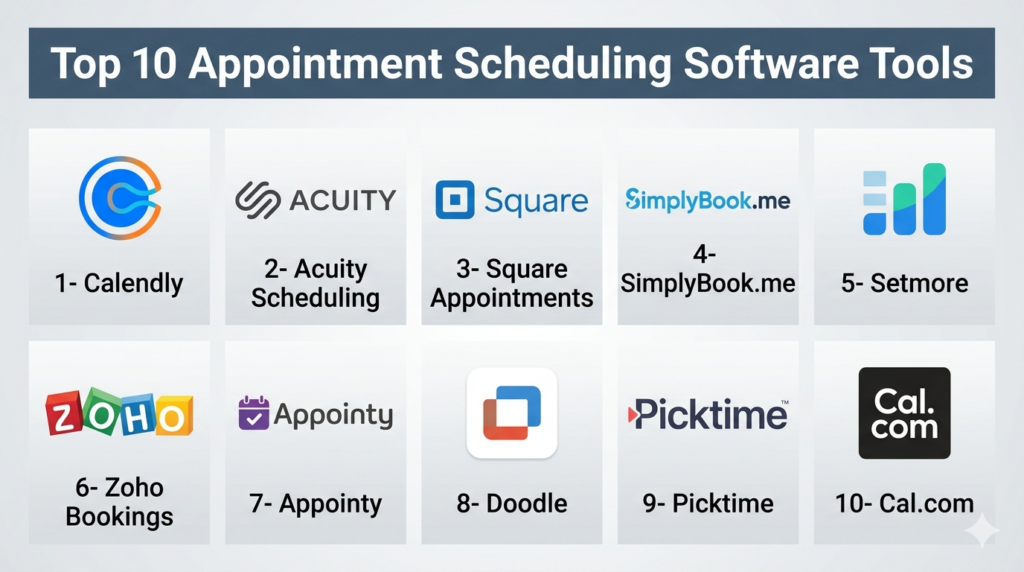
Introduction
Appointment Scheduling Software streamlines booking, calendar management, reminders, cancellations, and staff coordination for businesses. It eliminates manual scheduling, reduces no-shows, and enhances customer experience by offering online self-service booking. These tools are widely used in healthcare, salons, consulting, education, fitness, and enterprise service organizations.
Real-world use cases include allowing customers to book appointments online, automating reminders and follow-ups, synchronizing staff schedules across locations, processing payments during booking, assigning bookings to the appropriate team or staff member, and generating reports for performance and utilization. Buyers should evaluate calendar integration, automation, payment processing, mobile accessibility, customization, analytics, scalability, multi-staff scheduling, security, and third-party integrations.
Best for: SMBs, service businesses, healthcare providers, salons, educational institutions, sales and consulting teams, and enterprises managing customer or internal appointments.
Not ideal for: Very small businesses with low appointment volume or organizations relying entirely on manual or walk-in scheduling.
Key Trends in Appointment Scheduling Software
- AI-powered scheduling assistants recommending optimal meeting times
- Automated reminders via email or SMS to reduce no-shows
- Embeddable booking widgets on websites and social platforms
- Integration with CRM, payment gateways, and video conferencing tools
- Mobile-first booking and management experiences
- Round-robin or team-based appointment routing
- Contactless and self-service booking workflows
- Cloud-based deployment for real-time availability and syncing
- Analytics dashboards for appointment trends and staff utilization
- Workflow automation via API integrations
How We Selected These Tools (Methodology)
- Evaluated market adoption across industries and company sizes
- Assessed feature completeness including reminders, routing, and payments
- Reviewed integration capabilities with calendars, CRM, and video conferencing
- Considered usability for both customers and administrators
- Evaluated scalability from solo professionals to enterprise teams
- Examined reporting and analytics capabilities
- Prioritized mobile and cloud accessibility
- Reviewed deployment flexibility and customization options
- Verified security and compliance features
- Assessed vendor support, documentation, and onboarding resources
Top 10 Appointment Scheduling Software Tools
#1 — Calendly
Short description: Calendly simplifies scheduling for individuals, teams, and enterprises by automating bookings, syncing calendars, sending reminders, and integrating with communication tools. It is ideal for sales teams, consultants, and professional services.
Key Features
- Shareable scheduling links
- Team and round-robin routing
- Calendar synchronization
- Automated reminders and follow-ups
- Video conferencing integration
- Customizable availability
- Routing forms for intake
Pros
- Easy to use for both customers and staff
- Extensive integrations with productivity and CRM tools
- Reliable and widely adopted platform
Cons
- Advanced workflow features require paid plans
- Limited branding customization on lower tiers
Platforms / Deployment
- Web, iOS, Android
- Cloud
Security & Compliance
- SSO/SAML and role-based access available in enterprise plans
- Other compliance certifications not publicly stated
Integrations & Ecosystem
- Integrates with calendars, CRM, video conferencing, and workflow automation
- Supports Zoom, Microsoft Teams, Google Calendar, Salesforce, and Slack
Support & Community
Comprehensive documentation, onboarding guides, and enterprise support options
#2 — Acuity Scheduling
Short description: Acuity Scheduling is designed for service-based businesses, offering online booking, intake forms, recurring appointments, and payment processing. It is used by wellness providers, consultants, and educational services.
Key Features
- Customizable booking pages
- Intake forms and questionnaires
- Payment collection
- Automated reminders
- Recurring appointment setup
- Calendar synchronization
Pros
- Excellent for service providers with multiple offerings
- Strong payment and reminder integration
Cons
- Interface can feel complex initially
- Advanced reporting and automation require higher-tier plans
Platforms / Deployment
- Web, iOS, Android
- Cloud
Security & Compliance
- Not publicly stated
Integrations & Ecosystem
- Integrates with video conferencing, calendars, and payment gateways
- Supports Zoom, Google Meet, PayPal, Stripe, and CRM systems
Support & Community
Onboarding tutorials, documentation, and support resources
#3 — Square Appointments
Short description: Square Appointments combines scheduling, payments, and staff management into a single platform. It is ideal for salons, clinics, and service-based SMBs already using Square POS.
Key Features
- Online appointment booking
- Staff and resource scheduling
- Integrated payments
- Automated reminders
- Mobile management
- Customer profiles
Pros
- Strong integration with Square POS
- Easy for small business deployment
- Payment collection during booking
Cons
- Best suited for Square ecosystem users
- Limited enterprise-grade features
Platforms / Deployment
- Web, iOS, Android
- Cloud
Security & Compliance
- Not publicly stated
Integrations & Ecosystem
- POS and payment processing
- Calendar and customer management
Support & Community
Onboarding guides, documentation, and customer support
#4 — SimplyBook.me
Short description: SimplyBook.me supports multi-service businesses with customizable booking pages, memberships, packages, payments, and marketing integrations. It is suitable for healthcare, education, and service industries.
Key Features
- Custom booking website
- Membership and package support
- Payment integration
- Automated reminders
- Staff scheduling
- Marketing and social integrations
Pros
- Highly customizable for multi-service businesses
- Strong website booking support
Cons
- Add-on model can increase costs
- Setup may require learning curve
Platforms / Deployment
- Web, iOS, Android
- Cloud
Security & Compliance
- Not publicly stated
Integrations & Ecosystem
- CRM and marketing tools
- Social media booking widgets
- Payment gateways
Support & Community
Documentation, customer support, and tutorials
#5 — Setmore
Short description: Setmore provides SMBs and freelancers with easy online booking, staff scheduling, reminders, and video meeting support. Its free tier is suitable for small teams.
Key Features
- Online booking pages
- Automated reminders
- Video conferencing integration
- Multi-staff scheduling
- Calendar synchronization
- Payment support
Pros
- Affordable and easy to set up
- Free plan available
- Quick deployment
Cons
- Limited advanced analytics
- Enterprise features require paid plans
Platforms / Deployment
- Web, iOS, Android
- Cloud
Security & Compliance
- Not publicly stated
Integrations & Ecosystem
- Zoom, Google Meet
- Stripe, PayPal
- Calendar sync
Support & Community
Support resources and documentation
#6 — Zoho Bookings
Short description: Zoho Bookings integrates seamlessly with the Zoho ecosystem, offering customizable booking workflows, staff scheduling, automated reminders, and payment collection.
Key Features
- Booking page customization
- Team scheduling
- Automated reminders
- Payment processing
- Calendar sync
- Workflow automation
Pros
- Strong integration with Zoho suite
- Good workflow customization
- Mobile-friendly
Cons
- Best suited for organizations using Zoho products
- Setup complexity for beginners
Platforms / Deployment
- Web, iOS, Android
- Cloud
Security & Compliance
- Not publicly stated
Integrations & Ecosystem
- Zoho CRM and productivity apps
- Payment gateways
- Calendar and video conferencing
Support & Community
Documentation, tutorials, and enterprise support
#7 — Appointy
Short description: Appointy offers appointment booking, staff and resource management, automated reminders, and reporting. It is ideal for SMBs, educational institutions, and service businesses.
Key Features
- Online booking pages
- Automated notifications
- Recurring appointments
- Staff management
- Analytics dashboards
- Payment support
Pros
- Flexible appointment management
- Affordable pricing
Cons
- UI could be more modern
- Advanced integrations are limited
Platforms / Deployment
- Web, iOS, Android
- Cloud
Security & Compliance
- Not publicly stated
Integrations & Ecosystem
- Google Calendar
- Video conferencing
- Payment gateways
Support & Community
Documentation and support resources
#8 — Doodle
Short description: Doodle specializes in collaborative scheduling for groups and teams, enabling participants to select suitable times and reducing email coordination.
Key Features
- Group scheduling polls
- Calendar synchronization
- Automated reminders
- Video conferencing integration
- Team availability coordination
Pros
- Simplifies team scheduling
- Easy to use
- Reduces coordination overhead
Cons
- Limited for service-based business booking
- Fewer advanced appointment features
Platforms / Deployment
- Web, iOS, Android
- Cloud
Security & Compliance
- Not publicly stated
Integrations & Ecosystem
- Google Calendar
- Microsoft Outlook
- Zoom and Teams
- Slack
Support & Community
Knowledge base and documentation
#9 — Picktime
Short description: Picktime combines booking, staff scheduling, room or resource management, invoicing, and reporting for SMBs and service providers.
Key Features
- Online booking pages
- Staff and room scheduling
- Payment collection
- Automated reminders
- Reporting dashboards
- Customer management
Pros
- Affordable and versatile
- Room and resource management
Cons
- UI less modern
- Limited enterprise automation
Platforms / Deployment
- Web, iOS, Android
- Cloud
Security & Compliance
- Not publicly stated
Integrations & Ecosystem
- Video conferencing
- Payment gateways
- Calendar sync
Support & Community
Documentation and support resources
#10 — Cal.com
Short description: Cal.com is an open scheduling platform designed for developers and enterprises, offering self-hosting, APIs, and advanced routing workflows.
Key Features
- Open scheduling platform
- Self-hosting available
- Team routing workflows
- API and developer tools
- Payment integration
- Multi-staff scheduling
Pros
- Highly customizable
- Developer-friendly
- Self-hosting available
Cons
- Technical setup required
- Configuration complexity
Platforms / Deployment
- Web, iOS, Android
- Cloud / Self-hosted / Hybrid
Security & Compliance
- Not publicly stated
Integrations & Ecosystem
- Calendar and productivity systems
- Payment gateways
- Video conferencing
- Slack and CRM integrations
Support & Community
Developer documentation, active community, onboarding resources
Comparison Table (Top 10)
| Tool Name | Best For | Platform(s) Supported | Deployment | Standout Feature | Public Rating |
|---|---|---|---|---|---|
| Calendly | Professional & teams | Web, iOS, Android | Cloud | Team routing & automation | N/A |
| Acuity Scheduling | Service businesses | Web, iOS, Android | Cloud | Intake forms & recurring appointments | N/A |
| Square Appointments | Retail & salons | Web, iOS, Android | Cloud | POS + scheduling integration | N/A |
| SimplyBook.me | Multi-service businesses | Web, iOS, Android | Cloud | Custom booking pages | N/A |
| Setmore | SMBs & freelancers | Web, iOS, Android | Cloud | Easy-to-use free plan | N/A |
| Zoho Bookings | Zoho ecosystem | Web, iOS, Android | Cloud | Workflow automation | N/A |
| Appointy | Clinics & SMBs | Web, iOS, Android | Cloud | Flexible scheduling | N/A |
| Doodle | Teams & group scheduling | Web, iOS, Android | Cloud | Poll-based scheduling | N/A |
| Picktime | SMBs & resource booking | Web, iOS, Android | Cloud | Staff & room scheduling | N/A |
| Cal.com | Developers & enterprise | Web, iOS, Android | Cloud / Self-hosted | Open scheduling & API | N/A |
Evaluation & Scoring of Appointment Scheduling Software
| Tool Name | Core (25%) | Ease (15%) | Integrations (15%) | Security (10%) | Performance (10%) | Support (10%) | Value (15%) | Weighted Total |
|---|---|---|---|---|---|---|---|---|
| Calendly | 9 | 9 | 9 | 7 | 9 | 8 | 8 | 8.6 |
| Acuity Scheduling | 8 | 8 | 8 | 7 | 8 | 8 | 8 | 8.0 |
| Square Appointments | 8 | 9 | 7 | 7 | 8 | 8 | 8 | 8.0 |
| SimplyBook.me | 8 | 7 | 8 | 7 | 8 | 7 | 7 | 7.6 |
| Setmore | 7 | 9 | 7 | 7 | 8 | 8 | 9 | 8.0 |
| Zoho Bookings | 8 | 7 | 8 | 7 | 8 | 8 | 8 | 7.8 |
| Appointy | 7 | 8 | 7 | 7 | 7 | 7 | 8 | 7.4 |
| Doodle | 7 | 9 | 7 | 6 | 8 | 7 | 8 | 7.6 |
| Picktime | 7 | 8 | 7 | 7 | 7 | 7 | 8 | 7.4 |
| Cal.com | 9 | 7 | 9 | 7 | 8 | 7 | 7 | 8.0 |
Which Appointment Scheduling Software Tool Is Right for You?
Solo / Freelancer
- Calendly or Setmore for easy scheduling with minimal setup
SMB
- Square Appointments, Acuity Scheduling, Zoho Bookings for payment collection and staff coordination
Mid-Market
- SimplyBook.me, Appointy, Picktime for multi-staff scheduling and reporting
Enterprise
- Calendly Enterprise, Cal.com for advanced routing, APIs, and enterprise integrations
Budget vs Premium
- Budget: Setmore, Picktime, Appointy
- Premium: Calendly Enterprise, Acuity Scheduling, Cal.com
Feature Depth vs Ease of Use
- Depth: Cal.com, Zoho Bookings, SimplyBook.me
- Ease: Calendly, Setmore, Doodle
Integrations & Scalability
- Calendly and Cal.com lead with integration options and API access
Security & Compliance Needs
- Enterprises needing audit trails, SSO, and admin controls should choose enterprise-grade solutions
Frequently Asked Questions (FAQs)
1. What are appointment scheduling tools used for?
Automating booking, calendar management, reminders, cancellations, and staff coordination.
2. Can scheduling software reduce no-shows?
Yes, automated reminders via SMS or email significantly reduce missed appointments.
3. Do these platforms support payments?
Many tools integrate payment gateways like Stripe, PayPal, and Square.
4. Are mobile apps available?
Yes, most offer iOS and Android apps for administrators and customers.
5. Can they integrate with CRM systems?
Yes, integrations with CRM, POS, and email marketing systems are supported.
6. Is self-hosting an option?
Some platforms, such as Cal.com, allow self-hosting for greater control.
7. Can they handle team scheduling?
Yes, round-robin and multi-staff scheduling are standard features.
8. Are these platforms secure?
Security varies; enterprises should evaluate SSO, encryption, and role-based access.
9. Can customers book through websites or social media?
Yes, most platforms provide embedded widgets for websites and social platforms.
10. Which is best for small businesses?
Setmore, Square Appointments, Zoho Bookings, and Calendly are common choices.
Conclusion
Appointment Scheduling Software improves operational efficiency and customer experience by automating bookings, reminders, and staff coordination. Small businesses and freelancers benefit from Setmore or Calendly for simplicity, while service businesses needing payments and forms may prefer Acuity Scheduling or Square Appointments. Mid-market businesses should consider SimplyBook.me or Appointy for multi-staff scheduling and reporting. Enterprises requiring advanced routing, API access, and integrations should explore Calendly Enterprise or Cal.com. Shortlist two to three solutions, pilot real-world workflows, and validate reminders, payments, and integration before full deployment.
