MOTOSHARE 🚗🏍️
Rent Bikes & Cars Directly from Owners
Motoshare connects vehicle owners with people who need bikes and cars on rent. Owners earn from idle vehicles, and renters get flexible ride options.
Visit Motoshare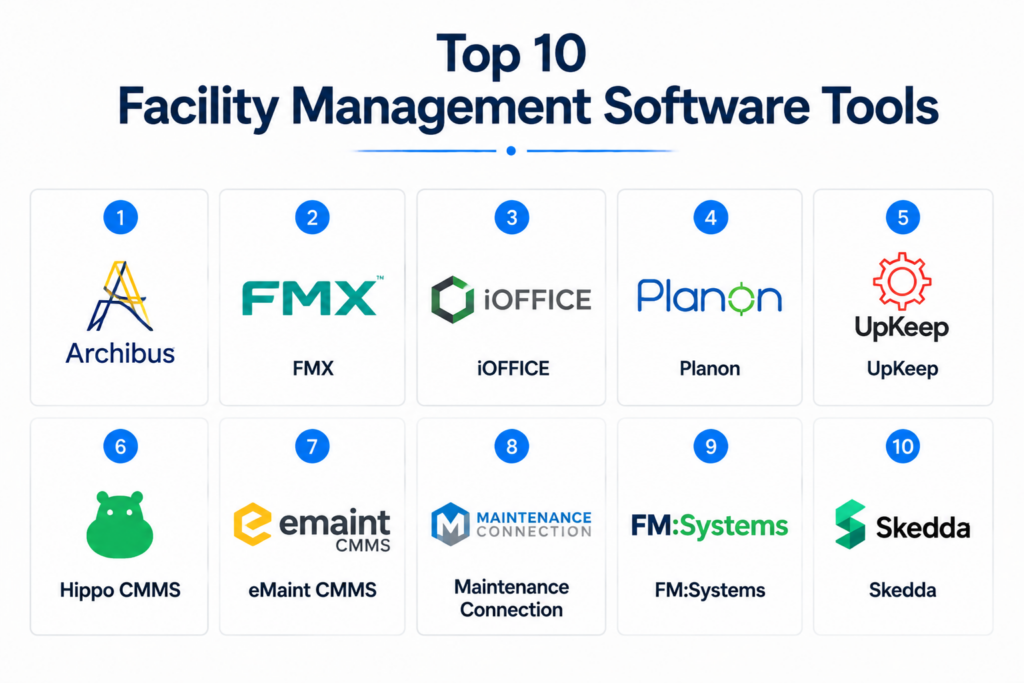
Introduction
Facility Management Software (FMS) is designed to streamline operations, maintenance, and oversight of buildings and assets. It centralizes tasks such as work order management, preventive maintenance, space utilization, and energy monitoring, improving efficiency and reducing operational costs. Modern FMS platforms often include mobile access, AI-driven analytics, and integration with IoT devices to provide real-time insights into facilities.
Organizations use FMS to optimize maintenance schedules, track asset lifecycles, manage hybrid workspaces, monitor energy usage, and maintain compliance with health, safety, and environmental regulations. For buyers, key evaluation criteria include ease of use, core maintenance and space features, integration with existing systems, security, reporting capabilities, mobile access, scalability, support quality, and pricing.
Best for: Facilities managers, operations teams, enterprises and SMBs managing multiple locations, organizations prioritizing operational efficiency, compliance, and sustainability.
Not ideal for: Very small offices with minimal facilities, single-site operations, or organizations that rely on spreadsheets or basic task management.
Key Trends in Facility Management Software
- AI-driven predictive maintenance reduces downtime and extends asset lifecycles.
- Mobile-first platforms allow field staff to manage tasks in real-time.
- IoT integration enables energy monitoring, occupancy tracking, and environmental control.
- Cloud deployment provides scalability and remote access.
- Sustainability and energy optimization are increasingly standard features.
- Automation of work orders, inspections, and compliance reporting is expanding.
- Advanced dashboards and analytics provide actionable operational insights.
- API-based vendor ecosystems facilitate integration with ERP, HR, and security systems.
- Subscription-based and modular pricing models offer flexibility.
- Hybrid workplace management including hot-desking and resource scheduling is growing.
How We Selected These Tools (Methodology)
- Evaluated market adoption and industry mindshare across SMB and enterprise sectors.
- Assessed feature completeness including preventive maintenance, reporting, and space management.
- Reviewed platform reliability, uptime, and performance.
- Verified security posture including encryption, SSO, audit logs, and access controls.
- Examined integration capabilities with ERP, HR, and IoT systems.
- Analyzed customer fit across verticals including corporate, healthcare, manufacturing, and education.
- Prioritized mobile accessibility and ease of field use.
- Considered support, onboarding, and documentation quality.
- Evaluated scalability for multi-site operations.
- Focused on platforms delivering actionable insights and cost optimization.
Top 10 Facility Management Software Tools
#1 — Archibus
Short description: Archibus is a comprehensive enterprise platform for real estate, space, and asset management. It supports multi-site operations and compliance, ideal for corporate campuses, higher education, and healthcare institutions needing centralized facility oversight and reporting.
Key Features
- Space and occupancy management
- Preventive and reactive maintenance
- Real estate portfolio management
- Environmental sustainability tracking
- Integrated reporting dashboards
- Mobile access for field staff
Pros
- Enterprise-grade scalability
- Robust compliance and auditing tools
Cons
- High implementation cost
- Steep learning curve
Platforms / Deployment
- Web, iOS, Android
- Cloud / Hybrid
Security & Compliance
- Not publicly stated
Integrations & Ecosystem
Integrates with ERP, HR systems, and IoT devices.
- API access
- Vendor management tools
- IoT-enabled asset tracking
Support & Community
Documentation, onboarding programs, and enterprise-level support.
#2 — FMX
Short description: FMX is a cloud-based platform for schools, offices, and mid-size enterprises. It focuses on work order management, preventive maintenance, and asset tracking, providing an intuitive interface for facility staff.
Key Features
- Automated work orders
- Asset and inventory management
- Preventive maintenance scheduling
- Custom dashboards and reporting
- Mobile app for field teams
Pros
- Easy to implement and use
- Strong mobile functionality
Cons
- Limited advanced analytics
- Integration options require custom setup
Platforms / Deployment
- Web, iOS, Android
- Cloud
Security & Compliance
- Not publicly stated
Integrations & Ecosystem
- ERP and HR system integration
- Vendor management integration
- Email/SMS notifications
Support & Community
Responsive support team with online resources.
#3 — iOFFICE
Short description: iOFFICE is built for corporate workplaces needing space and employee experience management. It supports hybrid workspaces, real-time maintenance, and occupancy optimization for medium and large organizations.
Key Features
- Space utilization analytics
- Desk booking and hot-desking
- Work order and maintenance management
- Visitor management integration
- Sustainability and energy tracking
Pros
- User-friendly interface
- Advanced space utilization analytics
Cons
- Higher cost for small organizations
- Reporting complexity may require training
Platforms / Deployment
- Web, iOS, Android
- Cloud
Security & Compliance
- Not publicly stated
Integrations & Ecosystem
Integrates with workplace systems, access control, and IoT devices.
- HR and payroll systems
- Calendar and booking platforms
- IoT sensor compatibility
Support & Community
Strong documentation, webinars, and community forums.
#4 — Planon
Short description: Planon is an enterprise FMS solution for corporate, government, and healthcare facilities. It combines maintenance, space, and real estate modules to manage assets, compliance, and sustainability initiatives.
Key Features
- Preventive and corrective maintenance
- Space and workplace management
- Real estate portfolio oversight
- Energy and sustainability management
- Asset lifecycle tracking
Pros
- Comprehensive enterprise-grade solution
- Robust reporting and analytics
Cons
- Long implementation timeline
- Complex interface for new users
Platforms / Deployment
- Web
- Cloud / Hybrid
Security & Compliance
- Not publicly stated
Integrations & Ecosystem
- ERP, building management, and IoT integration
- Vendor management
- API for custom workflows
Support & Community
Onboarding programs, documentation, and enterprise support.
#5 — UpKeep
Short description: UpKeep is mobile-first, focused on SMBs and field teams. It provides work order management, preventive maintenance, and asset tracking with an intuitive interface for real-time facility operations.
Key Features
- Work order automation
- Preventive maintenance scheduling
- Asset and inventory tracking
- Mobile-first interface
- Reporting dashboards
Pros
- Quick deployment and easy to use
- Strong mobile functionality
Cons
- Limited advanced analytics
- Fewer enterprise integrations
Platforms / Deployment
- Web, iOS, Android
- Cloud
Security & Compliance
- Not publicly stated
Integrations & Ecosystem
- ERP and HR integration
- Vendor management
- API support
Support & Community
Responsive support, knowledge base, active user community.
#6 — Hippo CMMS
Short description: Hippo CMMS provides preventive maintenance and work order management for mid-size organizations. It is widely used in manufacturing, healthcare, and education for streamlining maintenance workflows.
Key Features
- Work order management
- Asset lifecycle tracking
- Preventive maintenance scheduling
- Reporting and analytics
- Vendor management
Pros
- Easy to use
- Strong preventive maintenance tools
Cons
- Mobile features are limited
- Basic analytics and customization
Platforms / Deployment
- Web, iOS, Android
- Cloud
Security & Compliance
- Not publicly stated
Integrations & Ecosystem
- ERP and IoT integrations
- Vendor management
- API access
Support & Community
Documentation, onboarding, responsive customer service.
#7 — eMaint CMMS
Short description: eMaint CMMS is highly configurable for industrial and manufacturing facilities, focusing on preventive maintenance and asset tracking.
Key Features
- Preventive and predictive maintenance
- Asset and inventory tracking
- Work order management
- Reporting dashboards
- Mobile access
Pros
- Highly configurable
- Scalable for growing operations
Cons
- User interface may feel dated
- Advanced setup may require consulting
Platforms / Deployment
- Web, iOS, Android
- Cloud / Hybrid
Security & Compliance
- Not publicly stated
Integrations & Ecosystem
- ERP and inventory integration
- API support
- IoT device compatibility
Support & Community
Online resources, training, and responsive support.
#8 — Maintenance Connection
Short description: Maintenance Connection focuses on enterprise-grade preventive maintenance, asset lifecycle tracking, and regulatory compliance for healthcare, manufacturing, and government facilities.
Key Features
- Work order management
- Preventive maintenance
- Asset tracking
- Regulatory compliance support
- Mobile accessibility
Pros
- Strong compliance capabilities
- Reliable for enterprise-scale operations
Cons
- Complex for smaller organizations
- Implementation requires planning
Platforms / Deployment
- Web, iOS, Android
- Cloud / Hybrid
Security & Compliance
- Not publicly stated
Integrations & Ecosystem
- ERP and building management integration
- Vendor management
- API support
Support & Community
Documentation, onboarding, enterprise support.
#9 — FM:Systems
Short description: FM:Systems specializes in space management, real estate, and workplace optimization. It provides advanced space analytics for corporate campuses and higher education facilities.
Key Features
- Space and occupancy management
- Real estate and lease management
- Preventive maintenance tracking
- Reporting dashboards
- Mobile applications
Pros
- Advanced space analytics
- Multi-site management capabilities
Cons
- Higher cost for SMBs
- Setup can be time-intensive
Platforms / Deployment
- Web, iOS, Android
- Cloud / Hybrid
Security & Compliance
- Not publicly stated
Integrations & Ecosystem
- ERP, HR, IoT integrations
- API access
- Calendar and scheduling tools
Support & Community
Documentation, training, responsive support.
#10 — Skedda
Short description: Skedda is a cloud-based platform for space scheduling and resource booking, suited for SMBs, coworking spaces, and educational institutions.
Key Features
- Desk and room booking
- Automated scheduling
- Usage analytics
- Custom rules and access controls
- Mobile/web access
Pros
- Easy to implement
- Flexible for hybrid workplaces
Cons
- Limited maintenance features
- Not suitable for large enterprises
Platforms / Deployment
- Web, iOS, Android
- Cloud
Security & Compliance
- Not publicly stated
Integrations & Ecosystem
- Calendar integration (Google, Outlook)
- API access
- Email/SMS notifications
Support & Community
Documentation, email support, responsive customer service.
Comparison Table (Top 10)
| Tool Name | Best For | Platform(s) Supported | Deployment | Standout Feature | Public Rating |
|---|---|---|---|---|---|
| Archibus | Enterprise multi-site operations | Web, iOS, Android | Cloud / Hybrid | Real estate & asset management | N/A |
| FMX | Schools, mid-size enterprises | Web, iOS, Android | Cloud | Work order automation | N/A |
| iOFFICE | Corporate hybrid workplaces | Web, iOS, Android | Cloud | Space & desk management | N/A |
| Planon | Government, healthcare, corporate | Web | Cloud / Hybrid | Compliance & sustainability | N/A |
| UpKeep | SMBs, field maintenance | Web, iOS, Android | Cloud | Mobile-first maintenance | N/A |
| Hippo CMMS | Mid-size organizations | Web, iOS, Android | Cloud | Maintenance management | N/A |
| eMaint CMMS | Industrial & manufacturing | Web, iOS, Android | Cloud / Hybrid | Configurable maintenance | N/A |
| Maintenance Connection | Enterprise, healthcare | Web, iOS, Android | Cloud / Hybrid | Regulatory compliance | N/A |
| FM:Systems | Corporate campuses, higher ed | Web, iOS, Android | Cloud / Hybrid | Advanced space analytics | N/A |
| Skedda | SMBs, coworking, education | Web, iOS, Android | Cloud | Space scheduling | N/A |
Evaluation & Scoring of Facility Management Software
| Tool Name | Core (25%) | Ease (15%) | Integrations (15%) | Security (10%) | Performance (10%) | Support (10%) | Value (15%) | Weighted Total |
|---|---|---|---|---|---|---|---|---|
| Archibus | 9 | 7 | 8 | 7 | 9 | 8 | 6 | 8.1 |
| FMX | 7 | 9 | 7 | 6 | 8 | 8 | 8 | 7.6 |
| iOFFICE | 8 | 8 | 7 | 6 | 8 | 7 | 7 | 7.5 |
| Planon | 9 | 6 | 8 | 7 | 9 | 7 | 6 | 7.8 |
| UpKeep | 7 | 9 | 6 | 6 | 7 | 7 | 8 | 7.3 |
| Hippo CMMS | 7 | 8 | 6 | 6 | 7 | 7 | 7 | 7.0 |
| eMaint CMMS | 8 | 7 | 7 | 6 | 8 | 7 | 6 | 7.2 |
| Maintenance Connection | 8 | 6 | 7 | 7 | 8 | 7 | 6 | 7.2 |
| FM:Systems | 8 | 7 | 8 | 7 | 8 | 7 | 6 | 7.4 |
| Skedda | 6 | 9 | 6 | 6 | 7 | 7 | 8 | 7.1 |
Interpretation: Weighted totals compare tools across core functionality, ease of use, integrations, security, performance, support, and value. Higher scores indicate better suitability for enterprise or SMB operations.
Which Facility Management Software Tool Is Right for You?
Solo / Freelancer
- Skedda or UpKeep for lightweight, mobile-friendly management and scheduling.
SMB
- FMX, UpKeep, or Skedda for cost-effective, cloud-based deployment.
Mid-Market
- iOFFICE, Hippo CMMS, eMaint CMMS for advanced maintenance and space management.
Enterprise
- Archibus, Planon, FM:Systems, and Maintenance Connection for multi-site operations and compliance.
Budget vs Premium
- SMBs: Skedda or FMX for cost efficiency.
- Enterprises: Archibus or Planon for long-term investment and feature depth.
Feature Depth vs Ease of Use
- Ease: UpKeep, FMX
- Depth: Archibus, Planon
Integrations & Scalability
- Enterprises need API, IoT integration, and multi-site scalability.
Security & Compliance Needs
- Compliance-focused organizations should prioritize Archibus, Planon, or Maintenance Connection.
Frequently Asked Questions (FAQs)
1. What pricing models are common in FMS?
Most use subscription-based pricing, per user or facility, with enterprise contracts for large operations.
2. How long does implementation take?
SMB tools deploy in days to weeks, enterprise platforms may take months.
3. Can FMS integrate with ERP or HR systems?
Yes, most platforms provide APIs or connectors for ERP, HR, and IoT integrations.
4. Common mistakes during adoption?
Underestimating training, ignoring mobile workflows, and skipping preventive maintenance planning.
5. How secure are these tools?
Security varies; cloud platforms often include SSO, encryption, and audit logs. Always verify compliance standards.
6. Can FMS handle multi-site operations?
Yes, enterprise-grade platforms are designed for centralized management across multiple locations.
7. How scalable are these solutions?
Cloud-based systems scale easily; enterprise tools support complex multi-site and multi-asset operations.
8. Are mobile apps available for field staff?
Yes, UpKeep, FMX, and iOFFICE provide mobile apps for real-time maintenance, inspections, and requests.
9. How easy is switching FMS vendors?
Migration involves data export/import and staff training; APIs facilitate smoother transitions.
10. Alternatives to FMS?
Spreadsheets or task management apps may suffice for small offices but lack reporting, predictive maintenance, and multi-site features.
Conclusion
Facility Management Software is essential for streamlining operations, ensuring compliance, and enhancing workplace efficiency. The best tool depends on your organization’s size, operational complexity, and integration needs. SMBs benefit from mobile-friendly, easy-to-deploy solutions like FMX, UpKeep, and Skedda, while enterprises require comprehensive platforms such as Archibus, Planon, and FM:Systems for multi-site management and regulatory compliance. Buyers should assess core functionality, ease of use, integrations, security, performance, support, and value. Next steps include shortlisting tools, running a pilot to evaluate real-world usability, and validating integrations and security before full-scale deployment.

Nicely presented information with a professional touch.
Well explained and very engaging content.