MOTOSHARE 🚗🏍️
Rent Bikes & Cars Directly from Owners
Motoshare connects vehicle owners with people who need bikes and cars on rent. Owners earn from idle vehicles, and renters get flexible ride options.
Visit Motoshare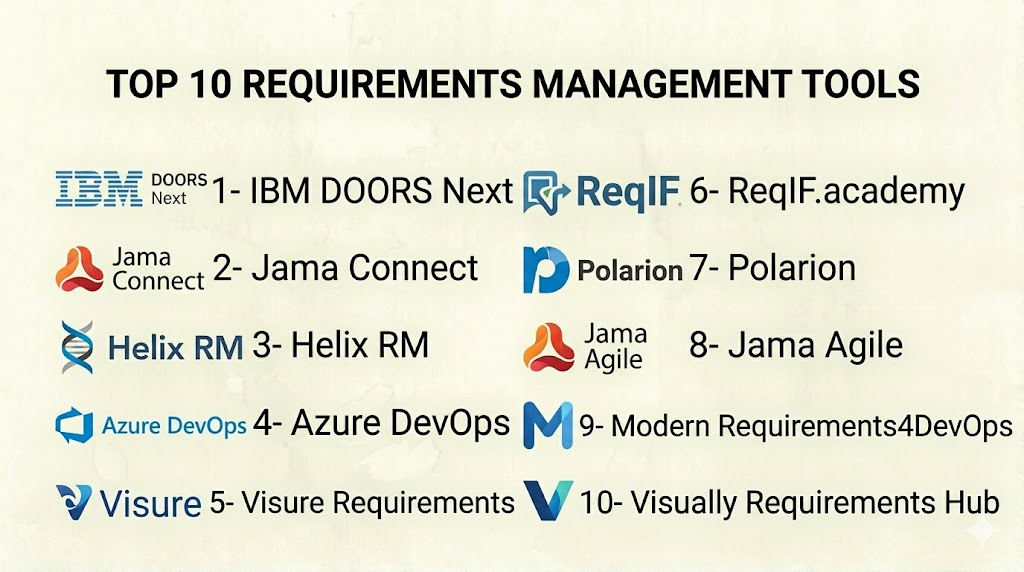
Introduction
Requirements Management Tools are specialized platforms that help organizations capture, document, trace, analyze, and manage requirements throughout the lifecycle of a project or product. Whether used in software development, systems engineering, regulated industries, or complex project delivery, these tools ensure that business needs, user expectations, compliance criteria, and technical specifications are clearly understood, agreed upon, and validated from concept to release. In today’s landscape, where product complexity, regulatory constraints, and cross‑functional collaboration are intensifying, structured requirements management is essential for reducing risk, improving quality, and delivering value on time.
For engineering and product teams alike, requirements are living artifacts that evolve as market understanding improves, business goals shift, or technology choices change. Requirements Management Tools provide traceability from stakeholder needs through design, implementation, testing, and validation, minimizing lost context and miscommunication. These tools often integrate with quality management, development, test, and collaboration systems, making requirements actionable and measurable.
Real‑world use cases:
- Capturing and prioritizing requirements for a regulated aerospace or defense program.
- Tracing software requirements to design, development tasks, and automated tests.
- Collaborating across cross‑functional teams with automated notifications and versioning.
- Ensuring compliance with industry standards such as ISO, CMMI, FDA, or IEC frameworks.
- Aggregating stakeholder feedback, approvals, and changes in a controlled workflow.
What buyers should evaluate (criteria):
- Support for traceability and version control.
- Ease of capturing and modeling requirements.
- Integration with development, test, and collaboration tools.
- Support for both structured and agile approaches.
- Reporting, analytics, and audit capabilities.
- Security, compliance, and access control.
- Custom workflows and automation capabilities.
- Scalability for multi‑project or enterprise‑wide usage.
- Vendor support, onboarding, and community resources.
Best for: Complex product organizations, systems engineering teams, regulated industries (medical devices, aerospace, automotive), enterprise development groups, and product teams coordinating cross‑disciplinary requirements.
Not ideal for: Very small teams or projects without formal requirements processes, simple task tracking needs, or those managing work through lightweight tools like spreadsheets or basic project boards.
Key Trends in Requirements Management Tools
- AI‑driven requirements writing and analysis to improve clarity, consistency, and detect conflicts.
- Real‑time traceability dashboards that visually link requirements to design, code, and test artifacts.
- Integration with DevOps and ALM pipelines for continuous delivery and automated compliance reporting.
- Support for mixed methodologies (agile, waterfall, hybrid) within the same platform.
- Cloud‑native deployment with enterprise governance controls for distributed teams.
- Enhanced collaboration spaces with commenting, reviews, and stakeholder approvals.
- Model‑based systems engineering (MBSE) capabilities for complex engineering domains.
- Automated change impact analysis to reduce risk of cascading failures.
- Data‑driven requirement prioritization based on usage, risk, and business value.
- Compliance and audit reporting templates aligned to regulated industry frameworks.
How We Selected These Tools (Methodology)
- Evaluated market adoption across industries with complex requirements needs.
- Assessed functionality including traceability, version control, workflow automation, and reporting.
- Considered integration ecosystems with development, testing, and collaboration systems.
- Reviewed security posture, access controls, and compliance disclosures.
- Prioritized tools that support mixed methodologies and project types.
- Examined support resources including training, documentation, and consulting services.
- Factored in ease of onboarding and tool learning curve.
- Considered suitability for enterprise‑wide scaling as well as departmental usage.
- Looked at innovation in AI, impact analysis, and automation features.
Top 10 Requirements Management Tools
1 — IBM Engineering Requirements Management DOORS Next
Short description: IBM DOORS Next (part of the IBM Engineering Lifecycle Management suite) is a highly configurable requirements management platform for large and regulated projects. It provides deep traceability, change control, and compliance support for complex systems engineering.
Key Features
- Comprehensive requirements capture and structured modules.
- End‑to‑end traceability from requirements to design and test.
- Advanced versioning and baselining.
- Change impact analysis and dependency visualization.
- Role‑based workflows and approvals.
- Integration with development and test tools.
Pros
- Industry‑leading traceability and compliance support.
- Scales well for enterprise and regulated programs.
Cons
- Steep learning curve for new users.
- Can require significant configuration and governance.
Platforms / Deployment
- Web / Windows / Linux
- Cloud / Self‑hosted
Security & Compliance
- Enterprise RBAC, encryption, audit logs
- ISO 9001, CMMI alignment (enterprise context)
Integrations & Ecosystem
IBM DOORS Next integrates with:
- Engineering toolchains, ALM suites
- Test management tools
- DevOps and model‑based engineering tools
Support & Community
Robust professional support, training programs, and large engineering community.
2 — Jama Connect
Short description: Jama Connect is a modern requirements, risk, and test management platform designed for complex products and regulated environments. It provides real‑time traceability, impact analysis, and collaboration capabilities.
Key Features
- Requirements capture with rich context and comments.
- Traceability across requirements, tests, and risks.
- Change management and history tracking.
- Collaboration and approvals.
- Reporting and dashboards.
- Support for agile, waterfall, or hybrid methodologies.
Pros
- Balanced mix of power and usability.
- Strong visualization and collaboration features.
Cons
- Pricing may be higher for SMBs.
- Some advanced features require configuration.
Platforms / Deployment
- Web / Windows / macOS
- Cloud / Self‑hosted
Security & Compliance
- SSO/SAML, encryption, audit logs
- GDPR, Not publicly stated on specific certifications
Integrations & Ecosystem
Supports:
- DevOps and ALM toolchains
- Test automation systems
- Collaboration platforms
Support & Community
Professional onboarding, active documentation, and user groups.
3 — Helix RM (Perforce)
Short description: Helix RM by Perforce is a robust requirements management solution focused on traceability, baselining, and governance for software and systems engineering teams.
Key Features
- Structured requirement editing and templates.
- Traceability and impact analysis.
- Version control and baselining.
- Role‑based access and workflows.
- Reporting and dashboards.
Pros
- Strong versioning and control capabilities.
- Good fit for engineering environments with change governance.
Cons
- Interface can feel dated compared to modern UIs.
- Configuration requires expertise.
Platforms / Deployment
- Web / Windows / Linux
- Cloud / Self‑hosted
Security & Compliance
- SSO options, encryption
- GDPR, Not publicly stated on other certifications
Integrations & Ecosystem
- ALM and test systems
- DevOps pipelines
- Collaboration tools
Support & Community
Perforce support, knowledge base, and partner ecosystem.
4 — Azure DevOps (Boards & Work Items)
Short description: Azure DevOps provides work item tracking that doubles as a lightweight requirements management approach. Ideal for software teams building requirements directly into planning and delivery workflows.
Key Features
- Work item and requirement templates.
- Backlog, sprint, and board management.
- Traceability with commits, branches, and builds.
- Dashboards and queries.
- Integration with Git repos and pipelines.
Pros
- Seamless integration with Microsoft DevOps stack.
- Good balance of planning and tracking features.
Cons
- Not a purpose‑built RM tool for regulated industries.
- Traceability beyond development artifacts requires configuration.
Platforms / Deployment
- Web
- Cloud / Self‑hosted (Azure DevOps Server)
Security & Compliance
- SSO/AAD integration, encryption
- SOC 2, GDPR
Integrations & Ecosystem
- GitHub, Azure Repos
- CI/CD pipelines
- Collaboration tools
Support & Community
Extensive Microsoft documentation and community forums.
5 — Visure Requirements
Short description: Visure Requirements is a purpose‑built requirements management platform that emphasizes traceability, reusable requirement templates, and risk management.
Key Features
- Hierarchical requirement structures.
- Baselining, versioning, and impact analysis.
- Risk and test traceability matrices.
- Review and approval workflows.
- Reports and dashboards.
Pros
- Deep traceability with impact analysis.
- Good fit for regulated environments.
Cons
- Interface can be less intuitive than modern tools.
- Setup and training needed for effective use.
Platforms / Deployment
- Web / Windows / macOS
- Cloud / Self‑hosted
Security & Compliance
- SSO, encryption, audit logs
- GDPR
Integrations & Ecosystem
- ALM tools
- Test management
- DevOps pipelines
Support & Community
Professional support and training; smaller user community compared to mainstream platforms.
6 — ReqIF.academy (Open Source RM)
Short description: ReqIF.academy provides an open‑source Requirements Interchange Format (ReqIF)‑supported framework for managing requirements in a standards‑compliant manner, ideal for smaller or standards‑centric teams.
Key Features
- ReqIF import/export support.
- Structured requirement editing.
- Baseline and version tracking.
- Simple collaboration features.
Pros
- Free and standards‑compliant.
- Good for organizations adopting ReqIF interchange.
Cons
- Basic feature set compared to enterprise tools.
- Limited automation and dashboards.
Platforms / Deployment
- Web
- Self‑hosted
Security & Compliance
- Not publicly stated; depends on hosting environment.
Integrations & Ecosystem
- ReqIF toolchains
- Manual import/export workflows
Support & Community
Community support; limited official resources.
7 — Polarion Requirements
Short description: Polarion by Siemens is an enterprise‑grade requirements and lifecycle management platform, supporting traceability, compliance workflows, and cross‑team collaboration.
Key Features
- Unified requirements, tests, and workflows.
- Traceability and impact analysis.
- Live document collaboration.
- Versioning and baselining.
- Reporting and dashboards.
Pros
- Enterprise scalability and deep trace capabilities.
- Strong compliance support.
Cons
- Can be complex to implement.
- Advanced features may require training.
Platforms / Deployment
- Web
- Cloud / Self‑hosted
Security & Compliance
- RBAC, encryption, audit logs
- ISO, GDPR (varies by configuration)
Integrations & Ecosystem
- DevOps and test systems
- Collaboration tools
- APIs for extension
Support & Community
Enterprise support, professional services, and documented resources.
8 — Jama Connect for Agile
Short description: A variant of Jama Connect optimized for organizations applying agile or scaled agile approaches, blending structured RM with iterative delivery.
Key Features
- Agile‑friendly requirement backlogs.
- Traceability across sprints and releases.
- Real‑time dashboards and workflows.
- Change control and approvals.
- Test linkage and validation.
Pros
- Brings structured RM into agile contexts.
- Flexible enough for hybrid projects.
Cons
- Price and complexity can be barriers for small teams.
- Requires training for effective use.
Platforms / Deployment
- Web / Windows / macOS
- Cloud / Self‑hosted
Security & Compliance
- SSO, encryption, audit logs
- GDPR, Not publicly stated on other certifications
Integrations & Ecosystem
- DevOps toolchains
- Test automation
- Collaboration platforms
Support & Community
Same as Jama Connect core; strong documentation and support services.
9 — Modern Requirements4DevOps
Short description: Modern Requirements4DevOps is a requirements and test management extension designed for Azure DevOps, enhancing native work item tracking with structured RM features.
Key Features
- Requirement templates and baselining.
- Traceability matrices.
- Test linkage and automated reporting.
- Compliance artifacts for regulated projects.
- Role‑based workflows.
Pros
- Seamless Azure DevOps integration.
- Structured requirements within familiar workflows.
Cons
- Best suited to Azure DevOps environments.
- Requires configuration for advanced traceability.
Platforms / Deployment
- Web
- Cloud / Self‑hosted
Security & Compliance
- Follows Azure DevOps security model
- SOC 2, GDPR
Integrations & Ecosystem
- Azure DevOps services
- Repos and pipelines
- Test frameworks
Support & Community
Microsoft and vendor support resources; active user community.
10 — Visually Requirements Hub
Short description: Visually Requirements Hub emphasizes visual modeling, collaboration, and simple traceability, ideal for teams needing intuitive requirement capture and stakeholder engagement.
Key Features
- Visual requirement diagrams and models.
- Collaboration and comment spaces.
- Versioning and baseline tracking.
- Reporting summaries.
- Simple traceability views.
Pros
- Highly intuitive and visual approach.
- Good for cross‑discipline collaboration.
Cons
- Less depth than enterprise RM tools.
- Limited integrations compared to larger suites.
Platforms / Deployment
- Web
- Cloud
Security & Compliance
- Encryption
- GDPR
Integrations & Ecosystem
- Collaboration platforms
- Project tools
- APIs
Support & Community
Responsive support; smaller user community.
Comparison Table (Top 10)
| Tool Name | Best For | Platform(s) Supported | Deployment | Standout Feature | Public Rating |
|---|---|---|---|---|---|
| IBM DOORS Next | Enterprise & regulated programs | Web / Windows / Linux | Cloud / Self‑hosted | Enterprise traceability | N/A |
| Jama Connect | Cross‑discipline RM | Web / Windows / macOS | Cloud / Self‑hosted | Traceability & collaboration | N/A |
| Helix RM | Engineering governance | Web / Windows / Linux | Cloud / Self‑hosted | Versioning & governance | N/A |
| Azure DevOps | Software teams | Web | Cloud / Self‑hosted | DevOps linkage & planning | N/A |
| Visure Requirements | Regulated industries | Web / Windows / macOS | Cloud / Self‑hosted | Risk & impact matrices | N/A |
| ReqIF.academy | Standards‑centric teams | Web | Self‑hosted | ReqIF support | N/A |
| Polarion | Enterprise lifecycle RM | Web | Cloud / Self‑hosted | Compliance workflows | N/A |
| Jama Agile | Agile & hybrid teams | Web / Windows / macOS | Cloud / Self‑hosted | Agile RM | N/A |
| Modern Requirements4DevOps | Azure DevOps extension | Web | Cloud / Self‑hosted | Azure DevOps RM enhancement | N/A |
| Visually Requirements Hub | Visual requirement modeling | Web | Cloud | Visual modeling tools | N/A |
Evaluation & Scoring of Requirements Management Tools
| Tool Name | Core (25%) | Ease (15%) | Integrations (15%) | Security (10%) | Performance (10%) | Support (10%) | Value (15%) | Weighted Total (0–10) |
|---|---|---|---|---|---|---|---|---|
| IBM DOORS Next | 10 | 7 | 9 | 9 | 9 | 8 | 7 | 8.8 |
| Jama Connect | 9 | 8 | 9 | 8 | 8 | 8 | 7 | 8.2 |
| Helix RM | 8 | 7 | 8 | 8 | 8 | 7 | 8 | 7.8 |
| Azure DevOps | 7 | 9 | 9 | 9 | 9 | 8 | 9 | 8.4 |
| Visure Requirements | 8 | 7 | 8 | 8 | 8 | 7 | 8 | 8.0 |
| ReqIF.academy | 6 | 8 | 6 | 7 | 7 | 6 | 9 | 7.4 |
| Polarion | 9 | 7 | 9 | 9 | 8 | 8 | 7 | 8.2 |
| Jama Agile | 9 | 8 | 9 | 8 | 8 | 8 | 7 | 8.2 |
| Modern Requirements4DevOps | 8 | 8 | 9 | 9 | 9 | 8 | 8 | 8.4 |
| Visually Requirements Hub | 7 | 9 | 7 | 8 | 8 | 7 | 9 | 8.0 |
Interpreting the scores: Higher weighted totals indicate platforms that balance core RM capabilities, ease of use, integrations, security, reliability, support, and value. Comparative scoring helps teams assess which tools align with their priorities and workflows.
Which Requirements Management Tool Is Right for You?
Solo / Freelancer
Lightweight or integrated options like Visually Requirements Hub or Azure DevOps provide accessible requirement capture and tracking without heavy overhead.
SMB
Organizations balancing structured capture with agility should consider Jama Connect, Modern Requirements4DevOps, or Visure Requirements for rich collaboration and traceability.
Mid‑Market
Polarion, Azure DevOps with extensions, and Jama Agile fit teams needing stronger governance, compliance linkage, and traceability across releases.
Enterprise
IBM DOORS Next and Polarion serve large and regulated programs requiring rigorous baseline control, traceability, and audit readiness.
Budget vs Premium
Open‑source and cloud‑native options like ReqIF.academy or Azure DevOps meet lower budget needs, while enterprise suites offer deeper RM and compliance features at premium pricing.
Feature Depth vs Ease of Use
Enterprise platforms deliver deep traceability and compliance but require training and governance. Cloud‑native and visual platforms emphasize ease of adoption.
Integrations & Scalability
Modern Requirements4DevOps, Azure DevOps, and Jama Connect provide broad integrations across DevOps, test automation, and collaboration ecosystems.
Security & Compliance Needs
Organizations with regulatory requirements should prioritize tools with strong access controls, audit logs, and compliance reporting.
Frequently Asked Questions (FAQs)
1. What pricing models do requirements management tools use?
Most modern RM tools use subscription pricing with tiers based on users and features. Self‑hosted or open‑source options may be free but require infrastructure and maintenance.
2. How long does onboarding take?
Time varies: simple cloud tools can onboard in days, while enterprise platforms with governance, workflows, and integration can take weeks.
3. Can requirements tools integrate with development systems?
Yes, leading tools integrate with DevOps, ALM, test automation, and collaboration tools to ensure end‑to‑end traceability and implementation context.
4. How do requirements tools support compliance?
Compliance features include audit trails, version baselining, approvals, role‑based access, and standardized reporting templates aligned with industry standards.
5. What’s traceability and why is it important?
Traceability ensures every requirement is linked through design, implementation, and testing artifacts, reducing gaps, conflicts, and risk of rework.
6. Are these tools suitable for agile teams?
Many support agile, waterfall, or hybrid methodologies with flexible backlogs, sprints, and requirement increments, making them adaptable to different delivery processes.
7. How can AI help requirements management?
AI can assist in writing clear requirements, detecting ambiguity or conflicts, suggesting trace links, and analyzing impact of changes.
8. Can external stakeholders contribute to requirements?
Some platforms support stakeholder portals or feedback capture, ensuring user needs are integrated early in the lifecycle.
9. What are common challenges when adopting RM tools?
Challenges include unclear requirement conventions, lack of training, poor change governance, and insufficient integration planning.
10. How do I choose the right requirements management tool?
Evaluate based on team size, regulated context, integration needs, traceability depth, reporting, and long‑term support requirements.
Conclusion
Selecting the right Requirements Management Tool depends on your organization’s scale, complexity of products, regulatory context, and delivery methodologies. Enterprise engineers and regulated teams benefit from IBM DOORS Next and Polarion for their deep traceability and compliance workflows, while teams leveraging DevOps or agile practices may find Azure DevOps with extensions, Jama Connect, or Modern Requirements4DevOps perfectly suited to capture, track, and validate requirements across delivery lifecycles. Invest time in shortlisting tools that align with your core criteria, run pilots using real requirements workflows, and verify that integrations, security, and governance meet your strategic goals. A thoughtful implementation of requirements management improves quality, reduces risk, and accelerates consistent delivery of value.

Simple, clear, and highly informative blog.
Great content with a very natural and reader-friendly style.
I appreciate the effort behind this blog. The information shared here is genuinely helpful.