MOTOSHARE 🚗🏍️
Rent Bikes & Cars Directly from Owners
Motoshare connects vehicle owners with people who need bikes and cars on rent. Owners earn from idle vehicles, and renters get flexible ride options.
Visit Motoshare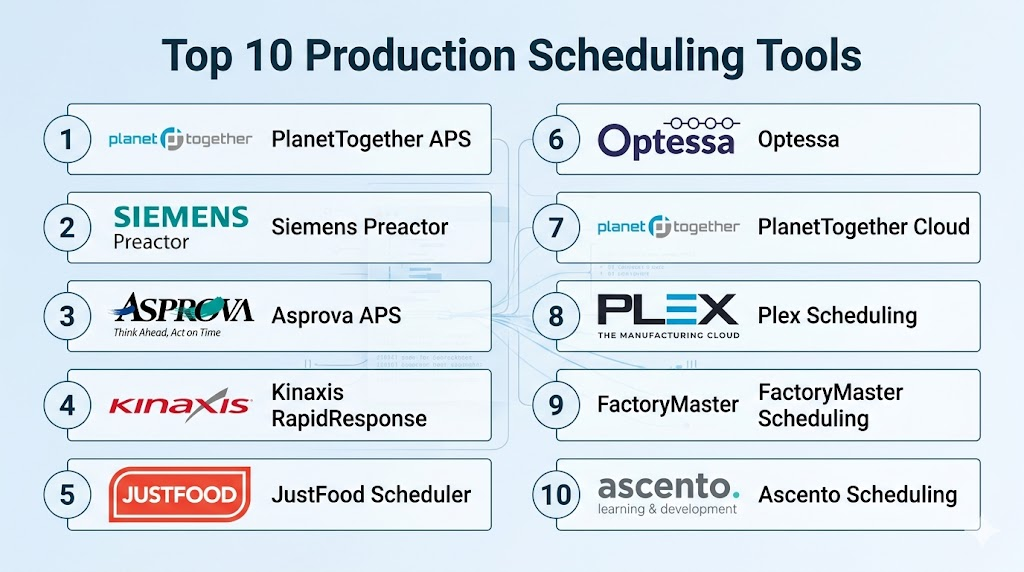
Introduction
Production Scheduling Tools help manufacturers plan, sequence, and optimize manufacturing tasks, work orders, machines, and labor resources. These tools take into account capacity constraints, deadlines, resource availability, changeovers, and priority rules to create feasible schedules that maximize throughput, minimize delays, and balance workload across production lines.
As production environments become more complex — driven by customization, shorter lead times, and multi‑site operations — scheduling tools reduce bottlenecks, improve on‑time delivery, and enhance visibility into production workflows. Whether applied to discrete manufacturing, process lines, or job shops, effective scheduling integrates demand forecasts, inventory status, and real‑time execution data to align production plans with business goals.
Real‑world use cases include:
- Sequencing jobs on CNC machines in metal fabrication.
- Balancing workloads and shifts across assembly lines.
- Scheduling batch processes in food and chemical plants.
- Rescheduling in real time when breakdowns occur.
- Prioritizing urgent orders and minimizing lead times.
Evaluation Criteria for Buyers:
- Optimization capability (finite vs infinite scheduling)
- Real‑time rescheduling and exception handling
- Integration with ERP, MES, SCADA, and plant systems
- Capacity planning and constraint management
- Ease of use and visualization of schedules
- “What‑if” scenario modeling and simulation
- Support for multiple production modes
- Reporting and analytics dashboards
- Scalability across lines and facilities
- Deployment options and cost
Best for: Production planners, operations leaders, shop‑floor supervisors, supply chain managers, and manufacturers seeking to improve throughput, reduce lead times, and enhance production agility.
Not ideal for: Very small operations with simple workflows where manual scheduling adequately meets needs.
Key Trends in Production Scheduling Tools
- AI and ML‑driven scheduling algorithms for dynamic optimization.
- Integration with real‑time execution data from MES/SCADA systems.
- Multi‑site and cloud‑enabled scheduling for global operations.
- Scenario planning and predictive rescheduling.
- Mobile access for planners and supervisors.
- Embedded analytics and KPI dashboards.
- Constraint‑based finite scheduling for complex environments.
- Supplier and material availability integration.
- Low‑code customization and workflow automation.
How We Selected These Tools (Methodology)
- Evaluated market adoption and broad usage across industries.
- Reviewed feature completeness in optimization, visualization, and rescheduling.
- Assessed integration capabilities with ERP/MES/SCADA and data sources.
- Considered scalability for multi‑line and multi‑site production.
- Examined ease of use and onboarding experience.
- Checked analytics, “what‑if” simulation, and reporting features.
- Analyzed security and compliance readiness.
- Considered support, documentation, and community resources.
Top 10 Production Scheduling Tools
#1 — PlanetTogether APS
Short description:
PlanetTogether Advanced Planning & Scheduling (APS) is a best‑in‑class scheduling optimizer that supports constraint‑based finite scheduling, scenario modeling, and real‑time rescheduling for complex manufacturing environments.
Key Features
- Finite capacity scheduling and optimization
- Real‑time rescheduling based on execution data
- “What‑if” scenario analysis
- Multi‑site and multi‑line scheduling
- Integration with ERP/MES systems
Pros
- Very strong optimization algorithms
- Excellent scenario planning tools
- Scales across complex operations
Cons
- Higher cost for smaller plants
- Integration complexity
Platforms / Deployment
- Web, Cloud, Hybrid
Security & Compliance
- Role‑based access, encryption
Integrations & Ecosystem
- ERP connectors
- MES and SCADA feeds
- APIs for analytics and dashboards
Support & Community
- Dedicated support, documentation, training programs
#2 — Preactor (Siemens Opcenter APS)
Short description:
Preactor, now part of Siemens Opcenter Advanced Planning & Scheduling, offers robust finite and infinite scheduling capabilities with deep configuration options for discrete and process manufacturing.
Key Features
- Finite and infinite capacity scheduling
- Rule‑based sequencing
- Forecast integration
- Graphical schedule visualization
- Resource constraint modeling
Pros
- Flexible scheduling rules
- Strong integration with Siemens ecosystem
- Well‑established technology
Cons
- Learning curve for advanced scenarios
- Licensing cost
Platforms / Deployment
- Web, Cloud, Hybrid
Security & Compliance
- Not publicly stated
Integrations & Ecosystem
- ERP, MES, SCADA
- APIs and connectors
Support & Community
- Siemens support and training
#3 — Asprova APS
Short description:
Asprova is a high‑speed APS tool focused on finite scheduling, real‑time rescheduling, and precision planning for discrete, process, and mixed‑mode manufacturers.
Key Features
- Fast finite capacity scheduling
- Material and resource constraint management
- Real‑time rescheduling
- Gantt and dashboard visualizations
- Scenario comparison
Pros
- Extremely fast optimization
- Good for complex mixed manufacturing
- Visual scheduler tools
Cons
- UI can feel dated
- Requires training for advanced use
Platforms / Deployment
- Web, Cloud, Hybrid
Security & Compliance
- Not publicly stated
Integrations & Ecosystem
- ERP and MES connectors
- APIs
Support & Community
- Vendor support and documentation
#4 — Kinaxis RapidResponse
Short description:
Kinaxis RapidResponse delivers planning and scheduling with “what‑if” simulation, constraint management, and supply chain visibility in one platform for dynamic production environments.
Key Features
- Real‑time scheduling and simulation
- Multi‑enterprise visibility
- Supply‑chain integration
- Demand‑supply balancing
- Collaborative workflows
Pros
- Strong simulation and scenario tools
- Real‑time data feed integration
- Excellent traceability
Cons
- Enterprise‑focused cost
- Complexity for smaller manufacturers
Platforms / Deployment
- Web, Cloud
Security & Compliance
- Enterprise security controls
Integrations & Ecosystem
- ERP, SCM, MES, analytics
Support & Community
- Enterprise support
#5 — JustFood APS & Scheduler
Short description:
JustFood APS & Scheduler focuses on production scheduling tailored to food and beverage manufacturing, with recipe, batch, and constraint‑based scheduling.
Key Features
- Batch and recipe scheduling
- Allergen and compliance checks
- Resource constraint planning
- Real‑time rescheduling
- Reporting and alerts
Pros
- Industry‑specific features
- Compliance support
- Easy visualization
Cons
- Niche focus
- Less broad than generic APS
Platforms / Deployment
- Web, Cloud
Security & Compliance
- Role‑based access, encryption
Integrations & Ecosystem
- ERP and MES feeds
- Reporting dashboards
Support & Community
- Vendor support
#6 — Optessa
Short description:
Optessa is a scheduling optimizer that uses constraint‑based and AI‑driven algorithms to produce optimized schedules in complex, high‑mix manufacturing environments.
Key Features
- Constraint and rule‑based optimization
- AI heuristic scheduling
- Scenario simulation
- Resource and machine leveling
- Real‑time schedule updates
Pros
- Strong optimization for complex constraints
- Good “smart schedule” suggestions
- Scenario analytics
Cons
- Premium pricing
- Requires expert configuration
Platforms / Deployment
- Web, Cloud
Security & Compliance
- Not publicly stated
Integrations & Ecosystem
- ERP/MES integrations
- API access
Support & Community
- Vendor support
#7 — PlanetTogether (APS Cloud Edition)
Short description:
PlanetTogether’s Cloud Edition delivers similar capability to its APS but in a cloud‑native deployment model for rapid adoption and SaaS scalability.
Key Features
- Cloud‑hosted scheduling engine
- Multi‑site coordination
- Real‑time rescheduling
- Dashboards and visualization
- ERP/MES connectors
Pros
- Quick deployment
- Cloud scalability
- Lower IT overhead
Cons
- Feature parity with on‑prem version varies
- Less control over data location
Platforms / Deployment
- Web, Cloud
Security & Compliance
- Cloud encryption and roles
Integrations & Ecosystem
- ERP, MES feeds
- APIs
Support & Community
- Cloud support tiers
#8 — Plex Scheduling & Sequencing
Short description:
Within the Plex Smart Manufacturing Platform, scheduling and sequencing capabilities optimize production order sequencing, resource allocation, and real‑time schedule adjustments.
Key Features
- Real‑time production scheduling
- Sequence optimization
- Resource and constraint handling
- Shop‑floor data integration
- Interactive dashboards
Pros
- Integrated into broader manufacturing suite
- Real‑time execution syncing
- User‑friendly UI
Cons
- Best utilized within the Plex ecosystem
- Less deep optimization than standalone APS tools
Platforms / Deployment
- Web, Cloud
Security & Compliance
- Role‑based access, encryption
Integrations & Ecosystem
- MES and ERP modules
- Analytics dashboards
Support & Community
- Plex support
#9 — FactoryMaster Scheduling
Short description:
FactoryMaster delivers scheduling, resource planning, and production reporting for small to mid‑market manufacturers, focusing on ease of use and actionable routines.
Key Features
- Visual finite scheduling
- Work orders and capacity planning
- Resource leveling
- Alerts and notifications
- Production reporting
Pros
- Affordable and intuitive
- Good for small to mid‑size plants
- Nice visualization tools
Cons
- Limited advanced optimization
- Smaller ecosystem
Platforms / Deployment
- Web, Cloud, Hybrid
Security & Compliance
- Role‑based access
Integrations & Ecosystem
- ERP exports and APIs
Support & Community
- Vendor support and documentation
#10 — Ascento Scheduling (Infor)
Short description:
Infor’s scheduling module delivers finite scheduling integrated with broader ERP and supply chain capabilities, designed for mid‑to‑large manufacturers.
Key Features
- Finite resource scheduling
- Constraint logic and simulation
- Integration with Infor ERP/SCM
- Dashboard and alerts
- Scenario analysis
Pros
- Leveraged within Infor suite
- Strong ERP integration
- Good simulation tools
Cons
- Best with Infor customers
- Licensing overhead
Platforms / Deployment
- Web, Cloud, Hybrid
Security & Compliance
- Role‑based access, encryption
Integrations & Ecosystem
- ERP, MES, SCM
- Analytics APIs
Support & Community
- Infor support network
Comparison Table (Top 10)
| Tool Name | Best For | Platform(s) Supported | Deployment | Standout Feature | Public Rating |
|---|---|---|---|---|---|
| PlanetTogether APS | Complex manufacturing | Web | Cloud/Hybrid | Advanced optimization | N/A |
| Siemens Preactor | Flexible scheduling | Web | Cloud/Hybrid | Rule‑based sequencing | N/A |
| Asprova APS | High‑speed scheduling | Web | Cloud/Hybrid | Fast finite scheduling | N/A |
| Kinaxis RapidResponse | Supply‑chain integrated | Web | Cloud | Scenario simulation | N/A |
| JustFood Scheduler | Food & beverage | Web | Cloud | Recipe & batch logic | N/A |
| Optessa | AI‑driven optimizer | Web | Cloud | Smart constraint optimization | N/A |
| PlanetTogether Cloud | Cloud‑native APS | Web | Cloud | Cloud deployment | N/A |
| Plex Scheduling | Integrated MES/ERP | Web | Cloud | Shop‑floor syncing | N/A |
| FactoryMaster Scheduling | SMB scheduling | Web | Cloud/Hybrid | Intuitive visual scheduling | N/A |
| Ascento Scheduling | ERP‑integrated | Web | Cloud/Hybrid | Infor integration | N/A |
Evaluation & Scoring of Production Scheduling Tools
| Tool Name | Core (25%) | Ease (15%) | Integrations (15%) | Security (10%) | Performance (10%) | Support (10%) | Value (15%) | Weighted Total (0–10) |
|---|---|---|---|---|---|---|---|---|
| PlanetTogether APS | 9 | 7 | 9 | 7 | 9 | 8 | 7 | 8.4 |
| Preactor | 8 | 7 | 8 | 7 | 8 | 8 | 7 | 7.7 |
| Asprova APS | 8 | 7 | 8 | 7 | 9 | 7 | 7 | 7.8 |
| Kinaxis RapidResponse | 8 | 7 | 9 | 8 | 8 | 8 | 7 | 8.0 |
| JustFood Scheduler | 7 | 8 | 7 | 7 | 7 | 7 | 7 | 7.3 |
| Optessa | 8 | 7 | 8 | 7 | 8 | 7 | 7 | 7.7 |
| PlanetTogether Cloud | 8 | 8 | 9 | 7 | 8 | 8 | 7 | 8.0 |
| Plex Scheduling | 7 | 8 | 8 | 7 | 7 | 7 | 7 | 7.5 |
| FactoryMaster | 7 | 9 | 7 | 7 | 7 | 7 | 8 | 7.6 |
| Ascento Scheduling | 7 | 7 | 8 | 7 | 7 | 7 | 7 | 7.3 |
Interpretation: Higher totals indicate stronger optimization capabilities, integration breadth, and performance in dynamic production environments.
Which Production Scheduling Tool Is Right for You?
Solo / Freelancer
Tools like FactoryMaster Scheduling and JustFood Scheduler offer affordable, intuitive scheduling for smaller plants or individual planners.
SMB
Mid‑market operations benefit from PlanetTogether Cloud, Asprova APS, or Plex Scheduling for real‑time visibility, constraint handling, and rescheduling flexibility.
Mid‑Market / Enterprise
PlanetTogether APS, Preactor, and Optessa provide deep optimization, scenario analysis, and real‑time rescheduling for complex mixed workflows.
Enterprise
Large scale manufacturers with multi‑site operations may leverage Kinaxis RapidResponse or PlanetTogether APS for broad visibility, simulation, and what‑if planning.
Budget vs Premium
Cloud‑native options reduce IT overhead but may lack some advanced optimization; premium APS suites provide deeper scheduling algorithms and multi‑site coordination.
Feature Depth vs Ease of Use
Some tools excel at deep optimization and capacity planning, while others emphasize ease of use and rapid adoption for planners without heavy training.
Integrations & Scalability
Select tools with strong ERP/MES/SCADA connectors to ensure real‑time execution data flows into planning and rescheduling logic.
Security & Compliance Needs
For regulated environments, ensure the tool provides robust access controls, encryption, and auditing to align with IT/OT policies.
Frequently Asked Questions (FAQs)
1. What is production scheduling software?
It’s a platform that sequences jobs, allocates resources, and optimizes production plans based on constraints, demand, and priorities.
2. Does production scheduling integrate with shop‑floor systems?
Yes — modern tools connect to MES, SCADA, and IoT sensors for real‑time data on execution and delays.
3. What’s the difference between production scheduling and MRP?
MRP focuses on material and capacity planning; scheduling deals with job sequencing and resource leveling.
4. Why use finite capacity scheduling?
Finite scheduling ensures that plans respect resource constraints, availability, and realistic timing.
5. What industries benefit most?
Discrete manufacturing, high‑mix assembly, job shops, process batch plants, and make‑to‑order environments benefit heavily.
6. Do these tools support scenario planning?
Yes — many tools offer “what‑if” simulations to evaluate alternate plans.
7. Can scheduling tools adjust in real time?
Yes — tools with rescheduling support can adjust plans based on execution feedback or disruptions.
8. How long does implementation take?
Implementation timelines vary from weeks (for cloud tools) to months (for deep APS integration).
9. Are AI or ML features common?
Emerging scheduling tools incorporate AI/ML for heuristic optimization and predictive planning.
10. How do I choose the right scheduling tool?
Consider complexity, integration needs, optimization depth, scalability, and budget.
Conclusion
Production Scheduling Tools are essential for modern manufacturing environments challenged by complexity, variability, and demand for agility. Advanced APS suites like PlanetTogether APS, Preactor, and Asprova APS deliver strong optimization, constraint handling, and simulation capabilities, while cloud‑native options like PlanetTogether Cloud and Plex Scheduling offer rapid deployment and real‑time visibility. SMB manufacturers can leverage intuitive tools like FactoryMaster Scheduling for cost‑effective planning, and enterprises benefit from platforms like Kinaxis RapidResponse that integrate scheduling with broader supply chain visibility. A practical adoption strategy includes shortlisting tools, piloting with representative workflows, validating schedule optimization and rescheduling logic, and ensuring deep integration with ERP/MES systems for reliable execution.

This was very useful for me
Well-structured post with meaningful and useful insights.