MOTOSHARE 🚗🏍️
Rent Bikes & Cars Directly from Owners
Motoshare connects vehicle owners with people who need bikes and cars on rent. Owners earn from idle vehicles, and renters get flexible ride options.
Visit Motoshare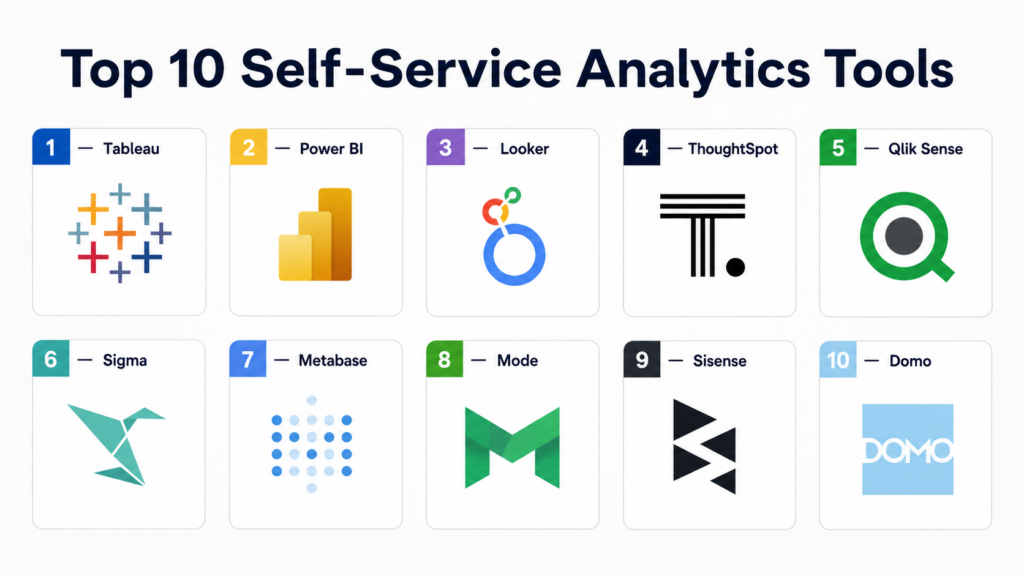
Introduction
Self-service analytics tools are software platforms that empower non-technical business users—such as marketing managers, sales leads, and operations executives—to access, explore, and visualize data without requiring constant assistance from a centralized IT or data science team. In the modern enterprise landscape, these tools have moved from being “nice-to-have” to becoming a critical operational necessity. As data volumes explode and the speed of business increases, waiting days or weeks for a data analyst to build a custom report creates a bottleneck that most organizations can no longer afford.
These platforms democratize data by providing intuitive, often “drag-and-drop” or natural language interfaces that sit on top of complex data warehouses. By shifting the power of inquiry to those closest to the business problems, organizations can foster a “data culture” where decisions are rooted in evidence rather than intuition.
Real-world use cases:
- Marketing Campaign Optimization: A marketing manager independently analyzing real-time conversion rates across different social channels to reallocate budget mid-campaign.
- Sales Performance Tracking: Regional sales leads building their own dashboards to track quota attainment and pipeline health without filing a ticket with the BI team.
- Inventory Management: Store managers identifying localized stock trends and adjusting orders based on seasonal demand spikes seen in live data.
- Customer Churn Analysis: Success teams identifying “at-risk” accounts by combining usage metrics and support ticket frequency in a single view.
Buyer evaluation criteria:
- Ease of Use: How quickly a non-technical user can go from a blank screen to a meaningful visualization.
- Data Preparation (Self-Service ETL): The ability for users to clean, join, and transform data without writing SQL.
- Governance & Security: How well administrators can control who sees what, ensuring data privacy while allowing exploration.
- Natural Language Processing (NLP): Support for “Ask a Question” features where users type queries in plain English.
- Integration Depth: The ability to connect directly to cloud data warehouses (Snowflake, BigQuery) and SaaS apps.
- Collaboration Features: Options for sharing, commenting on, and embedding insights into other workflows (like Slack or Teams).
- Mobile Accessibility: The quality of the experience on phones and tablets for on-the-go decision-making.
- Scalability: Performance stability when datasets grow from thousands to millions of rows.
Mandatory paragraph
- Best for: Business users, department heads, and data-driven teams in organizations of all sizes—from startups wanting to move fast to large enterprises looking to reduce IT backlog.
- Not ideal for: Deep-level data scientists performing complex predictive modeling (R/Python) or organizations with highly disorganized, “dirty” data that requires significant backend engineering before it can be explored.
Key Trends in Self-Service Analytics Tools
- AI-Augmented Analytics: Modern platforms are integrating Generative AI to suggest visualizations, explain “why” a metric changed, and automatically identify outliers in the data.
- The Rise of “Headless” BI: A shift toward platforms that separate the data logic from the visualization, allowing the same metric definitions to be used across multiple tools.
- Embedded Analytics: More businesses are embedding self-service dashboards directly into their own customer-facing products to provide value-add reporting to their users.
- Natural Language Querying (NLQ): The evolution of “chatting with your data,” where LLM-powered interfaces allow users to build entire dashboards through a conversation.
- Data Democratization vs. Governance: Platforms are focusing on “guarded self-service,” where IT defines the “gold standard” data, and users have the freedom to explore within those boundaries.
- Real-Time Data Ingestion: Self-service tools are moving closer to the “live” edge, allowing users to see events as they happen rather than waiting for nightly batch updates.
- No-Code Data Modeling: The emergence of visual interfaces that allow users to perform complex data joins and pivots without ever seeing a line of code.
- Cloud-Native Dominance: Most innovation is happening in browser-based, cloud-native environments that require zero desktop installation.
How We Selected These Tools (Methodology)
To identify the top 10 self-service analytics platforms, we applied a rigorous evaluation framework focused on the “Self-Service” user experience:
- Market Adoption & Mindshare: We prioritized tools that are widely recognized and have high ratings in independent user review communities.
- Feature Completeness for Non-Technical Users: We looked specifically for tools that offer robust drag-and-drop, NLQ, and automated insight features.
- Reliability & Performance: We evaluated how these platforms handle high-concurrency environments where many users are querying the system at once.
- Security Posture Signals: Preference was given to tools with robust Row-Level Security (RLS) and enterprise-grade authentication.
- Integrations & Ecosystem: We assessed the breadth of connectors to modern data stacks and third-party SaaS applications.
- Customer Fit Across Segments: We ensured a mix of tools suitable for solo entrepreneurs, high-growth SMBs, and global enterprises.
- Time to Value: We considered how quickly a new user can get up and running without extensive professional training.
Top 10 Self-Service Analytics Tools
#1 — Tableau (Salesforce)
Short description:
Tableau is widely considered the industry standard for data visualization. Owned by Salesforce, it focuses on helping people see and understand data through a highly flexible, visual interface. It is built for organizations that want high-end, beautiful visualizations and have users who are willing to go through a slight learning curve to master the platform’s deep creative capabilities.
Key Features
- VizQL: A patented technology that translates drag-and-drop actions into data queries.
- Ask Data: A natural language tool that lets users type questions and see instant visual answers.
- Explain Data: Uses AI to find and describe the “why” behind specific data points or outliers.
- Tableau Prep: A visual data preparation tool for cleaning and shaping data before analysis.
- Extensive Connector Library: Native support for hundreds of data sources, from Excel to Snowflake.
Pros
- Unmatched flexibility in visualization design; almost anything can be built.
- Massive community of “DataFam” users providing endless templates and support.
- Deep integration with the Salesforce CRM ecosystem.
Cons
- The Desktop version can be expensive and has a steeper learning curve than some “lite” alternatives.
- Large-scale deployments require careful governance to prevent “dashboard sprawl.”
Platforms / Deployment
- Web / Windows / macOS / iOS / Android
- Cloud / Self-hosted / Hybrid
Security & Compliance
- SSO/SAML, MFA, RBAC, Row-level security.
- SOC 2, ISO 27001, GDPR, HIPAA compliant.
Integrations & Ecosystem
Tableau is a centerpiece of the modern data stack and works seamlessly with almost every major data tool.
- Native Salesforce integration.
- Direct connectors for AWS, Google Cloud, and Snowflake.
- Extensions API for custom third-party integrations.
Support & Community
Industry-leading community support through Tableau Public and the Tableau Forums. Professional support is available through multiple tiers of Salesforce enterprise agreements.
#2 — Microsoft Power BI
Short description:
Power BI is Microsoft’s flagship analytics platform, known for its deep integration with the Microsoft 365 suite and its aggressive pricing. It is designed for organizations already using Excel, Teams, and Azure, offering a familiar interface that makes it easy for office workers to transition into professional-grade business intelligence and dashboarding.
Key Features
- Power Query: A powerful “low-code” data transformation engine familiar to Excel power users.
- DAX (Data Analysis Expressions): A formula language used for creating complex custom calculations.
- Q&A: An AI-powered natural language box for querying datasets.
- Quick Measure Suggestions: Uses Copilot (AI) to help users write calculations.
- Mobile Reports: Highly optimized mobile views that are easy to build and deploy.
Pros
- Extremely cost-effective, especially for businesses already on Microsoft 365 E5 licenses.
- Seamless “One-Click” publishing to Microsoft Teams for collaboration.
- Familiar “Office-like” ribbon interface reduces training time for new users.
Cons
- The “Power BI Desktop” application is Windows-only, which can be a hurdle for Mac-based design teams.
- DAX can become very complex and difficult to troubleshoot for advanced use cases.
Platforms / Deployment
- Windows (Desktop) / Web (Service) / iOS / Android
- Cloud / Hybrid
Security & Compliance
- MFA, Entra ID (Active Directory), Sensitivity labels, RBAC.
- SOC 2, ISO 27001, FedRAMP, HIPAA.
Integrations & Ecosystem
Built to be the “glue” for Microsoft data.
- Direct integration with Excel, SharePoint, and Teams.
- Native Azure Synapse and Data Lake connectors.
- AppSource for third-party visual extensions.
Support & Community
Massive community support and a wealth of free training materials from Microsoft. Enterprise support is managed through standard Microsoft Premier contracts.
#3 — Looker (Google Cloud)
Short description:
Looker is a modern, web-first data platform that focuses on a “single source of truth.” Unlike other tools that may store data locally, Looker queries the database directly (In-Database), ensuring that every user sees the same, up-to-date figures. It is designed for companies with a modern cloud data warehouse who want to define their business logic once and use it everywhere.
Key Features
- LookML: A powerful modeling language that defines metrics centrally so everyone uses the same “Revenue” definition.
- Looker Blocks: Pre-built pieces of code for common analytical patterns (like e-commerce or web traffic).
- Actions: Allows users to trigger workflows in other apps (like Slack or Marketo) directly from a dashboard.
- Looker Studio Integration: Combines Looker’s governed data with the easy visualization of Google Data Studio.
- API-First Design: Almost every feature in Looker can be accessed via API for embedding.
Pros
- Guarantees data consistency across the entire organization.
- No “desktop” software to maintain; it is entirely browser-based.
- Excellent performance by leveraging the power of modern cloud warehouses.
Cons
- Initial setup requires someone with basic SQL/LookML knowledge to build the model.
- Can be more expensive than Power BI for smaller deployments.
Platforms / Deployment
- Web / iOS / Android
- Cloud (GCP, AWS, Azure) / Hybrid
Security & Compliance
- SSO/SAML, MFA, OAuth, RBAC.
- SOC 2 Type II, ISO 27001, HIPAA, GDPR.
Integrations & Ecosystem
As part of Google Cloud, it is deeply integrated with the BigQuery ecosystem.
- Native Google BigQuery and Marketing Platform integration.
- Connectors for Slack, Segment, and Zapier.
- Support for all major SQL databases.
Support & Community
Strong professional support through Google Cloud. The community is focused on data engineering and “Analytics Engineering” (dbt) circles.
#4 — ThoughtSpot
Short description:
ThoughtSpot is a “Search & AI-Driven” analytics platform that looks more like Google than a traditional BI tool. It is designed for companies that want to move away from static dashboards and empower users to “search” for their own answers. It is ideal for executives and frontline workers who don’t want to learn how to “build” a report but just want to get an answer to a question.
Key Features
- SearchIQ: A search bar that understands business language and builds charts as you type.
- SpotIQ: An AI engine that automatically runs millions of queries to find hidden trends and anomalies.
- ThoughtSpot Sage: An LLM-powered interface for natural language data exploration.
- Live Analytics: Queries live data warehouses directly without moving or caching data.
- Mobile-First Design: Extremely high-quality mobile app experience for data consumption.
Pros
- Highest “self-service” rating for non-technical users; if you can search, you can use it.
- Reduces the burden on data teams by 70% or more as users build their own views.
- Extremely fast deployment on top of modern warehouses like Snowflake.
Cons
- Not designed for complex “pixel-perfect” printable reports.
- Requires a very clean underlying data model to provide accurate search results.
Platforms / Deployment
- Web / iOS / Android
- Cloud / Hybrid
Security & Compliance
- SSO, MFA, RBAC, Column-level security.
- SOC 2, ISO 27001, HIPAA (Varies by deployment).
Integrations & Ecosystem
ThoughtSpot is a key partner for the “Modern Data Stack.”
- Seamless Snowflake, BigQuery, and Databricks integration.
- ThoughtSpot Everywhere for embedded analytics.
- dbt integration for data modeling.
Support & Community
ThoughtSpot offers high-touch customer success and a growing community of “Search” enthusiasts. Documentation is modern and very accessible.
#5 — Qlik Sense
Short description:
Qlik Sense is built on a unique “Associative Engine” that allows users to explore data in any direction they want, rather than being stuck in pre-defined drill-down paths. It is designed for organizations that want to encourage “data curiosity” and need a tool that can handle complex data associations across multiple sources without a perfect data warehouse.
Key Features
- Associative Engine: Highlights related data in green, unrelated data in gray, and selected data in white.
- Insight Advisor: An AI assistant that suggests the best charts and identifies key drivers.
- Qlik AutoML: Built-in machine learning for simple predictive analytics (like forecasting churn).
- Multi-Cloud Architecture: Consistent experience whether deployed on-prem or in the cloud.
- Hybrid Data Ingestion: Strong capabilities for combining data from legacy mainframes and modern clouds.
Pros
- The Associative Engine is unique and helps users find “the story they didn’t know to look for.”
- Very strong performance with large datasets due to in-memory processing.
- Excellent offline mobile capabilities.
Cons
- The transition from the older QlikView to Qlik Sense can be confusing for legacy users.
- The pricing structure can be complex and expensive for large-scale enterprise deployments.
Platforms / Deployment
- Web / Windows / iOS / Android
- Cloud / Self-hosted / Hybrid
Security & Compliance
- SSO, MFA, Section Access (Row-level), Audit logs.
- SOC 2, ISO 27001, HIPAA.
Integrations & Ecosystem
Qlik has a broad ecosystem, particularly strong in the data integration (ETL) space.
- Qlik Data Integration (formerly Attunity).
- Direct connectors for SAP and Salesforce.
- Open API for custom extensions.
Support & Community
Very mature support organization and a global network of partners. Qlik Community is one of the oldest and most active in the BI space.
#6 — Sigma Computing
Short description:
Sigma Computing is a cloud-native analytics platform that looks and feels exactly like a spreadsheet. It is built specifically for users who love Excel but are frustrated by its row limits and inability to connect to live data. Sigma allows users to explore billions of rows of live data in a familiar “spreadsheet” interface while maintaining the security of a centralized data warehouse.
Key Features
- Spreadsheet Interface: Use familiar formulas and pivots on top of live cloud warehouses.
- No-Code Data Exploration: Users can join tables and create calculations without knowing a single word of SQL.
- Live Connection: Never moves or extracts data; it stays securely in your warehouse (Snowflake, BigQuery, etc.).
- Input Tables: Allows users to “write back” data or scenarios directly into the analysis.
- Collaborative Workbooks: Real-time co-editing, similar to Google Sheets.
Pros
- Zero learning curve for anyone who knows how to use Excel.
- Enables “drill-everywhere”—users can drill down to the lowest level of detail in a single click.
- Incredible speed when working with massive, billion-row datasets.
Cons
- Visualizations are functional but less “artistic” than Tableau.
- Only works with cloud data warehouses (no support for local files or legacy on-prem DBs).
Platforms / Deployment
- Web
- Cloud (SaaS)
Security & Compliance
- SSO/SAML, MFA, RBAC, OAuth.
- SOC 2 Type II, HIPAA, GDPR.
Integrations & Ecosystem
Sigma is deeply specialized for the cloud data warehouse market.
- Best-in-class Snowflake and BigQuery integration.
- Databricks and Amazon Redshift connectors.
- dbt integration.
Support & Community
Excellent, modern support through live chat and community forums. Known for high customer satisfaction and rapid product updates.
#7 — Metabase
Short description:
Metabase is an open-source analytics tool that focuses on extreme simplicity and speed of deployment. It is designed for startups and small teams who want to give everyone in the company the ability to ask questions about data without a month-long implementation. It is famous for its “Question” builder that allows users to click through data rather than write code.
Key Features
- The Question Builder: A visual interface for filtering and grouping data.
- X-Rays: Automated dashboards that Metabase builds for you the moment you connect a database.
- Pulses & Alerts: Send data updates to Slack or Email on a schedule.
- SQL Editor: A clean environment for data analysts to write and share complex queries.
- Embedding: Very simple “one-click” embedding for internal or external portals.
Pros
- The fastest “time-to-first-chart” of any tool on this list.
- Open-source version is free to self-host, making it very budget-friendly.
- Incredibly clean, distraction-free user interface.
Cons
- Lacks the deep governance and “Pixel-Perfect” layout controls of enterprise tools.
- Advanced visualizations (like complex maps or specialized charts) are limited.
Platforms / Deployment
- Web / Mac (Desktop App) / Linux / Windows
- Cloud / Self-hosted / Open Source
Security & Compliance
- SSO (Pro/Enterprise), MFA, Sandboxing (Row-level security).
- SOC 2 (Cloud version).
Integrations & Ecosystem
Focused on simplicity and common data sources.
- Supports Postgres, MySQL, MongoDB, and SQLite.
- Connectors for BigQuery, Snowflake, and Redshift.
- Slack and Email integration for alerts.
Support & Community
Vibrant open-source community on GitHub. Professional support is limited to the Pro and Enterprise paid tiers.
#8 — Mode Analytics
Short description:
Mode is a “collaborative data platform” that brings together a SQL editor, Python/R notebooks, and interactive dashboards in one place. While it started as a tool for analysts, its self-service features allow business users to take an analyst’s work and “flex” it (filter and explore) without needing to code. It is ideal for “modern” data teams where analysts and business users work closely together.
Key Features
- Helix Data Engine: An in-memory engine that lets users explore datasets of up to 10GB instantly.
- Integrated Notebooks: Analysts can switch from SQL to Python/R in the same workflow.
- Visual Explorer: A drag-and-drop interface for business users to build their own charts from prepared data.
- Report Schedules: Highly reliable delivery of reports to email and Slack.
- HTML/CSS Control: Complete creative control for developers to build custom dashboard layouts.
Pros
- The best tool for teams that rely heavily on both SQL and Python.
- Bridge the gap between “hardcore” data science and business reporting.
- Very fast query performance for interactive exploration.
Cons
- Business users are dependent on an analyst to “start” the data story in SQL.
- Not as intuitive for a pure non-technical user as ThoughtSpot or Sigma.
Platforms / Deployment
- Web
- Cloud (SaaS)
Security & Compliance
- SSO/SAML, RBAC, Data encryption.
- SOC 2 Type II compliant.
Integrations & Ecosystem
Built for the modern data stack.
- Deep integration with dbt and Snowflake.
- GitHub integration for version control.
- Support for 20+ different SQL dialects.
Support & Community
Excellent customer success and technical documentation. The community is heavily focused on the “Modern Data Stack” and Analytics Engineering.
#9 — Sisense
Short description:
Sisense is an analytics platform that specializes in handling “complex data”—multiple, large datasets from different sources that need to be joined. It is designed for businesses that need to build sophisticated analytical apps or embed analytics into their own products. Its “In-Chip” technology makes it incredibly fast at processing data without requiring a massive data warehouse.
Key Features
- In-Chip Technology: Uses CPU cache and RAM to process data faster than traditional disk-based tools.
- ElastiCube: A high-performance analytical database that users can build by dragging and dropping tables.
- BloX: A framework for building highly customized, actionable dashboards using JSON.
- Sisense Infusion: Brings data directly into the apps users use every day (Slack, Excel, PowerPoint).
- AI Insights: Automated anomaly detection and trend analysis.
Pros
- Unrivaled for joining messy data from 10+ different sources without an ETL tool.
- The best platform for “embedding” analytics into your own SaaS application.
- Highly scalable for high-concurrency user environments.
Cons
- The administrative side (building ElastiCubes) can be complex for beginners.
- Can be one of the more expensive enterprise options.
Platforms / Deployment
- Web / iOS / Android
- Cloud / Self-hosted / Hybrid / Linux
Security & Compliance
- SSO/SAML, MFA, Row-level and Column-level security.
- SOC 2, ISO 27001, HIPAA.
Integrations & Ecosystem
Very strong API and embedding capabilities.
- Connectors for over 100 data sources.
- Deep integration with AWS and Azure.
- Custom JS and CSS support for white-labeling.
Support & Community
Tiered professional support with dedicated success managers for larger accounts. A solid community of developers and data architects.
#10 — Domo
Short description:
Domo is a “Business Cloud” platform that aims to be the only tool a company needs for data. It includes data integration (ETL), data warehousing, and visualization all in one package. It is designed for CEOs and executives who want a “company in their pocket,” providing a unified mobile experience that covers everything from finance to HR to marketing.
Key Features
- Magic ETL: A drag-and-drop tool for cleaning and combining data that requires zero coding.
- Buzz: An integrated chat and collaboration tool for discussing data in real-time.
- Domo Appstore: Over 1,000 pre-built apps and connectors for specific business functions.
- Beast Mode: A simple calculation engine for creating custom metrics.
- Domo Everywhere: Advanced capabilities for external data sharing and white-labeling.
Pros
- The most “complete” platform—replaces ETL, Warehouse, and BI tools.
- Unbeatable mobile app experience for executive consumption.
- Hundreds of pre-built “instant” dashboards for apps like Facebook Ads and Jira.
Cons
- Vendor lock-in: because it does everything, it can be hard to leave the ecosystem.
- Cost can scale quickly as more data and users are added.
Platforms / Deployment
- Web / iOS / Android / Apple Watch
- Cloud (SaaS)
Security & Compliance
- SSO/SAML, MFA, “Bring Your Own Key” (BYOK) encryption.
- SOC 2, ISO 27001, HIPAA, GDPR.
Integrations & Ecosystem
Domo is built on its massive library of connectors.
- 1,000+ native connectors (more than any other tool).
- Integration with Adobe Analytics, Salesforce, and Workday.
- Write-back connectors to push data back into operational apps.
Support & Community
High-end professional support and a dedicated “Domo University” for training. The community is focused on business leadership and digital transformation.
Comparison Table (Top 10)
| Tool Name | Best For | Platform(s) Supported | Deployment | Standout Feature | Public Rating |
| Tableau | Visual Design | Win, Mac, Web | Hybrid | VizQL Engine | 4.6/5 |
| Power BI | Microsoft Users | Win, Web | Hybrid | Teams/Excel Integration | 4.5/5 |
| Looker | Data Governance | Web | Cloud | LookML Modeling | 4.4/5 |
| ThoughtSpot | Search-Driven UX | Web | Cloud | Natural Language Search | 4.6/5 |
| Qlik Sense | Data Discovery | Web, Win | Hybrid | Associative Engine | 4.5/5 |
| Sigma | Spreadsheet Fans | Web | Cloud | Spreadsheet-to-SQL | 4.7/5 |
| Metabase | Startups / Speed | Web, Mac | Hybrid | Extreme Simplicity | 4.5/5 |
| Mode | SQL & Python | Web | Cloud | Integrated Notebooks | 4.4/5 |
| Sisense | Complex Data | Web, Linux | Hybrid | In-Chip Technology | 4.4/5 |
| Domo | Executives | Web | Cloud | Complete Business Cloud | 4.3/5 |
Evaluation & Scoring of Self-Service Analytics Tools
| Tool Name | Core (25%) | Ease (15%) | Integrations (15%) | Security (10%) | Performance (10%) | Support (10%) | Value (15%) | Weighted Total |
| Tableau | 10 | 7 | 10 | 9 | 8 | 10 | 7 | 8.70 |
| Power BI | 9 | 8 | 10 | 10 | 9 | 9 | 10 | 9.20 |
| Looker | 10 | 6 | 9 | 10 | 9 | 8 | 7 | 8.40 |
| ThoughtSpot | 8 | 10 | 9 | 9 | 9 | 9 | 7 | 8.55 |
| Qlik Sense | 9 | 7 | 8 | 9 | 10 | 8 | 7 | 8.20 |
| Sigma | 8 | 10 | 8 | 9 | 10 | 8 | 8 | 8.60 |
| Metabase | 6 | 10 | 7 | 7 | 8 | 6 | 10 | 7.40 |
| Mode | 8 | 6 | 9 | 9 | 9 | 8 | 8 | 8.05 |
| Sisense | 9 | 6 | 9 | 9 | 10 | 9 | 6 | 8.10 |
| Domo | 10 | 8 | 10 | 9 | 8 | 9 | 5 | 8.35 |
Interpretation:
The weighted total reflects the modern market’s move toward accessibility and cost-efficiency. Power BI leads the pack due to its unbeatable value and ease of integration. Tableau remains the gold standard for pure analytical capability. Sigma and ThoughtSpot represent the new wave of self-service where the barrier to entry (technical skill) is virtually eliminated.
Which Self-Service Analytics Tool Is Right for You?
Solo / Freelancer
For an individual or small consultant, Metabase (open source) or the free tier of Microsoft Power BI (Desktop) are the best choices. They allow you to get professional insights with zero or very low monthly costs.
SMB
Small and mid-sized businesses with limited IT staff should look at Sigma Computing or Metabase Cloud. Sigma is perfect if your team already uses Excel, while Metabase is great if you need to set up dashboards for the whole company in an afternoon.
Mid-Market
High-growth companies with a modern data stack (Snowflake/BigQuery) should prioritize ThoughtSpot or Sigma. These tools allow you to scale your data culture without hiring a massive team of data analysts to build reports.
Enterprise
Large organizations with complex governance and multi-departmental needs should choose Tableau, Power BI, or Looker. These platforms provide the fine-grained control and institutional support required to manage thousands of users.
Budget vs Premium
- Budget: Metabase and Power BI offer the most power per dollar spent.
- Premium: ThoughtSpot and Domo are premium investments that trade a higher price for massive gains in user adoption and executive visibility.
Feature Depth vs Ease of Use
If you need deep, complex calculations and artistic control, Tableau is the winner. If you want a tool that anyone in the office can use with five minutes of training, ThoughtSpot or Sigma are the clear choices.
Integrations & Scalability
For businesses with data spread across hundreds of different SaaS apps, Domo or Sisense offer the best pre-built connectivity. For companies with massive, petabyte-scale cloud warehouses, Sigma and Looker provide the most direct, performant experience.
Security & Compliance Needs
Organizations in highly regulated sectors (Banking, Healthcare) should lean toward Power BI or Tableau due to their decades of compliance history and robust on-premise/private cloud deployment options.
Frequently Asked Questions (FAQs)
1. What is the difference between a “Data Analyst” and a “Self-Service Analytics User”?
A Data Analyst is a professional who often writes code (SQL, Python), builds data models, and ensures the accuracy of the underlying data warehouse. A Self-Service User is a business professional who uses the tools created by the analyst to answer their own questions, build their own charts, and share insights without needing to write code.
2. Do I still need a data warehouse to use these tools?
While some tools (like Domo or Sisense) can act as their own data store, most modern self-service tools perform best when connected to a “Data Warehouse” like Snowflake, BigQuery, or Redshift. The warehouse stores the data, and the analytics tool provides the interface for humans to interact with it.
3. Will these tools replace my data team?
No. Instead, they shift the data team’s focus. Instead of spending 80% of their time building simple charts for other people, the data team can focus on “Data Engineering” (ensuring data quality), advanced “Machine Learning,” and strategic analysis that actually grows the business.
4. How long does it take to implement a self-service analytics tool?
Implementation can take anywhere from a few hours (for Metabase or Power BI) to several months (for Looker or Domo). The timeline depends largely on the “cleanliness” of your data; if your data is already organized in a warehouse, you can have your first dashboard live in less than a day.
5. What is the biggest mistake companies make when rolling out self-service analytics?
The most common mistake is a lack of “Data Governance.” If you give 500 users the ability to define their own metrics, you will end up with 10 different versions of “Revenue.” It is critical to define “Certified Datasets” so everyone is looking at the same source of truth.
6. Is Power BI really free?
Power BI Desktop is free for individual use. However, to share your reports with others, publish to the web, or collaborate in Teams, you need a Power BI Pro or Premium license (often included in Microsoft 365 E5).
7. Can these tools handle real-time data?
Yes, but it depends on the connector. Most self-service tools can connect “live” to databases. However, if the database itself is only updated once a day, the dashboard will only be as fresh as the database. For true real-time (second-by-second), you need a specialized streaming database.
8. Do I need to know SQL to use these platforms?
For most of the tools on this list, the answer is no. ThoughtSpot uses search, Sigma uses a spreadsheet interface, and Tableau uses drag-and-drop. However, having one or two people in the company who do know SQL is helpful for the initial setup and data modeling.
9. How do these tools help with HIPAA or GDPR compliance?
Enterprise tools allow you to mask sensitive data (like patient names), restrict access based on a user’s location or role (Row-Level Security), and provide audit logs that show exactly who accessed what data and when.
10. Can I use these tools on my phone?
Almost all modern analytics tools have native iOS and Android apps. Domo and Power BI are particularly well-known for their mobile-first experiences, allowing you to check your business KPIs from anywhere.
Conclusion
The era of “Gatekeeper Analytics”—where only the IT department had the keys to the data—is officially over. Self-service analytics tools have matured into powerful, intuitive platforms that can transform a reactive company into a proactive, data-driven organization. Whether you choose the artistic depth of Tableau, the spreadsheet-simplicity of Sigma, or the AI-powered search of ThoughtSpot, the goal remains the same: getting the right data into the hands of the people who need it to make decisions.
However, technology is only half the battle. Successful self-service depends on a strong partnership between the data team (the “enablers”) and the business users (the “explorers”). As a next step, we suggest choosing two tools that fit your current cloud ecosystem and running a 14-day pilot with a specific business team—like Sales or Marketing. Focus on adoption rates and the quality of the insights found, and you will quickly see which platform is the right fit for your unique organizational culture.

I enjoyed reading this, very engaging content.