MOTOSHARE 🚗🏍️
Rent Bikes & Cars Directly from Owners
Motoshare connects vehicle owners with people who need bikes and cars on rent. Owners earn from idle vehicles, and renters get flexible ride options.
Visit Motoshare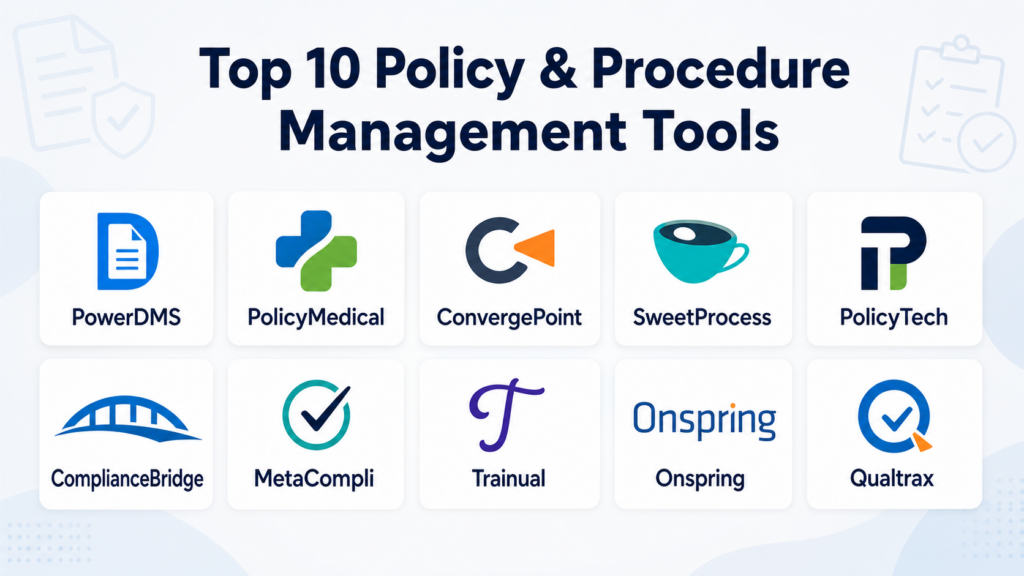
Introduction
Policy and procedure management tools are specialized software solutions designed to automate the lifecycle of an organization’s internal governing documents. These platforms provide a centralized repository where administrators can create, collaborate on, approve, and distribute policies and standard operating procedures (SOPs). By moving away from static folders and paper manuals, these tools ensure that employees always have access to the most current versions of rules and guidelines while providing a clear audit trail for regulators and leadership.
In a complex regulatory environment, staying compliant is a moving target. These tools bridge the gap between high-level legal requirements and daily operational tasks. They utilize automated workflows to remind stakeholders when a policy is due for review, track employee attestations (digital signatures), and manage version control to prevent the use of outdated information. Effectively managing these documents reduces organizational risk, improves employee accountability, and fosters a culture of transparency and consistency.
Real-world use cases:
- Regulatory Compliance: Automatically updating healthcare or financial policies to reflect new government mandates.
- Employee Onboarding: Assigning essential “Code of Conduct” documents to new hires and tracking their digital acknowledgment.
- Standardizing Operations: Ensuring all manufacturing plants follow the same safety protocols to maintain quality and safety.
- Audit Preparation: Generating instant reports to prove to auditors that all staff have read and understood required safety procedures.
- Incident Management: Linking specific policies to reported incidents to identify where procedural training may be lacking.
Evaluation criteria for buyers:
- Version Control: The ability to track every change made to a document and revert to previous versions if necessary.
- Automated Workflows: Pre-defined paths for document drafting, peer review, and executive approval.
- Digital Attestation: Tools for employees to sign off on documents, confirming they have read and understood them.
- Centralized Repository: A searchable, secure location that acts as a “single source of truth” for the company.
- Searchability: Robust indexing that allows employees to find specific procedures using keywords or tags.
- Accessibility: Mobile-friendly interfaces that allow field workers or remote staff to access SOPs on the go.
- Reporting and Analytics: Dashboards that show completion rates and identify departments lagging in attestations.
- Security and Permissions: Granular controls to ensure only authorized personnel can edit sensitive governing documents.
- Integration Capabilities: The ability to connect with HR systems, Slack, or Microsoft Teams for notifications.
- Ease of Authoring: A user-friendly editor that supports collaborative drafting similar to modern word processors.
Mandatory Paragraph
- Best for: Highly regulated industries like healthcare, finance, and manufacturing, as well as growing enterprises needing to standardize operations across multiple locations.
- Not ideal for: Very small teams with under ten employees where a shared cloud folder may suffice, or organizations with zero regulatory or compliance requirements.
Key Trends in Policy & Procedure Management
- AI-Assisted Drafting: Utilizing generative intelligence to suggest initial drafts or simplify complex legal jargon into employee-friendly language.
- Dynamic Linking: Policies that automatically update references to other documents, ensuring that a change in one area doesn’t leave broken links elsewhere.
- Micro-Learning Integration: Breaking down long policies into short, digestible video snippets or quizzes to improve employee retention.
- Voice-Activated Access: Enabling workers in “hands-busy” environments, like labs or factory floors, to query procedures via voice command.
- Predictive Compliance: Systems that analyze external news and regulatory updates to suggest which internal policies may need immediate revision.
- Mobile-First Design: Shifting away from desktop-heavy portals to app-based experiences that cater to the “deskless” workforce.
- Automated Cross-Mapping: Aligning a single internal policy against multiple global standards (like ISO or GDPR) simultaneously to reduce redundant work.
- Behavioral Insights: Using data to see how often employees actually search for and read specific procedures to identify “high-risk” knowledge gaps.
How We Selected These Tools (Methodology)
To determine the top tools for this category, we applied a comprehensive evaluation model focused on operational efficiency. Our methodology included:
- Lifecycle Management: We prioritized tools that handle the entire “cradle-to-grave” process of a policy, not just storage.
- User Experience (UX): We evaluated how easily a non-technical employee can find and sign off on a document.
- Audit Readiness: We selected platforms that generate the most detailed and defensible audit trails for compliance officers.
- Scalability: We looked for software that performs consistently whether managing 50 policies or 5,000.
- Feature Innovation: Preference was given to vendors integrating modern automation and collaboration features.
- Industry Reputation: We reviewed customer feedback and adoption rates within highly regulated sectors.
Top 10 Policy & Procedure Management Tools
1 — PowerDMS by NEOGOV
Short description: A high-security platform designed for high-stakes industries like law enforcement and healthcare, focusing on the link between policy and training.
Key Features
- Workflow Automation: Sophisticated routing for multi-stage approvals.
- Side-by-Side Comparison: Highlights changes between versions for easy review.
- Public Portal: Allows organizations to share specific policies with the public for transparency.
- Mobile App: Full access to the document library from smartphones and tablets.
- Integrated Testing: Create quizzes to ensure employees actually understand the material.
- Accreditation Tracking: Maps policies directly to industry standards to simplify audits.
Pros
- Exceptional for organizations requiring strict proof of compliance.
- Strong document security and permission structures.
Cons
- Can be more expensive than general-purpose document managers.
- The interface has a professional but somewhat technical feel.
Platforms / Deployment
- Web / iOS / Android
- Cloud
Security & Compliance
- MFA, SSO, RBAC.
- SOC 2, HIPAA.
Integrations & Ecosystem
Integrates with several public sector and HR management suites.
- Microsoft Office 365
- Active Directory
- Learning Management Systems (LMS)
Support & Community
Known for excellent customer success programs and a dedicated community of compliance officers.
2 — PolicyMedical by NAVEX
Short description: A healthcare-focused solution that manages the intense documentation requirements of hospitals and medical facilities.
Key Features
- Clinical Focus: Templates and workflows specifically designed for medical environments.
- Automated Reminders: Notifies owners months before a policy expires.
- Customizable Metadata: Add hospital-specific tags for better organization.
- Full Audit Trail: Tracks every view, edit, and signature for regulatory proof.
- Global Search: Find information across multiple departments or facilities instantly.
- Offline Access: Securely download critical SOPs for use during network outages.
Pros
- Perfectly tailored to the “Joint Commission” and healthcare regulatory standards.
- Highly reliable for large-scale hospital networks.
Cons
- May feel too specialized for non-medical businesses.
- Implementation can take several weeks due to the complexity of medical data.
Platforms / Deployment
- Web / Windows / macOS
- Cloud / Hybrid
Security & Compliance
- Encryption at rest and transit, SSO.
- HIPAA, SOC 2.
Integrations & Ecosystem
Part of the broader NAVEX One GRC platform.
- NAVEX EthicsPoint
- HRIS systems
- Single Sign-On providers
Support & Community
Offers 24/7 technical support and extensive online training modules.
3 — ConvergePoint
Short description: Built specifically to integrate with Microsoft SharePoint, it turns existing intranets into full-featured policy management systems.
Key Features
- SharePoint Native: Leverages your existing Microsoft environment for storage and security.
- Drafting Collaboration: Uses the familiar Word interface for document creation.
- Employee Portal: A clean, easy-to-use site for staff to view their assigned policies.
- Acknowledgment Tracking: Real-time dashboards showing who has signed.
- Automated Archiving: Moves old versions out of sight while keeping them for records.
- Obligation Management: Links policies to specific legal obligations.
Pros
- Minimal learning curve for teams already using Microsoft 365.
- Cost-effective as it utilizes existing SharePoint licenses.
Cons
- If your SharePoint is poorly configured, it can inherit those issues.
- Lacks some of the “stand-alone” innovation found in independent competitors.
Platforms / Deployment
- Web / SharePoint / Windows
- Cloud / Self-hosted (via SharePoint)
Security & Compliance
- Inherits Microsoft 365 security, including MFA and SSO.
- SOC 2.
Integrations & Ecosystem
Deeply embedded in the Microsoft universe.
- Microsoft Teams
- Outlook
- Microsoft Word
- Azure Active Directory
Support & Community
Reliable support for SharePoint administrators and regular webinars.
4 — SweetProcess
Short description: A user-friendly tool that focuses on making procedures easy to follow, catering to SMBs and growing teams.
Key Features
- Visual Editor: Focuses on images, videos, and checklists rather than long text blocks.
- Task Assignment: Turn a procedure into an actionable task with a due date.
- Public/Private Sharing: Easily share specific SOPs with external contractors.
- Workflow Tracking: See where a process is stuck in real-time.
- Feedback Loops: Employees can comment directly on procedures to suggest improvements.
- Searchable Knowledge Base: Creates an “internal Wikipedia” for the company.
Pros
- Incredibly easy for employees to use and follow.
- Fastest setup time for organizations starting from scratch.
Cons
- Lacks some of the advanced “regulatory mapping” features for high-finance or legal.
- Reporting is less granular than enterprise-grade compliance suites.
Platforms / Deployment
- Web / iOS / Android
- Cloud
Security & Compliance
- SSL encryption, standard access controls.
- GDPR.
Integrations & Ecosystem
Connects to thousands of apps via automation platforms.
- Zapier
- Slack
- Google Drive
Support & Community
Excellent customer onboarding and a library of process-improvement content.
5 — PolicyTech by NAVEX
Short description: An enterprise-level governance, risk, and compliance (GRC) tool that provides high-end automation for global organizations.
Key Features
- Advanced Logic: Routes documents based on department, location, or document type.
- Multilingual Support: Manage and distribute policies in dozens of languages.
- Risk Mapping: Connects policies to specific organizational risks.
- Mobile-Ready: Clean interface for deskless workers to verify procedures.
- Rich Reporting: Export-ready reports for boards and executive leadership.
- Seamless Editing: Integrated with Microsoft Word for a familiar drafting experience.
Pros
- Extremely scalable for global enterprises with complex hierarchies.
- Part of a massive GRC ecosystem for complete risk management.
Cons
- Pricing is at the high end of the market.
- May be “overkill” for companies that just need a simple signature tool.
Platforms / Deployment
- Web / Windows / macOS
- Cloud / Hybrid
Security & Compliance
- Enterprise SSO, MFA, Audit logs.
- SOC 2, ISO 27001, FedRAMP (in specific environments).
Integrations & Ecosystem
Integrates with the full NAVEX suite and major enterprise systems.
- Workday / SAP
- Salesforce
- Active Directory
Support & Community
Global support infrastructure and a large network of compliance professionals.
6 — ComplianceBridge
Short description: A dedicated policy management tool that excels in document distribution and verifying employee comprehension.
Key Features
- Customizable Portals: Tailor the look and feel for different departments.
- Quiz Module: Test employee knowledge before allowing them to sign off.
- Targeted Distribution: Send documents only to the specific roles that need them.
- Version Compare: Visually see what has changed between the new and old policy.
- Real-time Metrics: See “at a glance” who has read and who hasn’t.
- Automated Escalation: Notifies managers when employees fail to sign on time.
Pros
- Highly effective at driving 100% completion rates for attestations.
- Very focused feature set without unnecessary bloat.
Cons
- Authoring tools are functional but less sophisticated than specialized editors.
- Interface is clean but lacks some of the modern “social” features of newer startups.
Platforms / Deployment
- Web
- Cloud
Security & Compliance
- SSO, MFA, Encrypted storage.
- SOC 2.
Integrations & Ecosystem
Focuses on core productivity and identity integrations.
- Okta / Azure AD
- Microsoft Office
- HRIS connectors
Support & Community
Highly personal support and a streamlined onboarding process.
7 — MetaCompli by Metacompliance
Short description: A cybersecurity and compliance tool that blends policy management with security awareness training.
Key Features
- Integrated Training: Link policies directly to security training videos.
- Policy Lifecycle Management: Full drafting-to-archiving automation.
- User Personas: Targeted content delivery based on employee risk profile.
- Automated Reminders: Persistent nudges for unread policies.
- Compliance Dashboards: Holistic view of the organization’s compliance posture.
- Survey Integration: Gather employee feedback on policy clarity.
Pros
- Exceptional for IT and Security departments focused on ISO 27001.
- Engaging interface that encourages employee participation.
Cons
- Less focused on general operational SOPs (like manufacturing or lab work).
- Can be expensive if purchasing the full suite of training modules.
Platforms / Deployment
- Web / iOS / Android
- Cloud
Security & Compliance
- MFA, SSO, RBAC.
- ISO 27001, SOC 2.
Integrations & Ecosystem
Designed to fit into the modern IT security stack.
- Microsoft 365
- Active Directory
- Splunk / SIEM tools
Support & Community
Strong emphasis on “Compliance Culture” with plenty of educational resources.
8 — Trainual
Short description: A modern business orchestration platform that focuses on “playbooks” rather than just dry legal policies.
Key Features
- Playbook Builder: Create engaging, media-rich guides for every role.
- Role-Based Access: Automatically shows new hires the policies relevant to their job.
- Organizational Chart: Visualizes who reports to whom and their associated SOPs.
- Screen Recording: Capture processes directly in the browser to create procedures.
- In-App Search: Powerful search across all company knowledge.
- Mobile App: High-quality mobile experience for on-the-go reference.
Pros
- The most modern and “fun” user interface in the category.
- Great for culture-building and standardizing the “way we do things.”
Cons
- May lack the formal “legal defensibility” required by high-compliance industries.
- Authoring can be time-consuming because it encourages rich media.
Platforms / Deployment
- Web / iOS / Android
- Cloud
Security & Compliance
- SSO, standard encryption.
- GDPR.
Integrations & Ecosystem
Huge library of native integrations for small to medium businesses.
- Slack
- Gusto
- Loom
- Asana
Support & Community
Extremely active community and a wealth of “standard operating procedure” templates.
9 — Onspring
Short description: A highly flexible GRC platform that allows companies to build their own custom policy management workflows without coding.
Key Features
- No-Code Builder: Customize the data fields and workflows to your exact needs.
- Dynamic Dashboards: Real-time visualization of policy status and exceptions.
- Automated Review Cycles: Set review dates based on document risk levels.
- Survey Engine: Use surveys to confirm employee understanding or gather data.
- Exception Tracking: Manage and approve temporary deviations from policy.
- Document Comparison: View redline changes between any two versions.
Pros
- Unbeatable flexibility; if you can imagine a workflow, you can build it.
- Strong reporting for complex organizations with unique needs.
Cons
- High initial effort to configure the system to your specific requirements.
- Pricing is aimed at the mid-to-enterprise market.
Platforms / Deployment
- Web
- Cloud
Security & Compliance
- MFA, SSO, Fine-grained permissions.
- SOC 2, ISO 27001.
Integrations & Ecosystem
Robust API for connecting to enterprise data sources.
- Salesforce
- ServiceNow
- Active Directory
Support & Community
Excellent technical support and a community of “Onspring Power Users.”
10 — Qualtrax by Ideagen
Short description: Specifically designed for laboratories and highly technical environments where precision and compliance are non-negotiable.
Key Features
- Quality Management: Focuses on the intersection of policy and quality control.
- Training Management: Connects procedures to employee certifications.
- Standards Mapping: Directly maps your documents to ISO 17025, 15189, etc.
- Automated Workflows: Strict control over document approval and issuance.
- Audit Management: Built-in tools for managing and responding to external audits.
- Supplier Management: Extend procedure tracking to your supply chain.
Pros
- The industry standard for lab-based compliance.
- Very strong at managing technical and safety-critical SOPs.
Cons
- The interface can feel “clinical” and less modern than SMB tools.
- Niche focus means it’s less ideal for general corporate policy.
Platforms / Deployment
- Web / Windows
- Cloud / On-premises
Security & Compliance
- SSO, MFA, Advanced Audit Logs.
- ISO 17025, ISO 9001.
Integrations & Ecosystem
Connects with lab equipment and technical databases.
- LIMS (Laboratory Information Management Systems)
- Microsoft Office
- ERP systems
Support & Community
Expert-level support for quality managers and laboratory staff.
Comparison Table (Top 10)
| Tool Name | Best For | Platform(s) Supported | Deployment | Standout Feature | Public Rating |
| 1 — PowerDMS | Public Sector / Health | Web, iOS, Android | Cloud | Public Policy Portal | 4.7/5 |
| 2 — PolicyMedical | Hospitals / Clinical | Web, Windows, macOS | Hybrid | Joint Commission Mapping | 4.6/5 |
| 3 — ConvergePoint | Microsoft Users | Web, SharePoint | Hybrid | SharePoint Native | 4.3/5 |
| 4 — SweetProcess | SMB / Visual SOPs | Web, iOS, Android | Cloud | Process-to-Task Conversion | 4.8/5 |
| 5 — PolicyTech | Global Enterprise | Web, Windows, macOS | Hybrid | Advanced Multi-site Logic | 4.5/5 |
| 6 — ComplianceBridge | Distribution / Testing | Web | Cloud | Automated Manager Escalation | 4.4/5 |
| 7 — MetaCompli | IT Security | Web, iOS, Android | Cloud | Linked Security Training | 4.6/5 |
| 8 — Trainual | Modern SMB Culture | Web, iOS, Android | Cloud | Role-Based Playbooks | 4.8/5 |
| 9 — Onspring | Custom GRC Workflows | Web | Cloud | No-Code Customization | 4.7/5 |
| 10 — Qualtrax | Labs / Manufacturing | Web, Windows | Hybrid | ISO 17025 Alignment | 4.5/5 |
Evaluation & Scoring of Policy & Procedure Tools
The scoring below evaluates each tool’s effectiveness in a professional corporate environment.
| Tool Name | Core (25%) | Ease (15%) | Integrations (15%) | Security (10%) | Performance (10%) | Support (10%) | Value (15%) | Weighted Total |
| 1 — PowerDMS | 10 | 6 | 8 | 10 | 9 | 10 | 7 | 8.65 |
| 2 — PolicyMedical | 9 | 7 | 8 | 9 | 8 | 9 | 7 | 8.15 |
| 3 — ConvergePoint | 7 | 9 | 10 | 9 | 8 | 8 | 9 | 8.35 |
| 4 — SweetProcess | 6 | 10 | 9 | 8 | 10 | 9 | 9 | 8.35 |
| 5 — PolicyTech | 10 | 6 | 9 | 10 | 9 | 9 | 6 | 8.40 |
| 6 — ComplianceBridge | 8 | 8 | 7 | 9 | 8 | 8 | 8 | 7.95 |
| 7 — MetaCompli | 9 | 8 | 8 | 9 | 9 | 8 | 8 | 8.45 |
| 8 — Trainual | 7 | 10 | 9 | 8 | 9 | 9 | 9 | 8.55 |
| 9 — Onspring | 10 | 5 | 8 | 10 | 9 | 9 | 7 | 8.15 |
| 10 — Qualtrax | 10 | 6 | 7 | 10 | 8 | 9 | 7 | 8.15 |
Scoring Interpretation:
- Core (25%): Depth of policy lifecycle features (Authoring, Attestation, Auditing).
- Ease (15%): How quickly a non-tech employee can learn to use the system.
- Value (15%): The ROI based on price versus risk reduction and time saved.
Which Policy & Procedure Management Tool Is Right for You?
Solo / Freelancer
Generally, solo practitioners do not need a dedicated policy tool. However, if you are building a small agency, 4 — SweetProcess is the best choice to start documenting how you work before you hire your first employee.
SMB
For small to medium businesses focused on growth and culture, 8 — Trainual or 4 — SweetProcess provide the best user experience. They move beyond “legal speak” and help employees actually learn how to do their jobs correctly.
Mid-Market
If you are in a moderately regulated space and already use Microsoft 365, 3 — ConvergePoint is a seamless choice. If you are looking for independent software with strong attestation features, 6 — ComplianceBridge is a top contender.
Enterprise
For global organizations or those in high-risk sectors (Healthcare, Power, Finance), 5 — PolicyTech, 1 — PowerDMS, or 9 — Onspring are the only tools capable of managing the complexity of multi-site, multi-language governing documents.
Budget vs Premium
- Budget: 3 — ConvergePoint (if you have SharePoint) or 4 — SweetProcess.
- Premium: 5 — PolicyTech or 1 — PowerDMS.
Feature Depth vs Ease of Use
- Highest Depth: 9 — Onspring, 5 — PolicyTech.
- Highest Ease: 8 — Trainual, 4 — SweetProcess.
Integrations & Scalability
- Best Integrations: 3 — ConvergePoint, 8 — Trainual.
- Best Scalability: 5 — PolicyTech, 1 — PowerDMS.
Security & Compliance Needs
Organizations with federal or high-security requirements should prioritize 1 — PowerDMS or 10 — Qualtrax, as they are built specifically for defensible audit trails in critical environments.
Frequently Asked Questions (FAQs)
1. What is the difference between a document manager and a policy manager?
A general document manager (like Google Drive) just stores files. A policy manager handles the specific “compliance lifecycle,” including automated review dates, employee quizzes, digital signatures, and audit trails.
2. How do these tools help with audits?
During an audit, you can generate a report in seconds showing exactly who read a policy, when they signed it, and which version was active on a specific date. This provides “defensible proof” of compliance.
3. Can I import my existing Word or PDF policies?
Yes, almost all tools listed allow for bulk importing. High-end tools like PolicyTech even allow you to continue editing those documents in Microsoft Word while keeping them synced to the platform.
4. Do these tools handle training as well?
Some do (like PowerDMS and MetaCompli), while others focus strictly on the document. Many organizations link their policy tool to a dedicated Learning Management System (LMS).
5. What is “attestation”?
Attestation is the process of an employee legally confirming (usually via a digital signature) that they have received, read, and understood a specific policy or procedure.
6. Is it possible to manage multiple locations with different rules?
Yes. Enterprise tools allow you to tag policies by “Location” so an employee in London only sees the UK-specific rules, while an employee in New York sees the US version.
7. How does version control work in these systems?
The system automatically creates a “v2” when a document is edited. It keeps the old “v1” archived for legal records but ensures that employees only see the most current version in their dashboard.
8. Can I use these tools for safety procedures (SOPs)?
Absolutely. Tools like SweetProcess and Qualtrax are specifically designed for technical SOPs, often allowing you to include videos and checklists to make the instructions clearer.
9. What happens if an employee refuses to sign a policy?
Most systems will send automated daily reminders to the employee and then escalate the issue to their direct supervisor if the document remains unsigned past the due date.
10. Are these tools mobile-friendly?
Most modern options offer a mobile app or a responsive web interface. This is critical for field workers or medical staff who need to check a procedure while away from their desks.
Conclusion
Policy and procedure management is the foundation of organizational discipline and risk mitigation. While tools like PowerDMS and PolicyTech provide the heavy-duty compliance required by government and healthcare, newer platforms like Trainual and SweetProcess are making documentation a core part of company culture. By selecting a tool that matches your specific regulatory pressure and team size, you move from “hope-based” management to a data-driven system of accountability.

Really inspiring, I’ll definitely share this with my network.
Learning these compliance frameworks teaches me how to organize future company operations.