MOTOSHARE 🚗🏍️
Rent Bikes & Cars Directly from Owners
Motoshare connects vehicle owners with people who need bikes and cars on rent. Owners earn from idle vehicles, and renters get flexible ride options.
Visit Motoshare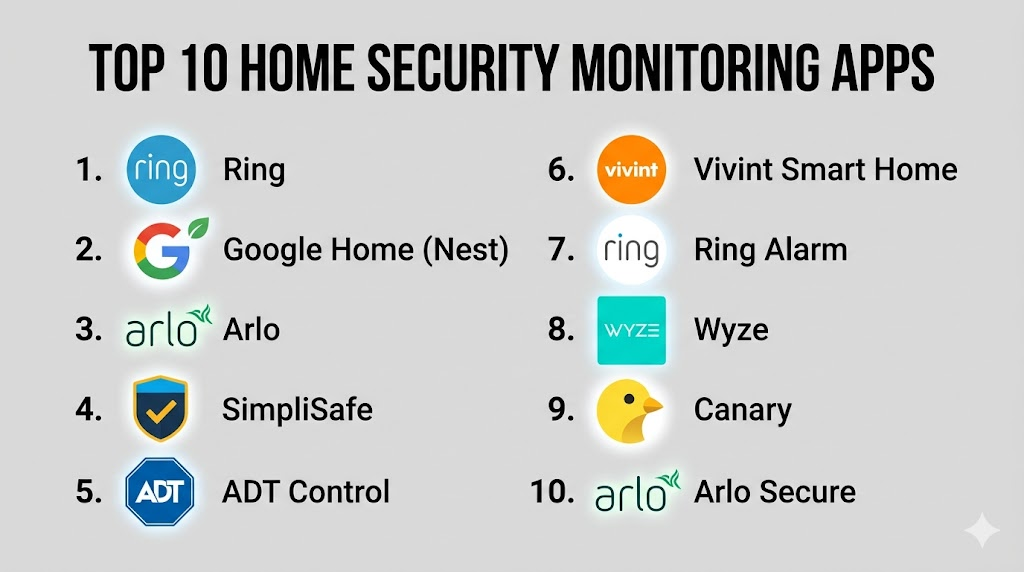
Introduction
Home Security Monitoring Apps allow homeowners to view, manage, and receive alerts from security cameras, sensors, alarms, and smart locks using a smartphone or tablet. These apps centralize motion detection, live video streaming, event history, and automation into a single interface for enhanced safety and peace of mind. With connected devices, users can monitor activity in real time, receive notifications for unusual behavior, integrate with smart home systems, and automate responses like turning on lights or sounding alarms.
Real-world use cases include remote video monitoring during travel, receiving instant alerts for break‑ins or motion events, scheduling arm/disarm routines, sharing temporary access with family or guests, and integrating with smart lighting or IoT sensors for holistic safety management. Buyers should evaluate app usability, device compatibility, alert accuracy, video quality, integration with smart home ecosystems, cloud or local storage options, privacy features, and ongoing support.
Best for: Homeowners, renters, families, smart home users, and small business owners who want centralized control over security devices.
Not ideal for: Very small properties with only one sensor or camera where device‑specific apps suffice, or networks without reliable internet connectivity.
Key Trends in Home Security Monitoring Apps
- AI‑powered motion detection that reduces false alerts
- Integration with voice assistants like Alexa, Google Assistant, and Siri
- Cloud and local storage flexibility for video footage
- Mobile‑first experiences with push notifications and event tagging
- Integration with smart home ecosystems (lighting, locks, sensors)
- Geofencing and presence automation for arm/disarm routines
- Subscription tiers for advanced analytics and footage history
- Edge computing for privacy‑preserving local processing
- Multi‑user access and temporary guest codes
- Enhanced encryption and security features for data protection
How We Selected These Tools (Methodology)
- Assessed popularity and adoption among home security users
- Evaluated feature completeness including alerts, automation, and integrations
- Reviewed reliability and performance of mobile apps
- Considered compatibility with a broad range of cameras, sensors, and locks
- Verified security and privacy capabilities
- Examined integration with smart home ecosystems and assistants
- Prioritized remote real‑time monitoring and notifications
- Reviewed storage options (cloud vs local)
- Checked vendor support, documentation, and notification accuracy
- Focused on intuitive user experience and automation flexibility
Top 10 Home Security Monitoring Apps
#1 — Ring
Short description: Ring app centralizes control of Ring doorbells, cameras, and sensors. It provides live video streaming, motion alerts, event history, and neighborhood safety features for comprehensive home security monitoring.
Key Features
- Live camera feeds and two‑way talk
- Motion detection alerts
- Event history and snapshot capture
- Scheduling and automation
- Integration with Alexa
- Neighborhood safety and sharing
Pros
- Easy to set up and use
- Wide ecosystem of cameras and sensors
Cons
- Many advanced features require subscription
- Cloud dependency for remote access
Platforms / Deployment
- iOS, Android
- Cloud
Security & Compliance
- Not publicly stated
Integrations & Ecosystem
- Works with Alexa
- Smart lighting and smart lock integration
- Notifications and sharing with household users
Support & Community
Strong support resources, community forums, and documentation
#2 — Google Home (Nest)
Short description: Google Home app manages Nest cameras, doorbells, and sensors. It enables live monitoring, alerts, activity zones, and integration with Google Assistant for voice control and automation.
Key Features
- Live video and event playback
- Motion and sound alerts
- Familiar face detection (on certain plans)
- Activity zones and custom alerts
- Google Assistant voice integration
Pros
- Clean user interface
- Strong AI‑based alerts
Cons
- Subscription required for advanced history
- Limited third‑party device support
Platforms / Deployment
- iOS, Android
- Cloud
Security & Compliance
- Not publicly stated
Integrations & Ecosystem
- Google Assistant
- Chromecast casting
- Smart home routines
Support & Community
Official support docs, forums, and troubleshooting guides
#3 — Arlo
Short description: Arlo app controls Arlo cameras and security systems providing high‑definition video, motion and person detection, scheduling, and cloud storage options. It supports multi‑camera setups.
Key Features
- HD video and two‑way audio
- Smart motion detection
- Customizable activity zones
- Cloud and local storage options
- Remote monitoring
Pros
- High video quality
- Flexible storage options
Cons
- Subscription needed for advanced analytics
- Some setup complexity with multiple cameras
Platforms / Deployment
- iOS, Android
- Cloud / Local
Security & Compliance
- Not publicly stated
Integrations & Ecosystem
- Alexa, Google Assistant
- Smart home integrations
- API support
Support & Community
Documentation, customer support, and help center resources
#4 — SimpliSafe
Short description: SimpliSafe app monitors security sensors, cameras, and alarms. It offers intuitive control, alerts, automated routines, and integration with smart devices for home security management.
Key Features
- Motion and entry alerts
- Live camera feeds
- Alarm arming/disarming
- Mobile notifications
- Voice assistant integration
Pros
- Simple setup and user experience
- Reliable alerting and arming controls
Cons
- Hardware purchase required
- Limited free storage
Platforms / Deployment
- iOS, Android
- Cloud
Security & Compliance
- Not publicly stated
Integrations & Ecosystem
- Alexa, Google Assistant
- Home automation routines
- Sensor and alarm integration
Support & Community
Documentation, setup guides, and support team
#5 — ADT Control
Short description: ADT Control app manages ADT security systems, cameras, locks, and sensors for residential and small business use. It provides alerts, real‑time video, and automation scenarios.
Key Features
- Live video monitoring
- Security alerts and notifications
- Automation and scheduling
- Multi‑user access
- Integration with ADT devices
Pros
- Professional monitoring options
- Comprehensive device ecosystem
Cons
- May require monthly contract
- App complexity for beginners
Platforms / Deployment
- iOS, Android
- Cloud
Security & Compliance
- Not publicly stated
Integrations & Ecosystem
- Smart locks, sensors, cameras
- Geofencing
- Alexa, Google Assistant
Support & Community
Dedicated support, documentation, and monitoring services
#6 — Vivint Smart Home
Short description: Vivint Smart Home app provides real‑time security monitoring, cameras, locks, and environmental sensors. It integrates automation and professional monitoring with mobile alerts.
Key Features
- Real‑time video and alerts
- Alarm management
- Smart lock integration
- Environmental sensors
- Automation routines
Pros
- Professional‑grade features
- Full home ecosystem control
Cons
- Setup and service costs
- Subscription required for features
Platforms / Deployment
- iOS, Android
- Cloud
Security & Compliance
- Not publicly stated
Integrations & Ecosystem
- Cameras, sensors, locks
- Smart home routines
- Voice assistant support
Support & Community
Onboarding support, training, and responsive service
#7 — Ring Alarm (Standalone)
Short description: Ring Alarm app extends Ring’s ecosystem to include alarm sensors, motion detectors, and entry sensors alongside cameras and doorbells for unified security monitoring.
Key Features
- Alarm arming/disarming
- Motion and door/window alerts
- Event logs and history
- Custom automation
- Integration with Ring devices
Pros
- Unified Ring ecosystem
- Simple control and alerts
Cons
- Subscription for full history
- Cloud reliance
Platforms / Deployment
- iOS, Android
- Cloud
Security & Compliance
- Not publicly stated
Integrations & Ecosystem
- Ring devices
- Alexa integration
- Sensor automation
Support & Community
Documentation, help center, and customer support
#8 — Wyze
Short description: Wyze app controls Wyze cameras, sensors, and alarms with real‑time monitoring, alerts, automation, and affordable cloud or local storage options.
Key Features
- Live camera feeds
- Motion and sound alerts
- Scheduling and automation
- Cloud or microSD local storage
- Smart alerts
Pros
- Affordable devices and storage
- Flexible storage options
Cons
- App interface can be inconsistent
- Advanced features behind subscription
Platforms / Deployment
- iOS, Android
- Cloud / Local
Security & Compliance
- Not publicly stated
Integrations & Ecosystem
- Alexa, Google Assistant
- Wyze sensors and devices
- Automation routines
Support & Community
User guides, forums, and support team
#9 — Canary
Short description: Canary app pairs with Canary security devices to provide live video, motion alerts, air quality monitoring, and intelligent notifications for home security awareness.
Key Features
- Live video and alerts
- Motion and person detection
- Air quality and environment monitoring
- Custom schedules
Pros
- Intelligent detection features
- Built‑in environmental sensors
Cons
- Requires Canary hardware
- Subscription needed for full history
Platforms / Deployment
- iOS, Android
- Cloud
Security & Compliance
- Not publicly stated
Integrations & Ecosystem
- Cloud‑based alerts
- Limited third‑party integrations
Support & Community
Documentation, support forums, and help center
#10 — Arlo Secure
Short description: Arlo Secure app expands standard Arlo camera control with advanced security features such as person detection, package alerts, and activity zones, enhancing monitoring with intelligent notifications.
Key Features
- AI‑based alerts (person, vehicle, package)
- Activity zone configuration
- Event tagging and history
- Live video monitoring
- Custom automation
Pros
- Intelligent and detailed alerts
- Activity zoning for precision
Cons
- Subscription required for advanced plans
- Cloud dependency
Platforms / Deployment
- iOS, Android
- Cloud
Security & Compliance
- Not publicly stated
Integrations & Ecosystem
- Alexa, Google Assistant
- Smart home routines
- Automation support
Support & Community
Documentation, online support, and community resources
Comparison Table (Top 10)
| Tool Name | Best For | Platform(s) Supported | Deployment | Standout Feature | Public Rating |
|---|---|---|---|---|---|
| Ring | Video entry and alerts | iOS, Android | Cloud | Neighborhood sharing | N/A |
| Google Home (Nest) | AI alerts & Google integration | iOS, Android | Cloud | Activity zones | N/A |
| Arlo | HD camera control | iOS, Android | Cloud / Local | Flexible storage | N/A |
| SimpliSafe | Sensor + camera security | iOS, Android | Cloud | Reliable alerts | N/A |
| ADT Control | Complete home/site security | iOS, Android | Cloud | Pro monitoring | N/A |
| Vivint Smart Home | Full home ecosystem | iOS, Android | Cloud | Environmental sensors | N/A |
| Ring Alarm | Unified Ring system | iOS, Android | Cloud | Alarm + camera control | N/A |
| Wyze | Affordable security | iOS, Android | Cloud / Local | Affordable storage | N/A |
| Canary | Video + environment | iOS, Android | Cloud | Air quality + alerts | N/A |
| Arlo Secure | Intelligent alerts | iOS, Android | Cloud | AI event detect | N/A |
Evaluation & Scoring of Home Security Monitoring Apps
| Tool Name | Core (25%) | Ease (15%) | Integrations (15%) | Security (10%) | Performance (10%) | Support (10%) | Value (15%) | Weighted Total |
|---|---|---|---|---|---|---|---|---|
| Ring | 9 | 9 | 8 | 7 | 8 | 8 | 8 | 8.4 |
| Google Nest | 9 | 8 | 8 | 7 | 8 | 7 | 7 | 7.8 |
| Arlo | 8 | 7 | 8 | 7 | 8 | 7 | 8 | 7.7 |
| SimpliSafe | 8 | 8 | 7 | 7 | 8 | 8 | 7 | 7.7 |
| ADT Control | 9 | 6 | 8 | 7 | 8 | 8 | 7 | 7.6 |
| Vivint Smart Home | 9 | 7 | 8 | 7 | 8 | 8 | 6 | 7.7 |
| Ring Alarm | 8 | 8 | 7 | 7 | 8 | 8 | 8 | 7.8 |
| Wyze | 7 | 8 | 7 | 6 | 7 | 7 | 9 | 7.3 |
| Canary | 7 | 8 | 6 | 6 | 7 | 7 | 7 | 7.0 |
| Arlo Secure | 8 | 7 | 8 | 7 | 8 | 7 | 8 | 7.7 |
Interpretation: Weighted totals help compare how well each app serves core monitoring, usability, integrations, security, performance, support, and value. Higher scores suggest stronger overall suitability for comprehensive home security monitoring.
Which Home Security Monitoring App Is Right for You?
Solo / Renters
- Wyze or Ring for affordable cameras and essential alerts
Families / Multi‑User Homes
- Ring, Google Nest, or SimpliSafe for shared monitoring and notifications
Small Businesses
- ADT Control or Arlo Secure for professional alerts and automation
Enterprise / Full‑Feature Security
- Vivint Smart Home or ADT Control for environmental sensors and comprehensive systems
Budget vs Premium
- Budget: Wyze, Canary
- Premium: Ring, Google Nest, Vivint
Feature Depth vs Ease of Use
- Ease: Ring, SimpliSafe
- Depth: Arlo Secure, Vivint
Integrations & Smart Home Compatibility
- Google Nest and Ring are strong with voice assistants and automation platforms
Security & Privacy Needs
- Local storage options (Arlo, Wyze) help with privacy and offline fallback
Frequently Asked Questions (FAQs)
1. Do security monitoring apps require subscriptions?
Many provide basic alerts free but require subscription for cloud storage, advanced AI alerts, and full history.
2. Can I view live video on these apps?
Yes, all listed apps allow live video streaming from connected cameras through the mobile interface.
3. Do these apps integrate with other smart devices?
Yes, most integrate with smart lighting, locks, and voice assistants like Alexa and Google Assistant.
4. How accurate are motion alerts?
AI‑enhanced systems (Arlo Secure, Google Nest) distinguish between people, vehicles, and pets, reducing false alarms.
5. Can I share access with family members?
Most apps support multi‑user access and permissions for trusted household members.
6. Are local storage options available?
Some systems (Arlo, Wyze) support local microSD storage as an alternative to cloud plans.
7. Can these apps work offline?
Core functionality requires internet for remote access, but some local features may operate when connected to the local network.
8. Do they support voice commands?
Yes, many (Ring, Nest, Arlo) integrate with Alexa or Google Assistant for voice‑based control.
9. How secure is my data with these apps?
Security varies; strong passwords, encryption, and two‑factor authentication are recommended.
10. Can these apps automate security routines?
Yes, scheduling, geofencing, and automated routines help arm/disarm systems based on presence or time.
Conclusion
Home Security Monitoring Apps bring peace of mind by enabling remote camera viewing, real‑time alerts, and smart automation. For basic monitoring and affordability, Wyze and Ring provide strong entry‑level options. Families and multi‑user households benefit from Ring, Google Nest, or SimpliSafe for shared access and reliable notifications. Small businesses and advanced users may prefer ADT Control, Arlo Secure, or Vivint Smart Home for comprehensive device ecosystems and pro monitoring features. Buyers should assess compatibility, ease of use, integration with voice assistants, storage options, and alert accuracy before committing.

Great insights! Thanks for sharing this valuable information.
Protecting comprehensive unique residential premises digital camera notification sensor platform software optimizes global household perimeter threat tracking mechanics, ensuring rapid decentralized family property safety verification auditing and frictionless independent home surveillance administration methodologies.