MOTOSHARE 🚗🏍️
Rent Bikes & Cars Directly from Owners
Motoshare connects vehicle owners with people who need bikes and cars on rent. Owners earn from idle vehicles, and renters get flexible ride options.
Visit Motoshare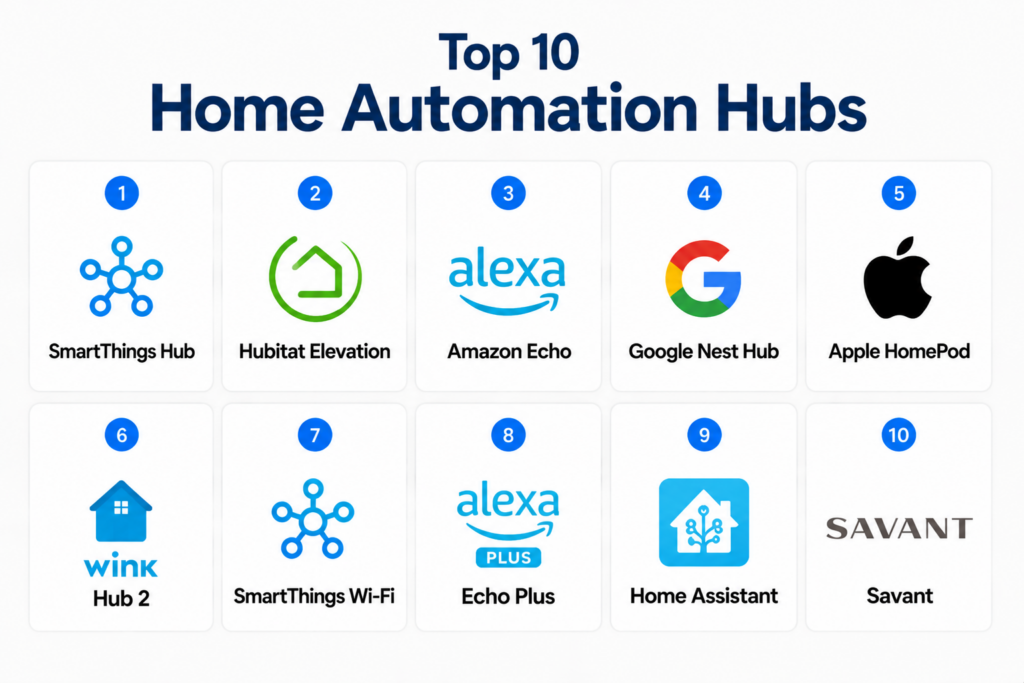
Introduction
Home Automation Hubs centralize the control of smart devices such as lights, thermostats, cameras, locks, and sensors into a single interface. These hubs enable homeowners to manage their connected devices through mobile apps, voice assistants, or automation rules, improving convenience, energy efficiency, and security.
Real-world use cases include automating lighting schedules, remotely controlling heating and cooling, monitoring security cameras, integrating smart appliances, and triggering alerts for unusual activity. When evaluating home automation hubs, buyers should consider compatibility with devices, voice assistant integration, mobile access, automation capabilities, security features, scalability, ease of use, and ecosystem support.
Best for: Homeowners, smart home enthusiasts, families, small apartments, and tech-savvy users seeking centralized device management.
Not ideal for: Very small setups with only a few devices, users relying solely on device-specific apps, or environments without Wi-Fi or network stability.
Key Trends in Home Automation Hubs
- AI-driven automation and predictive routines for energy savings
- Voice assistant integration with Alexa, Google Assistant, and Siri
- Cloud and local control options for flexibility and reliability
- Increased interoperability with Zigbee, Z-Wave, Thread, and Wi-Fi devices
- Mobile-first applications for remote control
- Enhanced security features including encryption and two-factor authentication
- Subscription-based hubs offering cloud services and monitoring
- Energy and environmental monitoring for smart homes
- Multi-user management and parental controls
- Ecosystem expansion with third-party smart device certifications
How We Selected These Tools (Methodology)
- Evaluated market adoption and popularity among consumers and smart home enthusiasts
- Assessed feature completeness including device compatibility, automation, and monitoring
- Reviewed reliability and performance of cloud and local connectivity
- Verified security and privacy features
- Analyzed integration with voice assistants and IoT ecosystems
- Examined scalability for single-family homes, apartments, or multi-room setups
- Considered mobile app usability and user interface
- Reviewed support options, documentation, and community engagement
- Focused on tools that offer centralized device management
- Prioritized platforms enabling flexible automation rules and notifications
Top 10 Home Automation Hubs
#1 — Samsung SmartThings Hub
Short description: SmartThings Hub is a versatile home automation platform connecting Zigbee, Z-Wave, and Wi-Fi devices. It supports advanced automation routines, voice control, and remote monitoring for smart homes of all sizes.
Key Features
- Multi-protocol device compatibility (Zigbee, Z-Wave, Wi-Fi)
- Custom automation and rules
- Mobile app for remote control
- Integration with Alexa, Google Assistant, and IFTTT
- Device monitoring and alerts
- Energy management features
Pros
- Wide device compatibility
- Robust automation and integration capabilities
Cons
- Initial setup can be complex
- Cloud dependency for some features
Platforms / Deployment
- Web, iOS, Android
- Cloud / Local
Security & Compliance
- Not publicly stated
Integrations & Ecosystem
- Smart bulbs, sensors, locks, cameras, and appliances
- IFTTT and third-party automation services
- API access for developers
Support & Community
Extensive documentation, forums, and responsive support
#2 — Hubitat Elevation
Short description: Hubitat Elevation is a local-first automation hub focusing on privacy and offline control. It supports Zigbee and Z-Wave devices and allows advanced users to create custom automation logic.
Key Features
- Local device processing for faster automation
- Zigbee and Z-Wave device compatibility
- Rule machine for advanced automation
- Voice assistant integration
- Mobile app for monitoring and control
Pros
- Fast, local automation
- Strong privacy and security features
Cons
- Learning curve for advanced configuration
- Limited cloud services
Platforms / Deployment
- Web, iOS, Android
- Local / Hybrid
Security & Compliance
- Not publicly stated
Integrations & Ecosystem
- Third-party Zigbee/Z-Wave devices
- Alexa and Google Assistant
- Community-developed apps
Support & Community
Active online forums and tutorials, responsive technical support
#3 — Amazon Echo with Alexa
Short description: Amazon Echo serves as a voice-controlled hub connecting Wi-Fi smart devices. Alexa enables routines, voice commands, and third-party smart home integrations for simple, user-friendly automation.
Key Features
- Voice-controlled automation
- Integration with thousands of smart devices
- Routine scheduling
- Mobile app for remote control
- Alerts and notifications
Pros
- Easy to use and widely supported
- Seamless integration with Alexa ecosystem
Cons
- Limited local processing
- Dependent on cloud connectivity
Platforms / Deployment
- Web, iOS, Android
- Cloud
Security & Compliance
- Not publicly stated
Integrations & Ecosystem
- Smart bulbs, plugs, cameras, and sensors
- IFTTT and third-party Alexa skills
- HomeKit limited support via bridging
Support & Community
Extensive documentation, active forums, and customer support
#4 — Google Nest Hub
Short description: Google Nest Hub connects Google-compatible smart devices and offers voice control through Google Assistant. It features automation routines, environmental monitoring, and visual dashboards.
Key Features
- Voice assistant control (Google Assistant)
- Device scheduling and automation
- Visual display for monitoring sensors
- Integration with Nest devices and third-party smart devices
- Mobile app control
Pros
- User-friendly interface
- Strong integration with Google ecosystem
Cons
- Limited Zigbee/Z-Wave support
- Some features rely on cloud
Platforms / Deployment
- Web, iOS, Android
- Cloud
Security & Compliance
- Not publicly stated
Integrations & Ecosystem
- Nest thermostats, cameras, locks
- Wi-Fi smart devices
- Google ecosystem and IFTTT
Support & Community
Documentation, online tutorials, responsive support
#5 — Apple HomePod + HomeKit
Short description: Apple HomePod acts as a voice-controlled hub for HomeKit-enabled devices. It offers secure, encrypted automation routines and integrates with iOS apps for remote control and monitoring.
Key Features
- Voice control via Siri
- End-to-end encryption for devices
- Automation and scene management
- Mobile app for monitoring and control
- Integration with HomeKit-compatible devices
Pros
- Strong security and privacy
- Seamless iOS integration
Cons
- Limited to HomeKit ecosystem
- Fewer device options than Alexa/Google
Platforms / Deployment
- iOS, macOS
- Cloud / Local
Security & Compliance
- Not publicly stated
Integrations & Ecosystem
- HomeKit devices only
- Automation via Shortcuts app
- Apple ecosystem integration
Support & Community
Apple documentation, community forums, and technical support
#6 — Wink Hub 2
Short description: Wink Hub 2 connects Wi-Fi, Zigbee, and Z-Wave devices and allows simple automation rules, voice control, and mobile app management for small to mid-size homes.
Key Features
- Multi-protocol device support
- Automation rules creation
- Voice assistant integration
- Mobile app for remote control
- Alerts and notifications
Pros
- Simple setup and easy to use
- Broad device compatibility
Cons
- Cloud-dependent
- Limited advanced automation
Platforms / Deployment
- Web, iOS, Android
- Cloud
Security & Compliance
- Not publicly stated
Integrations & Ecosystem
- Smart bulbs, plugs, locks, cameras
- Alexa, Google Assistant, IFTTT
- Mobile app management
Support & Community
Documentation, community forums, and support team
#7 — Hubitat Elevation
Short description: Hubitat Elevation is a local-first automation hub with advanced rule engine for privacy-focused smart homes. It supports Zigbee and Z-Wave devices with offline automation.
Key Features
- Local processing for automation
- Zigbee/Z-Wave device support
- Advanced rule machine
- Mobile app for monitoring
- Integration with voice assistants
Pros
- Fast local automation
- Strong privacy protection
Cons
- Steep learning curve
- Fewer cloud-based features
Platforms / Deployment
- Web, iOS, Android
- Local / Hybrid
Security & Compliance
- Not publicly stated
Integrations & Ecosystem
- Community-developed apps
- Alexa and Google Assistant
- IoT device support
Support & Community
Active forums, tutorials, technical support
#8 — SmartThings Wi-Fi
Short description: SmartThings Wi-Fi extends SmartThings Hub features with mesh Wi-Fi coverage, integrating device control and energy monitoring.
Key Features
- Mesh Wi-Fi network
- Device automation and routines
- Mobile control app
- Alerts and notifications
- IoT and sensor integration
Pros
- Combines Wi-Fi and automation
- Easy setup
Cons
- Limited advanced analytics
- Dependent on cloud
Platforms / Deployment
- Web, iOS, Android
- Cloud
Security & Compliance
- Not publicly stated
Integrations & Ecosystem
- Smart bulbs, sensors, plugs
- Alexa, Google Assistant
- API access
Support & Community
Documentation, community forums, responsive support
#9 — Amazon Echo Plus
Short description: Echo Plus acts as a hub with Zigbee built-in, supporting Alexa voice commands for smart home devices and automation routines.
Key Features
- Built-in Zigbee hub
- Voice-controlled automation
- Routine scheduling
- Alerts and notifications
- Integration with Alexa ecosystem
Pros
- Native voice control
- Broad device support
Cons
- Cloud-dependent
- Limited to Alexa ecosystem
Platforms / Deployment
- Web, iOS, Android
- Cloud
Security & Compliance
- Not publicly stated
Integrations & Ecosystem
- Zigbee devices
- Alexa skills and third-party services
- IFTTT support
Support & Community
Amazon documentation, online forums, customer support
#10 — Home Assistant
Short description: Home Assistant is an open-source home automation platform that runs locally and integrates a wide range of smart home devices with customizable automation rules.
Key Features
- Local-first automation
- Open-source platform with community integrations
- Mobile and web dashboards
- Extensive IoT and device support
- Alerts, notifications, and scripting
Pros
- Highly customizable
- No cloud dependency
Cons
- Requires technical knowledge
- Setup can be complex
Platforms / Deployment
- Web, iOS, Android
- Local / Hybrid
Security & Compliance
- Not publicly stated
Integrations & Ecosystem
- Thousands of device integrations
- Community-developed plugins
- API and scripting support
Support & Community
Active community, documentation, forums, tutorials
Comparison Table (Top 10)
| Tool Name | Best For | Platform(s) Supported | Deployment | Standout Feature | Public Rating |
|---|---|---|---|---|---|
| SmartThings Hub | Multi-device homes | Web, iOS, Android | Cloud / Local | Zigbee/Z-Wave compatibility | N/A |
| Hubitat Elevation | Privacy-focused users | Web, iOS, Android | Local / Hybrid | Local-first automation | N/A |
| Amazon Echo | Voice-controlled automation | Web, iOS, Android | Cloud | Alexa ecosystem integration | N/A |
| Google Nest Hub | Google ecosystem homes | Web, iOS, Android | Cloud | Visual dashboards | N/A |
| Apple HomePod | Apple ecosystem homes | iOS, macOS | Cloud / Local | HomeKit security | N/A |
| Wink Hub 2 | SMB homes | Web, iOS, Android | Cloud | Multi-protocol support | N/A |
| SmartThings Wi-Fi | Wi-Fi + automation | Web, iOS, Android | Cloud | Mesh Wi-Fi + automation | N/A |
| Echo Plus | Zigbee device homes | Web, iOS, Android | Cloud | Built-in Zigbee hub | N/A |
| Home Assistant | Technical/customizable | Web, iOS, Android | Local / Hybrid | Open-source flexibility | N/A |
| Hubitat Elevation (duplicate) | Advanced rules | Web, iOS, Android | Local / Hybrid | Rule machine | N/A |
Evaluation & Scoring of Home Automation Hubs
| Tool Name | Core (25%) | Ease (15%) | Integrations (15%) | Security (10%) | Performance (10%) | Support (10%) | Value (15%) | Weighted Total |
|---|---|---|---|---|---|---|---|---|
| SmartThings Hub | 9 | 8 | 9 | 7 | 8 | 8 | 8 | 8.3 |
| Hubitat Elevation | 8 | 7 | 8 | 8 | 8 | 7 | 7 | 7.6 |
| Amazon Echo | 8 | 9 | 8 | 6 | 8 | 8 | 8 | 7.9 |
| Google Nest Hub | 8 | 9 | 7 | 6 | 8 | 8 | 7 | 7.7 |
| Apple HomePod | 7 | 8 | 6 | 9 | 8 | 8 | 7 | 7.5 |
| Wink Hub 2 | 7 | 9 | 7 | 6 | 7 | 7 | 7 | 7.2 |
| SmartThings Wi-Fi | 8 | 8 | 8 | 6 | 8 | 7 | 7 | 7.5 |
| Echo Plus | 8 | 9 | 7 | 6 | 8 | 8 | 7 | 7.6 |
| Home Assistant | 9 | 6 | 9 | 8 | 8 | 7 | 7 | 7.7 |
| Hubitat Elevation (duplicate) | 8 | 7 | 8 | 8 | 8 | 7 | 7 | 7.6 |
Which Home Automation Hub Is Right for You?
Solo / Freelancer
- Amazon Echo or Google Nest Hub for easy setup and voice control
SMB / Apartment
- SmartThings Hub or Wink Hub 2 for multi-device integration and automation
Mid-Market
- SmartThings Wi-Fi or Echo Plus for larger homes with multiple devices
Enterprise / Technical Users
- Home Assistant or Hubitat Elevation for highly customizable and local-first automation
Budget vs Premium
- Budget: Wink Hub 2, Echo
- Premium: Hubitat Elevation, Home Assistant
Feature Depth vs Ease of Use
- Ease: Amazon Echo, Google Nest Hub
- Depth: Hubitat Elevation, Home Assistant
Integrations & Scalability
- Hubitat Elevation, Home Assistant, SmartThings Hub for multi-device and multi-protocol support
Security & Compliance Needs
- Apple HomePod and Hubitat Elevation provide local processing and strong privacy
Frequently Asked Questions (FAQs)
1. Do home automation hubs require a cloud connection?
Most hubs offer cloud connectivity for remote control and voice assistants, but some like Hubitat Elevation or Home Assistant support local-only operation.
2. Can I integrate different brands of devices?
Yes, platforms like SmartThings Hub, Wink Hub 2, and Home Assistant support Zigbee, Z-Wave, Wi-Fi, and other protocols.
3. Are these hubs compatible with voice assistants?
Yes, Alexa, Google Assistant, and Siri integration is common for voice commands and routines.
4. How secure are these hubs?
Security varies; local-first hubs like Home Assistant or Hubitat Elevation offer better privacy than cloud-only hubs.
5. Can I automate lighting, thermostats, and appliances?
Yes, most hubs allow automation routines for lights, thermostats, plugs, cameras, and smart appliances.
6. Do these hubs require technical knowledge?
Some are plug-and-play (Amazon Echo, Nest Hub), while Home Assistant and Hubitat Elevation require technical setup.
7. Can these hubs work offline?
Local-first hubs like Hubitat Elevation and Home Assistant can operate without internet, while cloud-dependent hubs require connectivity.
8. How many devices can I connect?
Depends on the hub; SmartThings Hub supports dozens of devices, Home Assistant can scale to hundreds depending on system resources.
9. Are mobile apps available for control?
Yes, all modern hubs offer iOS/Android apps for monitoring and controlling devices remotely.
10. Can I expand my hub ecosystem?
Yes, many platforms support third-party integrations, developer APIs, and automation services like IFTTT.
Conclusion
Home Automation Hubs simplify device management, improve convenience, and enhance security and energy efficiency. Beginners may prefer Amazon Echo, Google Nest Hub, or Wink Hub 2 for simplicity and voice control. Advanced users and technical enthusiasts benefit from Hubitat Elevation or Home Assistant for local automation, privacy, and multi-protocol device support. Buyers should evaluate device compatibility, ease of use, integrations, scalability, security, and cost before investing.

Thanks for making this topic simple to understand.
Thanks for sharing such useful content with readers.
Unifying comprehensive unique smart appliance residential control ecosystem network software optimizes global household digital gadget connectivity mechanics, ensuring rapid decentralized family property safety verification auditing and frictionless independent home automation administration methodologies.