MOTOSHARE 🚗🏍️
Rent Bikes & Cars Directly from Owners
Motoshare connects vehicle owners with people who need bikes and cars on rent. Owners earn from idle vehicles, and renters get flexible ride options.
Visit Motoshare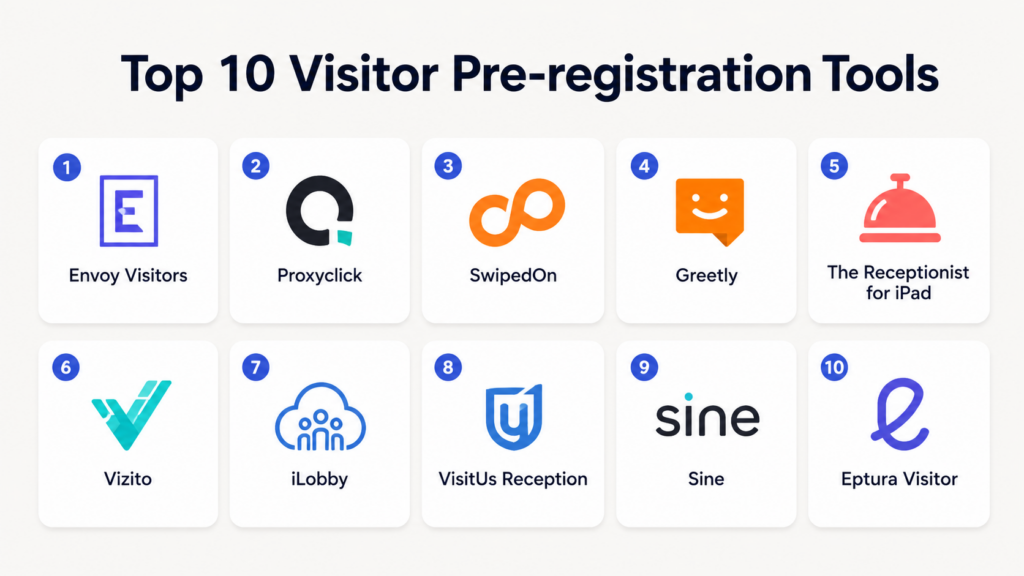
Introduction
Visitor Pre-registration Tools help organizations register, approve, track, and manage visitors before they arrive at an office, campus, facility, event, or workplace. These platforms streamline the visitor check-in process by allowing guests to submit details in advance, receive invitations or QR codes, sign compliance forms, and notify hosts automatically upon arrival.As hybrid workplaces, enterprise security requirements, compliance expectations, and workplace experience initiatives continue evolving, visitor pre-registration has become a critical part of modern front-desk operations. Businesses increasingly use these platforms to improve security, reduce manual paperwork, accelerate check-ins, maintain visitor logs, and create professional guest experiences. Modern solutions now combine visitor management, workplace security, badge printing, identity verification, access control, and workplace analytics into centralized systems.
Real-world use cases include:
- Pre-registering office visitors and contractors
- Managing client and vendor check-ins
- Automating visitor approvals and notifications
- Handling compliance and NDA workflows
- Supporting secure workplace access management
Key evaluation criteria buyers should consider:
- Visitor pre-registration workflows
- Badge printing and QR code support
- Security and compliance controls
- Access control integrations
- Host notifications and approvals
- Multi-location support
- Analytics and visitor reporting
- Mobile and kiosk support
- Ease of deployment and usability
- Scalability for enterprise operations
Best for: Corporate offices, enterprises, coworking spaces, government facilities, healthcare organizations, educational institutions, manufacturing sites, and hybrid workplaces managing guest access and security.
Not ideal for: Very small offices with minimal visitor traffic, fully remote organizations, or businesses that only require a simple paper sign-in process.
Key Trends in Visitor Pre-registration Tools
- QR-code-based visitor check-ins are becoming standard.
- Touchless and mobile-first visitor experiences continue growing.
- Identity verification and access control integrations are increasing.
- Enterprises are prioritizing compliance tracking and auditability.
- AI-powered workplace analytics are improving visitor insights.
- Hybrid workplaces increasingly combine visitor management with desk and room booking.
- More platforms now support contractor and vendor workflows.
- Automated NDA and compliance form signing is becoming common.
- Facial recognition and biometric integrations are expanding in high-security environments.
- Multi-location centralized visitor management is becoming a major enterprise requirement.
How We Selected These Tools
The following visitor pre-registration platforms were selected using practical workplace security and visitor management evaluation criteria.
- Evaluated market adoption and platform maturity
- Reviewed visitor pre-registration workflows
- Assessed security and compliance capabilities
- Considered access control and workplace integrations
- Evaluated ease of use for visitors and administrators
- Reviewed scalability across SMB and enterprise deployments
- Assessed analytics and reporting capabilities
- Considered mobile, kiosk, and touchless workflows
- Evaluated multi-location management support
- Balanced lightweight and enterprise-grade visitor platforms
Top 10 Visitor Pre-registration Tools
1- Envoy Visitors
Short description: Envoy Visitors is one of the most widely recognized visitor management and pre-registration platforms for modern workplaces. The platform helps organizations pre-register guests, automate host notifications, manage visitor approvals, print badges, and maintain secure visitor logs. Envoy is especially useful for enterprises, hybrid offices, coworking spaces, and security-conscious organizations because it combines visitor management with workplace operations and access workflows. Its clean user experience and strong integrations ecosystem make it a leading choice for modern offices.
Key Features
- Visitor pre-registration workflows
- QR-code visitor check-in
- Badge printing
- Host notifications
- NDA and compliance forms
- Visitor analytics
- Multi-location support
Pros
- Strong workplace management ecosystem
- Excellent user experience
- Good enterprise scalability
Cons
- Advanced modules increase pricing
- Enterprise workflows may require setup
- Smaller organizations may not use full feature depth
Platforms / Deployment
- Web / iOS / Android / Kiosk
- Cloud
Security & Compliance
Supports SSO, RBAC, encryption, admin controls, and audit logs. Additional certifications vary by deployment.
Integrations & Ecosystem
Envoy integrates with workplace systems, access control platforms, and collaboration tools to centralize visitor operations.
- Microsoft 365
- Google Workspace
- Slack
- Microsoft Teams
- Access control systems
- Badge printing systems
Support & Community
Provides onboarding assistance, implementation guidance, documentation, and enterprise support options.
2- Proxyclick
Short description: Proxyclick is a visitor management and pre-registration platform focused on secure guest registration, compliance workflows, and enterprise visitor experiences. The platform helps organizations automate invitations, verify identities, print badges, and maintain accurate visitor records. Proxyclick is especially useful for enterprises, healthcare facilities, manufacturing sites, and regulated industries that require secure visitor tracking and compliance management.
Key Features
- Visitor pre-registration
- Touchless check-in
- Identity verification
- Badge printing
- Compliance workflows
- Visitor analytics
- Multi-site administration
Pros
- Strong security-focused workflows
- Good compliance support
- Useful enterprise governance controls
Cons
- Premium pricing for advanced features
- Initial setup may require planning
- Smaller teams may not need enterprise depth
Platforms / Deployment
- Web / iOS / Android / Kiosk
- Cloud
Security & Compliance
Supports encryption, SSO, RBAC, audit logs, and enterprise access controls.
Integrations & Ecosystem
Proxyclick integrates with workplace systems, identity management platforms, and security infrastructure.
- Microsoft 365
- Google Workspace
- Access control systems
- Slack
- Badge printing systems
- Security workflows
Support & Community
Strong enterprise onboarding, implementation support, and security-focused customer guidance.
3- SwipedOn
Short description: SwipedOn is a visitor management platform designed for offices, schools, healthcare facilities, and shared workplaces that need streamlined guest registration and pre-arrival workflows. The platform allows organizations to pre-register guests, manage sign-ins, notify hosts, and maintain digital visitor records. SwipedOn is particularly popular among SMB and mid-market organizations looking for an easy-to-deploy visitor management solution.
Key Features
- Visitor pre-registration
- Touchless check-in
- Host notifications
- Digital visitor logs
- Badge printing
- Emergency evacuation lists
- Visitor reporting
Pros
- Simple deployment process
- Easy-to-use interface
- Good SMB fit
Cons
- Advanced enterprise workflows are limited
- Analytics depth may be lighter
- Customization options are smaller than enterprise tools
Platforms / Deployment
- Web / iPad Kiosk
- Cloud
Security & Compliance
Supports account security controls, encryption, and admin permissions.
Integrations & Ecosystem
SwipedOn integrates with workplace productivity systems and visitor workflows.
- Microsoft 365
- Google Workspace
- Slack
- Badge printing tools
- Calendar systems
Support & Community
Provides onboarding resources, documentation, and responsive SMB-focused support.
4- Greetly
Short description: Greetly is a customizable visitor management and pre-registration platform focused on front-desk automation and personalized visitor experiences. Organizations use Greetly to pre-register visitors, automate check-ins, notify employees, and manage reception workflows without requiring a full-time receptionist. It is particularly useful for offices, coworking spaces, and organizations wanting customizable workflows and branding.
Key Features
- Visitor pre-registration
- Custom check-in workflows
- Host notifications
- Badge printing
- Visitor photos
- Custom branding
- Delivery and contractor workflows
Pros
- Highly customizable workflows
- Good receptionist replacement functionality
- Flexible visitor experiences
Cons
- Enterprise governance is lighter
- Advanced analytics may be limited
- Some integrations require configuration
Platforms / Deployment
- Web / iPad Kiosk
- Cloud
Security & Compliance
Supports encryption and admin controls. Additional compliance details vary by plan.
Integrations & Ecosystem
Greetly integrates with workplace communication and visitor workflow systems.
- Slack
- Microsoft Teams
- Google Workspace
- Microsoft 365
- Badge printers
- Delivery workflows
Support & Community
Provides setup assistance, onboarding resources, and customization support.
5- The Receptionist for iPad
Short description: The Receptionist for iPad is a visitor management and pre-registration platform focused on simplifying office guest check-ins and front-desk workflows. The platform helps organizations pre-register visitors, notify hosts automatically, capture visitor information, and maintain digital records. It is especially useful for SMBs and mid-sized offices looking for an easy-to-deploy reception management solution.
Key Features
- Visitor pre-registration
- iPad-based check-in
- Host notifications
- Visitor logs
- Badge printing
- Visitor photos
- NDA and document signing
Pros
- Easy deployment
- Clean user experience
- Strong SMB usability
Cons
- Limited enterprise analytics
- Smaller integration ecosystem
- Advanced governance controls are lighter
Platforms / Deployment
- iPad Kiosk / Web Admin
- Cloud
Security & Compliance
Supports encryption and admin permissions.
Integrations & Ecosystem
The Receptionist for iPad integrates with communication and workplace productivity tools.
- Slack
- Microsoft Teams
- Google Workspace
- Badge printers
- Calendar systems
Support & Community
Provides onboarding support, setup guidance, and practical documentation.
6- Vizito
Short description: Vizito is a visitor management and pre-registration platform designed for offices, schools, healthcare facilities, and enterprise environments. It supports touchless visitor check-in, QR-code workflows, badge printing, host notifications, and compliance tracking. Vizito is particularly useful for organizations seeking modern visitor workflows with strong usability and flexible deployment options.
Key Features
- Visitor pre-registration
- QR-code check-in
- Badge printing
- Touchless workflows
- Host notifications
- Visitor analytics
- Multi-language support
Pros
- Strong touchless workflows
- Good modern interface
- Flexible deployment options
Cons
- Smaller enterprise ecosystem
- Fewer advanced workplace integrations
- Analytics may be lighter than larger platforms
Platforms / Deployment
- Web / iPad / Android Tablet
- Cloud
Security & Compliance
Supports encryption, admin controls, and access permissions.
Integrations & Ecosystem
Vizito integrates with workplace systems and communication platforms for streamlined visitor operations.
- Microsoft 365
- Google Workspace
- Slack
- Badge printing systems
- Visitor workflows
Support & Community
Provides onboarding resources, implementation support, and responsive customer service.
7- iLobby
Short description: iLobby is an enterprise visitor management and pre-registration platform focused heavily on security, compliance, contractor workflows, and facility access management. It is widely used in manufacturing, healthcare, logistics, government, and regulated industries where visitor compliance and access governance are critical. iLobby combines visitor registration with facility security and contractor management capabilities.
Key Features
- Visitor pre-registration
- Contractor management
- Compliance workflows
- Identity verification
- Security and audit logging
- Badge printing
- Enterprise governance controls
Pros
- Strong security capabilities
- Excellent regulated industry support
- Advanced compliance workflows
Cons
- More complex than SMB-focused tools
- Premium enterprise pricing
- Setup may require implementation planning
Platforms / Deployment
- Web / iPad Kiosk
- Cloud / Hybrid
Security & Compliance
Supports SSO, encryption, RBAC, audit logging, and enterprise governance controls.
Integrations & Ecosystem
iLobby integrates with access control, security infrastructure, and enterprise compliance systems.
- Access control systems
- Microsoft 365
- Google Workspace
- Security platforms
- Badge printers
- Contractor workflows
Support & Community
Provides enterprise onboarding, implementation assistance, and regulated industry support resources.
8- VisitUs Reception
Short description: VisitUs Reception is a visitor management platform focused on touchless check-in, pre-registration, workplace security, and digital reception workflows. Organizations use the platform to automate guest arrivals, notify hosts, and maintain visitor records. It is useful for offices and shared workspaces that want modern visitor workflows without overly complex enterprise deployments.
Key Features
- Visitor pre-registration
- Touchless check-in
- QR-code workflows
- Host notifications
- Visitor records
- Badge printing
- Multi-location support
Pros
- Good touchless experience
- Simple visitor workflows
- Easy deployment
Cons
- Smaller ecosystem
- Limited advanced analytics
- Enterprise governance features are lighter
Platforms / Deployment
- Web / Tablet Kiosk
- Cloud
Security & Compliance
Supports encryption and account-level security controls.
Integrations & Ecosystem
VisitUs Reception integrates with productivity and workplace communication systems.
- Google Workspace
- Microsoft 365
- Slack
- Badge systems
- Calendar tools
Support & Community
Provides onboarding guidance and implementation resources for workplace teams.
9- Sine
Short description: Sine is a visitor management and workplace compliance platform designed for enterprises, schools, healthcare organizations, and secure facilities. The platform supports visitor pre-registration, contractor management, compliance workflows, emergency management, and workplace access control. Sine is especially useful for organizations managing contractors, vendors, and high-security visitor workflows.
Key Features
- Visitor pre-registration
- Contractor management
- Compliance workflows
- Emergency management
- QR-code check-in
- Identity verification
- Workplace access support
Pros
- Strong contractor workflows
- Good security support
- Useful emergency management features
Cons
- More enterprise-focused
- Setup complexity can increase
- Smaller SMB focus
Platforms / Deployment
- Web / iOS / Android / Kiosk
- Cloud
Security & Compliance
Supports encryption, SSO, RBAC, and enterprise access controls.
Integrations & Ecosystem
Sine integrates with workplace security and access management systems.
- Microsoft 365
- Google Workspace
- Access control systems
- Emergency workflows
- Visitor management infrastructure
Support & Community
Provides onboarding resources, enterprise support, and workplace compliance guidance.
10- Eptura Visitor
Short description: Eptura Visitor is part of the broader Eptura workplace management ecosystem and helps organizations manage visitor pre-registration, workplace access, meeting spaces, and hybrid office operations. The platform is especially useful for enterprises seeking integrated workplace operations across visitors, desks, rooms, and facilities. It combines visitor workflows with broader workplace management capabilities.
Key Features
- Visitor pre-registration
- Workplace access management
- Badge printing
- Room and workplace integrations
- Analytics and reporting
- Host notifications
- Multi-location administration
Pros
- Strong workplace ecosystem integration
- Good enterprise scalability
- Useful analytics capabilities
Cons
- More complex than standalone visitor tools
- Implementation may require planning
- Smaller organizations may not need full feature depth
Platforms / Deployment
- Web / Mobile / Kiosk
- Cloud / Hybrid
Security & Compliance
Supports SSO, encryption, RBAC, admin controls, and enterprise governance features.
Integrations & Ecosystem
Eptura Visitor integrates with workplace management, facilities, and collaboration systems.
- Microsoft 365
- Google Workspace
- Workplace management tools
- Badge printing systems
- Calendar systems
- Access control platforms
Support & Community
Provides enterprise onboarding, workplace consulting support, and implementation assistance.
Comparison Table
| Tool Name | Best For | Platform(s) Supported | Deployment | Standout Feature | Public Rating |
|---|---|---|---|---|---|
| Envoy Visitors | Hybrid workplaces | Web, Mobile, Kiosk | Cloud | Workplace ecosystem integration | N/A |
| Proxyclick | Enterprise security workflows | Web, Mobile, Kiosk | Cloud | Compliance-focused visitor management | N/A |
| SwipedOn | SMB offices | Web, iPad Kiosk | Cloud | Simple visitor management workflows | N/A |
| Greetly | Custom visitor experiences | Web, iPad Kiosk | Cloud | Highly customizable check-in flows | N/A |
| The Receptionist for iPad | SMB reception management | iPad Kiosk, Web | Cloud | Easy receptionist replacement workflows | N/A |
| Vizito | Touchless visitor workflows | Web, Tablet Kiosk | Cloud | QR-code visitor check-in | N/A |
| iLobby | Regulated industries | Web, iPad Kiosk | Cloud, Hybrid | Enterprise security and compliance | N/A |
| VisitUs Reception | Modern office reception | Web, Tablet Kiosk | Cloud | Touchless visitor experience | N/A |
| Sine | Contractor and compliance management | Web, Mobile, Kiosk | Cloud | Contractor and emergency workflows | N/A |
| Eptura Visitor | Enterprise workplace operations | Web, Mobile, Kiosk | Cloud, Hybrid | Integrated workplace management | N/A |
Evaluation & Scoring of Visitor Pre-registration Tools
| Tool Name | Core 25% | Ease 15% | Integrations 15% | Security 10% | Performance 10% | Support 10% | Value 15% | Weighted Total |
|---|---|---|---|---|---|---|---|---|
| Envoy Visitors | 9.0 | 8.5 | 8.5 | 8.5 | 8.5 | 8.5 | 8.0 | 8.5 |
| Proxyclick | 9.0 | 8.0 | 8.5 | 9.0 | 8.5 | 8.0 | 7.5 | 8.4 |
| SwipedOn | 8.0 | 9.0 | 7.5 | 7.5 | 8.0 | 8.0 | 8.5 | 8.1 |
| Greetly | 8.0 | 8.5 | 7.5 | 7.5 | 8.0 | 8.0 | 8.5 | 8.0 |
| The Receptionist for iPad | 8.0 | 9.0 | 7.0 | 7.5 | 8.0 | 8.0 | 8.5 | 8.0 |
| Vizito | 8.0 | 8.5 | 7.5 | 7.5 | 8.0 | 8.0 | 8.0 | 8.0 |
| iLobby | 9.0 | 7.5 | 8.5 | 9.0 | 8.5 | 8.5 | 7.0 | 8.4 |
| VisitUs Reception | 7.5 | 8.5 | 7.0 | 7.5 | 8.0 | 7.5 | 8.0 | 7.7 |
| Sine | 8.5 | 7.5 | 8.0 | 8.5 | 8.5 | 8.0 | 7.5 | 8.1 |
| Eptura Visitor | 8.5 | 7.5 | 8.5 | 8.5 | 8.5 | 8.0 | 7.5 | 8.2 |
These scores are comparative and intended to help organizations evaluate visitor pre-registration platforms relative to operational needs. Envoy Visitors and Proxyclick are strong all-around enterprise solutions, while SwipedOn and The Receptionist for iPad focus more on SMB simplicity. iLobby and Sine are particularly strong for security-heavy and compliance-driven environments. Buyers should validate security controls, check-in workflows, integrations, analytics, and scalability before deployment.
Which Visitor Pre-registration Tool Is Right for You?
Solo / Freelancer
Solo professionals and very small offices generally do not require enterprise visitor management systems. Lightweight receptionist and visitor tools such as SwipedOn or The Receptionist for iPad may be enough for occasional guest check-ins.
SMB
SMBs usually prioritize ease of deployment, affordability, and simple visitor experiences. SwipedOn, Greetly, Vizito, and The Receptionist for iPad are practical choices for smaller offices and coworking spaces.
Mid-Market
Mid-market organizations often require analytics, approvals, integrations, badge printing, and centralized administration. Envoy Visitors, Proxyclick, and Eptura Visitor perform well for growing workplace environments.
Enterprise
Enterprises should prioritize governance controls, SSO, audit logs, compliance workflows, identity verification, and multi-location administration. Proxyclick, iLobby, Envoy Visitors, Sine, and Eptura Visitor are strong enterprise candidates.
Budget vs Premium
Budget-conscious teams may prefer lightweight kiosk-based visitor tools with simple workflows. Premium enterprise deployments are better suited for organizations requiring compliance automation, security integrations, and workplace analytics.
Feature Depth vs Ease of Use
SwipedOn and The Receptionist for iPad emphasize simplicity and fast onboarding, while iLobby, Proxyclick, and Eptura Visitor provide deeper governance and enterprise workflow capabilities.
Integrations & Scalability
Organizations already using Microsoft 365, Google Workspace, Slack, workplace access systems, or workplace management platforms should prioritize native integrations to simplify deployment and operations.
Security & Compliance Needs
Healthcare, manufacturing, logistics, government, and enterprise organizations should carefully evaluate identity verification, access control integrations, audit logs, contractor workflows, visitor approvals, and compliance reporting before rollout.
Frequently Asked Questions
1. What are visitor pre-registration tools?
Visitor pre-registration tools allow organizations to register visitors before they arrive at a workplace or facility. These platforms collect visitor details, notify hosts, automate approvals, and generate check-in workflows such as QR codes or digital badges. Modern systems also support compliance forms, identity verification, and access control integrations. The goal is to improve security, streamline reception operations, and create a smoother guest experience.
2. Why is visitor pre-registration important?
Pre-registration improves both security and operational efficiency. It allows organizations to know who is arriving, why they are visiting, and which employee is responsible for hosting them. It also reduces reception delays and manual paperwork. In regulated environments, pre-registration supports compliance tracking and auditability. Hybrid workplaces also benefit because front-desk staffing and office attendance patterns are less predictable.
3. Are visitor pre-registration platforms secure?
Most enterprise-grade visitor management systems support encryption, admin permissions, RBAC, SSO, audit logging, and access control integrations. Security is especially important because visitor records may include personal information, contractor details, or compliance documentation. Organizations should carefully review data retention policies and privacy settings before deployment. Sensitive facilities may also require identity verification and contractor governance controls.
4. Can visitor management tools print badges automatically?
Yes, many modern visitor pre-registration platforms support badge printing during check-in. Visitors may receive printed badges with names, company information, QR codes, or access credentials. Badge workflows can also support contractors, vendors, temporary staff, and event attendees. Badge printing improves workplace visibility and security while helping employees identify approved visitors quickly.
5. What integrations matter most?
The most important integrations usually include Microsoft 365, Google Workspace, Slack, Microsoft Teams, badge printing systems, access control systems, and workplace management platforms. Calendar integrations help synchronize meetings and visitor arrivals. Access control integrations are important for secure facilities. Organizations should prioritize integrations aligned with their workplace operations and security infrastructure.
6. Are touchless visitor workflows becoming common?
Yes, touchless workflows are becoming increasingly common in modern workplaces. Many platforms now support QR-code check-ins, mobile sign-in links, digital forms, and self-service kiosks. These workflows improve visitor convenience while reducing front-desk congestion. They also help organizations manage high visitor volumes more efficiently. Touchless systems are especially useful in healthcare, enterprise, and hybrid office environments.
7. How long does implementation take?
Basic visitor management deployments can often be completed quickly, especially for cloud-based kiosk systems. Enterprise deployments may take longer because of access control integrations, compliance workflows, SSO configuration, and workplace policy setup. Many organizations start with a pilot location before expanding to multiple offices. Training reception staff and workplace teams is also important for smooth adoption.
8. What mistakes should buyers avoid?
One common mistake is choosing a platform without evaluating integrations with workplace calendars and access systems. Organizations also underestimate the importance of compliance workflows, contractor management, and data privacy settings. Selecting an overly complex enterprise platform for a small office can increase costs unnecessarily. Pilot testing is highly recommended before organization-wide rollout.
9. Can visitor pre-registration tools support contractors and vendors?
Yes, many enterprise platforms support contractor and vendor workflows in addition to guest management. These workflows may include compliance forms, identity verification, recurring access permissions, safety training confirmations, and audit logging. Contractor management is especially important in manufacturing, logistics, healthcare, and government environments. Platforms like iLobby and Sine are particularly strong in this area.
10. What are the best alternatives to visitor pre-registration tools?
Alternatives include paper sign-in sheets, spreadsheets, manual receptionist workflows, shared calendars, and lightweight check-in apps. These approaches may work for very small offices with low visitor volume. However, organizations managing sensitive facilities, multiple offices, or high visitor traffic typically benefit from dedicated visitor management platforms because of automation, auditability, and security capabilities.
Conclusion
Visitor pre-registration tools have evolved into important workplace security and operational platforms that help organizations automate guest registration, improve front-desk efficiency, strengthen compliance workflows, and create professional visitor experiences. The best platform ultimately depends on office size, visitor volume, compliance requirements, workplace security expectations, and operational complexity. Envoy Visitors and Proxyclick remain strong enterprise-focused options for organizations needing scalable visitor workflows, while SwipedOn and The Receptionist for iPad focus more heavily on simplicity and SMB usability. Platforms such as iLobby and Sine are particularly strong for security-sensitive and contractor-heavy environments. Organizations should avoid selecting tools based only on appearance or kiosk functionality; instead, they should validate integrations, governance controls, identity workflows, reporting capabilities, and scalability using real workplace scenarios.
