MOTOSHARE 🚗🏍️
Rent Bikes & Cars Directly from Owners
Motoshare connects vehicle owners with people who need bikes and cars on rent. Owners earn from idle vehicles, and renters get flexible ride options.
Visit Motoshare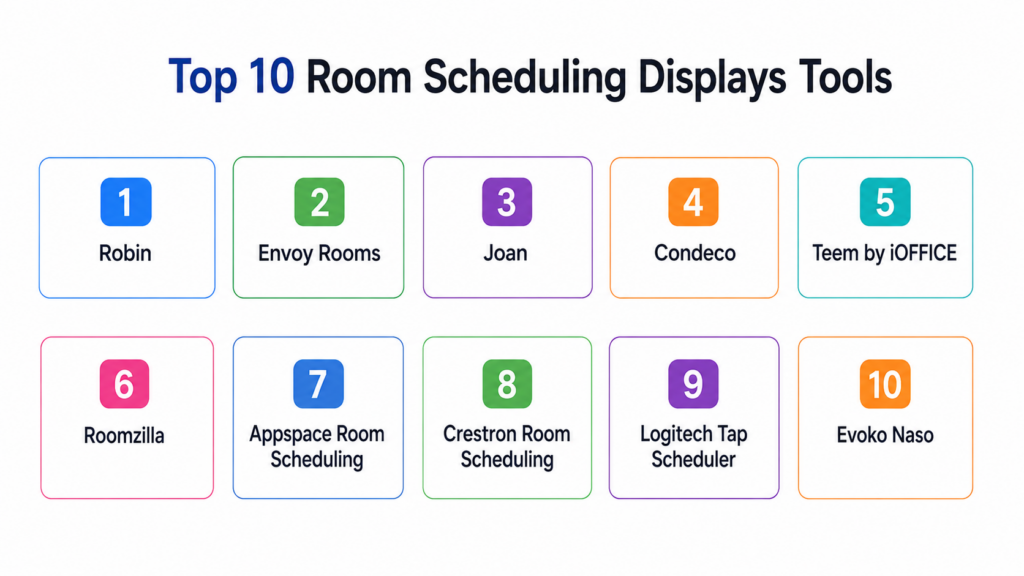
Introduction
Room Scheduling Displays are digital screens placed outside meeting rooms, conference rooms, huddle spaces, classrooms, labs, and shared work areas to show real-time room availability. These tools help employees quickly see whether a room is free, booked, or about to become available. Many platforms also allow users to reserve rooms directly from the display, extend meetings, cancel unused bookings, and sync schedules with workplace calendars.Room scheduling displays matter because hybrid work, flexible office layouts, and shared meeting spaces have made room availability harder to manage manually. Without proper room visibility, teams waste time searching for available spaces, meetings overlap, and unused rooms remain blocked by abandoned bookings. Modern room scheduling display systems improve workplace efficiency by combining hardware displays, calendar sync, occupancy sensors, analytics, and centralized admin controls.
Real-world use cases include:
- Showing live meeting room availability
- Booking rooms directly from wall-mounted displays
- Reducing abandoned or ghost room bookings
- Managing shared conference rooms and huddle spaces
- Improving workplace space utilization analytics
Key evaluation criteria buyers should consider:
- Calendar integration quality
- Display hardware compatibility
- Touchscreen booking experience
- Occupancy sensor support
- Admin and device management
- Room analytics and utilization reports
- Security and access controls
- Branding and customization
- Multi-location scalability
- Pricing and deployment flexibility
Best for: Offices, coworking spaces, enterprises, universities, hospitals, government buildings, conference centers, and hybrid workplaces managing multiple meeting rooms.
Not ideal for: Very small teams with only one or two meeting rooms, fully remote organizations, or businesses that already manage room bookings manually without space conflicts.
Key Trends in Room Scheduling Displays
- Occupancy sensors are increasingly used to detect unused rooms and release abandoned bookings.
- Hybrid workplaces are adopting room displays to improve shared space visibility.
- Calendar-native scheduling through Google Workspace and Microsoft 365 remains a core requirement.
- Touchless booking and QR-code-based room reservations are becoming more common.
- Workplace analytics are helping facilities teams understand real room usage.
- More vendors now support centralized device management across multiple office locations.
- Integration with visitor management and workplace experience platforms is increasing.
- Energy-saving display modes and device health monitoring are becoming more important.
- Enterprises are prioritizing SSO, RBAC, admin permissions, and audit logs.
- Flexible office design is driving demand for scalable room and desk booking ecosystems.
How We Selected These Tools
The following room scheduling display platforms were selected using practical workplace technology evaluation criteria.
- Evaluated market adoption and workplace technology reputation
- Reviewed room display scheduling functionality
- Assessed compatibility with Google Workspace and Microsoft 365
- Considered hardware and device management flexibility
- Evaluated touchscreen booking and user experience
- Reviewed occupancy sensor and analytics capabilities
- Assessed scalability across SMB, mid-market, and enterprise environments
- Considered security, admin controls, and access management
- Evaluated support for hybrid workplace operations
- Balanced dedicated room display systems with broader workplace platforms
Top 10 Room Scheduling Displays Tools
1- Robin
Short description: Robin is a workplace management platform that includes room scheduling displays, desk booking, office maps, workplace analytics, and hybrid office coordination. Its room display capabilities help employees view availability, book rooms, check into meetings, and release unused spaces. Robin is especially useful for mid-market and enterprise workplaces that want room scheduling as part of a broader workplace experience platform. The platform focuses on improving office visibility, reducing room conflicts, and helping facilities teams understand how spaces are actually used.
Key Features
- Room scheduling displays
- Desk booking and office maps
- Meeting room check-in
- Space utilization analytics
- Calendar integrations
- Workplace experience tools
- Multi-location management
Pros
- Strong workplace management ecosystem
- Good fit for hybrid offices
- Useful room utilization analytics
Cons
- May be more than needed for simple room displays
- Premium features can increase costs
- Requires setup for workplace mapping
Platforms / Deployment
- Web / iOS / Android
- Cloud
Security & Compliance
Supports SSO, encryption, admin controls, and role-based permissions. Additional certifications are not publicly stated.
Integrations & Ecosystem
Robin integrates with workplace calendars, collaboration platforms, and office technology systems to centralize room and desk management.
- Microsoft 365
- Google Workspace
- Slack
- Microsoft Teams
- Room display devices
- Workplace sensors
Support & Community
Robin provides onboarding resources, documentation, customer support, and workplace implementation guidance for office teams.
2- Envoy Rooms
Short description: Envoy Rooms is part of the broader Envoy workplace platform and helps organizations manage meeting room availability, room booking, check-ins, and space usage. It is well suited for companies already using Envoy for visitor management, workplace access, deliveries, or hybrid office operations. Envoy Rooms gives employees a clear view of room availability while helping workplace teams reduce unused reservations and improve space efficiency. It is particularly useful for modern offices that want room scheduling connected to broader workplace operations.
Key Features
- Room availability displays
- Room booking and check-in
- Calendar synchronization
- Ghost meeting reduction
- Workplace analytics
- Visitor and workplace platform integration
- Multi-office support
Pros
- Strong workplace ecosystem
- Good for offices already using Envoy
- Useful for hybrid workplace operations
Cons
- Less ideal as a standalone basic display tool
- Advanced workplace features may require additional modules
- Pricing can grow with broader platform usage
Platforms / Deployment
- Web / iOS / Android
- Cloud
Security & Compliance
Supports SSO, admin controls, encryption, and role-based permissions. Additional compliance details vary by plan.
Integrations & Ecosystem
Envoy Rooms connects with calendar platforms and workplace systems to manage rooms alongside visitor and office workflows.
- Google Workspace
- Microsoft 365
- Slack
- Workplace access systems
- Visitor management workflows
- Room display devices
Support & Community
Envoy offers onboarding support, implementation resources, documentation, and customer success assistance for workplace teams.
3- Joan
Short description: Joan is a dedicated room scheduling display solution known for its wireless e-paper meeting room displays. The platform helps organizations show room availability, book meetings, and reduce scheduling conflicts while using low-power display hardware. Joan is especially useful for offices that want a clean, professional, cable-light room display setup. It works well for conference rooms, meeting rooms, huddle spaces, and shared workplace environments where simple room visibility is a priority.
Key Features
- Wireless room scheduling displays
- E-paper display hardware
- Calendar synchronization
- Touch-based room booking
- Meeting room availability status
- Low-power operation
- Centralized device management
Pros
- Clean and professional display design
- Wireless installation advantages
- Strong dedicated room display focus
Cons
- Hardware investment required
- Less broad than full workplace platforms
- Advanced analytics may be limited compared with larger systems
Platforms / Deployment
- Web / Mobile
- Cloud / Hardware display
Security & Compliance
Supports encryption and admin controls. Additional certifications are not publicly stated.
Integrations & Ecosystem
Joan integrates with major workplace calendar systems and display hardware management tools.
- Microsoft 365
- Google Workspace
- Exchange
- Room display hardware
- Admin console
Support & Community
Joan provides device setup resources, documentation, customer support, and deployment guidance for office teams.
4- Condeco
Short description: Condeco is a workplace scheduling and space management platform used by enterprises to manage meeting rooms, desks, resources, and hybrid workplace operations. Its room scheduling display capabilities help employees find, book, check into, and manage meeting rooms across multiple office locations. Condeco is particularly suited for large organizations with complex workplace requirements, centralized facilities teams, and global office portfolios. It offers a broader workplace management approach beyond room displays alone.
Key Features
- Room scheduling displays
- Desk and workspace booking
- Resource scheduling
- Occupancy and utilization analytics
- Multi-location workplace management
- Calendar integrations
- Enterprise admin controls
Pros
- Strong enterprise scalability
- Broad workplace management features
- Useful analytics for facilities teams
Cons
- More complex than lightweight solutions
- Higher implementation effort
- May be excessive for SMB needs
Platforms / Deployment
- Web / iOS / Android
- Cloud / Hybrid
Security & Compliance
Supports SSO, RBAC, encryption, admin controls, and enterprise access management. Additional compliance details vary by deployment.
Integrations & Ecosystem
Condeco integrates with enterprise calendar systems, workplace technology, and facilities management workflows.
- Microsoft 365
- Google Workspace
- Exchange
- Workplace sensors
- Facility systems
- Room display devices
Support & Community
Condeco provides enterprise onboarding, implementation support, documentation, and workplace consulting assistance.
5- Teem by iOFFICE
Short description: Teem by iOFFICE provides meeting room booking, room displays, workplace analytics, and office space management features for modern workplaces. The platform helps employees locate available spaces, reserve rooms, and manage shared workplace resources. Facilities teams use Teem to understand room usage patterns and improve office space planning. It is especially useful for mid-market and enterprise organizations that need room scheduling connected with broader workplace operations.
Key Features
- Room booking displays
- Meeting room scheduling
- Workplace analytics
- Space utilization reporting
- Calendar integrations
- Visitor and workplace management support
- Multi-location administration
Pros
- Strong workplace analytics
- Good meeting room visibility
- Useful for facilities and workplace teams
Cons
- Setup may require planning
- Advanced features may add cost
- Less ideal for very small teams
Platforms / Deployment
- Web / iOS / Android
- Cloud
Security & Compliance
Supports SSO, encryption, admin controls, and role-based permissions. Additional certifications are not publicly stated.
Integrations & Ecosystem
Teem integrates with calendars, workplace systems, and office technology environments.
- Microsoft 365
- Google Workspace
- Exchange
- Slack
- Room display devices
- Workplace management systems
Support & Community
Provides onboarding support, documentation, and implementation assistance for workplace management teams.
6- Roomzilla
Short description: Roomzilla is a meeting room scheduling and room display platform designed for offices, coworking spaces, universities, and shared workplaces. It allows users to book rooms, view availability, manage resources, and display room status on tablets or dedicated screens. Roomzilla is particularly practical for organizations seeking a straightforward and affordable room booking system without excessive enterprise complexity. It supports room scheduling across multiple spaces and locations.
Key Features
- Room booking displays
- Calendar synchronization
- Resource scheduling
- Check-in and no-show handling
- Room availability status
- Multi-location support
- Booking rules and permissions
Pros
- Simple room scheduling workflow
- Good for coworking and SMB environments
- Flexible display options
Cons
- Less advanced workplace analytics
- Smaller enterprise ecosystem
- Customization may be limited for complex organizations
Platforms / Deployment
- Web / Tablet display
- Cloud
Security & Compliance
Supports account security controls and admin permissions. Additional compliance details are not publicly stated.
Integrations & Ecosystem
Roomzilla integrates with calendars and room display devices to manage bookings across shared spaces.
- Google Calendar
- Microsoft Outlook
- Exchange
- Tablet displays
- Resource scheduling workflows
Support & Community
Roomzilla provides documentation, setup support, and practical onboarding resources for smaller workplace teams.
7- Appspace Room Scheduling
Short description: Appspace Room Scheduling is part of the Appspace workplace experience platform and helps organizations display room availability, manage reservations, and improve workplace communication. The platform combines digital signage, room scheduling, employee communications, and workplace experience capabilities. It is especially useful for enterprises that want room displays connected with broader digital workplace messaging and signage strategies. Appspace is well suited for large offices, campuses, healthcare facilities, and enterprise environments.
Key Features
- Room scheduling displays
- Digital signage integration
- Calendar synchronization
- Workplace communication tools
- Device management
- Multi-location support
- Enterprise administration
Pros
- Strong digital signage ecosystem
- Good for enterprise campuses
- Centralized device management
Cons
- May be too broad for simple room scheduling
- Implementation can require planning
- Premium platform cost may not suit small teams
Platforms / Deployment
- Web / Display devices
- Cloud / Hybrid
Security & Compliance
Supports SSO, encryption, RBAC, admin controls, and enterprise security features.
Integrations & Ecosystem
Appspace integrates with workplace calendars, display hardware, and enterprise communication systems.
- Microsoft 365
- Google Workspace
- Exchange
- Digital signage devices
- Workplace communication tools
- Enterprise identity systems
Support & Community
Appspace provides enterprise onboarding, documentation, professional services, and customer support for large deployments.
8- Crestron Room Scheduling
Short description: Crestron Room Scheduling provides room display panels and scheduling software designed for conference rooms, classrooms, executive spaces, and enterprise meeting environments. Crestron is known for its professional AV and workplace technology ecosystem, making it a strong option for organizations already using Crestron hardware. Its scheduling displays help users view room availability, reserve spaces, and manage meeting room technology from outside the room. It is particularly useful for corporate offices, universities, and AV-driven environments.
Key Features
- Dedicated room scheduling panels
- Calendar synchronization
- Touchscreen room booking
- Room availability indicators
- AV system integration
- Enterprise device management
- Professional hardware ecosystem
Pros
- Strong hardware reliability
- Good AV ecosystem integration
- Suitable for enterprise meeting rooms
Cons
- Hardware investment required
- Less lightweight than tablet-based options
- Installation may require AV expertise
Platforms / Deployment
- Hardware display panels / Web administration
- Cloud / On-premise compatible depending on setup
Security & Compliance
Supports enterprise device controls, encryption, and admin configuration. Additional compliance details vary by deployment.
Integrations & Ecosystem
Crestron integrates with enterprise calendar systems and workplace AV environments.
- Microsoft 365
- Google Workspace
- Exchange
- Crestron AV systems
- Room control systems
Support & Community
Strong professional AV partner network, enterprise support, documentation, and deployment assistance.
9- Logitech Tap Scheduler
Short description: Logitech Tap Scheduler is a dedicated room scheduling display designed for meeting room availability and booking. It is commonly used outside conference rooms to show whether a room is free, reserved, or in use. Logitech Tap Scheduler works well for organizations using modern video conferencing and meeting room ecosystems. It is especially practical for offices that want a clean hardware-based room scheduling display with strong compatibility across major workspace platforms.
Key Features
- Dedicated scheduling display hardware
- Room availability status
- Touchscreen room booking
- Calendar integrations
- LED availability indicators
- Enterprise device deployment
- Clean wall-mount design
Pros
- Professional hardware design
- Good meeting room ecosystem fit
- Easy visibility for room status
Cons
- Requires hardware purchase
- Functionality depends on scheduling platform
- Less flexible than full workplace suites
Platforms / Deployment
- Hardware display / Web administration
- Cloud-connected
Security & Compliance
Supports device security controls and platform-based access management. Additional compliance details depend on connected calendar and scheduling software.
Integrations & Ecosystem
Logitech Tap Scheduler works with supported room scheduling and workplace platforms.
- Microsoft Teams Rooms
- Zoom Rooms
- Google Workspace environments
- Calendar systems
- Meeting room hardware ecosystems
Support & Community
Logitech provides product documentation, deployment guides, and partner support for meeting room hardware rollouts.
10- Evoko Naso
Short description: Evoko Naso is a dedicated room booking display solution designed to simplify meeting room availability, booking, and workplace space management. It provides a touchscreen interface outside meeting rooms where users can see schedules, book rooms, and manage meetings. Evoko is known for professional meeting room display hardware and simple user experience. It is suitable for corporate offices, schools, public sector organizations, and shared workspaces that need reliable room scheduling visibility.
Key Features
- Dedicated room booking display
- Touchscreen scheduling
- Room availability indicators
- Calendar synchronization
- Centralized room management
- Meeting extension and cancellation
- Professional display hardware
Pros
- Simple user experience
- Strong dedicated room display focus
- Professional hardware design
Cons
- Hardware investment required
- Less broad than workplace management platforms
- Advanced analytics may be limited
Platforms / Deployment
- Hardware display / Web administration
- Cloud / Hybrid depending on setup
Security & Compliance
Supports admin controls, encryption, and account security features. Additional certifications are not publicly stated.
Integrations & Ecosystem
Evoko integrates with calendar systems and workplace scheduling environments to keep room status updated.
- Microsoft 365
- Google Workspace
- Exchange
- Room display hardware
- Admin management tools
Support & Community
Evoko provides setup documentation, hardware support, and deployment assistance through partners and support channels.
Comparison Table
| Tool Name | Best For | Platform(s) Supported | Deployment | Standout Feature | Public Rating |
|---|---|---|---|---|---|
| Robin | Hybrid workplace management | Web, iOS, Android | Cloud | Room and desk booking ecosystem | N/A |
| Envoy Rooms | Workplace experience teams | Web, iOS, Android | Cloud | Room scheduling with workplace workflows | N/A |
| Joan | Wireless room displays | Web, Mobile, Display Hardware | Cloud | Low-power e-paper displays | N/A |
| Condeco | Enterprise space management | Web, iOS, Android | Cloud, Hybrid | Enterprise room and desk management | N/A |
| Teem by iOFFICE | Workplace analytics | Web, Mobile, Display Devices | Cloud | Room utilization insights | N/A |
| Roomzilla | SMB and coworking spaces | Web, Tablet Displays | Cloud | Simple room booking workflow | N/A |
| Appspace Room Scheduling | Enterprise digital signage | Web, Display Devices | Cloud, Hybrid | Room scheduling plus signage | N/A |
| Crestron Room Scheduling | AV-driven meeting rooms | Hardware, Web Admin | Cloud, On-premise compatible | Professional AV integration | N/A |
| Logitech Tap Scheduler | Dedicated room displays | Hardware, Web Admin | Cloud-connected | Clean scheduling display hardware | N/A |
| Evoko Naso | Professional room booking displays | Hardware, Web Admin | Cloud, Hybrid | Dedicated meeting room display | N/A |
Evaluation & Scoring of Room Scheduling Displays
| Tool Name | Core 25% | Ease 15% | Integrations 15% | Security 10% | Performance 10% | Support 10% | Value 15% | Weighted Total |
|---|---|---|---|---|---|---|---|---|
| Robin | 8.5 | 8.5 | 8.5 | 8.0 | 8.5 | 8.0 | 8.0 | 8.3 |
| Envoy Rooms | 8.5 | 8.5 | 8.0 | 8.0 | 8.5 | 8.0 | 8.0 | 8.2 |
| Joan | 8.0 | 8.5 | 8.0 | 7.5 | 8.5 | 8.0 | 8.0 | 8.1 |
| Condeco | 9.0 | 7.5 | 8.5 | 8.5 | 8.5 | 8.0 | 7.0 | 8.1 |
| Teem by iOFFICE | 8.5 | 8.0 | 8.5 | 8.0 | 8.0 | 8.0 | 7.5 | 8.1 |
| Roomzilla | 7.5 | 8.5 | 7.5 | 7.5 | 8.0 | 8.0 | 8.5 | 7.9 |
| Appspace Room Scheduling | 8.5 | 7.5 | 8.5 | 8.5 | 8.5 | 8.0 | 7.5 | 8.2 |
| Crestron Room Scheduling | 8.5 | 7.5 | 8.5 | 8.5 | 9.0 | 8.5 | 7.0 | 8.2 |
| Logitech Tap Scheduler | 8.0 | 8.5 | 8.0 | 8.0 | 8.5 | 8.0 | 7.5 | 8.1 |
| Evoko Naso | 8.0 | 8.0 | 8.0 | 8.0 | 8.5 | 8.0 | 7.5 | 8.0 |
These scores are comparative and intended to help buyers evaluate room scheduling display options based on workplace needs. Dedicated hardware tools such as Joan, Logitech Tap Scheduler, Crestron, and Evoko are strong for professional room display deployments. Workplace platforms such as Robin, Envoy Rooms, Condeco, and Teem are better when room scheduling must connect with desks, visitor management, and workplace analytics. Buyers should validate calendar sync, device management, hardware compatibility, and space analytics before purchasing.
Which Room Scheduling Display Tool Is Right for You?
Solo / Freelancer
Solo professionals usually do not need dedicated room scheduling displays unless they manage a shared studio, office, or client meeting space. A simple calendar or lightweight booking system may be enough. If a physical display is still needed, Roomzilla or a tablet-based setup may be practical.
SMB
SMBs should prioritize affordability, ease of installation, simple room booking, and reliable calendar sync. Roomzilla, Joan, Logitech Tap Scheduler, and Envoy Rooms can be practical choices depending on whether the business prefers software-first or hardware-first deployment.
Mid-Market
Mid-market organizations often need stronger room analytics, multi-room management, calendar integrations, and admin controls. Robin, Envoy Rooms, Teem by iOFFICE, Joan, and Appspace can support growing office environments with more structured workplace operations.
Enterprise
Enterprises should prioritize scalability, device management, security, SSO, multi-location administration, and analytics. Condeco, Appspace, Crestron, Robin, and Envoy Rooms are strong candidates for large workplace environments with complex office portfolios.
Budget vs Premium
Budget-conscious teams may prefer tablet-based display systems or lightweight booking tools like Roomzilla. Premium deployments with dedicated hardware, workplace analytics, and multi-location management may justify higher costs for enterprises and high-traffic offices.
Feature Depth vs Ease of Use
Joan, Logitech Tap Scheduler, and Evoko focus on simple room display experiences. Robin, Condeco, Appspace, and Envoy Rooms provide deeper workplace management features but may require more setup and administration.
Integrations & Scalability
Organizations using Microsoft 365, Google Workspace, Exchange, Slack, or workplace sensors should prioritize platforms with reliable native integrations. Multi-location organizations should also evaluate centralized device management and admin controls.
Security & Compliance Needs
Enterprises and regulated organizations should evaluate SSO, RBAC, audit logs, encryption, device controls, visitor data handling, and admin permissions before rollout. Room displays should show only appropriate meeting information based on privacy requirements.
Frequently Asked Questions
1. What are room scheduling displays?
Room scheduling displays are digital screens installed outside meeting rooms to show real-time availability, upcoming bookings, and room status. Many displays also allow employees to book, extend, or cancel meetings directly from the screen. These tools typically sync with Google Workspace, Microsoft 365, or Exchange calendars. They help reduce room conflicts and make workplace navigation easier. Modern solutions may also include occupancy detection, analytics, and centralized device management.
2. How do room scheduling displays work?
Room scheduling displays connect to a company’s calendar system and show booking information for a specific meeting room. When someone books a room through the calendar or display, the screen updates automatically. Some systems support check-in workflows to confirm that a room is actually being used. If no one checks in, the room can be released for others. Advanced setups may also use sensors to detect occupancy and improve room utilization accuracy.
3. How much do room scheduling displays cost?
Costs vary depending on whether the organization chooses tablet-based displays, dedicated room panels, or a broader workplace management platform. Basic software-first deployments are usually more affordable, while dedicated hardware systems require device purchases and installation. Enterprise platforms may include room analytics, desk booking, visitor management, and multi-location administration. Buyers should consider hardware, licenses, mounting, support, and long-term device management costs. The cheapest option is not always best if reliability and scalability matter.
4. What integrations are most important?
The most important integrations are usually Microsoft 365, Google Workspace, Exchange, Outlook, and workplace calendar systems. Organizations may also need integrations with Slack, Microsoft Teams, visitor management tools, access control systems, occupancy sensors, and workplace analytics platforms. Calendar sync quality is the most critical factor because room data must stay accurate in real time. Enterprises should also evaluate APIs and centralized admin controls. Poor integration quality can quickly reduce user trust.
5. Can room displays reduce ghost meetings?
Yes, many room scheduling display systems help reduce ghost meetings by requiring check-ins or using occupancy detection. If a booked room is not used within a defined time window, the platform can release it automatically. This helps other employees find available rooms and improves office space efficiency. Ghost meeting reduction is especially useful in busy offices with limited conference rooms. Facilities teams can also use analytics to identify recurring unused bookings.
6. Are room scheduling displays secure?
Room scheduling displays can be secure when configured properly with calendar permissions, admin controls, encryption, and access restrictions. Organizations should ensure displays do not expose confidential meeting titles, participant names, or sensitive room data unnecessarily. Enterprise platforms may support SSO, RBAC, audit logs, and centralized device management. Security also depends on how devices are mounted, managed, updated, and connected to networks. Privacy settings should be reviewed before deployment.
7. Do room scheduling displays require dedicated hardware?
Not always. Some platforms work with standard tablets, while others provide dedicated room display panels. Dedicated hardware may offer better reliability, mounting options, LED indicators, and enterprise device management. Tablet-based displays can be more affordable and flexible for SMBs. Hardware-first systems are often preferred in high-traffic offices, enterprise meeting rooms, and professional AV environments. The right choice depends on budget, design preferences, and support requirements.
8. What mistakes should buyers avoid?
A common mistake is choosing displays without testing calendar synchronization reliability. Another mistake is ignoring device management, mounting, power requirements, and network stability. Buyers should also avoid exposing too much meeting information on public displays. Some organizations overbuy enterprise workplace platforms when they only need simple room status screens. A pilot deployment across a few rooms helps validate usability, reliability, privacy settings, and employee adoption before scaling.
9. Are room scheduling displays useful for hybrid workplaces?
Yes, room scheduling displays are very useful for hybrid workplaces because office attendance patterns are less predictable. Employees need fast visibility into available rooms when they come into the office. Room displays reduce confusion, prevent double-booking, and help teams coordinate in-person collaboration. When combined with desk booking and occupancy analytics, they provide workplace teams with better space planning insights. Hybrid offices benefit especially from real-time availability and check-in workflows.
10. What are the best alternatives to room scheduling displays?
Alternatives include shared calendars, printed schedules, basic booking spreadsheets, workplace apps, or simple tablet dashboards. These alternatives may work for small offices with low meeting room demand. However, they often become unreliable as office size and meeting volume grow. Dedicated room scheduling displays are better when organizations need real-time visibility, walk-up booking, room status indicators, and space utilization analytics. The best alternative depends on room count, meeting volume, and workplace complexity.
Conclusion
Room scheduling displays have become important workplace technology for organizations that want better visibility, smoother meeting room booking, and stronger space utilization across hybrid and shared office environments. The best solution depends on the organization’s size, office layout, calendar ecosystem, hardware preference, security needs, and workplace management maturity. Dedicated display tools such as Joan, Logitech Tap Scheduler, Crestron Room Scheduling, and Evoko Naso are strong choices for professional meeting room visibility, while broader workplace platforms such as Robin, Envoy Rooms, Condeco, Teem by iOFFICE, and Appspace are better for organizations that also need desk booking, workplace analytics, visitor workflows, and multi-location management. Buyers should shortlist tools based on calendar compatibility, display hardware requirements, device management, privacy controls, and scalability.
