MOTOSHARE 🚗🏍️
Rent Bikes & Cars Directly from Owners
Motoshare connects vehicle owners with people who need bikes and cars on rent. Owners earn from idle vehicles, and renters get flexible ride options.
Visit Motoshare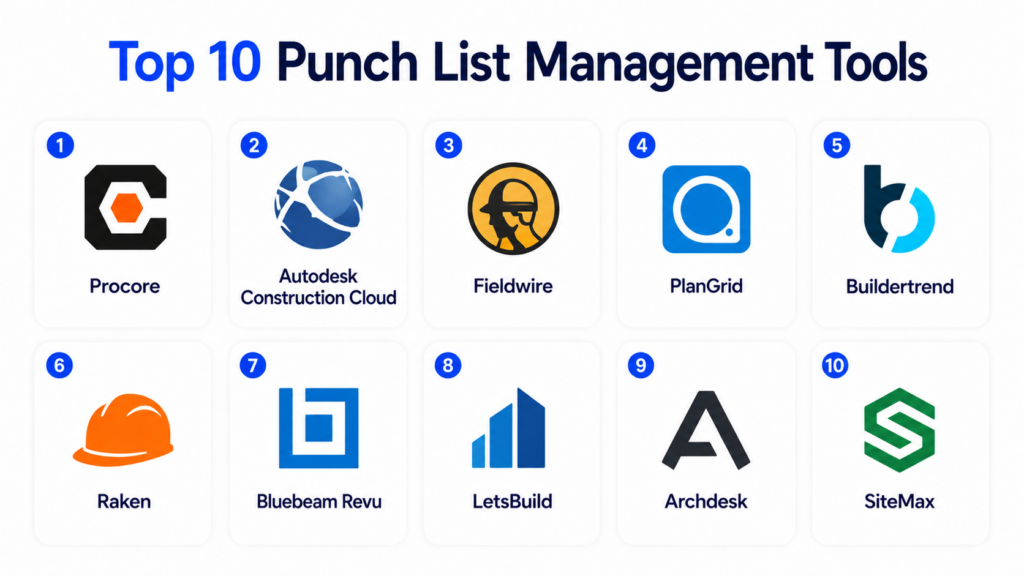
Introduction
Punch List Management Tools help construction teams track, assign, inspect, and close final project tasks before handover. A punch list usually includes incomplete work, defects, corrections, quality issues, safety observations, missing items, or client-requested fixes that must be resolved before a project is considered complete.
Instead of managing punch lists through spreadsheets, paper notes, photos, WhatsApp messages, or scattered emails, these tools centralize issue tracking, field documentation, responsibility assignment, deadlines, photos, comments, approvals, and closeout reporting. This improves accountability between project managers, site supervisors, subcontractors, owners, architects, and field teams.
Common real-world use cases include:
- Construction closeout tracking
- Defect and snagging management
- Quality inspections
- Subcontractor task assignment
- Owner handover documentation
Buyers should evaluate:
- Mobile field usability
- Photo and annotation support
- Task assignment workflows
- Offline access
- Reporting and export options
- Collaboration with subcontractors
- Document and drawing integration
- Project closeout visibility
- Security controls
- Ease of onboarding
Best for: general contractors, construction managers, real estate developers, architects, engineering firms, site supervisors, quality teams, and subcontractors managing project closeout workflows.
Not ideal for: very small teams with only a few occasional tasks, or businesses already using a broader construction management platform with strong built-in punch list functionality.
Key Trends in Punch List Management Tools
- Mobile-first punch list workflows are replacing paper-based site inspections.
- Photo capture, markup, and annotation are becoming standard for defect documentation.
- Real-time subcontractor assignment improves accountability and closeout speed.
- Offline field access is increasingly important for job sites with weak connectivity.
- Integration with drawings, BIM, and project documents is becoming more common.
- Automated reporting helps owners and project managers track closeout progress.
- AI-assisted defect classification is emerging in advanced construction platforms.
- Cloud-based collaboration is improving transparency between office and field teams.
- Quality control workflows are merging with punch list and inspection management.
- Simple user experience is becoming a major buying factor for field adoption.
How We Selected These Tools
The tools in this list were selected based on practical construction closeout use cases, market recognition, punch list depth, field usability, and suitability for different business sizes.
Selection factors included:
- Punch list and defect tracking capabilities
- Mobile field inspection experience
- Photo, markup, and documentation features
- Task assignment and accountability workflows
- Reporting and closeout visibility
- Collaboration support for subcontractors and owners
- Integration with construction project systems
- Security and access control signals
- Suitability for SMB, mid-market, and enterprise teams
- Overall construction workflow relevance
Top 10 Punch List Management Tools
#1 — Procore
Short description:
Procore is a widely used construction management platform with strong punch list, quality, safety, document, and project closeout capabilities. It helps teams create punch items, assign responsibility, attach photos, track status, and manage closeout from the field or office. Procore is especially suitable for general contractors and enterprise construction firms that need punch list workflows connected with drawings, RFIs, submittals, inspections, and project documentation.
Key Features
- Punch list item creation and tracking
- Photo attachments and field documentation
- Task assignment to responsible parties
- Mobile field access
- Drawing and document integration
- Project closeout reporting
- Collaboration with subcontractors
Pros
- Strong all-in-one construction platform
- Excellent field-to-office visibility
- Large integration ecosystem
Cons
- May be expensive for small contractors
- Broader platform can require training
- Advanced setup may take time
Platforms / Deployment
- Web / iOS / Android
- Cloud
Security & Compliance
- SSO/SAML
- MFA
- RBAC
- Encryption
- Audit logs
- GDPR support
Integrations & Ecosystem
Procore connects punch list workflows with broader construction operations, making it useful for teams that want issue tracking linked to project documents and cost workflows.
- Accounting systems
- ERP platforms
- BIM and drawing tools
- Document management systems
- APIs
- Field collaboration tools
Support & Community
Procore offers strong onboarding, training resources, documentation, and a large construction-focused user community.
#2 — Autodesk Construction Cloud
Short description:
Autodesk Construction Cloud provides punch list, issue tracking, quality management, document control, and BIM-connected collaboration for construction projects. It is especially useful for teams already working with Autodesk design and construction tools. Field teams can capture issues, assign tasks, attach photos, track resolution, and connect punch list items with project drawings and models.
Key Features
- Issue and punch list tracking
- BIM and drawing integration
- Photo documentation
- Field quality inspections
- Mobile collaboration
- Document control
- Project analytics
Pros
- Strong BIM-connected workflows
- Good enterprise collaboration
- Suitable for complex projects
Cons
- Can feel complex for small teams
- Best value when using Autodesk ecosystem
- Training may be required
Platforms / Deployment
- Web / iOS / Android
- Cloud
Security & Compliance
- SSO/SAML
- MFA
- Encryption
- RBAC
- Audit logs
Integrations & Ecosystem
Autodesk Construction Cloud works well for teams using design, coordination, and field management workflows together.
- AutoCAD
- Revit
- Navisworks
- BIM tools
- APIs
- Project management systems
Support & Community
Autodesk provides enterprise support, detailed documentation, learning resources, and a large professional user community.
#3 — Fieldwire
Short description:
Fieldwire is a field management platform designed for construction task tracking, punch lists, inspections, drawings, and site collaboration. It is popular among field supervisors, contractors, and subcontractors because of its simple mobile-first workflows. Teams can create punch items directly from drawings, assign tasks, attach photos, mark progress, and track completion from the job site.
Key Features
- Punch list and task tracking
- Drawing-based issue creation
- Photo and file attachments
- Mobile field collaboration
- Inspection checklists
- Task status tracking
- Offline field access
Pros
- Very strong mobile usability
- Easy for field teams to adopt
- Good drawing-based workflows
Cons
- Less comprehensive than full ERP platforms
- Advanced financial controls are limited
- Enterprise analytics may be basic
Platforms / Deployment
- Web / iOS / Android
- Cloud
Security & Compliance
- MFA
- Encryption
- RBAC
Integrations & Ecosystem
Fieldwire integrates with construction document workflows and project collaboration systems.
- Autodesk tools
- Cloud storage platforms
- APIs
- Drawing management systems
- Project collaboration tools
Support & Community
Fieldwire offers practical support, onboarding resources, and field-focused documentation suitable for contractors and site teams.
#4 — PlanGrid
Short description:
PlanGrid, now part of Autodesk Construction Cloud, is known for field collaboration, drawing management, issue tracking, and punch list workflows. It helps construction teams work from updated plans, create issues directly on drawings, document defects with photos, and track completion status. It is especially useful for site teams that need simple field access to drawings and closeout items.
Key Features
- Punch list issue tracking
- Drawing markup
- Photo documentation
- Field notes and tasks
- Mobile access
- Issue assignment
- Closeout tracking
Pros
- Strong drawing-first experience
- Easy field adoption
- Good for site documentation
Cons
- Now closely tied to Autodesk ecosystem
- May overlap with Autodesk Construction Cloud modules
- Broader enterprise controls may require additional tools
Platforms / Deployment
- Web / iOS / Android
- Cloud
Security & Compliance
- Encryption
- MFA
- RBAC
Integrations & Ecosystem
PlanGrid works best within Autodesk’s construction ecosystem and drawing-centered workflows.
- Autodesk Construction Cloud
- BIM tools
- Drawing systems
- APIs
- Cloud document tools
Support & Community
Support is generally available through Autodesk resources, documentation, and construction-focused training materials.
#5 — Buildertrend
Short description:
Buildertrend is a construction management platform designed mainly for residential builders, remodelers, and specialty contractors. It includes project scheduling, client communication, document management, task tracking, and punch list-style closeout workflows. Residential teams use Buildertrend to manage homeowner communication, final corrections, project updates, and job completion activities in one platform.
Key Features
- Task and punch item tracking
- Client communication portal
- Project scheduling
- Photo documentation
- Change order workflows
- Mobile access
- Document sharing
Pros
- Strong residential construction fit
- Easy client communication
- Good for SMB contractors
Cons
- Less suited for large infrastructure projects
- Limited advanced BIM functionality
- Enterprise customization is limited
Platforms / Deployment
- Web / iOS / Android
- Cloud
Security & Compliance
- Encryption
- MFA
- RBAC
Integrations & Ecosystem
Buildertrend connects project workflows with accounting, customer communication, and construction operations.
- QuickBooks
- Xero
- CRM tools
- APIs
- Accounting systems
Support & Community
Buildertrend provides strong SMB-focused onboarding, training resources, and customer support for residential construction teams.
#6 — Raken
Short description:
Raken is a construction field management platform focused on daily reports, safety, quality, time tracking, and field documentation. While it is not only a punch list tool, it supports issue tracking, documentation, and closeout-related workflows for contractors and field supervisors. Teams use Raken to capture jobsite observations, document problems, assign follow-ups, and maintain better project records.
Key Features
- Field reporting
- Issue documentation
- Photo capture
- Safety and quality tracking
- Daily reports
- Mobile app workflows
- Project documentation exports
Pros
- Strong field reporting experience
- Easy for site teams to use
- Good documentation workflows
Cons
- Not a dedicated punch list-only platform
- Advanced project controls are limited
- May need integration with broader PM tools
Platforms / Deployment
- Web / iOS / Android
- Cloud
Security & Compliance
- Encryption
- RBAC
- MFA
Integrations & Ecosystem
Raken integrates with project management and accounting systems to support connected field workflows.
- Procore
- Autodesk tools
- Accounting systems
- APIs
- Payroll workflows
Support & Community
Raken provides practical onboarding, documentation, and support focused on construction field teams.
#7 — Bluebeam Revu
Short description:
Bluebeam Revu is a document markup and collaboration platform widely used in architecture, engineering, and construction. It is not a traditional punch list system, but many teams use it for punch list documentation through PDF drawings, markups, annotations, and issue tracking workflows. It is especially useful for teams that depend heavily on drawings, plan reviews, and document-based coordination.
Key Features
- PDF markup and annotation
- Drawing review workflows
- Issue documentation
- Measurement tools
- Collaboration sessions
- Custom tool sets
- Document tracking
Pros
- Excellent markup capabilities
- Strong AEC industry adoption
- Useful for drawing-based punch lists
Cons
- Not a full dispatch-style punch list platform
- Requires process setup
- Field workflow may need companion tools
Platforms / Deployment
- Windows / Web / iOS
- Cloud / Desktop
Security & Compliance
- Encryption
- Permission controls
- SSO support may vary by plan
Integrations & Ecosystem
Bluebeam fits well into design review, construction document management, and project coordination workflows.
- Document management systems
- Autodesk workflows
- Cloud storage tools
- APIs
- Project collaboration platforms
Support & Community
Bluebeam has strong documentation, training resources, and a large AEC professional community.
#8 — LetsBuild
Short description:
LetsBuild is a construction project management and field collaboration platform focused on quality, progress tracking, planning, and site coordination. It supports snagging, punch list management, inspections, and issue tracking for construction teams. The platform helps contractors capture field issues, assign responsibility, monitor completion, and improve transparency during project closeout.
Key Features
- Snagging and punch list tracking
- Field inspections
- Progress monitoring
- Photo documentation
- Task assignment
- Mobile collaboration
- Reporting dashboards
Pros
- Good for European construction workflows
- Strong site collaboration features
- Useful for quality tracking
Cons
- Smaller global ecosystem than larger vendors
- May require onboarding for full adoption
- Advanced integrations may vary
Platforms / Deployment
- Web / iOS / Android
- Cloud
Security & Compliance
- Encryption
- RBAC
- GDPR support
Integrations & Ecosystem
LetsBuild supports field collaboration and construction project workflows through connected project data and reporting.
- APIs
- Document systems
- Project management tools
- Field reporting workflows
Support & Community
Support availability may vary by region and plan. Documentation and onboarding resources are available for construction teams.
#9 — Archdesk
Short description:
Archdesk is a construction management and ERP-style platform designed for contractors, subcontractors, and construction firms needing project control, workflows, finance, and operational visibility. Its project management capabilities can support punch list, quality control, issue tracking, and closeout workflows. Archdesk is useful for teams wanting punch list functionality connected with broader construction business management.
Key Features
- Project management workflows
- Issue and task tracking
- Quality control support
- Document management
- Cost and finance workflows
- Procurement tracking
- Reporting dashboards
Pros
- Strong operational workflow coverage
- Useful for contractors and subcontractors
- Combines project and business management
Cons
- May be more complex than simple punch list tools
- Requires setup and workflow configuration
- Smaller ecosystem than major enterprise platforms
Platforms / Deployment
- Web
- Cloud
Security & Compliance
- Encryption
- RBAC
- GDPR support
Integrations & Ecosystem
Archdesk supports construction business workflows and integrations across project, finance, and operational systems.
- Accounting systems
- APIs
- Project management tools
- Procurement workflows
- Document systems
Support & Community
Support and onboarding are typically available for implementation-focused customers. Community size is smaller than larger global platforms.
#10 — SiteMax
Short description:
SiteMax is a construction management platform focused on field reporting, safety, quality, documents, punch lists, and site collaboration. It helps teams manage jobsite tasks, track deficiencies, capture photos, assign issues, and improve closeout accountability. SiteMax is especially suitable for contractors looking for a practical field management platform with punch list and quality management features.
Key Features
- Punch list management
- Field reporting
- Safety and quality workflows
- Photo documentation
- Mobile access
- Task assignment
- Document management
Pros
- Strong field management focus
- Good for contractors and site teams
- Practical quality and safety workflows
Cons
- Smaller ecosystem than major platforms
- Enterprise integrations may vary
- Advanced analytics may be limited
Platforms / Deployment
- Web / iOS / Android
- Cloud
Security & Compliance
- Encryption
- RBAC
- MFA support may vary by plan
Integrations & Ecosystem
SiteMax supports field construction workflows and can connect with broader project and document systems.
- APIs
- Document management tools
- Construction workflows
- Reporting systems
Support & Community
Support availability varies by plan. The platform provides practical onboarding and documentation for construction users.
Comparison Table
| Tool Name | Best For | Platform Supported | Deployment | Standout Feature | Public Rating |
|---|---|---|---|---|---|
| Procore | Enterprise construction teams | Web, iOS, Android | Cloud | End-to-end punch list and project closeout | N/A |
| Autodesk Construction Cloud | BIM-driven construction teams | Web, iOS, Android | Cloud | BIM-connected issue tracking | N/A |
| Fieldwire | Field supervisors and subcontractors | Web, iOS, Android | Cloud | Mobile-first punch list workflows | N/A |
| PlanGrid | Drawing-based field teams | Web, iOS, Android | Cloud | Punch items linked to drawings | N/A |
| Buildertrend | Residential builders | Web, iOS, Android | Cloud | Client-friendly closeout workflows | N/A |
| Raken | Field reporting teams | Web, iOS, Android | Cloud | Daily reporting with issue tracking | N/A |
| Bluebeam Revu | AEC document teams | Windows, Web, iOS | Cloud / Desktop | PDF markup and punch documentation | N/A |
| LetsBuild | Quality and snagging teams | Web, iOS, Android | Cloud | Snagging and site inspections | N/A |
| Archdesk | Contractors needing ERP workflows | Web | Cloud | Project and business workflow control | N/A |
| SiteMax | Jobsite field teams | Web, iOS, Android | Cloud | Punch list with quality and safety workflows | N/A |
Evaluation & Scoring of Punch List Management Tools
| Tool Name | Core 25% | Ease 15% | Integrations 15% | Security 10% | Performance 10% | Support 10% | Value 15% | Weighted Total |
|---|---|---|---|---|---|---|---|---|
| Procore | 9.5 | 8.2 | 9.3 | 9.0 | 9.1 | 8.9 | 7.7 | 8.87 |
| Autodesk Construction Cloud | 9.2 | 7.9 | 9.2 | 8.9 | 9.0 | 8.7 | 7.6 | 8.65 |
| Fieldwire | 8.8 | 9.2 | 7.8 | 8.0 | 8.5 | 8.4 | 8.8 | 8.53 |
| PlanGrid | 8.5 | 8.9 | 8.4 | 8.2 | 8.5 | 8.3 | 8.2 | 8.46 |
| Buildertrend | 8.1 | 8.8 | 7.7 | 7.8 | 8.2 | 8.5 | 8.7 | 8.23 |
| Raken | 7.9 | 9.0 | 7.5 | 7.8 | 8.2 | 8.3 | 8.6 | 8.18 |
| Bluebeam Revu | 8.0 | 8.3 | 7.7 | 7.8 | 8.4 | 8.2 | 8.6 | 8.14 |
| LetsBuild | 8.2 | 8.4 | 7.4 | 7.8 | 8.1 | 7.9 | 8.3 | 8.04 |
| Archdesk | 8.1 | 7.8 | 7.8 | 7.9 | 8.1 | 7.8 | 8.0 | 7.98 |
| SiteMax | 8.0 | 8.5 | 7.2 | 7.6 | 8.0 | 7.8 | 8.4 | 8.00 |
These scores are comparative and should be used as a practical evaluation guide, not as fixed vendor rankings. Enterprise tools usually score higher in integrations, security, and scalability, while field-first platforms score better in ease of use and value. The best choice depends on whether your team needs a dedicated punch list tool, a field management platform, or a full construction management system.
Which Punch List Management Tool Is Right for You?
Solo / Freelancer
Solo contractors and small field teams should prioritize easy mobile usage, quick issue creation, photo capture, and simple reporting. Fieldwire, SiteMax, Bluebeam Revu, or Raken can be practical choices depending on whether the workflow is task-based, document-based, or reporting-focused.
SMB
Small and mid-sized contractors should look for tools that are easy to deploy but still strong enough for subcontractor coordination. Buildertrend is a strong fit for residential teams, while Fieldwire and Raken work well for field-heavy teams needing fast punch list documentation.
Mid-Market
Mid-market construction firms should consider platforms that combine punch list workflows with project visibility, drawings, inspections, and reporting. Procore, Autodesk Construction Cloud, Fieldwire, and LetsBuild are good options depending on project type and team maturity.
Enterprise
Enterprise construction organizations usually need punch list management connected with BIM, documents, cost control, compliance, and reporting. Procore and Autodesk Construction Cloud are strong choices for larger teams managing complex multi-project environments.
Budget vs Premium
Budget-focused teams should choose tools that solve field adoption first. Premium platforms are better when punch list workflows must connect with broader project management, cost tracking, documents, RFIs, submittals, and executive reporting.
Feature Depth vs Ease of Use
Fieldwire, Raken, and SiteMax are easier for site teams to adopt quickly. Procore, Autodesk Construction Cloud, and Archdesk provide deeper operational workflows but may require more training and implementation planning.
Integrations & Scalability
If punch list items must connect with drawings, BIM, ERP, document systems, or accounting platforms, choose tools with stronger integration ecosystems. Procore, Autodesk Construction Cloud, and Bluebeam Revu offer strong ecosystem value for connected construction workflows.
Security & Compliance Needs
For large construction firms, security should include user permissions, role-based access, audit logs, secure document sharing, and authentication controls. Enterprise buyers should validate these requirements before rollout, especially when working on sensitive commercial, infrastructure, or government projects.
Frequently Asked Questions
1. What is a punch list management tool?
A punch list management tool helps construction teams track unfinished work, defects, corrections, and final closeout tasks before project completion. Instead of using paper notes or spreadsheets, teams can create digital punch items, assign them to responsible parties, attach photos, set deadlines, and monitor progress. These tools improve accountability and reduce confusion during final project stages. They are especially useful when multiple subcontractors, supervisors, and owners are involved in closeout workflows.
2. Why is punch list management important in construction?
Punch list management is important because project closeout is often where delays, disputes, and quality issues become most visible. A structured punch list process ensures every correction is documented, assigned, tracked, and verified before handover. It reduces missed items, improves subcontractor accountability, and creates a clear record of completed work. Strong punch list workflows also improve client confidence and help teams close projects faster with fewer disputes.
3. How much do punch list management tools cost?
Pricing varies based on vendor, number of users, project volume, and whether the tool is standalone or part of a larger construction platform. Lightweight field tools may be more affordable for small contractors, while enterprise construction platforms often use custom pricing. Costs may also include onboarding, training, integrations, and advanced modules. Buyers should compare total value, not just monthly software cost, because better closeout workflows can reduce rework and project delays.
4. Can small contractors use punch list software?
Yes, small contractors can benefit greatly from punch list software because it reduces manual tracking and improves field communication. Even simple tools with photo capture, task assignment, and completion tracking can save time during project closeout. Small teams should choose platforms that are easy to use, mobile-friendly, and quick to deploy. A lightweight tool is usually better than a complex enterprise system if the business does not need advanced integrations.
5. What features should I look for in a punch list tool?
Important features include mobile access, photo attachments, drawing markup, issue assignment, due dates, status tracking, offline access, reporting, and export options. Teams should also look for subcontractor collaboration, document integration, and notification workflows. For larger projects, role-based permissions, audit trails, and integration with construction management systems become important. The best tool should match how your field teams actually work on site.
6. Are punch list tools different from construction management software?
Punch list tools focus specifically on tracking defects, unfinished work, inspections, and closeout tasks. Construction management software is broader and may include scheduling, budgeting, RFIs, submittals, procurement, workforce planning, and financial controls. Some construction management platforms include strong punch list modules, while some standalone field tools specialize only in site tasks and documentation. The right choice depends on whether you need only punch list tracking or a full project management system.
7. How do punch list tools improve subcontractor accountability?
Punch list tools improve accountability by clearly assigning each issue to a responsible person or company. Each item can include photos, descriptions, locations, due dates, comments, and completion status. This reduces confusion about who owns the work and when it must be completed. Many tools also provide notifications and reports, making it easier for project managers to follow up with subcontractors and verify completed corrections.
8. Do punch list tools work offline?
Some punch list tools support offline access, which is valuable on construction sites with poor connectivity. Offline functionality allows field teams to create issues, attach photos, update tasks, and sync data later when internet access is restored. This is especially important for large job sites, basements, remote locations, and infrastructure projects. Buyers should test offline performance before choosing a platform if connectivity is a common challenge.
9. What are common mistakes when using punch list software?
Common mistakes include creating vague punch items, failing to assign responsibility, not attaching photos, ignoring due dates, and not training subcontractors properly. Some teams also use too many disconnected tools, which causes confusion and duplicate work. Another mistake is waiting until the end of the project to create punch items instead of documenting issues throughout construction. A consistent process improves closeout speed and reduces rework.
10. When should a company upgrade from spreadsheets to punch list software?
A company should upgrade when spreadsheets, emails, or paper notes start creating confusion, missed tasks, duplicate work, or delayed closeouts. If multiple subcontractors, supervisors, and clients are involved, a digital punch list tool becomes much more valuable. Software provides real-time visibility, assignment tracking, photo documentation, and reporting that spreadsheets cannot handle well. Growing contractors should adopt punch list software before closeout problems become expensive and difficult to manage.
Conclusion
Punch List Management Tools play a critical role in helping construction teams complete projects with better quality, clearer accountability, and faster closeout. A strong punch list process ensures that defects, unfinished work, corrections, and owner concerns are properly documented, assigned, tracked, and verified before final handover. The best tool depends on project size, team structure, field workflow, budget, and integration needs. Small contractors may prefer simple mobile-first tools like Fieldwire, Raken, SiteMax, or Bluebeam Revu, while larger firms may benefit from broader platforms like Procore or Autodesk Construction Cloud. Residential builders may find Buildertrend more practical, while quality-focused teams may prefer LetsBuild or similar field inspection platforms. Buyers should not choose based only on feature lists; they should test how easily field teams can create punch items, attach photos, assign tasks, track status, and generate closeout reports. A practical next step is to shortlist a few tools, run a pilot on one active project, involve field teams and subcontractors, and validate usability, reporting, integrations, and security before adopting the platform across all projects.
