MOTOSHARE 🚗🏍️
Rent Bikes & Cars Directly from Owners
Motoshare connects vehicle owners with people who need bikes and cars on rent. Owners earn from idle vehicles, and renters get flexible ride options.
Visit Motoshare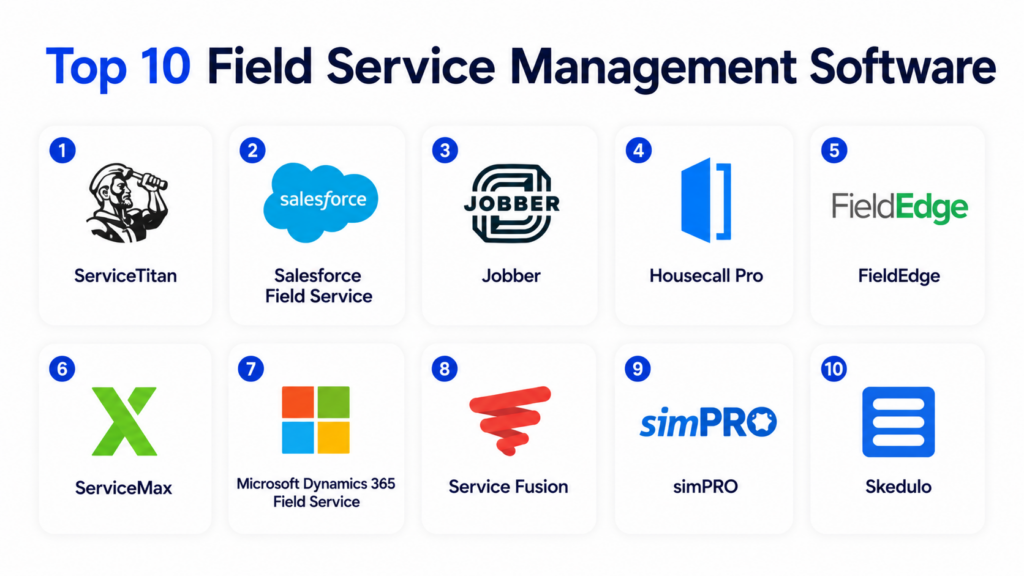
Introduction
Field Service Management Software helps organizations manage technicians, work orders, dispatching, scheduling, customer appointments, service contracts, inventory, assets, mobile workforce activity, and field reporting from one centralized platform. These tools replace manual phone calls, spreadsheets, paper job sheets, and disconnected systems with digital workflows that improve service speed, visibility, and accountability.
Field service teams rely on these platforms to assign the right technician, track job status, capture customer signatures, manage parts, generate invoices, and update customers in real time. Modern FSM software also includes mobile apps, GPS tracking, route optimization, preventive maintenance, AI-assisted scheduling, asset history, and customer portals.
Real-world use cases include:
- Scheduling and dispatching field technicians
- Managing work orders and service requests
- Tracking assets, parts, and equipment
- Capturing photos, notes, and signatures from the field
- Automating invoices, quotes, and customer updates
Key evaluation criteria buyers should consider:
- Scheduling and dispatch automation
- Mobile technician app quality
- Work order management
- Route optimization and GPS tracking
- Inventory and parts management
- Customer communication tools
- CRM, ERP, and accounting integrations
- Reporting and analytics
- Security and role-based access
- Scalability across teams and locations
Best for: HVAC companies, plumbing businesses, electrical contractors, telecom teams, utilities, equipment service providers, facilities teams, healthcare equipment providers, construction service teams, and enterprises with mobile technicians.
Not ideal for: Very small businesses with only occasional field jobs, teams that only need simple task tracking, or organizations that do not manage technicians, appointments, assets, or customer service workflows.
Key Trends in Field Service Management Software
- AI-assisted scheduling is helping dispatchers assign jobs more efficiently.
- Mobile-first technician apps are becoming essential for real-time field updates.
- Predictive maintenance is growing across equipment-heavy industries.
- Customer self-service portals are improving appointment visibility and communication.
- Route optimization is helping reduce fuel costs and technician travel time.
- Integration with IoT devices is enabling condition-based service workflows.
- Inventory and parts visibility is becoming more important for first-time fix rates.
- Digital forms, photos, and signatures are replacing paper job sheets.
- FSM platforms are increasingly integrating with ERP, CRM, and accounting systems.
- Analytics dashboards are helping managers measure technician productivity and service profitability.
How We Selected These Tools
The following field service management platforms were selected using practical service operations and workforce management criteria.
- Evaluated market adoption and platform maturity
- Reviewed scheduling and dispatching capabilities
- Assessed mobile technician app functionality
- Considered work order and asset management depth
- Evaluated inventory, parts, and service contract features
- Reviewed customer communication and portal options
- Assessed integrations with CRM, ERP, and accounting tools
- Considered usability for SMB and enterprise teams
- Evaluated reporting and operational analytics
- Balanced contractor-focused and enterprise-grade FSM platforms
Top 10 Field Service Management Software
1- ServiceTitan
Short description: ServiceTitan is a field service management platform designed mainly for trade businesses such as HVAC, plumbing, electrical, garage door, and home service companies. It helps teams manage scheduling, dispatching, estimates, invoices, customer communication, technician performance, and business reporting. ServiceTitan is especially useful for growing service businesses that need strong operational visibility, sales tracking, and customer experience tools. It combines front-office, field, and back-office workflows in one platform.
Key Features
- Scheduling and dispatching
- Mobile technician app
- Estimates and invoices
- Customer communication tools
- Membership and service agreements
- Reporting and performance dashboards
- Marketing and call tracking support
Pros
- Strong fit for home service businesses
- Deep operational and revenue reporting
- Good technician and office workflow alignment
Cons
- May be expensive for smaller teams
- Implementation requires process planning
- Best suited for service trades rather than every field industry
Platforms / Deployment
- Web / iOS / Android
- Cloud
Security & Compliance
Supports user permissions, admin controls, secure access, and role-based workflows. Additional certifications are not publicly stated.
Integrations & Ecosystem
ServiceTitan integrates with accounting, financing, marketing, payments, and customer communication systems.
- QuickBooks
- Accounting systems
- Payment tools
- Marketing platforms
- Financing tools
- Customer communication workflows
Support & Community
Provides onboarding, training resources, customer support, implementation guidance, and a strong home-service business community.
2- Salesforce Field Service
Short description: Salesforce Field Service is an enterprise-grade FSM platform built on the Salesforce ecosystem. It helps organizations manage service appointments, dispatching, mobile workers, assets, work orders, customer data, and service analytics. The platform is especially useful for companies already using Salesforce CRM because it connects customer history, service cases, sales records, and field operations. It is well suited for enterprises with complex service networks and customer-facing field teams.
Key Features
- Work order management
- Intelligent scheduling
- Dispatcher console
- Mobile field app
- Asset and service history
- Customer data integration
- Service analytics
Pros
- Deep Salesforce CRM integration
- Strong enterprise scalability
- Good customer and asset visibility
Cons
- Requires Salesforce ecosystem familiarity
- Implementation can be complex
- Pricing may be high for smaller organizations
Platforms / Deployment
- Web / iOS / Android
- Cloud
Security & Compliance
Supports SSO, MFA, RBAC, encryption, audit logs, and enterprise access controls depending on Salesforce configuration.
Integrations & Ecosystem
Salesforce Field Service integrates with Salesforce products and enterprise service workflows.
- Salesforce CRM
- Service Cloud
- MuleSoft
- ERP systems
- Customer portals
- Analytics tools
Support & Community
Large Salesforce ecosystem with documentation, implementation partners, training resources, and enterprise support options.
3- Jobber
Short description: Jobber is a field service management platform designed for small and mid-sized home service businesses. It helps teams manage quotes, scheduling, dispatching, client communication, invoicing, payments, and technician workflows. Jobber is especially popular with cleaning, landscaping, HVAC, plumbing, electrical, pest control, and general service businesses. Its strength is simplicity, making it useful for companies that want to move away from paper schedules and manual admin work.
Key Features
- Job scheduling
- Quotes and estimates
- Invoicing and payments
- Client communication
- Mobile technician app
- Customer portal
- Route planning support
Pros
- Easy for SMB teams to adopt
- Strong customer communication tools
- Good quoting and invoicing workflows
Cons
- Less suitable for complex enterprise operations
- Advanced inventory features are limited
- Reporting depth may not satisfy large teams
Platforms / Deployment
- Web / iOS / Android
- Cloud
Security & Compliance
Supports secure account access, permissions, and payment-related security workflows. Additional certifications are not publicly stated.
Integrations & Ecosystem
Jobber integrates with common SMB business, accounting, payment, and marketing tools.
- QuickBooks
- Stripe
- Mailchimp
- Google Calendar
- Payment systems
- Business productivity tools
Support & Community
Provides onboarding resources, help documentation, customer support, and practical guidance for small service businesses.
4- Housecall Pro
Short description: Housecall Pro is an FSM platform built for home service businesses that need scheduling, dispatching, estimates, invoices, payments, customer communication, and technician management. It is designed to be easy for small and growing trade businesses to use while still offering automation features for office and field teams. Housecall Pro is especially practical for HVAC, plumbing, electrical, cleaning, landscaping, and appliance repair businesses.
Key Features
- Online booking
- Scheduling and dispatching
- Mobile field app
- Estimates and invoices
- Payment processing
- Customer notifications
- Review management support
Pros
- Easy setup for home service teams
- Strong customer communication workflows
- Good mobile technician experience
Cons
- Less suited for large enterprise field operations
- Advanced customization may be limited
- Some features depend on plan level
Platforms / Deployment
- Web / iOS / Android
- Cloud
Security & Compliance
Supports secure user access, permissions, and payment workflow controls. Additional certifications are not publicly stated.
Integrations & Ecosystem
Housecall Pro integrates with business tools used by home service companies.
- QuickBooks
- Google Calendar
- Payment systems
- Marketing tools
- Customer communication tools
- Online booking workflows
Support & Community
Provides onboarding, customer support, business education resources, and service industry guidance.
5- FieldEdge
Short description: FieldEdge is a field service management platform designed for contractors and home service businesses, especially HVAC, plumbing, and electrical teams. It helps companies manage dispatching, customer history, work orders, service agreements, invoicing, and technician workflows. FieldEdge is especially useful for service businesses that want stronger office-to-field coordination and accounting integration. It supports real-time updates between technicians and back-office teams.
Key Features
- Dispatch board
- Work order management
- Mobile technician app
- Customer history
- Service agreements
- Invoicing workflows
- Accounting integration
Pros
- Strong contractor workflow support
- Good accounting connectivity
- Useful customer history visibility
Cons
- Best suited for trade businesses
- Interface may require training
- Advanced reporting may require configuration
Platforms / Deployment
- Web / iOS / Android
- Cloud
Security & Compliance
Supports user permissions, secure account access, and administrative controls. Additional certifications are not publicly stated.
Integrations & Ecosystem
FieldEdge integrates with accounting, payments, and service business workflows.
- QuickBooks
- Payment tools
- Customer communication systems
- Mobile field workflows
- Service agreement processes
- Accounting workflows
Support & Community
Provides onboarding, customer training, support resources, and service contractor workflow guidance.
6- ServiceMax
Short description: ServiceMax is an enterprise field service management platform focused on complex service operations, asset-centric service, equipment maintenance, and technician productivity. It is commonly used by manufacturers, medical device companies, industrial equipment providers, utilities, and large service organizations. ServiceMax helps teams manage work orders, installed assets, service contracts, technician workflows, and service performance. It is especially strong for organizations where equipment uptime and service history are critical.
Key Features
- Asset-centric service management
- Work order management
- Technician mobile app
- Service contracts
- Preventive maintenance
- Installed base tracking
- Service analytics
Pros
- Strong enterprise asset service capabilities
- Good for complex equipment workflows
- Useful preventive maintenance support
Cons
- Enterprise implementation can be complex
- Not ideal for simple home service businesses
- Requires process and data maturity
Platforms / Deployment
- Web / iOS / Android
- Cloud
Security & Compliance
Supports enterprise access controls, role-based permissions, encryption, and governance workflows depending on deployment.
Integrations & Ecosystem
ServiceMax integrates with CRM, ERP, asset management, and service operations systems.
- Salesforce ecosystem
- ERP systems
- Asset management systems
- IoT platforms
- Customer service systems
- Analytics tools
Support & Community
Provides enterprise onboarding, implementation support, documentation, customer success resources, and partner assistance.
7- Microsoft Dynamics 365 Field Service
Short description: Microsoft Dynamics 365 Field Service helps organizations manage field service operations through work orders, scheduling, asset management, technician mobile tools, customer communication, and service analytics. It is especially valuable for organizations already using Microsoft Dynamics, Microsoft 365, Power Platform, or Azure. The platform supports both reactive and proactive service workflows, including preventive maintenance and connected field service scenarios.
Key Features
- Work order management
- Resource scheduling
- Mobile field app
- Asset and equipment tracking
- Preventive maintenance
- Customer communication
- Power Platform automation
Pros
- Strong Microsoft ecosystem integration
- Good enterprise workflow automation
- Useful asset and maintenance capabilities
Cons
- Configuration can be complex
- Best value inside Microsoft ecosystem
- Requires skilled administration for advanced workflows
Platforms / Deployment
- Web / Windows / iOS / Android
- Cloud / Hybrid
Security & Compliance
Supports Microsoft enterprise security controls, SSO, MFA, RBAC, encryption, and audit logging.
Integrations & Ecosystem
Dynamics 365 Field Service integrates deeply with Microsoft business applications and enterprise systems.
- Microsoft 365
- Dynamics 365
- Power Automate
- Power BI
- Azure IoT
- ERP systems
Support & Community
Large Microsoft ecosystem with documentation, training resources, implementation partners, and enterprise support.
8- Service Fusion
Short description: Service Fusion is an FSM platform designed for small and mid-sized field service businesses. It helps teams manage estimates, scheduling, dispatching, invoicing, payments, customer records, and technician workflows. Service Fusion is used by HVAC, plumbing, electrical, appliance repair, locksmith, and general service companies. It is especially useful for businesses that want a practical, affordable platform with core field service workflows.
Key Features
- Scheduling and dispatching
- Estimates and invoices
- Customer management
- Mobile technician app
- Payment processing
- Job tracking
- Reporting dashboards
Pros
- Good SMB service business fit
- Practical core FSM features
- Useful customer and job management
Cons
- Less enterprise depth
- Advanced asset management is limited
- Customization may be lighter than larger platforms
Platforms / Deployment
- Web / iOS / Android
- Cloud
Security & Compliance
Supports user permissions, secure account access, and administrative controls. Additional certifications are not publicly stated.
Integrations & Ecosystem
Service Fusion integrates with accounting, payments, communication, and service business workflows.
- QuickBooks
- Payment tools
- Customer communication tools
- Mobile field workflows
- Scheduling systems
- Reporting tools
Support & Community
Provides onboarding, customer support, training resources, and SMB-focused implementation assistance.
9- simPRO
Short description: simPRO is a field service and job management platform designed for trade contractors, facilities service providers, and project-based service businesses. It supports estimating, scheduling, job costing, inventory, asset maintenance, service contracts, and field workforce management. simPRO is especially useful for businesses managing both service jobs and project-based work. It provides deeper operational control for companies that need visibility into profitability, materials, labor, and field execution.
Key Features
- Job management
- Scheduling and dispatching
- Asset maintenance
- Inventory and materials tracking
- Quotes and estimates
- Project and service workflows
- Reporting and job costing
Pros
- Strong trade contractor functionality
- Good inventory and job costing support
- Useful for project and service operations
Cons
- Setup may require operational planning
- Can feel complex for small simple teams
- Training may be needed for full adoption
Platforms / Deployment
- Web / iOS / Android
- Cloud
Security & Compliance
Supports user permissions, access controls, secure workflows, and administrative management. Additional certifications are not publicly stated.
Integrations & Ecosystem
simPRO integrates with accounting, finance, and business management systems.
- QuickBooks
- Xero
- Accounting systems
- Payment tools
- Supplier workflows
- Reporting systems
Support & Community
Provides onboarding, training resources, documentation, support, and implementation assistance.
10- Skedulo
Short description: Skedulo is a mobile workforce management and scheduling platform designed for organizations managing distributed field teams, appointments, and service delivery. It is especially useful for healthcare, staffing, home care, public sector, and enterprise field operations where workforce scheduling is complex. Skedulo focuses heavily on intelligent scheduling, mobile workforce visibility, and appointment coordination rather than only traditional trade service workflows.
Key Features
- Intelligent scheduling
- Mobile workforce management
- Appointment coordination
- Dispatch workflows
- Field team visibility
- Customer communication
- Workforce analytics
Pros
- Strong scheduling and workforce optimization
- Good fit for distributed service teams
- Useful mobile worker visibility
Cons
- Less trade-specific than contractor FSM tools
- Advanced implementation may require configuration
- Best suited for larger workforce operations
Platforms / Deployment
- Web / iOS / Android
- Cloud
Security & Compliance
Supports user permissions, secure access, role-based workflows, and enterprise administration. Additional certifications are not publicly stated.
Integrations & Ecosystem
Skedulo integrates with CRM, workforce, and business systems for service delivery operations.
- Salesforce
- Workforce systems
- Customer databases
- Calendar tools
- APIs
- Business applications
Support & Community
Provides onboarding, enterprise support, implementation assistance, and workforce optimization guidance.
Comparison Table
| Tool Name | Best For | Platform(s) Supported | Deployment | Standout Feature | Public Rating |
|---|---|---|---|---|---|
| ServiceTitan | Home service businesses | Web, iOS, Android | Cloud | Trade-focused business operations | N/A |
| Salesforce Field Service | Enterprise service teams | Web, iOS, Android | Cloud | CRM-connected field service | N/A |
| Jobber | SMB service businesses | Web, iOS, Android | Cloud | Simple scheduling and invoicing | N/A |
| Housecall Pro | Home service contractors | Web, iOS, Android | Cloud | Easy customer communication | N/A |
| FieldEdge | HVAC, plumbing, electrical teams | Web, iOS, Android | Cloud | Contractor dispatch workflows | N/A |
| ServiceMax | Asset-centric enterprises | Web, iOS, Android | Cloud | Complex equipment service management | N/A |
| Microsoft Dynamics 365 Field Service | Microsoft-centric enterprises | Web, Windows, Mobile | Cloud, Hybrid | Connected field service workflows | N/A |
| Service Fusion | SMB field service teams | Web, iOS, Android | Cloud | Practical job management | N/A |
| simPRO | Trade contractors and projects | Web, iOS, Android | Cloud | Job costing and inventory depth | N/A |
| Skedulo | Distributed mobile workforces | Web, iOS, Android | Cloud | Intelligent workforce scheduling | N/A |
Evaluation & Scoring of Field Service Management Software
| Tool Name | Core 25% | Ease 15% | Integrations 15% | Security 10% | Performance 10% | Support 10% | Value 15% | Weighted Total |
|---|---|---|---|---|---|---|---|---|
| ServiceTitan | 9.0 | 7.5 | 8.5 | 8.5 | 8.5 | 8.5 | 7.5 | 8.4 |
| Salesforce Field Service | 9.5 | 7.0 | 9.5 | 9.5 | 9.0 | 8.5 | 7.0 | 8.7 |
| Jobber | 8.0 | 9.0 | 8.0 | 8.0 | 8.0 | 8.5 | 8.5 | 8.3 |
| Housecall Pro | 8.0 | 9.0 | 8.0 | 8.0 | 8.0 | 8.0 | 8.5 | 8.2 |
| FieldEdge | 8.0 | 8.0 | 8.0 | 8.0 | 8.0 | 8.0 | 8.0 | 8.0 |
| ServiceMax | 9.5 | 7.0 | 9.0 | 9.0 | 9.0 | 8.5 | 7.0 | 8.6 |
| Microsoft Dynamics 365 Field Service | 9.0 | 7.0 | 9.5 | 9.5 | 9.0 | 8.5 | 7.5 | 8.6 |
| Service Fusion | 7.5 | 8.5 | 7.5 | 7.5 | 8.0 | 8.0 | 8.5 | 7.9 |
| simPRO | 8.5 | 7.5 | 8.0 | 8.0 | 8.5 | 8.0 | 7.5 | 8.1 |
| Skedulo | 8.5 | 7.5 | 8.5 | 8.5 | 8.5 | 8.0 | 7.5 | 8.2 |
These scores are comparative and intended to help buyers evaluate FSM platforms based on business size, workflow complexity, and industry requirements. Salesforce Field Service, ServiceMax, and Microsoft Dynamics 365 Field Service are stronger for enterprise operations. ServiceTitan, Jobber, Housecall Pro, FieldEdge, and Service Fusion are stronger for trade and home service businesses. simPRO is useful for contractors managing both projects and service jobs, while Skedulo fits complex mobile workforce scheduling.
Which Field Service Management Software Is Right for You?
Solo / Freelancer
Solo technicians and very small service businesses usually need simple scheduling, quotes, invoices, and customer communication. Jobber, Housecall Pro, or Service Fusion can be practical because they are easier to deploy than enterprise FSM platforms.
SMB
SMBs should prioritize ease of use, mobile technician workflows, invoicing, customer communication, and simple dispatching. Jobber, Housecall Pro, FieldEdge, Service Fusion, and ServiceTitan are strong options depending on trade type and growth stage.
Mid-Market
Mid-market organizations often need stronger reporting, route planning, inventory, service agreements, technician performance tracking, and accounting integrations. ServiceTitan, simPRO, FieldEdge, Skedulo, and Microsoft Dynamics 365 Field Service can support more structured operations.
Enterprise
Enterprises should prioritize scalability, asset management, ERP integration, security, advanced scheduling, IoT support, and analytics. Salesforce Field Service, ServiceMax, Microsoft Dynamics 365 Field Service, and Skedulo are strong enterprise candidates.
Budget vs Premium
Budget-conscious teams may prefer Jobber, Housecall Pro, or Service Fusion for practical core workflows. Premium platforms are better suited for organizations needing advanced automation, enterprise integrations, asset history, predictive maintenance, or complex workforce optimization.
Feature Depth vs Ease of Use
Jobber and Housecall Pro are easier for smaller teams. ServiceTitan and simPRO offer deeper operational capabilities for growing service businesses. Salesforce Field Service, ServiceMax, and Microsoft Dynamics 365 provide enterprise-grade depth but require more setup and administration.
Integrations & Scalability
Organizations should prioritize integrations with accounting, CRM, ERP, payments, inventory, customer portals, and reporting systems. Field service software becomes most valuable when dispatch, technician activity, customer data, invoices, and assets stay connected.
Security & Compliance Needs
Healthcare, utilities, telecom, government, and enterprise service teams should evaluate RBAC, audit logs, encryption, mobile access controls, customer data protection, and integration governance before deployment.
Frequently Asked Questions
1. What is field service management software?
Field service management software helps organizations manage technicians, jobs, schedules, dispatching, work orders, customer communication, inventory, and service reporting. It connects office teams with mobile field workers so everyone has real-time visibility into service activity. These platforms reduce paperwork, improve scheduling, and help technicians complete jobs more efficiently. Many tools also support invoicing, payments, customer portals, asset tracking, and mobile forms. FSM software is especially useful for businesses that send workers to customer sites or field locations.
2. Why do businesses need FSM software?
Businesses need FSM software to improve service coordination, reduce manual admin work, and increase visibility into field operations. Without a centralized platform, teams often rely on phone calls, spreadsheets, paper job sheets, and disconnected tools. This can create missed appointments, delayed updates, invoicing errors, and poor customer communication. FSM software helps dispatchers assign work faster, technicians access job details on mobile devices, and managers track performance more clearly. It also improves customer experience through reminders and real-time updates.
3. What features matter most in field service management tools?
Important features include scheduling, dispatching, work orders, mobile technician apps, customer records, estimates, invoices, route optimization, GPS tracking, inventory, service agreements, and reporting. Businesses with equipment-heavy workflows should also prioritize asset history and preventive maintenance. SMBs may focus more on ease of use and invoicing, while enterprises may need ERP integration and advanced workforce optimization. The best feature set depends on service complexity, team size, and industry needs.
4. Can FSM software help reduce missed appointments?
Yes, FSM software can reduce missed appointments through automated reminders, real-time scheduling, technician tracking, route planning, and customer notifications. Dispatchers can see technician availability and assign jobs more accurately. Customers can receive appointment confirmations and arrival updates. Technicians can access job details from mobile apps, reducing confusion and delays. These workflows improve reliability and reduce scheduling errors.
5. Is field service management software useful for small businesses?
Yes, many FSM platforms are designed specifically for small and mid-sized service businesses. Tools like Jobber, Housecall Pro, Service Fusion, and FieldEdge help smaller teams manage scheduling, quotes, invoices, payments, and customer communication without complex enterprise systems. Small businesses benefit by reducing paperwork and improving professional customer experiences. The key is choosing a platform that is simple enough for daily use but scalable enough for growth.
6. What is the difference between FSM and CRM?
CRM software manages customer relationships, sales activity, leads, and customer records. FSM software manages field service operations such as scheduling, dispatching, work orders, technician activity, assets, and job completion. Some platforms include both CRM and FSM capabilities, while others integrate with separate CRM systems. Service businesses often need both because customer history and field service delivery are closely connected. The right setup depends on sales and service workflow complexity.
7. Can FSM software integrate with accounting tools?
Yes, many field service platforms integrate with accounting tools to automate invoices, payments, estimates, job costing, and financial reporting. This reduces duplicate data entry and helps teams close jobs faster after service completion. Integrations with tools like QuickBooks, Xero, ERP systems, and payment processors are common. Buyers should validate whether the integration supports the exact workflows they need, such as deposits, taxes, job costing, or recurring service agreements.
8. How long does FSM implementation take?
Implementation time depends on business size, number of technicians, workflow complexity, integrations, and data migration needs. Small businesses can often start quickly with basic scheduling and invoicing workflows. Larger organizations may require process mapping, technician training, ERP integration, asset data migration, and custom reporting setup. A phased rollout usually works best. Teams should pilot scheduling, dispatching, and mobile workflows before full deployment.
9. What mistakes should buyers avoid?
A common mistake is choosing FSM software based only on feature lists without testing real field workflows. Buyers should also avoid ignoring technician usability, mobile app quality, offline needs, customer communication, and accounting integrations. Another mistake is overbuying enterprise software when the team only needs simple scheduling and invoicing. Organizations should involve dispatchers, technicians, finance, and managers in testing before final selection.
10. What are the best alternatives to FSM software?
Alternatives include spreadsheets, shared calendars, CRM systems, project management tools, paper work orders, or custom-built apps. These may work for very small teams but become inefficient as job volume grows. Dedicated FSM software is better when businesses need dispatching, technician tracking, mobile job updates, inventory, customer communication, and invoicing in one workflow. The best alternative depends on service volume, team size, and operational complexity.
Conclusion
Field Service Management Software helps organizations improve scheduling, dispatching, technician productivity, customer communication, asset visibility, and service profitability. The best platform depends on industry, company size, workflow complexity, and existing systems. ServiceTitan is strong for growing home service businesses, while Jobber, Housecall Pro, FieldEdge, and Service Fusion are practical for SMB contractors. Salesforce Field Service, ServiceMax, Microsoft Dynamics 365 Field Service, and Skedulo are better suited for enterprise service operations with complex scheduling, asset management, and integrations. simPRO is a strong option for trade contractors that manage both service and project work. Organizations should shortlist tools based on real field workflows, test mobile technician usability, validate accounting and CRM integrations, review reporting needs, and run a pilot before scaling across the service team.
