MOTOSHARE 🚗🏍️
Rent Bikes & Cars Directly from Owners
Motoshare connects vehicle owners with people who need bikes and cars on rent. Owners earn from idle vehicles, and renters get flexible ride options.
Visit Motoshare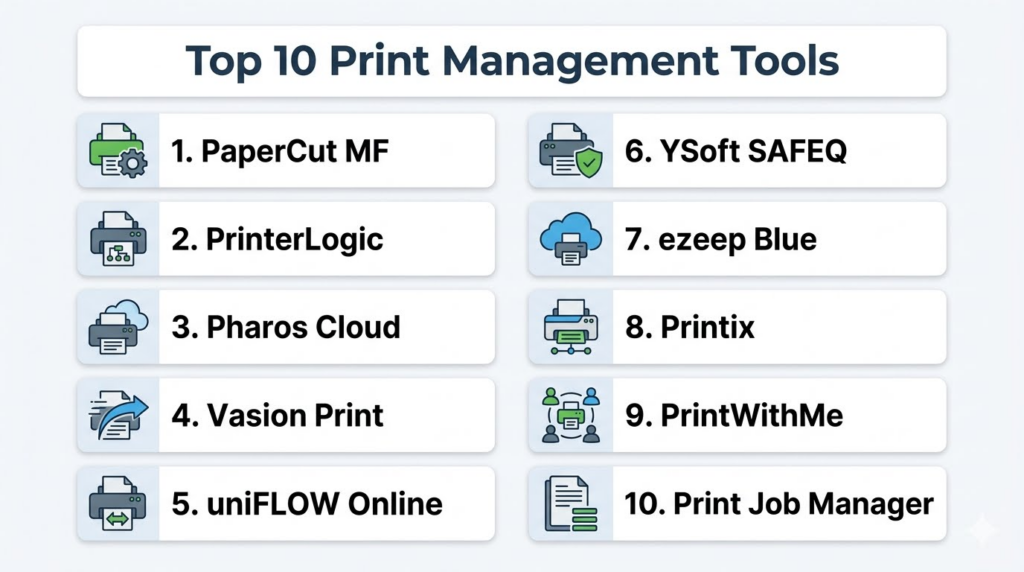
Introduction
Print Management Tools help organizations control, secure, monitor, and optimize printing across offices, campuses, branches, and enterprise environments. These platforms manage print queues, printer access, print costs, user authentication, device usage, driver deployment, secure print release, reporting, and compliance workflows from centralized dashboards.As hybrid work, cloud printing, security concerns, and sustainability initiatives continue growing, organizations increasingly rely on print management software to reduce waste, secure sensitive documents, simplify printer administration, and improve operational efficiency. Modern print management platforms now combine cloud printing, serverless printing, analytics, user quotas, secure pull printing, mobile printing, and multi-vendor printer support into centralized management systems.
Real-world use cases include:
- Managing enterprise printer fleets
- Securing confidential print jobs
- Controlling print costs and quotas
- Supporting BYOD and remote printing
- Monitoring printer usage and analytics
Key evaluation criteria buyers should consider:
- Secure print release capabilities
- Cloud and serverless printing support
- Multi-vendor printer compatibility
- Print tracking and analytics
- User authentication and access controls
- Mobile and remote printing
- Driver and queue management
- Scalability across locations
- Reporting and sustainability controls
- Ease of deployment and administration
Best for: Enterprises, educational institutions, healthcare organizations, government offices, coworking spaces, managed print providers, legal firms, and businesses managing multiple printers and high print volumes.
Not ideal for: Very small offices with only one or two printers, businesses with almost no printing needs, or teams that rely entirely on digital document workflows.
Key Trends in Print Management Tools
- Cloud-native print management platforms are replacing traditional print servers.
- Secure pull printing is becoming standard for confidential document workflows.
- Organizations increasingly support remote and hybrid printing workflows.
- AI-driven print analytics are improving cost optimization and device management.
- Serverless printing is reducing infrastructure complexity.
- Sustainability reporting and print reduction analytics are becoming more important.
- Mobile and BYOD printing support continues expanding.
- Multi-factor authentication and zero-trust printing controls are growing.
- Multi-vendor printer fleet management remains a major enterprise requirement.
- Print automation and intelligent routing are improving print efficiency.
How We Selected These Tools
The following print management platforms were selected using practical enterprise printing and workplace operations criteria.
- Evaluated market adoption and platform maturity
- Reviewed print security and secure release functionality
- Assessed cloud and serverless printing support
- Considered multi-vendor printer compatibility
- Evaluated analytics and reporting capabilities
- Reviewed scalability across enterprise environments
- Assessed ease of deployment and administration
- Considered mobile and hybrid work printing support
- Evaluated sustainability and cost control features
- Balanced SMB-friendly and enterprise-grade solutions
Top 10 Print Management Tools
1- PaperCut MF
Short description: PaperCut MF is one of the most widely recognized print management platforms for secure printing, print tracking, quota management, and multi-vendor printer control. The platform helps organizations reduce printing waste, secure confidential print jobs, and simplify printer administration through centralized dashboards and policy controls. PaperCut MF is especially popular in education, enterprise, healthcare, coworking, and government environments because of its strong security features, analytics, and flexible deployment options. It supports cloud printing, BYOD workflows, mobile printing, and secure pull printing across large printer fleets.
Key Features
- Secure pull printing
- Print tracking and analytics
- Multi-vendor printer management
- User quotas and cost controls
- Mobile and BYOD printing
- Cloud and on-premise support
- Sustainability reporting
Pros
- Strong enterprise print controls
- Excellent multi-vendor support
- Good reporting and cost management
Cons
- Advanced deployments may require planning
- Full enterprise setup can be complex
- Premium licensing costs may increase at scale
Platforms / Deployment
- Web / Windows / macOS / Linux / Mobile
- Cloud / On-premise / Hybrid
Security & Compliance
Supports SSO, MFA, RBAC, encryption, audit logs, and secure print release workflows.
Integrations & Ecosystem
PaperCut integrates with printer fleets, cloud identity systems, mobile printing environments, and enterprise authentication platforms.
- Microsoft 365
- Google Workspace
- Active Directory
- Printer hardware vendors
- Mobile printing systems
- Cloud printing workflows
Support & Community
Strong global user community, extensive documentation, enterprise onboarding resources, and partner support ecosystem.
2- PrinterLogic
Short description: PrinterLogic is a serverless print management platform designed to eliminate traditional print servers while simplifying printer deployment, driver management, and secure printing workflows. The platform helps organizations manage printers centrally without relying on legacy print infrastructure. PrinterLogic is especially useful for enterprises modernizing distributed office environments and hybrid work printing operations. It combines cloud printing, centralized administration, secure release printing, and self-service printer installation into a streamlined platform.
Key Features
- Serverless printing
- Centralized printer deployment
- Secure print release
- Driver management
- Self-service printer installation
- Cloud printing support
- Multi-location printer management
Pros
- Eliminates print server complexity
- Strong hybrid work support
- Simplifies printer deployment
Cons
- Enterprise setup requires planning
- Licensing can become expensive at scale
- Smaller businesses may not need full feature depth
Platforms / Deployment
- Web / Windows / macOS / Mobile
- Cloud / Hybrid
Security & Compliance
Supports SSO, MFA, encryption, RBAC, and secure print workflows.
Integrations & Ecosystem
PrinterLogic integrates with enterprise identity, device management, and printer environments.
- Azure AD
- Okta
- Google Workspace
- Microsoft 365
- Printer vendors
- Mobile printing systems
Support & Community
Provides enterprise onboarding, migration assistance, documentation, and deployment support.
3- Pharos Cloud
Short description: Pharos Cloud is a cloud-based print management platform designed to secure printing workflows, reduce print waste, and simplify printer administration across distributed organizations. The platform emphasizes secure pull printing, analytics, sustainability tracking, and cloud-native print infrastructure. It is especially useful for enterprises, universities, healthcare providers, and organizations with remote or hybrid workforce models.
Key Features
- Secure pull printing
- Cloud-native printing
- Print analytics
- Sustainability reporting
- Mobile printing
- User authentication
- Multi-location support
Pros
- Strong cloud printing architecture
- Good sustainability analytics
- Useful hybrid work support
Cons
- Premium enterprise focus
- Setup may require infrastructure planning
- Smaller teams may not need full analytics depth
Platforms / Deployment
- Web / Windows / macOS / Mobile
- Cloud
Security & Compliance
Supports encryption, SSO, RBAC, audit logging, and secure document release.
Integrations & Ecosystem
Pharos Cloud integrates with enterprise printer fleets, identity systems, and cloud workplace environments.
- Active Directory
- Microsoft 365
- Google Workspace
- Printer fleets
- Mobile print workflows
Support & Community
Provides enterprise onboarding, support resources, and print optimization consulting.
4- Vasion Print
Short description: Vasion Print, formerly known as PrinterLogic cloud print services in some deployments, focuses on cloud-based print infrastructure, centralized administration, and secure printing workflows. The platform helps organizations modernize legacy print environments while reducing print server dependence. It is especially useful for distributed enterprises and hybrid work environments requiring flexible cloud printing capabilities.
Key Features
- Cloud print management
- Secure print release
- Centralized administration
- Driver deployment
- Mobile printing
- Print analytics
- Multi-vendor printer support
Pros
- Strong cloud-first architecture
- Good distributed office support
- Simplifies print administration
Cons
- Migration planning may be required
- Enterprise licensing can vary
- Advanced analytics may require higher tiers
Platforms / Deployment
- Web / Windows / macOS / Mobile
- Cloud
Security & Compliance
Supports encryption, SSO, RBAC, and secure printing controls.
Integrations & Ecosystem
Vasion Print integrates with cloud workplace systems and enterprise printer environments.
- Microsoft 365
- Google Workspace
- Active Directory
- Mobile print systems
- Enterprise printer fleets
Support & Community
Provides implementation assistance, cloud migration guidance, and enterprise support.
5- uniFLOW Online
Short description: uniFLOW Online is Canon’s cloud print management platform focused on secure printing, scanning workflows, cost control, and centralized printer administration. The platform helps organizations secure sensitive print jobs while improving visibility into print activity and device usage. It is especially useful for enterprises and organizations heavily invested in Canon printer ecosystems while still supporting broader print management workflows.
Key Features
- Secure print release
- Print and scan workflows
- User authentication
- Cost tracking
- Mobile printing
- Device management
- Cloud printing support
Pros
- Strong secure printing workflows
- Good enterprise print visibility
- Useful scan integration capabilities
Cons
- Best optimized for Canon environments
- Advanced workflows may require configuration
- Licensing complexity can vary
Platforms / Deployment
- Web / Windows / macOS / Mobile
- Cloud / Hybrid
Security & Compliance
Supports SSO, encryption, RBAC, secure authentication, and audit logging.
Integrations & Ecosystem
uniFLOW Online integrates with Canon environments and enterprise workplace systems.
- Microsoft 365
- Google Workspace
- Canon printers
- Mobile printing
- Enterprise authentication systems
Support & Community
Provides enterprise support, deployment guidance, and Canon partner ecosystem assistance.
6- YSoft SAFEQ
Short description: YSoft SAFEQ is an enterprise print management platform designed for secure printing, workflow automation, user authentication, and print analytics. It helps organizations optimize print infrastructure while improving security and reducing operational waste. SAFEQ is especially useful for enterprises, education environments, and regulated industries that need centralized print governance and document security.
Key Features
- Secure pull printing
- User authentication
- Workflow automation
- Print analytics
- Mobile printing
- Multi-vendor support
- Cost tracking
Pros
- Strong enterprise governance
- Good workflow automation
- Useful analytics and reporting
Cons
- Enterprise-focused deployment complexity
- Smaller organizations may not need full capabilities
- Premium implementation requirements
Platforms / Deployment
- Web / Windows / macOS / Mobile
- Cloud / Hybrid / On-premise
Security & Compliance
Supports encryption, SSO, RBAC, audit logging, and secure document release.
Integrations & Ecosystem
YSoft SAFEQ integrates with enterprise authentication systems and printer environments.
- Active Directory
- Microsoft 365
- Google Workspace
- Printer fleets
- Enterprise identity systems
Support & Community
Provides enterprise deployment assistance, onboarding support, and implementation consulting.
7- ezeep Blue
Short description: ezeep Blue is a cloud-based print management and cloud printing platform designed for coworking spaces, SMBs, remote teams, and flexible workplaces. The platform simplifies printer access, mobile printing, and driverless printing workflows. It is particularly useful for organizations that want lightweight cloud printing without traditional print server infrastructure.
Key Features
- Cloud printing
- Driverless printing
- Mobile printing
- BYOD printing
- Printer access controls
- Usage tracking
- Remote printer management
Pros
- Very easy cloud printing setup
- Good for coworking and SMB environments
- Strong BYOD support
Cons
- Less enterprise governance depth
- Limited advanced analytics
- Smaller ecosystem than enterprise-focused competitors
Platforms / Deployment
- Web / Windows / macOS / iOS / Android
- Cloud
Security & Compliance
Supports encryption, access controls, and cloud-based user authentication.
Integrations & Ecosystem
ezeep Blue integrates with coworking and cloud workplace environments.
- Google Workspace
- Microsoft 365
- Coworking platforms
- Cloud printers
- Mobile devices
Support & Community
Provides onboarding resources, setup guidance, and SMB-focused support.
8- Printix
Short description: Printix is a cloud-native print management platform designed to simplify printer deployment, secure printing, and remote printer administration. The platform supports hybrid work printing environments while reducing dependence on print servers. Printix is particularly useful for SMBs and distributed organizations seeking simplified cloud printing workflows with centralized administration.
Key Features
- Cloud print management
- Secure printing
- Centralized administration
- Mobile printing
- Printer deployment
- Remote printer access
- User authentication
Pros
- Lightweight cloud deployment
- Good remote printing support
- Easy centralized printer management
Cons
- Smaller ecosystem than leading enterprise vendors
- Advanced enterprise workflows are limited
- Some integrations may require configuration
Platforms / Deployment
- Web / Windows / macOS / Mobile
- Cloud
Security & Compliance
Supports encryption, authentication controls, and secure print workflows.
Integrations & Ecosystem
Printix integrates with cloud identity and workplace systems for centralized print operations.
- Microsoft 365
- Google Workspace
- Azure AD
- Cloud printers
- Mobile printing workflows
Support & Community
Provides deployment support, documentation, and cloud printing guidance.
9- PrintWithMe
Short description: PrintWithMe is a cloud printing and print management platform focused primarily on coworking spaces, shared workplaces, cafés, apartments, and flexible work environments. The platform provides wireless printing, user billing, mobile printing, and centralized printer management for shared community spaces. It is especially useful for businesses offering self-service printing as part of workplace amenities.
Key Features
- Wireless cloud printing
- Self-service printing
- User billing workflows
- Mobile printing
- Shared printer management
- Usage tracking
- Remote administration
Pros
- Strong coworking workflow support
- Easy self-service printing
- Good shared-space usability
Cons
- Less suited for enterprise governance
- Limited advanced print analytics
- Smaller enterprise feature set
Platforms / Deployment
- Web / Mobile
- Cloud
Security & Compliance
Supports secure cloud printing and user authentication workflows.
Integrations & Ecosystem
PrintWithMe integrates with shared workspace and community printing environments.
- Coworking platforms
- Mobile payment systems
- Cloud printers
- Shared office workflows
Support & Community
Provides onboarding support and shared-space deployment assistance.
10- Print Job Manager
Short description: Print Job Manager is a print tracking and print management platform focused on monitoring printing activity, controlling usage, managing chargebacks, and improving print visibility across organizations. The platform helps organizations track who prints, what is printed, and how much printing costs across departments and users. It is useful for schools, businesses, libraries, and organizations seeking straightforward print usage monitoring.
Key Features
- Print activity monitoring
- Print quotas and restrictions
- Cost tracking
- Chargeback management
- Print reporting
- User management
- Print auditing
Pros
- Strong print tracking visibility
- Useful cost-control workflows
- Practical usage monitoring
Cons
- Less cloud-native than newer competitors
- Limited advanced enterprise automation
- Interface may feel traditional
Platforms / Deployment
- Windows / Web administration
- On-premise / Hybrid
Security & Compliance
Supports user permissions, print auditing, and activity monitoring.
Integrations & Ecosystem
Print Job Manager supports print tracking and administrative workflows across organizational printer environments.
- Print servers
- User directories
- Reporting systems
- Department chargeback workflows
Support & Community
Provides documentation, deployment support, and print administration guidance.
Comparison Table
| Tool Name | Best For | Platform(s) Supported | Deployment | Standout Feature | Public Rating |
|---|---|---|---|---|---|
| PaperCut MF | Enterprise print control | Web, Windows, macOS, Linux, Mobile | Cloud, Hybrid, On-premise | Secure pull printing | N/A |
| PrinterLogic | Serverless printing | Web, Windows, macOS, Mobile | Cloud, Hybrid | Print server elimination | N/A |
| Pharos Cloud | Hybrid work printing | Web, Windows, macOS, Mobile | Cloud | Cloud-native print security | N/A |
| Vasion Print | Distributed cloud printing | Web, Windows, macOS, Mobile | Cloud | Cloud-first print infrastructure | N/A |
| uniFLOW Online | Canon enterprise environments | Web, Windows, macOS, Mobile | Cloud, Hybrid | Secure print and scan workflows | N/A |
| YSoft SAFEQ | Enterprise governance | Web, Windows, macOS, Mobile | Cloud, Hybrid, On-premise | Workflow automation | N/A |
| ezeep Blue | Coworking and SMB printing | Web, Windows, macOS, Mobile | Cloud | Driverless cloud printing | N/A |
| Printix | SMB cloud printing | Web, Windows, macOS, Mobile | Cloud | Lightweight cloud deployment | N/A |
| PrintWithMe | Shared workspace printing | Web, Mobile | Cloud | Self-service coworking printing | N/A |
| Print Job Manager | Print usage monitoring | Windows, Web Admin | On-premise, Hybrid | Print auditing and chargebacks | N/A |
Evaluation & Scoring of Print Management Tools
| Tool Name | Core 25% | Ease 15% | Integrations 15% | Security 10% | Performance 10% | Support 10% | Value 15% | Weighted Total |
|---|---|---|---|---|---|---|---|---|
| PaperCut MF | 9.5 | 8.5 | 9.0 | 9.0 | 9.0 | 9.0 | 8.5 | 9.0 |
| PrinterLogic | 9.0 | 8.5 | 8.5 | 8.5 | 9.0 | 8.5 | 8.0 | 8.6 |
| Pharos Cloud | 8.5 | 8.0 | 8.5 | 8.5 | 8.5 | 8.0 | 8.0 | 8.3 |
| Vasion Print | 8.5 | 8.0 | 8.5 | 8.0 | 8.5 | 8.0 | 8.0 | 8.2 |
| uniFLOW Online | 8.5 | 7.5 | 8.0 | 8.5 | 8.5 | 8.0 | 7.5 | 8.1 |
| YSoft SAFEQ | 9.0 | 7.5 | 8.5 | 9.0 | 8.5 | 8.0 | 7.5 | 8.3 |
| ezeep Blue | 7.5 | 9.0 | 7.5 | 7.5 | 8.0 | 8.0 | 8.5 | 8.0 |
| Printix | 8.0 | 8.5 | 8.0 | 8.0 | 8.0 | 8.0 | 8.0 | 8.0 |
| PrintWithMe | 7.5 | 8.5 | 7.0 | 7.5 | 8.0 | 8.0 | 8.5 | 7.8 |
| Print Job Manager | 7.5 | 7.5 | 7.0 | 8.0 | 7.5 | 7.5 | 8.0 | 7.5 |
These scores are comparative and intended to help organizations evaluate print management platforms relative to their operational needs. PaperCut MF remains one of the strongest overall enterprise print management platforms, while PrinterLogic and Vasion Print excel in cloud and serverless printing environments. ezeep Blue and PrintWithMe are better suited for coworking and lightweight cloud printing scenarios. Organizations should validate printer compatibility, authentication workflows, reporting capabilities, and deployment complexity before final selection.
Which Print Management Tool Is Right for You?
Solo / Freelancer
Solo professionals and very small offices usually do not require enterprise print management platforms. Lightweight cloud printing tools such as ezeep Blue or Printix may be sufficient for managing remote or BYOD printing workflows.
SMB
SMBs should prioritize easy deployment, cloud printing, mobile support, and cost visibility. Printix, ezeep Blue, and PaperCut MF are strong options for organizations that want manageable print governance without excessive infrastructure complexity.
Mid-Market
Mid-market organizations often require centralized administration, secure print release, reporting, and multi-office support. PrinterLogic, PaperCut MF, Vasion Print, and Pharos Cloud are strong choices for scaling print operations.
Enterprise
Enterprises should prioritize secure pull printing, multi-vendor support, analytics, governance, SSO, audit logging, and serverless or cloud printing capabilities. PaperCut MF, PrinterLogic, YSoft SAFEQ, and Pharos Cloud are particularly strong enterprise candidates.
Budget vs Premium
Budget-conscious teams may prefer lightweight cloud printing platforms with simplified management. Premium enterprise deployments are better suited for organizations requiring secure release printing, advanced analytics, hybrid infrastructure support, and compliance workflows.
Feature Depth vs Ease of Use
ezeep Blue and Printix emphasize simplicity and quick cloud deployment, while PaperCut MF, YSoft SAFEQ, and PrinterLogic provide deeper governance, analytics, and enterprise print controls.
Integrations & Scalability
Organizations already using Microsoft 365, Google Workspace, Azure AD, or enterprise identity systems should prioritize native integrations to simplify authentication and printer deployment workflows.
Security & Compliance Needs
Healthcare, finance, legal, government, and enterprise organizations should carefully evaluate secure print release, audit logs, encryption, RBAC, and authentication controls before deployment. Sensitive printing environments require stronger governance than standard office workflows.
Frequently Asked Questions
1. What are print management tools?
Print management tools help organizations monitor, secure, control, and optimize printing across printers, users, departments, and office locations. These platforms centralize print administration while improving security, reducing costs, and simplifying device management. They often include secure print release, usage tracking, analytics, quota controls, and cloud printing workflows. Modern print management systems also support hybrid work and BYOD printing environments.
2. Why do businesses need print management software?
Businesses use print management software to reduce print waste, improve security, simplify administration, and gain visibility into print activity. Without centralized management, organizations often face uncontrolled printing costs, security risks, printer driver issues, and inconsistent user experiences. Print management platforms automate many administrative tasks while improving accountability and reporting. They are especially important in large or distributed printer environments.
3. What is secure pull printing?
Secure pull printing requires users to authenticate themselves at a printer before a print job is released. Instead of printing immediately, the document remains securely queued until the user arrives at the device and verifies identity using credentials, badges, PINs, or mobile authentication. This helps prevent confidential documents from being left unattended in printer trays. Secure release printing is especially important in healthcare, finance, legal, and enterprise environments.
4. What is serverless printing?
Serverless printing removes the need for traditional on-premise print servers. Instead of routing print jobs through centralized print servers, cloud-based or direct IP printing workflows manage printers and print jobs more efficiently. This reduces infrastructure complexity and administrative overhead. Serverless printing is becoming increasingly popular in hybrid and distributed workplaces because it simplifies deployment and maintenance.
5. Are print management tools useful for hybrid work?
Yes, modern print management platforms are increasingly designed to support hybrid and remote work environments. Employees can print securely from home offices, coworking spaces, branch offices, and personal devices while still following organizational security and governance policies. Cloud printing and mobile printing capabilities are especially important for distributed workforces. Hybrid work has accelerated demand for flexible print infrastructure.
6. Can print management software reduce costs?
Yes, print management software helps organizations reduce printing costs through usage tracking, quotas, print policies, duplex printing rules, and analytics. Businesses often discover unnecessary printing patterns once reporting becomes visible. Secure pull printing also reduces abandoned print jobs and wasted paper. Sustainability reporting and print optimization tools can further reduce operational expenses over time.
7. Do print management platforms support multiple printer brands?
Most enterprise print management platforms support multi-vendor printer fleets. This allows organizations to manage HP, Canon, Xerox, Ricoh, Brother, Epson, and other printer brands from a centralized platform. Multi-vendor support is especially important in large organizations where printers from different vendors already exist across offices and departments. Buyers should still validate compatibility before deployment.
8. How long does implementation take?
Implementation time depends on the number of printers, office locations, authentication systems, and deployment complexity. SMB cloud printing deployments can often be completed quickly, while enterprise deployments may require driver mapping, print policy setup, identity integrations, and migration planning. Organizations should pilot deployments before scaling across all locations. Hybrid and serverless migrations may also require infrastructure changes.
9. What mistakes should buyers avoid?
One common mistake is selecting a platform without evaluating printer compatibility and authentication workflows. Organizations should also avoid focusing only on printer hardware while ignoring governance and reporting requirements. Another mistake is choosing enterprise-grade platforms for very small environments that only need lightweight cloud printing. Pilot testing with real users and printers is strongly recommended before organization-wide rollout.
10. What are the best alternatives to print management tools?
Alternatives include unmanaged printer environments, basic printer drivers, native operating system printing, and vendor-specific printer utilities. These approaches may work for very small offices but become difficult to manage as printer count and security requirements increase. Organizations needing centralized governance, analytics, hybrid printing, or secure release workflows typically benefit significantly from dedicated print management platforms. The best approach depends on print volume, security needs, and infrastructure complexity.
Conclusion
Print management tools have evolved into essential workplace infrastructure platforms that help organizations secure printing workflows, reduce operational costs, simplify printer administration, and support hybrid work environments. The best platform depends on printer fleet size, deployment complexity, security requirements, workplace flexibility, and existing infrastructure. PaperCut MF remains one of the strongest all-around enterprise print management platforms, while PrinterLogic and Vasion Print excel in cloud-first and serverless printing environments. Pharos Cloud and YSoft SAFEQ provide strong enterprise governance capabilities, while ezeep Blue and Printix are more lightweight cloud-printing solutions suited for SMB and coworking workflows. Organizations should avoid choosing print management software based only on hardware compatibility or licensing costs; instead, they should validate authentication workflows, analytics, security controls, printer support, and hybrid work capabilities through pilot deployments.
