MOTOSHARE 🚗🏍️
Rent Bikes & Cars Directly from Owners
Motoshare connects vehicle owners with people who need bikes and cars on rent. Owners earn from idle vehicles, and renters get flexible ride options.
Visit Motoshare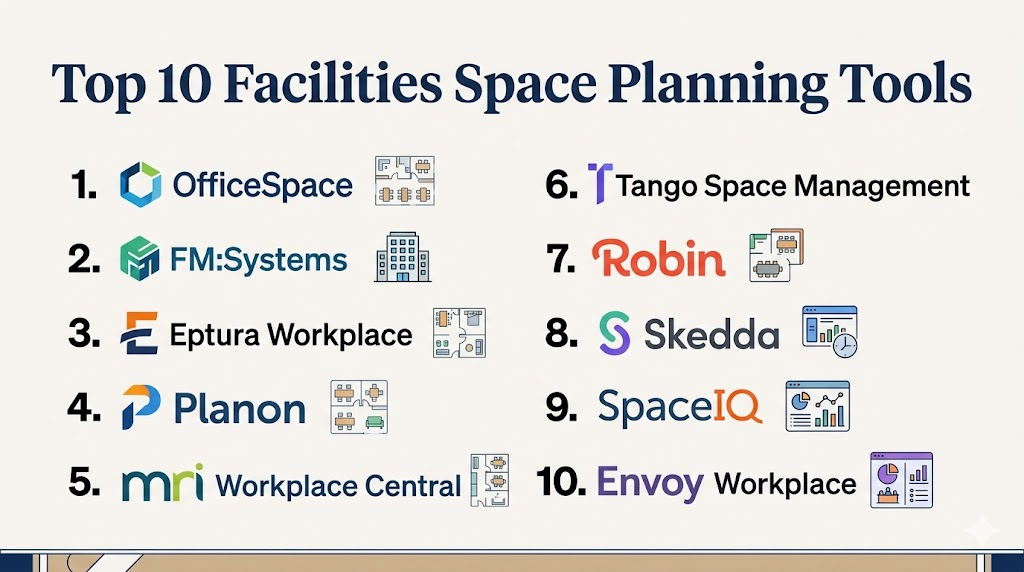
Introduction
Facilities Space Planning Tools help organizations plan, allocate, visualize, manage, and optimize physical workplace space. These platforms support floor plans, seating layouts, occupancy tracking, desk assignments, room usage, departmental space allocation, move planning, and workplace analytics.Facilities space planning matters because offices, campuses, hospitals, universities, government buildings, and enterprise workplaces need better visibility into how space is used. Poor space planning can lead to overcrowded areas, wasted real estate, poor employee experience, and higher operating costs. Modern space planning tools help facilities teams make data-driven decisions about layouts, capacity, hybrid work, utilization, and future workplace needs.
Real-world use cases include:
- Planning office floor layouts
- Managing seating and desk assignments
- Tracking space utilization and occupancy
- Supporting hybrid workplace planning
- Coordinating moves, additions, and changes
Key evaluation criteria buyers should consider:
- Interactive floor plan management
- Space allocation and occupancy tracking
- Desk and room booking support
- Move management workflows
- Utilization analytics and reporting
- Sensor and occupancy data integration
- Employee directory and wayfinding
- Portfolio-level visibility
- Security and permissions
- Integration with HR, IWMS, and workplace systems
Best for: Facilities managers, workplace teams, corporate real estate teams, HR operations, universities, hospitals, government agencies, enterprise offices, and organizations managing multiple buildings or flexible workplaces.
Not ideal for: Very small offices with simple seating layouts, fully remote organizations, or teams that only need basic room booking without space planning or utilization analytics.
Key Trends in Facilities Space Planning Tools
- Hybrid work is increasing demand for flexible desk and room planning.
- Occupancy analytics are helping teams reduce wasted real estate.
- Interactive floor plans are becoming central to employee workplace experience.
- Sensor and badge data integrations are improving utilization accuracy.
- AI-assisted space recommendations are emerging in workplace platforms.
- Scenario planning is helping facilities teams model future layouts.
- Digital twins are becoming more relevant for large campuses and enterprise buildings.
- Move management workflows are becoming more automated.
- Integration with HR and employee directory systems is improving seating accuracy.
- Space planning is increasingly connected with sustainability and cost-reduction goals.
How We Selected These Tools
The following facilities space planning platforms were selected using practical workplace, facilities, and real estate management criteria.
- Evaluated market adoption and workplace technology relevance
- Reviewed floor plan and space allocation capabilities
- Assessed occupancy tracking and utilization analytics
- Considered desk booking and hybrid workplace support
- Evaluated move management and scenario planning workflows
- Reviewed integrations with HR, IWMS, calendar, and sensor systems
- Assessed usability for facilities teams and employees
- Considered scalability across buildings and portfolios
- Evaluated reporting, dashboards, and executive visibility
- Balanced enterprise IWMS platforms with modern workplace tools
Top 10 Facilities Space Planning Tools
1- OfficeSpace
Short description: OfficeSpace is a workplace management platform designed for space planning, floor plans, desk booking, employee experience, asset visibility, and workplace analytics. It helps facilities teams visualize office layouts, manage seating, plan moves, and understand how space is being used. OfficeSpace is especially useful for organizations managing hybrid work, office reconfigurations, and employee seating needs across multiple locations.
Key Features
- Interactive floor plans
- Space planning and seating management
- Desk and room booking
- Move management
- Workplace analytics
- Employee directory and wayfinding
- Asset and space visibility
Pros
- Strong workplace planning experience
- Good employee-facing floor plan tools
- Useful for hybrid office management
Cons
- May be more than needed for small offices
- Advanced analytics may require setup
- Enterprise deployment requires data organization
Platforms / Deployment
- Web / Mobile
- Cloud
Security & Compliance
Supports user permissions, secure access, administrative controls, and role-based workflows. Additional certifications are not publicly stated.
Integrations & Ecosystem
OfficeSpace integrates with workplace, HR, directory, and productivity systems to keep space and employee data aligned.
- Microsoft 365
- Google Workspace
- HR systems
- Employee directories
- Calendar tools
- Workplace sensors
Support & Community
Provides onboarding, implementation guidance, workplace planning support, documentation, and customer success resources.
2- FM:Systems
Short description: FM:Systems is a facilities and workplace management platform focused on space management, occupancy planning, utilization analytics, move management, and workplace operations. It is well suited for large enterprises, universities, healthcare systems, and corporate real estate teams that need detailed facilities data and portfolio visibility. FM:Systems helps teams connect floor plans, people, assets, and utilization data for better planning decisions.
Key Features
- Space management
- Occupancy tracking
- Move management
- Workplace analytics
- Floor plan visualization
- Portfolio reporting
- Sensor data integration
Pros
- Strong enterprise facilities focus
- Good space utilization analytics
- Useful for large multi-site portfolios
Cons
- Implementation can be complex
- Requires accurate facilities data
- May be too advanced for smaller teams
Platforms / Deployment
- Web / Mobile
- Cloud / Hybrid depending on deployment
Security & Compliance
Supports enterprise permissions, role-based access, secure workflows, and administrative controls.
Integrations & Ecosystem
FM:Systems integrates with workplace, facilities, HR, CAD, and sensor systems.
- HR systems
- CAD drawings
- IWMS workflows
- Occupancy sensors
- Directory systems
- Reporting tools
Support & Community
Provides enterprise onboarding, implementation services, training, documentation, and facilities management expertise.
3- Eptura Workplace
Short description: Eptura Workplace supports space planning, desk booking, room scheduling, employee experience, asset visibility, and workplace analytics. It helps organizations manage flexible workplaces, optimize real estate, and improve employee access to spaces. Eptura is especially useful for mid-market and enterprise teams seeking broader workplace management capabilities beyond simple floor planning.
Key Features
- Space planning
- Desk booking
- Room scheduling
- Workplace analytics
- Employee wayfinding
- Move and occupancy planning
- Asset and facility visibility
Pros
- Broad workplace management capabilities
- Good hybrid workplace support
- Useful portfolio visibility
Cons
- Setup can require planning
- Feature depth varies by module
- Smaller teams may not need full suite
Platforms / Deployment
- Web / Mobile
- Cloud
Security & Compliance
Supports permissions, secure access controls, enterprise administration, and role-based workflows.
Integrations & Ecosystem
Eptura integrates with workplace systems, calendars, sensors, and facilities workflows.
- Microsoft 365
- Google Workspace
- HR systems
- Room scheduling systems
- Occupancy sensors
- Facilities platforms
Support & Community
Provides onboarding, documentation, implementation support, and workplace operations guidance.
4- Planon
Short description: Planon is an enterprise IWMS and smart building platform that supports space management, workplace planning, real estate operations, maintenance, sustainability, and facility management workflows. It is especially useful for large organizations managing complex building portfolios and long-term space optimization strategies. Planon helps facilities teams connect occupancy data, space usage, real estate costs, and operational performance.
Key Features
- Space management
- Real estate portfolio management
- Occupancy and utilization analytics
- Workplace services
- Maintenance integration
- Scenario planning
- Smart building data support
Pros
- Strong enterprise IWMS capabilities
- Good portfolio and real estate visibility
- Useful for complex facilities operations
Cons
- Enterprise implementation complexity
- Requires structured data governance
- May be too heavy for small offices
Platforms / Deployment
- Web / Mobile
- Cloud / Hybrid
Security & Compliance
Supports enterprise access controls, role-based permissions, audit workflows, and secure administration.
Integrations & Ecosystem
Planon integrates with smart building, real estate, HR, finance, and facilities systems.
- ERP systems
- HR platforms
- Building systems
- Sensor networks
- CAD and BIM workflows
- Reporting platforms
Support & Community
Provides enterprise implementation, consulting, documentation, training, and global support resources.
5- MRI Workplace Central
Short description: MRI Workplace Central helps organizations manage workplace space, occupancy, floor plans, utilization, and facility operations. It is suited for corporate real estate and facilities teams that need visibility across workplace portfolios and space usage. MRI’s workplace tools are especially useful for organizations that want space planning connected with broader real estate and property management workflows.
Key Features
- Space planning
- Occupancy tracking
- Floor plan management
- Workplace analytics
- Portfolio visibility
- Move planning
- Real estate workflow integration
Pros
- Strong real estate and workplace connection
- Good portfolio reporting capabilities
- Useful for facilities and CRE teams
Cons
- Enterprise setup may require planning
- Best suited for structured property operations
- Smaller teams may find it extensive
Platforms / Deployment
- Web / Mobile
- Cloud / Hybrid
Security & Compliance
Supports permissions, secure access controls, and enterprise administration workflows.
Integrations & Ecosystem
MRI Workplace Central integrates with real estate, facilities, finance, and reporting systems.
- MRI ecosystem
- ERP systems
- Property platforms
- HR systems
- Reporting tools
- Workplace systems
Support & Community
Provides implementation support, customer success resources, documentation, and real estate operations expertise.
6- Tango Space Management
Short description: Tango Space Management helps corporate real estate and facilities teams plan, manage, and optimize space across offices and portfolios. It supports space allocation, occupancy planning, floor plans, workplace analytics, and real estate decision-making. Tango is especially useful for organizations that need to connect workplace planning with portfolio strategy and real estate performance.
Key Features
- Space allocation
- Occupancy planning
- Floor plan management
- Portfolio analytics
- Scenario planning
- Workplace reporting
- Real estate planning support
Pros
- Strong corporate real estate orientation
- Good portfolio planning capabilities
- Useful for strategic space decisions
Cons
- Enterprise implementation may be required
- Less suited for very small offices
- User experience depends on configuration
Platforms / Deployment
- Web
- Cloud
Security & Compliance
Supports user permissions, secure workflows, and administrative controls.
Integrations & Ecosystem
Tango integrates with workplace, real estate, finance, and planning systems.
- ERP systems
- HR systems
- CAD workflows
- Real estate systems
- Reporting platforms
- Workplace data sources
Support & Community
Provides onboarding, implementation support, documentation, and corporate real estate workflow guidance.
7- Robin
Short description: Robin is a workplace experience platform that supports desk booking, room scheduling, office maps, space utilization analytics, and hybrid workplace planning. It is especially useful for modern offices that need employee-friendly booking and basic space planning visibility. Robin helps teams understand how employees use spaces and improves workplace coordination across hybrid schedules.
Key Features
- Office maps
- Desk booking
- Room scheduling
- Space utilization analytics
- Employee wayfinding
- Workplace coordination
- Calendar integrations
Pros
- Easy employee experience
- Strong hybrid workplace support
- Good desk and room booking workflows
Cons
- Less deep than enterprise IWMS tools
- Advanced portfolio planning is limited
- Best suited for workplace experience use cases
Platforms / Deployment
- Web / iOS / Android
- Cloud
Security & Compliance
Supports secure access, permissions, admin controls, and workplace user management.
Integrations & Ecosystem
Robin integrates with calendar, communication, and workplace systems.
- Microsoft 365
- Google Workspace
- Slack
- Microsoft Teams
- HR systems
- Workplace sensors
Support & Community
Provides onboarding resources, customer support, documentation, and workplace setup guidance.
8- Skedda
Short description: Skedda is a space booking and workplace scheduling platform used for desks, meeting rooms, shared offices, studios, classrooms, and flexible spaces. It helps organizations manage booking rules, availability, access, and utilization insights. While not a full IWMS, Skedda is useful for organizations that need practical space coordination and flexible booking controls without complex facilities deployment.
Key Features
- Desk and room booking
- Space scheduling rules
- Interactive booking maps
- User permissions
- Calendar integrations
- Usage reporting
- Self-service reservations
Pros
- Easy space booking experience
- Good booking rule flexibility
- Practical for flexible workplaces
Cons
- Not a full facilities space planning suite
- Limited advanced portfolio planning
- Best for booking-heavy use cases
Platforms / Deployment
- Web / Mobile
- Cloud
Security & Compliance
Supports permissions, secure account access, SSO on applicable plans, and admin controls.
Integrations & Ecosystem
Skedda integrates with workplace calendars, identity tools, and collaboration workflows.
- Microsoft 365
- Google Workspace
- SSO systems
- Calendar workflows
- Door access systems
- Workplace tools
Support & Community
Provides documentation, onboarding resources, customer support, and space booking guidance.
9- SpaceIQ
Short description: SpaceIQ is a workplace and space management platform focused on floor plans, space allocation, move management, employee experience, and utilization analytics. It helps facilities and workplace teams understand occupancy, plan layouts, and manage space changes more efficiently. SpaceIQ is especially useful for organizations modernizing office planning and hybrid workplace operations.
Key Features
- Floor plan management
- Space allocation
- Move planning
- Occupancy tracking
- Employee directory
- Workplace analytics
- Reporting dashboards
Pros
- Strong visual space planning
- Good move management workflows
- Useful workplace analytics
Cons
- Product availability and packaging may vary
- Enterprise setup requires data preparation
- Smaller teams may need simpler tools
Platforms / Deployment
- Web / Mobile
- Cloud
Security & Compliance
Supports secure access controls, user permissions, and administrative workflows.
Integrations & Ecosystem
SpaceIQ integrates with workplace, HR, directory, and facilities systems.
- HR systems
- Directory platforms
- Calendar systems
- Workplace sensors
- Reporting tools
- Facilities workflows
Support & Community
Provides onboarding, customer support, documentation, and workplace planning guidance.
10- Envoy Workplace
Short description: Envoy Workplace helps organizations manage workplace operations, desk booking, room booking, employee attendance, visitors, and space usage. It is especially useful for hybrid workplaces that need practical space coordination, employee experience, and workplace visibility. Envoy is not a traditional IWMS, but it supports modern workplace planning by helping teams understand and manage how people use office spaces.
Key Features
- Desk booking
- Room booking
- Workplace attendance visibility
- Visitor management integration
- Employee experience tools
- Space utilization insights
- Workplace communication workflows
Pros
- Strong workplace experience ecosystem
- Good hybrid office workflows
- Easy employee-facing tools
Cons
- Less deep for enterprise space planning
- Not ideal for complex CAD-based portfolio planning
- Best value inside broader Envoy ecosystem
Platforms / Deployment
- Web / iOS / Android
- Cloud
Security & Compliance
Supports permissions, secure access, admin controls, and workplace identity workflows.
Integrations & Ecosystem
Envoy integrates with workplace, calendar, communication, and access systems.
- Microsoft 365
- Google Workspace
- Slack
- Microsoft Teams
- Access control systems
- Workplace directories
Support & Community
Provides onboarding, documentation, customer support, and workplace operations guidance.
Comparison Table
| Tool Name | Best For | Platform(s) Supported | Deployment | Standout Feature | Public Rating |
|---|---|---|---|---|---|
| OfficeSpace | Workplace space planning | Web, Mobile | Cloud | Interactive floor plans and planning | |
| FM:Systems | Enterprise facilities teams | Web, Mobile | Cloud, Hybrid | Space utilization analytics | |
| Eptura Workplace | Hybrid workplace operations | Web, Mobile | Cloud | Space planning plus workplace experience | |
| Planon | Enterprise IWMS needs | Web, Mobile | Cloud, Hybrid | Smart building and portfolio planning | |
| MRI Workplace Central | Real estate and workplace teams | Web, Mobile | Cloud, Hybrid | Portfolio workplace visibility | |
| Tango Space Management | Corporate real estate planning | Web | Cloud | Strategic space allocation | |
| Robin | Hybrid office booking | Web, Mobile | Cloud | Employee-friendly office maps | |
| Skedda | Flexible space booking | Web, Mobile | Cloud | Booking rules and reservations | |
| SpaceIQ | Visual workplace planning | Web, Mobile | Cloud | Floor plans and move management | |
| Envoy Workplace | Modern office coordination | Web, Mobile | Cloud | Workplace experience ecosystem |
Evaluation & Scoring of Facilities Space Planning Tools
| Tool Name | Core 25% | Ease 15% | Integrations 15% | Security 10% | Performance 10% | Support 10% | Value 15% | Weighted Total |
|---|---|---|---|---|---|---|---|---|
| OfficeSpace | 9.0 | 8.5 | 8.5 | 8.5 | 8.5 | 8.5 | 8.0 | 8.6 |
| FM:Systems | 9.5 | 7.0 | 9.0 | 9.0 | 8.5 | 8.5 | 7.5 | 8.5 |
| Eptura Workplace | 8.5 | 8.0 | 8.5 | 8.5 | 8.5 | 8.0 | 8.0 | 8.3 |
| Planon | 9.5 | 6.5 | 9.0 | 9.0 | 8.5 | 8.5 | 7.0 | 8.3 |
| MRI Workplace Central | 8.5 | 7.0 | 8.5 | 8.5 | 8.5 | 8.0 | 7.5 | 8.1 |
| Tango Space Management | 8.5 | 7.0 | 8.0 | 8.5 | 8.0 | 8.0 | 7.5 | 7.9 |
| Robin | 8.0 | 9.0 | 8.5 | 8.0 | 8.0 | 8.0 | 8.5 | 8.3 |
| Skedda | 7.5 | 9.0 | 8.0 | 8.0 | 8.0 | 8.0 | 8.5 | 8.1 |
| SpaceIQ | 8.5 | 8.0 | 8.0 | 8.0 | 8.0 | 8.0 | 7.5 | 8.0 |
| Envoy Workplace | 8.0 | 9.0 | 8.5 | 8.0 | 8.0 | 8.0 | 8.0 | 8.2 |
These scores are comparative and intended to help buyers evaluate tools based on workplace complexity, portfolio size, and space planning maturity. OfficeSpace, FM:Systems, Planon, and Eptura are stronger for structured facilities and workplace teams. Robin, Skedda, and Envoy Workplace are better for hybrid office coordination and employee-friendly booking. MRI and Tango are stronger when workplace planning connects closely with corporate real estate strategy.
Which Facilities Space Planning Tool Is Right for You?
Solo / Freelancer
Solo consultants or very small offices usually do not need a full facilities space planning platform. Skedda, Robin, or Envoy Workplace may be enough when the primary need is booking desks, rooms, or shared spaces.
SMB
SMBs should prioritize easy setup, interactive maps, desk booking, room booking, and simple utilization reporting. Robin, Skedda, Envoy Workplace, and OfficeSpace are practical options depending on office complexity and hybrid work needs.
Mid-Market
Mid-market organizations often need stronger space analytics, floor plans, employee directories, move management, and multi-location support. OfficeSpace, Eptura Workplace, SpaceIQ, and FM:Systems can support more structured workplace operations.
Enterprise
Enterprises should prioritize portfolio visibility, real estate integration, occupancy analytics, move management, role-based access, and sensor data support. FM:Systems, Planon, MRI Workplace Central, Tango Space Management, and OfficeSpace are strong enterprise candidates.
Budget vs Premium
Budget-conscious teams may prefer booking-first tools with space maps and simple reporting. Premium platforms are better suited for organizations managing large portfolios, complex occupancy planning, move scenarios, and executive-level space analytics.
Feature Depth vs Ease of Use
Robin, Skedda, and Envoy Workplace are easier for employee-facing booking workflows. FM:Systems, Planon, MRI, and Tango provide deeper enterprise space planning and real estate workflows but require more implementation effort.
Integrations & Scalability
Organizations should prioritize integrations with HR systems, employee directories, calendars, badge systems, occupancy sensors, IWMS platforms, CAD files, and reporting tools. Space planning becomes more accurate when people, places, and utilization data stay synchronized.
Security & Compliance Needs
Enterprises, universities, healthcare systems, and government facilities should evaluate permissions, secure floor plan access, audit logs, role-based controls, identity integrations, and data governance before deployment.
Frequently Asked Questions
1. What are facilities space planning tools?
Facilities space planning tools help organizations manage physical workplace layouts, seating, rooms, occupancy, and space utilization. They allow facilities teams to visualize floor plans, assign desks, plan moves, track space usage, and analyze capacity. These tools are commonly used in offices, campuses, hospitals, and enterprise buildings. They replace static spreadsheets and outdated floor plans with digital workplace data. The goal is to improve space efficiency, employee experience, and real estate planning.
2. Why do organizations need space planning software?
Organizations need space planning software to understand how space is being used and whether it supports business needs. Without accurate space data, teams may overpay for unused space or create overcrowded work areas. Space planning tools help facilities managers optimize layouts, support hybrid work, and plan future office needs. They also improve coordination between HR, real estate, and workplace teams. Better visibility leads to better cost and workplace decisions.
3. What features matter most in facilities space planning tools?
Important features include interactive floor plans, seating management, occupancy tracking, utilization analytics, move management, desk booking, room booking, reporting, and integrations. Large organizations may also need CAD support, sensor data integration, portfolio dashboards, and scenario planning. Employee-facing features such as wayfinding and desk booking improve workplace adoption. The right features depend on office size, hybrid work model, and portfolio complexity.
4. Can space planning tools support hybrid work?
Yes, many modern space planning tools support hybrid work through desk booking, room booking, employee schedules, attendance visibility, and utilization analytics. They help organizations understand which spaces are being used and which are underutilized. This makes it easier to adjust desk ratios, redesign floor plans, and support flexible seating. Hybrid work planning is one of the strongest use cases for modern workplace space tools.
5. What is the difference between space planning and desk booking?
Space planning focuses on long-term layout, capacity, occupancy, and real estate decisions. Desk booking focuses on daily employee reservations for desks, rooms, or shared spaces. Some tools support both, while others specialize in one area. Organizations with complex portfolios need deeper space planning, while smaller hybrid offices may only need desk booking. The best platform depends on whether the main problem is strategy, operations, or employee coordination.
6. Can these tools reduce real estate costs?
Yes, facilities space planning tools can help reduce real estate costs by identifying underused spaces, improving seating ratios, and supporting better consolidation decisions. Utilization analytics can show whether offices, floors, rooms, or neighborhoods are overbuilt or overcrowded. However, software alone does not reduce costs unless leaders act on the insights. Strong governance, accurate data, and clear workplace policies are necessary for savings.
7. Do facilities space planning tools integrate with HR systems?
Many space planning tools integrate with HR systems and employee directories to keep seating, department, role, and location data accurate. These integrations help facilities teams understand which employees belong to which teams and where they should sit. HR integration is especially important for move planning, hybrid policies, and organizational changes. Buyers should validate whether integrations support their preferred HR and identity systems.
8. How long does implementation take?
Implementation time depends on building count, floor plan accuracy, employee data quality, integrations, and workflow complexity. A small office can deploy booking and floor plan tools relatively quickly. Large portfolios may require CAD cleanup, HR integration, sensor setup, permissions, and user training. A phased rollout works best, starting with priority buildings or teams. Accurate space data is the foundation of a successful implementation.
9. What mistakes should buyers avoid?
A common mistake is choosing a tool without cleaning floor plan and employee data first. Buyers should also avoid focusing only on booking features when they actually need space analytics or move planning. Another mistake is ignoring employee adoption and workplace policies. Facilities teams should involve HR, IT, corporate real estate, and business leaders during evaluation. Pilot testing with real users helps avoid poor rollout outcomes.
10. What are the best alternatives to facilities space planning tools?
Alternatives include spreadsheets, static floor plans, CAD files, shared calendars, room booking tools, and manual occupancy surveys. These may work for small offices but become difficult to manage as locations, teams, and hybrid schedules grow. Dedicated space planning tools are better when organizations need accurate floor plans, utilization analytics, move management, and portfolio visibility. The best choice depends on office complexity and real estate strategy.
Conclusion
Facilities Space Planning Tools help organizations make smarter decisions about workplace layouts, occupancy, hybrid work, real estate usage, and employee experience. The best platform depends on whether the organization needs enterprise IWMS capabilities, corporate real estate planning, hybrid workplace booking, or practical floor plan visibility. OfficeSpace is strong for workplace planning and employee experience, while FM:Systems and Planon provide deeper enterprise facilities and portfolio management. Eptura Workplace, MRI Workplace Central, and Tango support structured workplace and real estate planning, while Robin, Skedda, and Envoy Workplace are better for hybrid office coordination and employee-friendly booking. SpaceIQ is useful for visual floor planning and move management. Organizations should shortlist tools based on real space planning needs, validate HR and calendar integrations, clean floor plan data, test employee usability, review security controls, and run a pilot before scaling across facilities.
