MOTOSHARE 🚗🏍️
Rent Bikes & Cars Directly from Owners
Motoshare connects vehicle owners with people who need bikes and cars on rent. Owners earn from idle vehicles, and renters get flexible ride options.
Visit Motoshare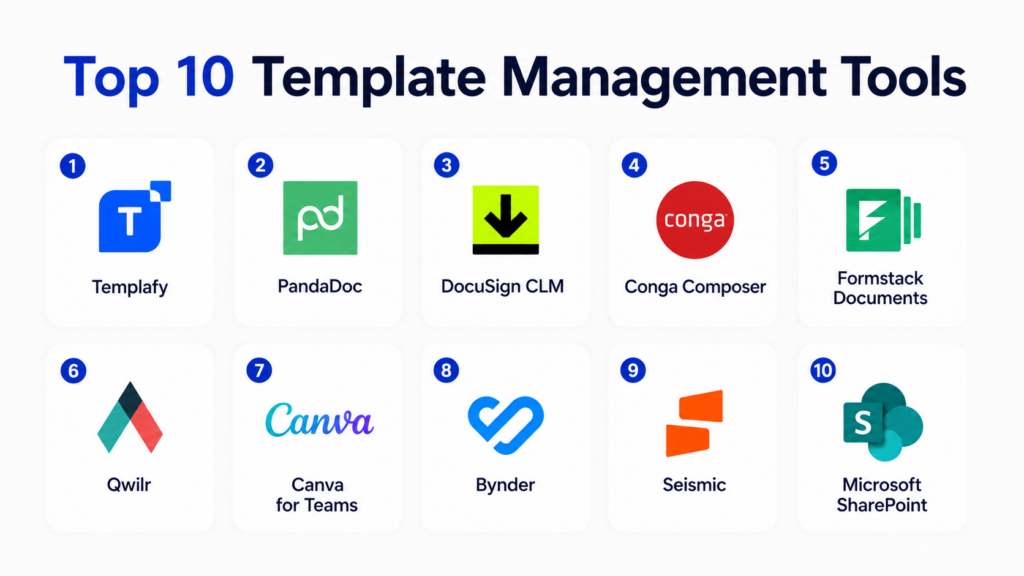
Introduction
Template Management Tools help organizations create, store, organize, approve, update, and distribute reusable templates for documents, emails, proposals, presentations, contracts, brand assets, forms, reports, and customer communications. These tools ensure that teams use the right version of approved templates instead of recreating files manually or using outdated formats.
Template management matters because growing teams often struggle with inconsistent branding, outdated documents, compliance risks, duplicated work, and scattered files across drives, inboxes, and local folders. Modern template management platforms improve consistency, reduce manual work, speed up document creation, and support governance through permissions, approvals, version control, and integrations.
Real-world use cases include:
- Managing proposal and sales templates
- Standardizing legal and contract templates
- Controlling branded marketing templates
- Automating HR and onboarding documents
- Creating reusable email and customer communication templates
Key evaluation criteria buyers should consider:
- Template library organization
- Version control and approvals
- Brand governance features
- Document automation capabilities
- Collaboration and permissions
- CRM and productivity integrations
- Search and tagging
- Analytics and usage tracking
- Security and compliance controls
- Scalability across departments
Best for: Marketing teams, sales teams, legal departments, HR teams, finance teams, customer success teams, agencies, enterprises, and any organization that creates repeatable documents or communications.
Not ideal for: Very small teams with only a few reusable files, organizations with no brand or compliance requirements, or users who only need basic file storage.
Key Trends in Template Management Tools
- AI-assisted template creation is helping teams generate drafts faster.
- Brand governance is becoming more important for distributed marketing and sales teams.
- Document automation is replacing manual copy-paste workflows.
- Approval workflows are increasingly used to prevent outdated or non-compliant templates.
- CRM-connected templates are improving sales proposal and email consistency.
- Legal teams are using clause and contract template libraries to reduce drafting risk.
- Cloud-based template libraries are replacing shared drives and local folders.
- Usage analytics are helping teams identify which templates perform best.
- Integration with Microsoft 365 and Google Workspace remains a core requirement.
- No-code workflow automation is making template management easier for business users.
How We Selected These Tools
The following template management platforms were selected using practical business, document, brand, and workflow criteria.
- Evaluated market adoption and product maturity
- Reviewed template library and organization capabilities
- Assessed version control and approval workflows
- Considered document automation and personalization features
- Evaluated integrations with CRM and productivity platforms
- Reviewed collaboration and permission controls
- Assessed usability for business and non-technical users
- Considered brand governance and compliance support
- Evaluated scalability across departments and locations
- Balanced general-purpose, sales, legal, and marketing-focused platforms
Top 10 Template Management Tools
1- Templafy
Short description: Templafy is an enterprise template management and document governance platform designed to help organizations control branded documents, presentations, emails, and business templates at scale. It centralizes approved templates and brand assets so employees can create compliant documents directly inside their everyday productivity tools. Templafy is especially useful for large enterprises with strict brand, legal, and compliance requirements. It helps reduce outdated document usage, improve brand consistency, and streamline content creation across distributed teams.
Key Features
- Centralized template library
- Brand asset management
- Microsoft 365 integration
- Document automation
- Version control
- Compliance and approval workflows
- Enterprise permissions
Pros
- Strong enterprise brand governance
- Excellent productivity suite integration
- Good for large distributed teams
Cons
- May be too advanced for small teams
- Enterprise implementation requires planning
- Pricing may be premium for full deployment
Platforms / Deployment
- Web / Microsoft Office / Desktop integrations
- Cloud
Security & Compliance
Supports SSO, RBAC, encryption, admin controls, and enterprise governance workflows. Additional certifications vary by deployment.
Integrations & Ecosystem
Templafy integrates deeply with productivity and enterprise content systems to deliver approved templates inside employee workflows.
- Microsoft 365
- Google Workspace
- CRM systems
- DAM platforms
- Document management systems
- Enterprise identity systems
Support & Community
Provides enterprise onboarding, implementation guidance, documentation, customer success support, and partner assistance.
2- PandaDoc
Short description: PandaDoc is a document automation and template management platform commonly used for proposals, quotes, contracts, sales documents, and approval workflows. It allows teams to create reusable templates, manage content blocks, collect e-signatures, track document activity, and automate sales documentation. PandaDoc is especially useful for sales, revenue, legal, and operations teams that need repeatable document workflows with CRM integration and customer-facing collaboration.
Key Features
- Proposal and contract templates
- Content library
- E-signatures
- Approval workflows
- CRM integrations
- Document analytics
- Quote and pricing table support
Pros
- Strong sales document workflows
- Useful template and content library
- Good e-signature integration
Cons
- More sales-focused than general template management
- Advanced automation may require paid plans
- Complex templates require setup time
Platforms / Deployment
- Web
- Cloud
Security & Compliance
Supports encryption, user permissions, audit trails, and document access controls. Additional certifications vary by plan.
Integrations & Ecosystem
PandaDoc integrates with CRM, payment, productivity, and workflow systems to automate customer-facing documents.
- Salesforce
- HubSpot
- Pipedrive
- Microsoft 365
- Google Workspace
- Payment platforms
Support & Community
Provides onboarding resources, documentation, sales workflow guidance, and customer support options.
3- DocuSign CLM
Short description: DocuSign CLM is a contract lifecycle management platform that includes template management for legal agreements, contract clauses, approval workflows, and document generation. It helps organizations standardize contract creation, reduce legal review delays, and manage approved templates across departments. DocuSign CLM is especially useful for legal, procurement, sales, and enterprise operations teams that need controlled contract templates with workflow automation and e-signature connectivity.
Key Features
- Contract template management
- Clause library
- Approval workflows
- Document generation
- E-signature integration
- Contract repository
- Workflow automation
Pros
- Strong contract workflow support
- Good enterprise legal governance
- Deep e-signature ecosystem
Cons
- More complex than basic template tools
- Best suited for contract-heavy workflows
- Implementation may require legal process mapping
Platforms / Deployment
- Web
- Cloud
Security & Compliance
Supports encryption, RBAC, audit trails, permissions, and enterprise contract governance controls.
Integrations & Ecosystem
DocuSign CLM integrates with sales, legal, procurement, and enterprise systems.
- DocuSign eSignature
- Salesforce
- Microsoft 365
- CRM systems
- Procurement platforms
- Document repositories
Support & Community
Provides enterprise onboarding, workflow consulting, documentation, and implementation support.
4- Conga Composer
Short description: Conga Composer is a document generation and template automation platform designed for Salesforce-centric teams. It helps organizations create proposals, quotes, contracts, invoices, reports, and customer documents using data from Salesforce and other systems. Conga Composer is especially useful for sales operations, revenue teams, legal teams, and customer operations that need data-driven document templates at scale. It reduces manual document creation and improves consistency across customer-facing workflows.
Key Features
- Salesforce document generation
- Data-driven templates
- Proposal and quote automation
- Batch document creation
- PDF and Word output
- Workflow automation
- Template library management
Pros
- Strong Salesforce integration
- Excellent for data-driven documents
- Useful for high-volume document generation
Cons
- Best suited for Salesforce users
- Template setup can be technical
- May be complex for casual users
Platforms / Deployment
- Web / Salesforce
- Cloud
Security & Compliance
Supports Salesforce-based permissions, access controls, encryption, and workflow governance.
Integrations & Ecosystem
Conga Composer integrates deeply with Salesforce and related business workflows.
- Salesforce
- CRM data sources
- Document templates
- E-signature workflows
- Revenue operations systems
- Workflow automation tools
Support & Community
Provides documentation, implementation partners, customer support, and Salesforce ecosystem resources.
5- Formstack Documents
Short description: Formstack Documents is a document automation platform that helps teams create reusable templates for contracts, invoices, proposals, certificates, letters, HR forms, and operational documents. It merges business data into templates and generates documents automatically in PDF, Word, or other formats. Formstack Documents is useful for HR, finance, legal, sales, operations, education, and healthcare teams that need repeatable document creation without manual formatting.
Key Features
- Document template automation
- PDF and Word generation
- Conditional logic
- Workflow automation
- Data merge fields
- Delivery automation
- Integration with business apps
Pros
- Strong operational document automation
- Good no-code workflow flexibility
- Useful across many departments
Cons
- Template setup requires planning
- More document-focused than brand-focused
- Advanced workflows may require higher plans
Platforms / Deployment
- Web
- Cloud
Security & Compliance
Supports secure document workflows, user permissions, access controls, and encrypted processing. Additional certifications vary by plan.
Integrations & Ecosystem
Formstack Documents integrates with CRM, forms, workflow, and business systems.
- Salesforce
- HubSpot
- Formstack Forms
- Zapier
- Google Workspace
- Microsoft 365
Support & Community
Provides onboarding resources, documentation, customer support, and workflow guidance.
6- Qwilr
Short description: Qwilr is a proposal and sales document platform that helps teams create interactive templates for proposals, quotes, pitch decks, onboarding documents, and customer-facing pages. Instead of static PDFs, Qwilr enables web-based documents with reusable content blocks, pricing sections, brand controls, and engagement analytics. It is especially useful for sales, marketing, agencies, and professional services teams that want modern proposal templates with measurable customer engagement.
Key Features
- Proposal templates
- Interactive web documents
- Reusable content blocks
- Pricing tables
- Brand controls
- Document analytics
- E-signature and acceptance workflows
Pros
- Modern customer-facing document experience
- Strong proposal analytics
- Good sales and agency fit
Cons
- Less suited for internal operational templates
- Web-page format may not fit all industries
- Advanced customization takes setup
Platforms / Deployment
- Web
- Cloud
Security & Compliance
Supports user permissions, secure document sharing, access controls, and audit-friendly acceptance workflows.
Integrations & Ecosystem
Qwilr integrates with CRM and sales workflows to streamline customer-facing template usage.
- Salesforce
- HubSpot
- Pipedrive
- Slack
- Payment workflows
- Sales tools
Support & Community
Provides onboarding, sales template guidance, documentation, and customer support resources.
7- Canva for Teams
Short description: Canva for Teams is a design and brand template management platform used by marketing, HR, sales, education, and internal communication teams. It helps organizations create and distribute approved templates for presentations, social posts, flyers, documents, reports, and visual assets. Canva for Teams is especially useful for teams that need easy design collaboration and brand consistency without relying on professional design software for every asset.
Key Features
- Brand template library
- Design collaboration
- Brand kit controls
- Presentation templates
- Social media templates
- Approval workflows
- Asset sharing
Pros
- Very easy for non-designers
- Strong visual template management
- Good team collaboration features
Cons
- Less suited for legal or contract templates
- Advanced enterprise governance may be limited
- Complex document automation is not its focus
Platforms / Deployment
- Web / iOS / Android / Desktop app
- Cloud
Security & Compliance
Supports team permissions, access controls, SSO on applicable plans, and brand governance features.
Integrations & Ecosystem
Canva integrates with productivity, publishing, and content collaboration workflows.
- Google Workspace
- Microsoft 365
- Social media platforms
- Cloud storage systems
- Brand asset workflows
- Content publishing tools
Support & Community
Provides extensive templates, help resources, training content, and team support options.
8- Bynder
Short description: Bynder is a digital asset management and brand management platform that supports template management for marketing, brand, and creative teams. It helps organizations centralize approved assets, campaign materials, brand templates, and creative content. Bynder is especially useful for enterprises and global marketing teams that need brand consistency across regions, agencies, and distributed content creators. Its template capabilities are strongest when combined with digital asset governance and brand portals.
Key Features
- Brand template management
- Digital asset management
- Brand guidelines
- Creative workflow support
- Asset permissions
- Version control
- Campaign content organization
Pros
- Strong brand governance
- Excellent for marketing asset control
- Good global team scalability
Cons
- More DAM-focused than document automation-focused
- Enterprise implementation requires planning
- May be too much for small teams
Platforms / Deployment
- Web
- Cloud
Security & Compliance
Supports SSO, permissions, access controls, encryption, and enterprise asset governance.
Integrations & Ecosystem
Bynder integrates with marketing, creative, and content operations systems.
- Adobe Creative Cloud
- CMS platforms
- Marketing tools
- DAM workflows
- Brand portals
- Cloud storage systems
Support & Community
Provides enterprise onboarding, brand operations guidance, documentation, and customer success support.
9- Seismic
Short description: Seismic is a sales enablement platform that includes template and content management for sales documents, presentations, pitch decks, proposals, and customer-facing collateral. It helps revenue teams access approved content, personalize materials, and track engagement. Seismic is especially useful for enterprise sales, marketing, and customer success teams that need strict control over messaging, brand consistency, and sales content usage.
Key Features
- Sales content templates
- Personalized pitch materials
- Content recommendations
- Version control
- Usage analytics
- CRM integration
- Approval workflows
Pros
- Strong enterprise sales enablement
- Good content governance and analytics
- Useful for large revenue teams
Cons
- More sales-focused than general template management
- Enterprise setup can be complex
- Premium pricing may apply
Platforms / Deployment
- Web / Mobile
- Cloud
Security & Compliance
Supports SSO, RBAC, encryption, admin controls, and enterprise governance workflows.
Integrations & Ecosystem
Seismic integrates with CRM, sales, marketing, and productivity systems.
- Salesforce
- Microsoft 365
- Google Workspace
- Marketing platforms
- Sales engagement tools
- Content systems
Support & Community
Provides enterprise onboarding, enablement consulting, documentation, and customer success support.
10- Microsoft SharePoint
Short description: Microsoft SharePoint is a content management and collaboration platform that many organizations use for template libraries, document repositories, approval workflows, and intranet-based file governance. While not a dedicated template management platform, it is widely used to store approved templates for Word, Excel, PowerPoint, policies, forms, and operational documents. SharePoint is especially useful for organizations already standardized on Microsoft 365 and needing centralized access control and collaboration.
Key Features
- Centralized document libraries
- Template repositories
- Version history
- Permissions and access controls
- Approval workflows
- Microsoft 365 integration
- Search and metadata tagging
Pros
- Strong Microsoft ecosystem integration
- Good document governance capabilities
- Useful for internal template libraries
Cons
- Requires structure and governance planning
- User experience depends on configuration
- Not a dedicated template automation platform
Platforms / Deployment
- Web / Windows / macOS / Mobile
- Cloud / Hybrid
Security & Compliance
Supports SSO, MFA, RBAC, encryption, audit logs, retention controls, and Microsoft 365 governance features.
Integrations & Ecosystem
SharePoint integrates deeply with Microsoft 365 and enterprise document workflows.
- Microsoft Word
- Microsoft Excel
- Microsoft PowerPoint
- Teams
- OneDrive
- Power Automate
Support & Community
Large global ecosystem, extensive documentation, Microsoft support options, and many implementation partners.
Comparison Table
| Tool Name | Best For | Platform(s) Supported | Deployment | Standout Feature | Public Rating |
|---|---|---|---|---|---|
| Templafy | Enterprise document governance | Web, Office integrations | Cloud | Brand-compliant templates | N/A |
| PandaDoc | Sales proposals and contracts | Web | Cloud | Proposal templates with e-signatures | N/A |
| DocuSign CLM | Contract template workflows | Web | Cloud | Contract templates and clause libraries | N/A |
| Conga Composer | Salesforce document generation | Web, Salesforce | Cloud | Data-driven document automation | N/A |
| Formstack Documents | Operational document automation | Web | Cloud | Automated PDF and document generation | N/A |
| Qwilr | Interactive sales proposals | Web | Cloud | Web-based proposal templates | N/A |
| Canva for Teams | Brand and design templates | Web, Mobile, Desktop | Cloud | Easy visual template creation | N/A |
| Bynder | Marketing brand templates | Web | Cloud | DAM-driven brand governance | N/A |
| Seismic | Sales content templates | Web, Mobile | Cloud | Sales enablement content governance | N/A |
| Microsoft SharePoint | Internal document libraries | Web, Desktop, Mobile | Cloud, Hybrid | Microsoft 365 template repository | N/A |
Evaluation & Scoring of Template Management Tools
| Tool Name | Core 25% | Ease 15% | Integrations 15% | Security 10% | Performance 10% | Support 10% | Value 15% | Weighted Total |
|---|---|---|---|---|---|---|---|---|
| Templafy | 9.5 | 7.5 | 9.0 | 9.0 | 8.5 | 8.5 | 7.5 | 8.6 |
| PandaDoc | 8.5 | 8.5 | 8.5 | 8.0 | 8.5 | 8.0 | 8.0 | 8.4 |
| DocuSign CLM | 9.0 | 7.0 | 8.5 | 9.0 | 8.5 | 8.5 | 7.0 | 8.2 |
| Conga Composer | 8.5 | 7.0 | 9.0 | 8.5 | 8.5 | 8.0 | 7.5 | 8.1 |
| Formstack Documents | 8.5 | 8.0 | 8.5 | 8.0 | 8.0 | 8.0 | 8.0 | 8.2 |
| Qwilr | 8.0 | 8.5 | 8.0 | 8.0 | 8.0 | 8.0 | 8.0 | 8.1 |
| Canva for Teams | 8.0 | 9.5 | 8.0 | 8.0 | 8.0 | 8.5 | 9.0 | 8.4 |
| Bynder | 8.5 | 7.5 | 8.5 | 9.0 | 8.5 | 8.5 | 7.0 | 8.2 |
| Seismic | 8.5 | 7.5 | 9.0 | 9.0 | 8.5 | 8.5 | 7.0 | 8.3 |
| Microsoft SharePoint | 8.0 | 7.5 | 9.5 | 9.0 | 8.5 | 8.0 | 8.5 | 8.4 |
These scores are comparative and intended to help buyers evaluate template management tools based on workflow fit. Templafy is strong for enterprise document governance, while Canva for Teams and Bynder are better for brand and creative templates. PandaDoc, Qwilr, and Seismic are useful for sales templates, while DocuSign CLM and Conga Composer support contract and data-driven document workflows. SharePoint is practical for Microsoft-centric organizations that need internal template repositories.
Which Template Management Tool Is Right for You?
Solo / Freelancer
Solo professionals usually need simple templates for proposals, invoices, presentations, and client communications. Canva for Teams, PandaDoc, Qwilr, or Microsoft SharePoint-style storage may be enough depending on the workflow.
SMB
SMBs should prioritize ease of use, affordable pricing, template organization, and simple collaboration. Canva for Teams, PandaDoc, Formstack Documents, Qwilr, and SharePoint are practical choices for growing teams.
Mid-Market
Mid-market organizations often need approvals, version control, CRM integrations, content libraries, and document automation. PandaDoc, Formstack Documents, Conga Composer, Seismic, and Templafy can support more structured template workflows.
Enterprise
Enterprises should prioritize governance, access controls, brand compliance, auditability, integrations, and scalability. Templafy, DocuSign CLM, Seismic, Bynder, Conga Composer, and SharePoint are strong enterprise options.
Budget vs Premium
Budget-conscious teams may prefer Canva for Teams, SharePoint, or lightweight proposal platforms. Premium platforms are better when organizations need advanced governance, legal approval workflows, CRM-connected templates, or enterprise-wide brand compliance.
Feature Depth vs Ease of Use
Canva for Teams and Qwilr are easier for non-technical users. Templafy, Seismic, DocuSign CLM, and Bynder provide deeper governance and enterprise control but require more setup.
Integrations & Scalability
Organizations should prioritize integrations with Microsoft 365, Google Workspace, Salesforce, CRM tools, DAM platforms, e-signature tools, and document repositories. High-growth teams should evaluate version control, permissions, approval workflows, and usage analytics.
Security & Compliance Needs
Legal, finance, healthcare, government, and enterprise teams should evaluate RBAC, audit logs, encryption, approval workflows, document access controls, and template governance before deployment.
Frequently Asked Questions
1. What are template management tools?
Template management tools help organizations create, store, organize, update, approve, and distribute reusable templates for documents, emails, presentations, proposals, contracts, and brand assets. They prevent teams from using outdated files or recreating documents manually. These tools improve consistency, reduce errors, and speed up content creation. Many platforms also include permissions, version control, approval workflows, and integrations with productivity tools. They are useful across marketing, sales, legal, HR, finance, and operations teams.
2. Why do businesses need template management software?
Businesses need template management software to improve brand consistency, reduce manual work, and control document quality. Without a central system, employees often use outdated templates stored in local folders or old email threads. This creates inconsistency, compliance risk, and unnecessary rework. Template management tools ensure that approved templates are easy to find and use. They also help organizations scale repeatable document and communication workflows.
3. What types of templates can be managed?
Organizations can manage proposal templates, sales decks, contracts, clauses, invoices, HR forms, onboarding documents, email templates, marketing assets, reports, presentations, policies, and customer communication templates. Some tools focus on visual templates, while others specialize in contracts or document automation. The best tool depends on the type of template and workflow complexity. Enterprise teams often need several template categories managed under one governance model.
4. What is the difference between template management and document management?
Template management focuses on reusable starting points for creating new documents or communications. Document management focuses on storing, organizing, sharing, and controlling completed documents or files. Some platforms support both, but their goals are different. Template management helps standardize creation, while document management helps control storage and retrieval. Organizations with strong governance needs often use both together.
5. Can template management tools improve brand consistency?
Yes, template management tools can significantly improve brand consistency by ensuring employees use approved logos, fonts, layouts, colors, messaging, and legal language. Marketing and brand teams can update templates centrally instead of relying on employees to download new versions manually. This is especially important for distributed teams, agencies, and global organizations. Strong brand governance reduces off-brand materials and improves customer-facing professionalism.
6. Are template management tools secure?
Template management tools can be secure when they include encryption, user permissions, role-based access, audit logs, SSO, and approval workflows. Security matters because templates may contain legal language, pricing models, internal policies, customer data, or confidential business content. Enterprises should review access controls and governance features carefully. Regulated industries may require stronger controls around template approvals and document generation.
7. What integrations matter most?
Important integrations include Microsoft 365, Google Workspace, Salesforce, HubSpot, DocuSign, Adobe tools, DAM platforms, CRM systems, and workflow automation tools. Sales teams often need CRM-connected proposal templates. Legal teams may need e-signature and CLM integrations. Marketing teams may need DAM and brand asset integrations. The best integrations depend on where teams create and use templates every day.
8. How long does implementation take?
Implementation time depends on the number of templates, departments, approval workflows, integrations, and governance rules involved. Small teams can start quickly with basic template libraries. Enterprise deployments may require template audits, migration, permissions setup, brand governance, training, and workflow configuration. A phased rollout usually works best. Teams should begin with high-value templates before expanding across departments.
9. What mistakes should buyers avoid?
A common mistake is treating template management as simple file storage. Buyers should also avoid ignoring version control, approval workflows, permissions, and user adoption. Another mistake is migrating every old template without cleaning or standardizing content first. Organizations should define ownership for each template category. Testing real workflows with sales, legal, HR, or marketing users before full rollout helps prevent poor adoption.
10. What are the best alternatives to template management tools?
Alternatives include shared drives, cloud folders, intranet pages, document management systems, email archives, or manual template libraries. These alternatives may work for very small teams but often become messy as organizations grow. Dedicated template management tools are better when version control, brand consistency, approvals, automation, or compliance matter. The right alternative depends on team size, content volume, and governance needs.
Conclusion
Template management tools help organizations standardize repeatable content, improve brand consistency, reduce manual document work, and control approved messaging across departments. The best platform depends on the type of templates being managed, the level of governance required, and the systems teams already use. Templafy is strong for enterprise document governance, PandaDoc and Qwilr are useful for sales proposals, DocuSign CLM supports contract templates, Conga Composer is powerful for Salesforce-driven documents, and Formstack Documents is practical for operational document automation. Canva for Teams and Bynder are excellent for brand and creative templates, while SharePoint is a strong option for Microsoft-centric internal libraries. Organizations should shortlist tools based on real template workflows, clean up existing template libraries, test integrations, define approval ownership, and run pilot deployments before scaling template management across the business.
