MOTOSHARE 🚗🏍️
Rent Bikes & Cars Directly from Owners
Motoshare connects vehicle owners with people who need bikes and cars on rent. Owners earn from idle vehicles, and renters get flexible ride options.
Visit Motoshare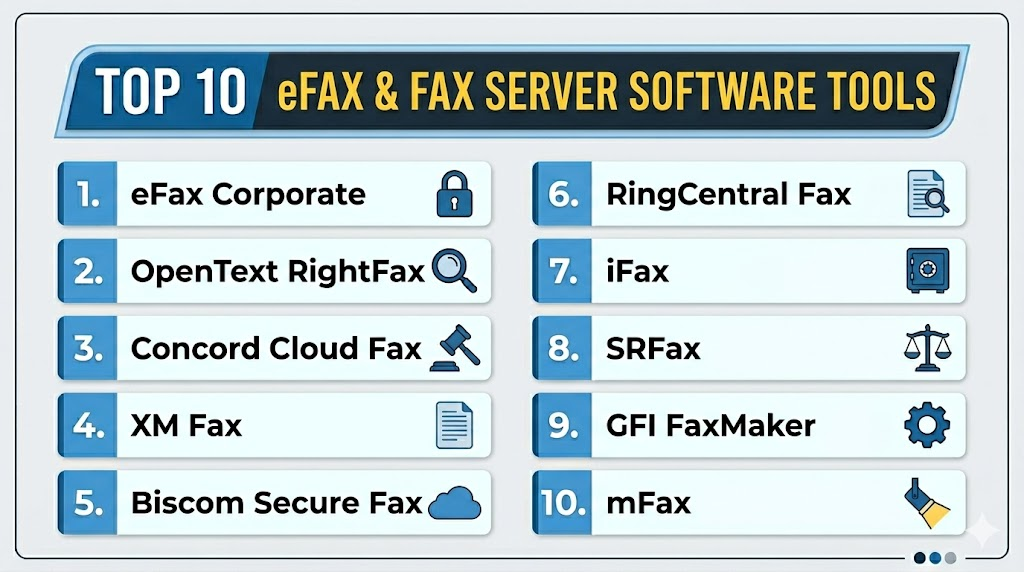
Introduction
eFax & Fax Server Software helps organizations send, receive, route, store, secure, and manage fax documents digitally without relying fully on traditional fax machines. These tools convert fax workflows into cloud, server-based, or hybrid systems where users can send faxes from email, web portals, desktop apps, multifunction printers, or business applications.Fax remains important in industries where document transmission, signatures, compliance workflows, and legacy communication channels are still required. Healthcare, legal, finance, insurance, government, logistics, and enterprise operations often use fax because partners, regulators, or legacy systems still depend on it. Modern eFax and fax server platforms improve fax reliability, reduce paper usage, centralize audit trails, secure document transmission, and integrate faxing into existing business workflows.
Real-world use cases include:
- Sending healthcare and insurance documents
- Managing legal and compliance fax workflows
- Replacing physical fax machines with cloud fax
- Routing inbound faxes to teams or departments
- Integrating fax with document management systems
Key evaluation criteria buyers should consider:
- Cloud fax and fax server deployment options
- Inbound and outbound fax reliability
- Email-to-fax and web fax capabilities
- Security and encryption controls
- Audit logs and delivery confirmations
- API and workflow integrations
- Multi-user administration
- Fax number management
- Document storage and routing
- Pricing and fax volume scalability
Best for: Healthcare organizations, law firms, finance teams, insurance companies, government agencies, logistics businesses, enterprises, SMBs, and regulated teams that still depend on fax workflows.
Not ideal for: Fully digital organizations with no fax requirements, very small teams that send only rare one-off faxes, or businesses that can replace fax entirely with secure email, portals, or e-signature workflows.
Key Trends in eFax & Fax Server Software
- Cloud fax adoption is replacing physical fax machines and analog phone lines.
- Hybrid fax deployments remain important for regulated and legacy enterprise environments.
- APIs are becoming more important for embedding fax into business applications.
- Healthcare and legal teams are prioritizing audit trails and secure document delivery.
- Email-to-fax workflows remain common because they are easy for employees to adopt.
- Fax server modernization is reducing infrastructure and telephony maintenance.
- Integration with document management systems is improving workflow automation.
- Multi-function printer integration is still important for office-based fax workflows.
- Organizations are consolidating fax numbers and usage reporting across locations.
- Secure cloud fax platforms are increasingly used to support distributed and remote teams.
How We Selected These Tools
The following eFax and fax server platforms were selected using practical business communication, compliance, and workflow automation criteria.
- Evaluated market adoption and fax platform maturity
- Reviewed cloud fax and server-based deployment options
- Assessed inbound and outbound fax reliability
- Considered security controls and audit trail capabilities
- Evaluated integrations with email, MFPs, APIs, and document systems
- Reviewed scalability for SMB and enterprise fax volumes
- Assessed ease of use for non-technical users
- Considered administration and fax number management
- Evaluated support for regulated industries
- Balanced cloud-first fax tools with enterprise fax server solutions
Top 10 eFax & Fax Server Software Tools
1- eFax Corporate
Short description: eFax Corporate is a cloud fax platform designed for businesses that want to replace traditional fax machines with secure digital fax workflows. The platform allows users to send and receive faxes through email, web portals, and business applications while maintaining centralized administration and document tracking. It is widely used by healthcare, legal, finance, and enterprise teams that need scalable fax workflows without maintaining fax hardware. eFax Corporate is especially useful for organizations seeking cloud fax with multi-user management and compliance-oriented workflows.
Key Features
- Cloud-based fax sending and receiving
- Email-to-fax and fax-to-email
- Centralized user administration
- Fax number management
- Delivery confirmations
- Secure document transmission
- API and workflow integration options
Pros
- Strong cloud fax adoption
- Good fit for distributed teams
- Reduces dependency on physical fax machines
Cons
- Pricing can scale with fax volume
- Advanced integrations may require setup
- Less suitable for organizations requiring fully on-premise fax
Platforms / Deployment
- Web / Email / Mobile
- Cloud
Security & Compliance
Supports encryption, admin controls, user permissions, and audit-friendly delivery records. Additional compliance details vary by plan.
Integrations & Ecosystem
eFax Corporate integrates with business communication, email, and document workflows to simplify digital fax operations.
- Email systems
- Web portal workflows
- APIs
- Document management systems
- Business applications
- Mobile access
Support & Community
Provides business support, onboarding assistance, documentation, and account management options for larger organizations.
2- OpenText RightFax
Short description: OpenText RightFax is one of the most established enterprise fax server platforms for organizations with high-volume, compliance-sensitive, and complex fax workflows. It supports centralized fax management, automated routing, enterprise application integrations, MFP connectivity, and secure document delivery. RightFax is commonly used in healthcare, finance, government, manufacturing, and enterprise environments where fax is deeply embedded in business processes. It is best suited for organizations that need robust fax infrastructure, advanced workflow automation, and enterprise governance.
Key Features
- Enterprise fax server management
- Automated inbound and outbound routing
- MFP and email integration
- Application-to-fax workflows
- Delivery confirmations
- Centralized administration
- High-volume fax processing
Pros
- Strong enterprise fax server capabilities
- Excellent for complex fax workflows
- Mature integration ecosystem
Cons
- More complex implementation
- Requires technical administration
- May be excessive for small businesses
Platforms / Deployment
- Windows Server / Web / Email / MFP
- On-premise / Hybrid / Cloud options depending on deployment
Security & Compliance
Supports encryption, access controls, audit logs, user permissions, and enterprise governance workflows.
Integrations & Ecosystem
RightFax integrates with enterprise applications, document systems, MFPs, and email environments.
- Microsoft Exchange
- MFP devices
- ERP systems
- EMR and healthcare systems
- Document management platforms
- Business process workflows
Support & Community
Strong enterprise support ecosystem with implementation partners, technical documentation, and professional services.
3- Concord Cloud Fax
Short description: Concord Cloud Fax is a cloud-based fax platform built for organizations that need secure, scalable, and reliable digital faxing. The platform supports email-to-fax, web fax, APIs, automated routing, and enterprise administration. Concord is often used by healthcare, finance, legal, and enterprise teams that want to reduce fax infrastructure while maintaining secure document transmission. It is suitable for organizations moving from legacy fax servers to cloud-based fax operations.
Key Features
- Cloud fax sending and receiving
- Email-to-fax workflows
- API-based fax automation
- Centralized administration
- Delivery tracking
- Secure fax transmission
- Fax number management
Pros
- Strong cloud fax reliability
- Good API and automation support
- Suitable for enterprise fax modernization
Cons
- Advanced workflows may require implementation planning
- Pricing varies by usage and enterprise needs
- Less ideal for very low-volume fax users
Platforms / Deployment
- Web / Email / API
- Cloud
Security & Compliance
Supports encryption, access controls, audit records, and secure fax delivery workflows.
Integrations & Ecosystem
Concord Cloud Fax integrates with email systems, APIs, and business workflow applications.
- Email platforms
- APIs
- Document management tools
- Healthcare workflows
- Business applications
- Enterprise systems
Support & Community
Provides onboarding support, enterprise assistance, documentation, and implementation guidance.
4- XM Fax
Short description: XM Fax is a secure enterprise fax platform that supports cloud, hybrid, and on-premise fax deployments. It is designed for organizations that require secure document transmission, compliance workflows, enterprise administration, and integration with business applications. XM Fax is commonly used by healthcare, government, finance, and legal organizations that need stronger control over fax infrastructure and data handling. The platform is especially useful for teams that want flexibility between cloud and private deployment models.
Key Features
- Secure fax server workflows
- Cloud, hybrid, and on-premise options
- Email-to-fax support
- MFP integration
- API and application integration
- Centralized administration
- Delivery tracking and reporting
Pros
- Flexible deployment options
- Strong security-oriented fax workflows
- Good enterprise administration capabilities
Cons
- Setup complexity varies by deployment
- Advanced configuration may require technical support
- May be more than needed for small teams
Platforms / Deployment
- Web / Email / MFP / Server
- Cloud / Hybrid / On-premise
Security & Compliance
Supports encryption, access controls, audit logs, user permissions, and secure transmission workflows.
Integrations & Ecosystem
XM Fax integrates with email systems, MFPs, business applications, and enterprise workflows.
- Microsoft Exchange
- MFP devices
- APIs
- Document management systems
- Healthcare systems
- Enterprise applications
Support & Community
Provides enterprise support, implementation services, documentation, and technical deployment guidance.
5- Biscom Secure Fax
Short description: Biscom Secure Fax is an enterprise fax and secure document delivery platform designed for regulated industries and organizations with sensitive fax workflows. It supports cloud fax, fax server deployment, secure transmission, automated routing, and enterprise administration. Biscom is often used in healthcare, legal, finance, and government environments where document security and reliability are major priorities. The platform is a strong option for organizations that need both fax modernization and compliance-oriented workflows.
Key Features
- Secure fax sending and receiving
- Cloud and server fax options
- Email-to-fax workflows
- Automated routing
- Delivery confirmations
- MFP support
- Centralized administration
Pros
- Strong secure fax focus
- Good regulated industry fit
- Flexible deployment choices
Cons
- Enterprise setup may require planning
- Smaller teams may find it too advanced
- Some workflows may require configuration
Platforms / Deployment
- Web / Email / MFP / Server
- Cloud / On-premise / Hybrid
Security & Compliance
Supports encryption, user permissions, access controls, audit logs, and secure document workflows.
Integrations & Ecosystem
Biscom integrates with email systems, MFPs, enterprise applications, and secure document workflows.
- Email platforms
- Healthcare systems
- Document management tools
- MFP devices
- APIs
- Enterprise workflows
Support & Community
Provides enterprise onboarding, support services, documentation, and implementation assistance.
6- RingCentral Fax
Short description: RingCentral Fax is a cloud fax solution designed for businesses that want simple digital faxing as part of a broader communications ecosystem. It allows users to send and receive faxes from computers, mobile devices, and email without relying on physical fax machines. RingCentral Fax is practical for SMBs and distributed teams that need basic to moderate fax volume with easy setup. It works well for companies already using RingCentral communications products.
Key Features
- Cloud fax sending and receiving
- Email-to-fax support
- Mobile faxing
- Online fax management
- Fax notifications
- Document attachments
- User administration
Pros
- Easy to use
- Good fit for SMBs
- Useful communications ecosystem integration
Cons
- Less advanced than enterprise fax servers
- High-volume workflows may require careful plan selection
- Limited deep workflow automation compared with specialist platforms
Platforms / Deployment
- Web / Windows / macOS / iOS / Android / Email
- Cloud
Security & Compliance
Supports encryption, user access controls, and account security settings. Additional compliance details vary by plan.
Integrations & Ecosystem
RingCentral Fax fits into communication and productivity workflows.
- Email systems
- RingCentral communications ecosystem
- Mobile apps
- Business document workflows
- Cloud storage workflows
Support & Community
Provides customer support, help resources, documentation, and business onboarding options.
7- iFax
Short description: iFax is a cloud fax platform designed for individuals, SMBs, and business teams that need easy online faxing from web and mobile devices. It supports sending and receiving faxes without physical machines, along with document scanning, fax numbers, notifications, and team workflows. iFax is useful for organizations that want a lightweight digital fax solution with accessible mobile functionality. It is especially practical for small healthcare offices, legal professionals, consultants, and remote teams.
Key Features
- Online fax sending and receiving
- Mobile fax app
- Email-to-fax support
- Document scanning
- Team fax workflows
- Digital signatures
- Fax notifications
Pros
- Easy mobile fax experience
- Good for SMB and individual users
- Simple cloud setup
Cons
- Less suited for complex enterprise fax environments
- Advanced routing may be limited
- High-volume use may require higher plans
Platforms / Deployment
- Web / iOS / Android / Email
- Cloud
Security & Compliance
Supports encryption and account security controls. Additional compliance details vary by plan.
Integrations & Ecosystem
iFax supports lightweight business fax workflows across devices.
- Email systems
- Mobile document scanning
- Cloud document workflows
- Digital signature workflows
- Team fax accounts
Support & Community
Provides support resources, documentation, and customer assistance for individuals and business users.
8- SRFax
Short description: SRFax is a cloud fax service commonly used by small businesses, healthcare providers, legal offices, and professionals who need secure online faxing. It supports inbound and outbound faxing, email-to-fax, online portal access, fax archiving, and delivery confirmations. SRFax is particularly useful for organizations that need a straightforward and secure fax platform without large enterprise infrastructure. It is often chosen by users who prioritize reliable cloud fax with manageable administration.
Key Features
- Cloud fax sending and receiving
- Email-to-fax workflows
- Online fax portal
- Fax archiving
- Delivery confirmations
- User management
- Secure fax transmission
Pros
- Simple and reliable cloud faxing
- Good SMB and healthcare fit
- Manageable administration
Cons
- Less advanced than enterprise fax servers
- Limited large-scale workflow automation
- Interface may feel traditional
Platforms / Deployment
- Web / Email
- Cloud
Security & Compliance
Supports encryption, user access controls, and secure fax workflows. Additional compliance details vary by plan.
Integrations & Ecosystem
SRFax supports straightforward fax workflows for businesses and professionals.
- Email platforms
- Web portal workflows
- Business document workflows
- Fax archiving
- Team user management
Support & Community
Provides customer support, documentation, and onboarding guidance for business users.
9- GFI FaxMaker
Short description: GFI FaxMaker is a fax server solution designed for businesses that need centralized faxing through email, server infrastructure, and business applications. It helps organizations send and receive faxes digitally while maintaining control over internal fax workflows. GFI FaxMaker is useful for organizations that prefer server-based fax management rather than fully cloud-based faxing. It is commonly used by SMBs and mid-market organizations that need structured fax administration.
Key Features
- Fax server management
- Email-to-fax workflows
- Inbound fax routing
- Centralized administration
- Fax reporting
- MFP support
- Delivery confirmations
Pros
- Good server-based fax control
- Useful for SMB and mid-market teams
- Email workflow support improves adoption
Cons
- Requires server administration
- Less cloud-native than newer fax platforms
- Infrastructure maintenance may be needed
Platforms / Deployment
- Windows Server / Email / Web administration
- On-premise / Hybrid
Security & Compliance
Supports user permissions, access controls, and audit-friendly fax records.
Integrations & Ecosystem
GFI FaxMaker integrates with email servers, MFPs, and business fax workflows.
- Microsoft Exchange
- SMTP email systems
- MFP devices
- Business applications
- Fax modems or fax services
Support & Community
Provides technical documentation, customer support, and deployment resources for administrators.
10- mFax
Short description: mFax is a cloud fax platform designed for businesses that need secure online faxing, user management, document workflows, and fax number administration. It supports web fax, email-to-fax, APIs, and team collaboration features. mFax is especially useful for SMBs and mid-market organizations that want a clean cloud fax experience without maintaining fax servers. It is practical for healthcare, legal, finance, and professional services teams with moderate fax needs.
Key Features
- Cloud fax sending and receiving
- Email-to-fax support
- Fax API
- Team administration
- Fax number management
- Delivery confirmations
- Secure document workflows
Pros
- Clean cloud fax experience
- Good for SMB and mid-market teams
- API support for automation
Cons
- Less suited for complex on-premise fax needs
- High-volume enterprise workflows may need evaluation
- Advanced compliance features vary by plan
Platforms / Deployment
- Web / Email / API
- Cloud
Security & Compliance
Supports encryption, user permissions, admin controls, and secure fax workflows.
Integrations & Ecosystem
mFax integrates with business communication and document workflows through email and APIs.
- Email platforms
- APIs
- Document workflows
- Business applications
- Team administration tools
Support & Community
Provides onboarding resources, documentation, support assistance, and business account management options.
Comparison Table
| Tool Name | Best For | Platform(s) Supported | Deployment | Standout Feature | Public Rating |
|---|---|---|---|---|---|
| eFax Corporate | Business cloud fax | Web, Email, Mobile | Cloud | Scalable online faxing | N/A |
| OpenText RightFax | Enterprise fax servers | Windows Server, Web, Email, MFP | On-premise, Hybrid, Cloud | Enterprise fax automation | N/A |
| Concord Cloud Fax | Cloud fax modernization | Web, Email, API | Cloud | Secure enterprise cloud fax | N/A |
| XM Fax | Flexible secure fax deployments | Web, Email, MFP, Server | Cloud, Hybrid, On-premise | Deployment flexibility | N/A |
| Biscom Secure Fax | Regulated industries | Web, Email, MFP, Server | Cloud, Hybrid, On-premise | Secure document faxing | N/A |
| RingCentral Fax | SMB digital faxing | Web, Desktop, Mobile, Email | Cloud | Simple business faxing | N/A |
| iFax | Mobile and SMB faxing | Web, Mobile, Email | Cloud | Mobile-first fax workflows | N/A |
| SRFax | Secure SMB cloud fax | Web, Email | Cloud | Straightforward secure fax | N/A |
| GFI FaxMaker | Server-based fax management | Windows Server, Email, Web Admin | On-premise, Hybrid | Email-based fax server | N/A |
| mFax | Cloud fax with API support | Web, Email, API | Cloud | Clean cloud fax automation | N/A |
Evaluation & Scoring of eFax & Fax Server Software
| Tool Name | Core 25% | Ease 15% | Integrations 15% | Security 10% | Performance 10% | Support 10% | Value 15% | Weighted Total |
|---|---|---|---|---|---|---|---|---|
| eFax Corporate | 8.5 | 8.5 | 8.0 | 8.0 | 8.5 | 8.0 | 8.0 | 8.3 |
| OpenText RightFax | 9.5 | 7.0 | 9.5 | 9.0 | 9.0 | 8.5 | 7.0 | 8.6 |
| Concord Cloud Fax | 8.5 | 8.0 | 8.5 | 8.5 | 8.5 | 8.0 | 8.0 | 8.3 |
| XM Fax | 9.0 | 7.5 | 8.5 | 9.0 | 8.5 | 8.5 | 7.5 | 8.4 |
| Biscom Secure Fax | 8.5 | 7.5 | 8.5 | 9.0 | 8.5 | 8.0 | 7.5 | 8.2 |
| RingCentral Fax | 7.5 | 9.0 | 7.5 | 7.5 | 8.0 | 8.0 | 8.5 | 8.0 |
| iFax | 7.5 | 9.0 | 7.0 | 7.5 | 8.0 | 8.0 | 8.5 | 7.9 |
| SRFax | 7.5 | 8.5 | 7.0 | 8.0 | 8.0 | 8.0 | 8.5 | 7.9 |
| GFI FaxMaker | 8.0 | 7.0 | 8.0 | 8.0 | 8.0 | 7.5 | 8.0 | 7.8 |
| mFax | 8.0 | 8.5 | 8.0 | 8.0 | 8.0 | 8.0 | 8.5 | 8.2 |
These scores are comparative and intended to help organizations evaluate fax platforms based on deployment needs, volume, security, and workflow complexity. OpenText RightFax, XM Fax, and Biscom Secure Fax are stronger for enterprise and regulated environments. eFax Corporate, Concord Cloud Fax, and mFax are strong cloud fax options for business teams. RingCentral Fax, iFax, and SRFax are more practical for SMBs and simpler digital fax workflows.
Which eFax & Fax Server Software Is Right for You?
Solo / Freelancer
Solo professionals usually need simple online faxing, mobile access, and low setup complexity. iFax, SRFax, RingCentral Fax, or mFax can be practical choices for occasional faxing without server infrastructure.
SMB
SMBs should prioritize ease of use, cloud deployment, email-to-fax, predictable pricing, and basic administration. RingCentral Fax, iFax, SRFax, mFax, and eFax Corporate are suitable options depending on fax volume and support needs.
Mid-Market
Mid-market organizations often need stronger administration, fax number management, APIs, routing, and secure document workflows. eFax Corporate, Concord Cloud Fax, mFax, Biscom Secure Fax, and XM Fax can support growing business fax requirements.
Enterprise
Enterprises should prioritize reliability, high-volume processing, secure transmission, MFP integration, audit trails, workflow automation, and deployment flexibility. OpenText RightFax, XM Fax, Biscom Secure Fax, and Concord Cloud Fax are strong candidates.
Budget vs Premium
Budget-conscious users may prefer simple online fax platforms with basic send-and-receive workflows. Premium enterprise fax platforms are better when faxing is mission-critical, high-volume, compliance-sensitive, or integrated with business applications.
Feature Depth vs Ease of Use
iFax, SRFax, and RingCentral Fax are easier for lightweight faxing. OpenText RightFax, XM Fax, and Biscom Secure Fax provide deeper enterprise controls but require more setup and administration.
Integrations & Scalability
Organizations should prioritize platforms that integrate with email systems, MFPs, document management platforms, APIs, EMR systems, ERP applications, and business workflows. High-volume teams should test routing, delivery confirmations, and fax queue reliability.
Security & Compliance Needs
Healthcare, finance, legal, government, and insurance teams should evaluate encryption, audit logs, access controls, user permissions, delivery confirmations, retention policies, and secure routing before rollout.
Frequently Asked Questions
1. What is eFax and fax server software?
eFax and fax server software allow organizations to send, receive, route, store, and manage faxes digitally. eFax platforms are usually cloud-based, while fax server software may run on internal infrastructure or hybrid environments. These tools replace or modernize physical fax machines and analog phone lines. They help users send faxes through email, web portals, mobile apps, MFPs, or business applications. Organizations use them to improve security, reduce paper use, and centralize fax workflows.
2. Why do businesses still use fax software?
Businesses still use fax software because many industries continue to rely on fax for document exchange, signatures, records, claims, medical documents, legal notices, and legacy workflows. Healthcare, legal, finance, insurance, and government organizations often interact with partners who still require fax. Digital fax tools make these workflows easier and more secure than physical fax machines. They also provide better tracking, delivery confirmations, and administrative control.
3. What is the difference between cloud fax and fax server software?
Cloud fax is hosted by a provider and allows users to send and receive faxes through web portals, email, mobile apps, or APIs. Fax server software is often deployed on internal infrastructure and gives organizations more direct control over fax routing, integrations, and administration. Cloud fax is usually easier to deploy, while fax servers may offer deeper customization for complex enterprises. Hybrid deployments combine both approaches.
4. Are cloud fax services secure?
Cloud fax services can be secure when they provide encryption, access controls, user permissions, audit logs, and secure document handling. Security depends on vendor architecture, configuration, and organizational policies. Regulated industries should carefully evaluate data handling, retention, delivery confirmation, and administrative controls. Cloud fax is often more secure than unmanaged physical fax machines when configured properly.
5. What features matter most in fax software?
Important features include inbound and outbound faxing, email-to-fax, fax-to-email, delivery confirmations, secure routing, audit logs, user administration, fax number management, and document storage. Enterprise teams may also need APIs, MFP integration, workflow automation, high-volume processing, and hybrid deployment options. The right feature set depends on fax volume, compliance needs, and workflow complexity.
6. Can fax software integrate with business applications?
Yes, many modern fax platforms provide APIs and integrations with document management systems, healthcare systems, ERP tools, CRM platforms, email systems, and multifunction printers. These integrations help automate document workflows and reduce manual sending. Enterprise fax platforms are especially useful when faxing is embedded into claims, admissions, billing, legal, or compliance workflows. Buyers should validate integration depth before selecting a platform.
7. Is fax server software better than cloud fax?
Neither is universally better. Cloud fax is easier to deploy and maintain, making it a good fit for SMBs and distributed teams. Fax server software can be better for enterprises that need deep integrations, private infrastructure, high-volume routing, or strict control over fax workflows. Hybrid models are useful when organizations want cloud flexibility while retaining internal workflow control. The best choice depends on security, volume, infrastructure, and compliance needs.
8. How long does implementation take?
Basic cloud fax tools can often be deployed quickly because users only need accounts, fax numbers, and email workflows. Enterprise fax server deployments may take longer due to telephony setup, routing rules, MFP integration, user provisioning, and compliance review. Migration from legacy fax machines or older fax servers may also require planning. Pilot testing is recommended before moving mission-critical fax workflows.
9. What mistakes should buyers avoid?
A common mistake is choosing fax software without understanding monthly fax volume, number management, integration requirements, and compliance needs. Buyers should also avoid selecting lightweight tools for mission-critical enterprise fax workflows. Another mistake is ignoring delivery confirmations, routing rules, and retention policies. Organizations should test real inbound and outbound fax scenarios before full deployment.
10. What are the best alternatives to eFax and fax server software?
Alternatives include secure email, e-signature platforms, document portals, encrypted file sharing, postal mail, and direct system integrations. These alternatives may be better when partners no longer require fax. However, many industries still depend on fax for specific workflows, so alternatives may not fully replace it. The best approach is to modernize fax where required while gradually shifting eligible workflows to more digital channels.
Conclusion
eFax and fax server software remain important for organizations that still depend on reliable document transmission across healthcare, legal, finance, insurance, government, and enterprise operations. The best platform depends on fax volume, deployment preference, compliance requirements, integration needs, and administrative complexity. OpenText RightFax, XM Fax, and Biscom Secure Fax are strong choices for enterprise fax environments that require advanced routing, security, MFP support, and workflow automation. eFax Corporate, Concord Cloud Fax, and mFax are practical cloud fax platforms for organizations modernizing away from fax machines and phone lines. RingCentral Fax, iFax, and SRFax are better suited for SMBs or simpler digital faxing needs. Organizations should shortlist platforms based on real fax workflows, test inbound and outbound delivery reliability, validate integrations with email and business systems, review security and retention settings, and choose the solution that provides the best balance of usability, compliance, scalability, and long-term operational value.
