MOTOSHARE 🚗🏍️
Rent Bikes & Cars Directly from Owners
Motoshare connects vehicle owners with people who need bikes and cars on rent. Owners earn from idle vehicles, and renters get flexible ride options.
Visit Motoshare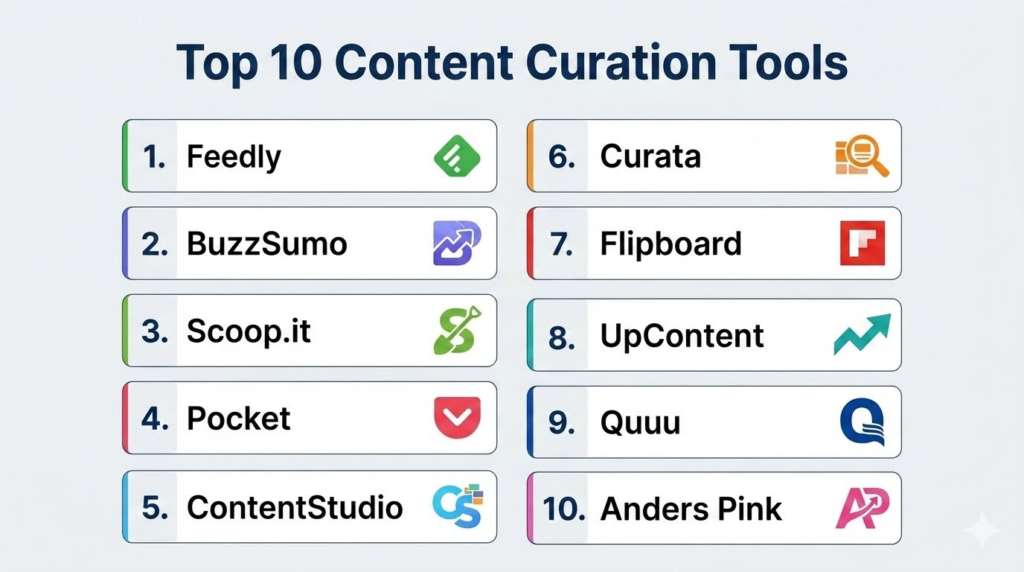
Introduction
Content Curation Tools help users discover, organize, filter, save, repurpose, and share relevant third-party content across blogs, news sites, social media, newsletters, videos, podcasts, and research sources. These tools are widely used by marketers, publishers, researchers, agencies, creators, educators, and businesses to stay informed and consistently publish valuable content without creating everything from scratch.Content curation matters because information overload has become a major productivity challenge for professionals and organizations. Modern curation tools now combine RSS aggregation, AI summarization, automation, social publishing, analytics, and collaboration workflows to help users identify high-value content faster. Many marketers now use curated content strategies to build authority, maintain posting consistency, and improve audience engagement.
Real-world use cases include:
- Discovering trending industry content
- Managing newsletters and RSS feeds
- Curating social media posts and campaigns
- Building content hubs and knowledge libraries
- Monitoring competitors, trends, and keywords
Buyers evaluating Content Curation Tools should consider:
- Content discovery quality
- RSS and feed management
- AI summarization and filtering
- Social publishing integrations
- Collaboration and workflow tools
- Search and tagging capabilities
- Analytics and engagement insights
- Automation and scheduling support
- Knowledge management integrations
- Privacy and data ownership
Best for: Marketers, publishers, agencies, creators, researchers, educators, consultants, social media managers, analysts, startups, and businesses that regularly collect and distribute content.
Not ideal for: Users who only need casual bookmarking, organizations needing full enterprise DAM systems, or teams focused exclusively on original content production without curation workflows.
Key Trends in Content Curation Tools
- AI-assisted summarization is reducing reading and research time significantly for marketers and analysts.
- RSS-based content discovery is regaining popularity as users move away from algorithm-heavy social feeds.
- Newsletter-based curation workflows are becoming more common alongside traditional RSS feeds.
- Social scheduling and curation are increasingly merging into unified platforms.
- Knowledge management integrations with tools like Notion, Obsidian, and Readwise are becoming standard.
- AI topic tracking and trend analysis are helping teams identify emerging conversations faster.
- Collaborative curation workspaces are becoming important for agencies and distributed teams.
- Visual curation for video, images, and social assets is growing alongside text-based curation.
- Open-source and self-hosted curation tools are attracting privacy-focused users.
- Automation workflows are helping reduce manual sorting and tagging of large content streams.
How We Selected These Tools
The tools in this list were selected based on curation quality, discovery capabilities, automation features, collaboration support, integrations, and overall usefulness across professional workflows.
Selection criteria included:
- Quality of content discovery and aggregation
- AI summarization and filtering capabilities
- RSS and newsletter support
- Social media publishing integrations
- Collaboration and workflow management
- Analytics and performance tracking
- Ease of use for individuals and teams
- Scalability for agencies and enterprises
- Privacy and data ownership flexibility
- Adoption among marketers, researchers, and creators
Top 10 Content Curation Tools
1- Feedly
Short description:
Feedly is one of the most widely used content curation platforms for marketers, researchers, analysts, and professionals who need organized content discovery and monitoring. It combines RSS aggregation, AI-powered filtering, keyword monitoring, and collaborative workflows in a clean interface. Feedly is especially strong for industry research, trend monitoring, competitive intelligence, and content planning. Many teams use Feedly to centralize publications, newsletters, blogs, and research sources into one manageable workspace.
Key Features
- RSS feed aggregation
- AI-powered filtering through Leo AI
- Topic and keyword monitoring
- Team boards and collaboration
- Feed categorization and tagging
- Newsletter support
- Content sharing workflows
Pros
- Excellent research and monitoring capabilities
- Strong balance between usability and advanced workflows
- Good collaboration features for teams
Cons
- Premium plans required for advanced AI workflows
- Large feed libraries require careful organization
- Some monitoring features may feel complex for beginners
Platforms / Deployment
- Web
- iOS
- Android
- Browser extensions
- Cloud
Security & Compliance
- Account-based controls
- Encryption
- Team access controls on enterprise plans
- Compliance details vary by plan
Integrations & Ecosystem
Feedly integrates well with productivity, research, and publishing workflows.
- Slack
- Notion workflows
- Zapier
- Evernote
- RSS imports
- Browser extensions
Support & Community
Feedly has broad professional adoption, strong documentation, active updates, and extensive onboarding resources.
2- BuzzSumo
Short description:
BuzzSumo is a content discovery and trend analysis platform focused on identifying high-performing content across social networks, websites, and publishers. It is especially useful for marketers, SEO teams, PR professionals, agencies, and content strategists who want to discover trending topics and analyze engagement performance. BuzzSumo helps teams identify viral content opportunities, monitor competitors, and track influencer activity.
Key Features
- Trending content discovery
- Social engagement analysis
- Influencer identification
- Competitor content monitoring
- Keyword alerts
- Content performance insights
- Backlink and topic analysis
Pros
- Strong trend and engagement insights
- Excellent for content strategy research
- Useful for competitor monitoring
Cons
- Premium pricing may be high for smaller teams
- More analytics-focused than RSS-focused
- Requires strategy knowledge for maximum value
Platforms / Deployment
- Web
- Cloud
Security & Compliance
- Account-based controls
- Encryption
- Team permissions on selected plans
- Detailed compliance is Not publicly stated
Integrations & Ecosystem
BuzzSumo fits into SEO, content marketing, and trend-monitoring workflows.
- Social media monitoring
- SEO workflows
- Content research
- Topic alerts
- Influencer tracking
- Marketing analytics
Support & Community
BuzzSumo provides extensive educational resources, content marketing guides, and enterprise-level support.
3- Scoop.it
Short description:
Scoop.it is a content curation and publishing platform designed for marketers, educators, publishers, and businesses that want to discover and distribute curated content efficiently. It combines topic discovery, content publishing, and social sharing workflows. Scoop.it is especially useful for building themed content hubs, newsletters, and curated industry collections.
Key Features
- Topic-based content discovery
- Content publishing workflows
- Social sharing tools
- Newsletter support
- Curation dashboards
- Team collaboration
- RSS integration
Pros
- Good for building curated content hubs
- Strong publishing and sharing workflows
- Useful for educators and marketers
Cons
- Interface may feel dated compared to newer tools
- Some automation features require premium plans
- Discovery quality depends on topic configuration
Platforms / Deployment
- Web
- Cloud
Security & Compliance
- Account-based controls
- Privacy settings
- Detailed compliance is Not publicly stated
Integrations & Ecosystem
Scoop.it supports publishing and distribution workflows for curated content.
- RSS feeds
- Social media platforms
- Content publishing
- Newsletter workflows
- Team collaboration
Support & Community
Scoop.it has long-standing adoption among educators, marketers, and curation-focused teams.
4- Pocket
Short description:
Pocket is a read-it-later and lightweight content curation tool that allows users to save articles, videos, and web pages for later reading. It is especially useful for professionals, researchers, creators, and readers who discover content throughout the day but want a clean and organized place to revisit it later. Pocket works well as a personal content curation layer rather than a full enterprise publishing platform.
Key Features
- Save-for-later workflows
- Offline reading
- Tagging and organization
- Browser extensions
- Mobile reading sync
- Text-to-speech support
- Highlighting on selected plans
Pros
- Simple and easy to use
- Excellent offline reading experience
- Good for lightweight personal curation
Cons
- Limited team collaboration
- Not a full social publishing platform
- Advanced features require premium plans
Platforms / Deployment
- Web
- iOS
- Android
- Browser extensions
- Cloud
Security & Compliance
- Account-based controls
- Privacy settings
- Detailed compliance is Not publicly stated
Integrations & Ecosystem
Pocket supports reading and lightweight knowledge workflows.
- Browser extensions
- Mobile sharing
- Offline reading
- Tagging workflows
- Read-it-later systems
Support & Community
Pocket has broad adoption among readers and professionals seeking cleaner reading workflows.
5- ContentStudio
Short description:
ContentStudio is a social media management and content curation platform designed for agencies, marketers, and businesses managing multi-channel publishing. It combines content discovery, scheduling, social monitoring, AI assistance, and analytics into one workspace. ContentStudio is especially useful for teams managing high volumes of social content and curated campaigns.
Key Features
- Content discovery engine
- Social scheduling
- AI-assisted caption generation
- Multi-channel publishing
- Content approval workflows
- Analytics dashboards
- RSS feed automation
Pros
- Strong social publishing workflows
- Good agency collaboration features
- Combines curation and scheduling effectively
Cons
- Advanced analytics require premium tiers
- Interface can feel crowded
- Best suited for social-focused workflows
Platforms / Deployment
- Web
- Cloud
Security & Compliance
- Role-based permissions
- Team collaboration controls
- Encryption
- Detailed compliance varies by plan
Integrations & Ecosystem
ContentStudio connects content discovery with publishing and analytics.
- Twitter/X
- RSS feeds
- Automation workflows
Support & Community
ContentStudio offers onboarding resources, agency-focused workflows, and active support channels.
6- Curata
Short description:
Curata is an enterprise-oriented content curation and content marketing platform focused on helping organizations discover, organize, and distribute curated content efficiently. It is especially useful for larger marketing teams and enterprises running sophisticated content marketing operations. Curata supports AI-assisted discovery, workflow management, and content distribution at scale.
Key Features
- AI-assisted content discovery
- Workflow management
- Content distribution tools
- Marketing analytics
- Content categorization
- Team collaboration
- Publishing workflows
Pros
- Strong enterprise workflow support
- Good for scaling curated content operations
- Useful analytics and distribution features
Cons
- Premium enterprise pricing
- More complex than SMB tools
- Smaller community compared to mainstream platforms
Platforms / Deployment
- Web
- Cloud
Security & Compliance
- Enterprise access controls
- Role-based permissions
- Encryption
- Compliance details vary by enterprise agreements
Integrations & Ecosystem
Curata supports enterprise marketing and publishing ecosystems.
- Marketing automation platforms
- CRM integrations
- Publishing workflows
- Analytics systems
- Content management systems
Support & Community
Curata provides enterprise onboarding, workflow consulting, and customer support for marketing teams.
7- Flipboard
Short description:
Flipboard is a visually driven content curation platform that organizes articles, news, and topics into magazine-style layouts. It is especially useful for users who want a visually engaging way to curate and consume content. Flipboard works well for lifestyle readers, creators, and marketers who prefer topic exploration over traditional RSS interfaces.
Key Features
- Topic-based discovery
- Magazine-style reading
- Personalized feeds
- Article collections
- Social sharing
- Mobile-first reading experience
- Curated topic boards
Pros
- Attractive visual experience
- Easy topic discovery
- Good for casual and lifestyle content curation
Cons
- Less advanced than professional RSS tools
- Limited deep automation features
- Algorithmic recommendations may reduce source control
Platforms / Deployment
- Web
- iOS
- Android
- Cloud
Security & Compliance
- Account-based controls
- Privacy settings
- Detailed compliance is Not publicly stated
Integrations & Ecosystem
Flipboard supports visual reading and lightweight curation workflows.
- Topic collections
- Social sharing
- Mobile reading
- Personalized feeds
Support & Community
Flipboard has strong consumer adoption and simple onboarding for casual readers.
8- UpContent
Short description:
UpContent is a content curation platform focused on helping marketers and brands discover relevant third-party content for social media and audience engagement. It is especially useful for businesses wanting to maintain active social channels through curated industry content. UpContent emphasizes content relevance, automation, and publishing workflows.
Key Features
- Content discovery engine
- Topic-based recommendations
- Social publishing workflows
- Team collaboration
- Approval workflows
- Content categorization
- Analytics support
Pros
- Good for social-focused curation
- Strong automation workflows
- Useful for agencies and marketing teams
Cons
- Smaller ecosystem than larger competitors
- Premium pricing for advanced workflows
- Less useful for deep research use cases
Platforms / Deployment
- Web
- Cloud
Security & Compliance
- Team permissions
- Account-based controls
- Encryption
- Detailed compliance is Not publicly stated
Integrations & Ecosystem
UpContent connects content discovery with social publishing operations.
- Social media platforms
- Marketing workflows
- Publishing tools
- Team approvals
- Content recommendations
Support & Community
UpContent offers onboarding and support resources for marketing-focused teams.
9- Quuu
Short description:
Quuu is an automated content curation platform that helps users discover and share curated content across social media channels. It is especially useful for businesses and creators who want consistent content sharing without spending large amounts of time manually researching articles. Quuu focuses heavily on automation and social distribution.
Key Features
- Automated content suggestions
- Social media scheduling
- Category-based curation
- Queue management
- Content approvals
- Social integrations
- Automated publishing workflows
Pros
- Reduces manual content discovery time
- Easy social sharing workflows
- Good for maintaining posting consistency
Cons
- Limited deep customization
- Heavy automation may reduce originality
- Best suited for social workflows rather than research
Platforms / Deployment
- Web
- Cloud
Security & Compliance
- Account-based controls
- Social account permissions
- Detailed compliance is Not publicly stated
Integrations & Ecosystem
Quuu supports automated social curation and scheduling workflows.
- Social media platforms
- Scheduling systems
- Automation workflows
- Category-based discovery
Support & Community
Quuu provides onboarding resources and support for small marketing teams and creators.
10- Anders Pink
Short description:
Anders Pink is a professional content curation platform designed for businesses, learning teams, and organizations that want curated industry intelligence and learning resources. It is especially useful for corporate learning, training, and professional development programs. Anders Pink combines RSS aggregation, AI recommendations, and curated briefings for organizations.
Key Features
- Curated briefings
- RSS aggregation
- AI-assisted recommendations
- Learning-focused workflows
- Team collaboration
- Topic tracking
- Content sharing
Pros
- Strong fit for learning and training environments
- Useful curated briefings
- Good organizational workflows
Cons
- More niche than general curation platforms
- Less focused on social media publishing
- Enterprise orientation may not suit individuals
Platforms / Deployment
- Web
- Cloud
Security & Compliance
- Team access controls
- Account permissions
- Encryption
- Detailed compliance is Not publicly stated
Integrations & Ecosystem
Anders Pink supports learning and organizational intelligence workflows.
- RSS feeds
- Learning systems
- Team sharing
- Curated briefings
- Knowledge workflows
Support & Community
Anders Pink provides enterprise-oriented support and onboarding for professional teams.
Comparison Table
| Tool Name | Best For | Platform Supported | Deployment | Standout Feature | Public Rating |
|---|---|---|---|---|---|
| Feedly | Professional research and monitoring | Web, iOS, Android | Cloud | AI-powered filtering | N/A |
| BuzzSumo | Trend analysis and viral content | Web | Cloud | Social engagement analytics | N/A |
| Scoop.it | Topic-based publishing | Web | Cloud | Curated content hubs | N/A |
| Personal content saving | Web, iOS, Android | Cloud | Read-it-later workflows | N/A | |
| ContentStudio | Social media curation | Web | Cloud | Scheduling plus curation | N/A |
| Curata | Enterprise content marketing | Web | Cloud | Enterprise workflow support | N/A |
| Visual content discovery | Web, iOS, Android | Cloud | Magazine-style reading | N/A | |
| UpContent | Social-focused curation | Web | Cloud | Automated recommendations | N/A |
| Quuu | Automated social sharing | Web | Cloud | Automated curated queues | N/A |
| Anders Pink | Learning and training workflows | Web | Cloud | Curated briefings | N/A |
Evaluation & Scoring of Content Curation Tools
| Tool Name | Core 25% | Ease 15% | Integrations 15% | Security 10% | Performance 10% | Support 10% | Value 15% | Weighted Total |
|---|---|---|---|---|---|---|---|---|
| Feedly | 9 | 9 | 9 | 8 | 8 | 9 | 8 | 8.6 |
| BuzzSumo | 9 | 8 | 8 | 8 | 8 | 8 | 7 | 8.0 |
| Scoop.it | 8 | 8 | 7 | 7 | 7 | 7 | 8 | 7.6 |
| 7 | 9 | 7 | 7 | 8 | 8 | 9 | 7.9 | |
| ContentStudio | 8 | 8 | 9 | 8 | 8 | 8 | 8 | 8.1 |
| Curata | 9 | 7 | 8 | 8 | 8 | 8 | 6 | 7.8 |
| 7 | 9 | 6 | 7 | 8 | 7 | 8 | 7.5 | |
| UpContent | 8 | 8 | 7 | 7 | 8 | 7 | 7 | 7.5 |
| Quuu | 7 | 8 | 7 | 7 | 7 | 7 | 8 | 7.3 |
| Anders Pink | 8 | 7 | 7 | 8 | 8 | 7 | 7 | 7.5 |
These scores are comparative and should be interpreted based on workflow needs. Feedly and BuzzSumo are strongest for professional research and monitoring, while ContentStudio is better for social publishing workflows. Pocket and Flipboard are simpler for individual readers, while Curata and Anders Pink fit larger organizational and enterprise workflows.
Which Content Curation Tool Is Right for You?
Solo / Freelancer
Solo users and freelancers usually benefit most from Feedly, Pocket, Flipboard, or Quuu depending on reading and publishing habits. Feedly is ideal for professional monitoring and research, Pocket is excellent for saving articles and references, and Quuu can help automate social sharing. Individuals should prioritize simplicity and manageable workflows over enterprise features.
SMB
Small businesses and agencies often need content discovery combined with publishing and collaboration. ContentStudio, Feedly, and UpContent work well for SMBs because they combine discovery, scheduling, and team workflows. SMBs should focus on tools that improve consistency without creating unnecessary workflow complexity.
Mid-Market
Mid-market organizations may require stronger automation, approval systems, analytics, and monitoring. BuzzSumo becomes especially valuable for trend analysis and competitor research, while Feedly and Curata support larger research and publishing operations. Teams should evaluate collaboration and workflow scalability carefully.
Enterprise
Enterprises typically need governance, team permissions, analytics, integrations, and large-scale content operations. Curata and enterprise Feedly plans are strong options for enterprise marketing teams. Organizations should review compliance requirements, workflow customization, and integration support before deployment.
Budget vs Premium
Budget users can begin with Pocket, Flipboard, or free Feedly tiers. Premium plans become valuable when teams need automation, AI filtering, analytics, or collaboration workflows. Organizations should avoid overpaying for advanced enterprise features that are unlikely to be used consistently.
Feature Depth vs Ease of Use
Pocket and Flipboard are easier for casual users and lightweight workflows. Feedly provides a balanced mix of usability and advanced features. BuzzSumo and Curata offer deeper enterprise capabilities but require more strategic expertise. Users should match platform complexity to actual workflow needs.
Integrations & Scalability
Businesses should evaluate integrations with social platforms, CRMs, marketing automation tools, note-taking systems, and analytics platforms. Feedly and ContentStudio provide strong ecosystems, while Readwise-style workflows may matter for knowledge management users. Scalability depends heavily on collaboration and automation needs.
Security & Compliance Needs
Content curation platforms may store research data, marketing workflows, social accounts, competitor monitoring, and reading histories. Teams should evaluate permissions, account controls, export capabilities, and data handling policies carefully. Enterprise teams should review governance and sharing policies before onboarding large groups.
Frequently Asked Questions
1. What are Content Curation Tools?
Content Curation Tools help users discover, organize, filter, and share valuable third-party content from blogs, publications, social media, newsletters, and other sources. Instead of creating all content manually, users can curate existing high-quality material relevant to their audience. These tools often combine discovery, scheduling, analytics, and publishing workflows in one platform. They are widely used by marketers, researchers, educators, and content creators.
2. Why is content curation important?
Content curation helps users stay informed, build authority, maintain publishing consistency, and reduce content creation pressure. Curated content can improve audience engagement when combined with original insights and commentary. It also helps businesses monitor trends, competitors, and industry developments more efficiently. Modern curation workflows are especially useful in environments with high information overload.
3. Which Content Curation Tool is best for marketers?
Feedly, BuzzSumo, ContentStudio, and Curata are among the strongest options for marketers. Feedly is excellent for research and monitoring, BuzzSumo for trend analysis and engagement insights, and ContentStudio for social publishing workflows. Curata is better suited for larger enterprise marketing operations. The right tool depends on whether the priority is discovery, analytics, publishing, or automation.
4. Are RSS readers considered content curation tools?
Yes, many RSS readers are also content curation tools because they help users discover, organize, and filter content from selected sources. Platforms like Feedly combine RSS aggregation with AI filtering, keyword monitoring, and collaborative workflows. RSS-based curation is becoming popular again as users move away from algorithm-driven feeds and want more source control.
5. What are common mistakes users make with content curation?
A common mistake is sharing too much third-party content without adding original insights or context. Another mistake is subscribing to too many sources, creating information overload. Users also often automate too aggressively, reducing content quality and audience trust. The best curation strategies combine careful source selection, thoughtful commentary, and regular cleanup of outdated feeds.
6. Can AI improve content curation?
Yes, AI can improve content curation by summarizing articles, filtering noise, identifying trends, clustering related topics, and prioritizing relevant updates. AI-assisted curation can significantly reduce reading and research time. However, users should still apply human judgment when selecting and sharing content because relevance and quality depend heavily on audience context.
7. Which tools are best for social media content curation?
ContentStudio, Quuu, UpContent, and Feedly are strong choices for social media content curation. ContentStudio combines curation with scheduling and analytics, while Quuu focuses on automated sharing workflows. Feedly helps discover industry content that can later be distributed across social channels. Social-focused teams often need scheduling and approval workflows alongside discovery features.
8. Are content curation tools useful for educators and researchers?
Yes, educators and researchers frequently use content curation tools to organize articles, journals, newsletters, videos, and industry resources. Platforms like Feedly, Scoop.it, Pocket, and Anders Pink can help organize learning materials and research topics efficiently. Curation tools are especially useful for building structured knowledge collections and ongoing learning workflows.
9. Are Content Curation Tools safe for business use?
Safety depends on the platform, deployment model, permissions, and connected integrations. Businesses should review access controls, account permissions, social publishing settings, and data policies before adoption. Enterprise teams should also evaluate export options, workflow governance, and collaboration controls. Self-hosted or privacy-focused platforms may provide greater data ownership flexibility.
10. How should users choose the right Content Curation Tool?
Users should first identify whether they need research workflows, social publishing, AI filtering, collaboration, or lightweight personal curation. Feedly is strong for balanced professional workflows, BuzzSumo for trend intelligence, Pocket for personal saving, and ContentStudio for social publishing. The best tool is the one that reduces information overload while improving content quality and workflow efficiency.
Conclusion
Content Curation Tools help organizations and individuals manage the growing challenge of information overload by making it easier to discover, organize, filter, and distribute valuable content. The best platform depends on whether the priority is research, social publishing, AI-assisted filtering, collaboration, or personal knowledge management. Feedly remains one of the strongest overall options for professional content monitoring and discovery, while BuzzSumo excels at trend analysis and engagement insights. ContentStudio and UpContent are useful for social-focused workflows, Pocket and Flipboard are simpler for personal curation, and Curata supports enterprise-scale marketing operations. Scoop.it, Quuu, and Anders Pink provide specialized workflows for publishing, automation, and organizational learning. Buyers should shortlist a few tools, test them with real content workflows, review integrations and automation capabilities, compare free versus premium features, and choose the platform that best supports consistent, high-quality content discovery and sharing.
